Definitions
psLens provides read-only exploration and cross-referencing for core PeopleSoft application definitions.
This is the multi-page printable view of this section. Click here to print.
psLens provides read-only exploration and cross-referencing for core PeopleSoft application definitions.
——Fields (PSDBFIELD) are the fundamental, individual data elements in PeopleSoft—like an employee ID, first name, date of birth, or monetary amount. Think of a field as an individual column in a spreadsheet or a single entry box on a form. Every database table column and page control across PeopleSoft is built on top of a field definition. psLens reads field definitions from PSDBFIELD (and field labels from PSDBFLDLABL) and stitches them together with the rest of the metadata so you can see, in one place, everywhere a given field is used.
Fields form the lowest-level data layer in the PeopleSoft object hierarchy:
PSDBFIELD) are grouped into record definitions (PSRECFIELD) to form physical database tables, SQL views, and derived work buffers.PSPNLFIELD) on pages to view or edit data.PSBCITEM) for programmatic API integrations.PSQRYFIELD) and referenced in PeopleCode logic across the application.In Application Designer, assembling a complete picture of a field’s usage requires opening the field definition for properties and labels, right-clicking to run Find Object References for record usage, executing a separate Find In search across PeopleCode, manually running SQL against PSPNLFIELD and PSBCITEM to find page and CI usage, running Query Manager searches across databases, and inspecting containing App Designer projects one at a time for migration history.
psLens surfaces field properties, label definitions, containing records, page bindings, Component Interface properties, PeopleCode call sites, and query references on a single screen with one-click drilldowns.
URL: /fields?db={database}
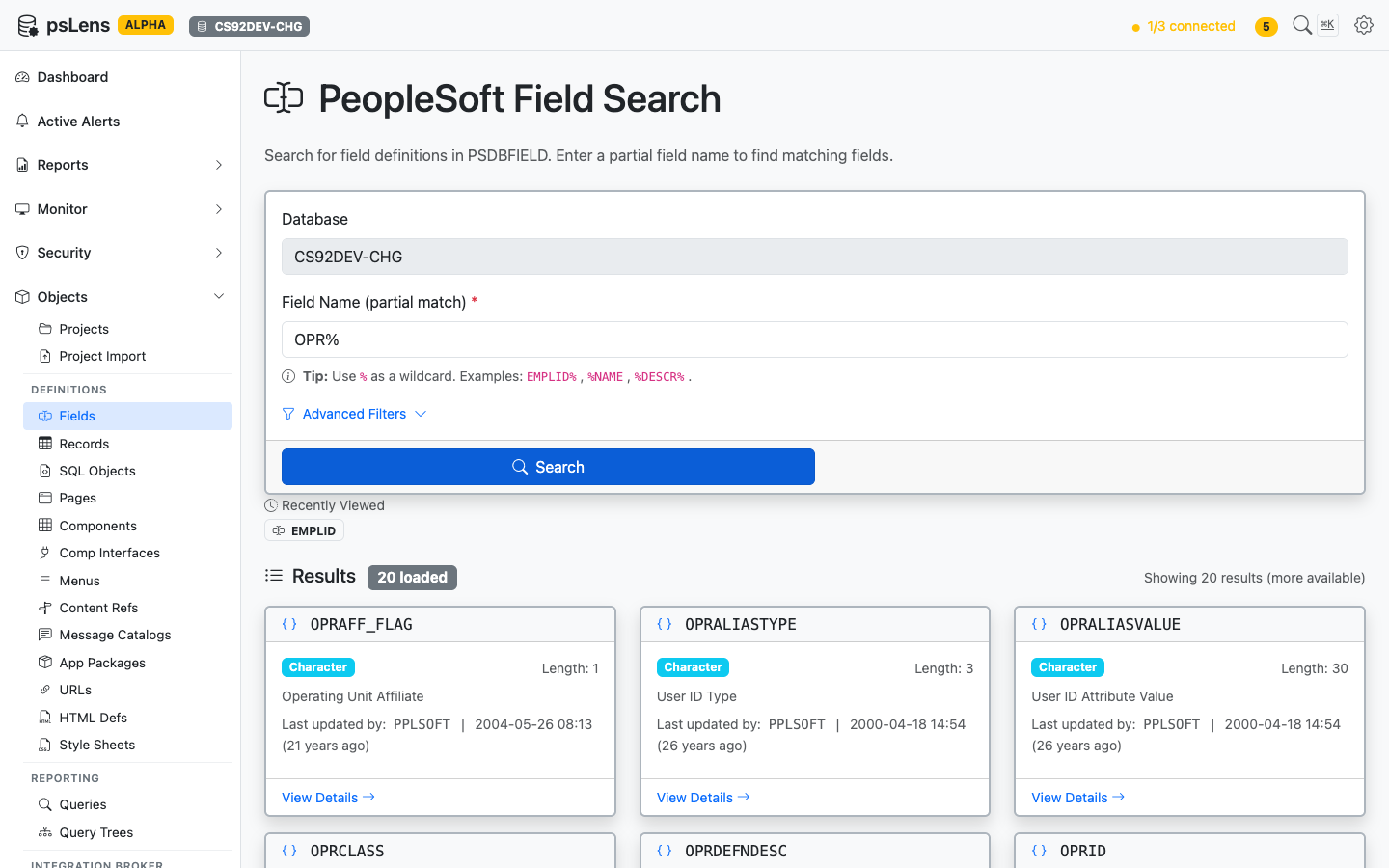
Field search results for OPR%
Type a partial field name to find matching definitions. Search auto-matches as starts with — EMPLID finds EMPLID, EMPLID_TBL, EMPLID_PNL, etc. Include % yourself for more control: %NAME (ends with), %DESCR% (contains), or just % to list every row. Each result card shows the field type and length, the long-name description, and the last-updated timestamp so you can spot recently modified objects at a glance. The Advanced Filters panel lets you narrow by field type, last-updated date, or owner. Recently viewed fields are surfaced just above the results.
URL: /fields/{FIELDNAME}?db={database}
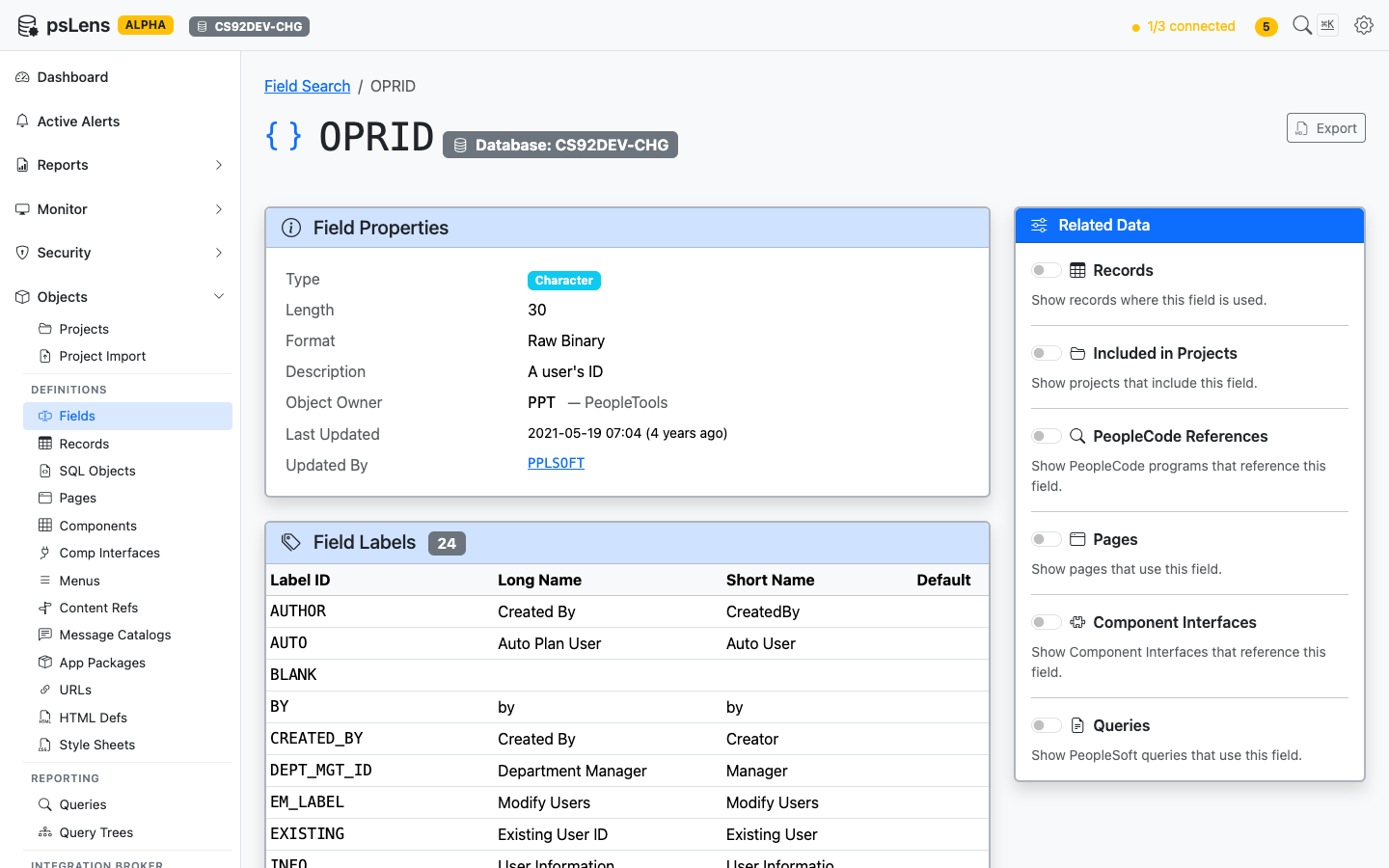
Field detail page for OPRID — default view, no panels expanded
The main pane shows the Field Properties card (type, length, format, description, object owner, last-updated metadata) and a Field Labels card with every long/short name pair defined in PSDBFLDLABL, including which one is the default label. The Export button in the top right downloads the full definition as Markdown. The Related Data sidebar holds six toggles that fetch additional context on demand.
Toggle any panel on to load it inline beneath the main content. Each panel returns the count of objects found and a sortable list with deep-links into the corresponding psLens detail pages, so you can chase a field reference into the record, page, or PeopleCode program that uses it without losing your place.
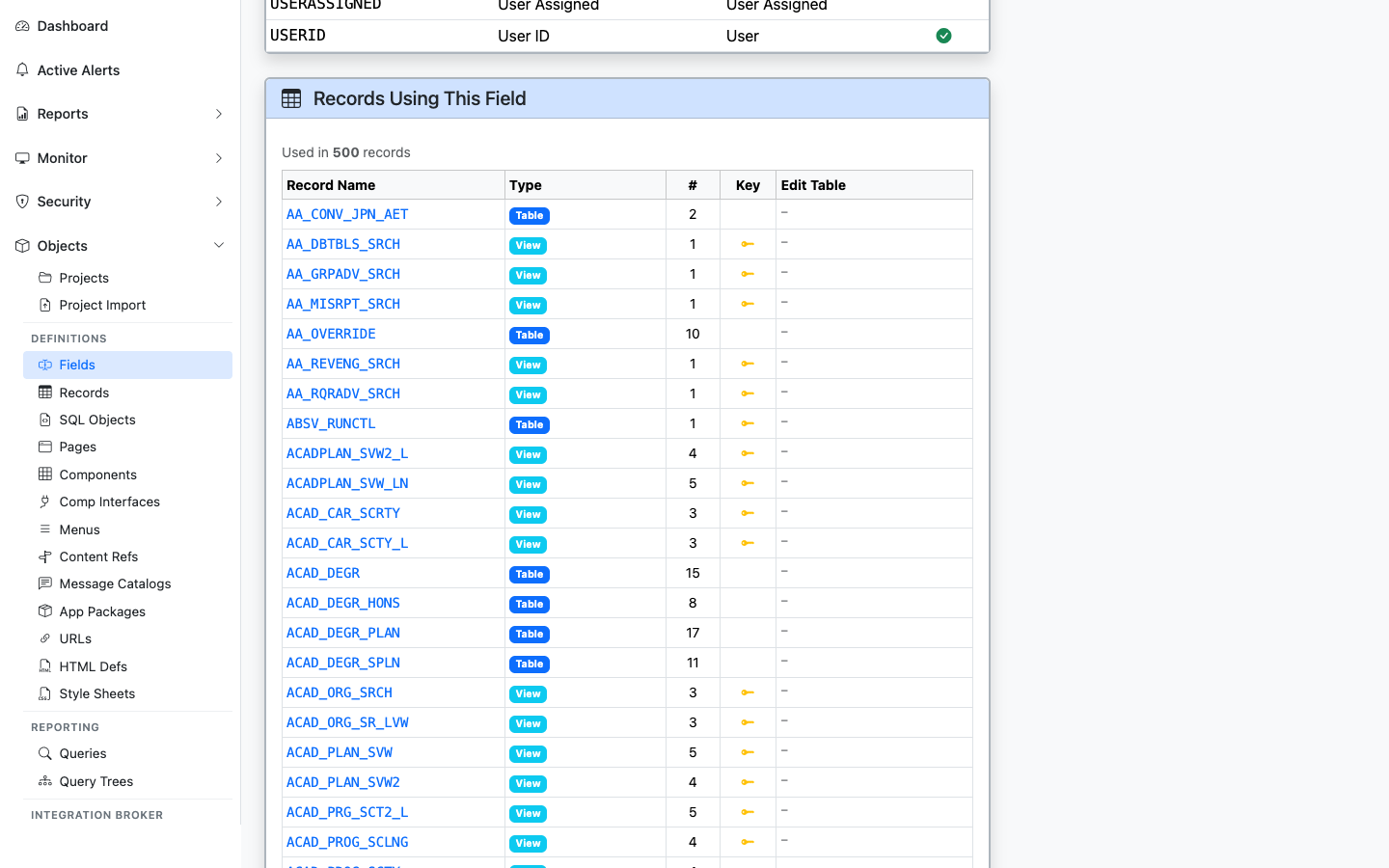
Every record that includes this field, with type (Table/View) and Edit Table indicator
Lists every record where the field appears, with record type, the position number within the record, key-field indicator, and whether the field is configured with an Edit Table prompt. Sourced from PSRECFIELD / PSRECFIELDDB.
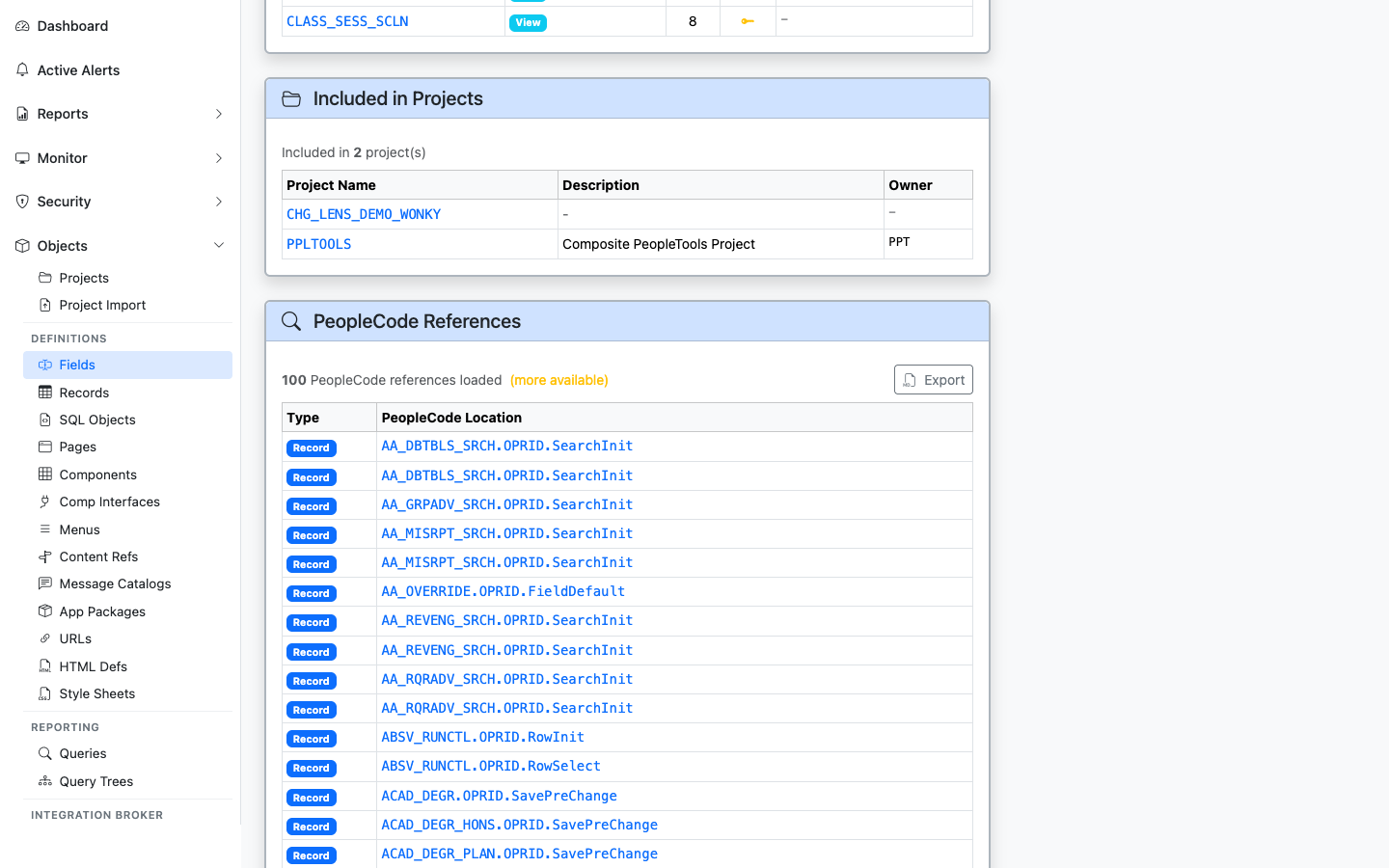
App Designer projects that include this field
Shows every App Designer project (PSPROJECTITEM) that contains this field as a project item. Useful for tracing which customization or release introduced or modified the field.
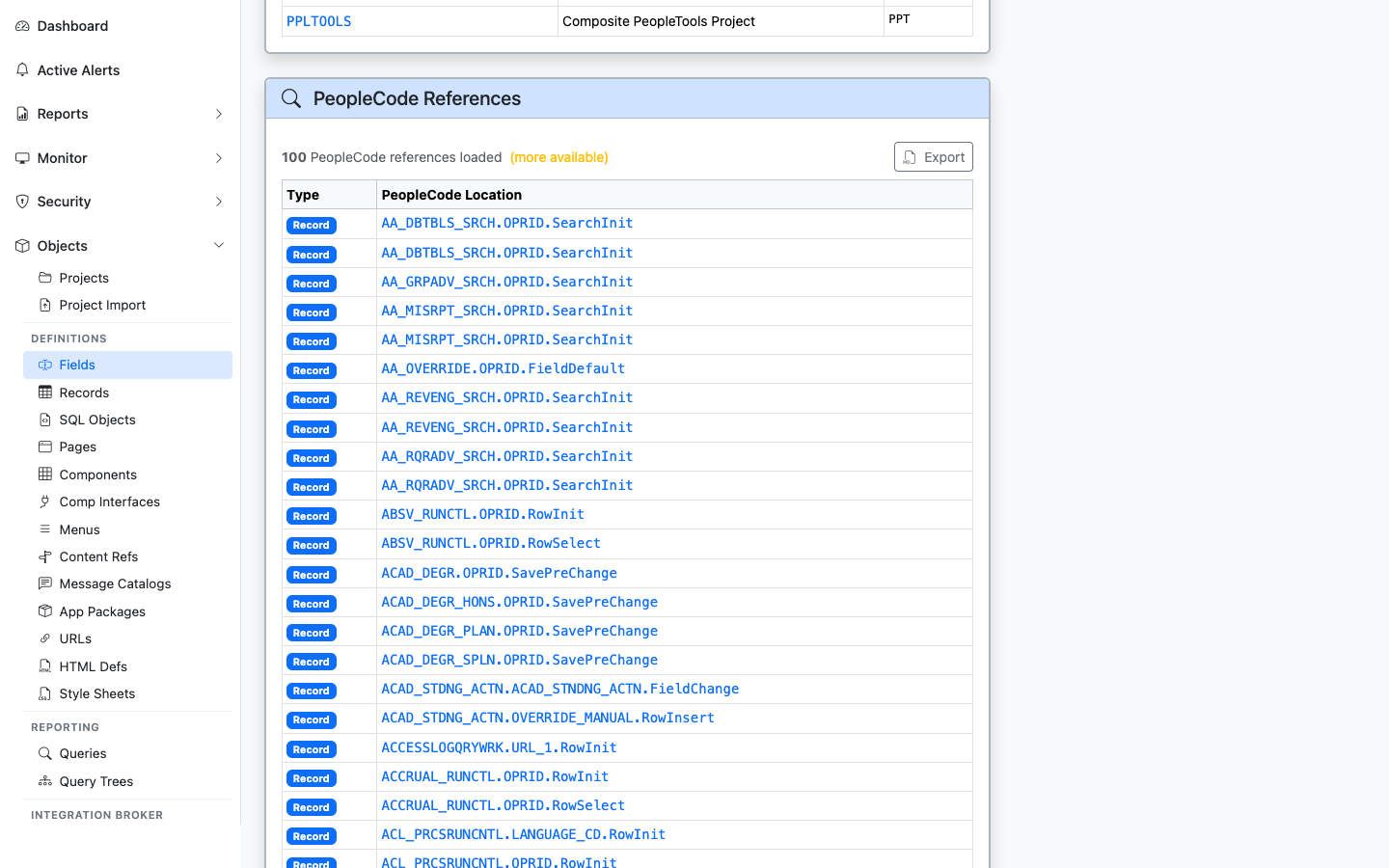
PeopleCode programs that reference this field
Lists PeopleCode programs that mention the field: record PeopleCode, component PeopleCode, application package methods, and more. Each result links to the parent object’s detail page so you can drill into the program.
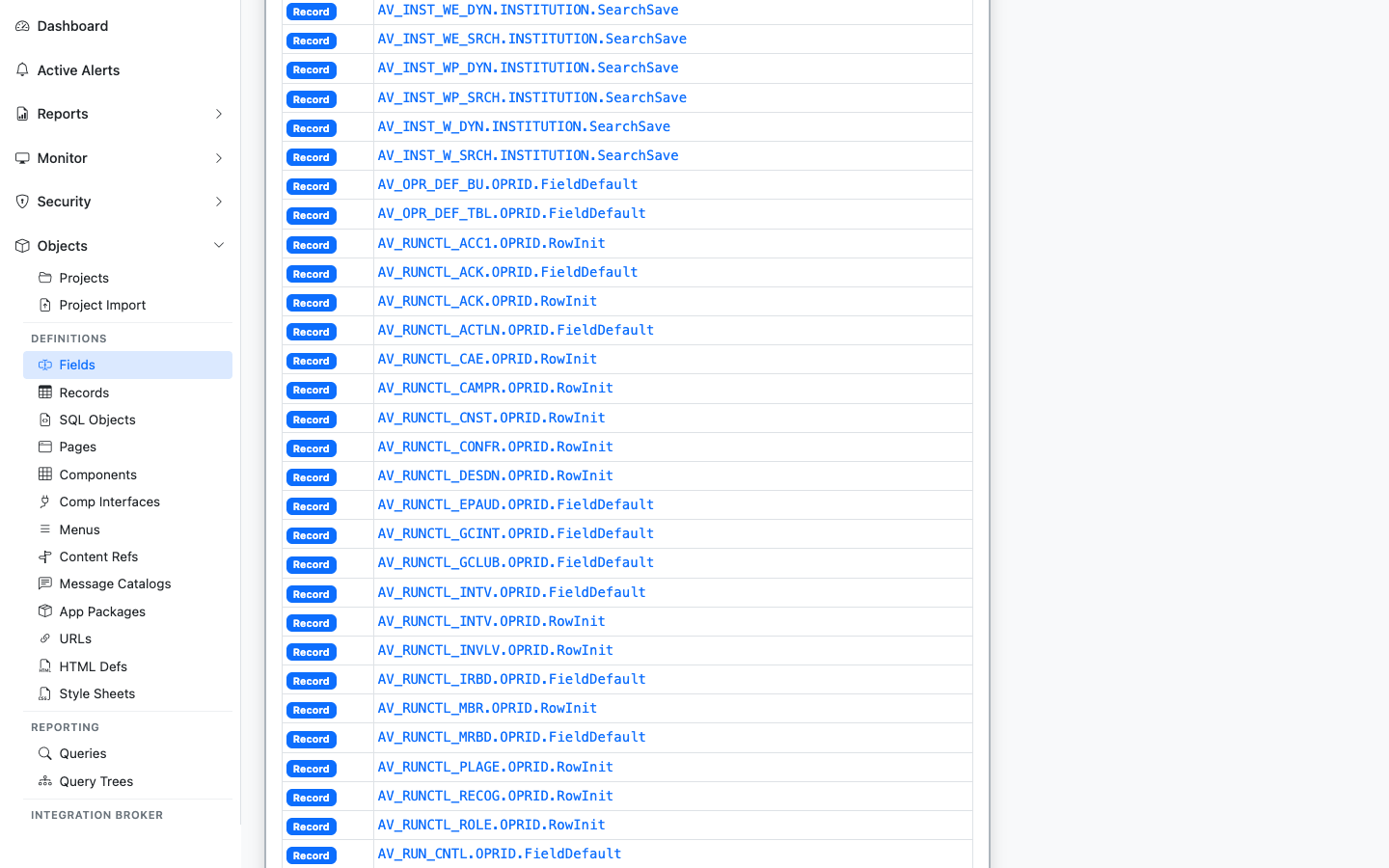
Pages with field controls bound to this field
Lists pages (PSPNLFIELD) where a control on the page is bound to this field, with the record context. Useful for impact analysis when changing a field’s type or length.
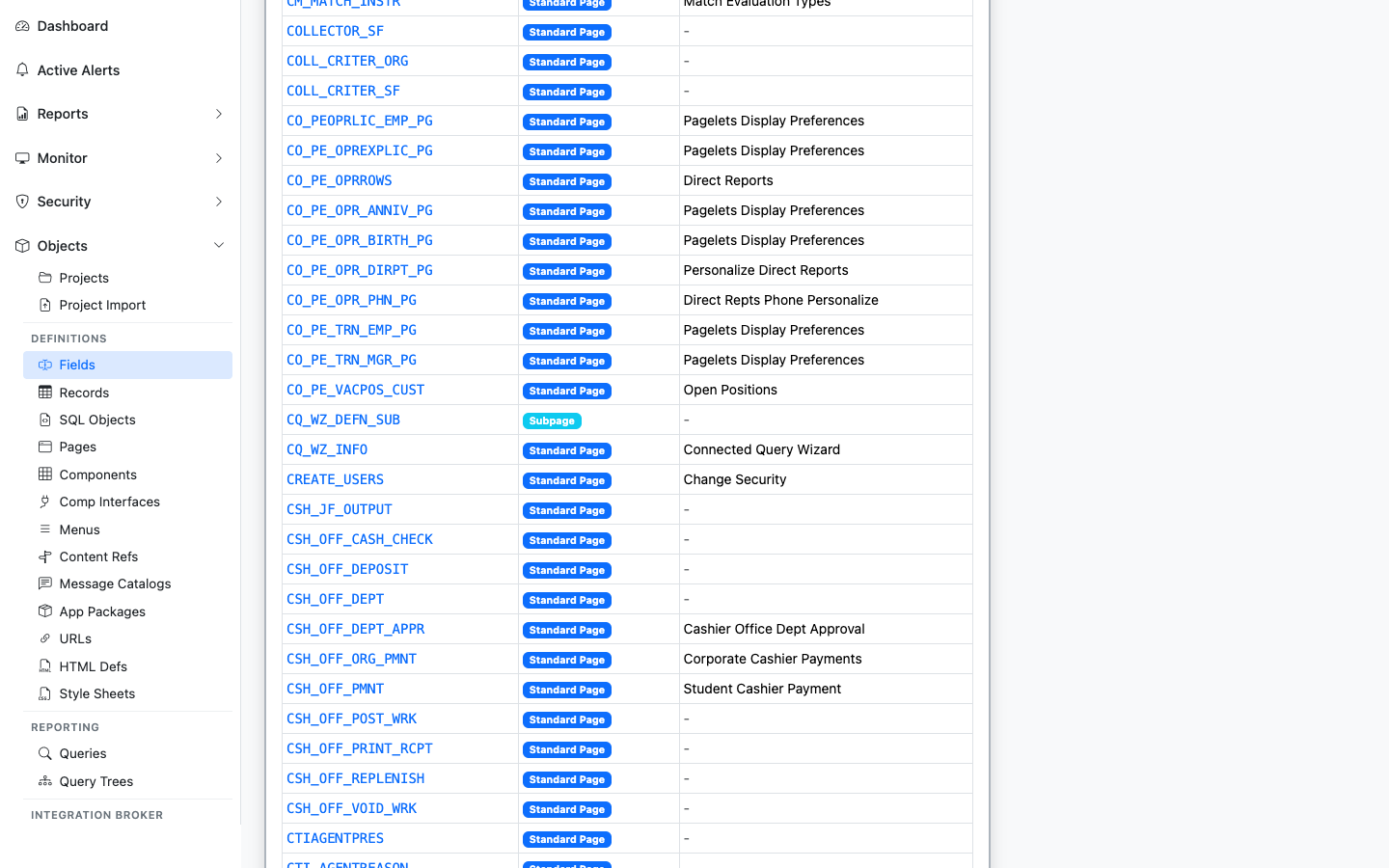
Component Interfaces that expose this field as a property
Lists Component Interfaces that expose this field as a CI property. The integration surface area for the field. Sourced from PSBCITEM.
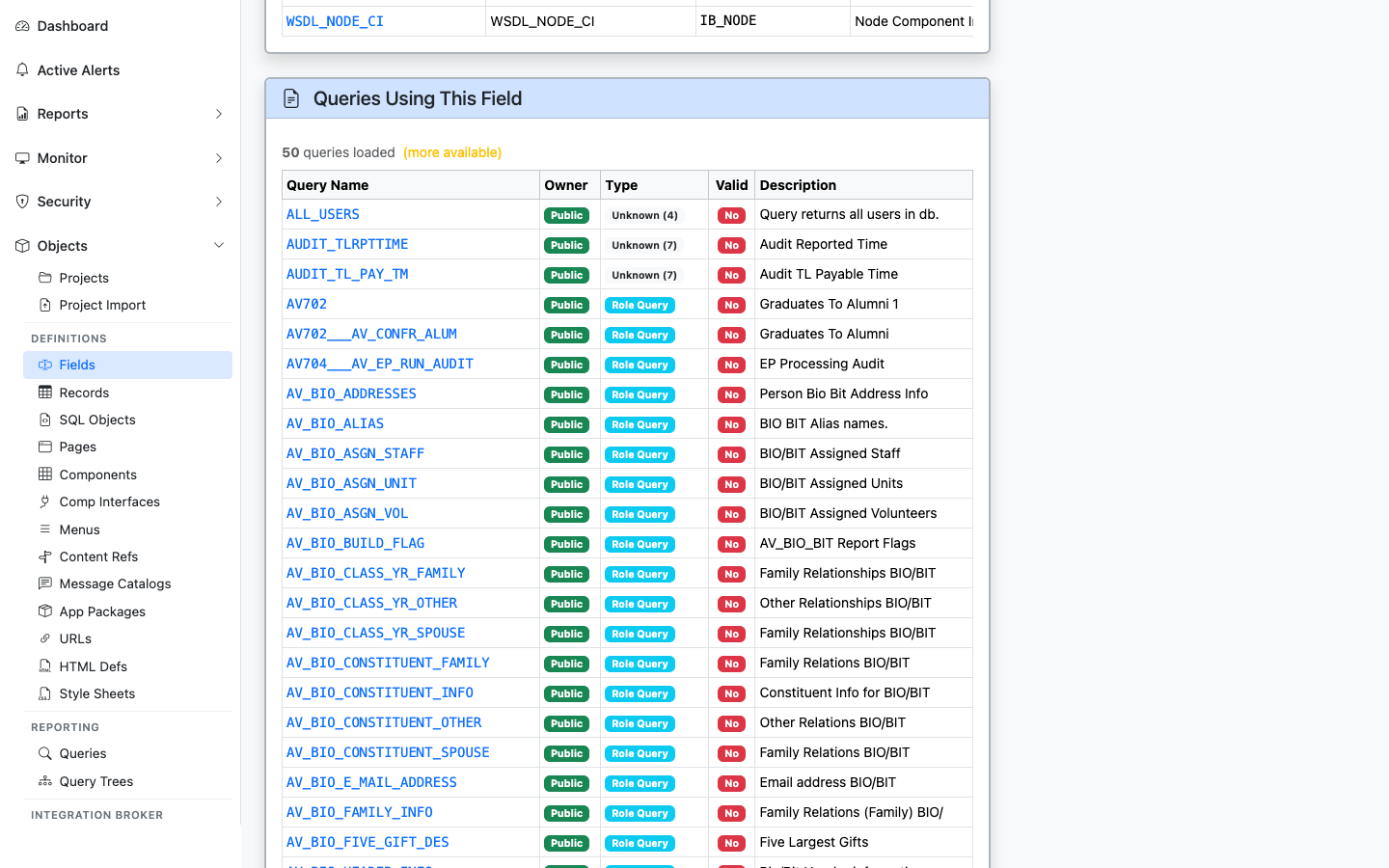
PeopleSoft Queries that reference this field
Lists PeopleSoft Queries (PSQRYFIELD) that reference this field in a SELECT, WHERE, or ORDER BY. Useful for security and audit work: “who has reports built on this column?”
——Records are PeopleSoft’s table/view definitions — every database table, SQL view, derived/work record, and dynamic view is registered in PSRECDEFN. psLens reads the record definition plus its field list from PSRECFIELD and stitches it together with everywhere the record is referenced in pages, components, PeopleCode, queries, projects, and trees. The Records page has 13 related-data panels covering pages, components, PeopleCode, queries, trees, prompt-table back-references, AE statements, COBOL SQL statements, views referencing in SQL, project membership, and a live row sample.
Records connect underlying field definitions to user interfaces and security structures:
PSDBFIELD) into ordered record fields (PSRECFIELD).PSPNLFIELD) on page definitions (PSPNLDEFN).SEARCHRECNAME) driving component key selection dialogs.RECTYPE = 1) derive their SELECT SQL definitions from SQL Objects (PSSQLDEFN).A complete impact assessment for a record change in Application Designer requires opening the record definition for properties, fields, and events, running Find Object References to find pages using it, walking found pages to identify parent components, executing Find In searches across PeopleCode, manually querying PSAESTMTDEFN, PSQRYRECORD, and PSTREENODE for AE, query, and tree usage, checking prompt-table back-references, and opening SQL clients to sample rows.
psLens consolidates record schema fields, page bindings, component trees, PeopleCode events, query usage, prompt-table relationships, AE/COBOL SQL statements, project membership, and a live row sample into one page.
URL: /records?db={database}
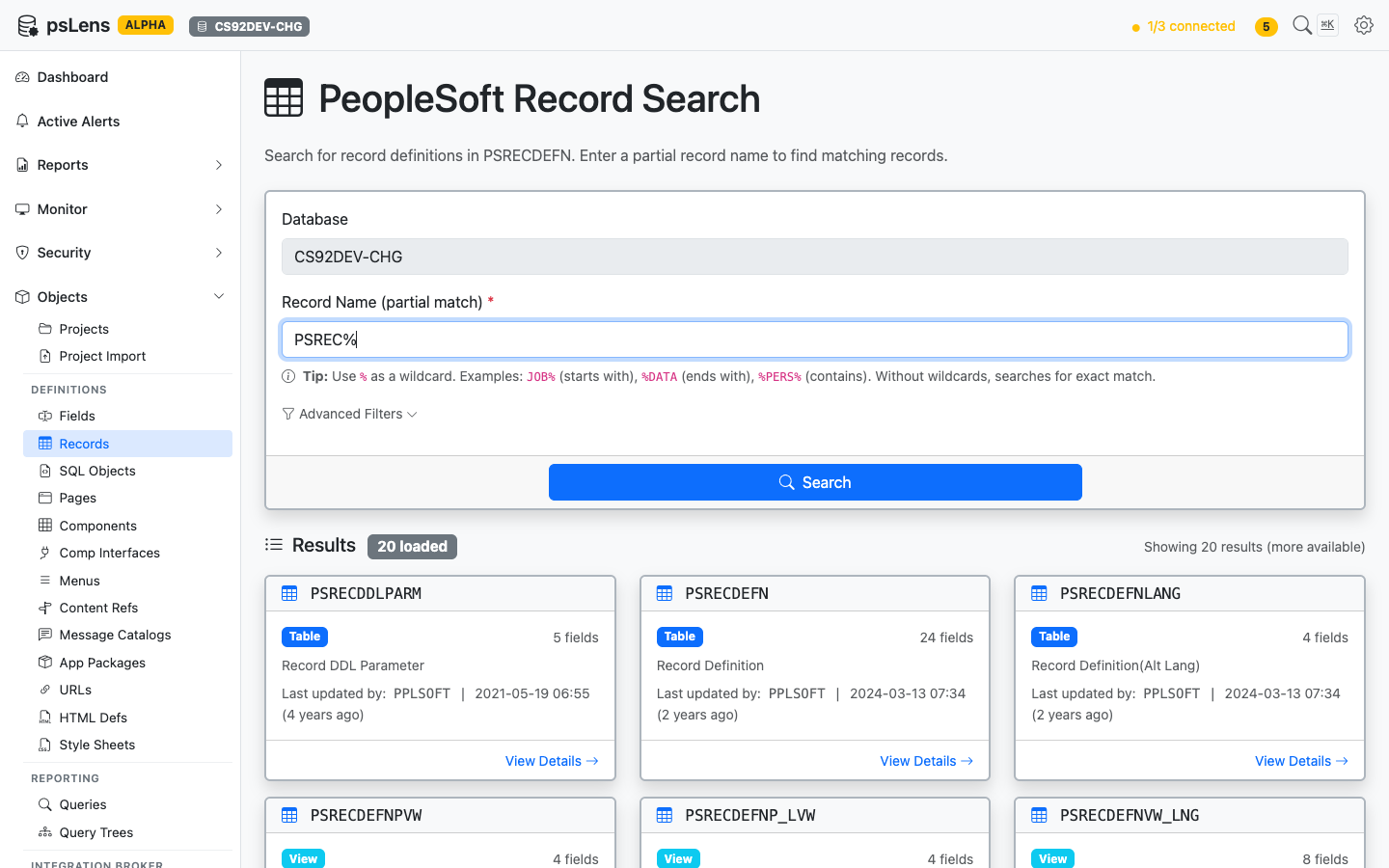
Record search results for PSREC% — note the record type pill (Table/View) and field count on each card
Search auto-matches as starts with — typing JOB finds JOB, JOB_DATA, JOBCODE, etc. For more control, include % yourself: %DATA (ends with), %PERS% (contains), or just % to list every row. Each card shows record type, field count, the descriptive long name, and last-updated metadata. The Advanced Filters panel lets you filter by record type (Table, View, Derived/Work, Subrecord, Dynamic View, Query View, Temp Table), object owner, and last-updated date.
URL: /records/{RECNAME}?db={database}
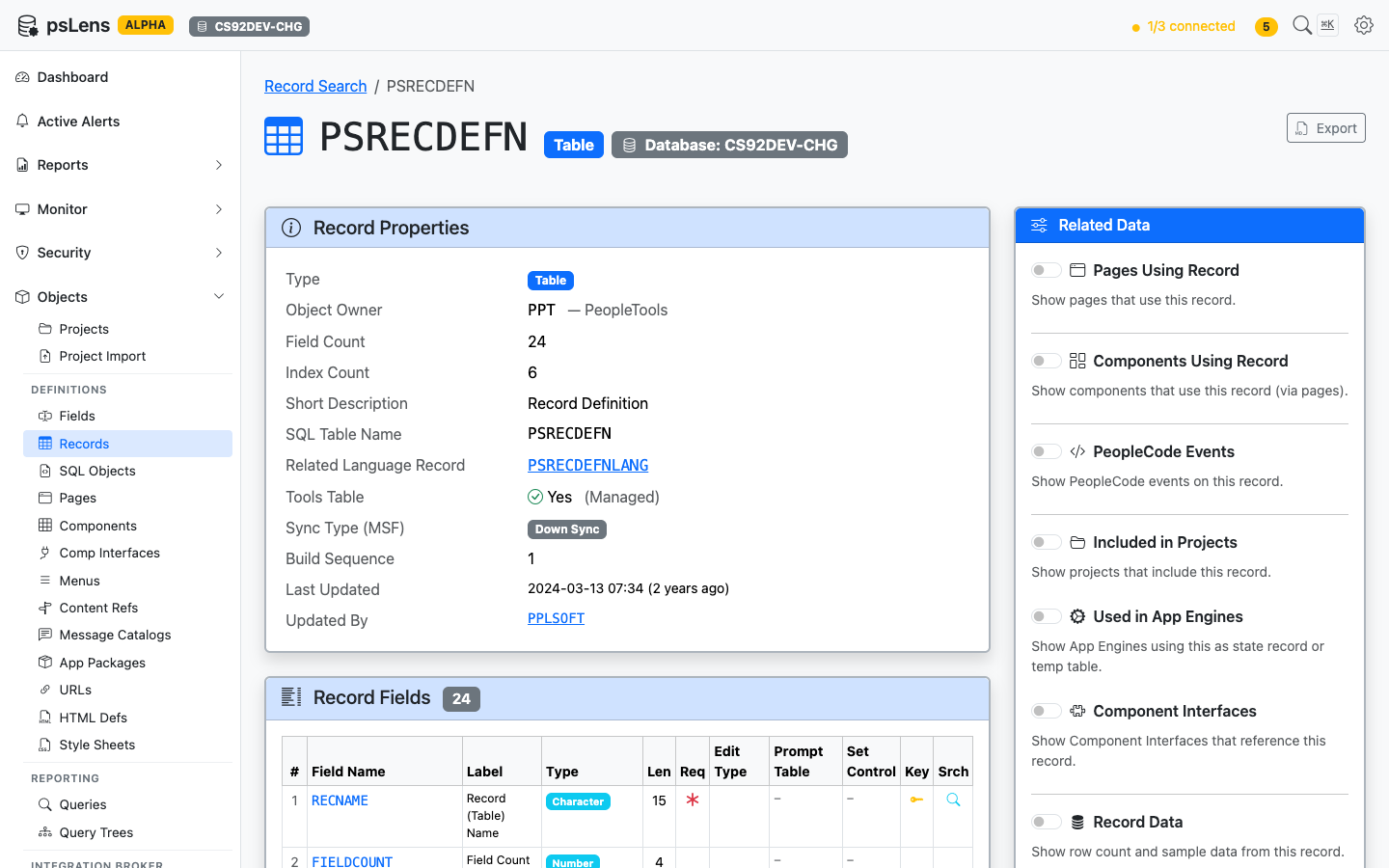
Record detail page for PSRECDEFN — default view with properties, field list, and the Related Data sidebar
The main pane shows Record Properties (type, owner, parent record, outgoing Related Language Record and reverse Related Language For links when the record serves as another record’s related language table, audit options, system table flag, description, audit timestamps) and a full Record Fields table with each field’s type, length, key indicators, default value, and Edit Table prompt — every detail you’d otherwise open App Designer to confirm. The Export button downloads the full record definition as Markdown. The Related Data sidebar holds 13 toggles — the broadest set of any object type — covering every place this record is referenced.
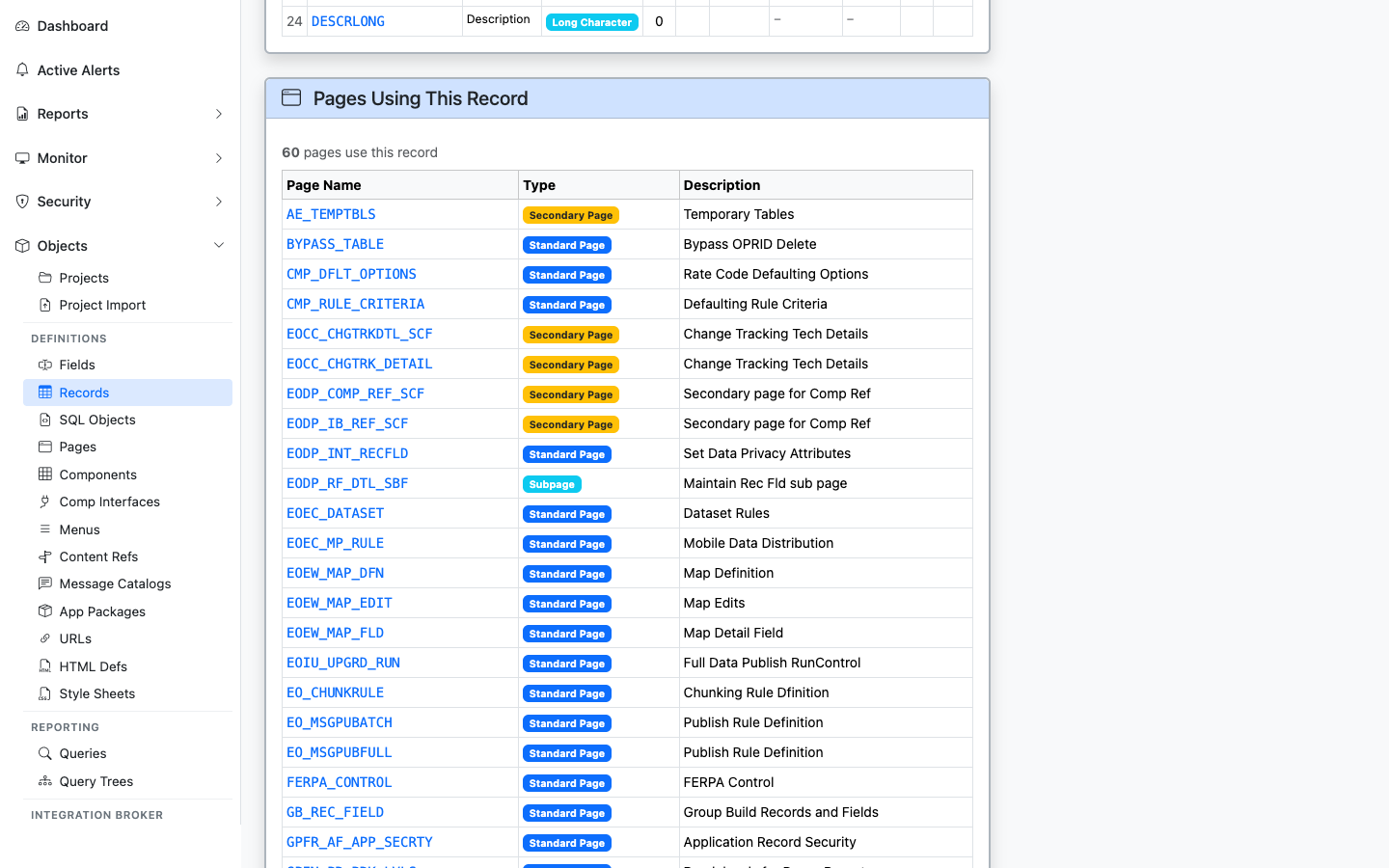
Pages that bind a control to this record
Lists pages with controls bound to this record (PSPNLFIELD join on RECNAME). Useful for impact analysis when changing the record schema.
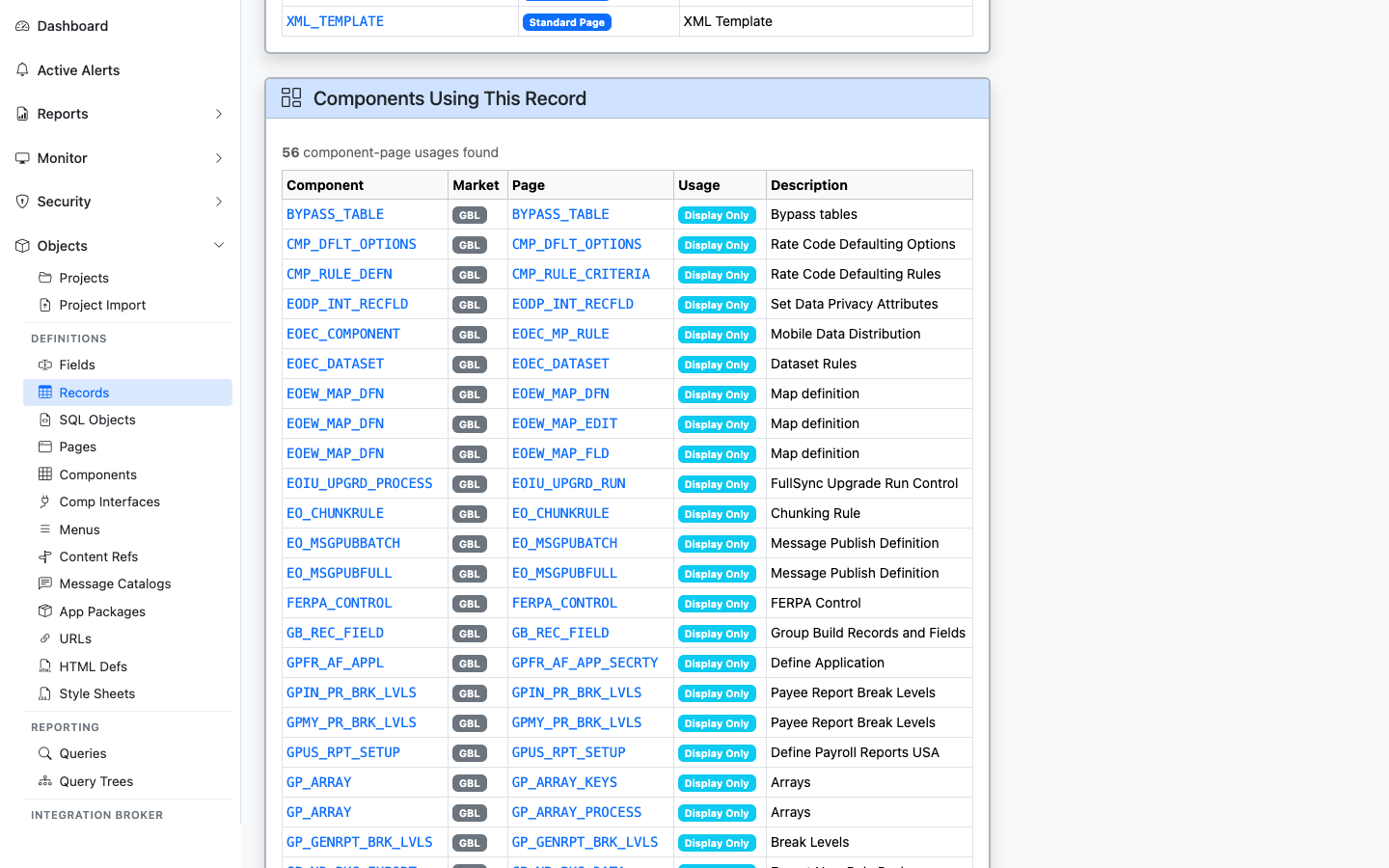
Components whose pages reference this record
Lists every component containing a page bound to this record — gives you the user-facing transactions affected by the record.
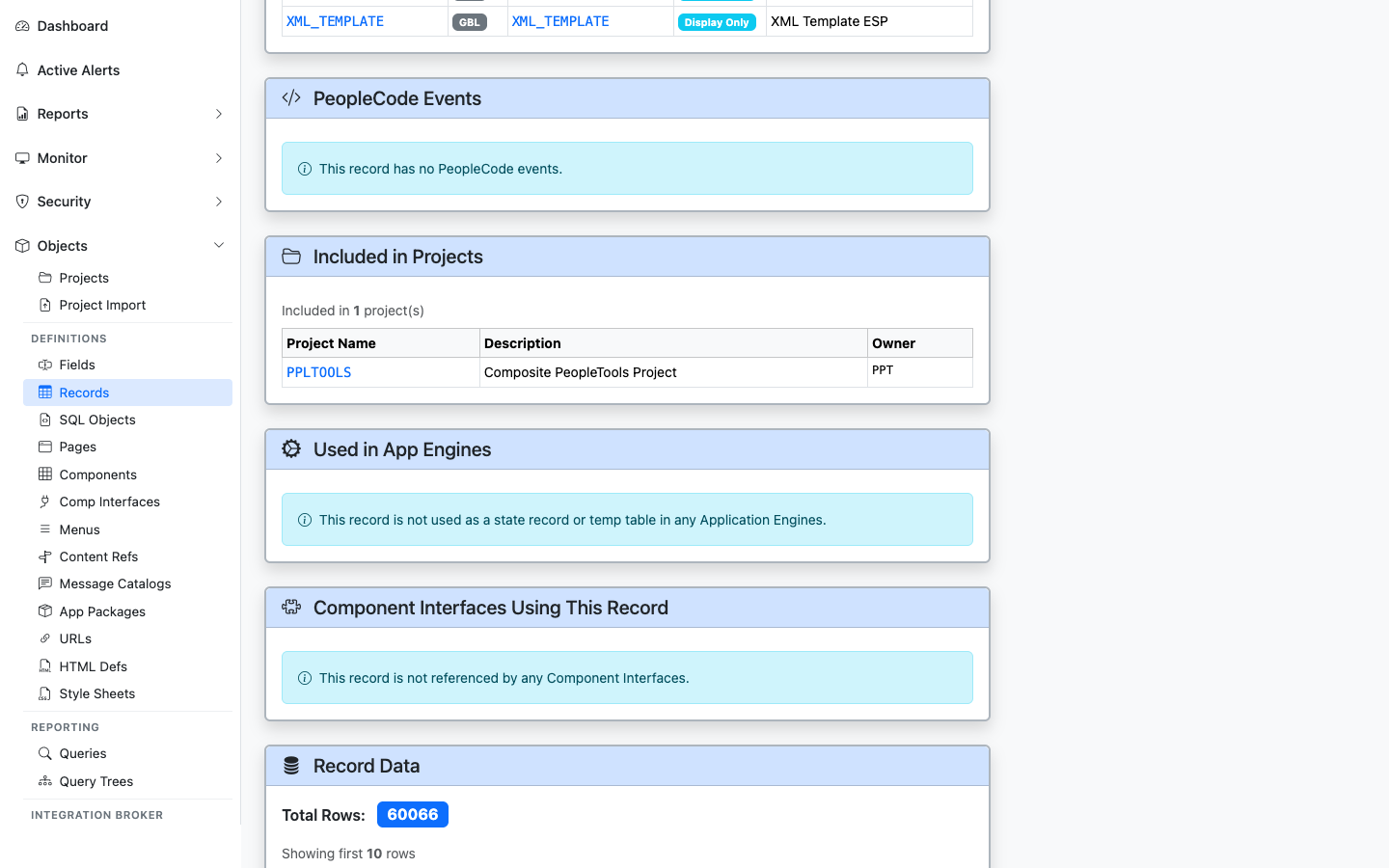
Record PeopleCode events defined on this record
Lists record-level PeopleCode events (FieldChange, RowInit, SaveEdit, etc.) attached to fields of this record. Sourced from PSPCMPROG.
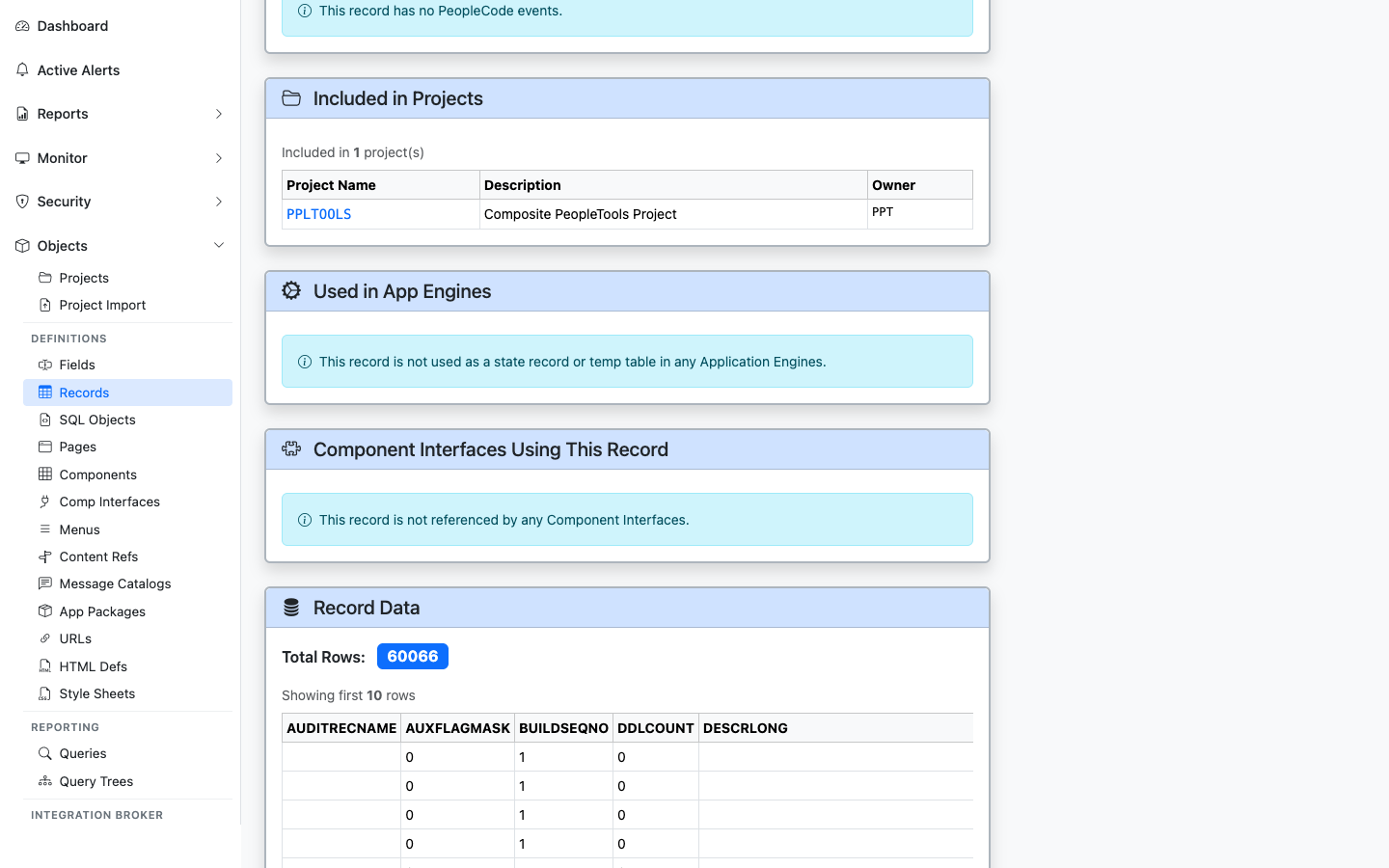
App Designer projects that include this record
Lists App Designer projects (PSPROJECTITEM) that include this record — useful for migration history and change tracking.
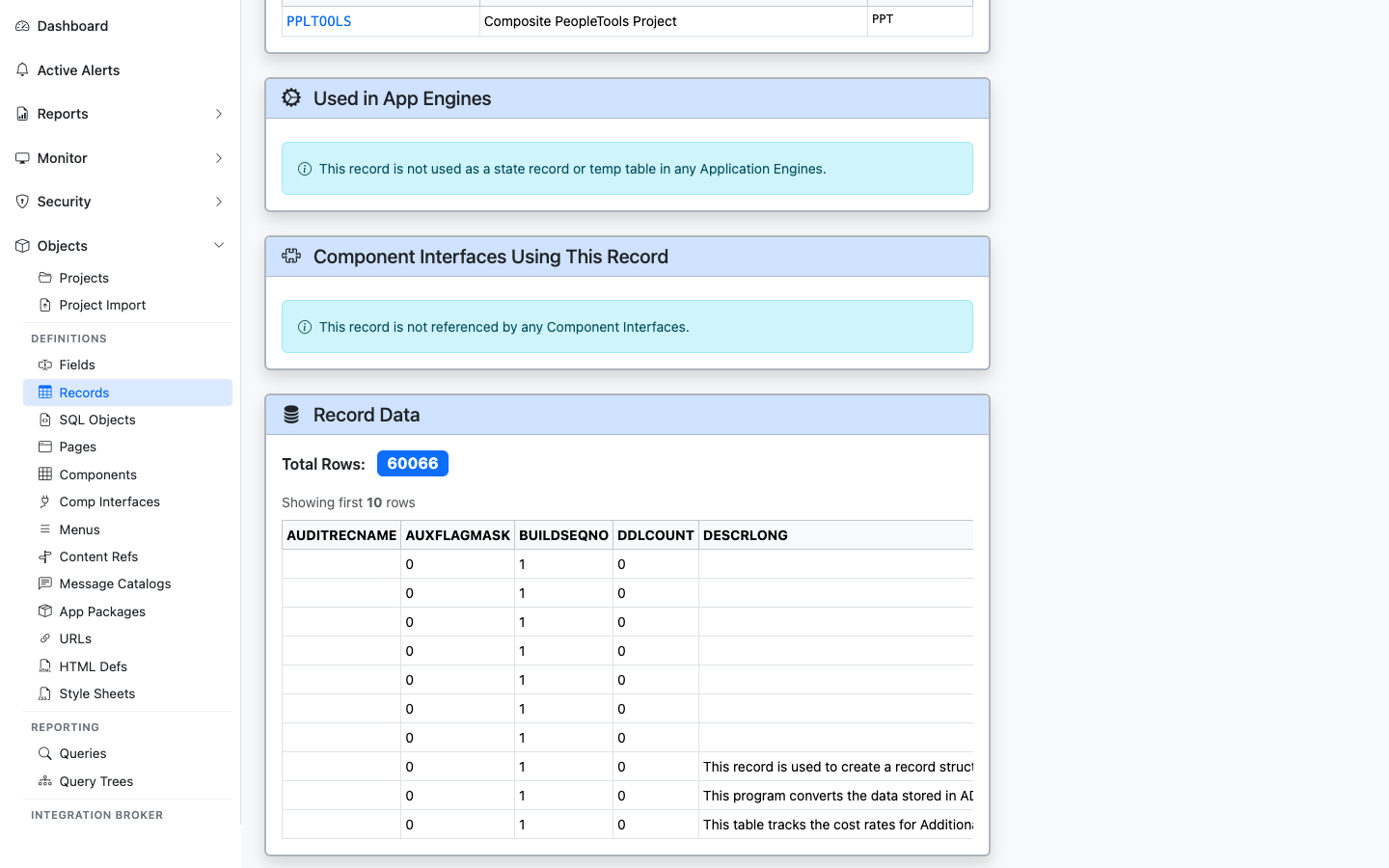
Application Engine programs that reference this record
Lists Application Engine programs whose SQL or PeopleCode steps reference this record. Sourced from PSAESTMTDEFN text scans.
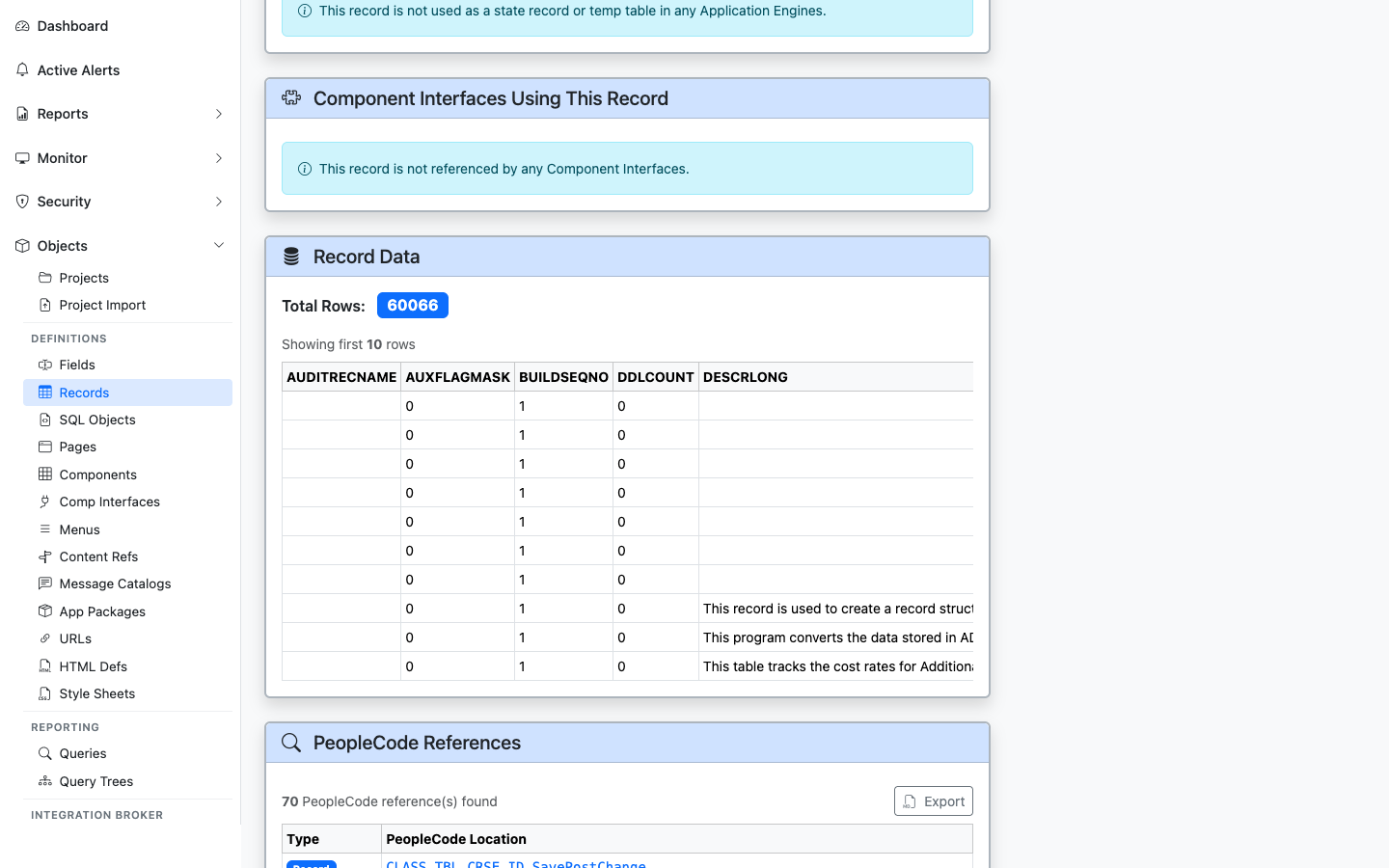
CIs whose underlying component is built on a page that uses this record
Lists Component Interfaces whose underlying component contains a page bound to this record — the integration surface area.
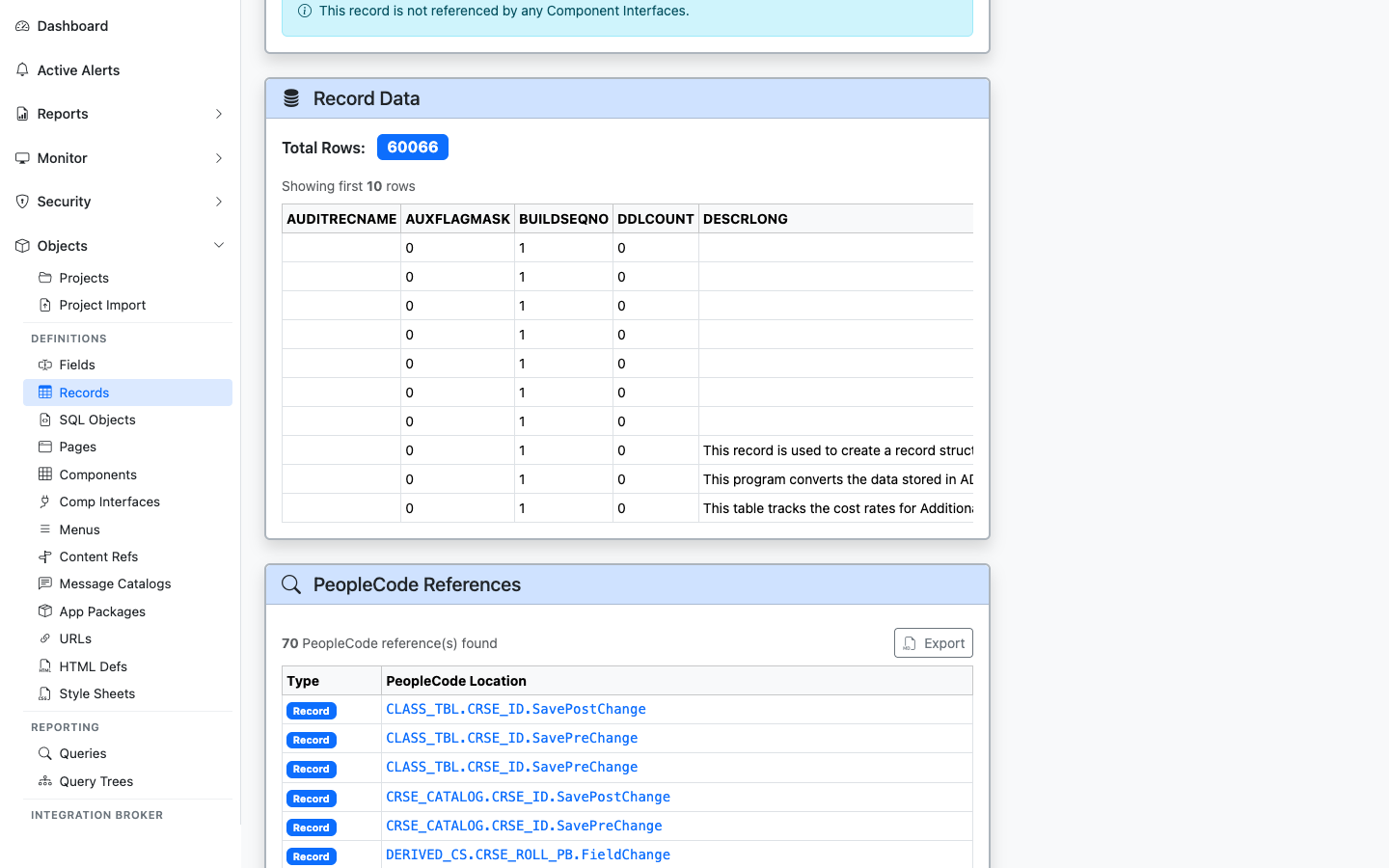
Live sample data from the record itself
Pulls a live sample of rows from the record using the psoftQL API — first ~10 rows with every column. Lets you see what the data actually looks like without opening App Designer’s Run-In-Query or a separate SQL client.
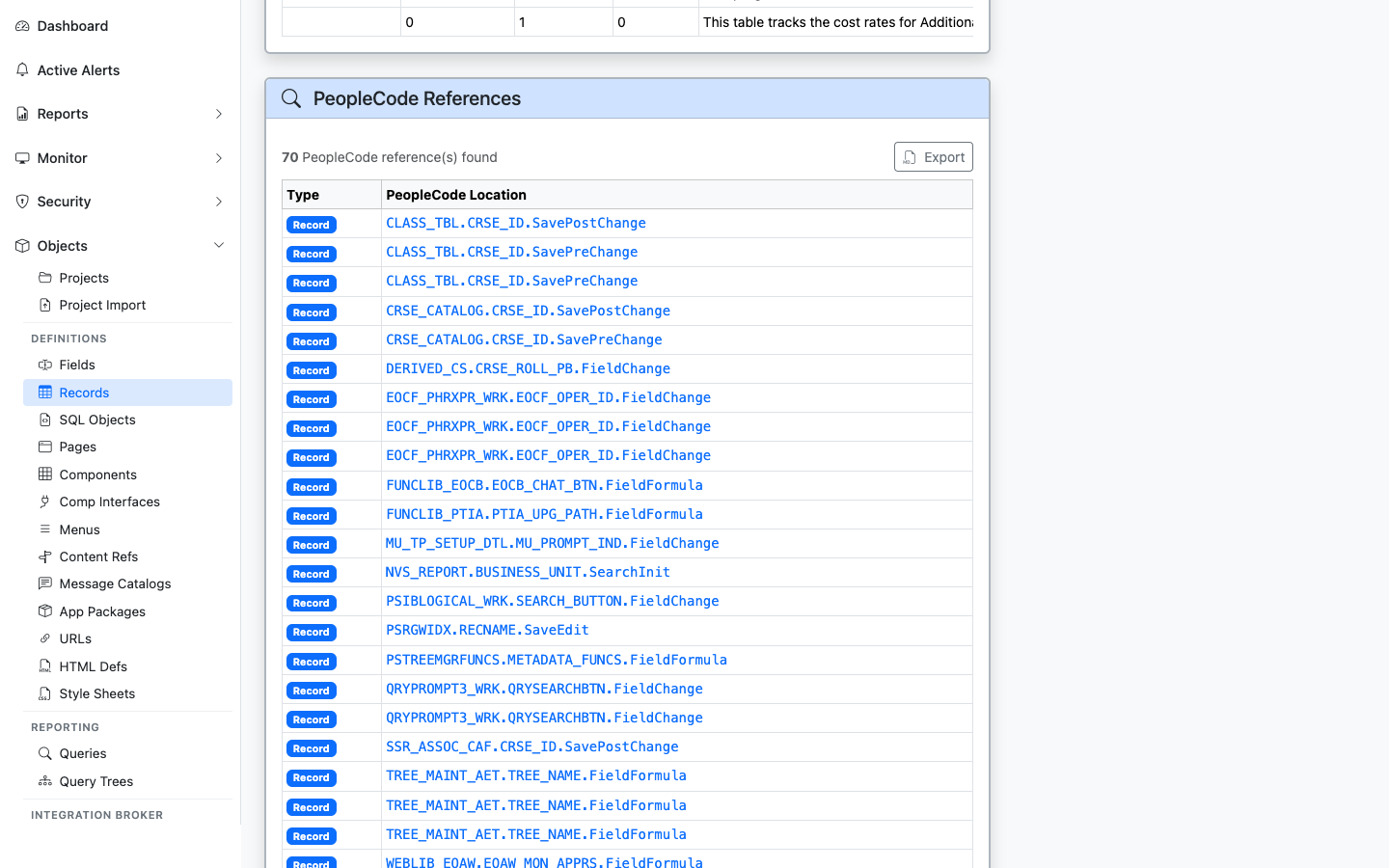
Any PeopleCode program that mentions this record by name
Broader than “Events” — finds any PeopleCode anywhere in the database that mentions this record by name (component, page, app package, app engine, message, signon, FieldFormula, etc.).
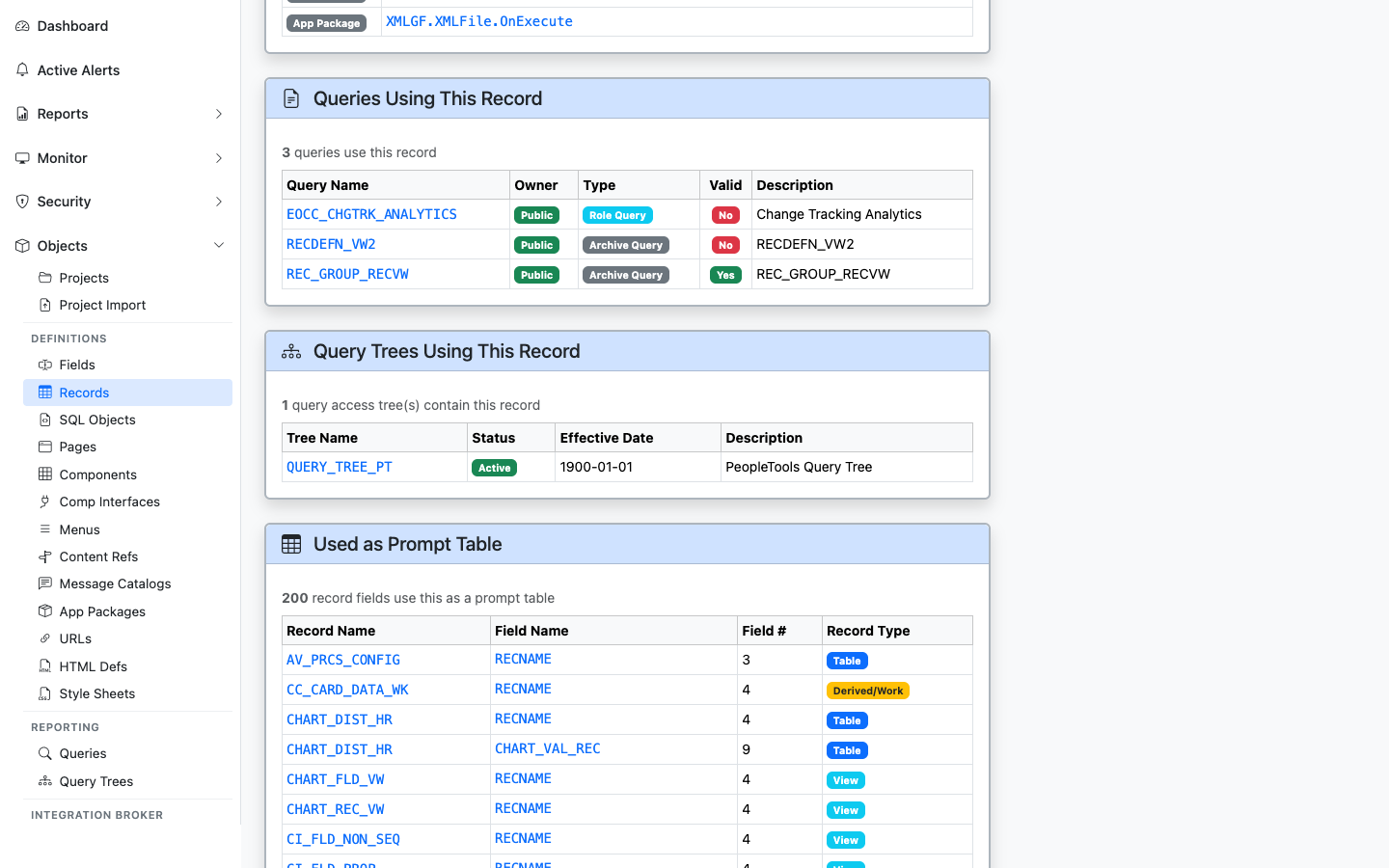
PeopleSoft Queries that include this record
Lists PeopleSoft Queries (PSQRYRECORD) that include this record in a FROM clause. Critical for audit work — “who is reporting from this table?”
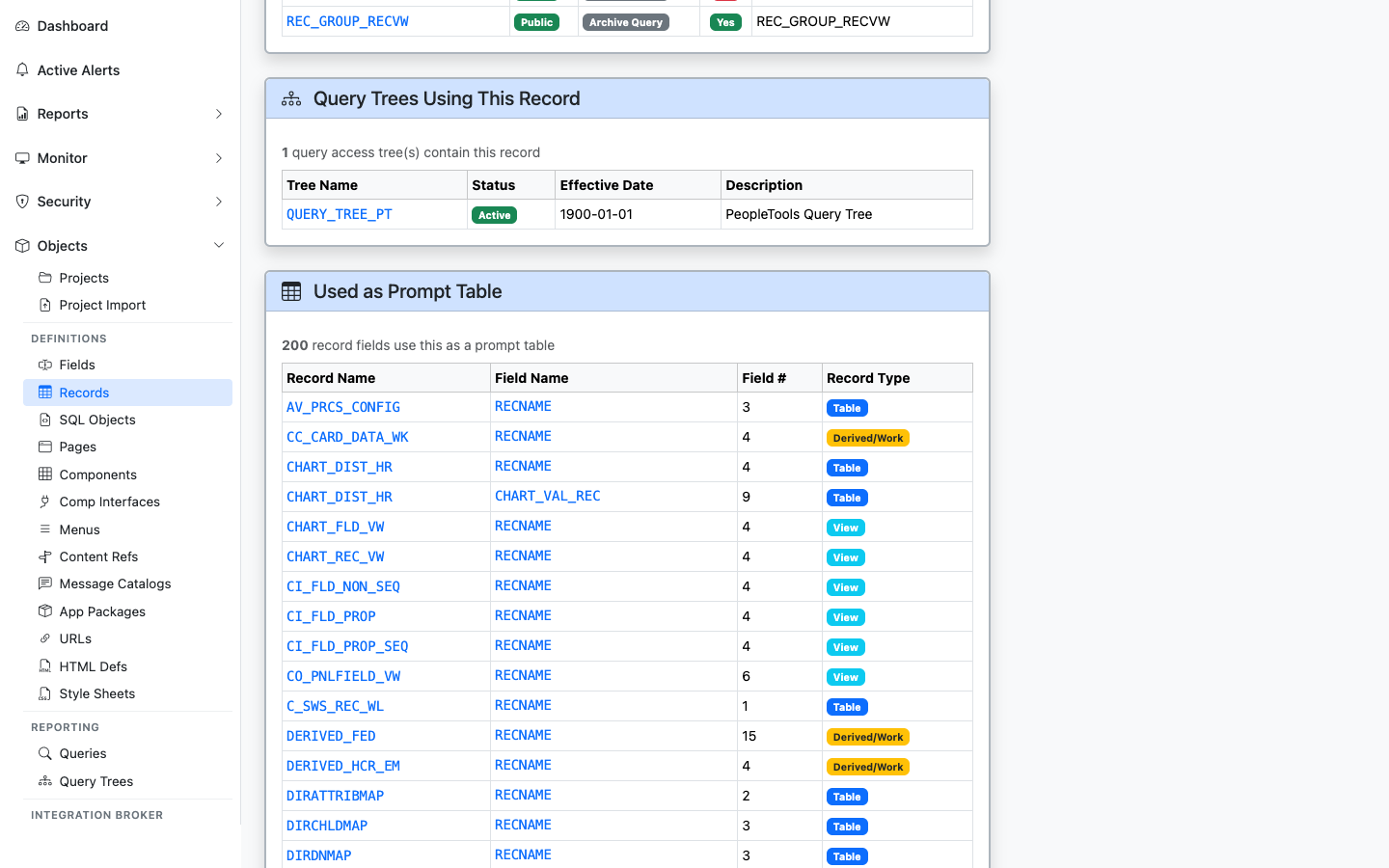
Query Tree nodes that expose this record to query authors
Lists Query Tree nodes (PSTREENODE) where this record appears — determines which query authors can build queries against it.
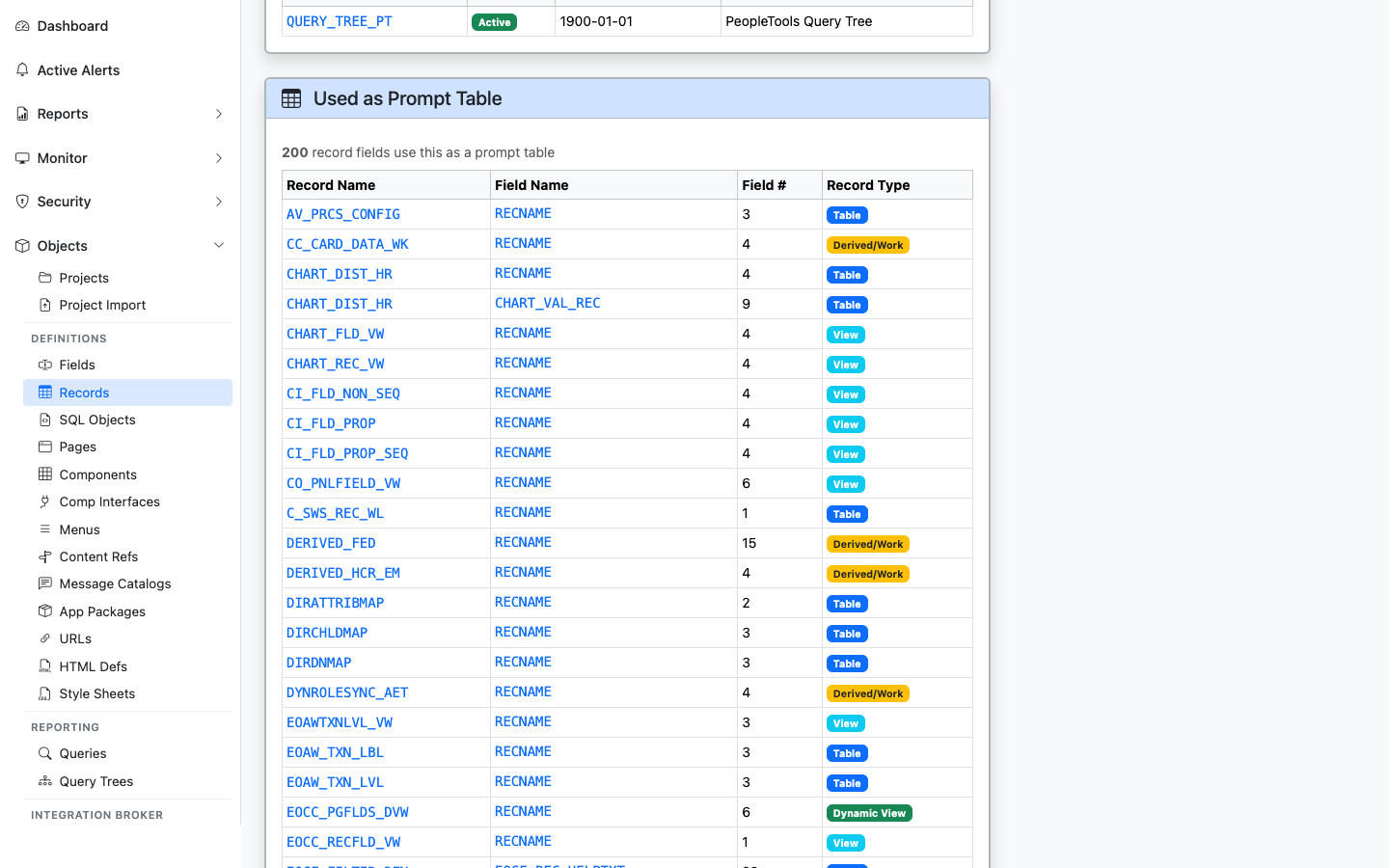
Other records whose fields use this record as an Edit/Prompt table
Lists fields on other records that point to this record as their Edit Table / Prompt Table — shows the lookup relationships that hang off this record.
Lists stored COBOL SQL statements (SQLSTMT_TBL) that reference this record in their statement text, program name, or statement name. Displays the COBOL program (PGM_NAME), statement type (STMT_TYPE), statement name (STMT_NAME), and formatted SQL text.
Lists SQL views (RECTYPE = 1) and dynamic views (RECTYPE = 5) whose underlying definition SQL (PSSQLTEXTDEFN) references this record or its SQL table name. Displays view name, view type badge, description, object owner, and last-updated metadata.
——SQL Objects are the PeopleSoft application’s standalone SQL artifacts — view definitions and other named SQL fragments stored in PSSQLDEFN / PSSQLTEXTDEFN. Unlike a record’s automatically-generated DDL, these are SQL bodies the developer hand-wrote and PeopleSoft keeps versioned with the rest of the metadata. psLens pulls the source SQL plus the related record (when the SQL object is a view tied to a record definition) so you don’t switch into App Designer to read the SQL.
SQL Objects define custom SQL statements for database views and code modules:
PSSQLDEFN) contain the underlying SELECT statements that define SQL view records (RECTYPE = 1).FetchSQL() or Application Engine SQL actions.Reading SQL Objects in Application Designer requires searching SQL definitions, opening the object editor, right-clicking to find backing records, and checking projects individually for migration history.
psLens presents syntax-highlighted SQL source code inline, with direct links to backing record definitions and project membership.
URL: /sqlobjects?db={database}
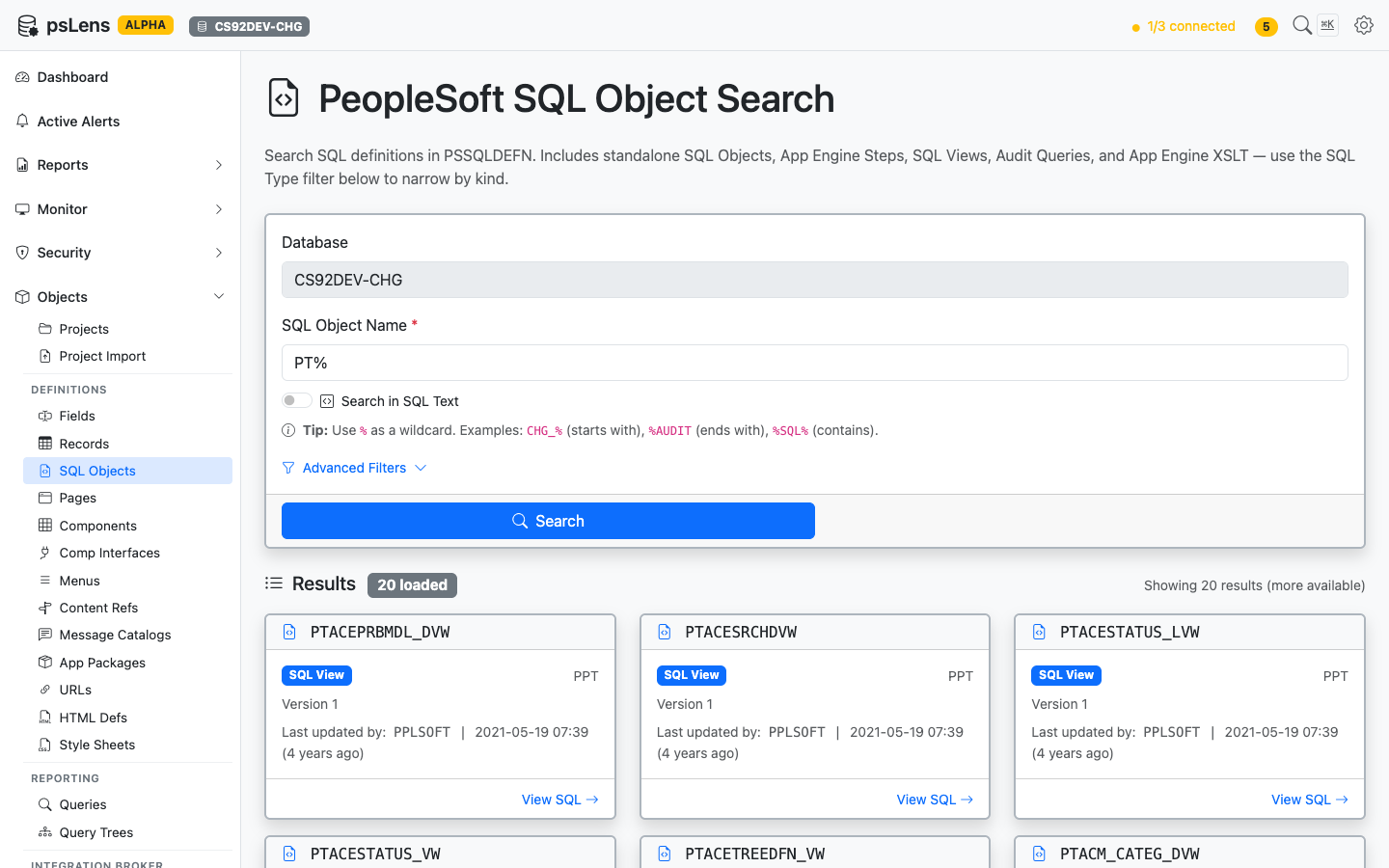
SQL Object search results for PT%
Search auto-matches as starts with. Typing PT finds every SQL object whose ID begins with PT. Include % yourself for ends-with (%VW) or contains (%AUDIT%) patterns, or use % alone to list every row. Each result shows the object name, type, and last-updated info, useful when you’re tracing where a view body is defined or hunting for a delivered SQL fragment.
URL: /sqlobjects/{NAME}?db={database}
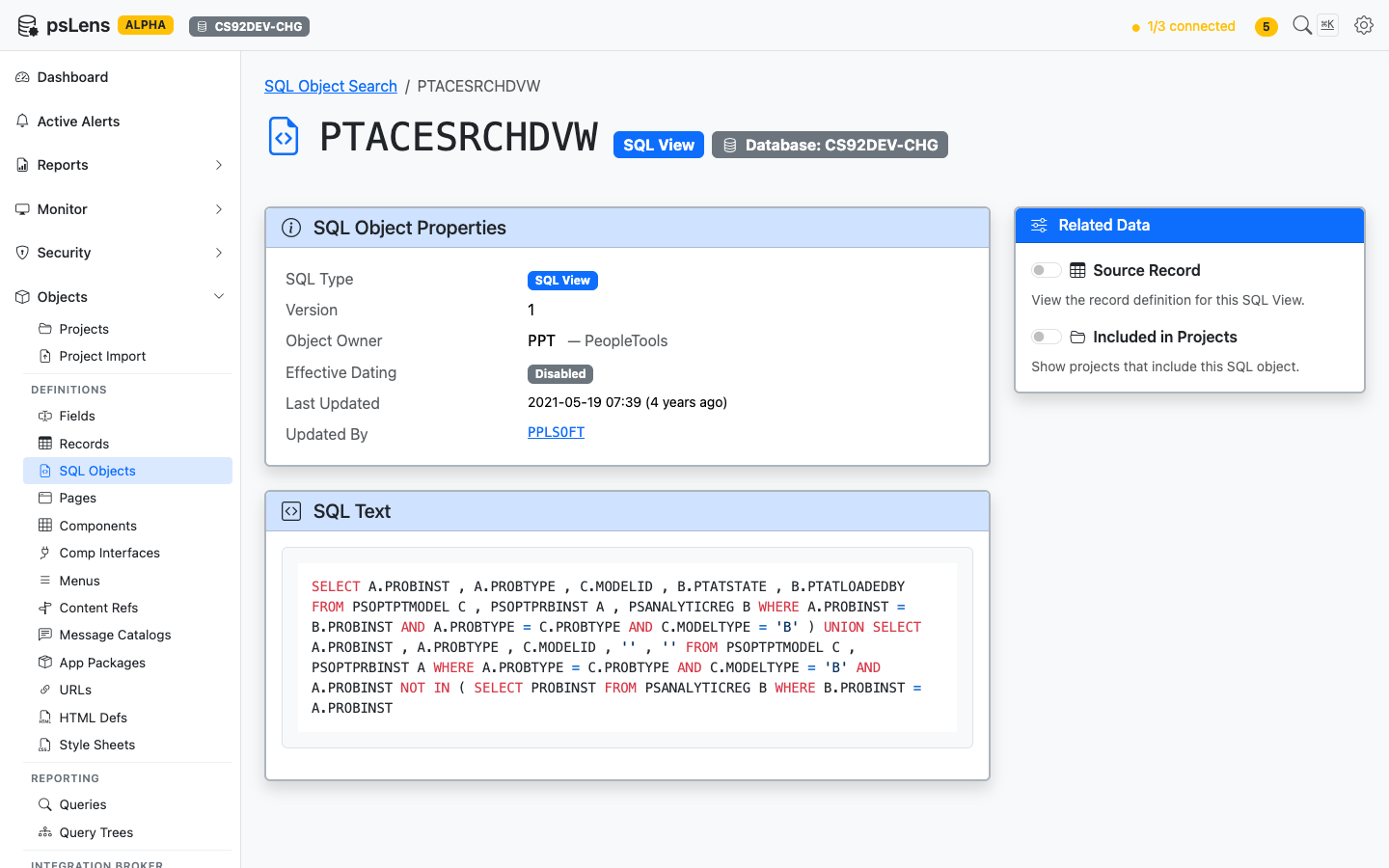
SQL Object detail page for PTACESRCHDVW
The main pane shows the object’s properties and the full Source SQL body, syntax-highlighted and copyable, so you can see what the view SELECTs without an App Designer round-trip. The sidebar provides related-data toggles and a direct link to the Code & SQL Text Search report.
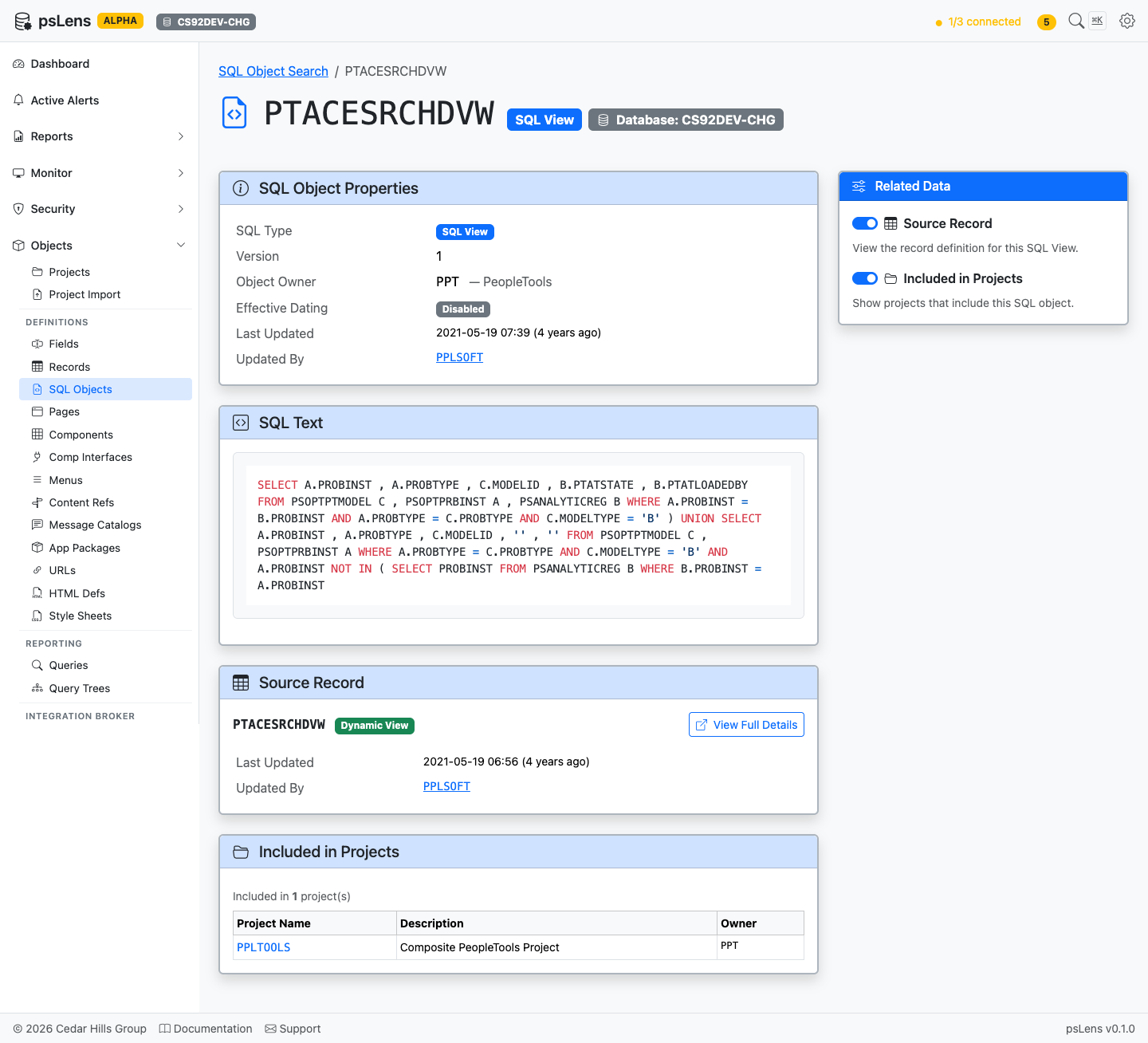
All panels expanded: Source Record and Project membership
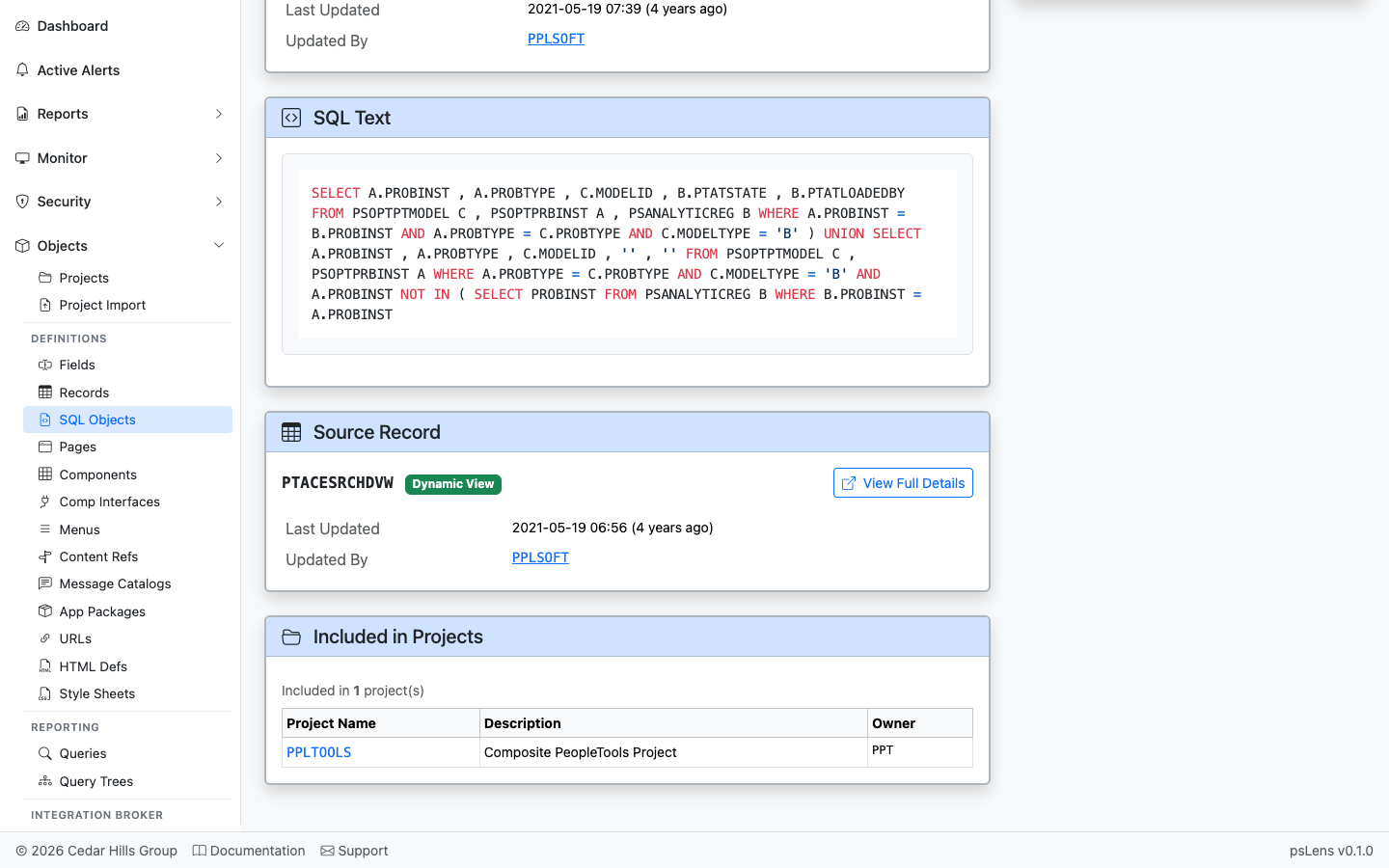
Direct link into the matching record detail page
When the SQL object is the body of a view-type record, this panel links into the parent record’s detail page so you can see the field list and the rest of the record metadata in one click.
Lists every PeopleCode program that references this SQL object via a compiled SQL.<SQLID> token (such as GetSQL(SQL.MY_SQL, ...) or SQLExec(SQL.MY_SQL, ...)), queried from PSPCMNAME (RECNAME = 'SQL'). Includes a one-click Markdown export of all referencing PeopleCode programs and their source code.
Because the PeopleCode compiler only indexes direct SQL.<SQLID> object tokens in PSPCMNAME, SQL objects referenced inside string literals (for example SQLExec("%SQL(MY_SQL)")) or nested via %SQL(MY_SQL) inside other SQL objects or Application Engine SQL actions do not appear in the cross-reference table. The Search in Code & SQL button in the sidebar (and Full Text Search button in the PeopleCode References card) deep-links to the Code & SQL Text Search report with the SQL ID and database pre-filled.
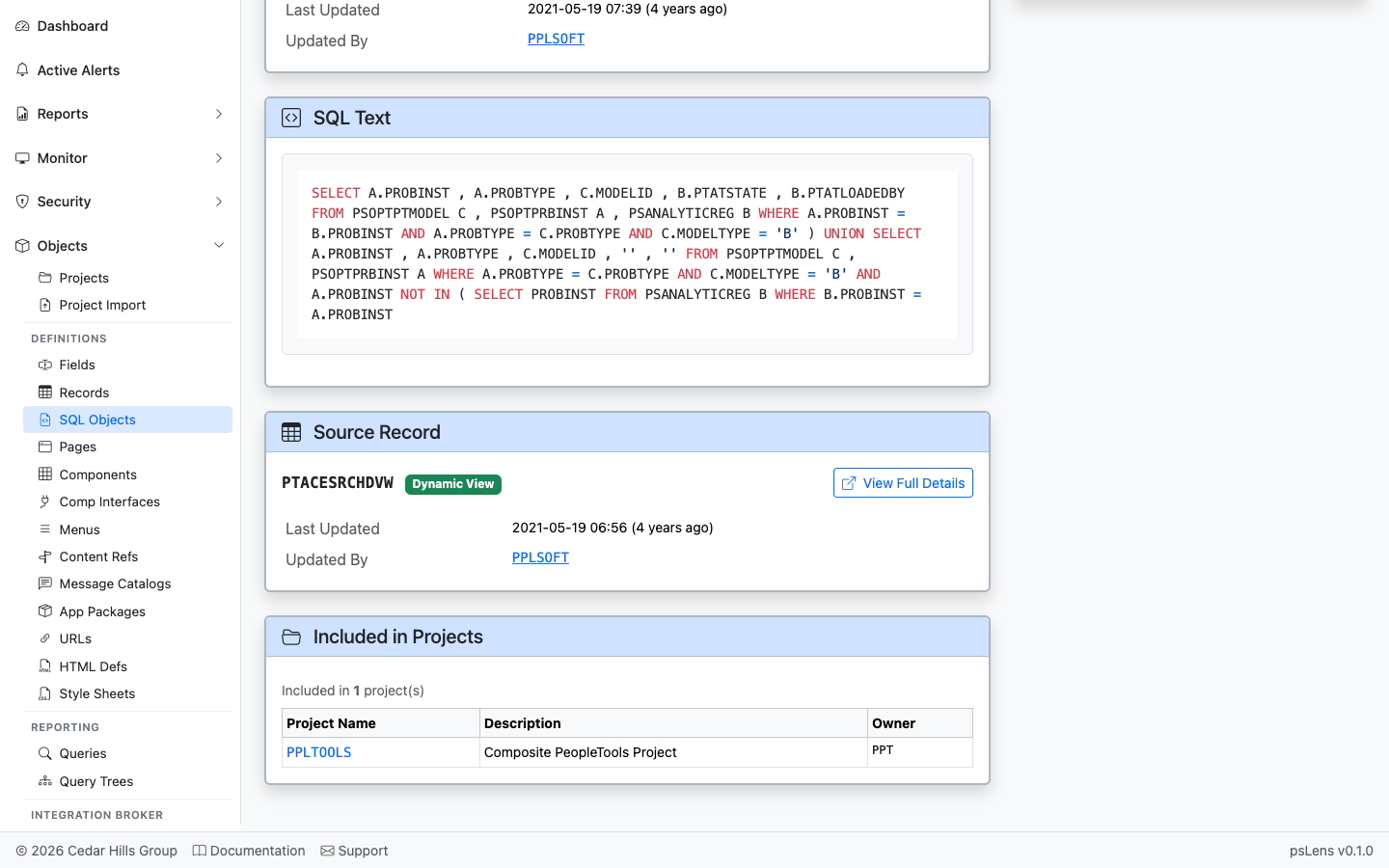
App Designer projects that include this SQL object
Lists projects that contain this SQL object as a project item. Useful for tracing migration history of view DDL changes.
——File Layout definitions (PSFLDDEFN) map structured flat files, CSVs, fixed-position files, and XML documents to PeopleSoft rowsets and record structures. PeopleTools Object Type 31 definitions store file format specifications in PSFLDDEFN, segment hierarchies in PSFLDSEGDEFN, and field attributes in PSFLDFIELDDEFN. Batch processes and PeopleCode programs query these definitions at runtime to parse inbound files or render outbound data extracts.
psLens pulls the file layout properties, segment hierarchy tree, mapped records, field positional attributes, owning App Designer projects, and referencing PeopleCode programs into a single browser view.
File Layouts translate external files into PeopleSoft record structures:
PSFLDDEFN) contain segment hierarchies (PSFLDSEGDEFN) that map file lines to underlying target records (RECNAME_FILE).PSFLDFIELDDEFN) map positional or delimited file data to specific record fields.GetFileLayout) to parse or generate flat files.In Application Designer, inspecting File Layouts requires expanding segment nodes in the tree control, clicking into individual field properties, and running Find In PeopleCode searches for referencing scripts.
psLens presents layout format properties, segment hierarchies, field positional attributes, project membership, and referencing PeopleCode programs in a single view.
URL: /filelayouts?db={database}
% search is supported (for example, %BANK% to find banking layout definitions or % to list all rows).LastUpdOprid), last updated date range (DateFrom / DateTo), or customized definitions (CustomizedOnly).URL: /filelayouts/{FLNAME}?db={database}
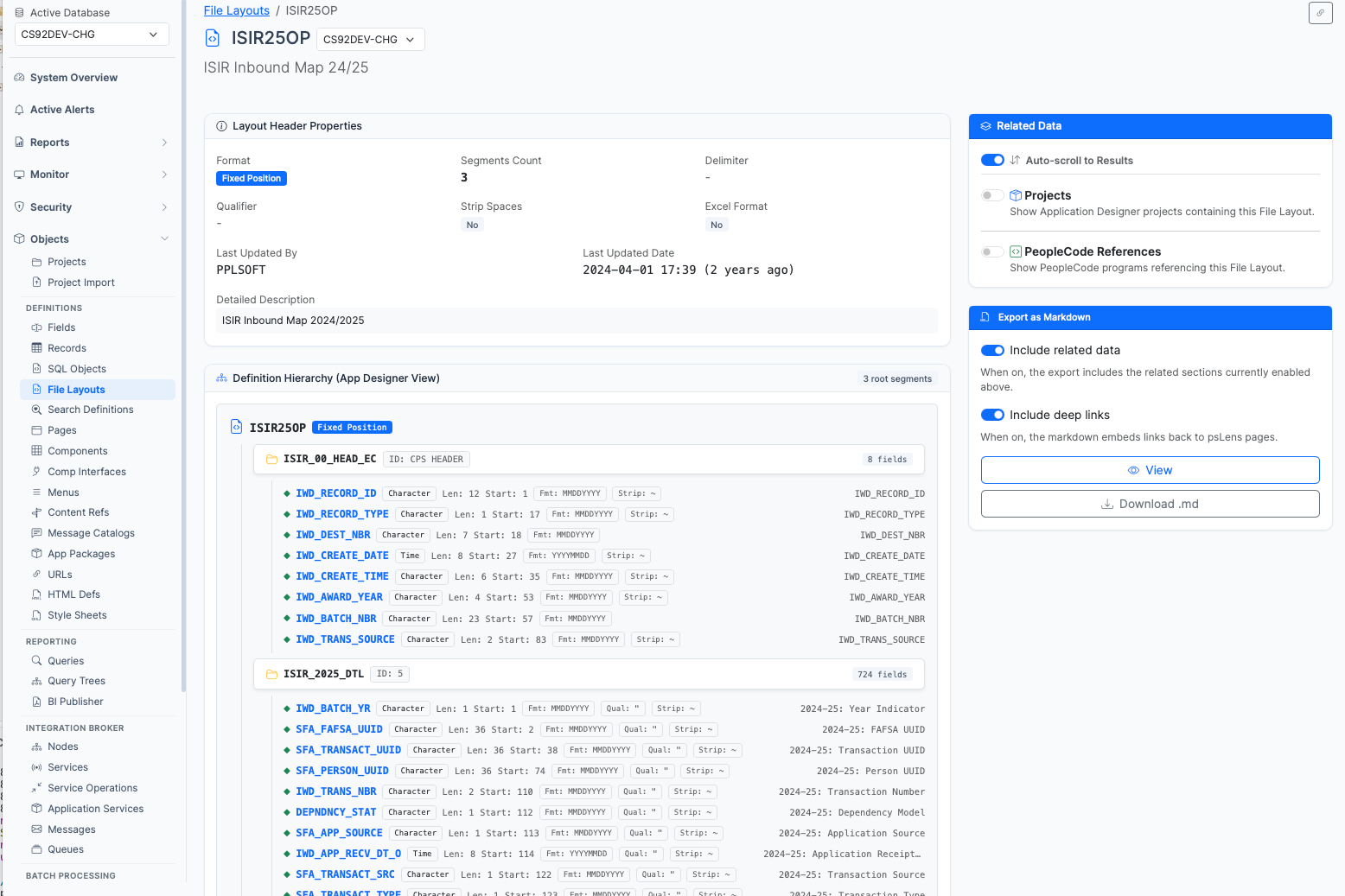
File Layout detail page for ISIR25OP showing definition hierarchy tree and header properties
The Detail Page consolidates the definition attributes, segment hierarchy, field specifications, and cross-object references:
LASTUPDDTTM, LASTUPDOPRID).PSFLDSEGDEFN) and fields (PSFLDFIELDDEFN). For each segment, psLens displays its parent segment, segment ID prefix, mapped record (RECNAME_FILE), and field count. For each field, psLens lists the field name, start position, length, decimal precision, date format mask, and date separator./filelayouts/{FLNAME}/export) containing an ASCII segment hierarchy tree, complete field lists, project membership, and referencing PeopleCode programs.Queries PSPROJECTITEM where OBJECTTYPE = 31 to display Application Designer projects containing this File Layout definition.
Queries PSPCMNAME to list all PeopleCode programs (Application Engine steps, Component PeopleCode, Record PeopleCode, or Application Package methods) that reference the File Layout name in code statements.
——Pages are the visual screens users interact with in PeopleSoft: the panel definitions from PSPNLDEFN and the per-control bindings from PSPNLFIELD. psLens shows the full control list (every field, label, group box, and subpage on the page), the underlying records each control reads from, and the rest of the metadata graph hanging off the page: which components include it, which PeopleCode is attached, which projects contain it.
Pages bridge individual record fields to complete application transactions:
PSPNLDEFN) contain visual controls (PSPNLFIELD) bound to fields (FIELDNAME) on underlying records (RECNAME).PSPNLGROUP) to create a complete transaction.Investigating page definitions in Application Designer requires opening the page layout, double-clicking individual controls to verify record and field bindings, querying PSPNLGROUP to find parent components, checking page properties for Activate PeopleCode, and walking owning projects for migration history.
psLens presents the full control inventory, distinct underlying records, embedded subpages, containing components, Activate PeopleCode, and project membership in a single view with everything one click away.
URL: /pages?db={database}
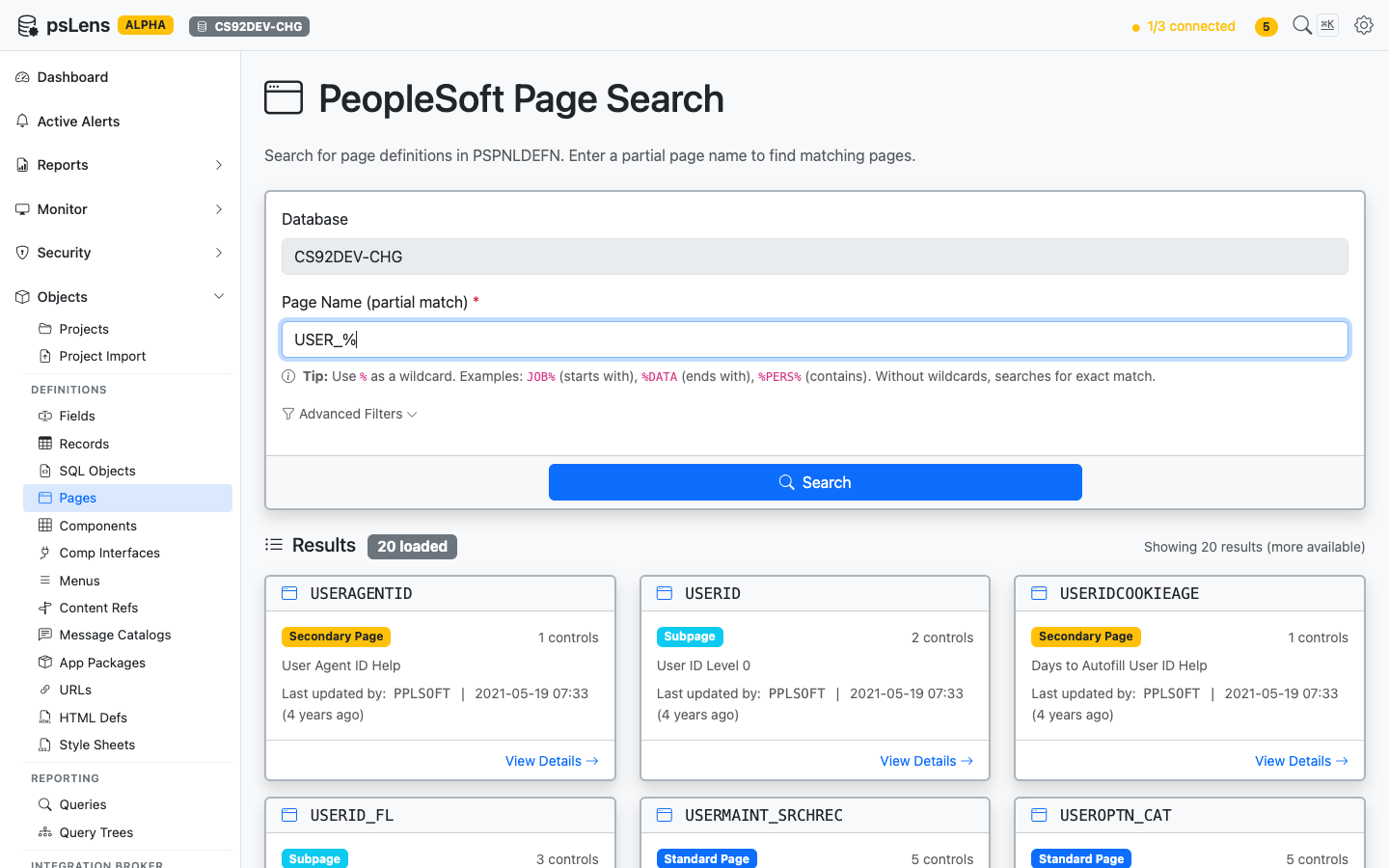
Page search results for USER_%
Wildcard % search supported. Each result card shows the page type (Standard Page, Subpage, Secondary Page, or Search Record) so you can spot reusable subpages versus standalone screens at a glance. The Advanced Filters panel lets you exclude subpages or limit to standard pages only.
URL: /pages/{PAGENAME}?db={database}
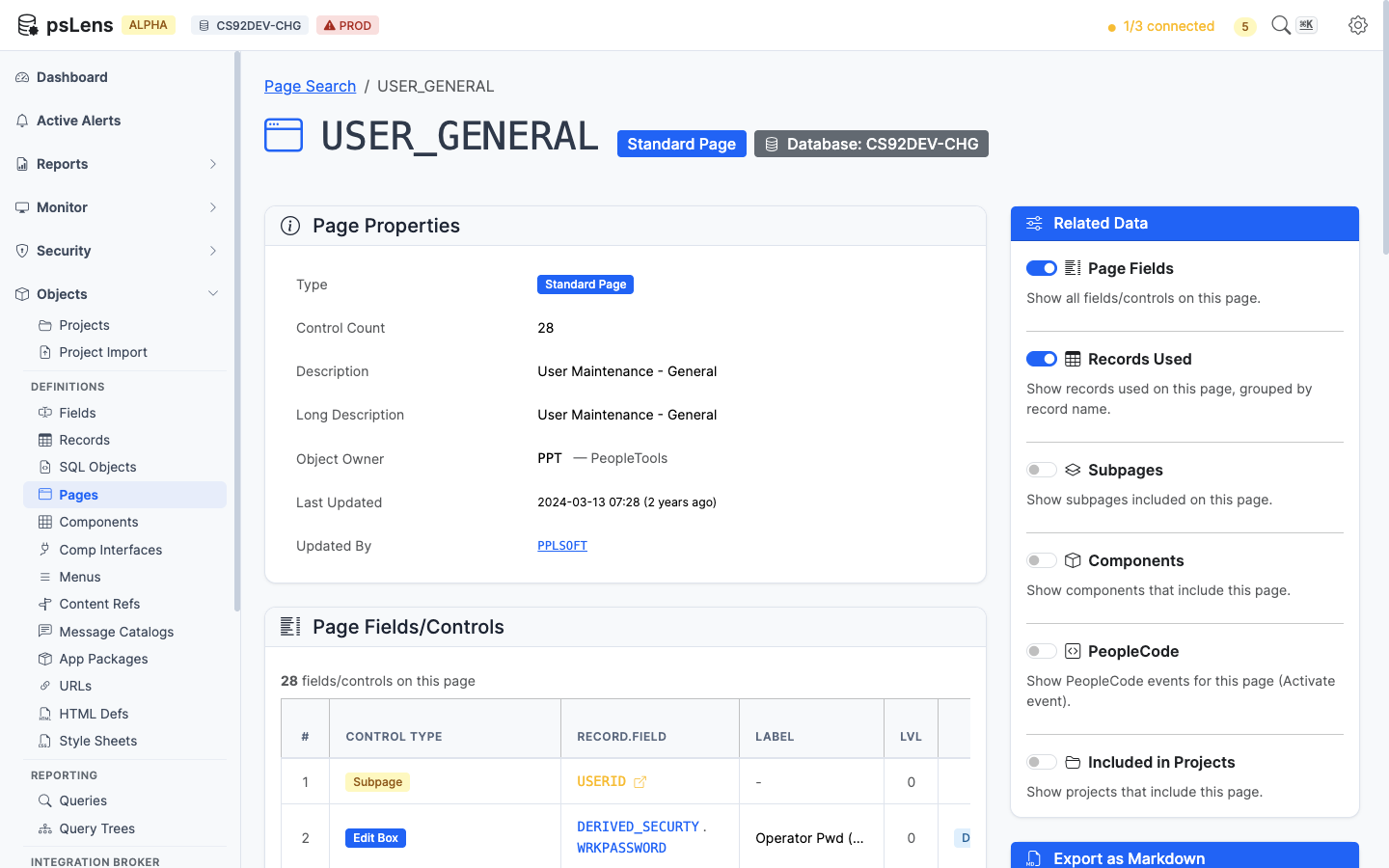
Page detail for USERPROFILEPAGE — default view
The main pane shows Page Properties (type, size, style, audit metadata) and the full Page Fields/Controls table with each control’s record/field binding, label, occurs level, and field type. The sidebar has 6 related-data toggles.
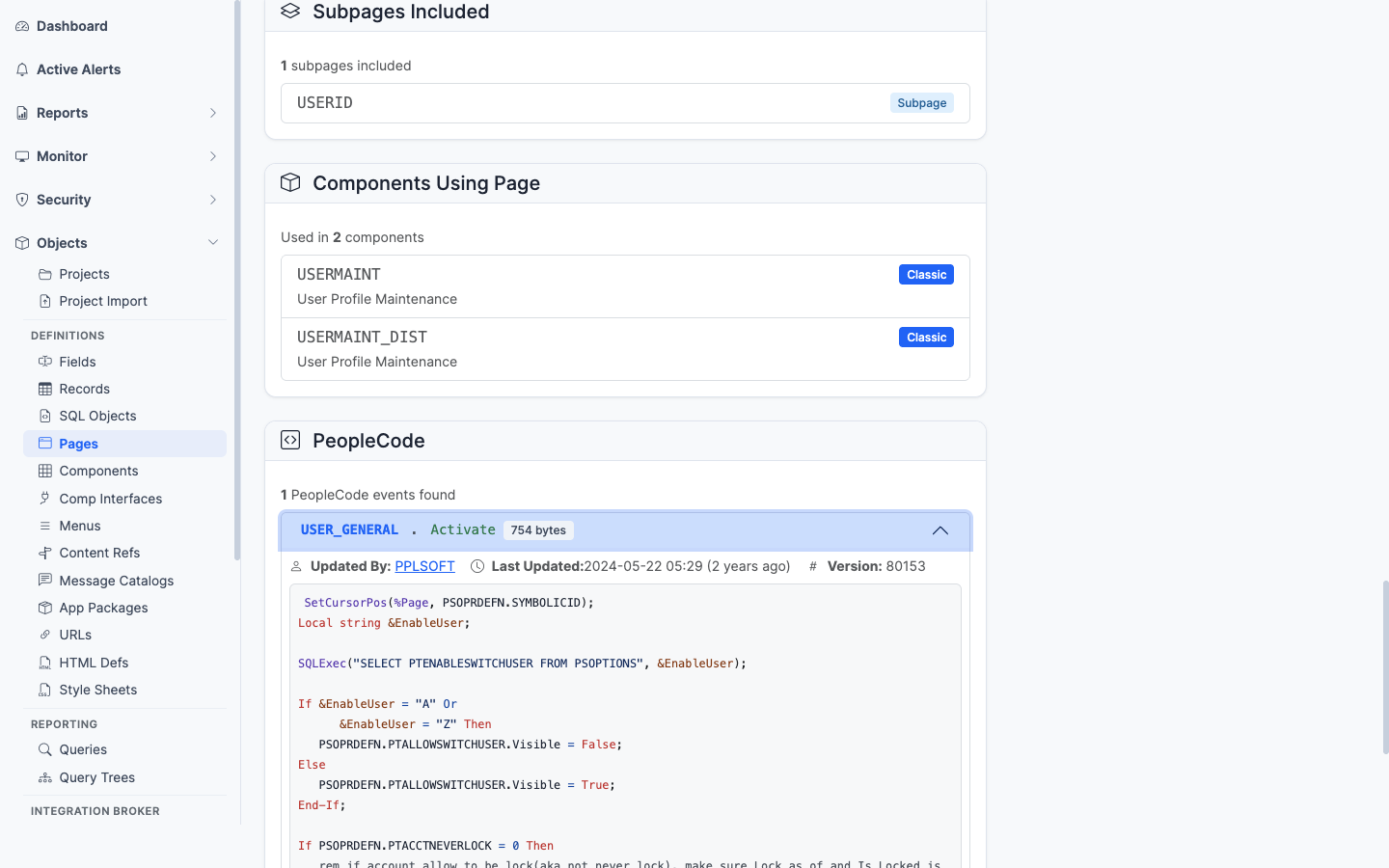
All panels expanded on a Secondary Page
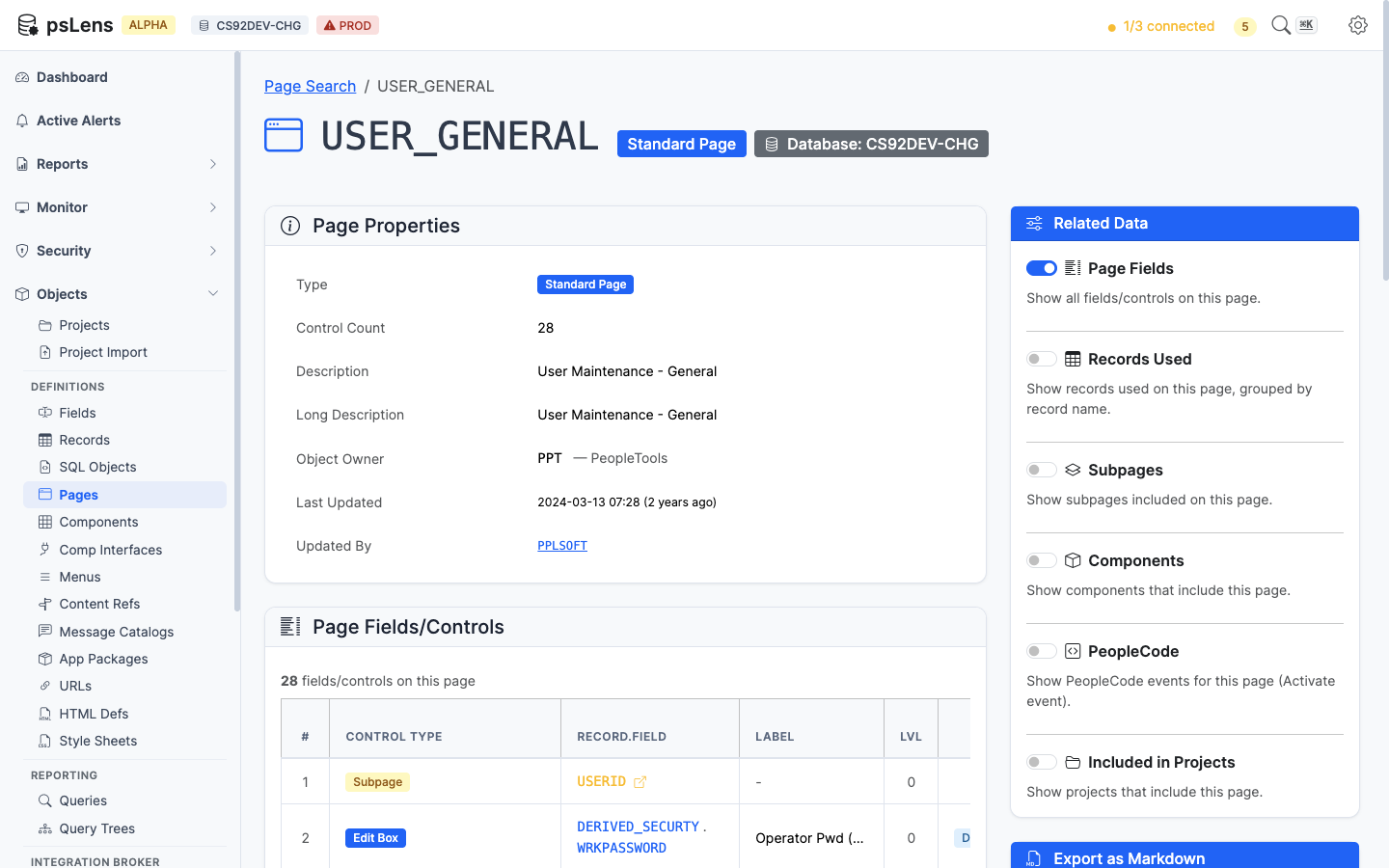
Every control on the page with its field, record, and label
The control inventory: every field control on the page with its PSPNLFIELD row attributes. Each record/field reference deep-links into the matching psLens detail page.
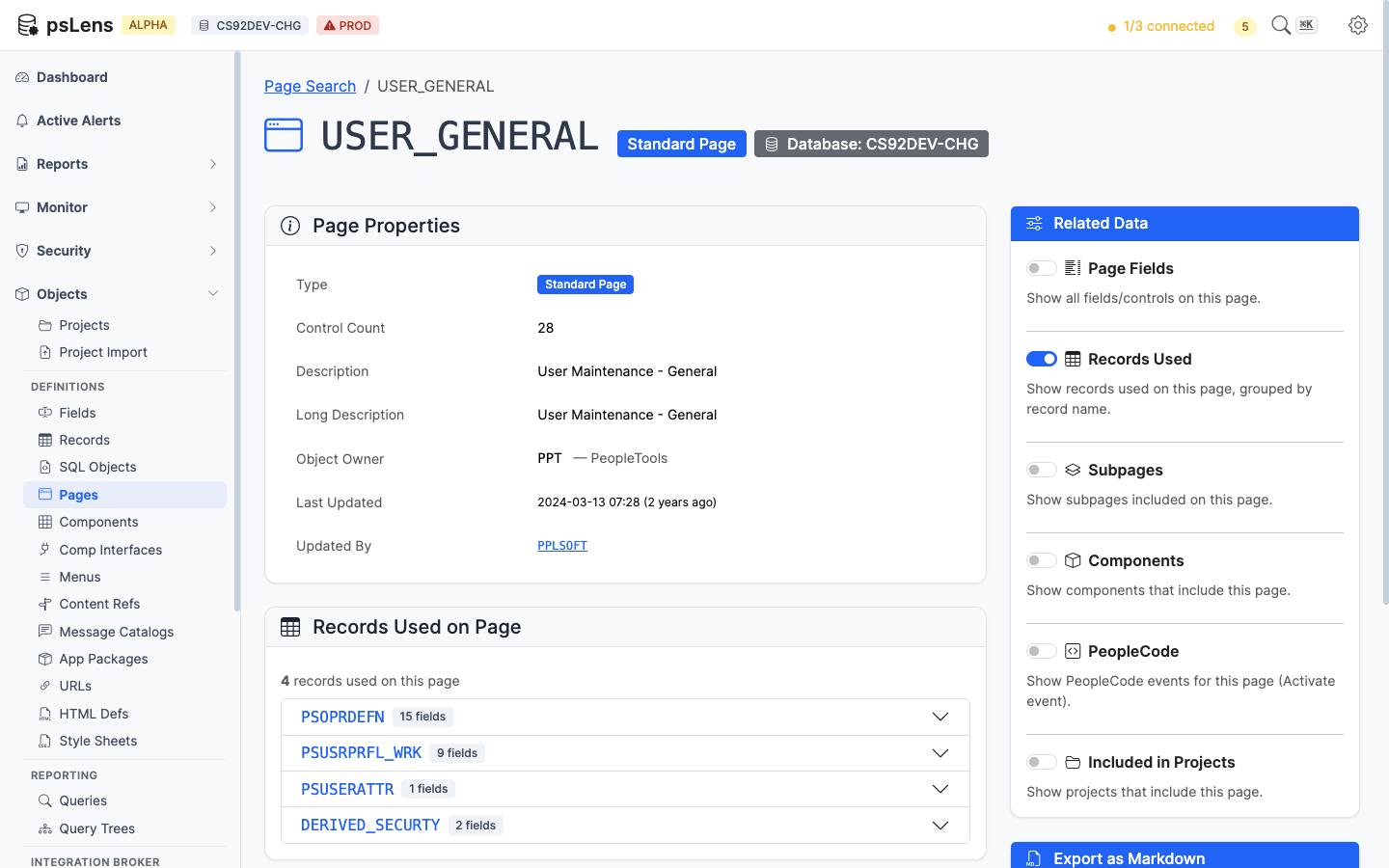
Distinct records referenced by any control on the page
The de-duplicated list of records this page reads from. Clicking a record opens its detail page so you can confirm the schema, sample data, or check what else uses it.
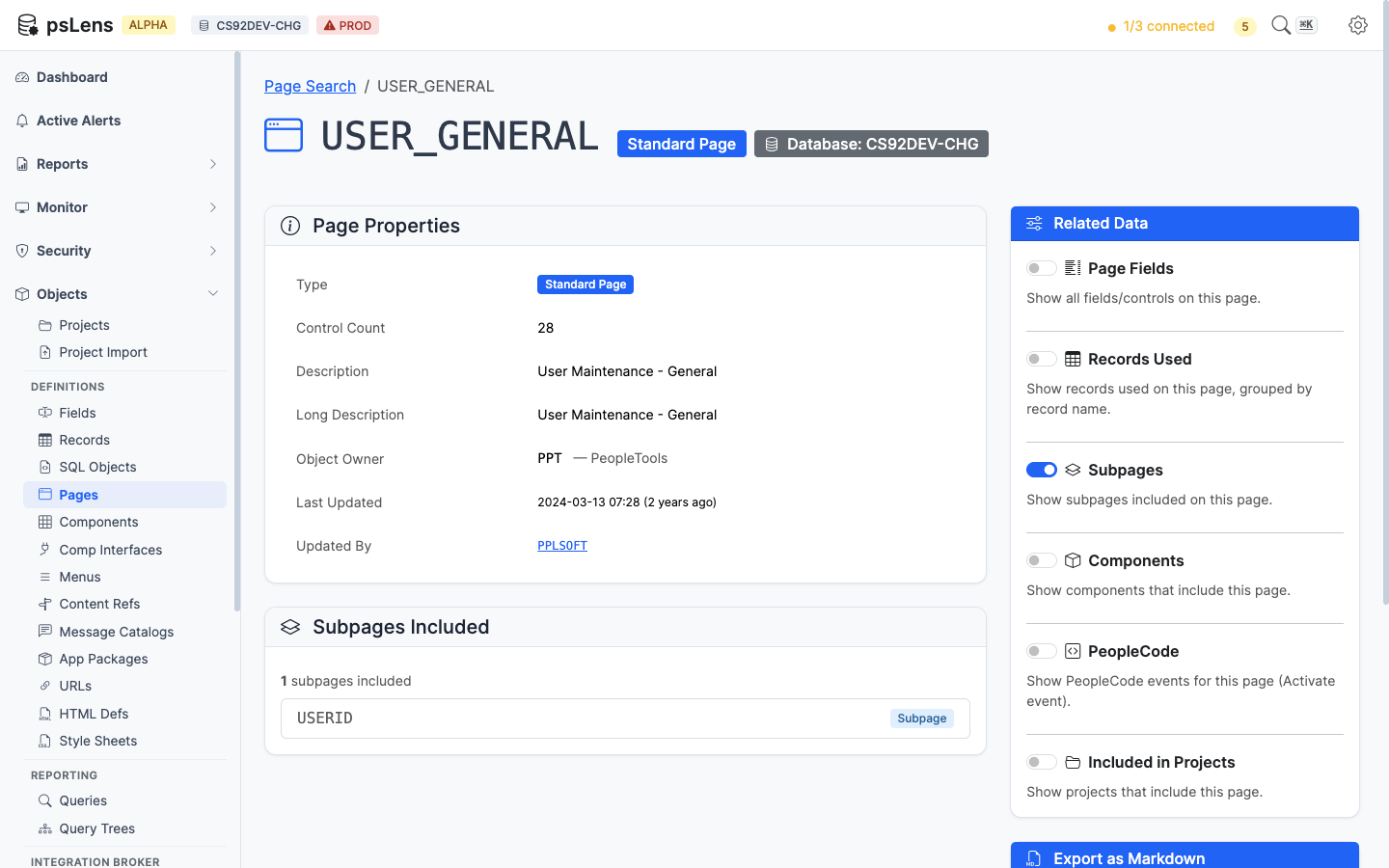
Subpages embedded inside this page
Lists every subpage embedded inside this page. Useful when a control’s data seems to come from somewhere “magic” (it’s almost always a subpage doing the work).
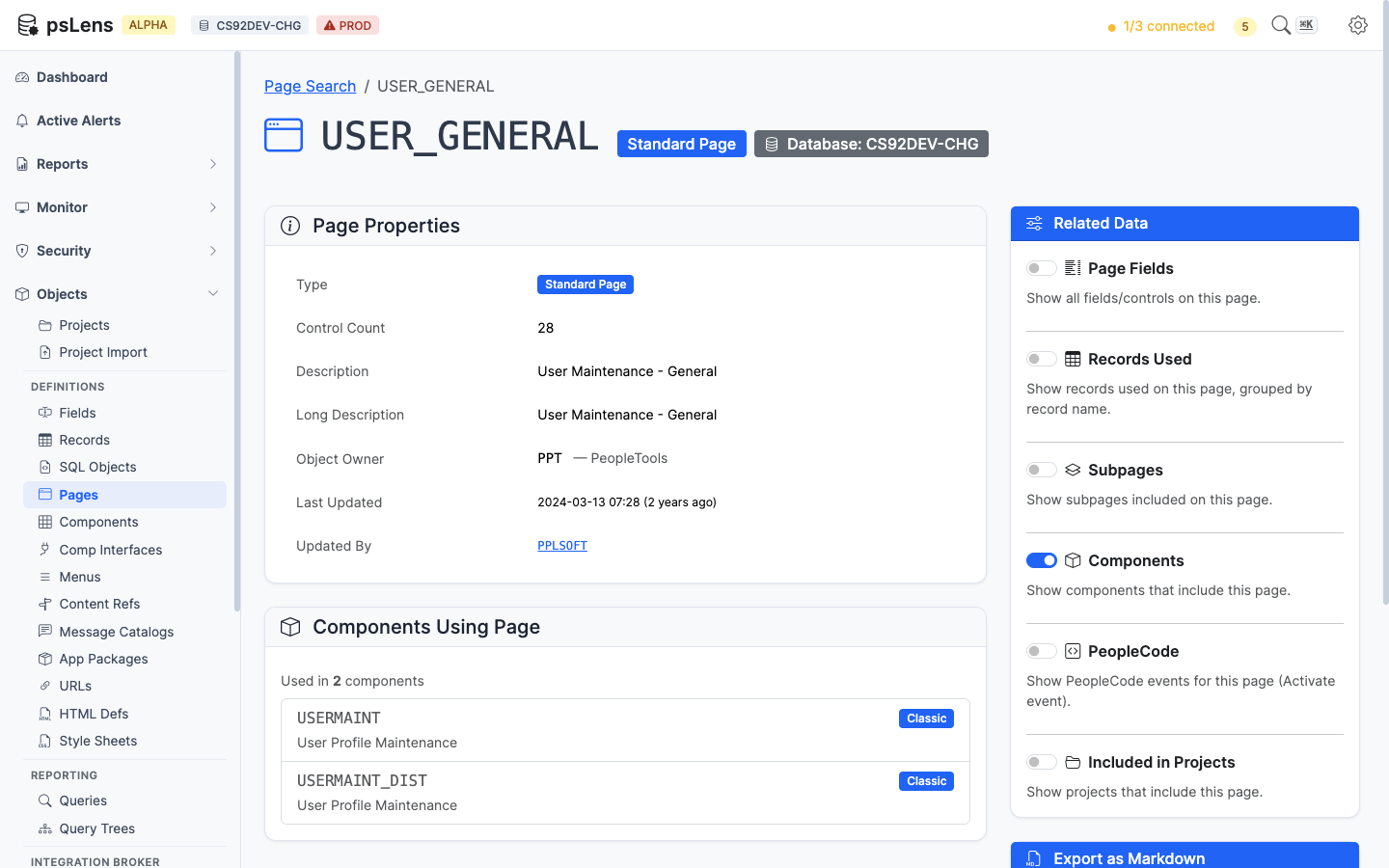
Components whose item list includes this page
Lists the components that include this page. Answers “which transactions show this screen to a user?”
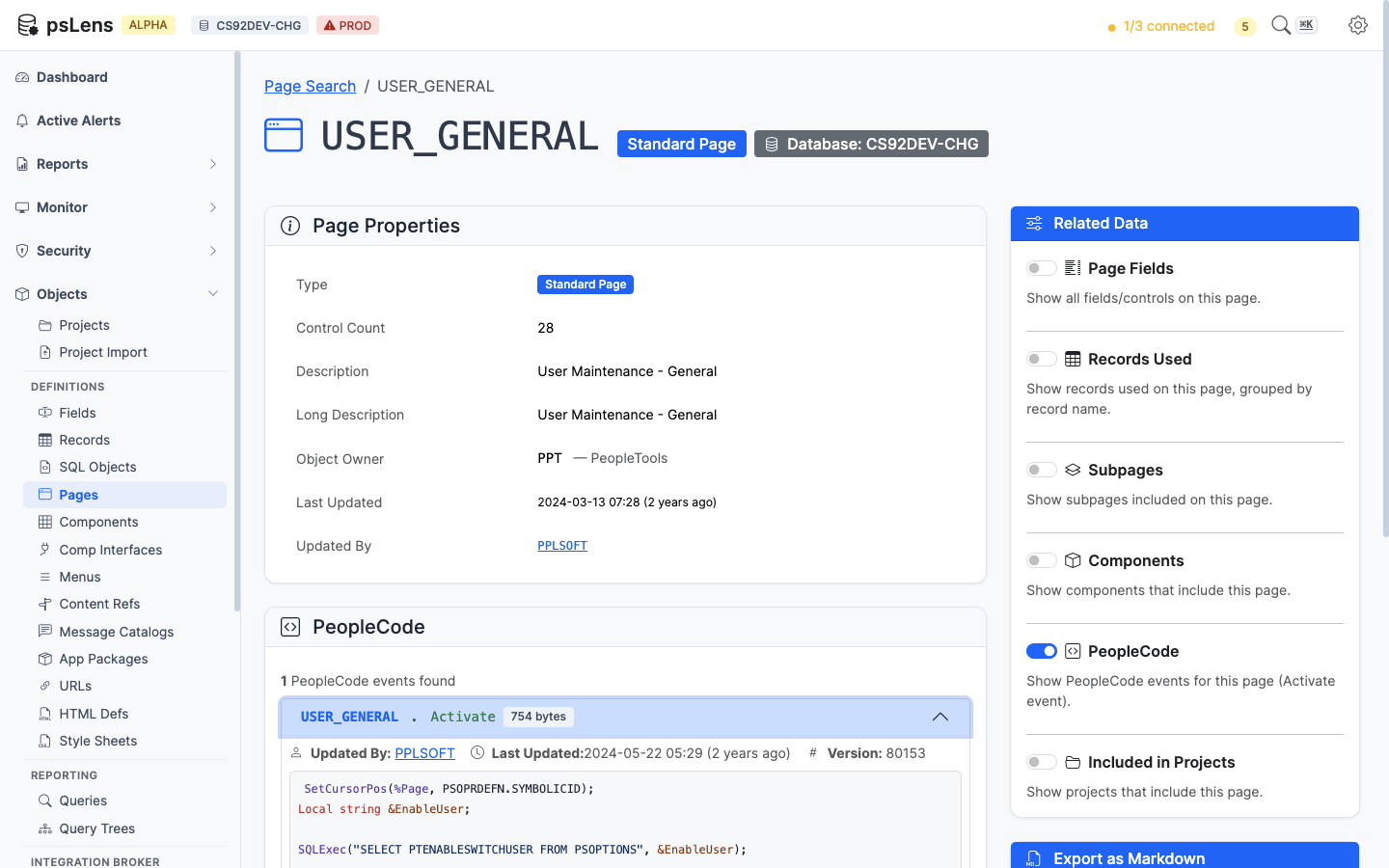
Page-level PeopleCode (Activate event) attached to this page
Page Activate PeopleCode. The only event type that lives directly on a page object.
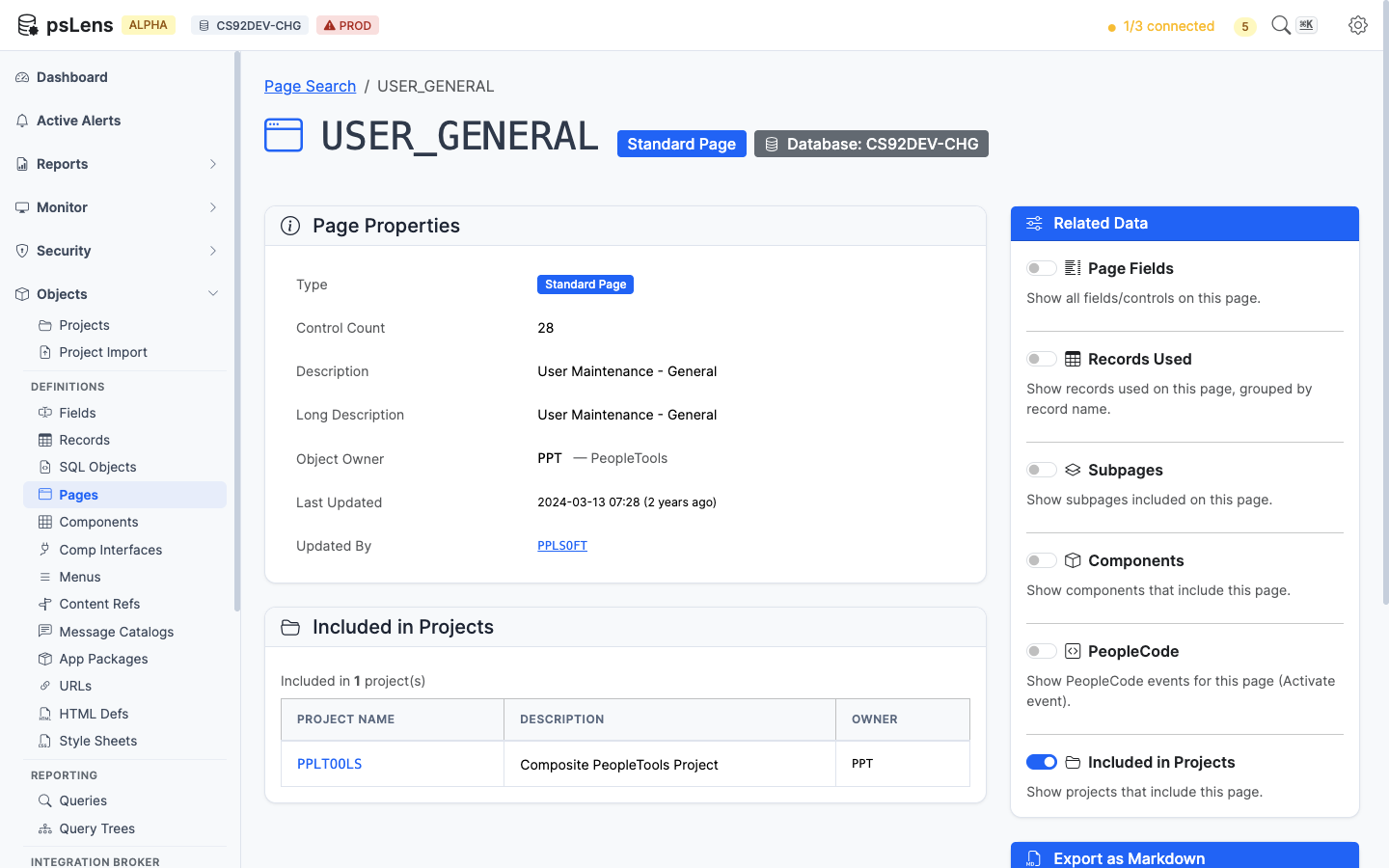
App Designer projects that include this page
App Designer projects containing this page as a project item.
——Components (called panel groups in older PeopleTools versions) are the user-facing transactions of a PeopleSoft application: a search page plus an ordered set of detail pages that share a single save action. psLens reads PSPNLGROUP / PSPNLGRPDEFN and links the component up to its menus, portal navigation paths, exposing component interfaces, the underlying record hierarchy, and the full PeopleCode event tree.
Components unite visual pages, database records, security grants, and navigation:
PSPNLGRPDEFN) assemble ordered lists of pages (PSPNLGROUP) into a unified transaction with shared state.SEARCHRECNAME) to execute key lookups and search dialogs.PSMENUITEM) inside classic menus (PSMENUDEFN).PSPRSMDEFN) expose components to users, and Component Interfaces (PSBCDEFN) expose them to API code.Tracing component metadata in Application Designer and PIA requires opening the component item list, walking page tabs to confirm record bindings, running Find In Menus for classic navigation links, navigating the Portal Registry browser for CREF breadcrumbs, searching for exposing Component Interfaces, and opening event PeopleCode across multiple tabs.
psLens combines component properties, page lists, classic menu links, portal registry paths, exposing Component Interfaces, scroll record hierarchies, component event PeopleCode, and project membership onto a single screen.
URL: /components?db={database}
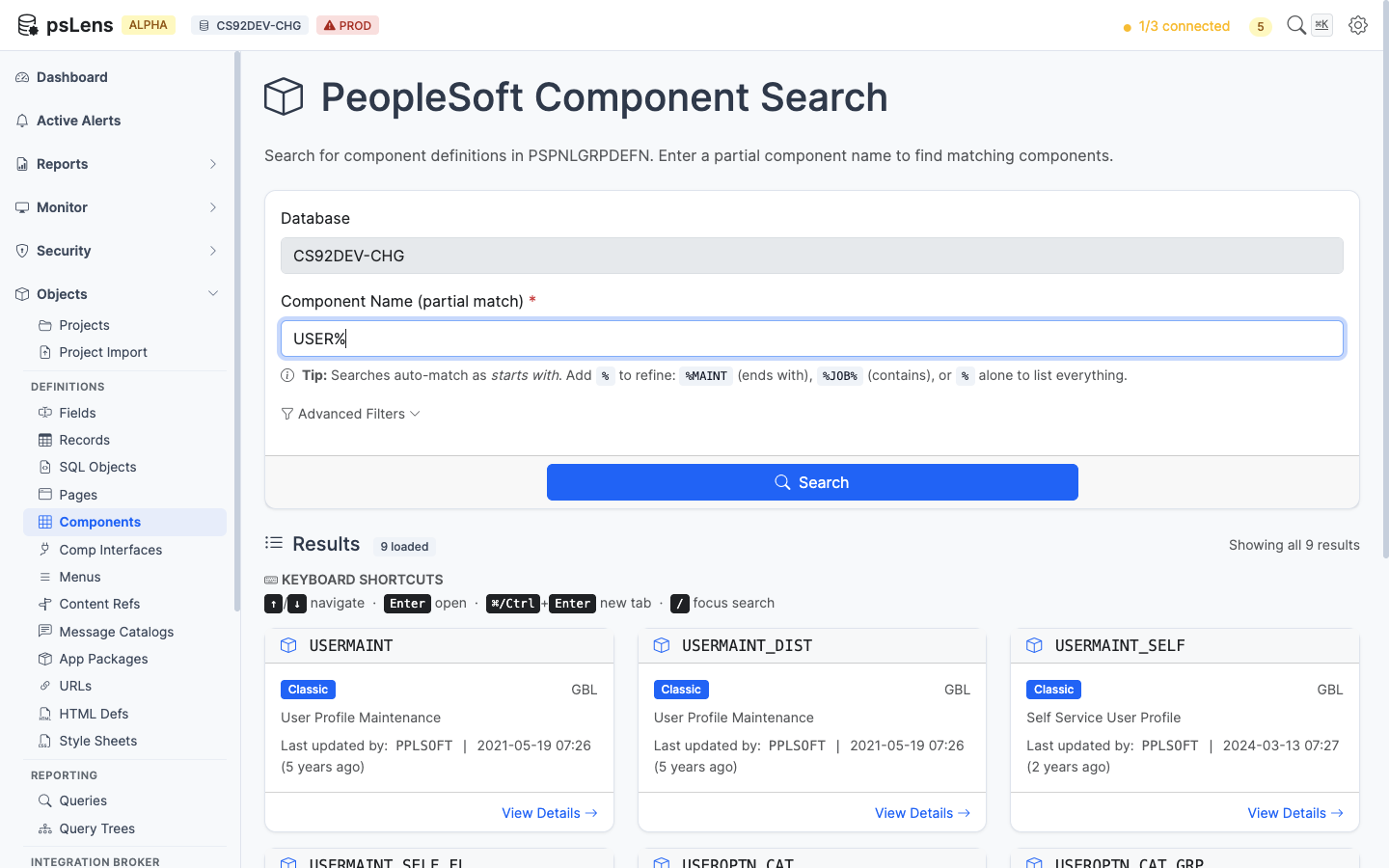
Component search results for USER%
Wildcard % search supported. Each result card shows the component market and use type (Classic, Fluid, Both). The Advanced Filters panel filters by market or component type.
URL: /components/{COMPONENT}?db={database}
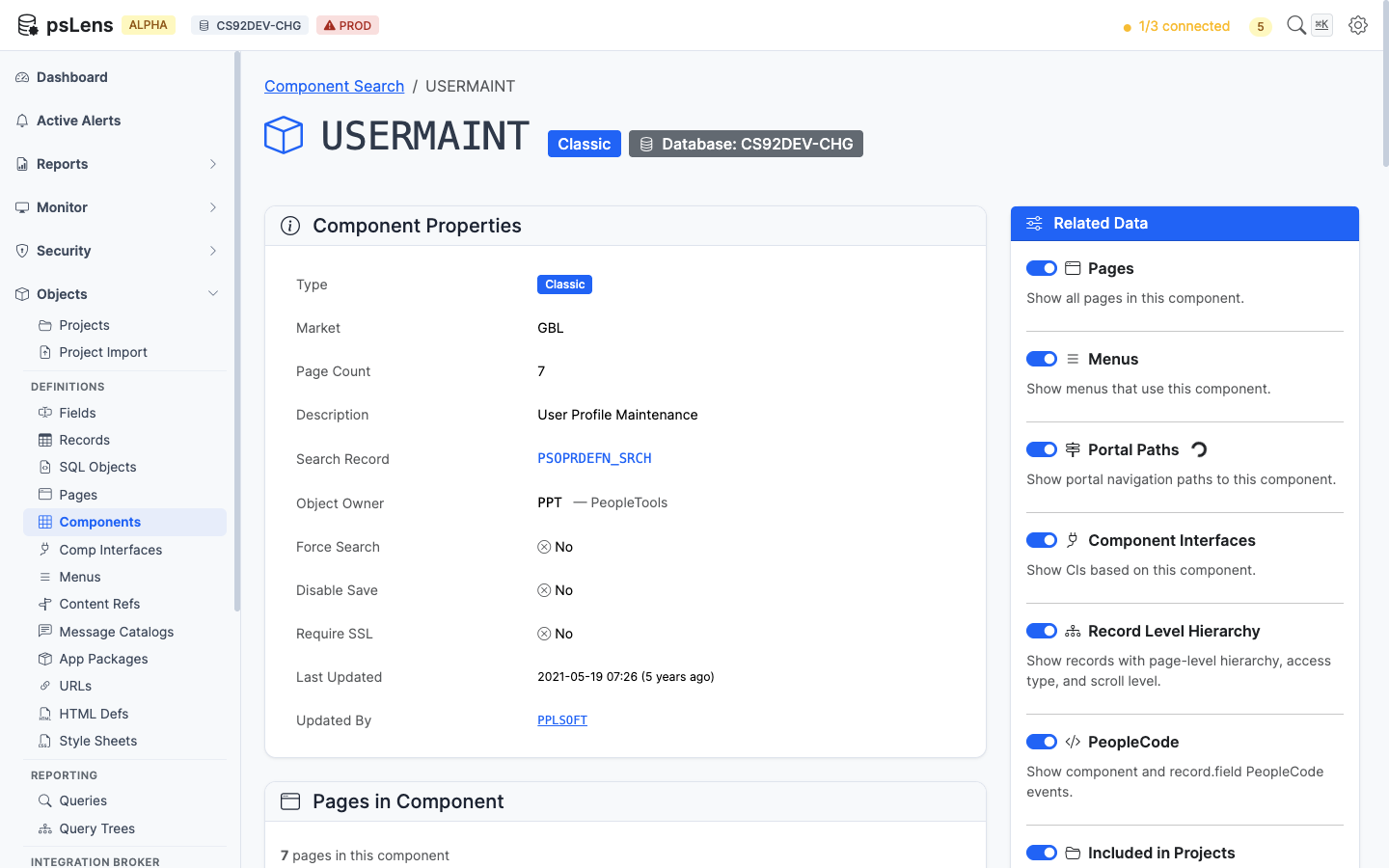
Component detail page for USERMAINT
The main pane shows Component Properties (market, search record, add search record, item description, add/update modes, search PeopleCode flags) and the Component Item List with every page in the component, its labeling, and the hide/display-only flags. The sidebar has 7 related-data toggles.
A menu item can replace the component’s search record with its own (PSMENUITEM.SEARCHRECNAME). When any menu item for the component’s market does this, the Search Record row shows an Overridden in N menus badge and lists each MENU.BAR.ITEM with the search record it uses instead. For example, PERSONAL_DATA uses PERS_SRCH_ALL, but ADMINISTER_WORKFORCE_(GBL) opens it with PERALL_SEC_SRCH.
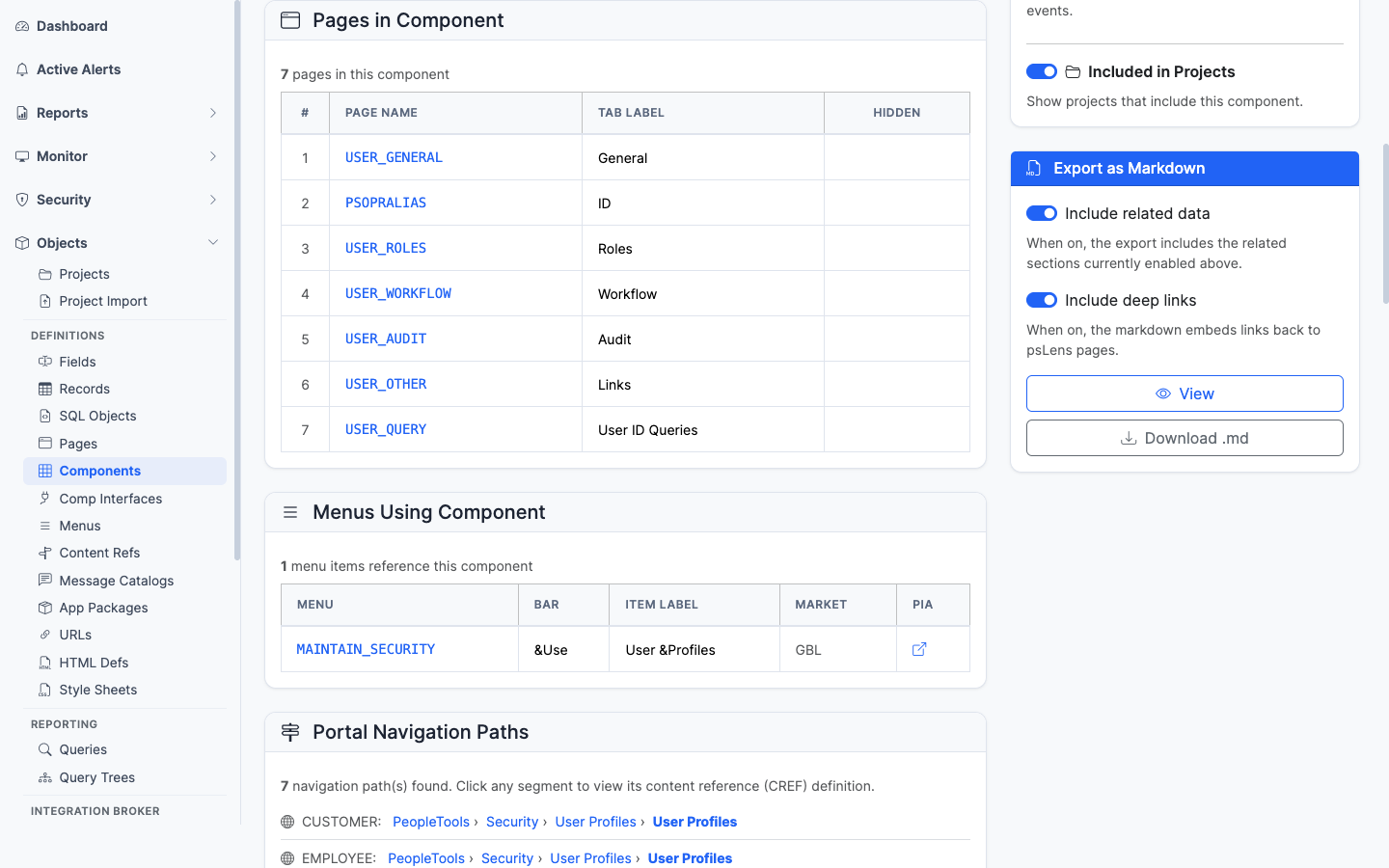
The ordered list of pages that make up this component
The page list with each page deep-linked into its own detail page.
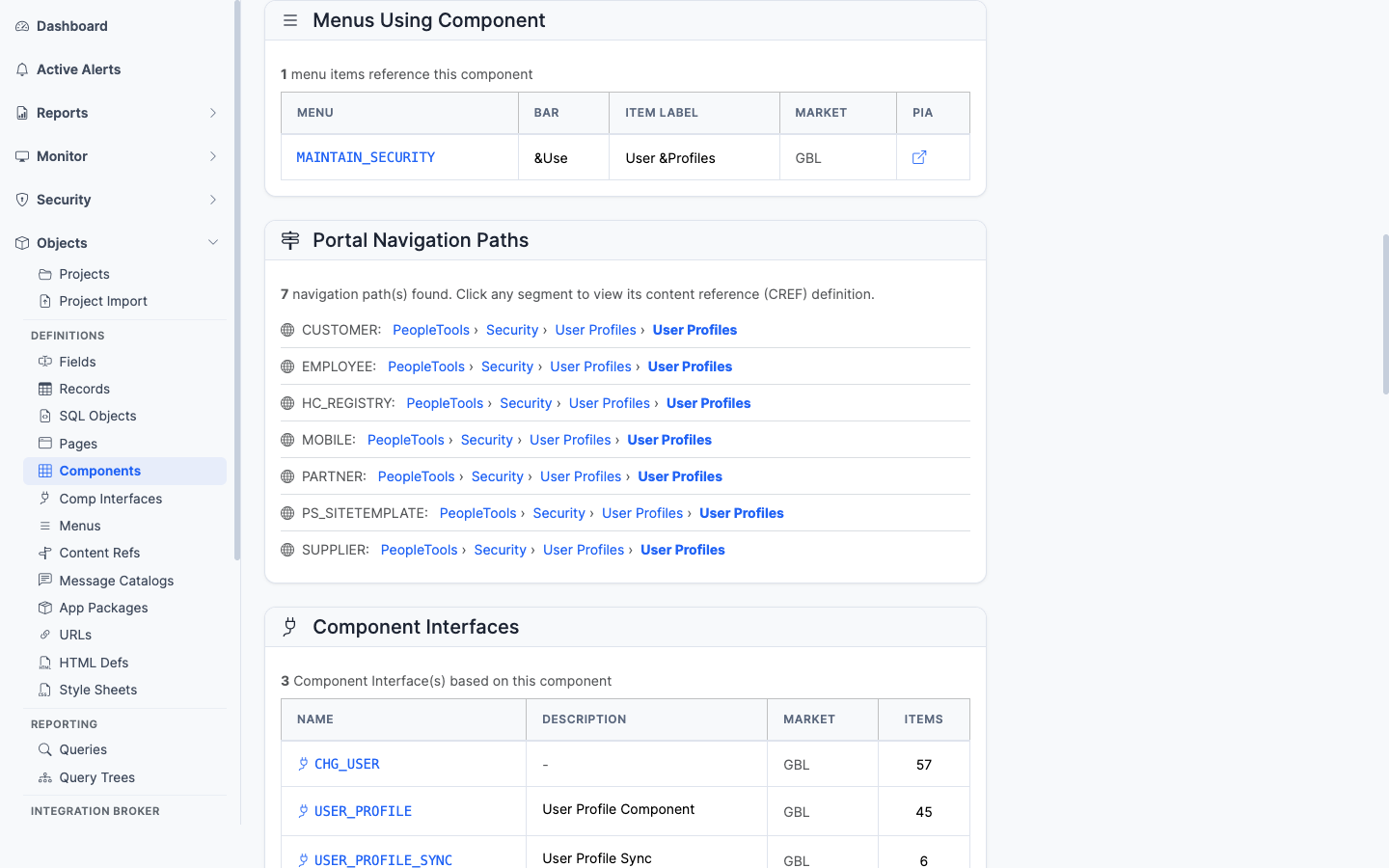
Classic menus that link to this component
Every classic menu (PSMENUITEM) that contains a navigation entry for this component. Important for security work since menu/component pairs drive Permission List authorizations.
The Search Record column shows the menu item’s search record when it differs from the component’s. Rows that override it carry an Override badge. The Markdown export includes the same column.
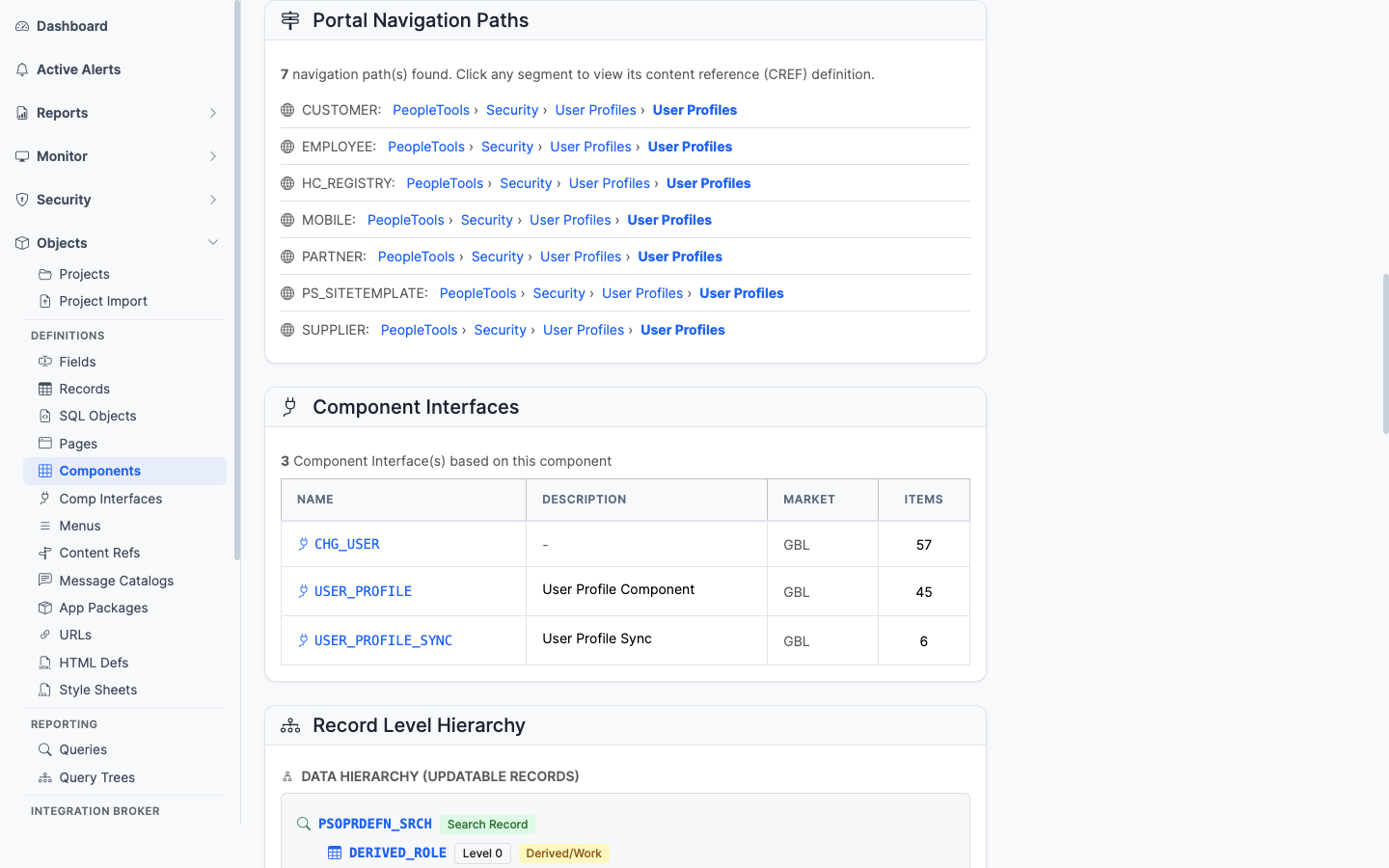
Every breadcrumb path that leads a user to this component in the portal registry
The full set of portal registry paths (PSPRSMDEFN ancestor walk) that lead a user to this component. Useful for “where is this transaction in the menu?” questions.
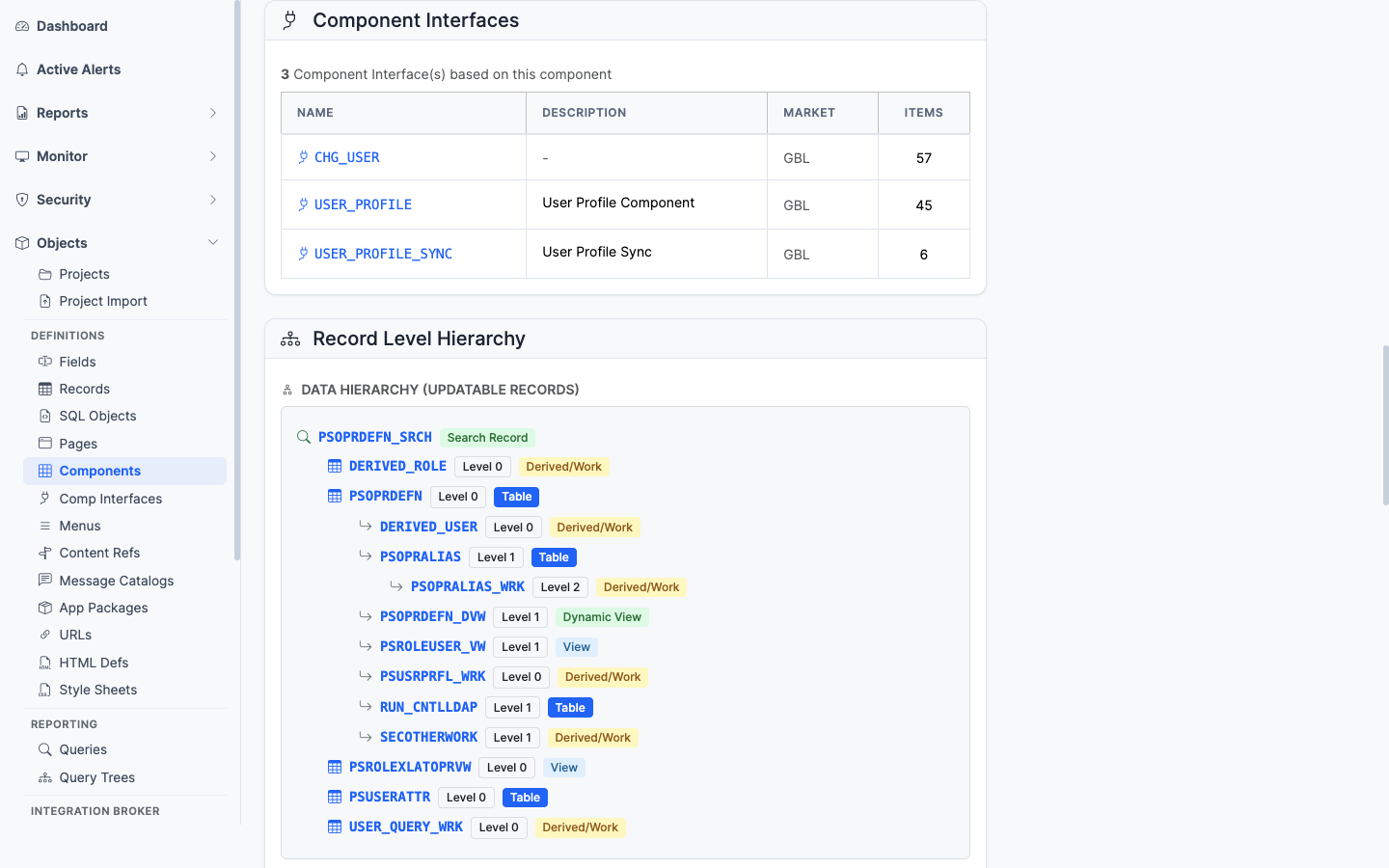
Component Interfaces that expose this component as an integration surface
The CIs (PSBCDEFN) that wrap this component as an integration surface. If you have CIs here, programmatic access exists.
The process definitions (PRCSDEFN) that list this component on their Components tab (PRCSDEFNPNL). These are the processes a user can schedule from this run control component. Each row links to the process definition page.
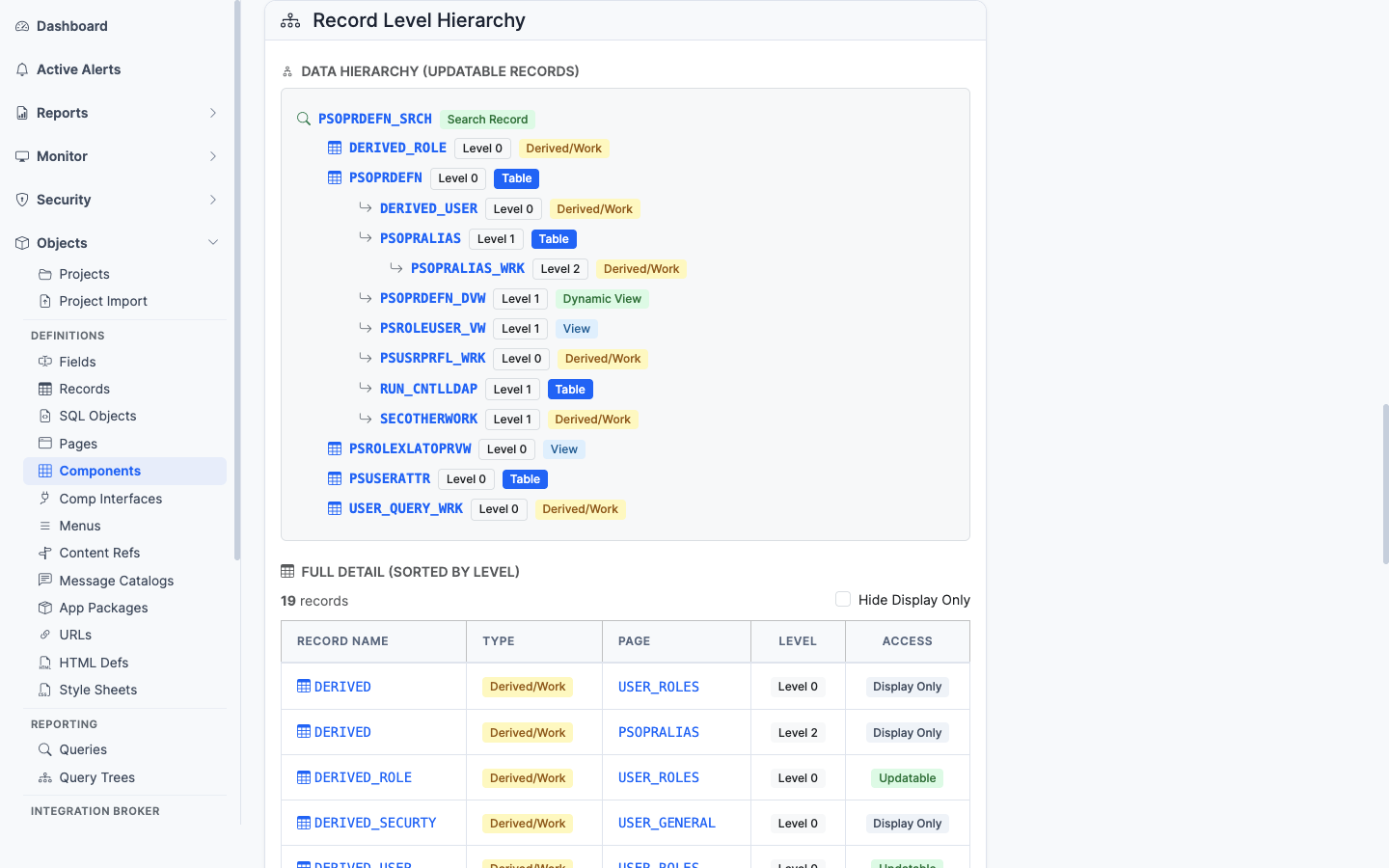
The component’s scroll/record hierarchy across its pages
The scroll/record hierarchy across the pages. Shows the parent-child relationships of records as the component sees them at runtime.
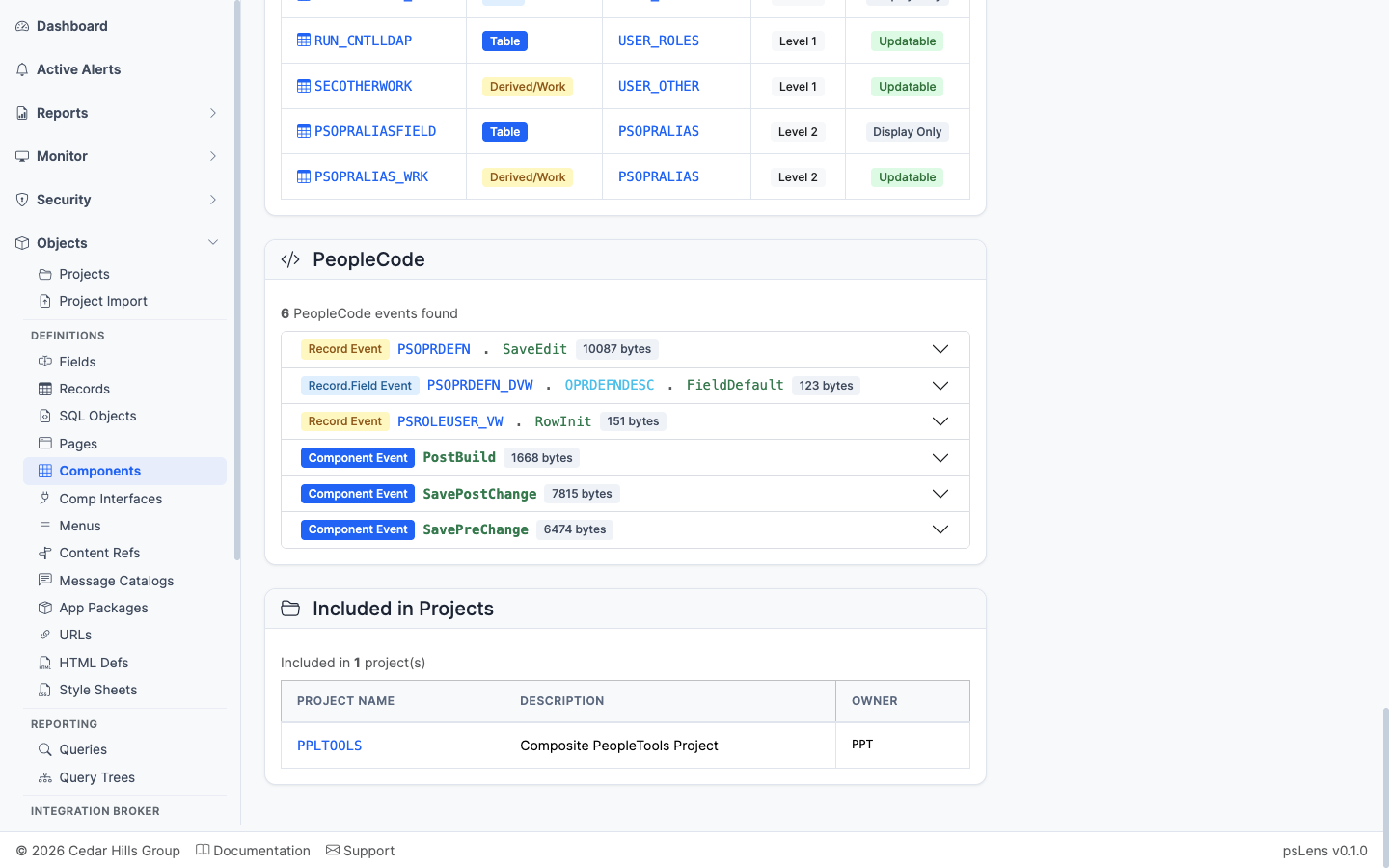
Component-level PeopleCode events
Component-level PeopleCode events (SearchInit, SearchSave, PreBuild, PostBuild, SavePreChange, SavePostChange, Workflow, etc.) and Component Record/Component Record Field PeopleCode.
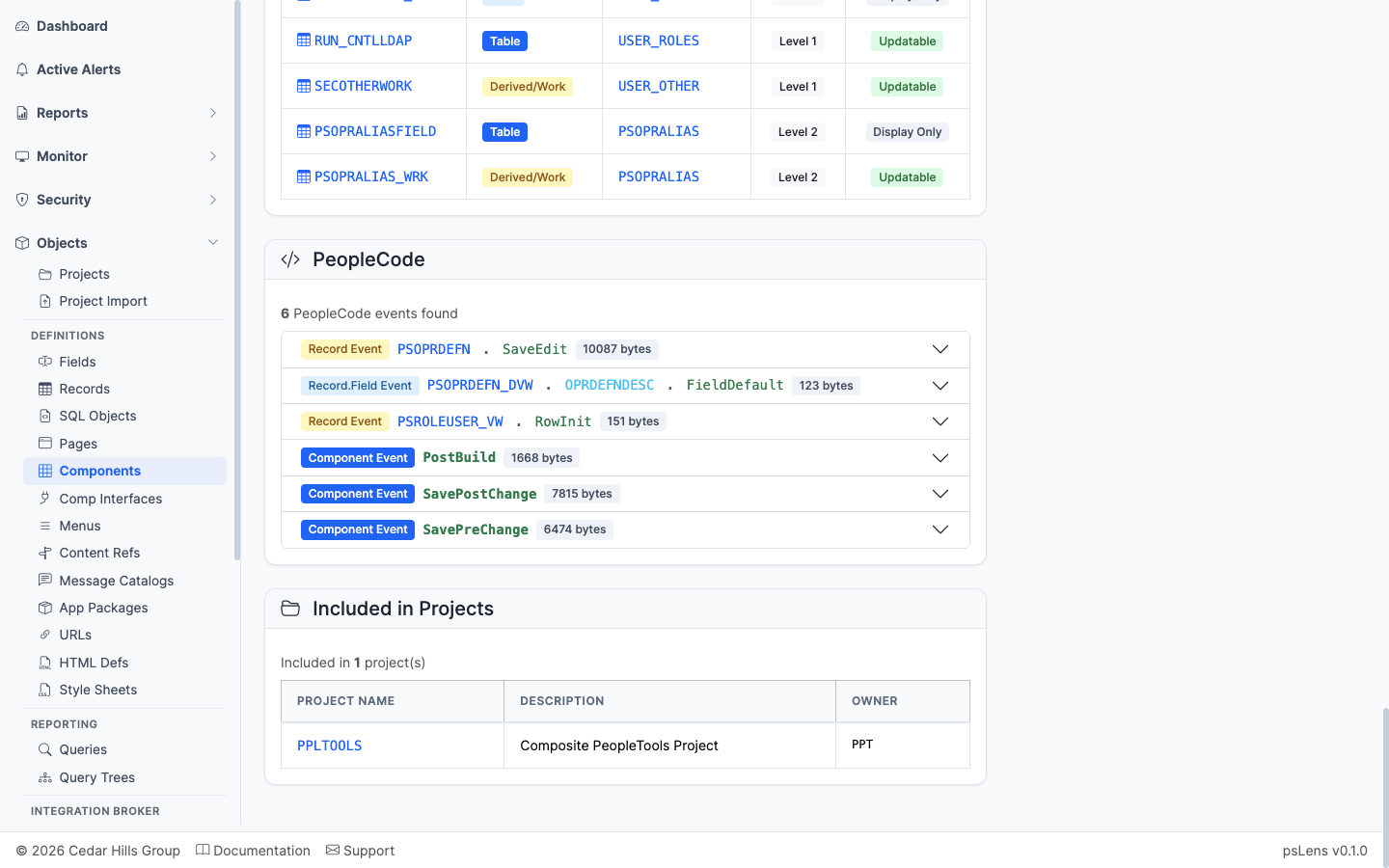
App Designer projects that include this component
App Designer projects containing this component as a project item.
——Component Interfaces (CIs) are PeopleSoft’s programmatic façade over a component. They expose component properties as get/set properties and component events as callable methods, so integration code can drive the same business logic the UI uses. psLens reads PSBCDEFN for the CI header, PSBCITEM for the property/key list, and PSBCMETHODS for the methods. It also runs two consistency checks against the underlying component to catch the most common breakage: properties that no longer map to a valid record field, and required fields the CI doesn’t expose.
Component Interfaces expose interactive transaction components for programmatic API access:
PSBCDEFN) target an underlying component (PNLGRPNAME, MARKET) to expose its validation logic.PSBCITEM) bind exposed API properties to specific record fields (PSRECFIELD) on the component.PSAUTHBUSCOMP) grant action-level permissions (Get, Create, Save) on Component Interfaces.Evaluating Component Interfaces in Application Designer requires opening the CI item tree, cross-referencing record fields on the underlying component, manually scanning for missing required fields, and running Find In PeopleCode for calling programs.
psLens automates consistency checks—flagging invalid property bindings and missing required component fields—while displaying methods, properties, referencing PeopleCode, and project membership in one place.
URL: /componentinterfaces?db={database}
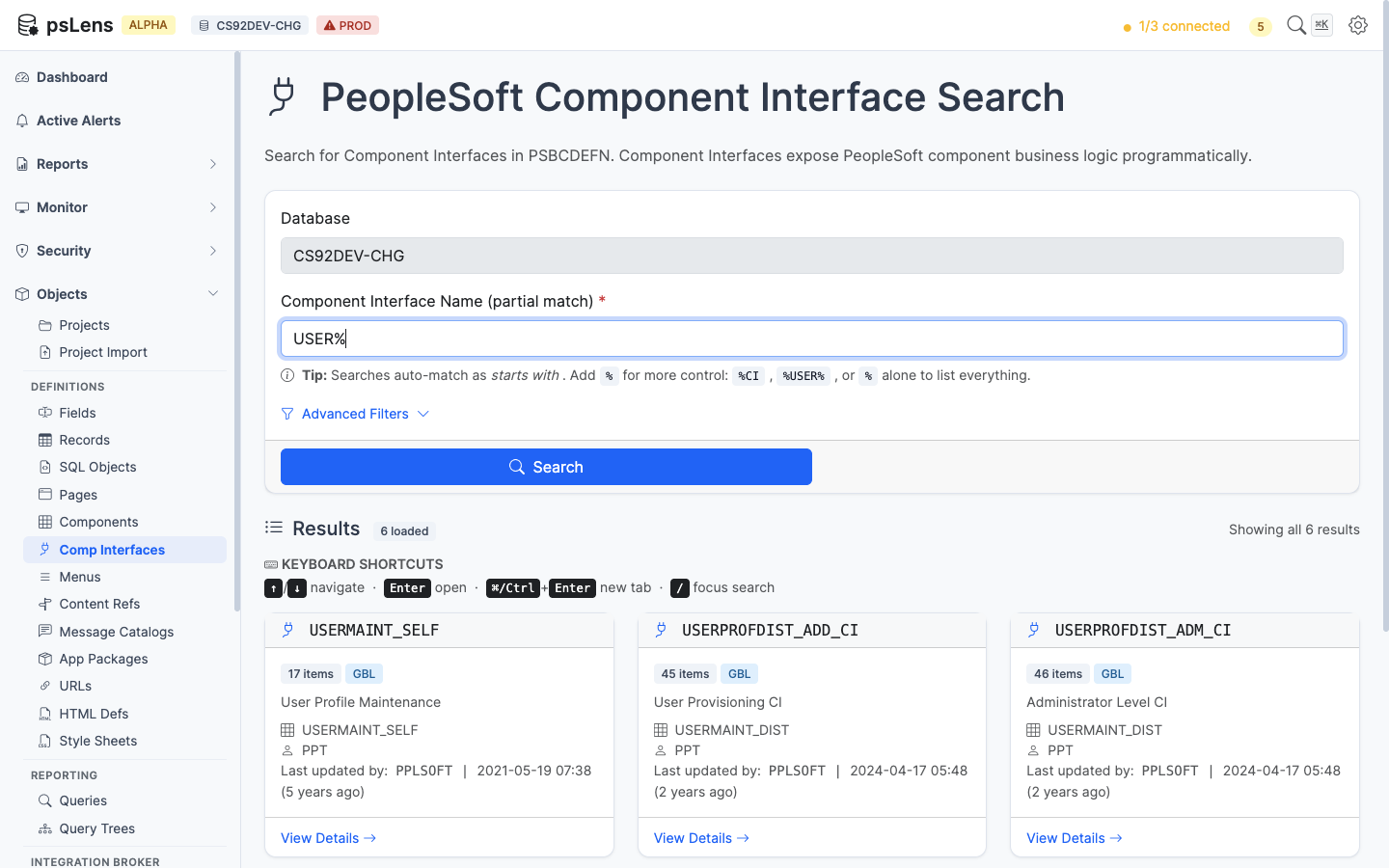
Component Interface search results for USER%
Wildcard % search supported. Each result card shows the underlying component and CI description.
URL: /componentinterfaces/{CINAME}?db={database}
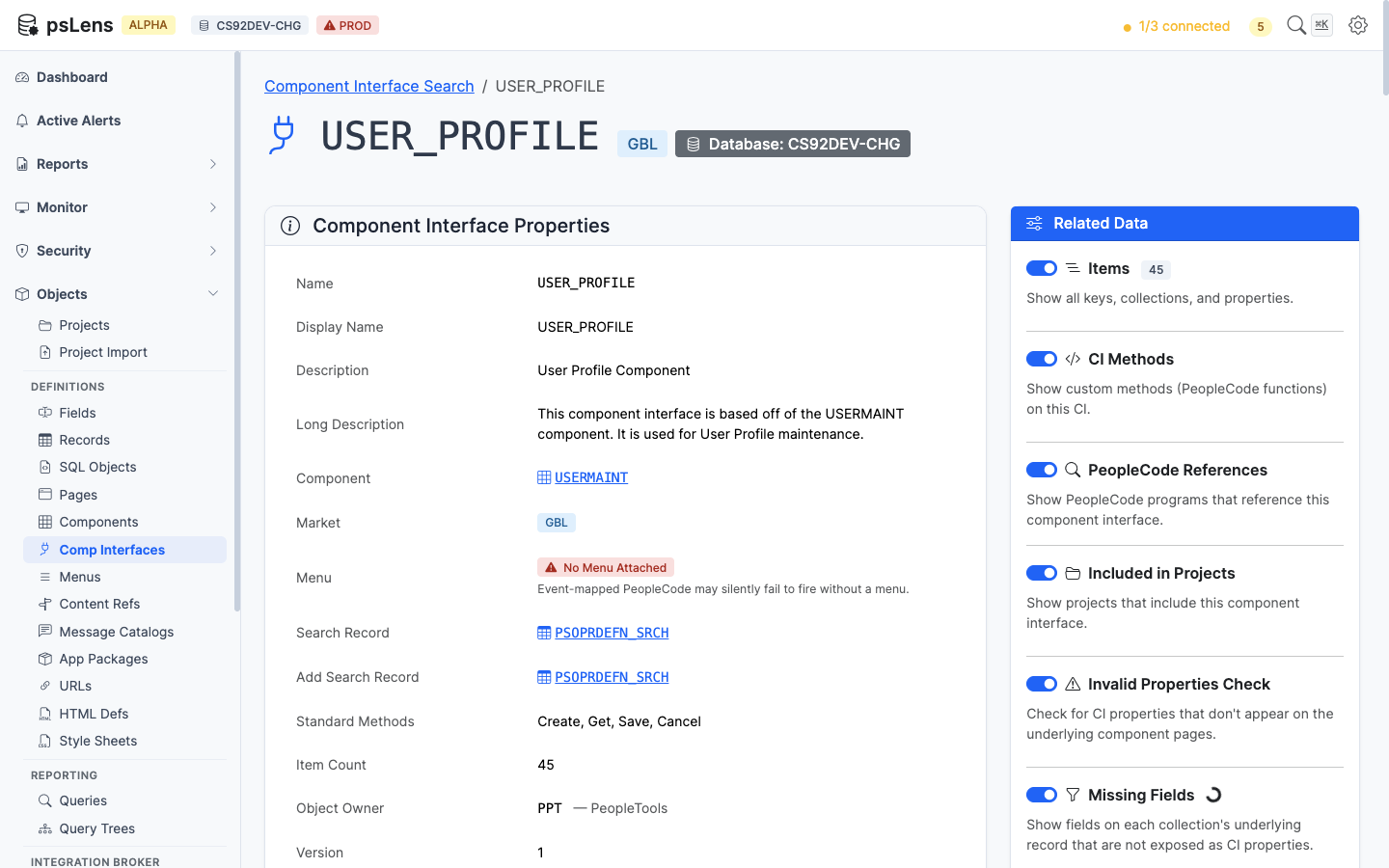
Component Interface detail page for USER_PROFILE
The main pane shows Component Interface Properties (underlying component, market, security access, owner) plus the items list. The sidebar has 6 related-data toggles, including two consistency-check panels unique to CIs.
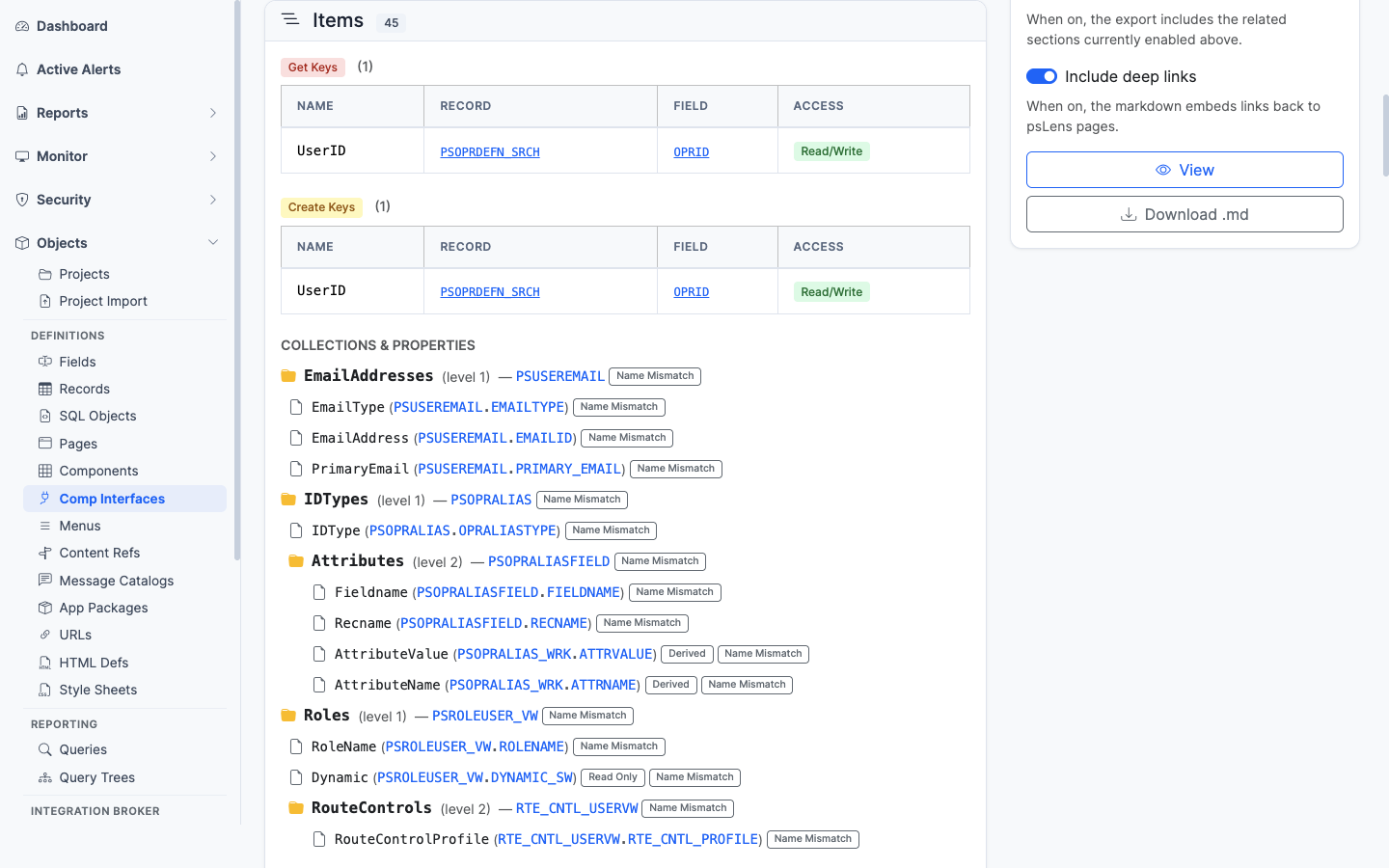
Every CI property with key flag, record/field binding, and standard/custom indicator
Every CI property (PSBCITEM): its record/field binding, key indicator, and whether it’s a standard or custom-named property.
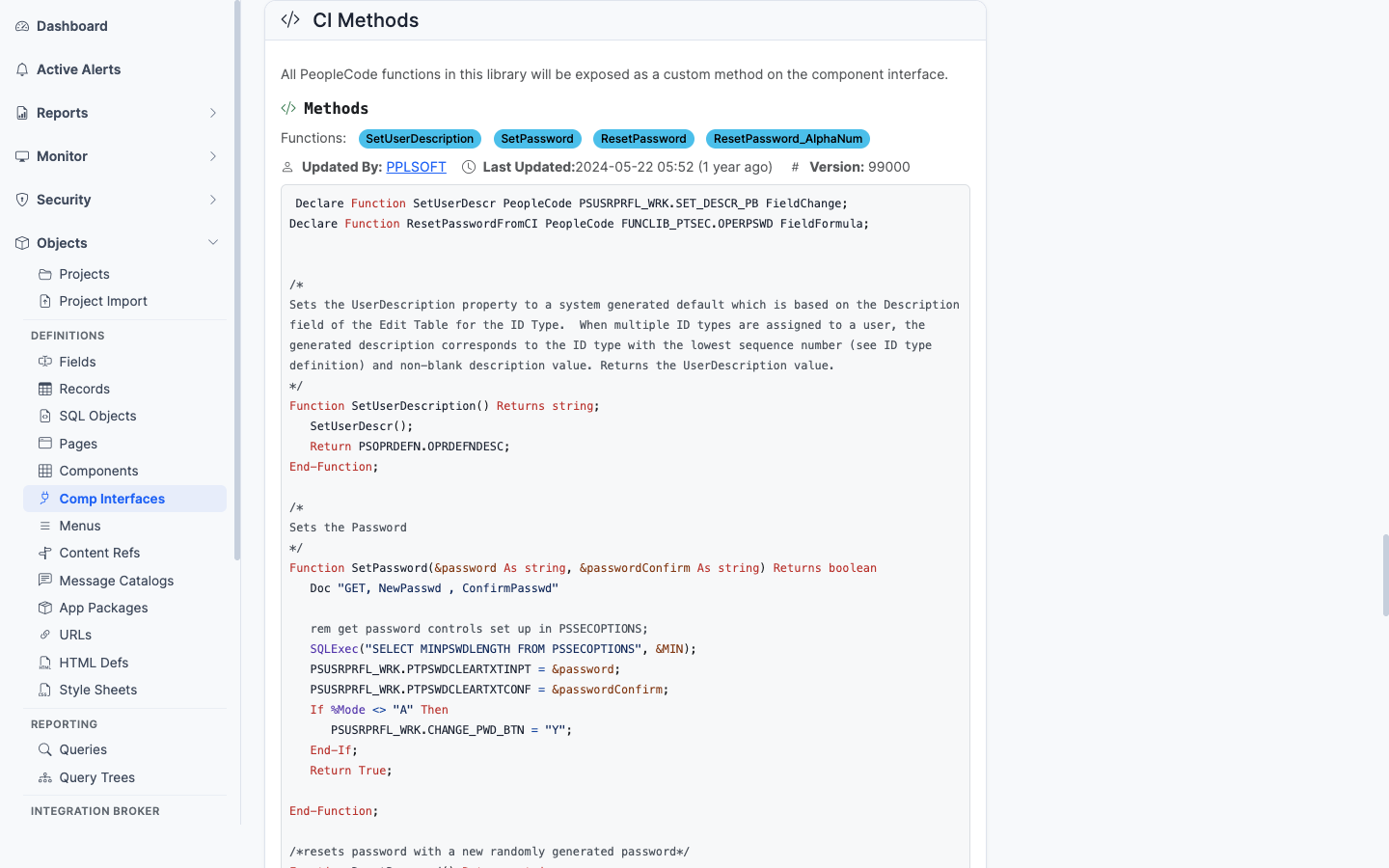
Standard and user-defined methods on the CI
Standard methods (Get, Find, Create, Save, Cancel) plus any user-defined methods. Each method links into the matching PeopleCode.
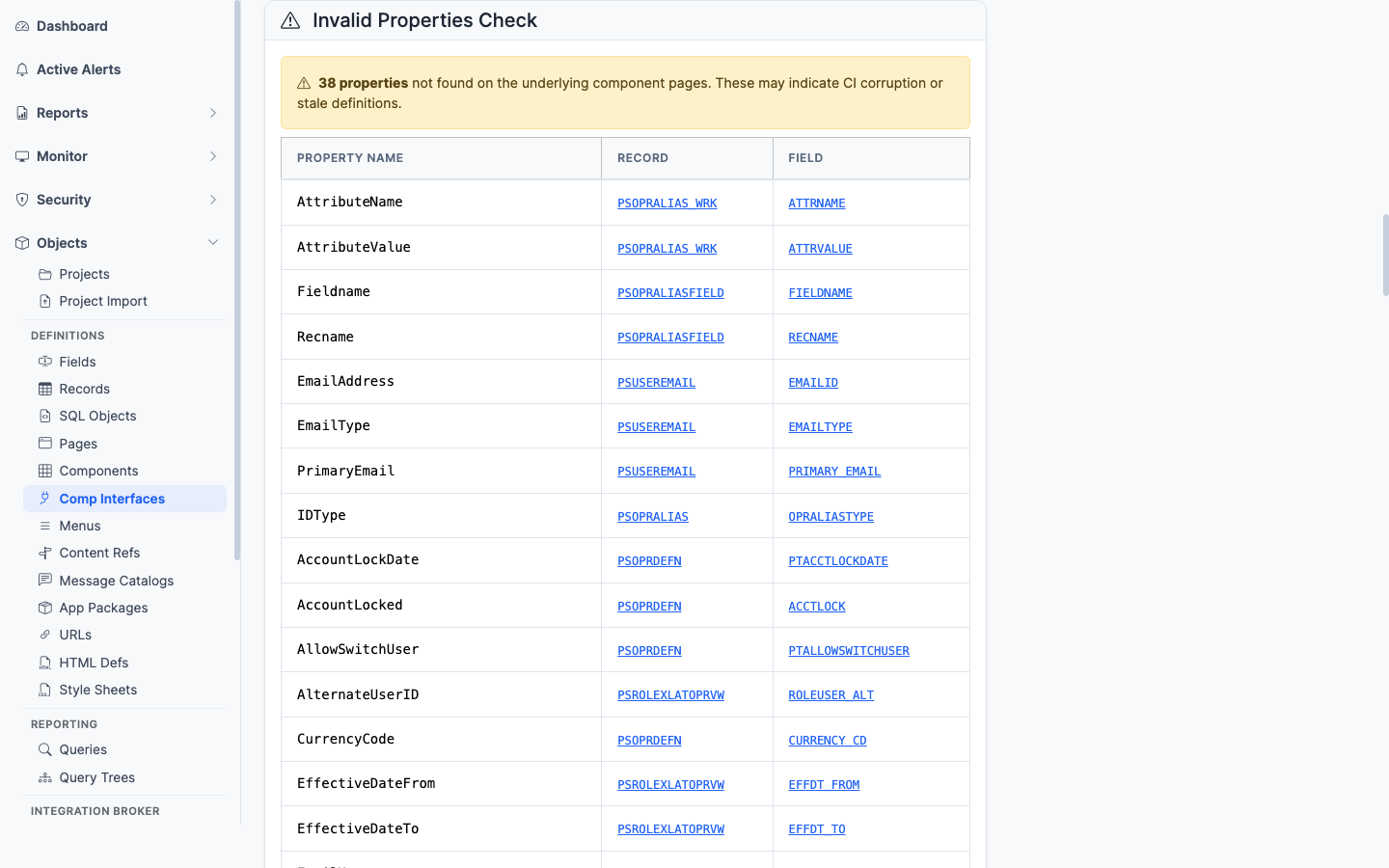
Items that no longer match a valid record field on the underlying component
A consistency check. Flags CI items that no longer match a valid record field on the underlying component — the most common failure mode after a record schema change.
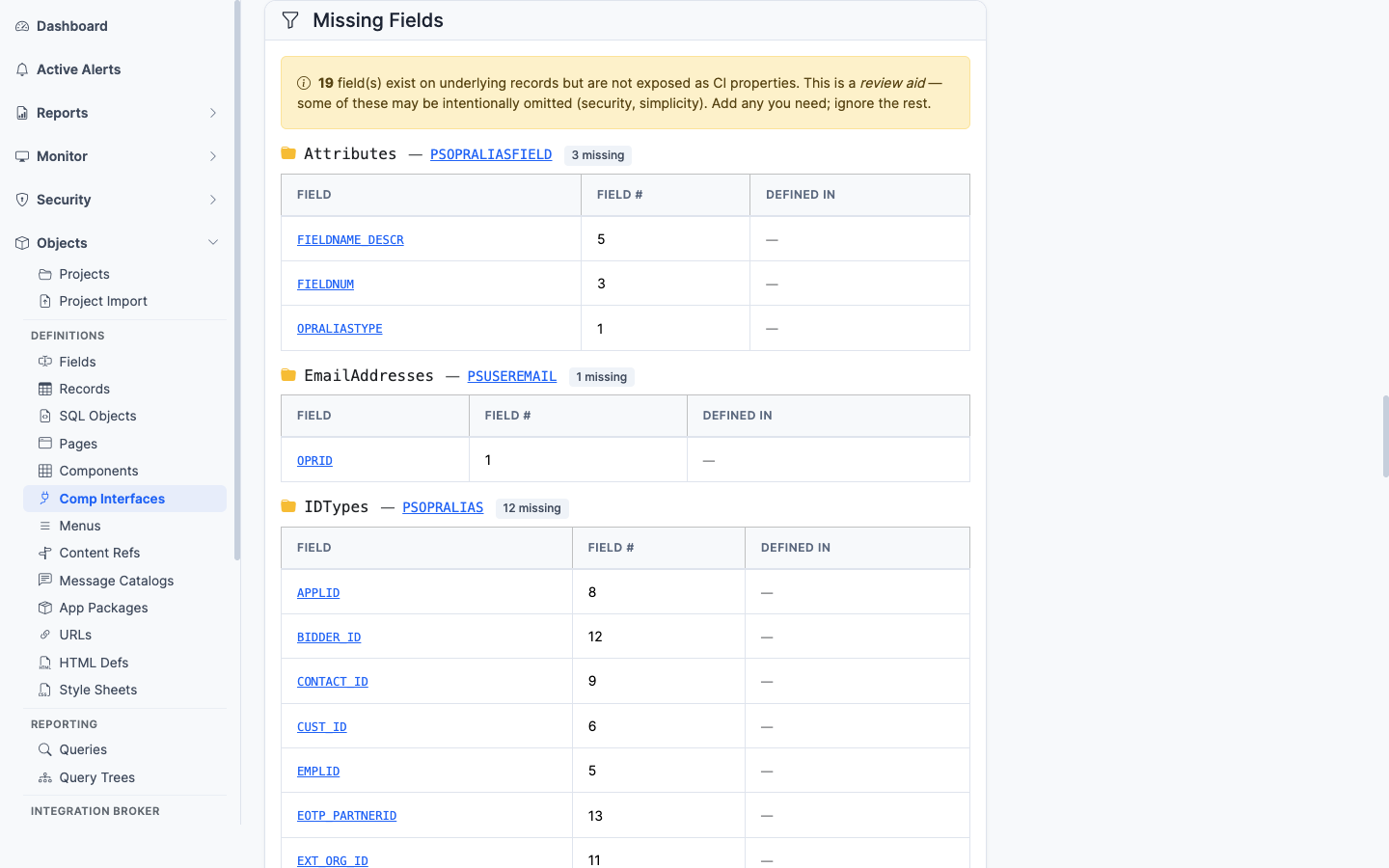
Required fields on the underlying component that the CI does not expose
A consistency check. Flags fields on the underlying component that are required (key fields, search keys, required-input fields) but are not exposed as CI properties. Helps spot where a CI cannot drive a transaction to completion.
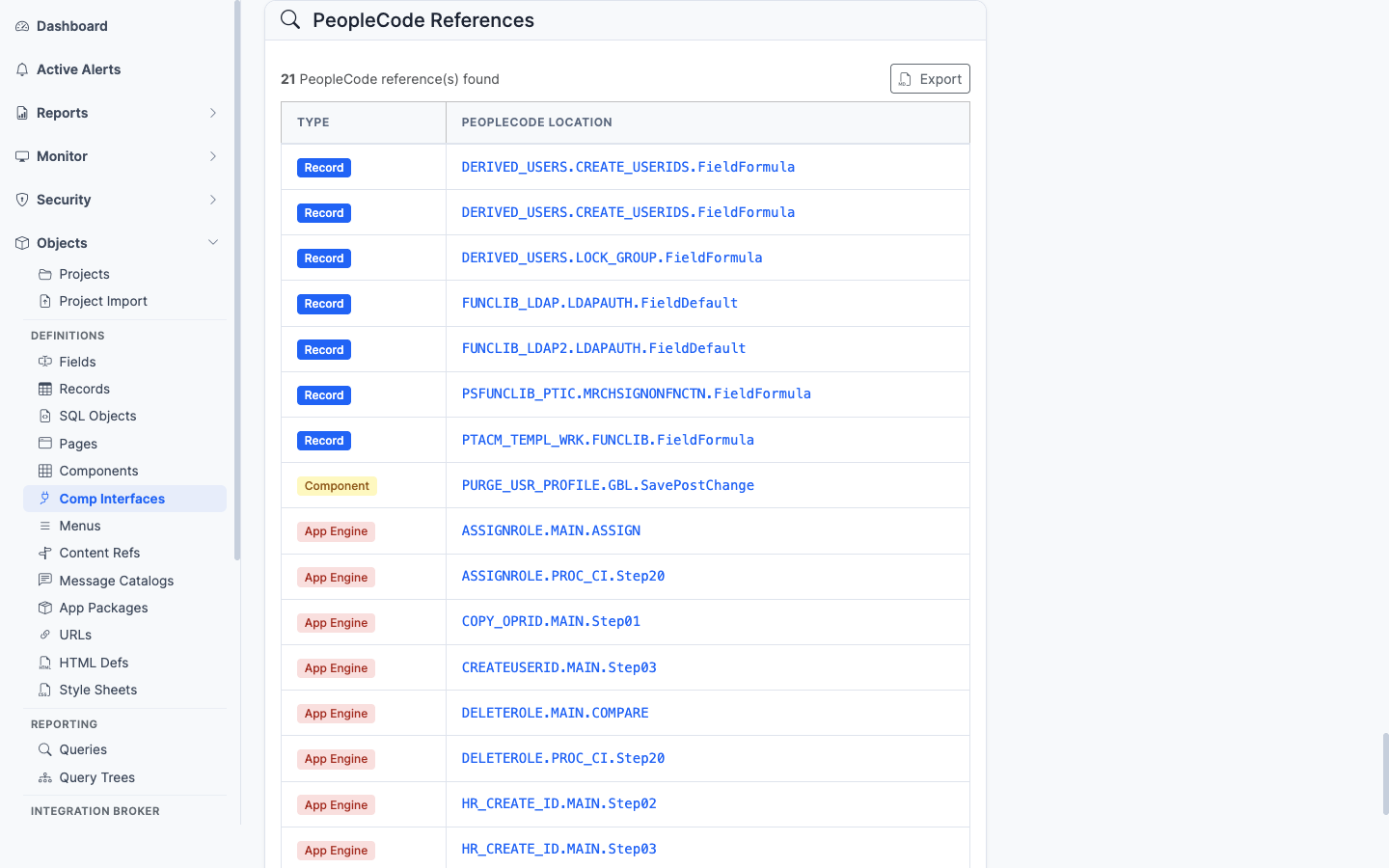
PeopleCode programs anywhere in the database that instantiate this CI
PeopleCode programs anywhere in the database that mention this CI by name. Useful for finding the App Engine, Service Operation handler, or other CI program that drives this interface.
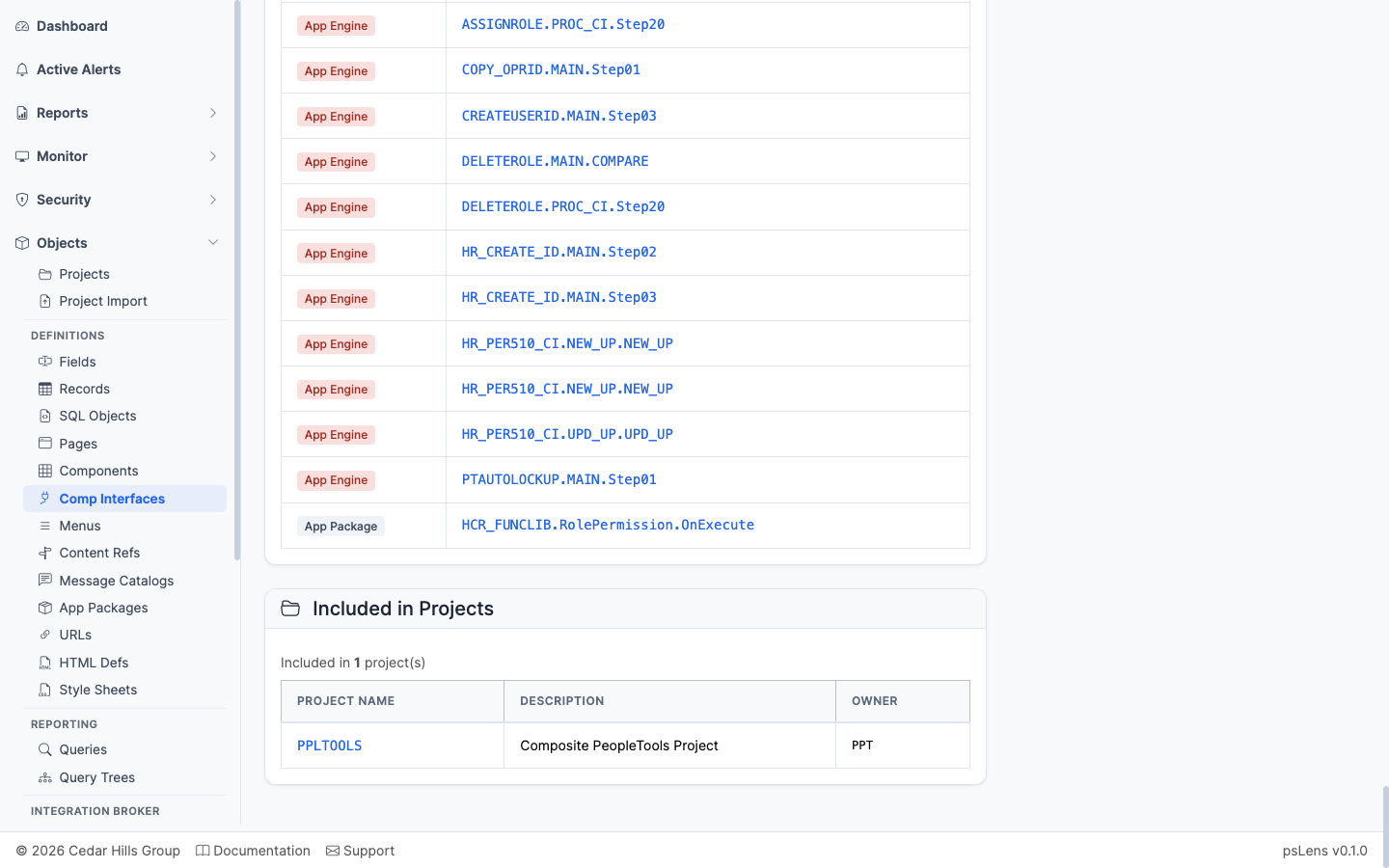
App Designer projects that include this CI
App Designer projects that include this CI.
——Menus are PeopleSoft’s classic navigation containers. Each menu (PSMENUDEFN) holds a set of bars, each bar a set of items (PSMENUITEM), and each item points to a component the user can launch. Even in a Fluid-dominant world, classic menus matter for security: Permission List authorizations are granted on menu/component pairs, so understanding which menu owns a component is fundamental to access analysis.
Menus organize business transactions into structured navigation and security access paths:
PSMENUITEM) inside a menu (PSMENUDEFN) specify the target component (PNLGRPNAME) and market (MARKET).PSAUTHITEM) authorize user access to specific menu item and component combinations.PSPRSMDEFN) use menu and component URI segments to populate navigation trees.In Application Designer, inspecting classic menus requires opening the menu tree, double-clicking individual items to confirm target component and market properties, and right-clicking items to navigate to component definitions.
psLens displays the complete bar and item hierarchy on a single screen with direct links to target components, making it straightforward to audit security pairs and navigation structures.
URL: /menus?db={database}
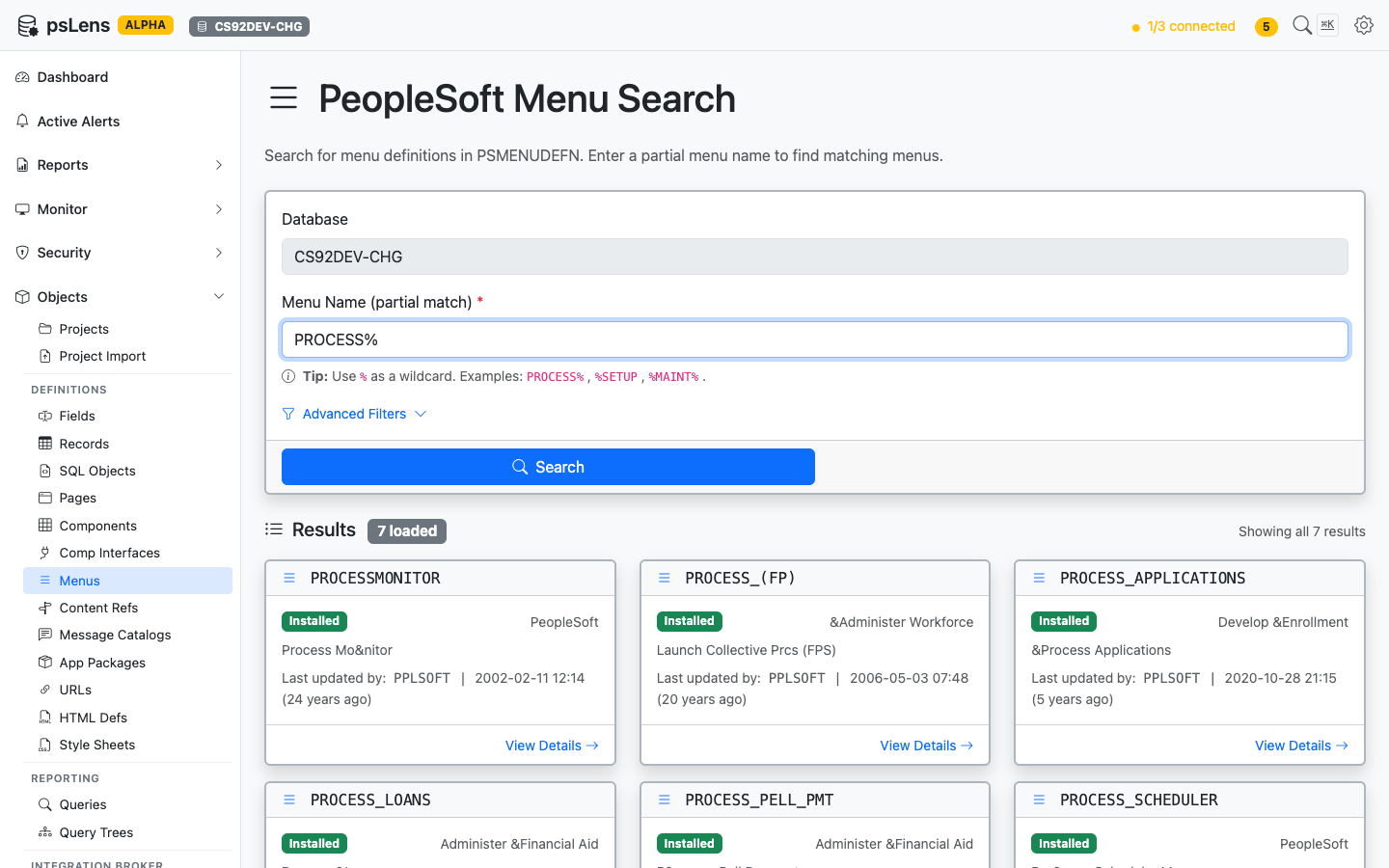
Menu search results for PROCESS%
Wildcard % search supported. Each card shows the menu type (Standard or Pop-up) and the descriptive long name.
URL: /menus/{MENUNAME}?db={database}
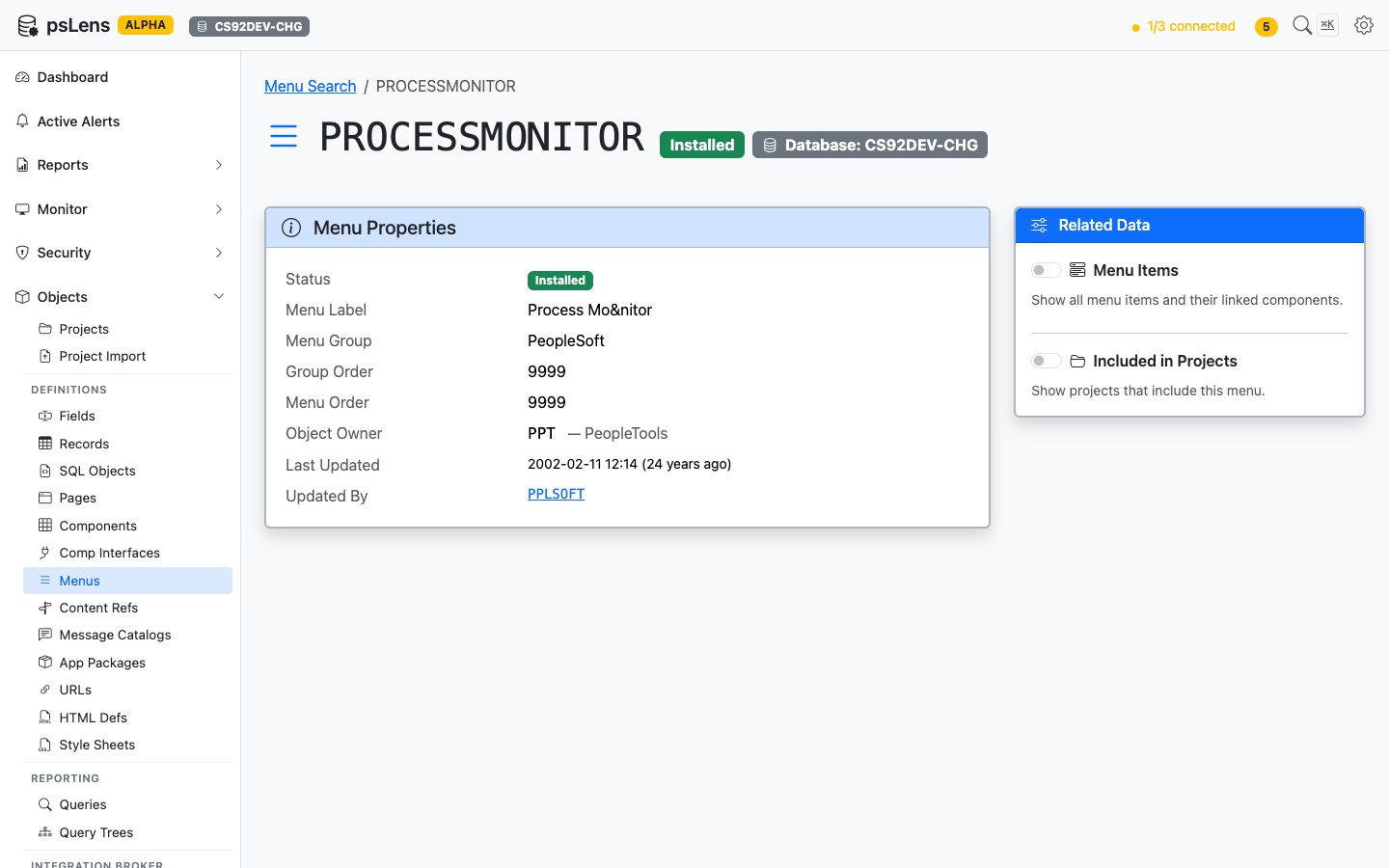
Menu detail page for PROCESSMONITOR
The main pane shows Menu Properties (type, owner, audit metadata). The sidebar has 2 related-data toggles.
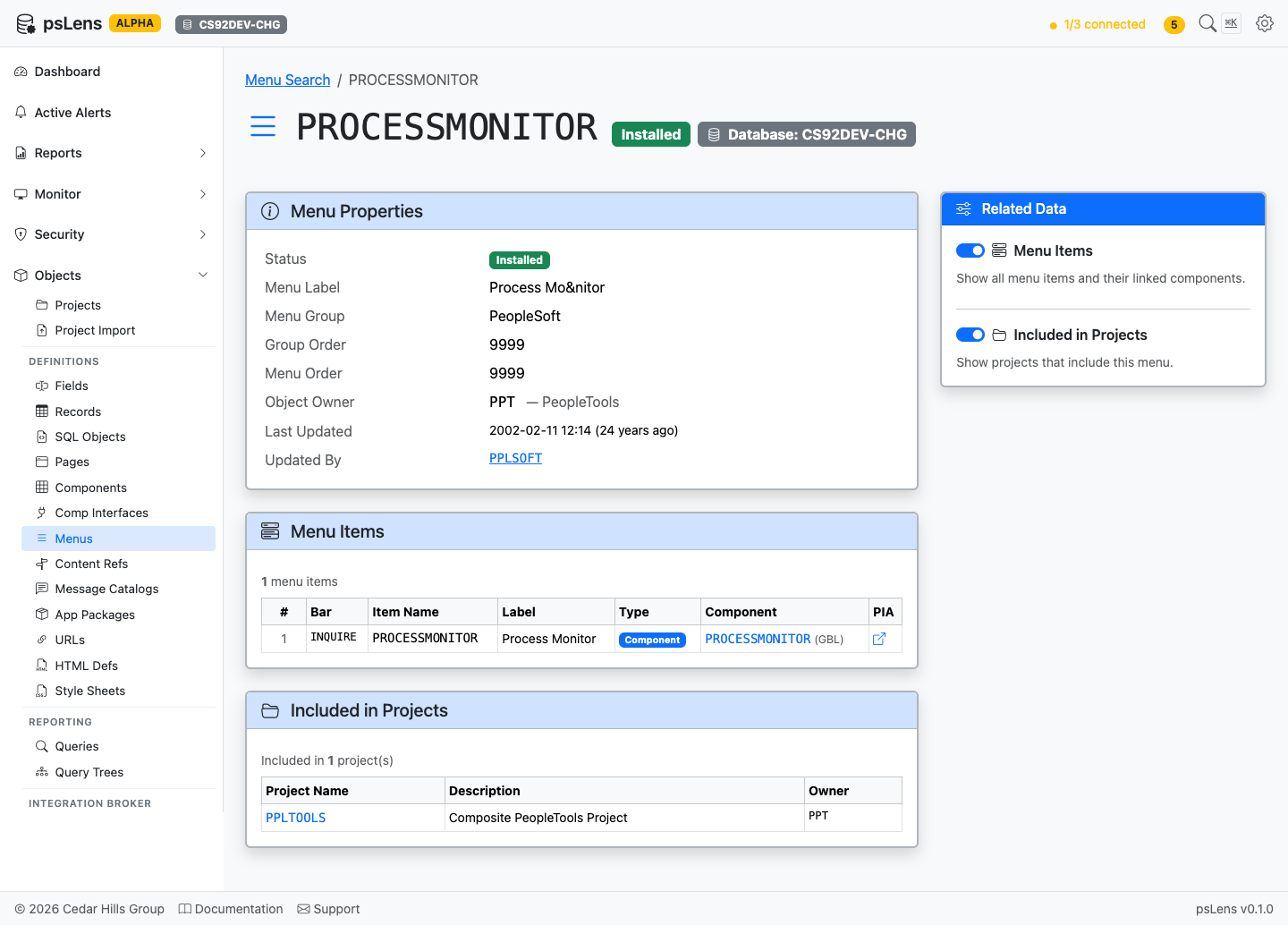
All panels expanded — short page since menus are simple structures
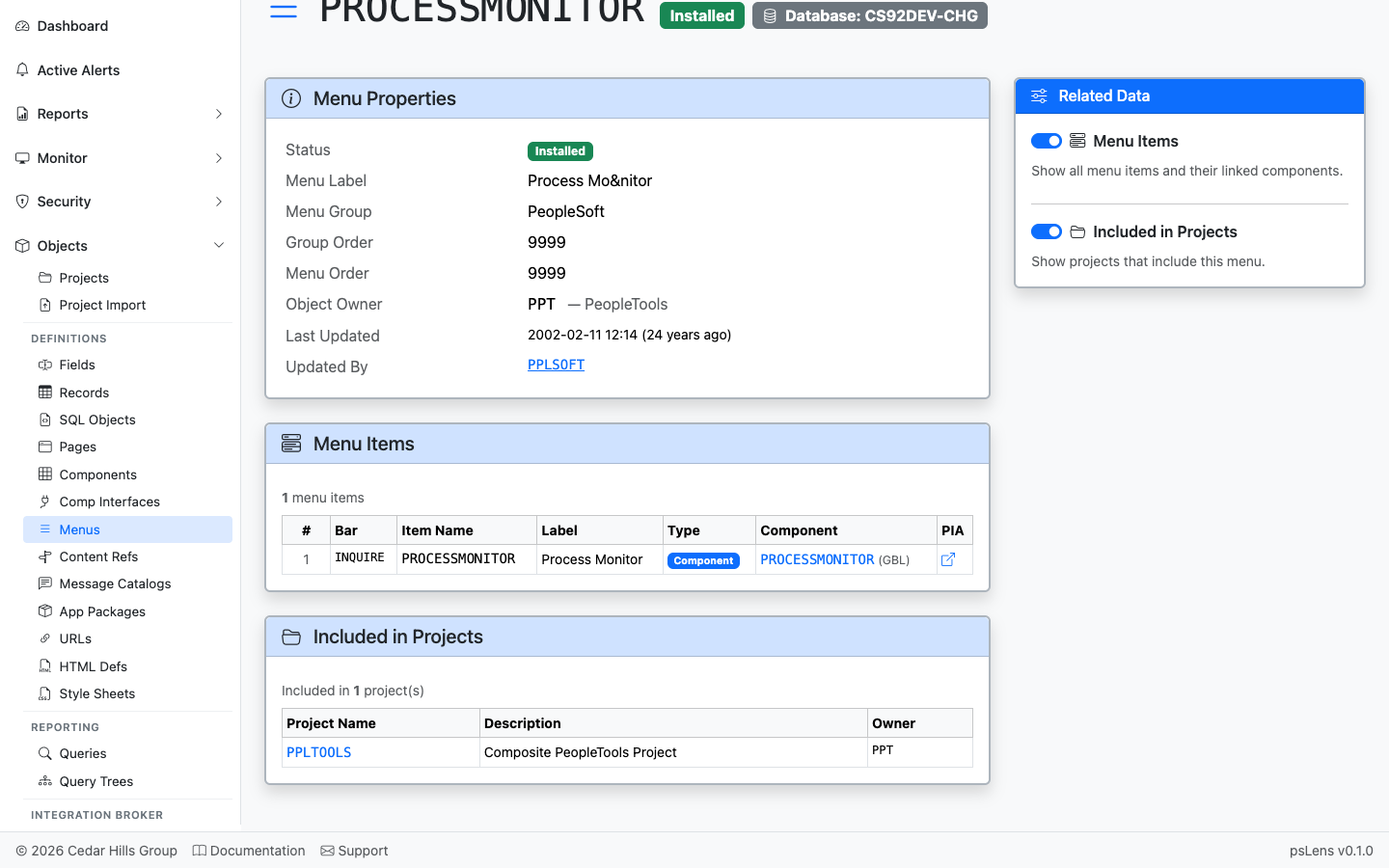
Every bar and item in the menu with the target component
Every bar and item in the menu, with the component (and market) each item launches. Each component is deep-linked into its own psLens detail page, letting you walk straight from a menu entry into the transaction it triggers.
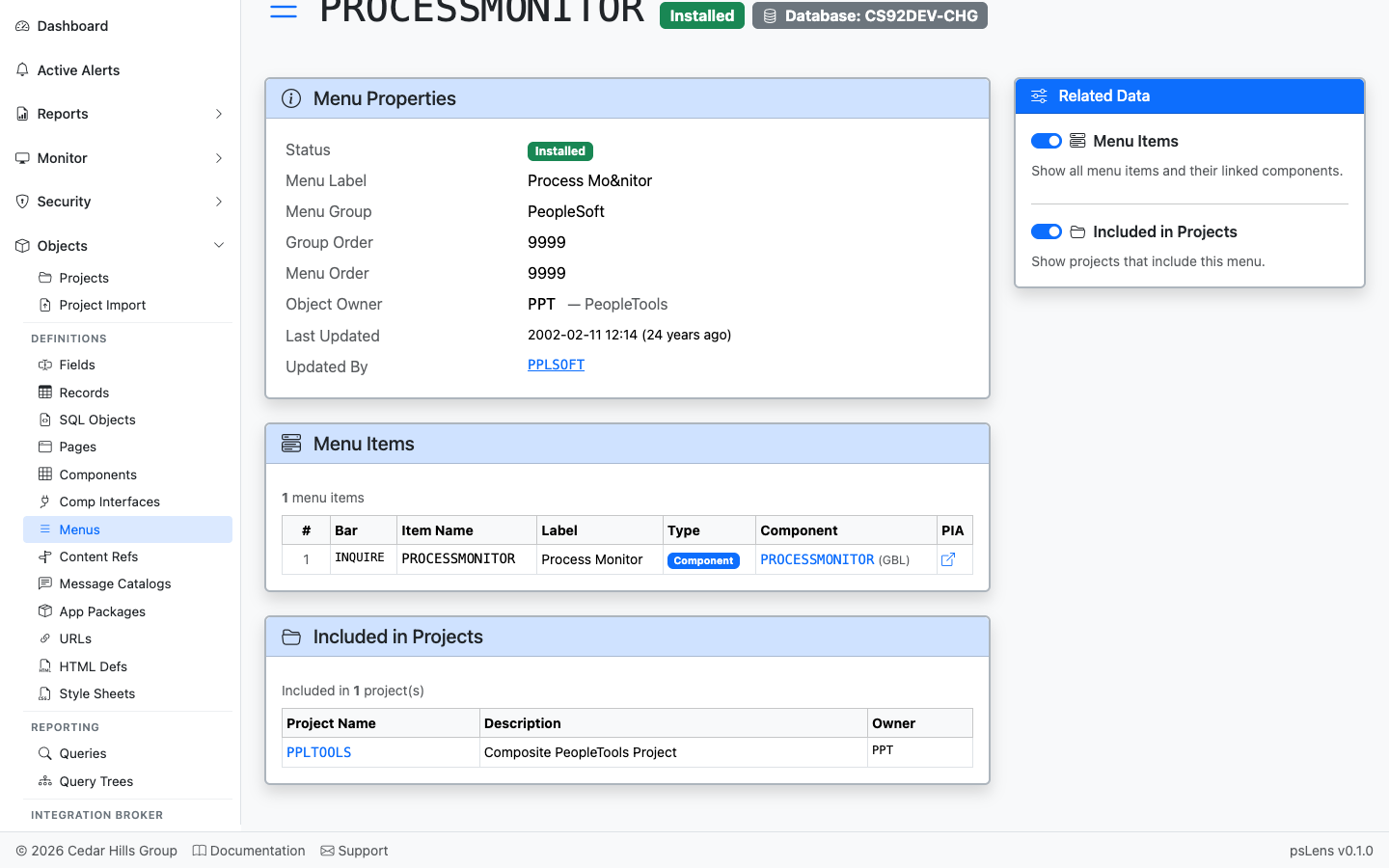
App Designer projects that include this menu
App Designer projects that include this menu.
——Content References (CREFs) are entries in the PeopleSoft Portal Registry — the data structure that drives the menu tree, breadcrumbs, and navigation collections users see in PIA. Each CREF is identified by a portal/object name pair stored in PSPRSMDEFN and can be either a folder (a navigation container) or a content reference (a launchable target, usually a component, but also iScripts, external URLs, and homepage pagelets). psLens shows the CREF’s URI target, the full ancestor walk back to the portal root, every system and custom attribute, and the permission lists that have been granted access.
Portal Content References link user navigation elements to target application objects:
PSPRSMDEFN) map portal links to components (PSPNLGRPDEFN), iScripts, or external web addresses.PSPRSMPERM) grant user authorization to view CREFs and portal folders.In PIA, analyzing a Portal Content Reference requires navigating down multi-level folder trees in Structure & Content, switching between administration and permission tabs, and repeatedly editing parent folders to trace breadcrumbs.
psLens displays the complete portal entry—destination URI, full ancestor breadcrumb path, custom/system attributes, and permission list grants—on a single screen.
URL: /crefs?db={database}
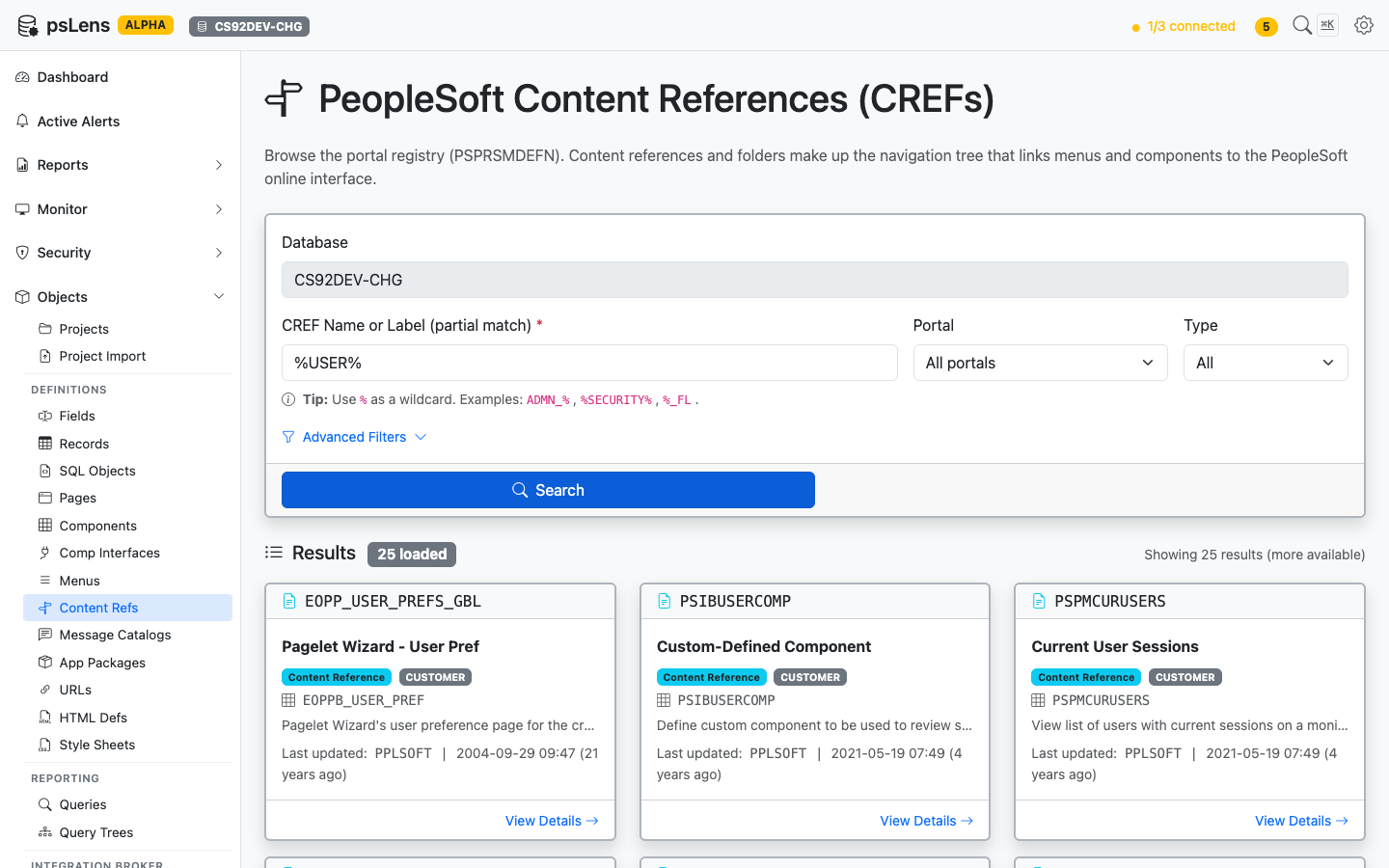
CREF search results for %USER%
Search by CREF name or label, with optional filters for portal (EMPLOYEE, CUSTOMER, MOBILE, etc.) and type (CREF vs Folder). Each result card shows the portal, the parent folder path, and the target object name.
URL: /crefs/{PORTAL}/{OBJECTNAME}?db={database}
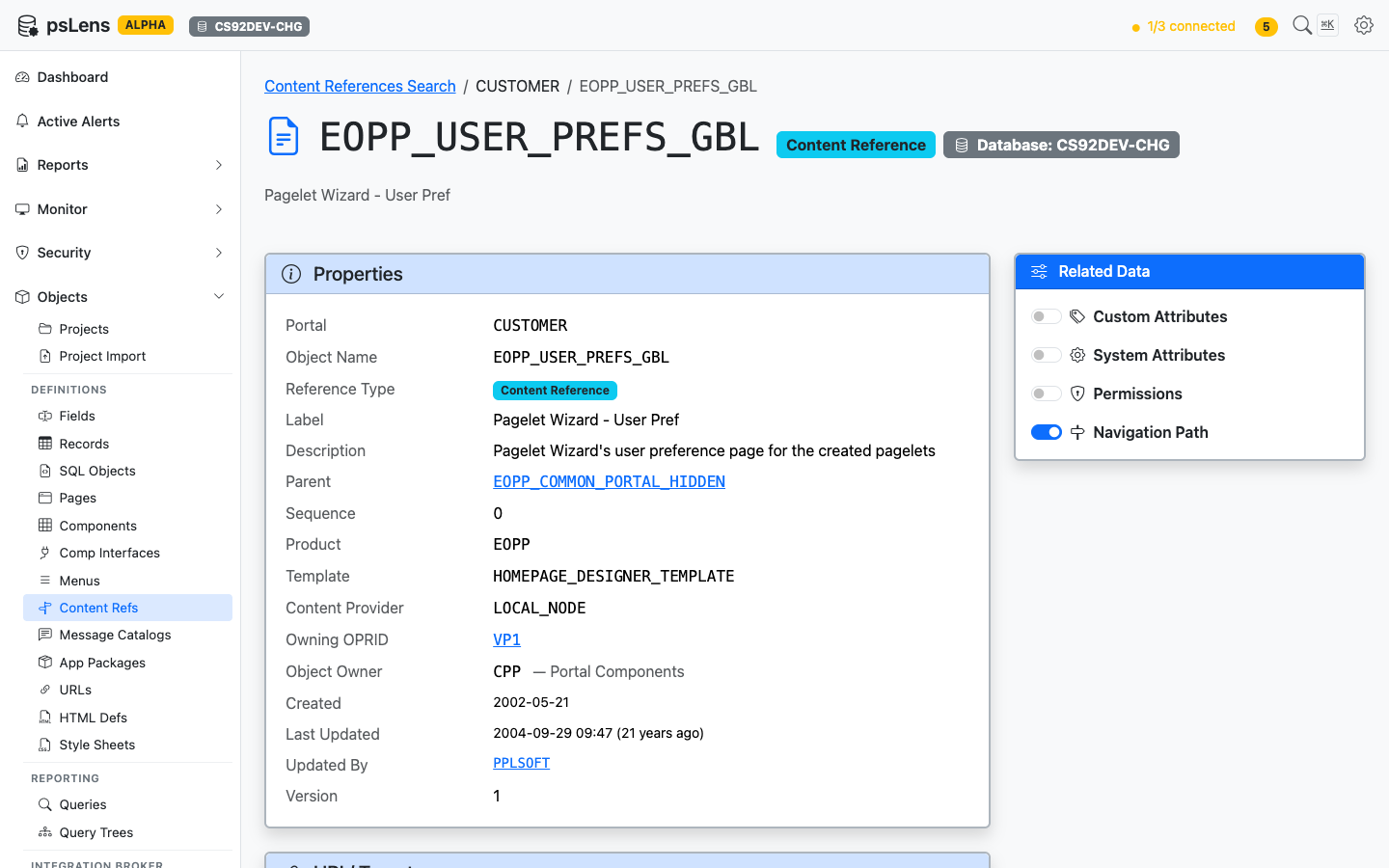
CREF detail page for EOPP_USER_PREFS_GBL
The main pane shows Properties (portal, parent folder, type, security author, label, description) and the URI / Target card with the destination URL. For component CREFs this is the menu/component path; for iScripts, the iScript URL; for external CREFs, the literal URL. The sidebar has 4 related-data toggles.
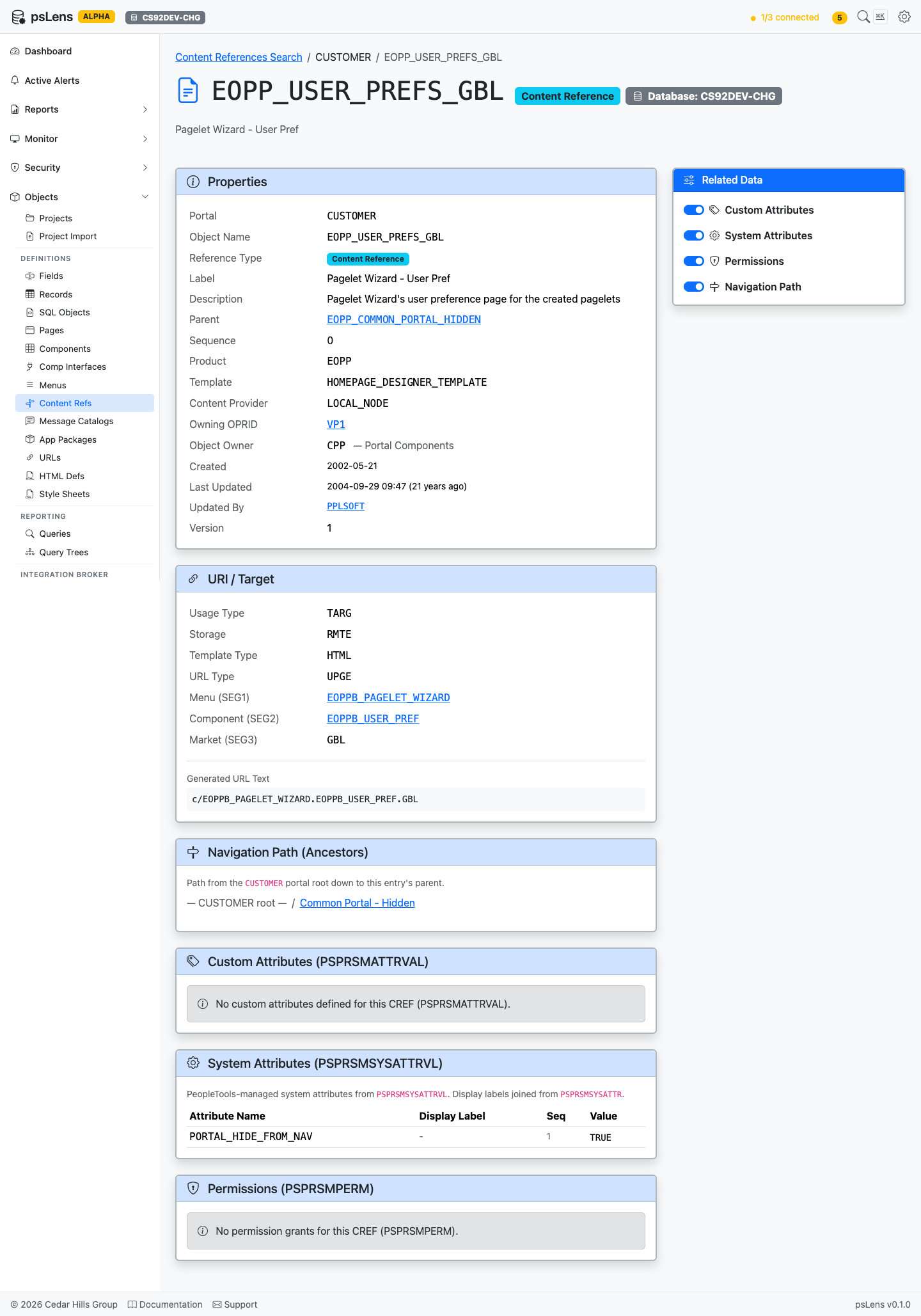
All panels expanded — under 2100px tall
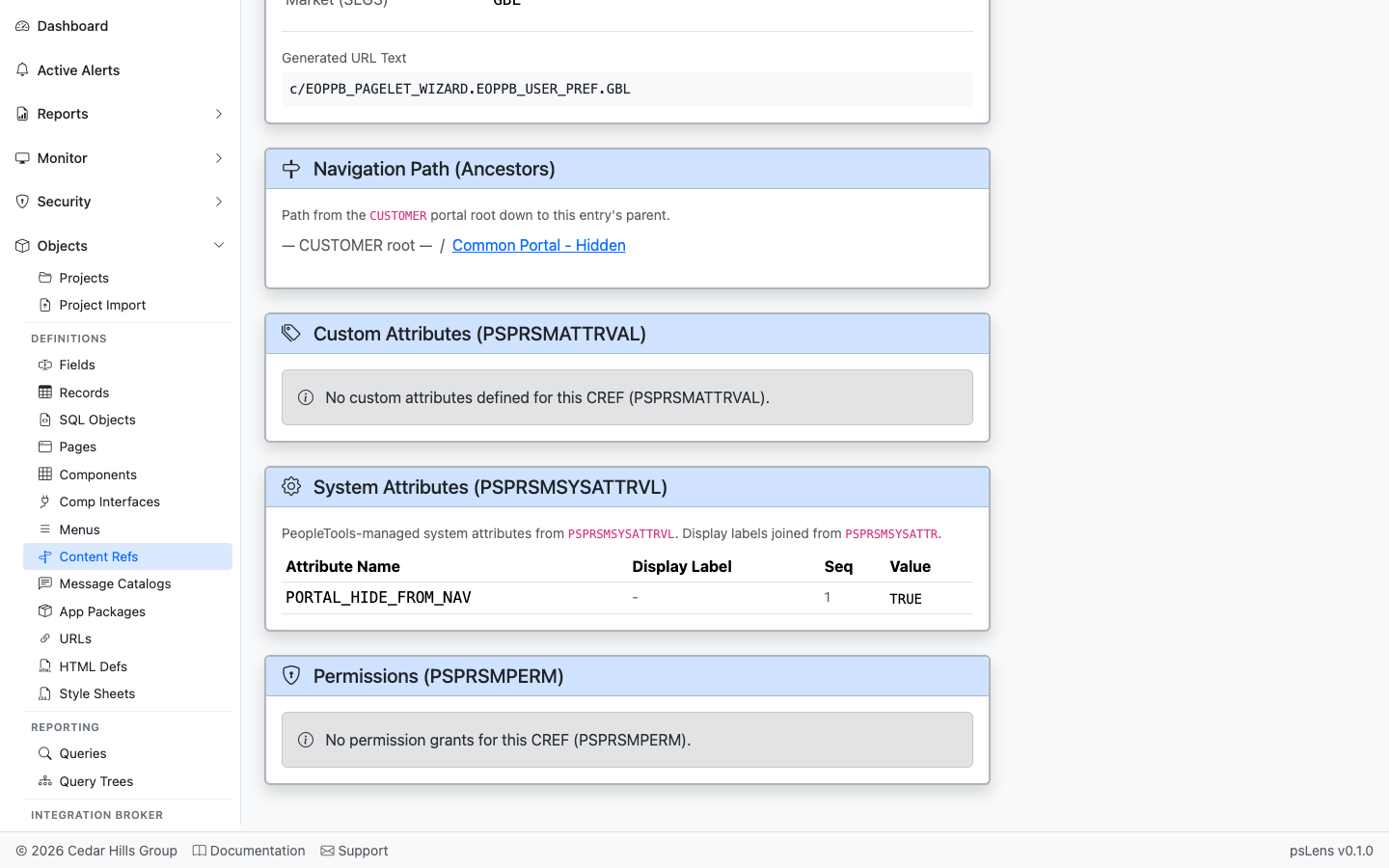
The breadcrumb walk from the portal root down to this CREF
The full ancestor chain from the portal root down to this CREF. Every folder in the navigation path is clickable so you can hop up the tree to a parent folder.
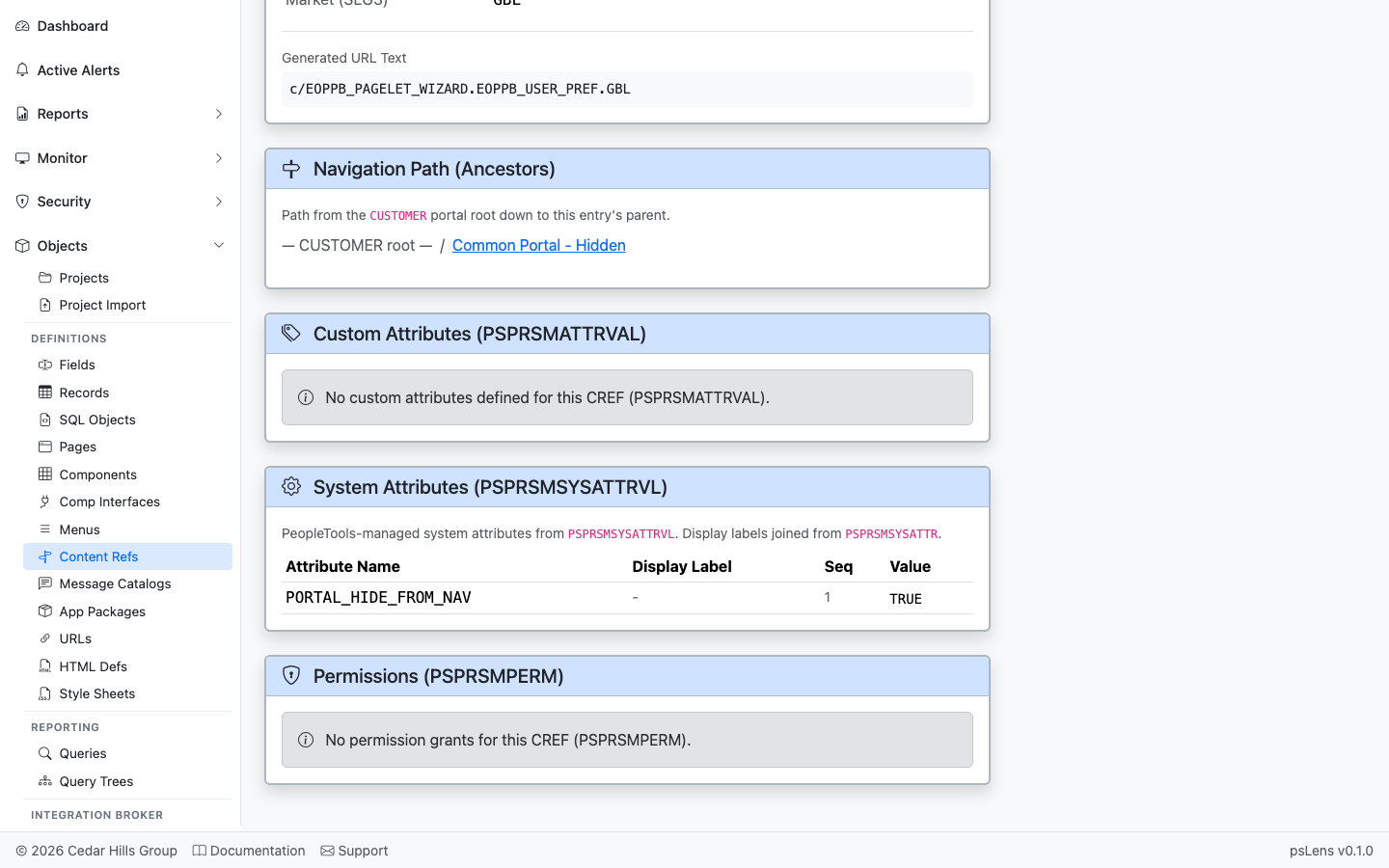
Per-CREF custom attribute name/value pairs from PSPRSMATTRVAL
Per-CREF custom attribute name/value pairs from PSPRSMATTRVAL. Used by Fluid navigation collections, search categories, badges, and other portal features.
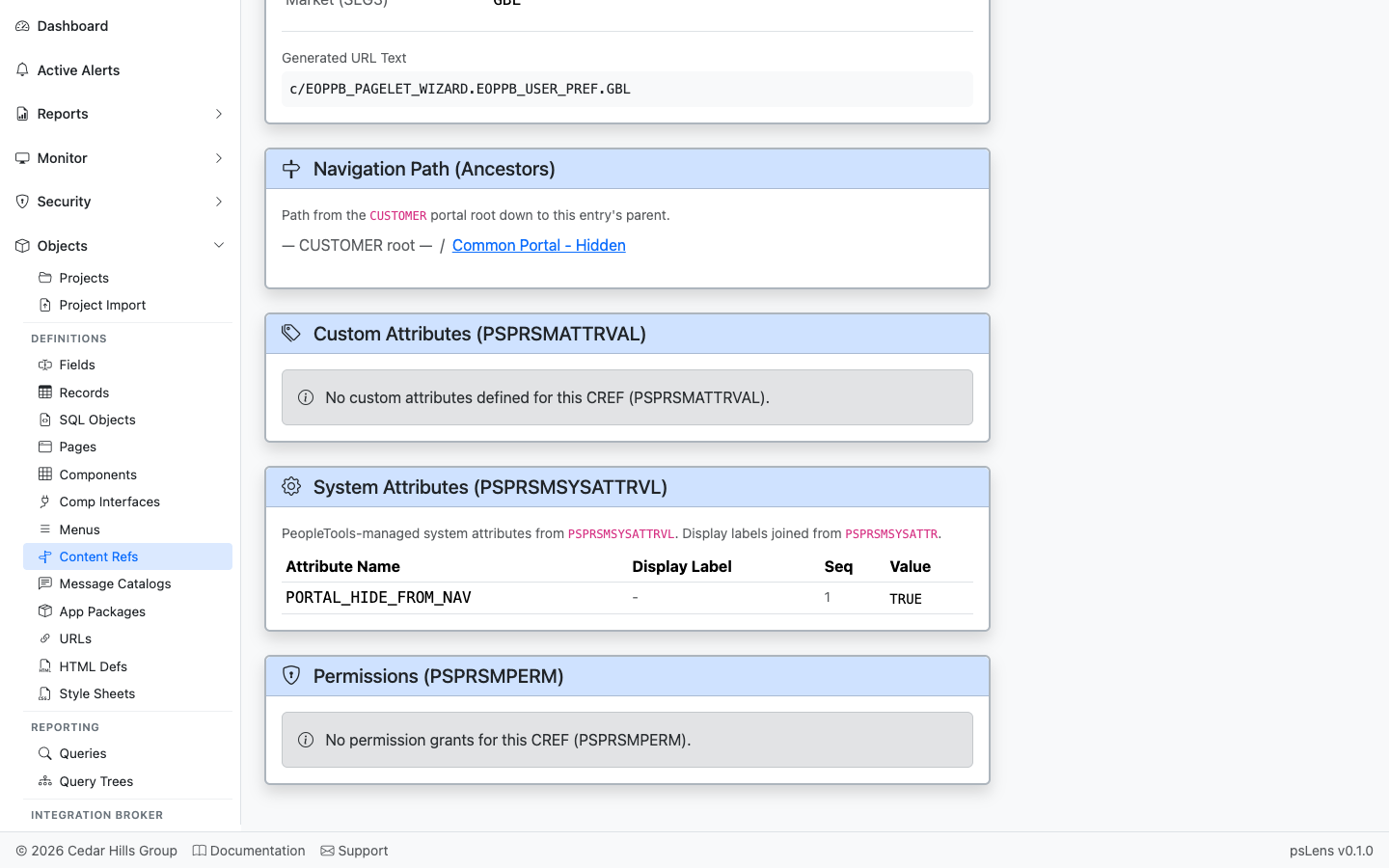
System attributes from PSPRSMSYSATTRVL with friendly labels
System attributes from PSPRSMSYSATTRVL with friendly labels (e.g., PORTAL_LABEL, PORTAL_OBJTYPE_DESC, PTPP_* personalization keys). These configure how the CREF behaves at runtime.
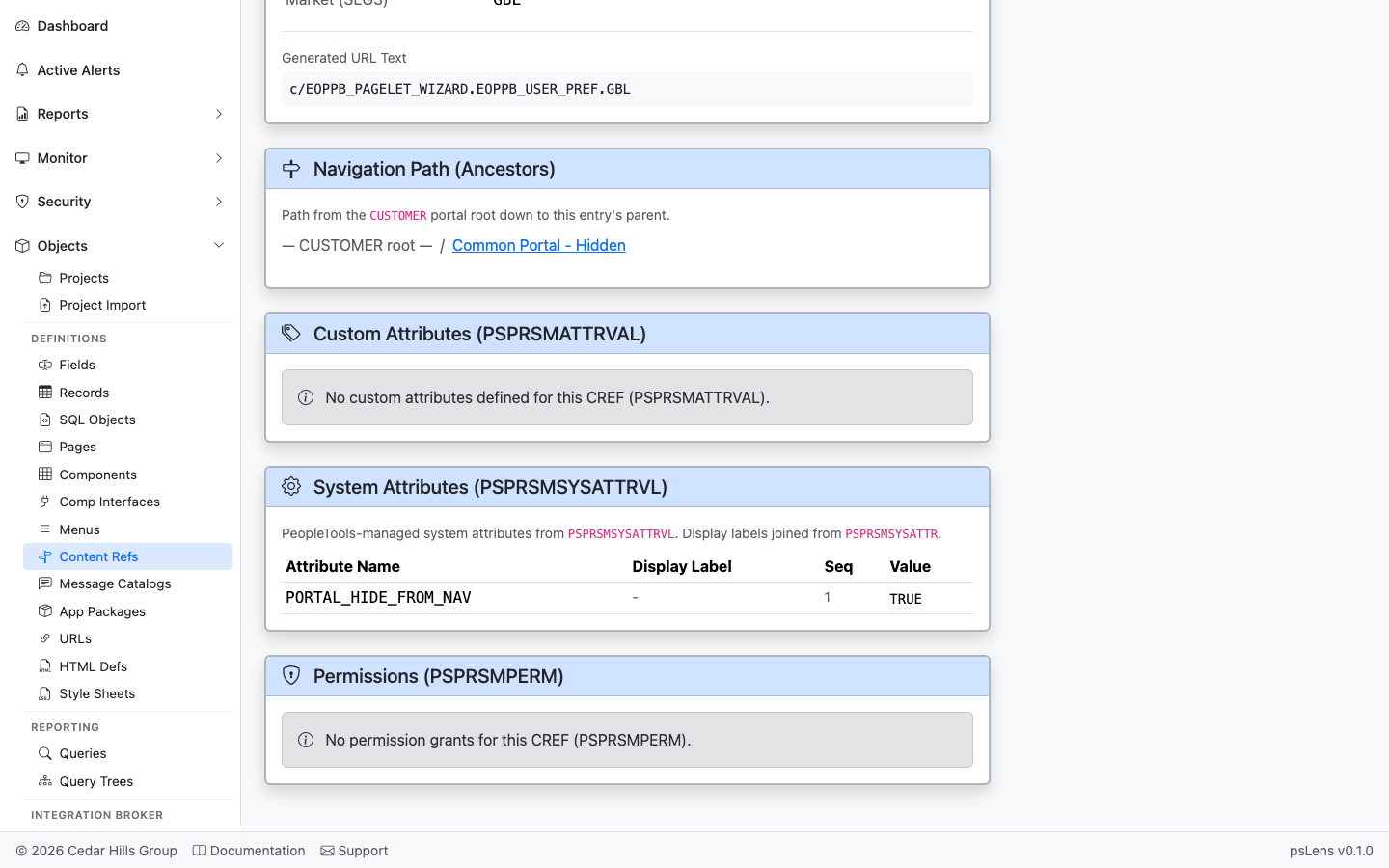
Permission lists with grant access to this CREF
Permission lists (PSPRSMPERM) that have been granted access to this CREF — the security side of “who can see this in the menu?”.
——The Message Catalog is PeopleSoft’s centralized store of user-facing text. Every MsgGet() call, error dialog, warning, and translated label resolves to a message set + message number pair stored in PSMSGCATDEFN. psLens lets you browse messages by set number, jump directly to a specific set/number, or search by message text. Each message gets a dedicated detail page with its severity, text, explanation, and a usage analysis that finds where it is referenced in PeopleCode and SQL.
Message Catalogs standardize application message strings across components and scripts:
PSMSGCATDEFN) are called by MsgGet() and MsgGetText() in PeopleCode to display formatted messages.In PIA, searching Message Catalog entries requires navigating Utilities → Administration → Message Catalog, while tracking down where a message is invoked requires running separate Find In PeopleCode searches.
psLens allows instant jumping to Set/Number pairs, surfaces recently modified messages, and automatically performs global usage analysis across all PeopleCode and SQL statements.
URL: /messagecatalogs?db={database}
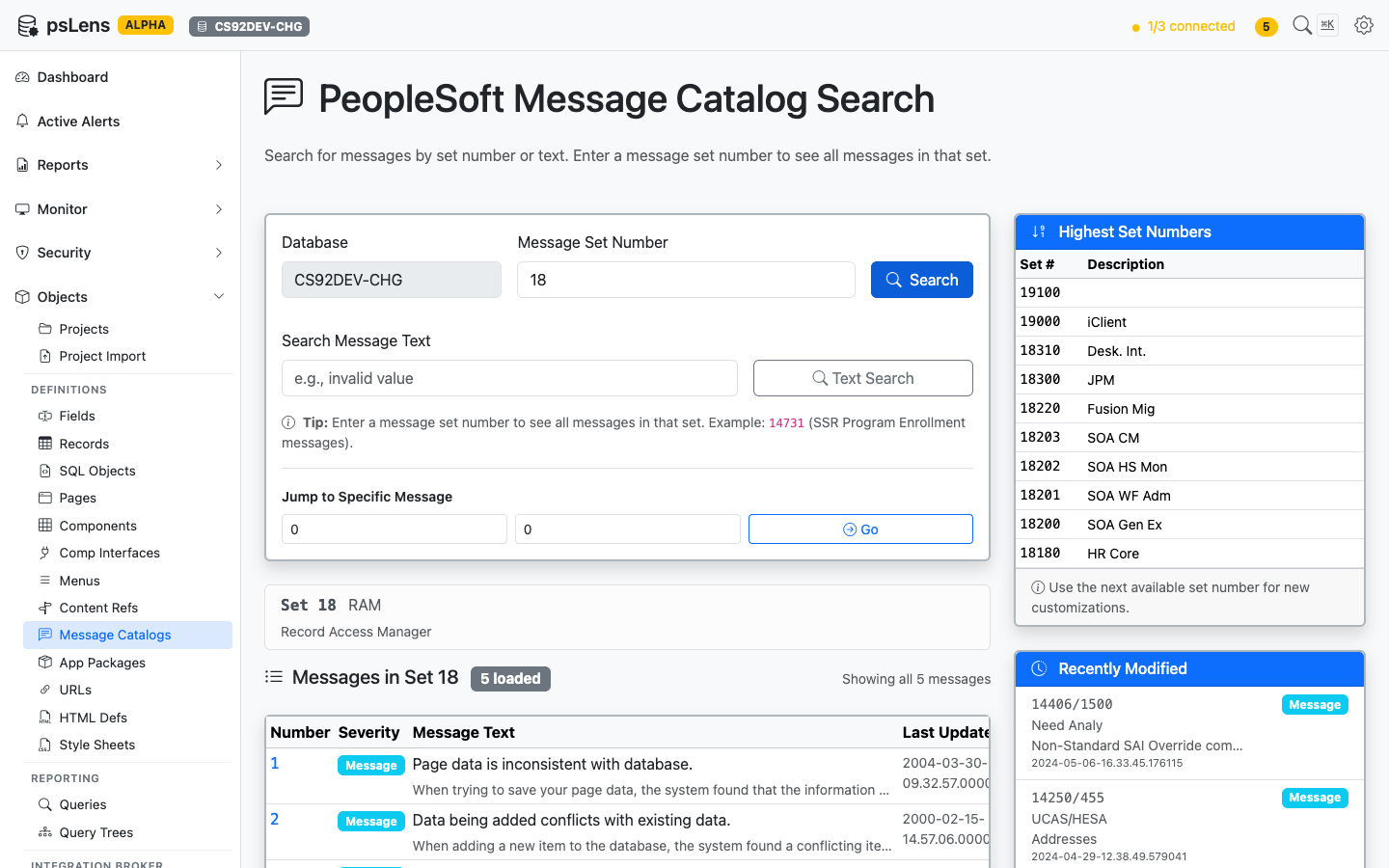
Browsing all messages in set 18
The search page has three entry points: enter a Set Number to see every message in the set, enter free text to Search Message Text, or punch in a specific Set/Number pair to jump straight to that message. The page also surfaces the highest set numbers in use (handy for picking the next free set when creating customizations) and the most recently modified messages.
URL: /messagecatalogs/{SET}/{NUMBER}?db={database}
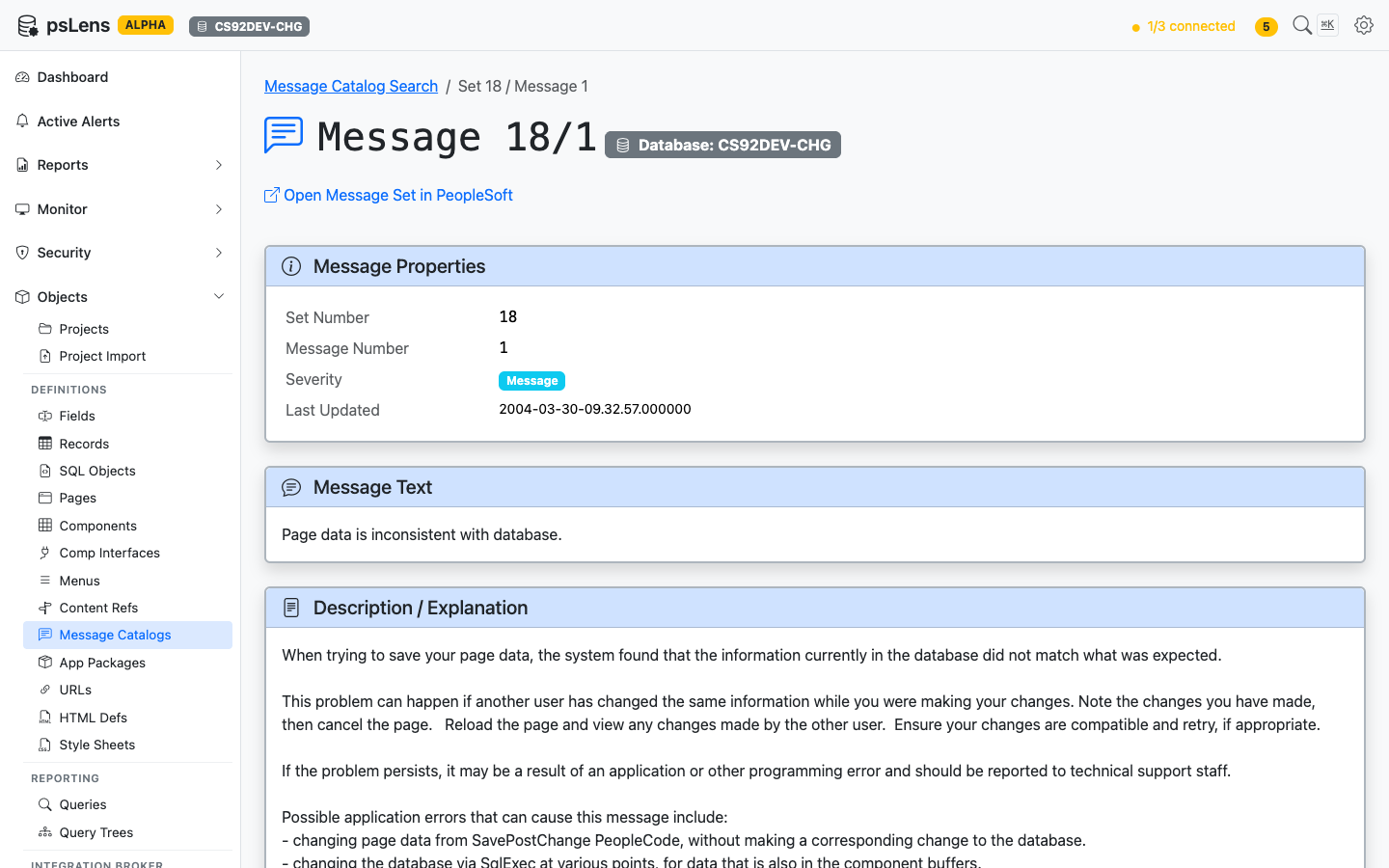
Detail page for message 18/1
The detail page has no sidebar toggles; everything loads inline. The main pane shows Message Properties (set, number, severity, last-updated), the full Message Text (with %1, %2 substitution markers preserved), and the Description / Explanation body text developers see when investigating a message.
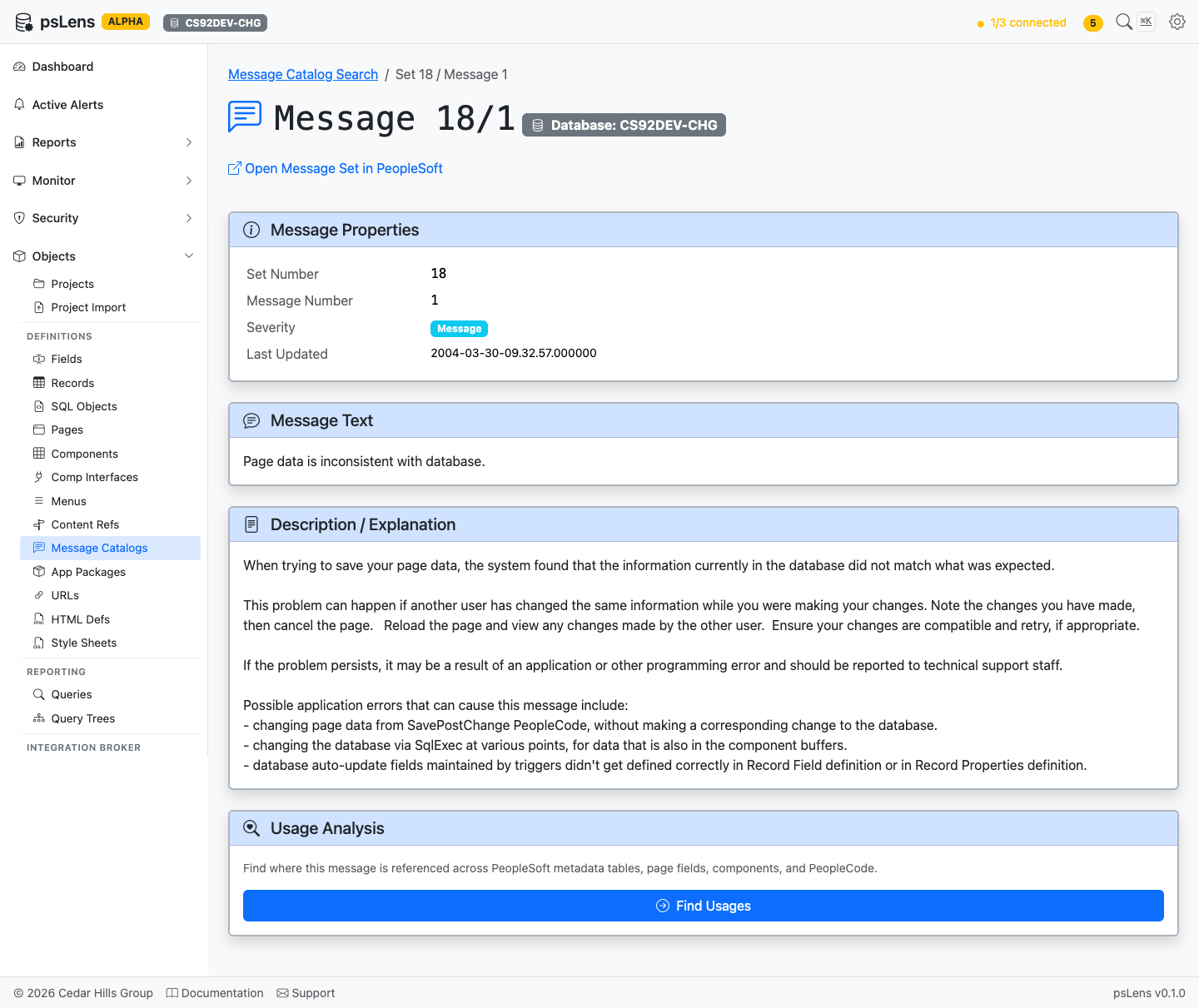
Full message page including usage analysis
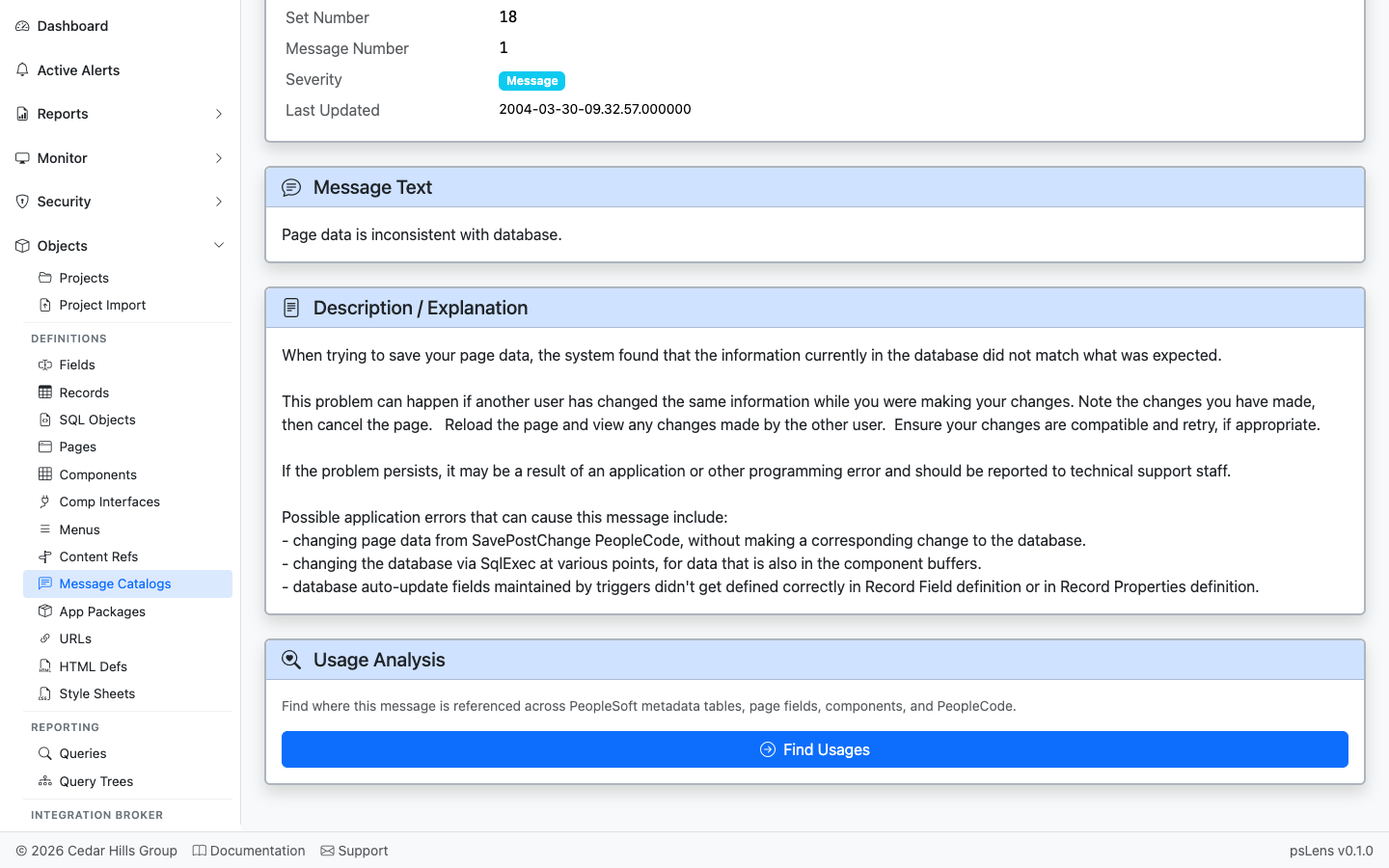
Where this message is referenced in PeopleCode and SQL
The Usage Analysis card automatically scans every PeopleCode program and SQL object in the database for textual references to this set/number pair: MsgGet(18, 1, ...), MsgGetText(18, 1, ...), SQLExec("...18, 1..."), and so on. Each hit links to the parent object’s detail page. Lets you find every MsgGet / MsgGetText / SQLExec call site for the set/number pair before editing the text.
——Application Packages are PeopleSoft’s object-oriented PeopleCode container — packages hold sub-packages and classes, classes hold methods and properties. They are the standard way to write reusable PeopleCode in PeopleSoft applications. psLens walks the package tree (PSPACKAGEDEFN, PSPACKAGEITEM, PSPCMPROG) and shows the full class hierarchy plus a reverse index of where the package is used: by service operation handlers, by other PeopleCode, and in which projects.
Application Packages organize reusable application logic across PeopleSoft objects:
PSPACKAGEDEFN) structure object-oriented classes (PSPACKAGEITEM) into hierarchical namespaces.PSOPRHDLR), App Engine steps, and event PeopleCode.In Application Designer, inspecting application packages requires manually expanding sub-packages and class nodes, opening individual classes to view methods and properties, running Find In PeopleCode for import statements, and opening Integration Broker service operations one by one to find handler classes.
psLens exposes the fully expanded recursive package tree, caller call sites, IB service operation handlers, and project membership on a single screen.
URL: /apppackages?db={database}
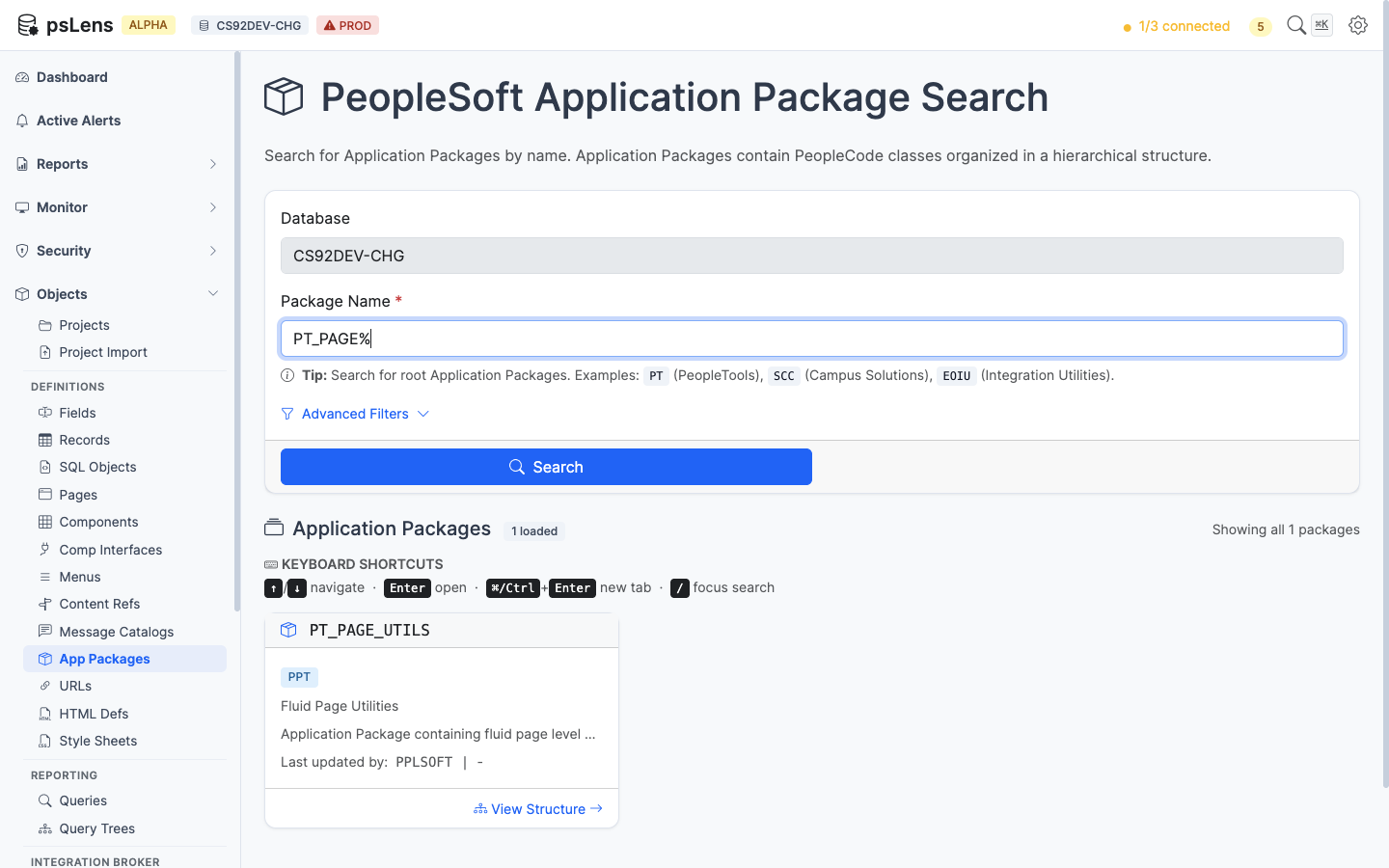
App Package search results for PT_PAGE%
Wildcard % search supported. Each result card shows the package name and the top-level class names inside it.
URL: /apppackages/{PACKAGENAME}?db={database}
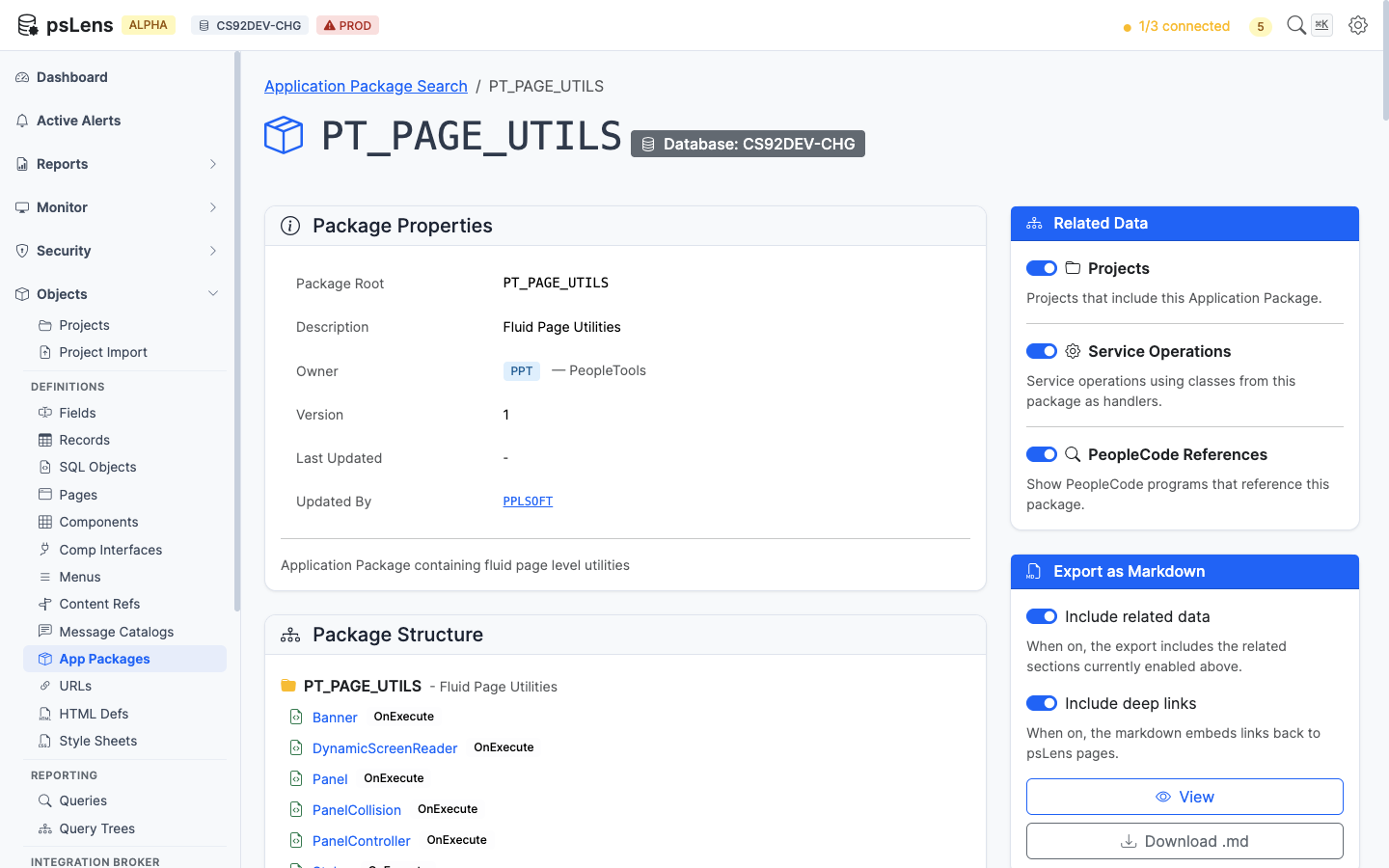
App Package detail page for PT_PAGE_UTILS
The main pane shows Package Properties (owner, last-updated, source path) and the full Package Structure, a recursive tree of sub-packages and classes with methods, properties, and visibility markers. The sidebar has 3 related-data toggles.
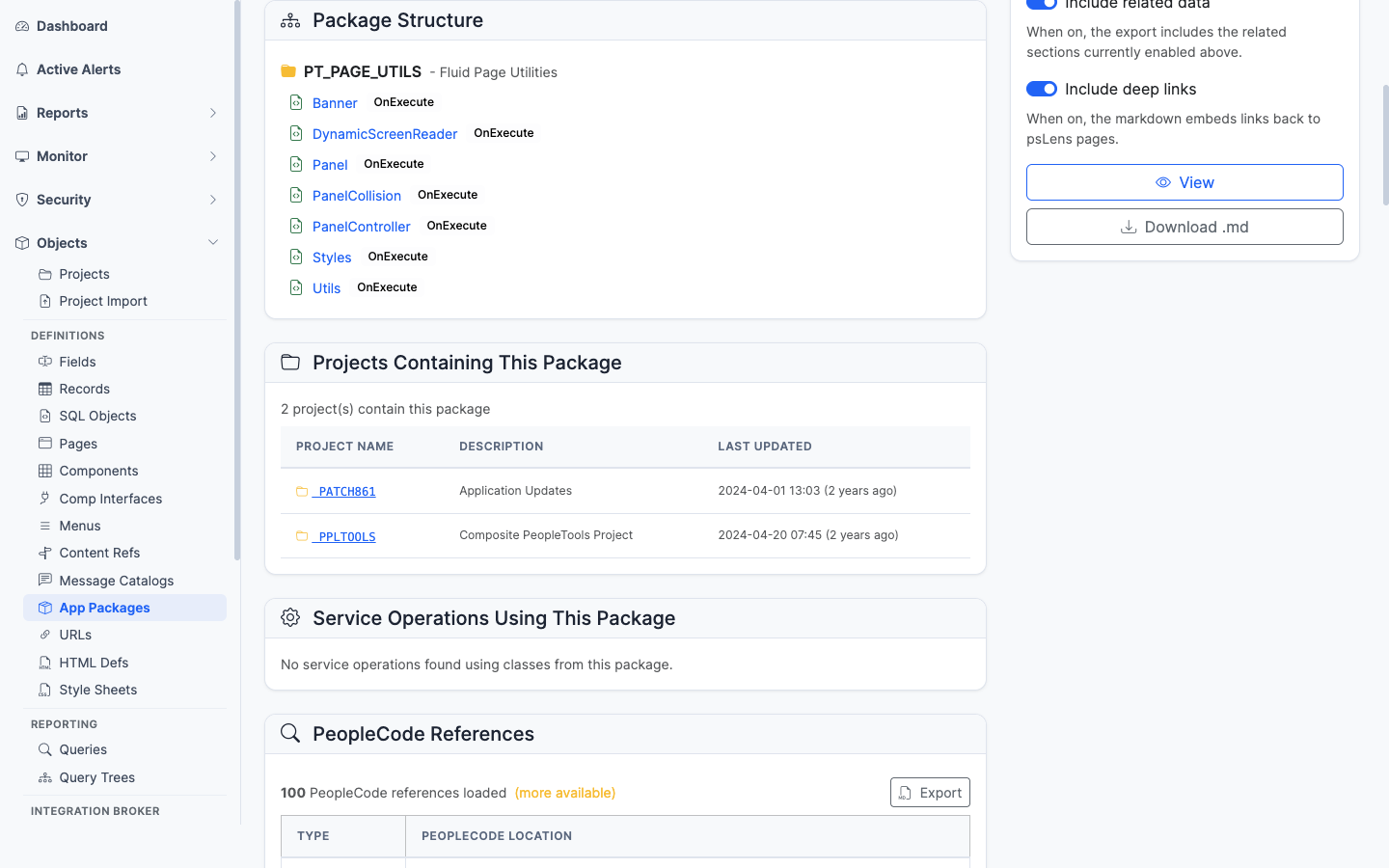
The recursive package/class/method tree
The recursive package tree showing every sub-package, class, method, and property. The equivalent of expanding every node in App Designer’s package browser at once. Methods link into their PeopleCode source.
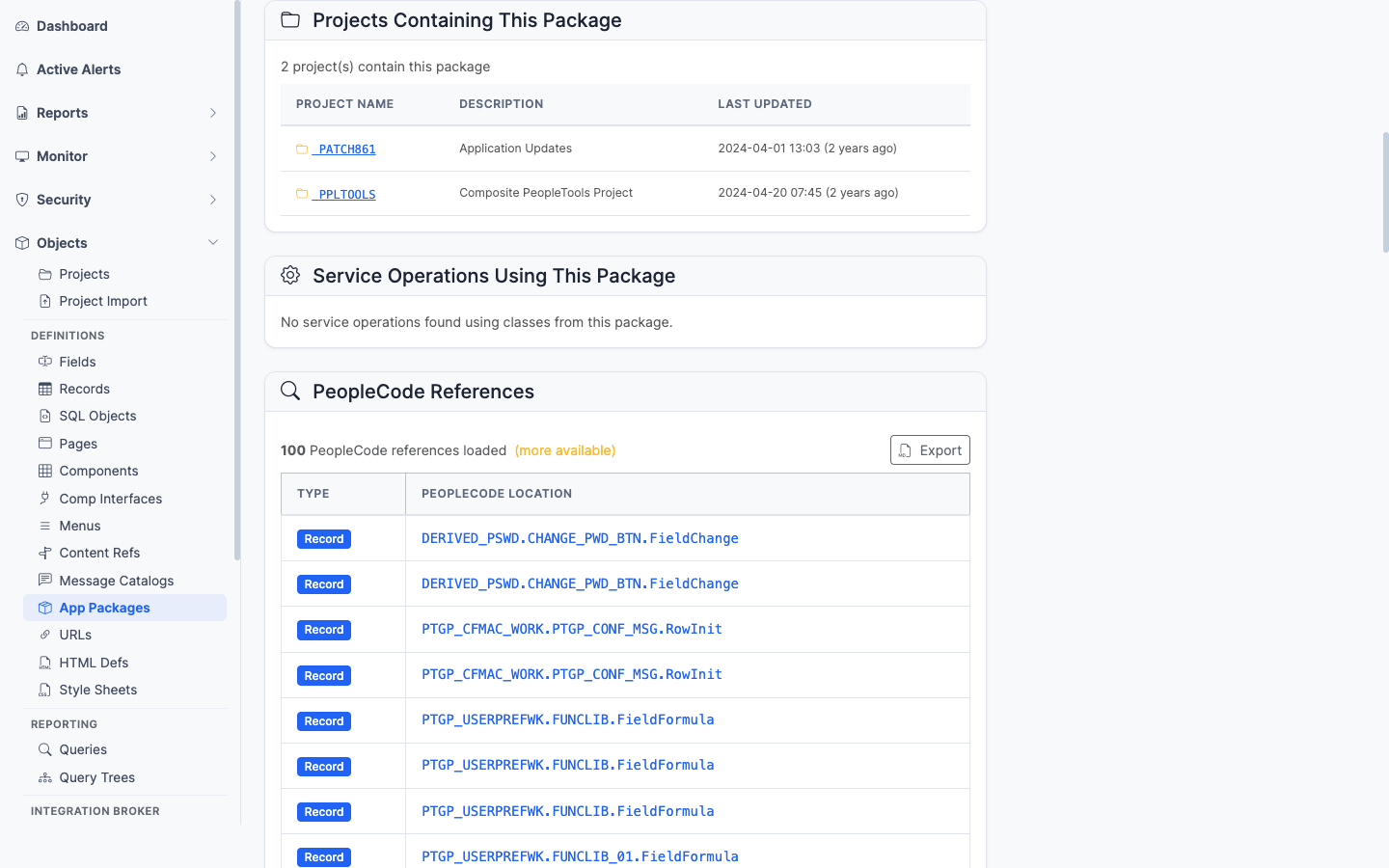
App Designer projects that include this package
App Designer projects that include this package as a project item.
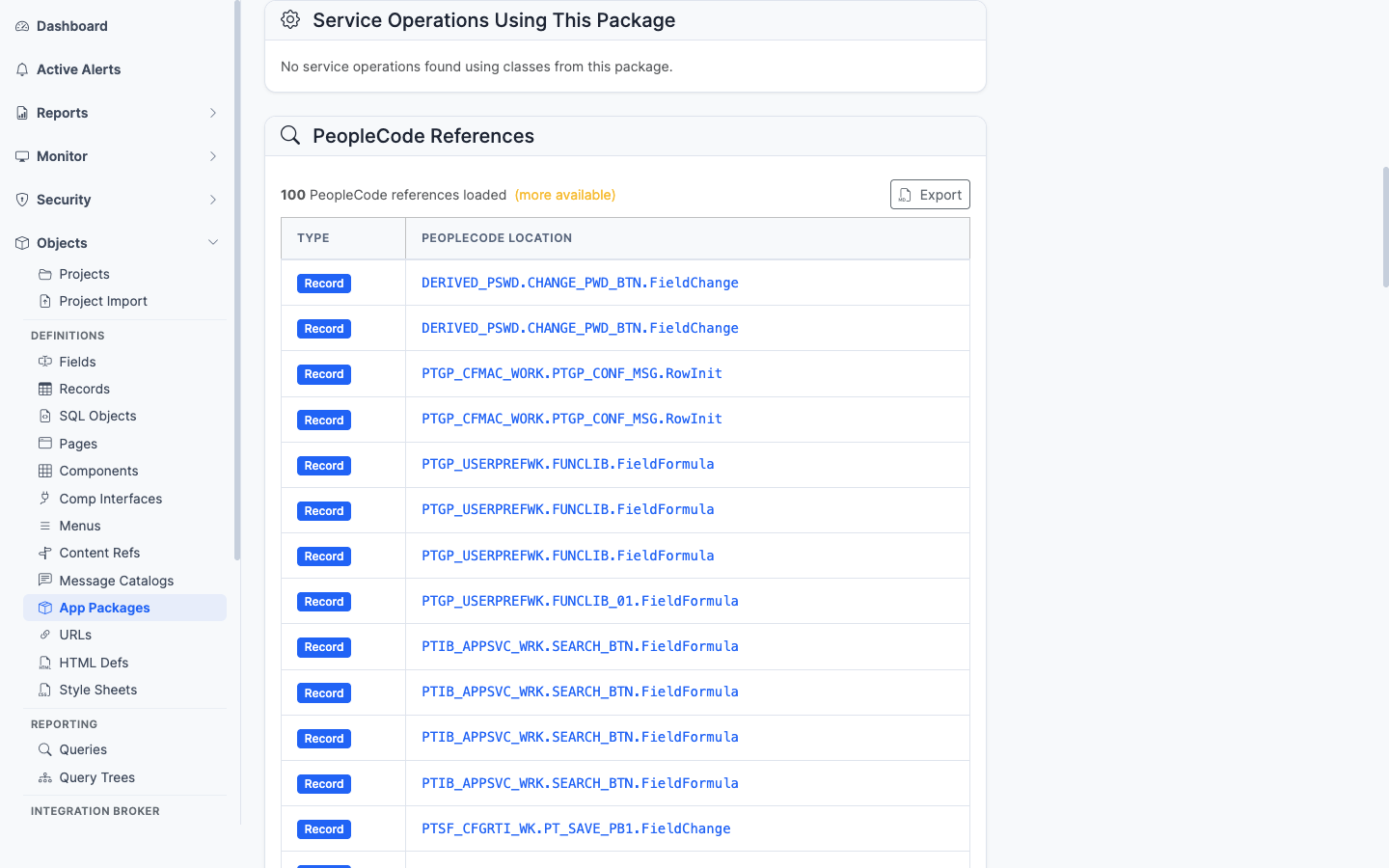
Integration Broker service operation handlers using this package
Integration Broker service operations whose handler is implemented in this package. Lists the IB endpoints that route through this code.
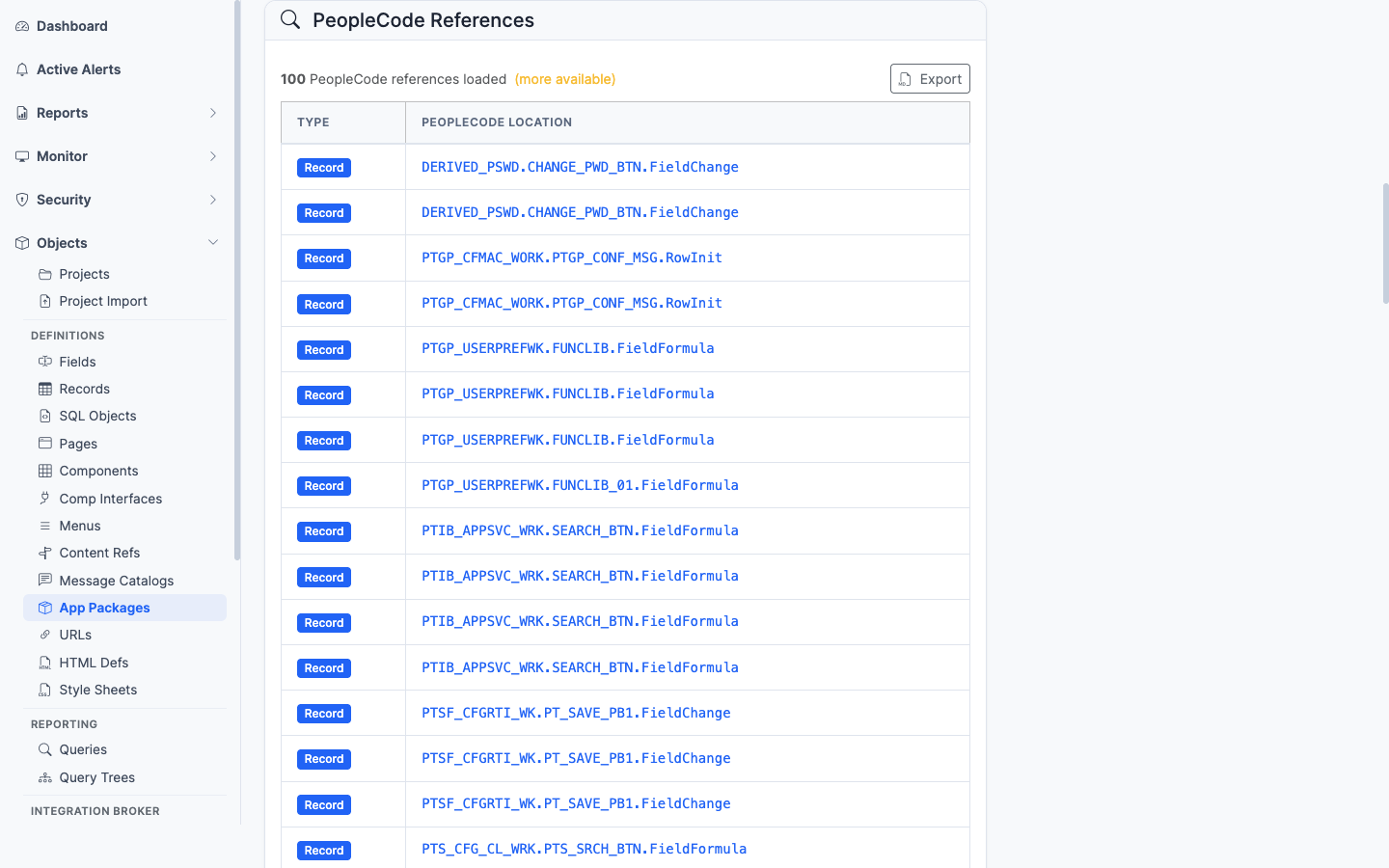
PeopleCode programs anywhere in the database that import or instantiate this package
PeopleCode programs anywhere in the database that import or instantiate classes from this package — the impact view before refactoring.
——URL definitions are PeopleSoft’s centralized store of named URL strings. Instead of hard-coding https://example.com/... inside PeopleCode, developers define a URL object (PSURLDEFN) and reference it by name with GetURL("MY_URL"). This keeps environment-specific endpoints (file servers, integration partners, image hosts) out of the code. psLens lets you browse the catalog so you can see every URL the application uses in one place.
URL Definitions centralize external endpoint strings for application code:
PSURLDEFN) are resolved dynamically in PeopleCode via GetURL() calls for attachments, redirects, and integrations.In Application Designer, searching URL definitions requires opening File → Open → URL Definition and clicking into individual items to inspect values.
psLens makes the URL catalog searchable with resolved URL endpoint values and owning project membership displayed inline.
URL: /urls?db={database}
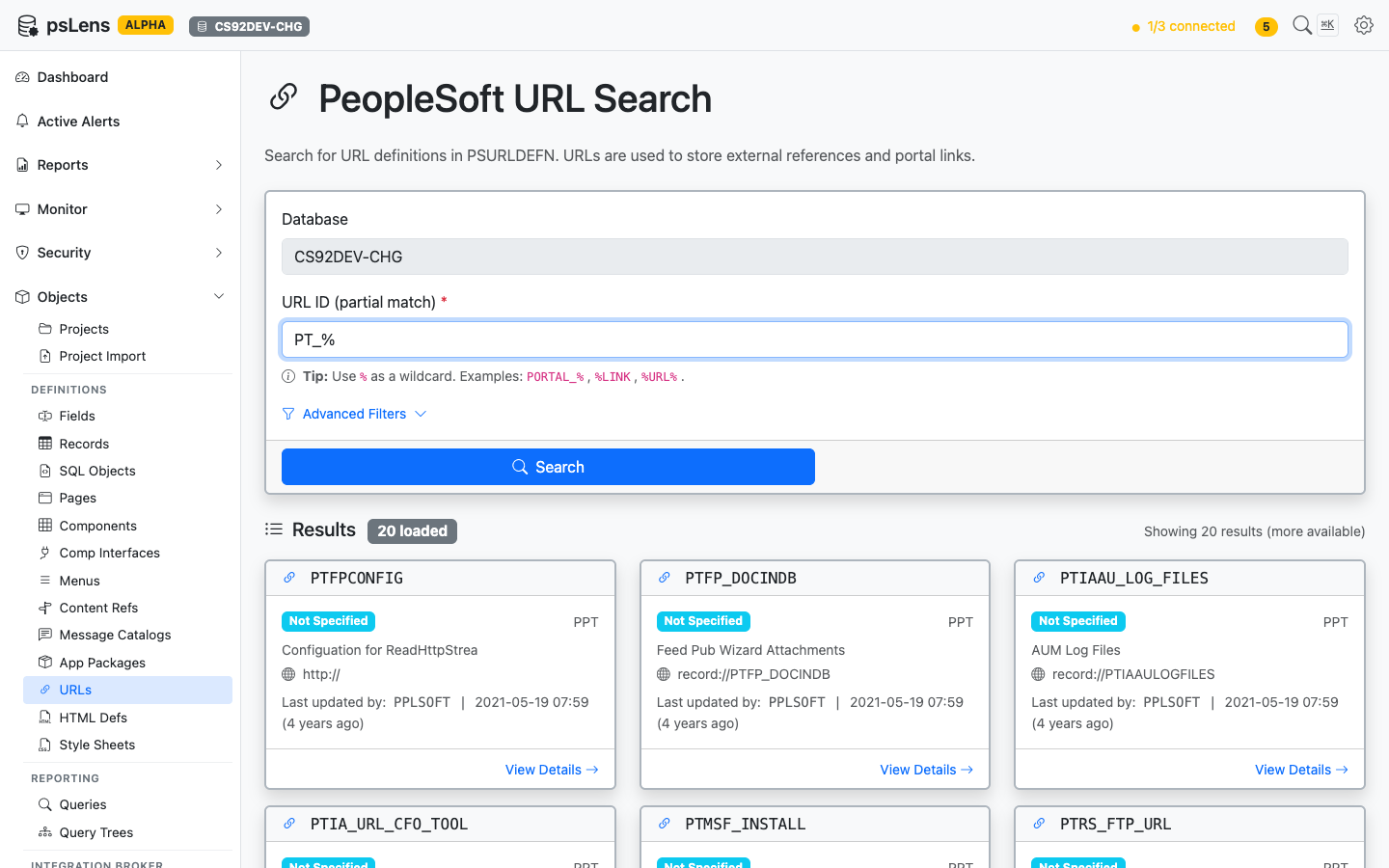
URL search results for PT_%
Wildcard % search supported. Each card shows the URL name plus the resolved URL value so you can scan the catalog at a glance.
URL: /urls/{URLNAME}?db={database}
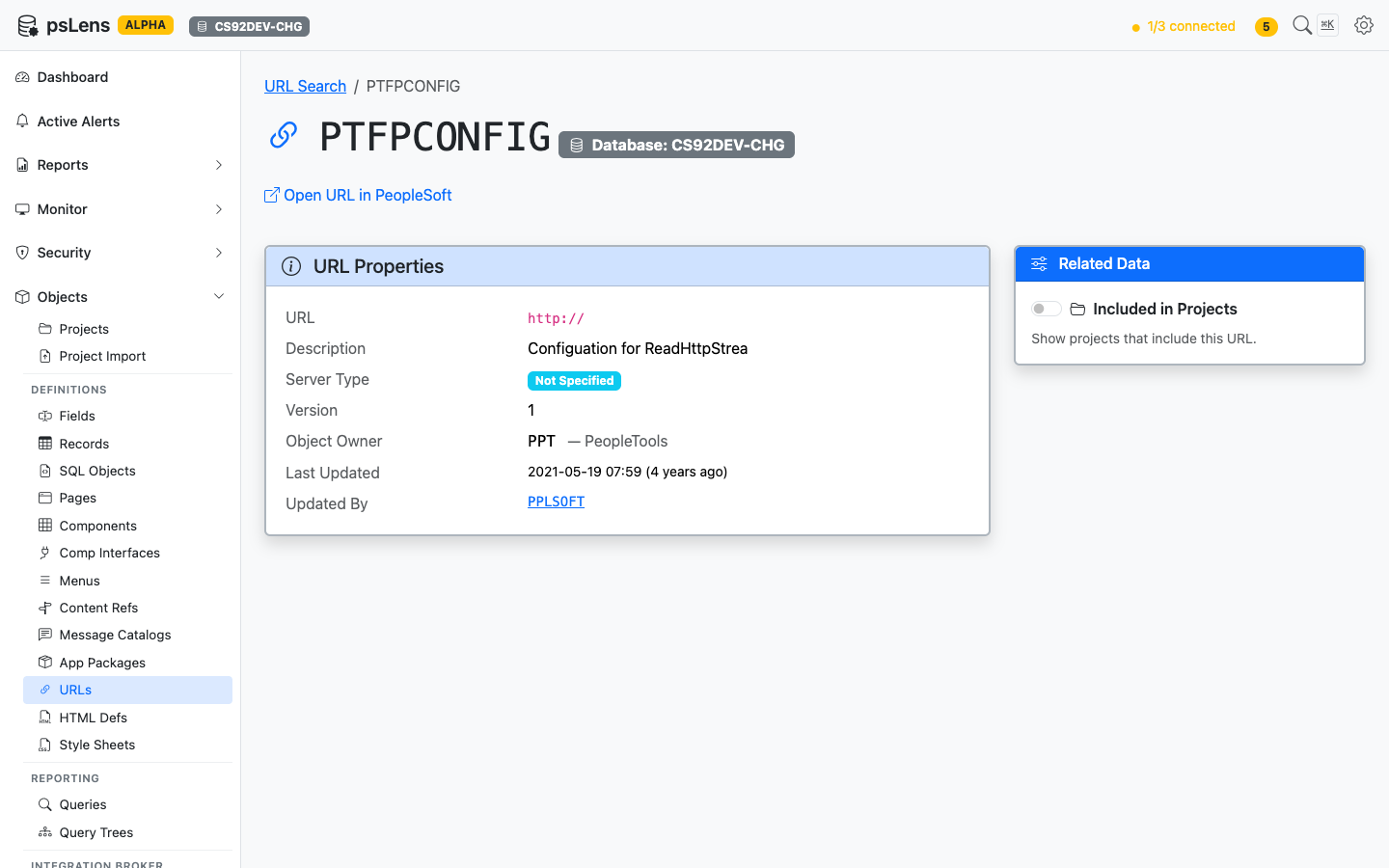
URL detail page for PTFPCONFIG
The main pane shows URL Properties (the URL itself, description, comments, audit metadata). The sidebar has one related-data toggle.
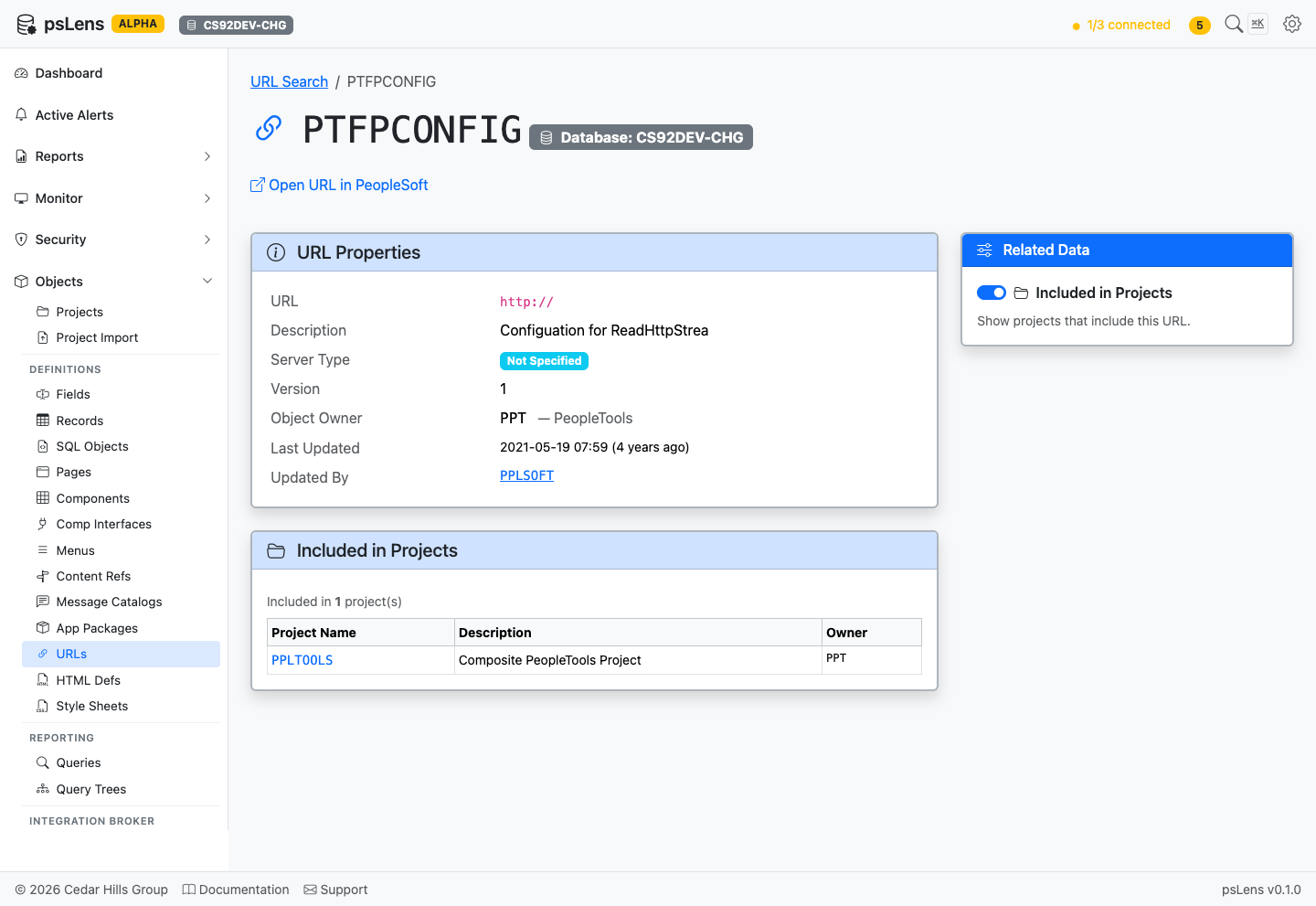
Full URL detail page with Projects panel expanded
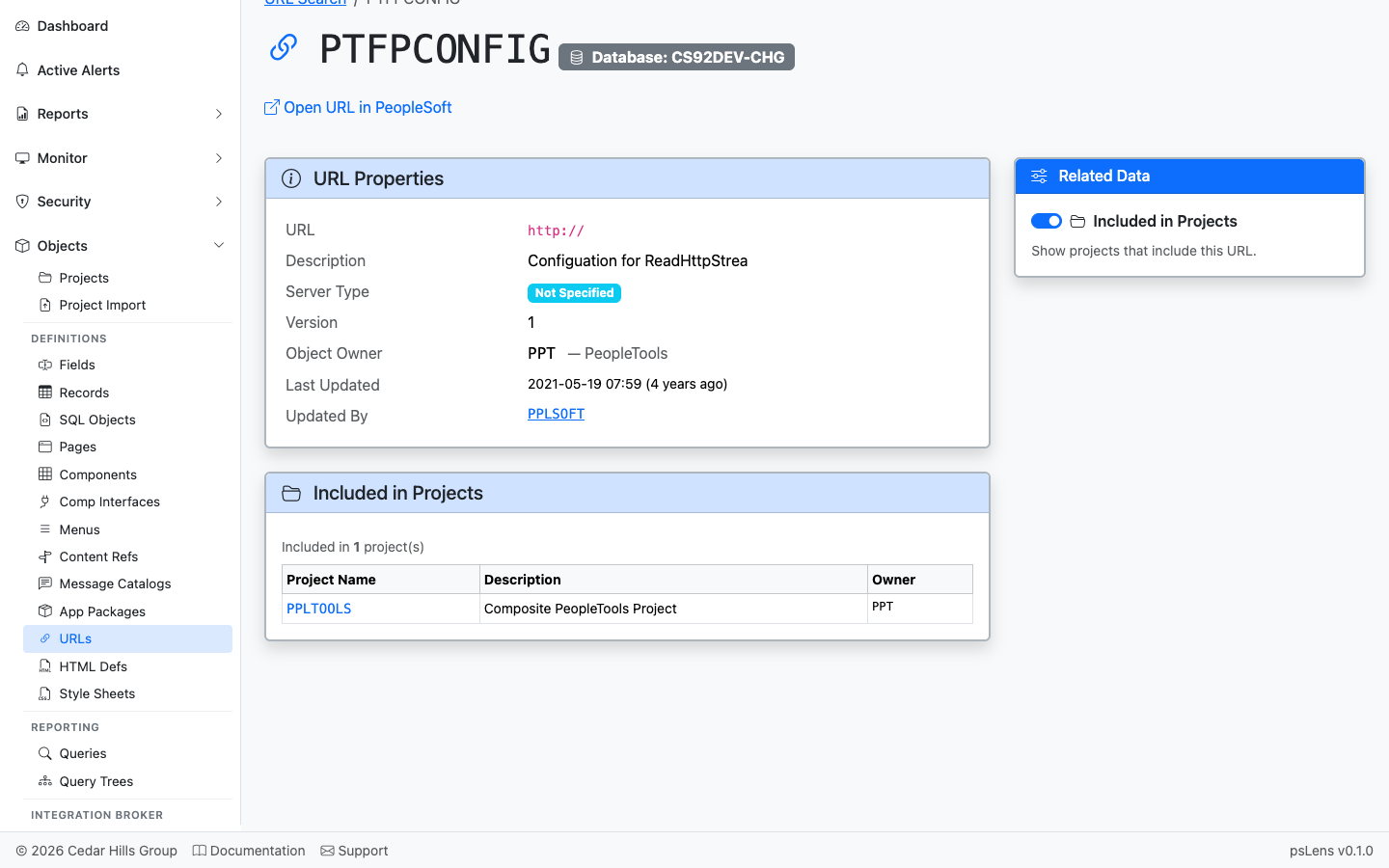
App Designer projects that include this URL definition
App Designer projects that include this URL. Useful for understanding which feature or customization introduced the URL.
——HTML definitions are PeopleSoft’s catalog of HTML fragments, JavaScript snippets, and template bodies stored in PSCONTDEFN. Anything a page or report needs to embed — a JavaScript helper, an email body template, a custom Fluid grid layout — is normally stored as a named HTML object and pulled into PeopleCode with GetHTMLText(). psLens shows the full content of the definition so you can read what the application is actually injecting at runtime.
HTML Definitions provide reusable markup and script templates:
PSCONTDEFN) store HTML/JS fragments bound to HTML area controls on page definitions.GetHTMLText() to retrieve and interpolate dynamic values into HTML templates.In Application Designer, inspecting HTML definitions requires opening individual objects through File → Open → HTML and loading each item into separate editor windows.
psLens makes the entire HTML definition catalog instantly searchable with syntax-highlighted content and project membership presented inline.
URL: /htmldefs?db={database}
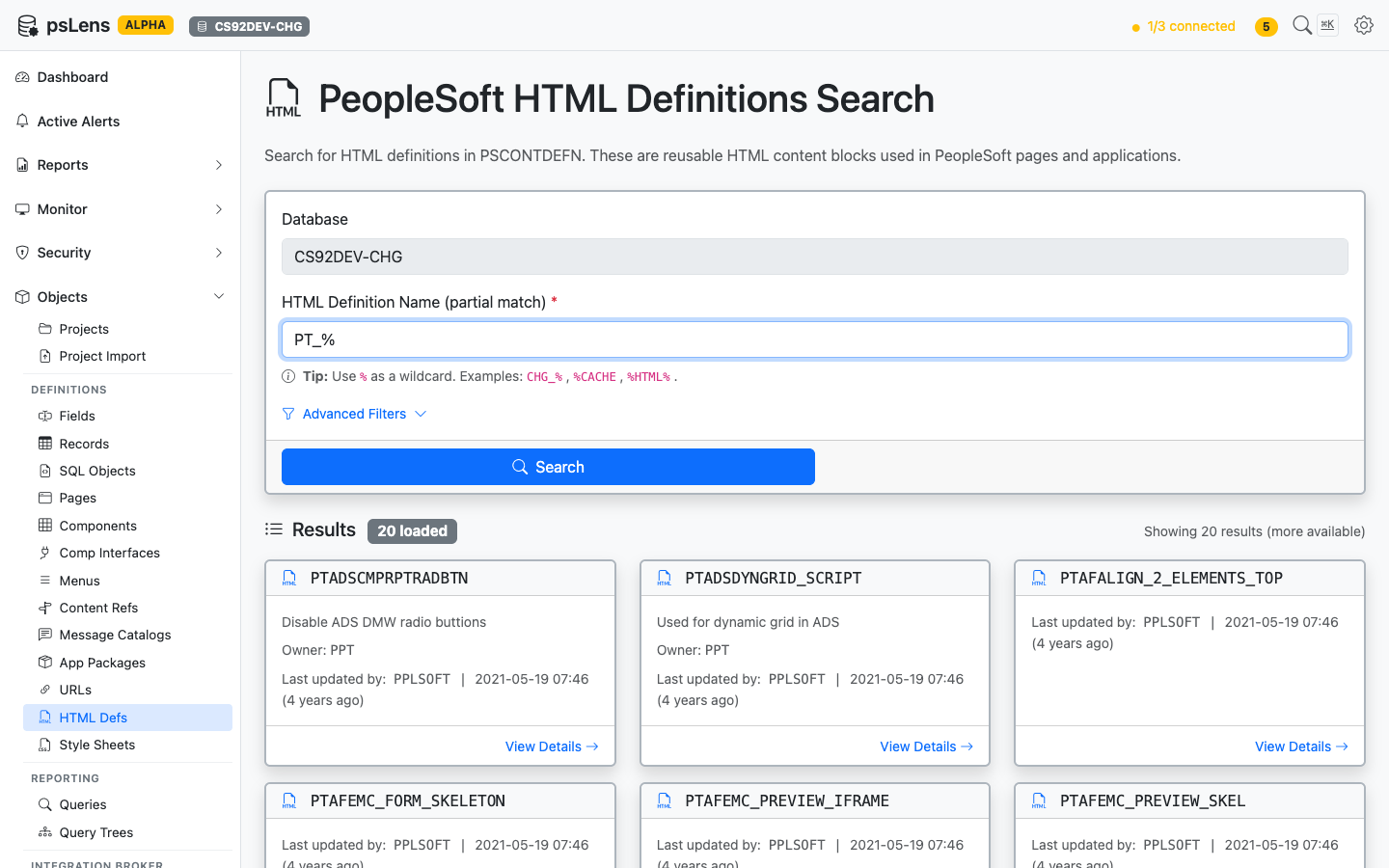
HTML Definition search results for PT_%
Wildcard % search supported. Each card shows the HTML object’s name and last-updated metadata.
URL: /htmldefs/{NAME}?db={database}
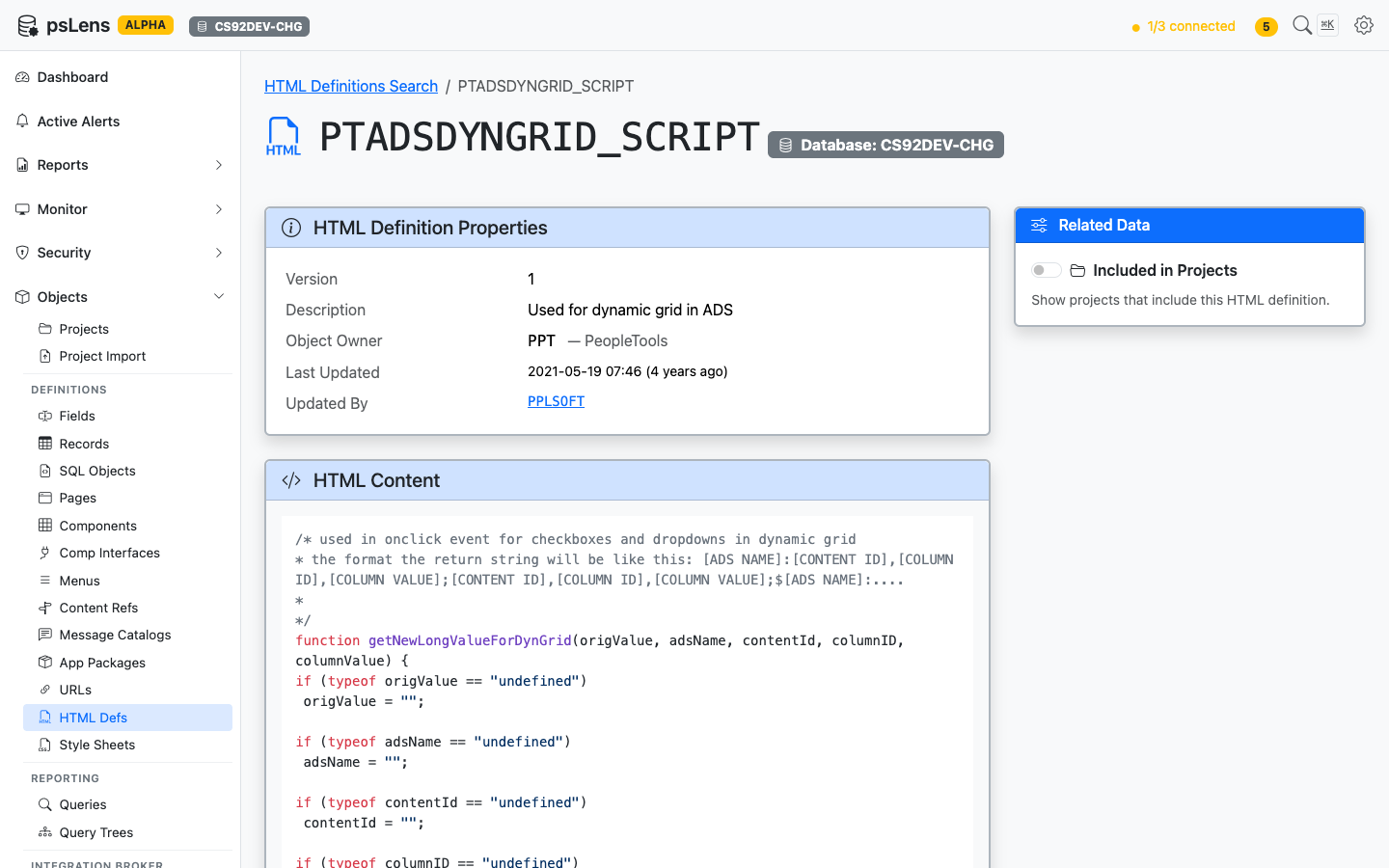
HTML Definition detail page for PTADSDYNGRID_SCRIPT
The main pane shows HTML Definition Properties (description, audit metadata) and the full HTML Content body, syntax-highlighted. The sidebar has one related-data toggle.
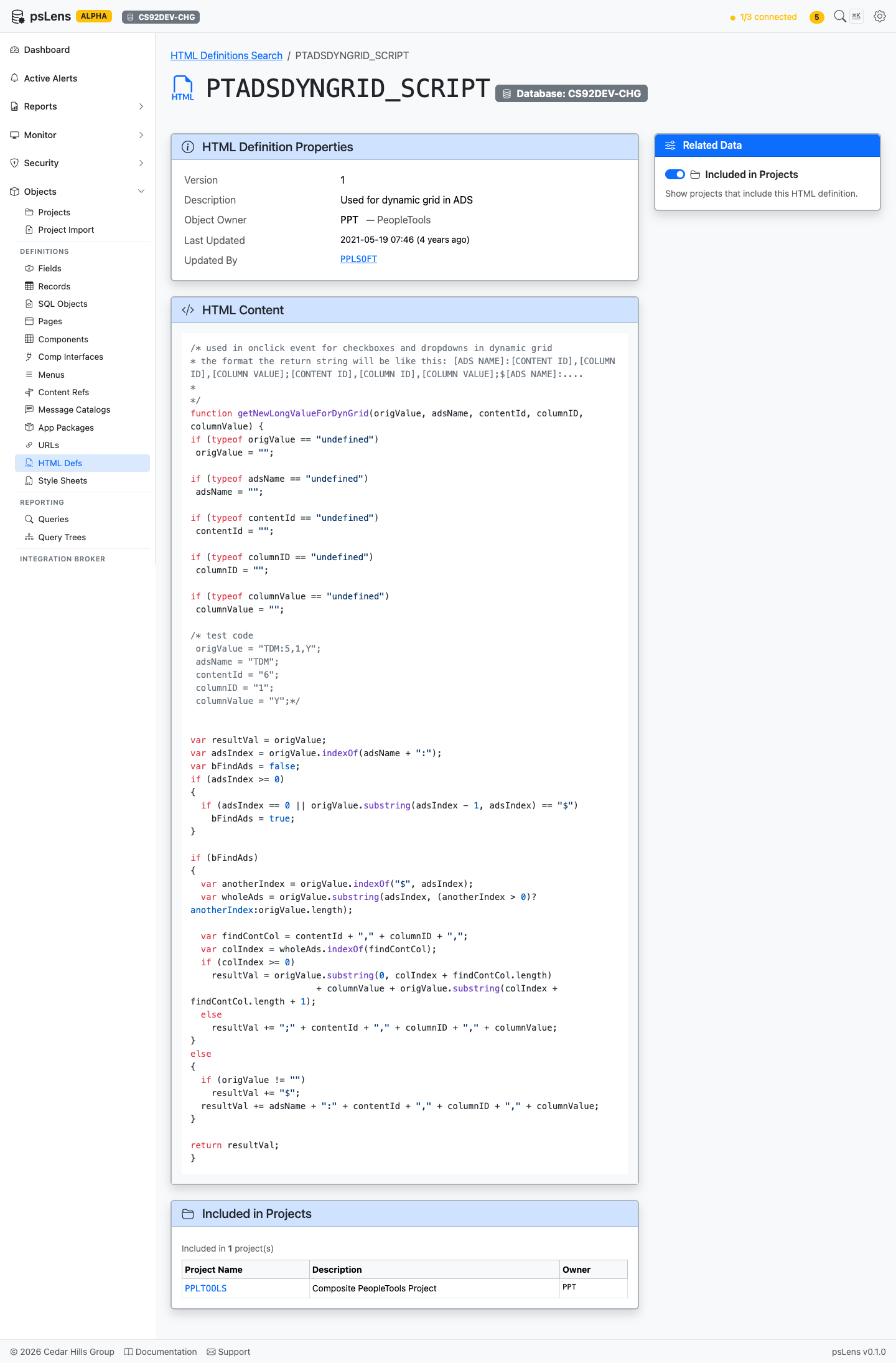
Full detail page with the Projects panel expanded
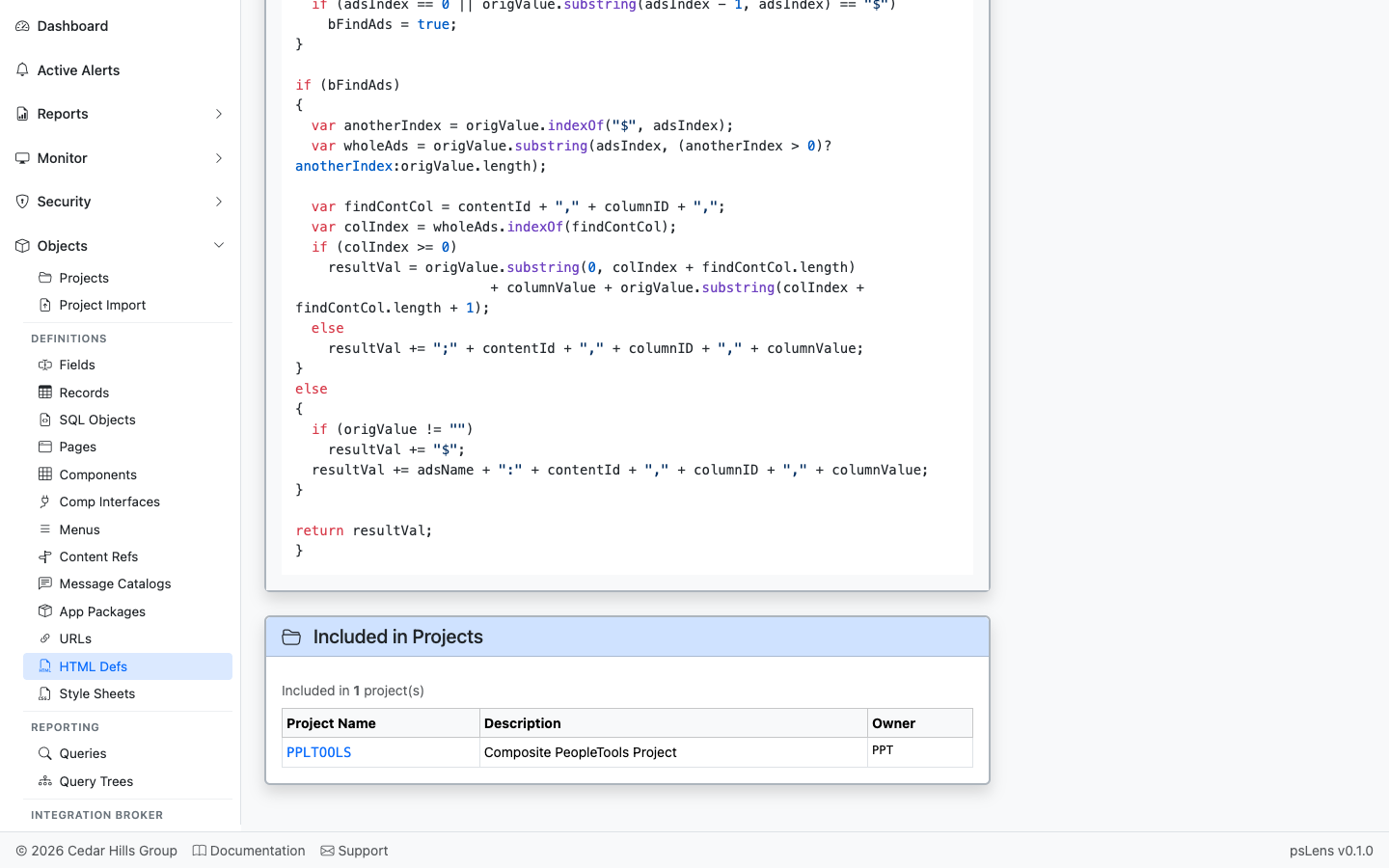
App Designer projects that include this HTML definition
App Designer projects that include this HTML object.
——Style sheet definitions are PeopleSoft’s stored CSS objects (PSSTYLEDEFN) — the cascading style sheets that drive Classic and Fluid UI rendering. Tools, themes, branding overrides, and per-page substyle sheets all live here. psLens shows the full CSS body so you can read what rules a specific style sheet contributes without extracting it through App Designer or scraping rendered HTML.
Style Sheets format user interface rendering across pages and themes:
PSSTYLEDEFN) define CSS rules attached to page definitions, components, and portal branding themes.In Application Designer, reviewing style sheets requires opening individual objects through File → Open → Style Sheet and examining CSS rules in separate tab windows.
psLens renders searchable, syntax-highlighted CSS source code directly in the browser alongside owning project membership.
URL: /styledefs?db={database}
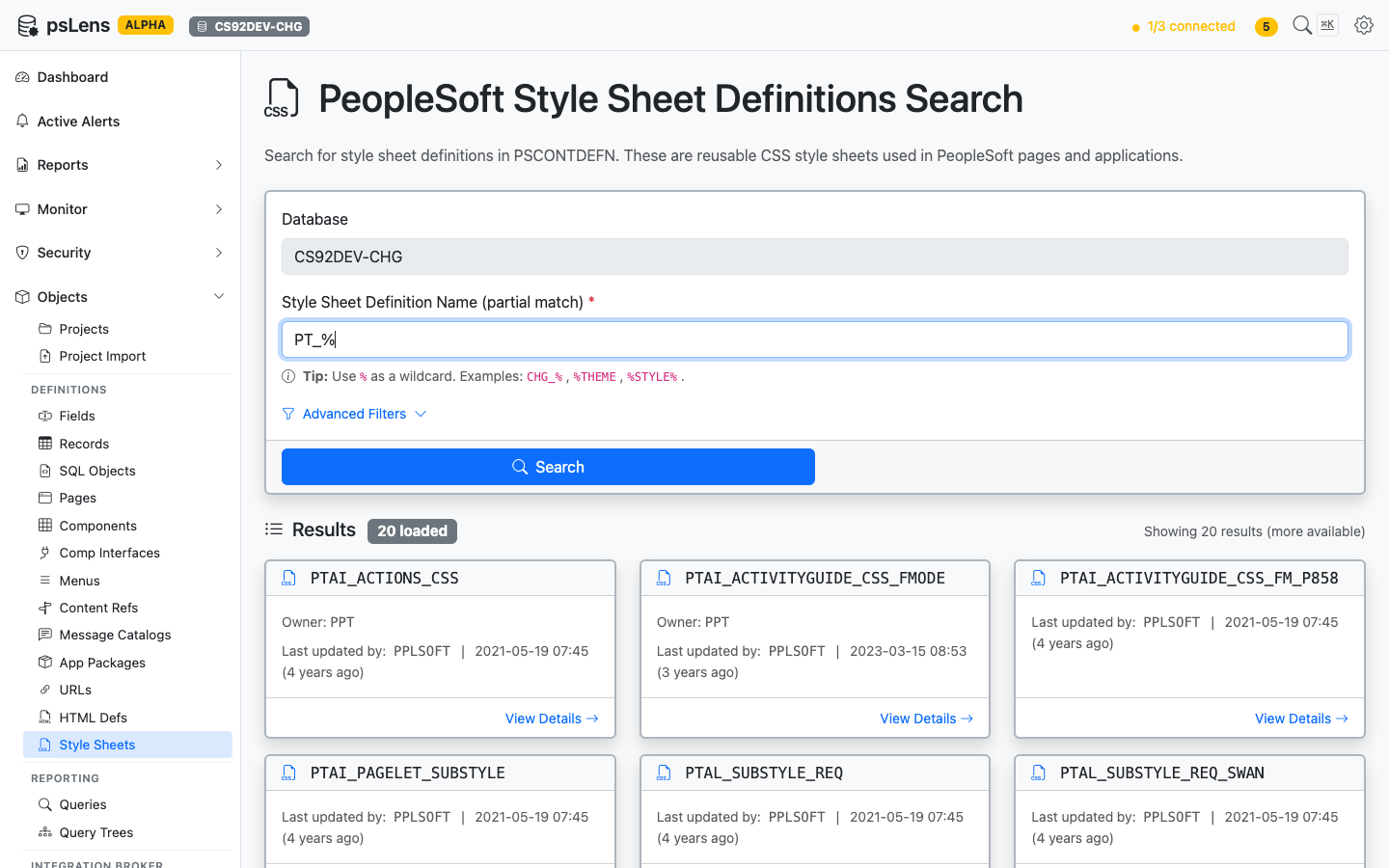
Style Sheet search results for PT_%
Wildcard % search supported. Each card shows the style sheet name and last-updated metadata.
URL: /styledefs/{NAME}?db={database}
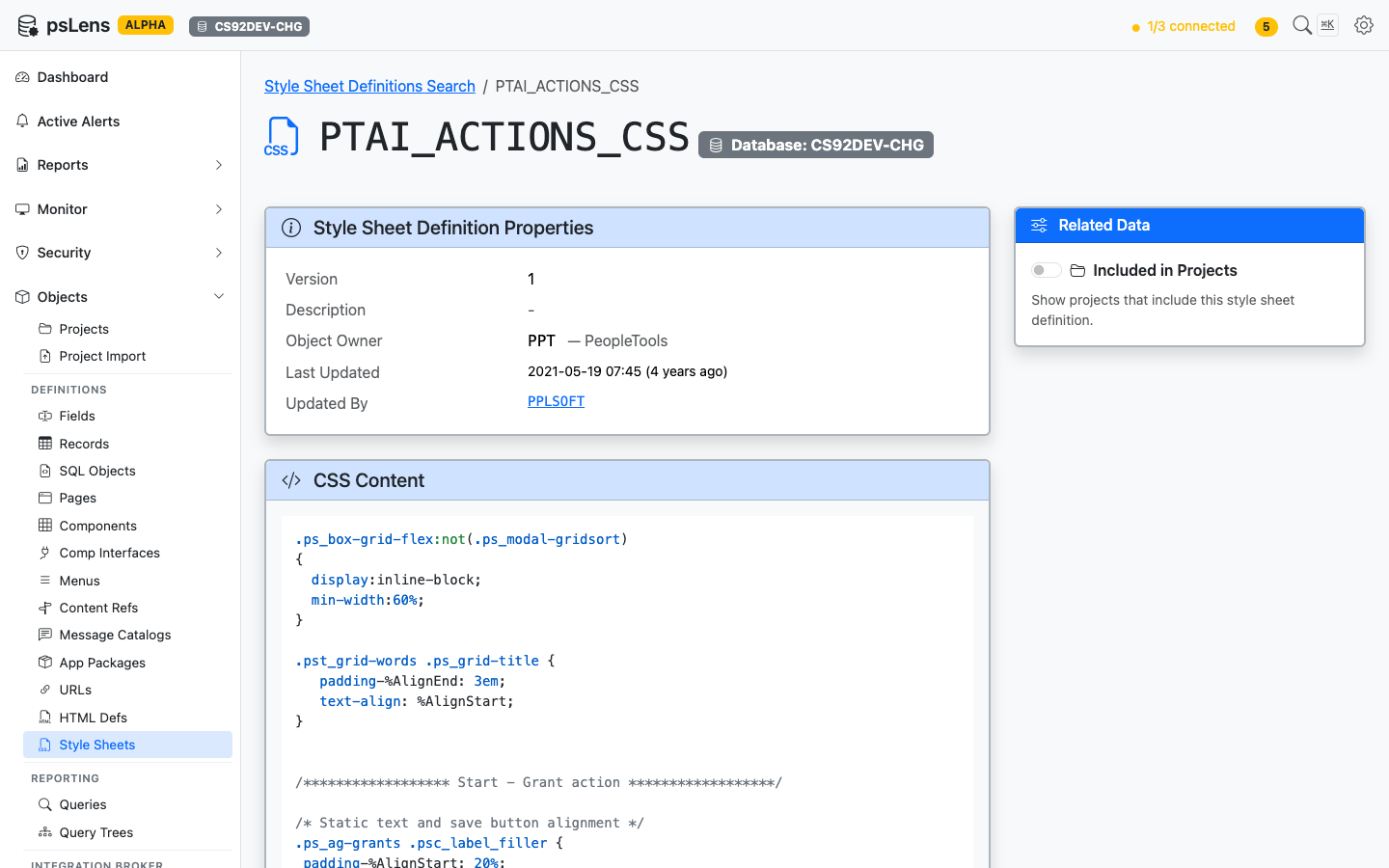
Style Sheet detail page for PTAI_ACTIONS_CSS
The main pane shows Style Sheet Definition Properties (description, audit metadata) and the full CSS Content body, syntax-highlighted. The sidebar has one related-data toggle.
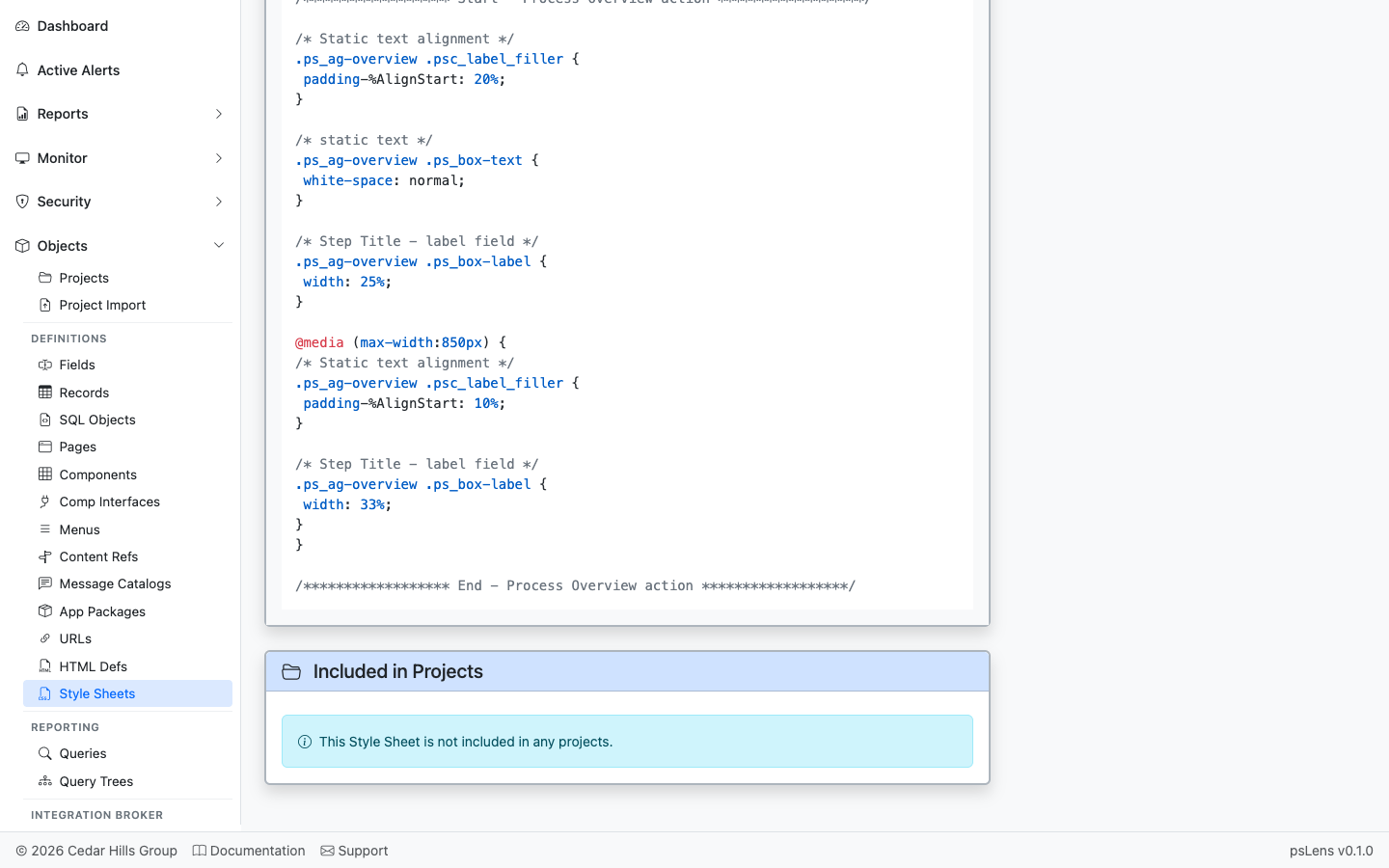
App Designer projects that include this style sheet
App Designer projects that include this style sheet.
In PeopleSoft development environments, PeopleTools Change Control prevents simultaneous modifications to application metadata objects by allowing developers to check out and lock definitions (e.g. Records, Pages, Components, PeopleCode, App Engines, Component Interfaces).
psLens automatically inspects system-wide Change Control configuration (PSCHGCTLDEF) and active checkout locks (PSCHGCTLLOCK) whenever you view definition metadata or related project associations.
When inspecting any PeopleSoft definition in psLens (such as a Record, Page, Component, or Field), the Included in Projects panel surfaces Change Control state in real-time:
OPRID): The developer holding the active lock.PSPROJECTDEFN) under which the definition is locked.Change Control and lock tracking is supported across all major PeopleSoft metadata definitions:
PSRECDEFN)PSDBFIELD)PSPNLDEFN)PSPNLGRPDEFN)PSMENUDEFN)PSAPPLDEFN)PSBCDEFN)PSMSGNODEDEFN, PSMSGDEFN)PSXPRPTDEFN)