Integration Broker Definitions
Browse and inspect PeopleSoft integration objects and routing topology.
This is the multi-page printable view of this section. Click here to print.
Browse and inspect PeopleSoft integration objects and routing topology.
——Nodes are the network endpoints of the PeopleSoft Integration Broker. Each external system, partner database, or other PeopleSoft environment that sends or receives messages is represented as a node (PSMSGNODEDEFN). The node carries connection settings (connector type, target URL, authentication mode) and is the unit referenced by every routing rule. psLens shows the node configuration, every routing that involves this node, the service operations granted to its default user, and an inventory of URI text configured against it.
Nodes represent integration targets and security identities in Integration Broker:
PSMSGNODEDEFN) are configured as senders or receivers in Routing definitions (PSIBRTNGDEFN).OPRID) that dictate execution rights for incoming service operation requests.Reviewing Integration Broker nodes in PIA requires stepping through Connectors, Portal, WS Security, and Routings tabs, while searching Service Operations permissions separately for default node users.
psLens surfaces node properties, password security flags, routing traffic, default user service operation permissions, and URI text in a unified view.
URL: /nodes?db={database}
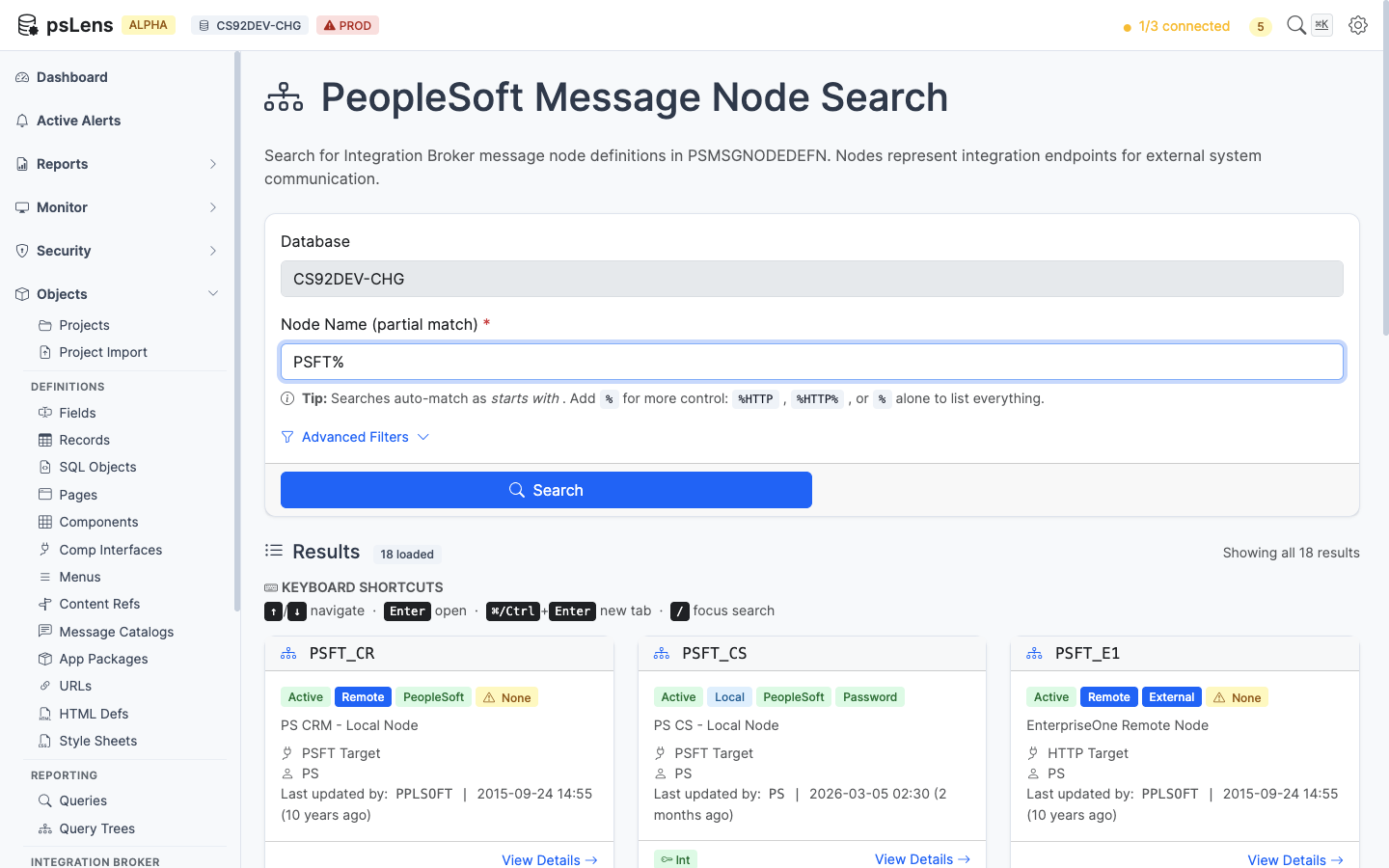
Node search results for PSFT%
Wildcard % search supported. Each card shows the node type (Local, External, Hub), the node’s active flag, the default user ID, and the descriptive name. Enough at a glance to spot inactive nodes or nodes pointing at unexpected user accounts.
URL: /nodes/{NODENAME}?db={database}
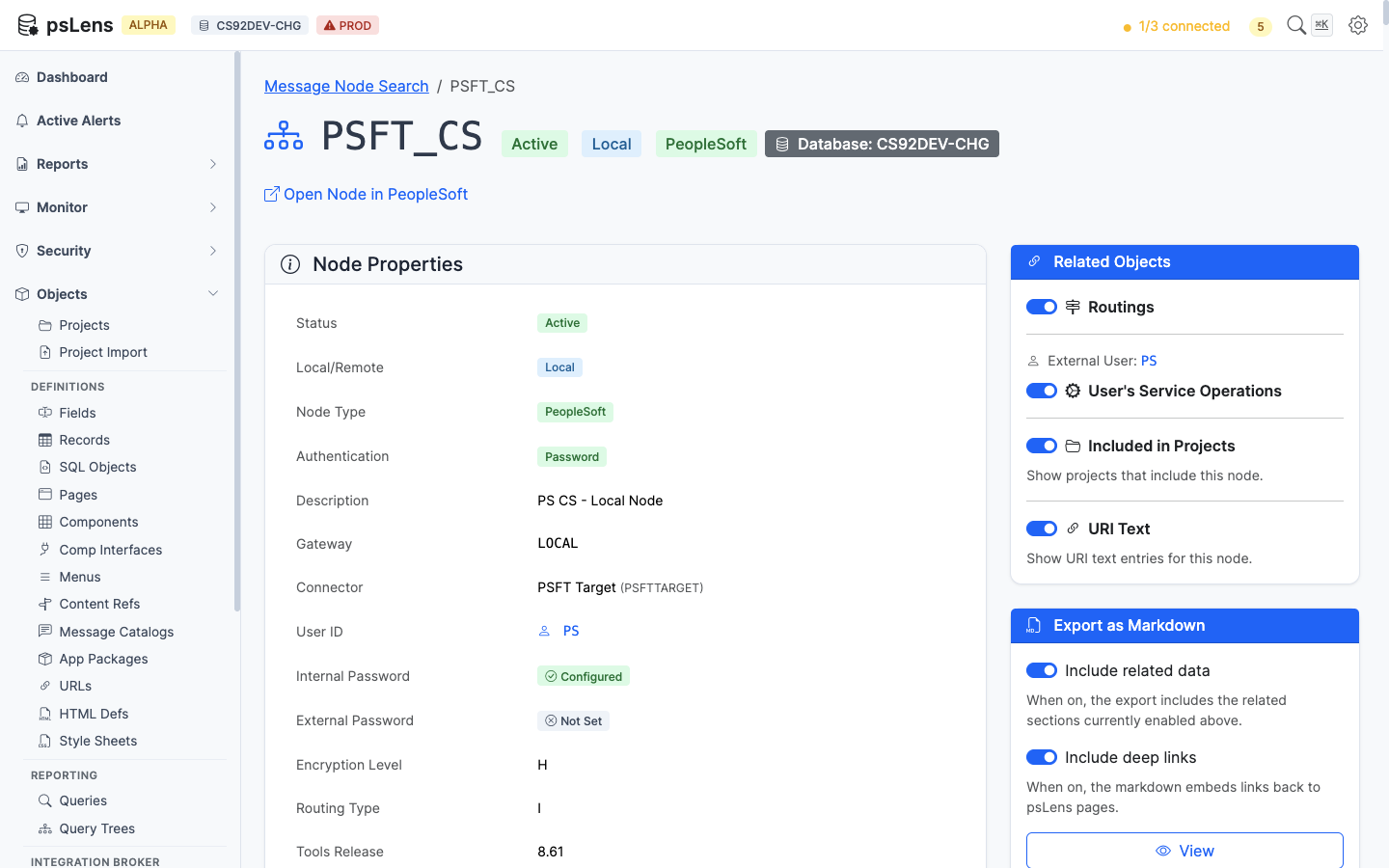
Node detail page for PSFT_CS
The main pane shows Node Properties: node type, connector ID, default user, authentication option, password-set indicator, contact, and audit metadata. The sidebar has 4 related-data toggles.
When applicable, the detail page also surfaces two operational and security banners at the top of the view:
PSNODESDOWN): Appears when outbound asynchronous transactions to the node have failed and queued rows in PSNODESDOWN, displaying the blocked service operations and a deep link to the IB Nodes Down troubleshooting guide with contextual SQL.AUTHOPTN = 'N'): Appears when an active node has no authentication configured, linking to the Nodes with No Password remediation guide with node context.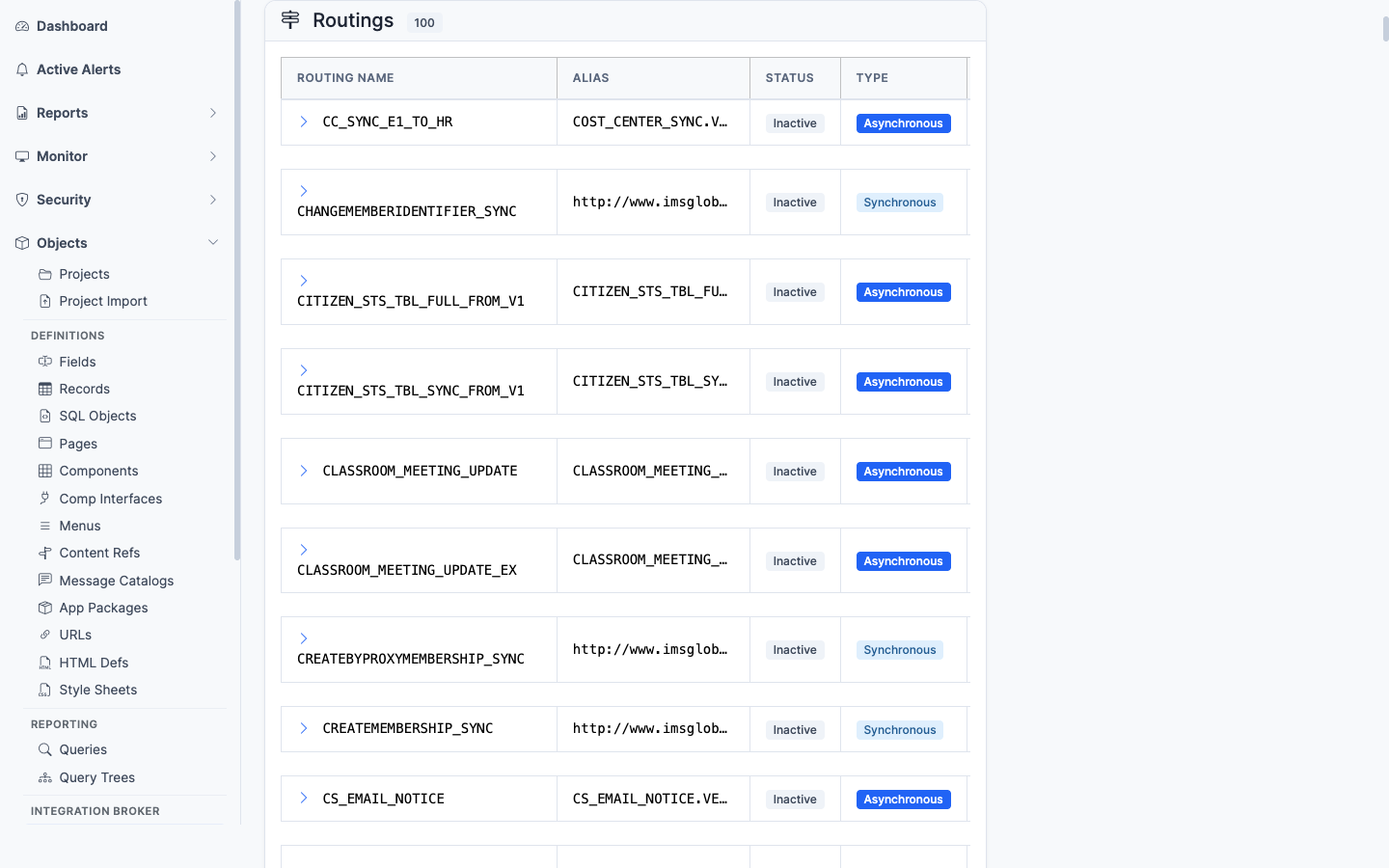
Every routing rule that involves this node (sender or receiver)
Every routing rule (PSIBRTNGDEFN) where this node appears as sender or receiver, with the service operation, direction, and status. Lists the message traffic that flows through this node.
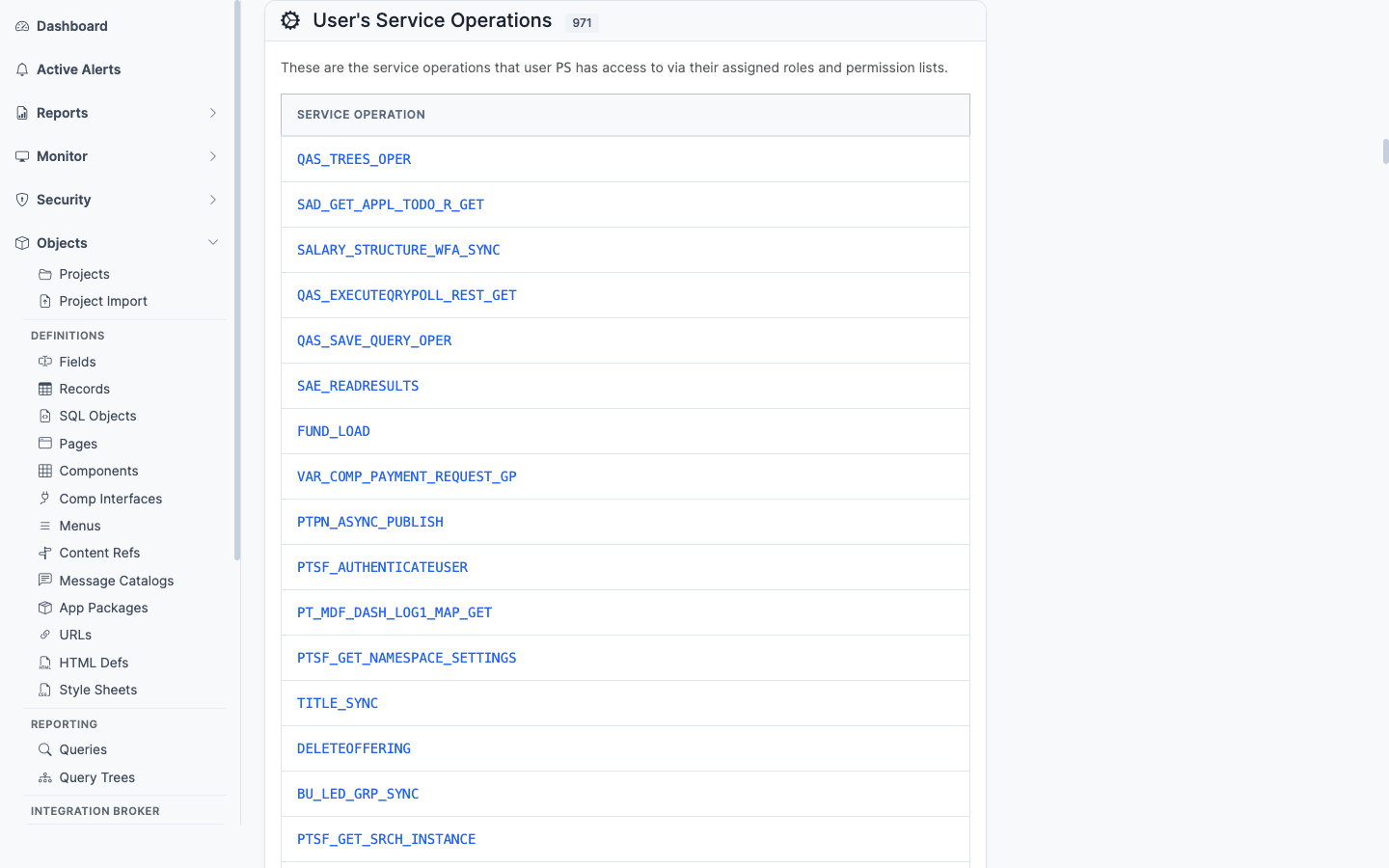
Service operations the node’s default user has permission to invoke
The service operations the node’s default user has been granted permission to invoke. Important for security audits, since a node’s default user can be granted service operations that the human OPRID would never get.
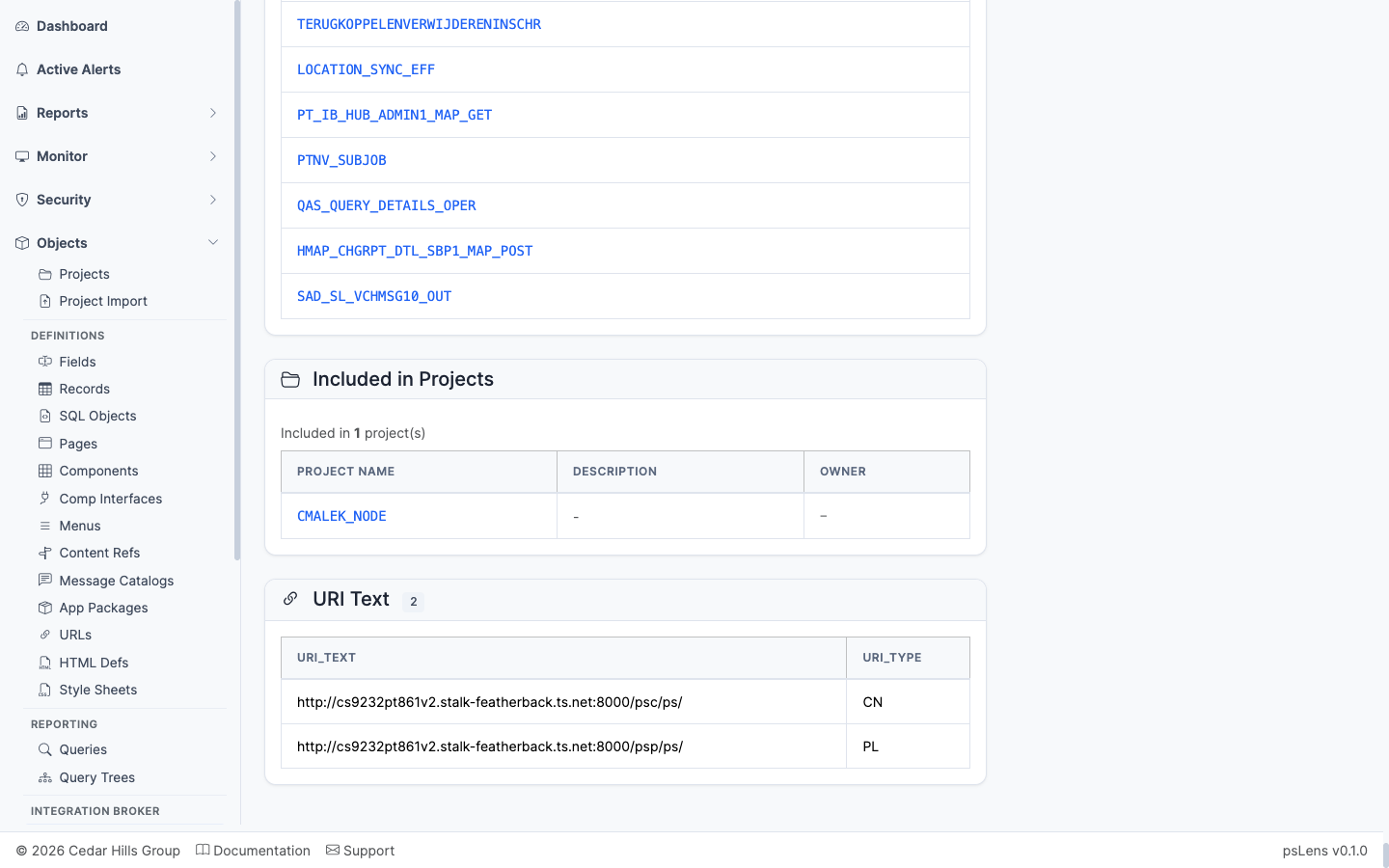
URI text entries configured against the node
The URI text entries configured against the node (PSIBNODEURITEXT). The per-node URL fragments used in REST-style integrations.
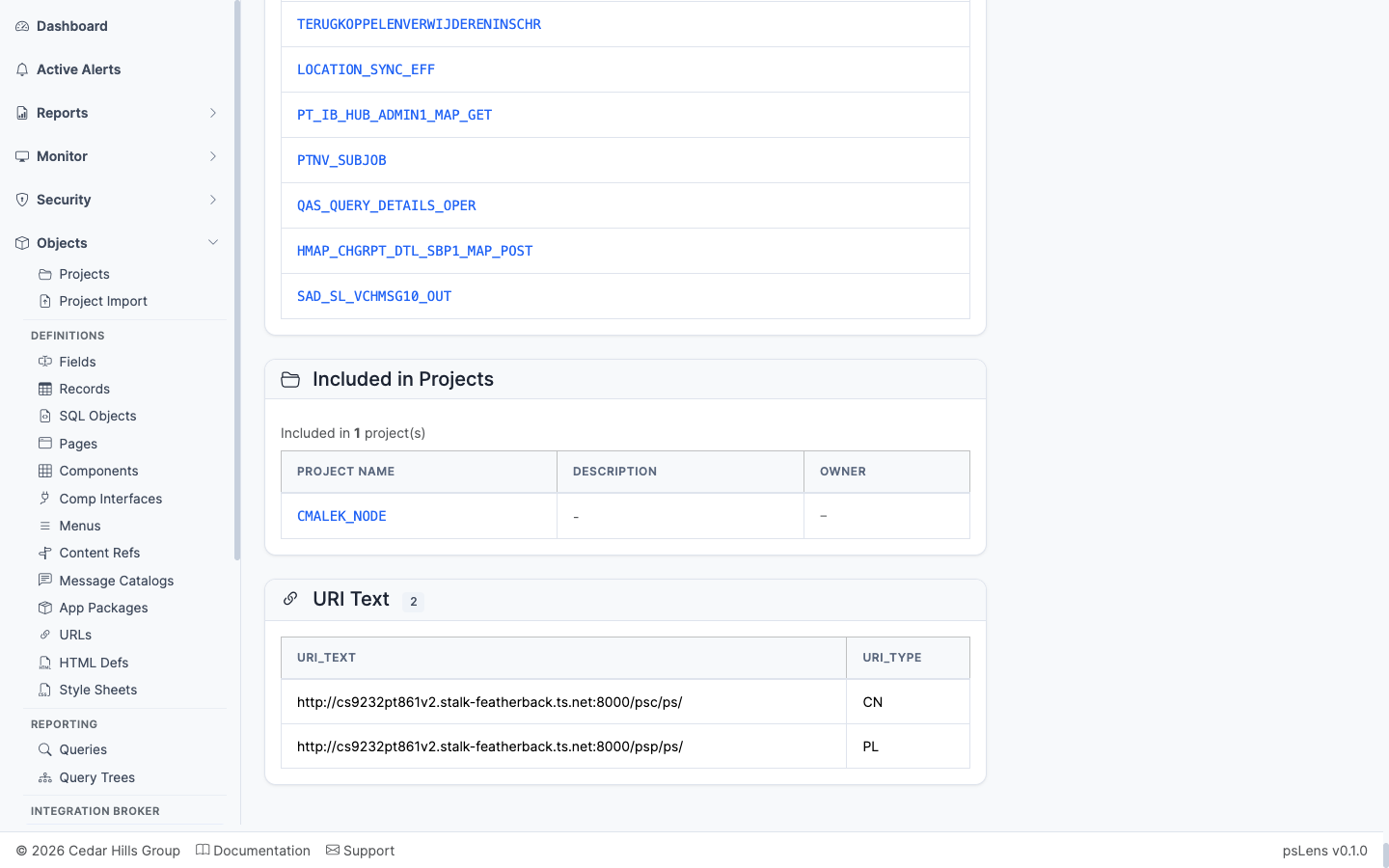
App Designer projects that include this node
App Designer projects that include the node definition.
——A Service is the high-level container in the Integration Broker hierarchy: a logical grouping of related Service Operations (PSSERVICEDEFN). For example, a STUDENT_ENROLLMENT service might contain GET_ENROLLMENT, ADD_ENROLLMENT, and DROP_ENROLLMENT operations. The service itself carries metadata (description, owner, WSDL namespace) and acts as the access point for browsing operations together.
Services organize Integration Broker message contracts into logical domain groups:
PSSERVICE) act as parent containers grouping individual Service Operations (PSOPERATION).In PIA, inspecting Integration Broker services requires navigating Integration Setup → Services and clicking through individual operation tabs to view member endpoints.
psLens displays service metadata alongside all contained service operations on a single screen with one-click drilldowns into detailed operation contracts.
URL: /services?db={database}
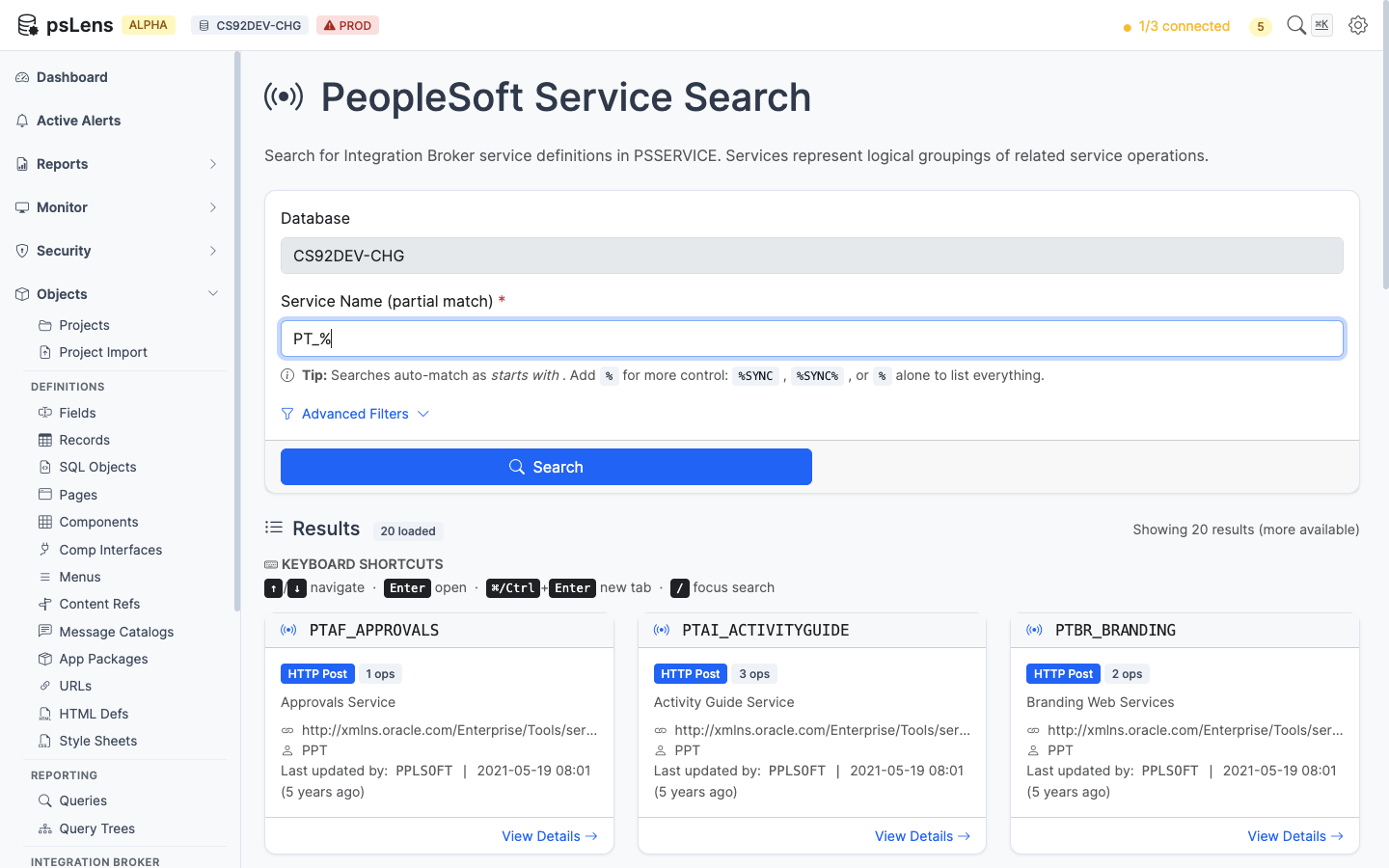
Service search results for PT_%
Wildcard % search supported. Each card shows the service name, alias, and description.
URL: /services/{SERVICE}?db={database}
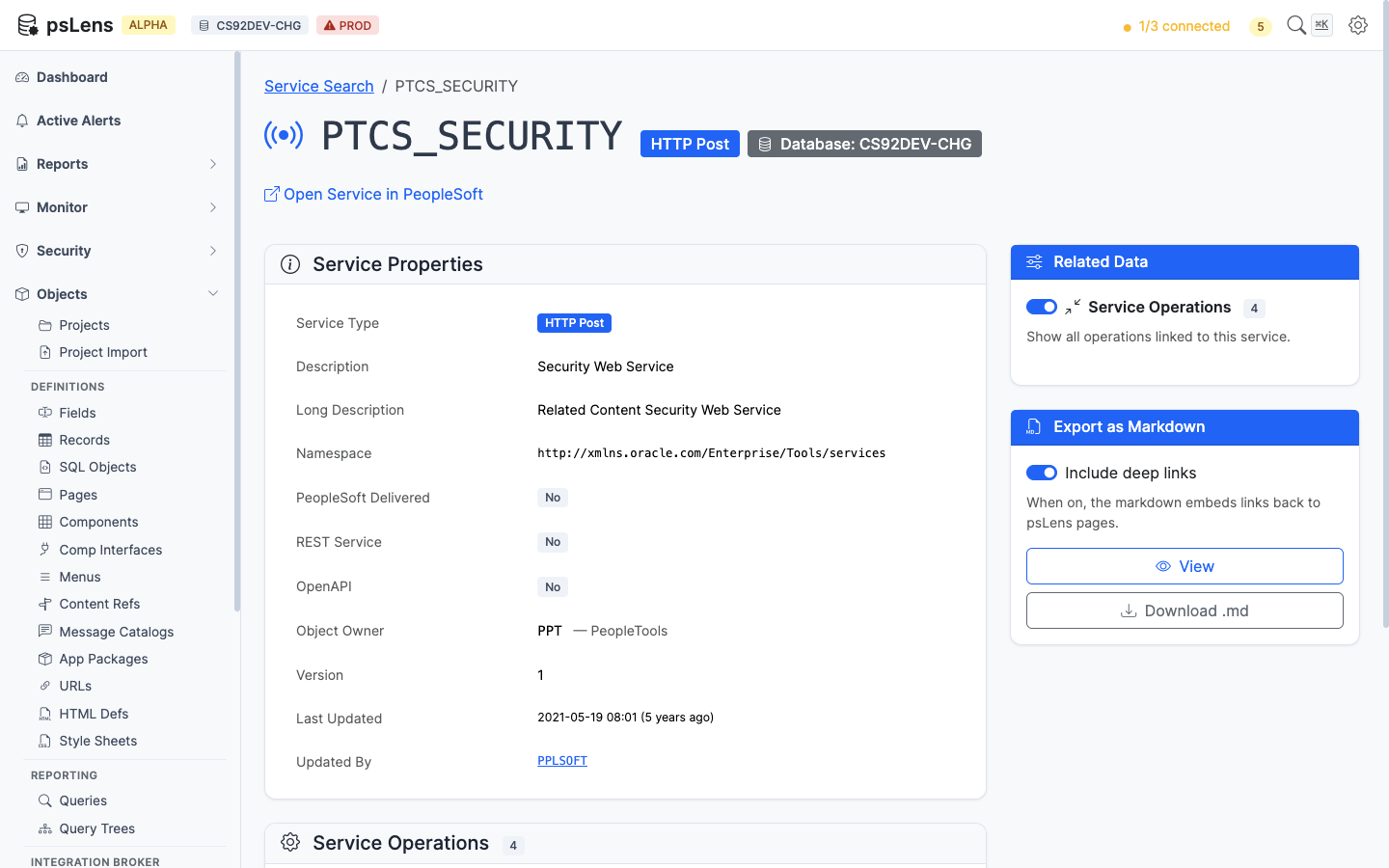
Service detail page for PTCS_SECURITY
The main pane shows Service Properties (name, alias, namespace, owner, description, audit metadata). The sidebar has one related-data toggle.
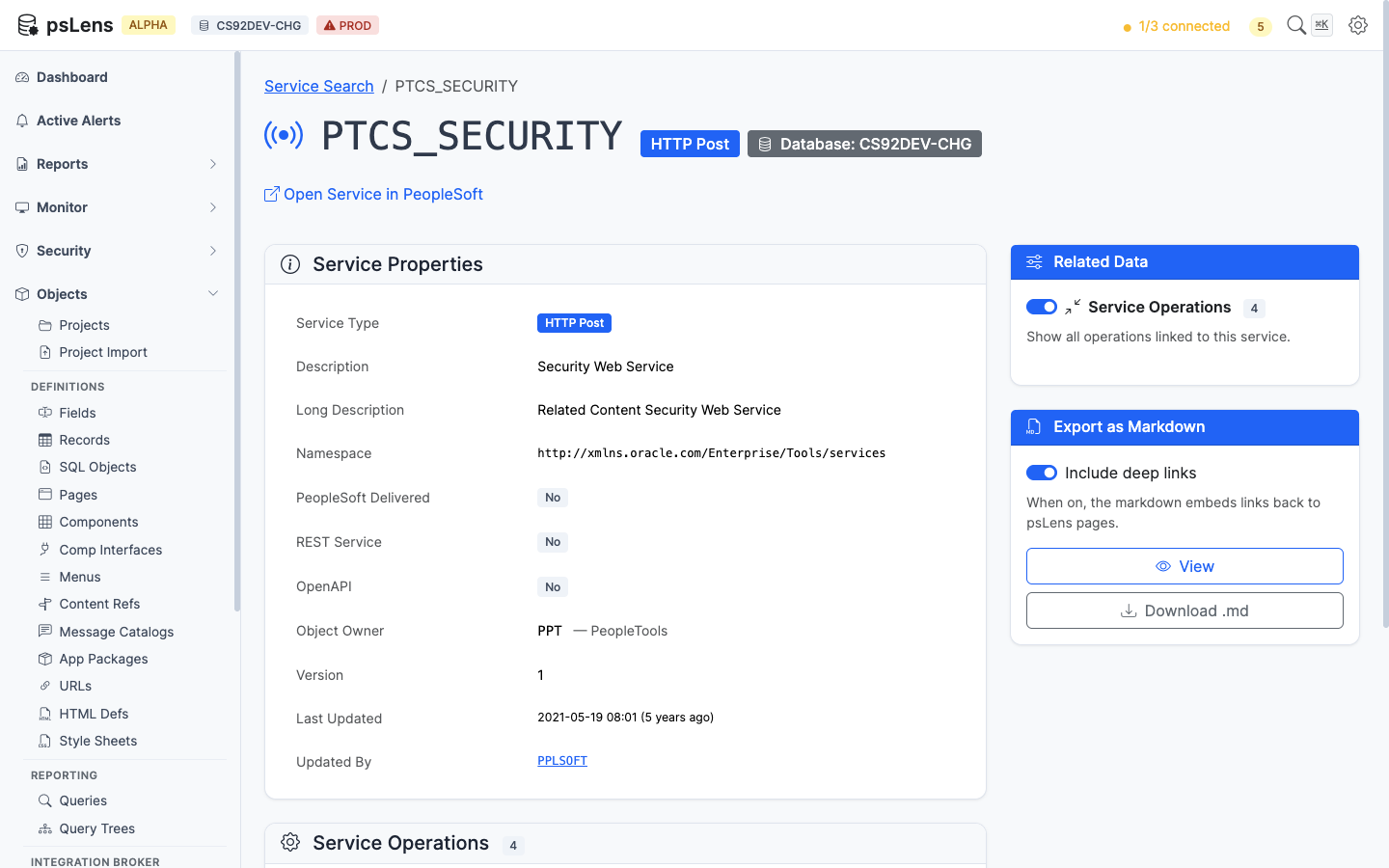
Full service page with Service Operations panel expanded
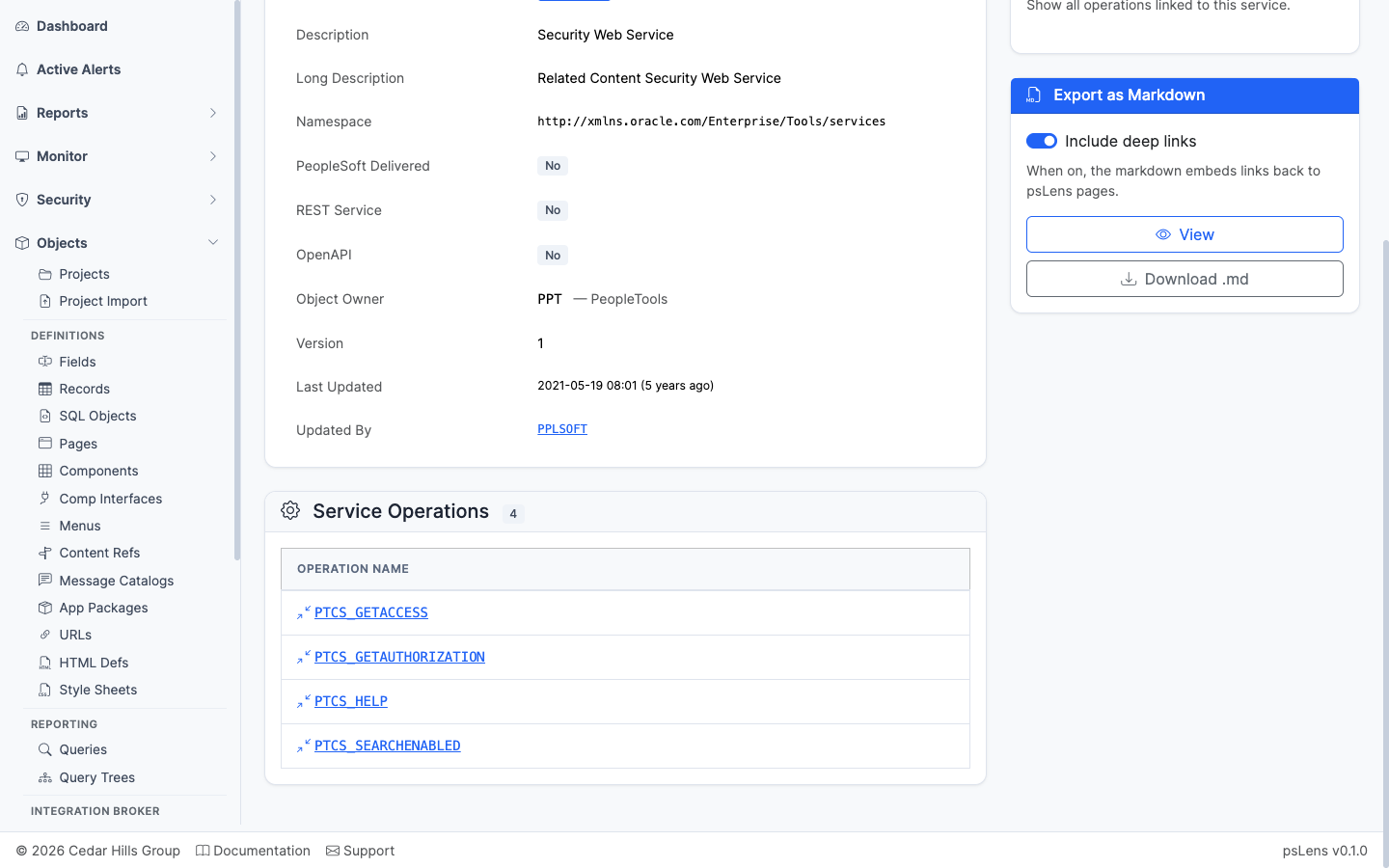
Every service operation belonging to the service
Every service operation belonging to the service, each link-resolved into its own detail page. The starting point for understanding what messages the service can exchange.
——A Service Operation is the actual message-exchange contract — the unit that defines what message type is sent, in which direction (async or sync), through which routings, and handled by which PeopleCode. Each operation belongs to a service and is stored in PSOPERATION with related metadata in PSOPRDESC, PSOPRROUTING, PSOPRHANDLER, and the security tables. psLens consolidates the full operation — versions, routings, handlers, caller nodes, security access from three angles, and live IB transaction history — into one page.
Service Operations form the central communication contracts in Integration Broker:
PSOPERATION) are grouped under parent Service definitions (PSSERVICE).PSMSGDEFN).PSIBRTNGDEFN) to direct messages between sender and receiver Nodes (PSMSGNODEDEFN).PSOPRHDLR) upon message arrival or dispatch.PSAUTHWS) authorize execution of Service Operations.Auditing Integration Broker service operations in PIA requires opening operation definitions, switching between Handlers and Routings tabs, searching permission list Web Services security, cross-referencing role membership, and checking Asynchronous Monitor logs separately.
psLens consolidates operation versions, routings, handlers, three security access views (permission lists, roles, users), caller nodes, project membership, and live transaction history onto a single screen.
URL: /serviceoperations?db={database}
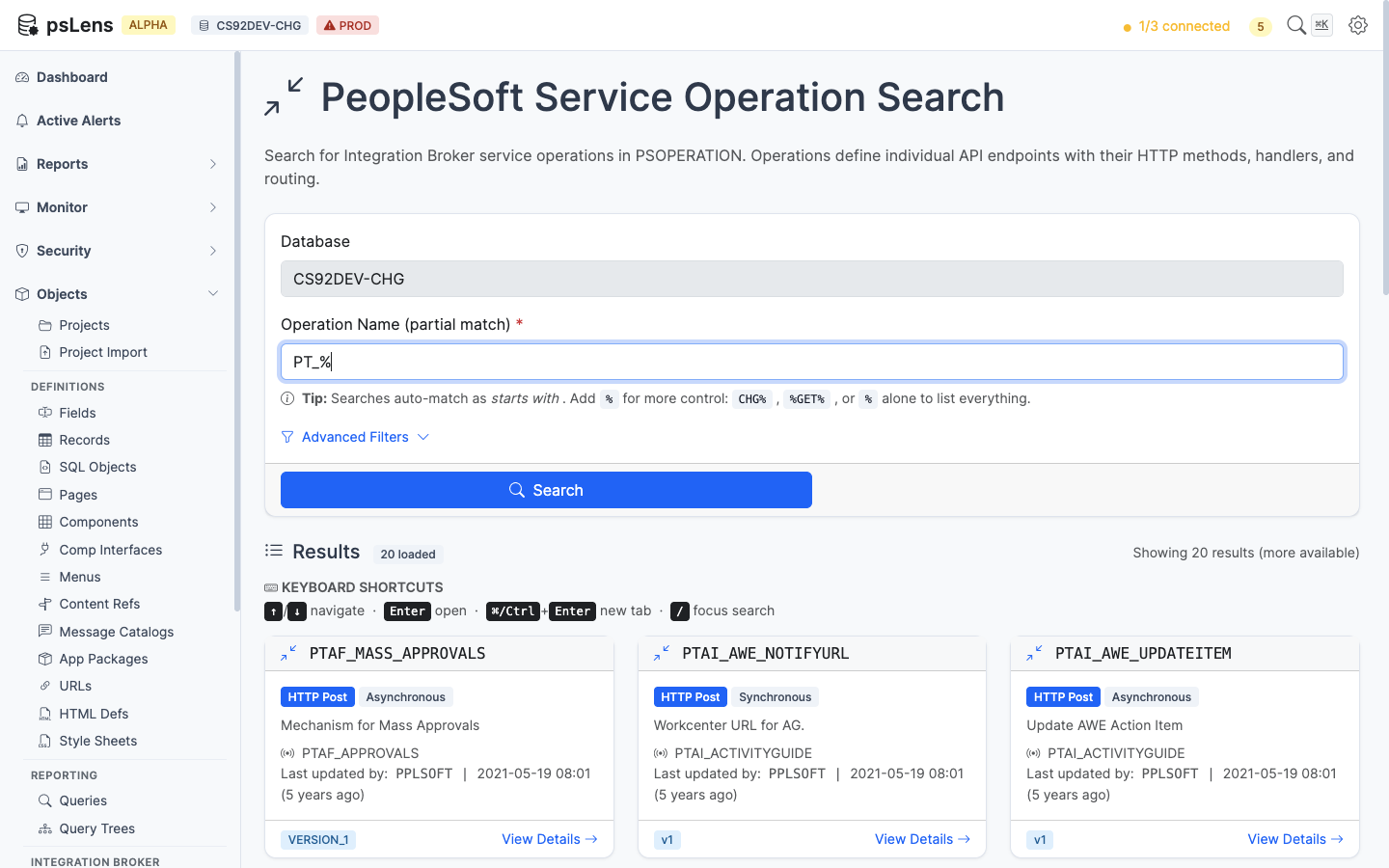
Service Operation search results for PT_%
Wildcard % search supported. Each card shows the operation type (Async, Sync, One Way), default version, and active flag.
URL: /serviceoperations/{OPERATION}?db={database}
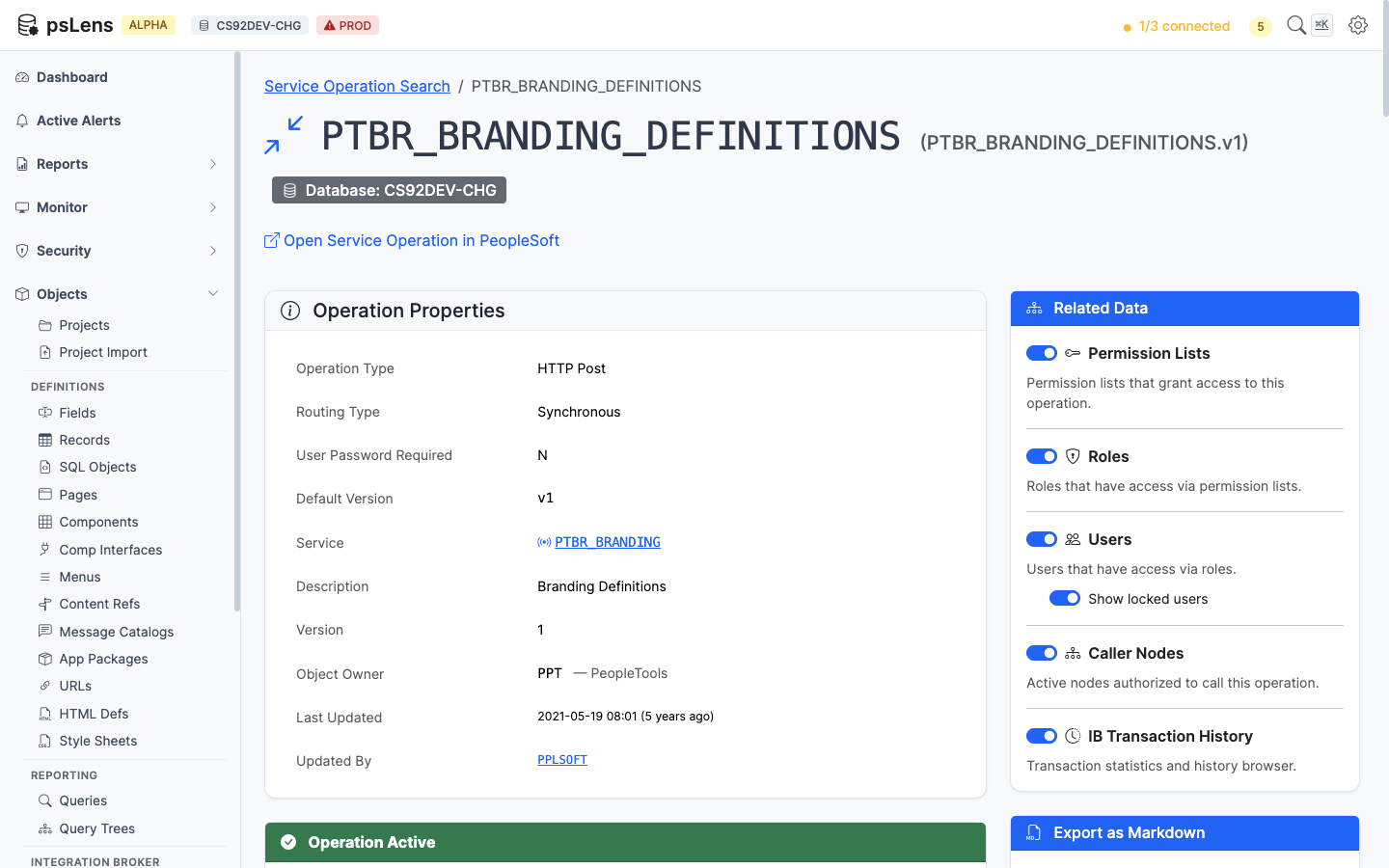
Service Operation detail page for PTBR_BRANDING_DEFINITIONS
The main pane shows Operation Properties plus four always-visible cards: Versions (every operation version with default flag and message type), Routings (every routing definition with sender/receiver nodes and direction), Handlers (handler PeopleCode and class implementations), and HTTP Request Template (the template body for HTTP-style transactions). The sidebar has 6 related-data toggles, including three security access lenses, project membership, and a live IB transaction history feed.
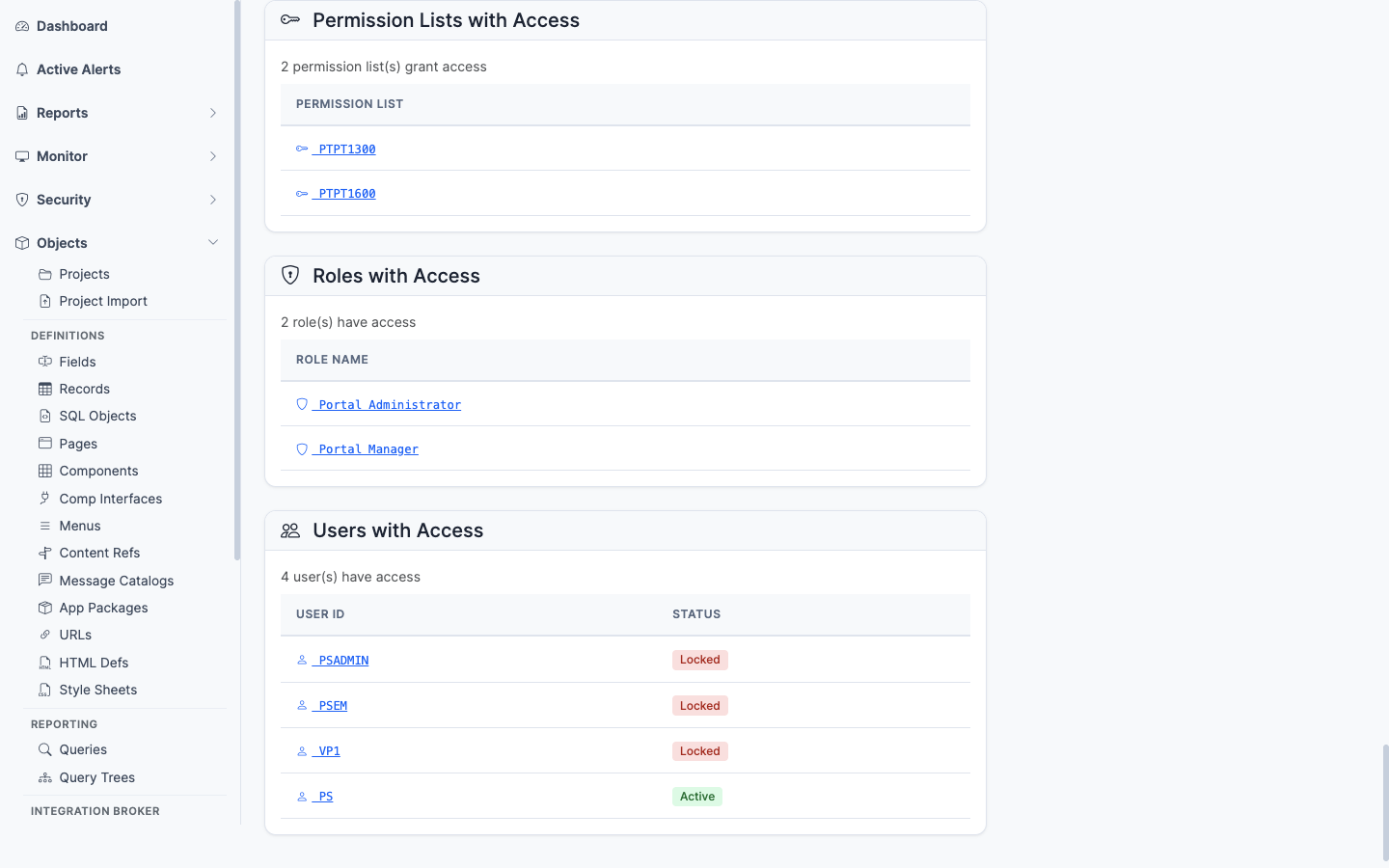
Permission lists that grant access to this operation
Permission lists with Full Access or Web Library Access to this operation. The security baseline for which permission lists let a user invoke this operation.
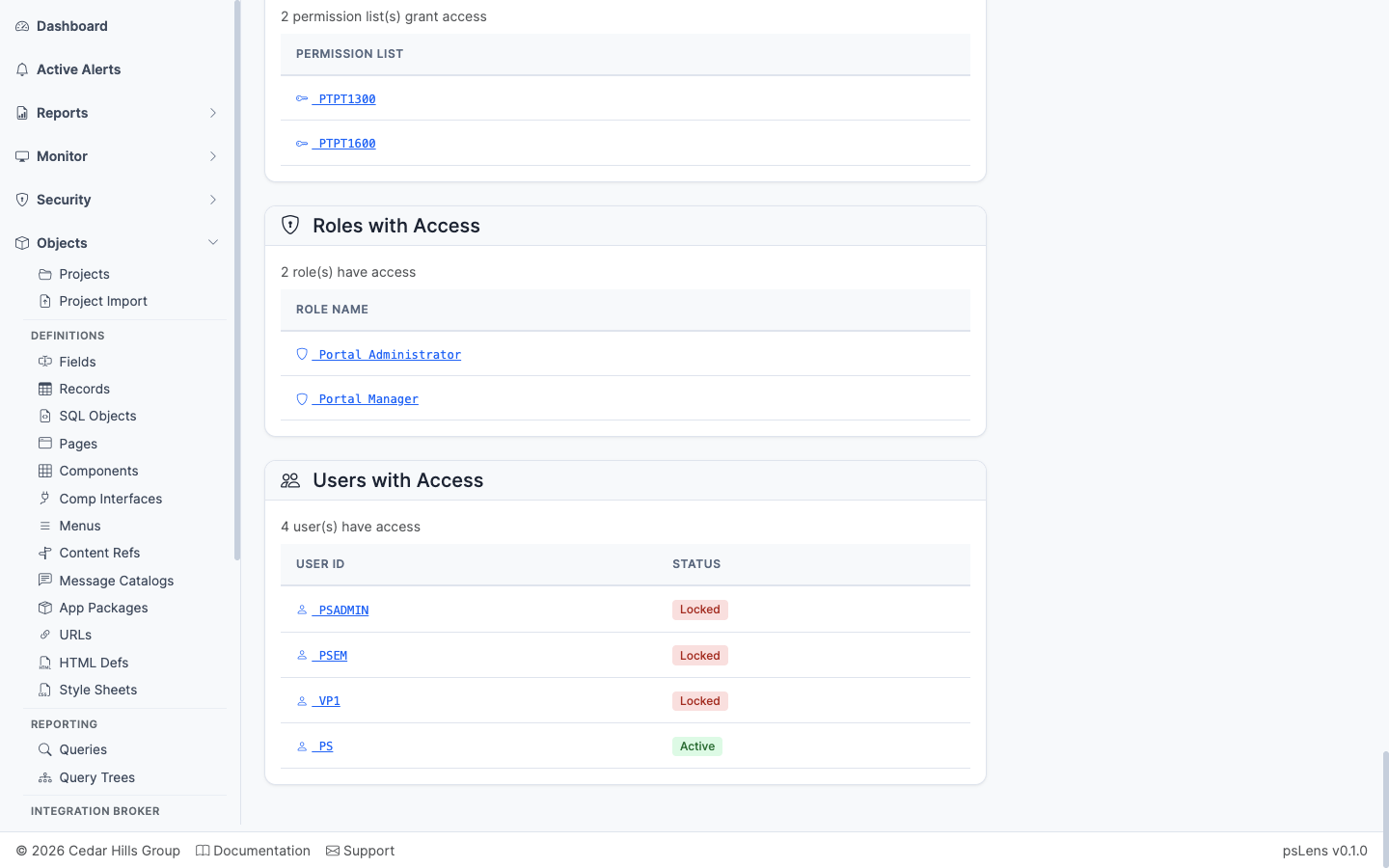
Roles that contain a permission list granting access to this operation
The roles that contain any of the granting permission lists — saves you from having to walk Permission List → Role mapping manually.
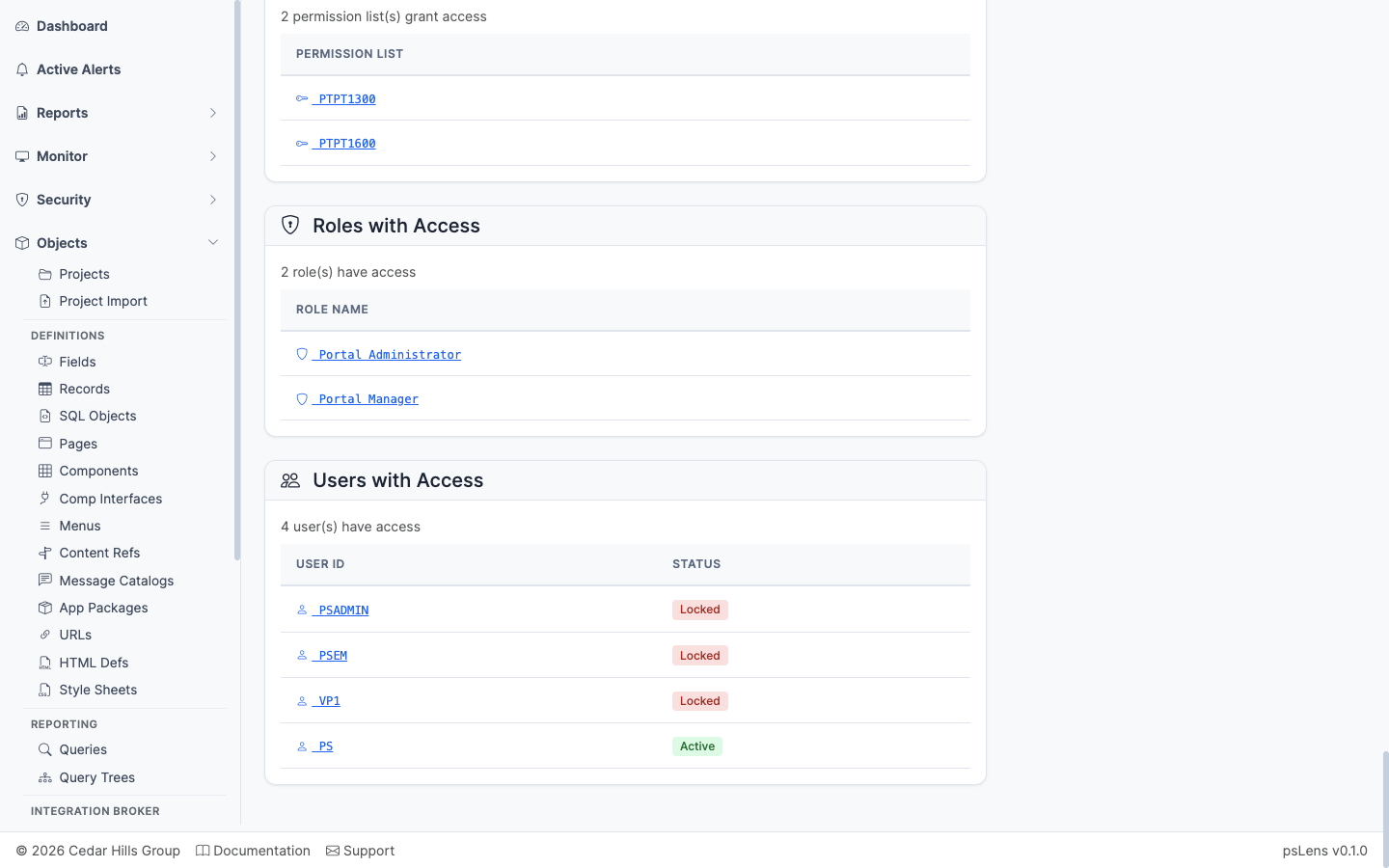
Users whose roles ultimately grant access to this operation
The users whose role membership ultimately grants them access to call this operation, with an optional toggle to include or exclude locked accounts. The end-of-chain answer for who can call this endpoint.
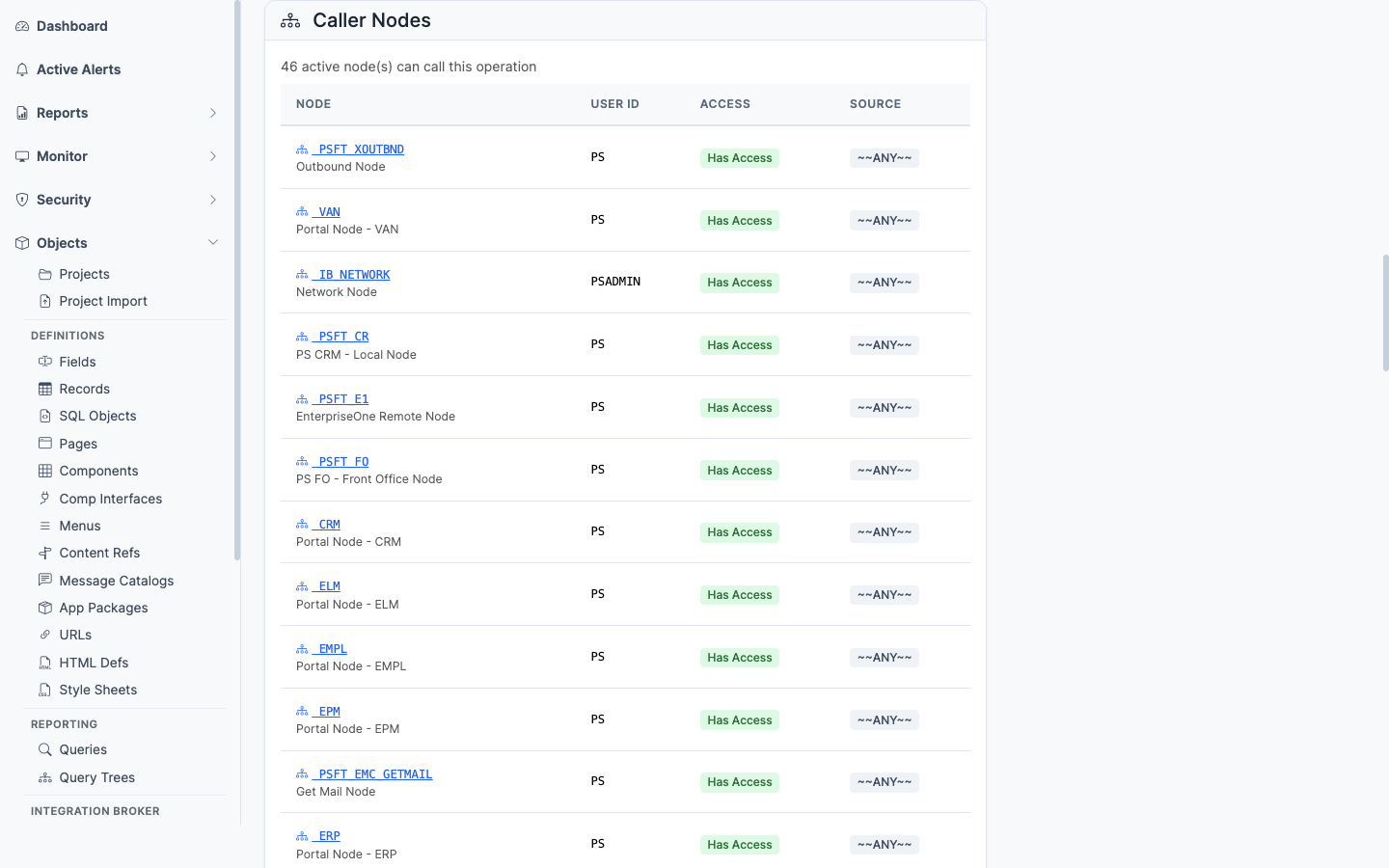
Nodes whose default user has access to invoke this operation
Inverts the lens to the integration side: lists nodes whose default user has been granted access to invoke this operation — useful for confirming which external systems can call the endpoint.
Application Designer projects containing this Service Operation (PSPROJECTITEM.OBJECTTYPE = 80). Shows project name, description, and object owner ID.
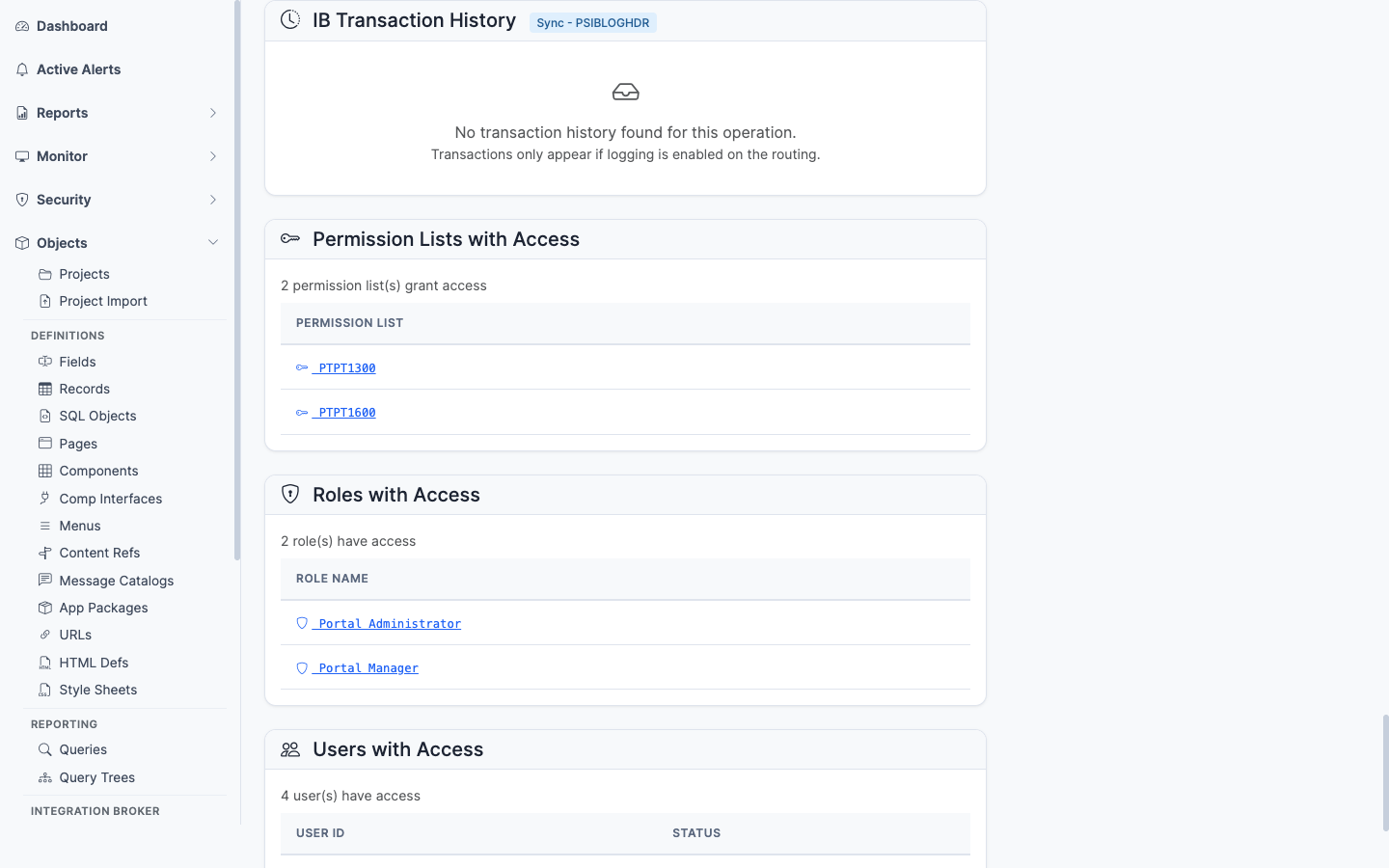
Recent runtime invocations of the service operation
Recent runtime invocations from PSIBLOGHDR — timestamps, status, transaction ID. The link from “what is configured” to “what is actually happening.” Lets you confirm an operation is being called (or spot that it never is).
——An Application Service is an Application Services Framework (ASF) definition, stored in PSIBAPPLDEFN. It exposes a REST API backed by application classes, without the hand-built service operations that classic Integration Broker requires. psLens consolidates the service’s operations, URI templates and REST methods, method parameters, result-state-to-HTTP-status mappings, header properties, and security grants onto one page.
Application Services define REST API boundaries over Application Classes:
PSIBAPPLDEFN) define REST operations (PSIBAPPLOPR) and URI templates (PSIBAPPURI) mapped to HTTP methods.PSAUTHAS) authorize access to specific Application Services.In PIA, inspecting Application Services Framework (ASF) REST APIs requires switching across operation, URI, parameter, and result-state tabs, then checking Web Services security for each permission list separately.
psLens combines the complete REST API surface—operations, URI templates, HTTP methods, parameters, result state mappings, and security grants—on a single page.
URL: /appservices?db={database}
Wildcard % search supported. Search runs against the ASF definitions in PSIBAPPLDEFN. Each result card links to the application service detail page.
URL: /appservices/{APPLNAME}?db={database}
The main pane shows the service properties and an always-visible Operations & REST Surface card: each operation’s handler application class, plus a table of its URI templates with the REST methods (GET, POST, PUT, DELETE) mapped to each. The sidebar has four related-data toggles.
Method parameters for the service’s operations, read from PSIBPARAM and the related base/template parameter tables.
The mapping from operation result states to HTTP status codes (PSIBAPPLSTATES) — what status a caller receives for each outcome.
Header properties configured for the service (PSIBAPPLHDRPROP).
Permission lists that grant access to the application service, read from PSAUTHAS. The answer to which permission lists let a user call this REST API.
PSIBAPPLDEFN — application service (ASF) definitionsPSIBAPPLOPR — operations and handler classesPSIBAPPURI — URI templatesPSIBAPPMETHOD — REST method configurationPSIBPARAM, PSIBBASEPARAM, PSIBTEMPLPARAM, PSIBBASETMPLPRM — method parametersPSIBAPPLSTATES — result-state to HTTP-status mappingsPSIBAPPLHDRPROP — header propertiesPSAUTHAS — application service authorization per permission listPSSERVICEOPR — service operations within the service——A Message definition is the payload schema that a Service Operation carries. It defines the structure of the XML or JSON document exchanged between systems. Messages can be rowset-based (mapped to PeopleSoft records), nonrowset-based (free-form XML/JSON), container, or document. psLens reads PSMSGDEFN and the version-specific details from PSMSGSCHEMA, then surfaces the service operations that reference each message and the projects that own them.
Messages define the data payload structures exchanged by Integration Broker endpoints:
PSMSGDEFN) act as request and response payload schemas for Service Operations (PSOPERATION).PSRECDEFN).In PIA, inspecting Integration Broker messages requires opening message definitions, switching versions, and manually searching service operation registries to locate payload references.
psLens displays message version schemas, mapped record structures, referencing service operations, and project membership side by side.
URL: /msgdefns?db={database}
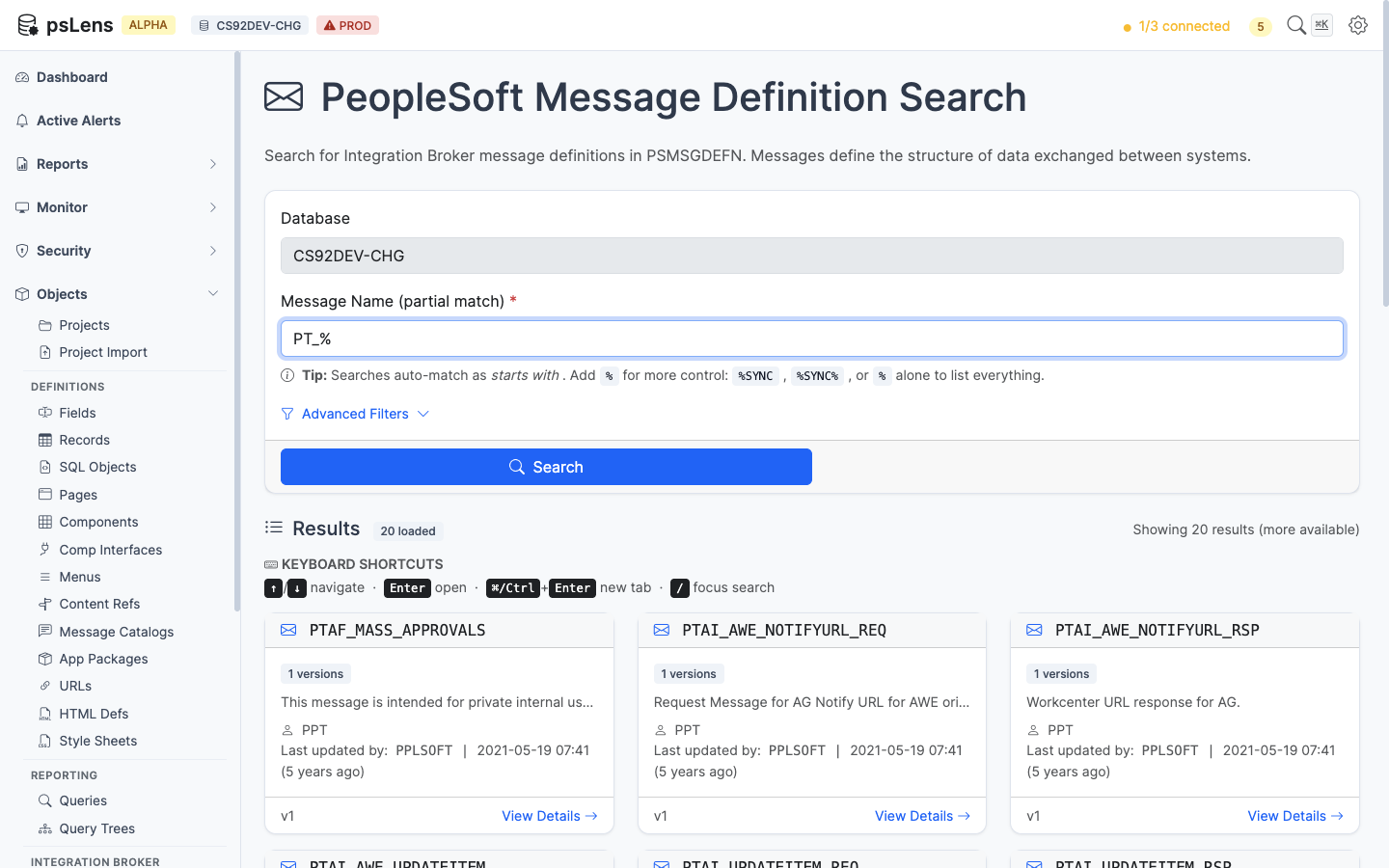
Message search results for PT_%
Wildcard % search supported. Each card shows the message type and version.
URL: /msgdefns/{MESSAGE}?db={database}
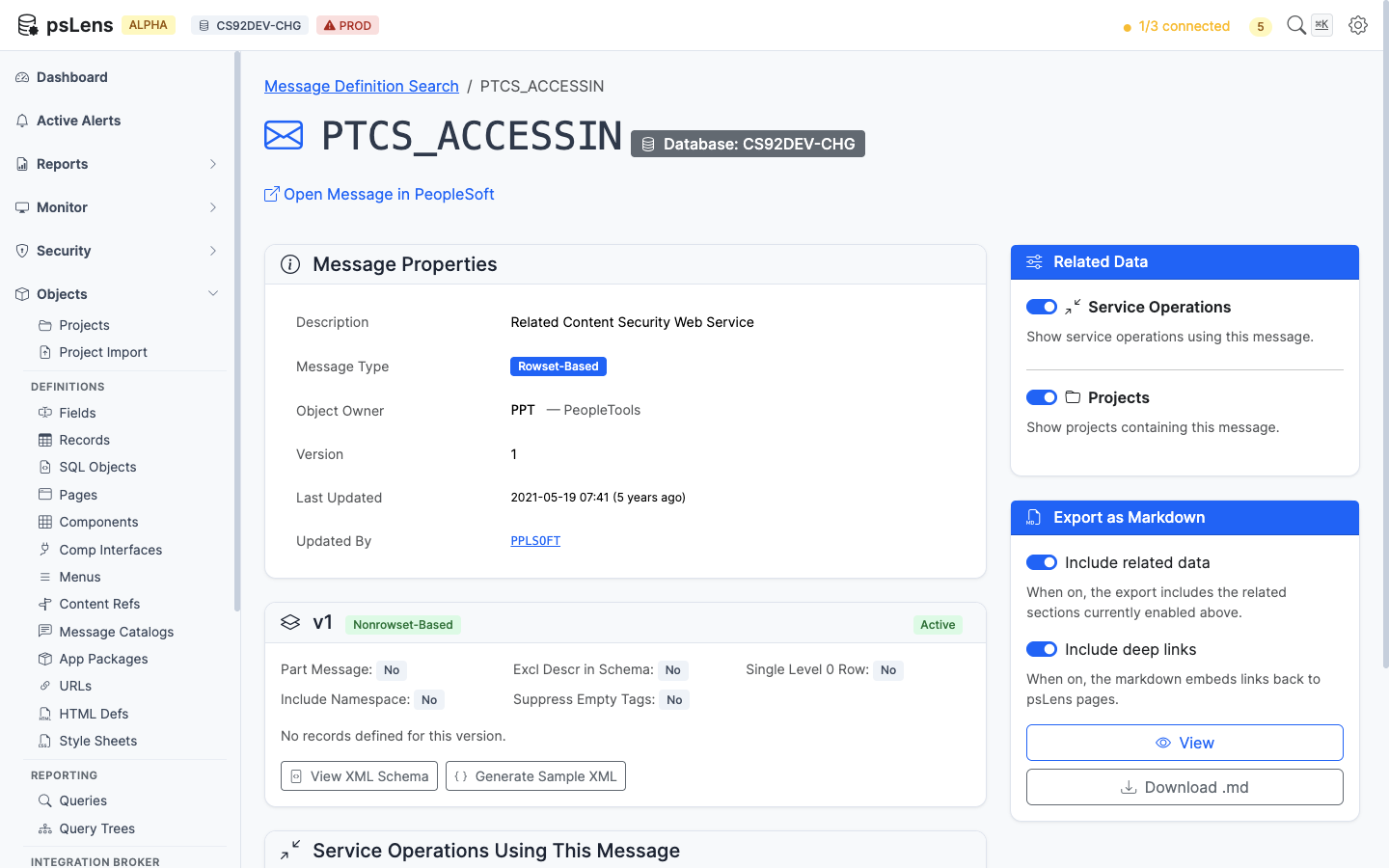
Message detail page for PTCS_ACCESSIN
The main pane shows Message Properties (alias, owner, description, audit metadata) and a per-version card listing each message version with its type (Nonrowset-Based, Rowset-Based, Container, Document) and the schema details. The sidebar has 2 related-data toggles.
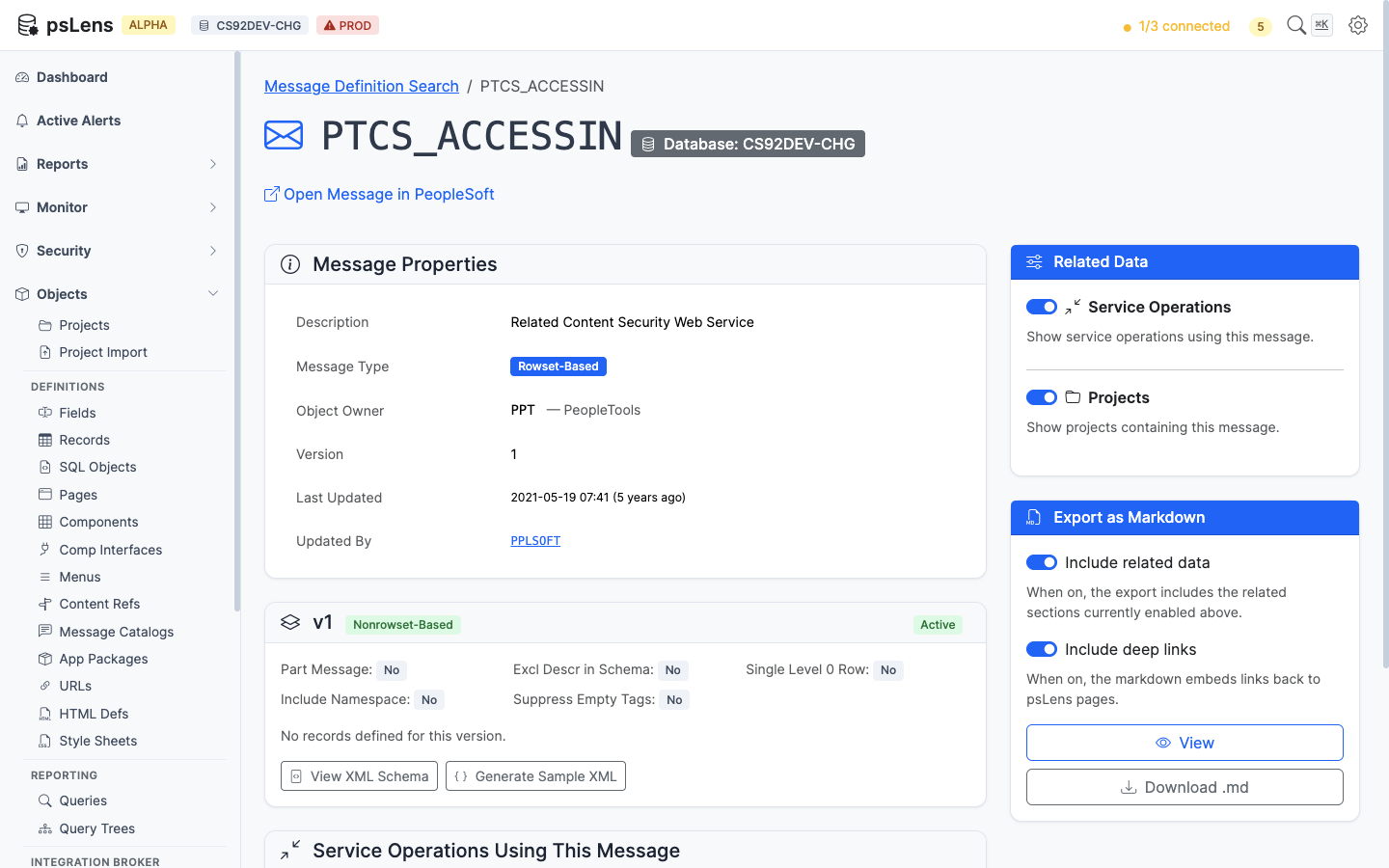
Full message detail page with both panels expanded
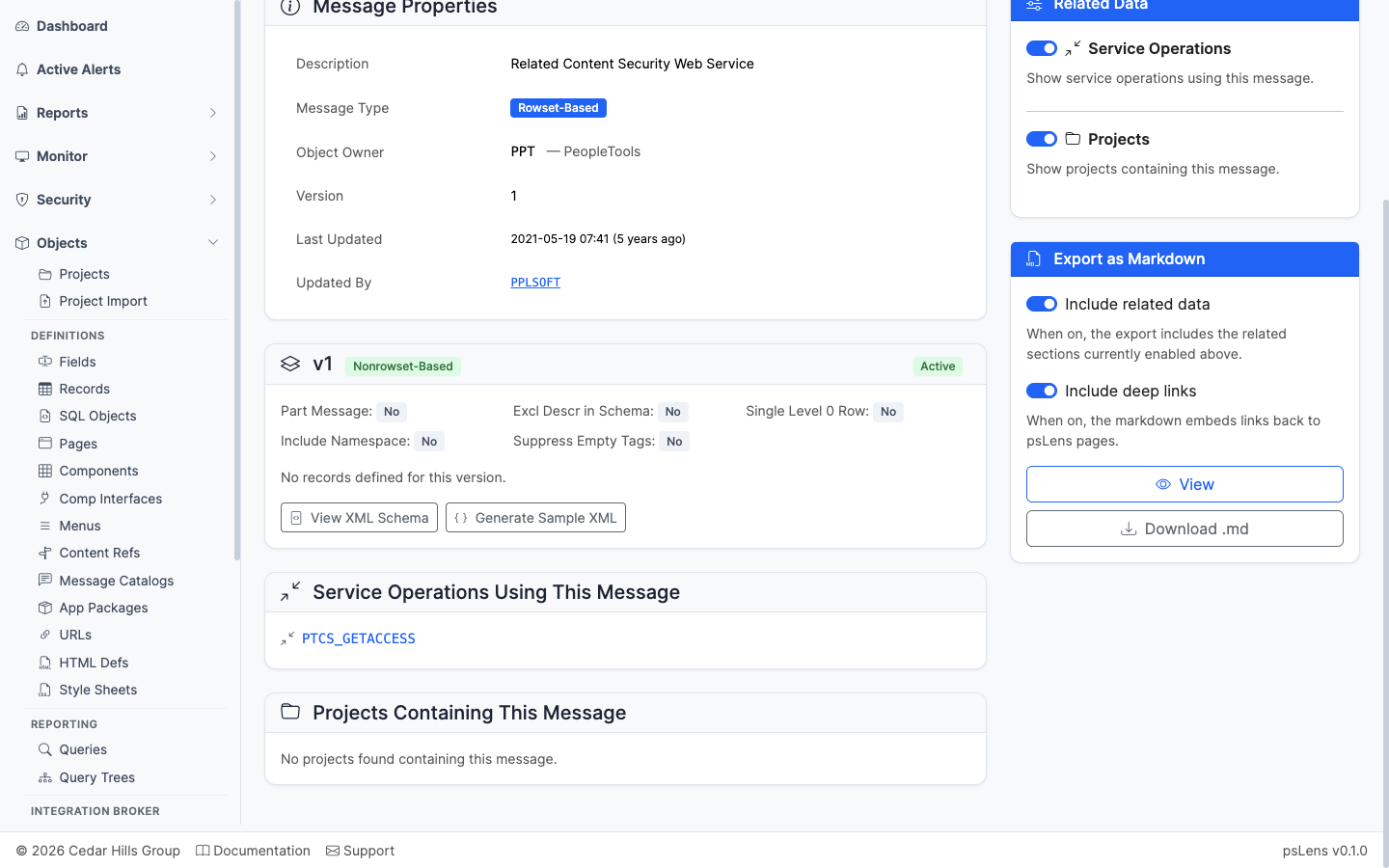
Service operations that reference this message as request or response payload
Service operations that reference this message as a request or response payload.
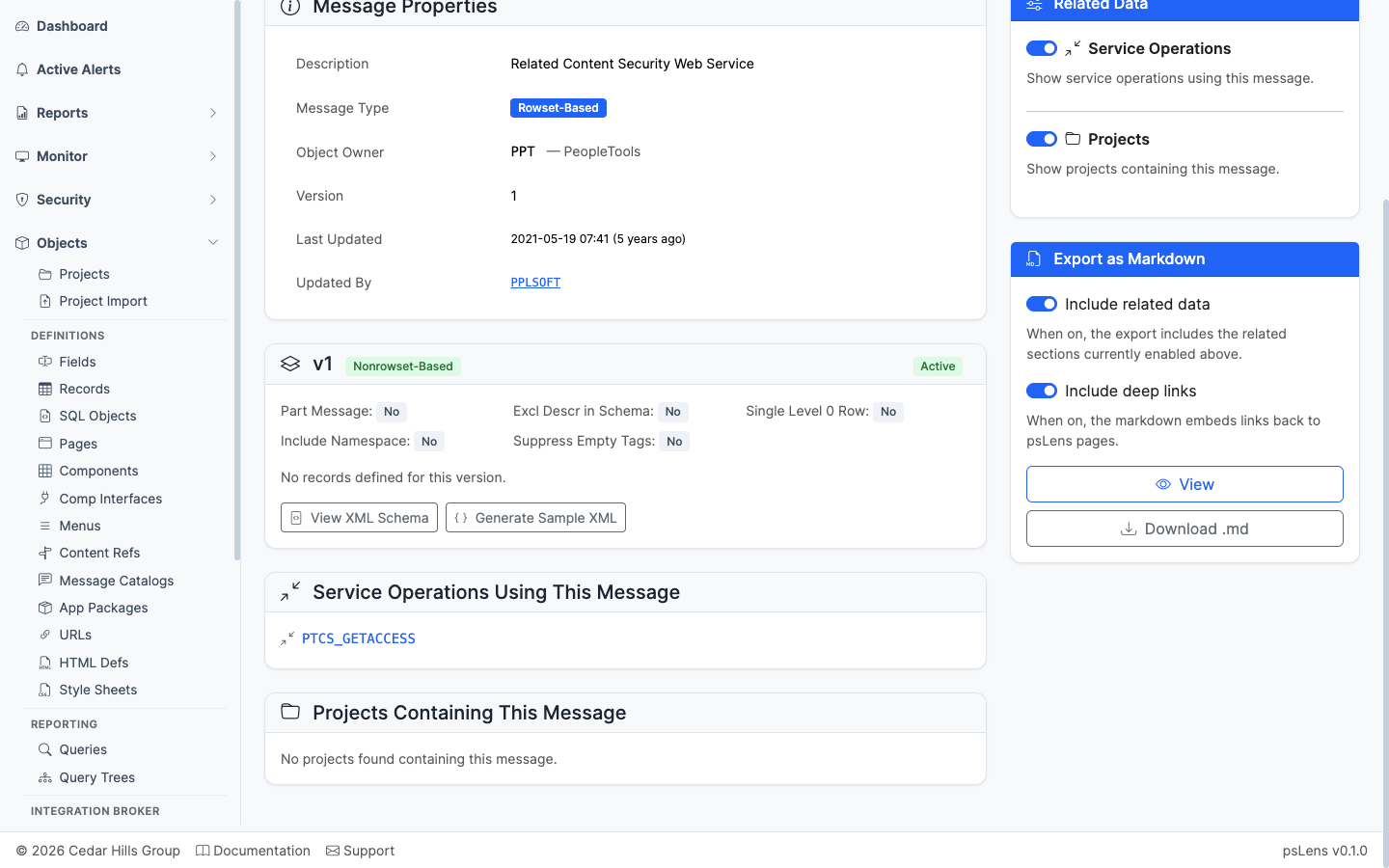
App Designer projects that include this message
App Designer projects containing this message as a project item.
——A Queue is an Integration Broker ordering construct. Async service operations attached to the same queue process serially in the order they arrived, while operations on different queues can run in parallel. Queues are also the unit where IB pauses (“Pause” status) when an administrator stops message processing for maintenance. Each queue is stored in PSQUEUEDEFN with a status (Run, Pause) and a partitioning configuration.
Queues manage message processing order and concurrency for Integration Broker:
PSQUEUEDEFN) group asynchronous Service Operations (PSOPERATION) to enforce sequential or parallel execution flow.In PIA, queue configuration lives under PeopleTools → Integration Broker → Integration Setup → Queues, and locating dependent service operations requires walking each operation separately.
psLens shows queue run/pause status and all dependent service operations on a single page, helping administrators instantly spot paused queues and stalled integrations.
URL: /queues?db={database}
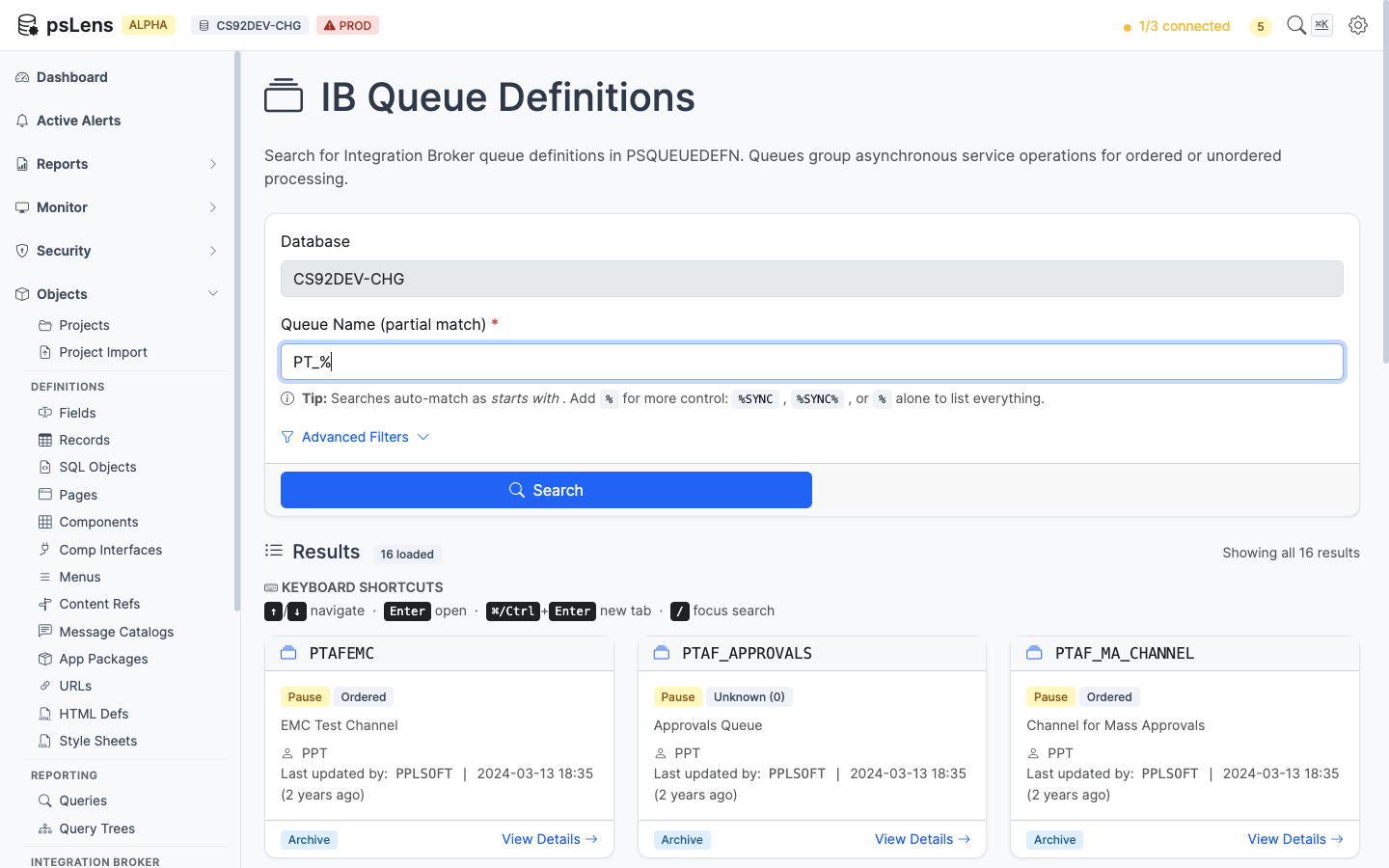
Queue search results for PT_%
Wildcard % search supported. Each card shows the queue’s run/pause status, the fast way to spot a paused queue causing a stalled integration.
URL: /queues/{QUEUE}?db={database}
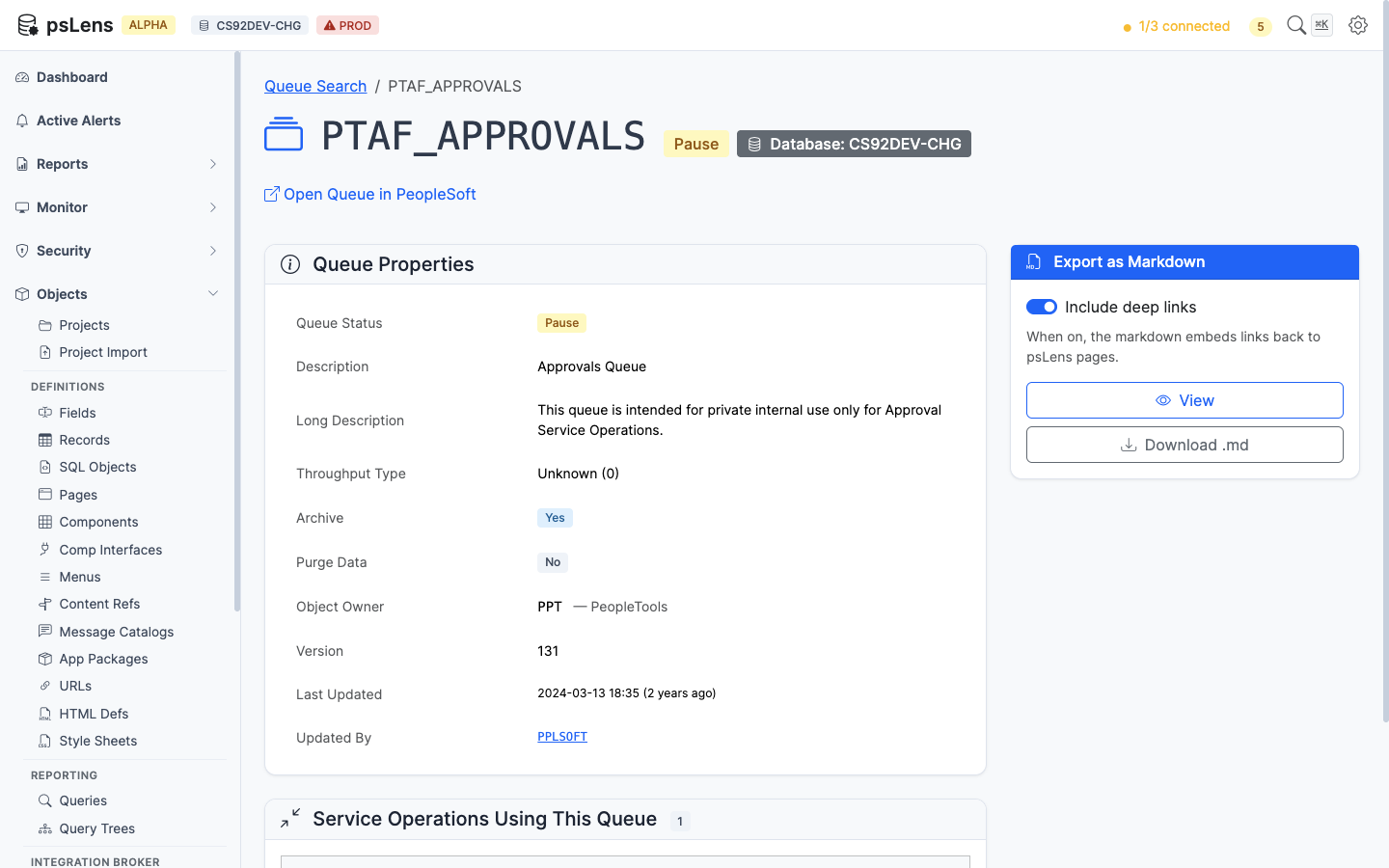
Queue detail page for PTAF_APPROVALS
The main pane shows Queue Properties (status, partitioning method, archive flag, owner, description) and a Service Operations Using This Queue card. Queues are simple objects — there are no sidebar toggles.
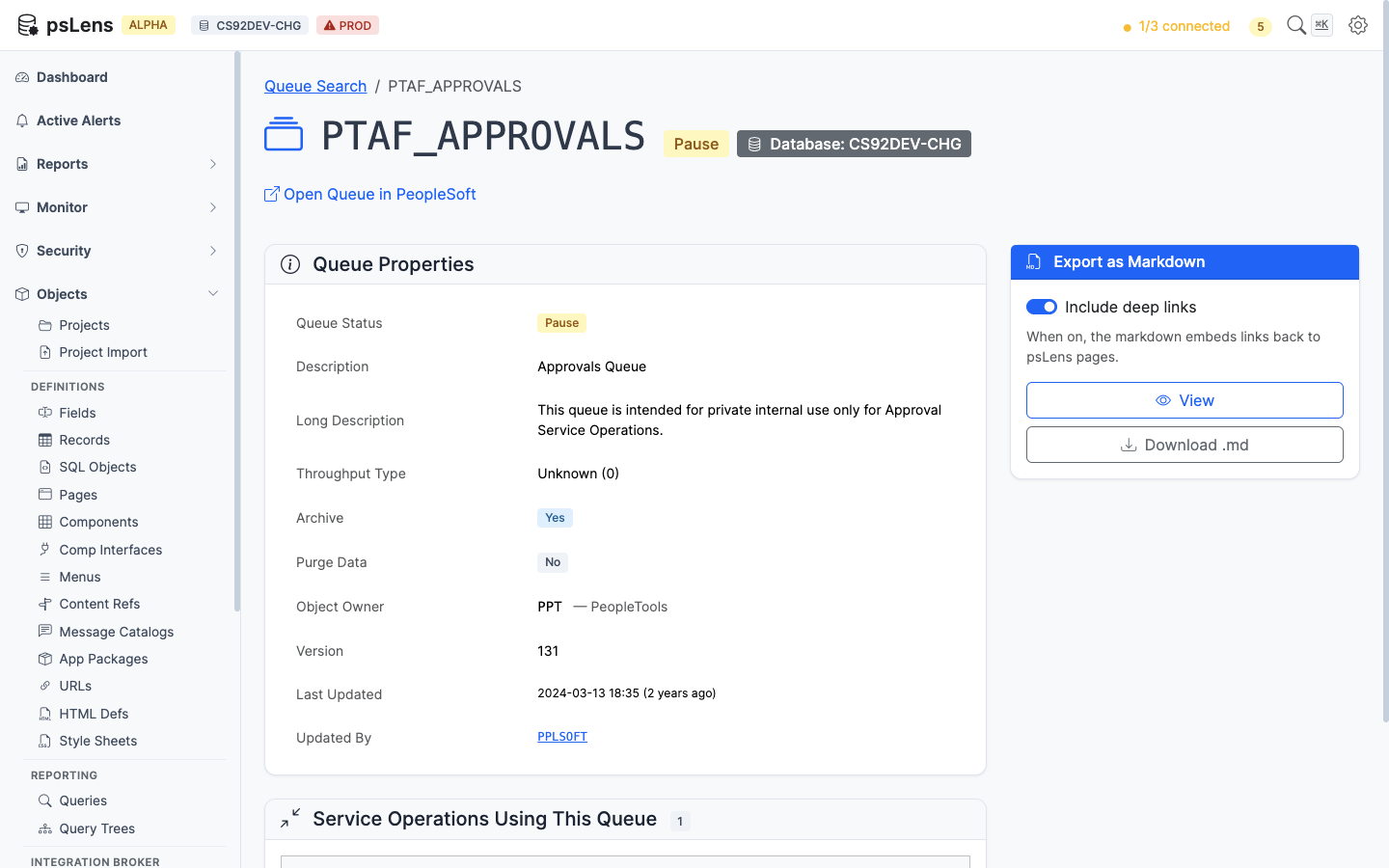
Full queue detail page
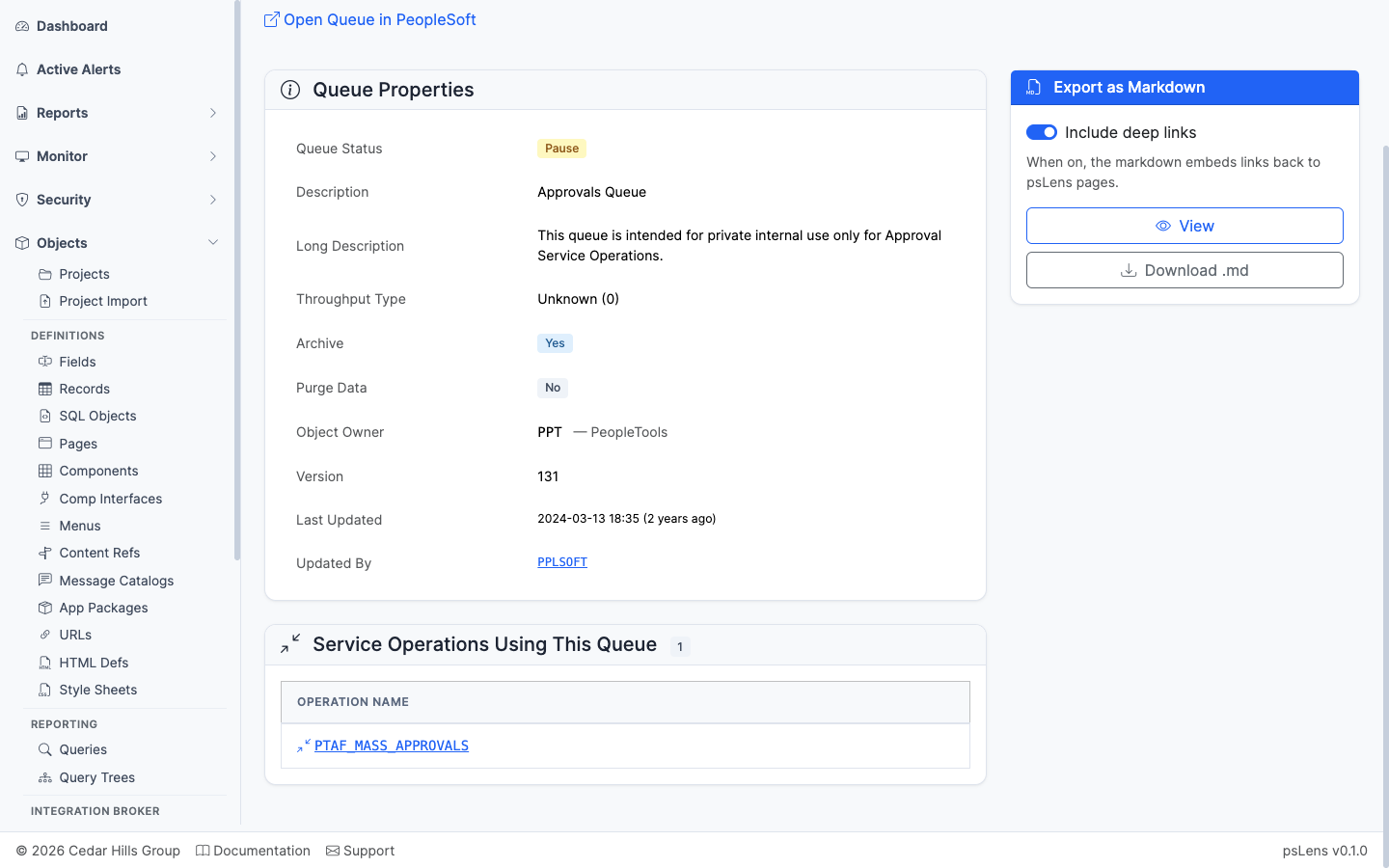
Service operations bound to this queue
The list of service operations bound to this queue. Together with the IB Monitor, this shows what stops processing when the queue is paused.