Reporting Definitions
Browse and inspect PeopleSoft reporting objects, queries, and security query trees.
This is the multi-page printable view of this section. Click here to print.
Browse and inspect PeopleSoft reporting objects, queries, and security query trees.
——Queries are PeopleSoft’s end-user reporting tool — saved SQL queries that users run from the PSQUERY interface, with optional prompts, output formats, and scheduled distribution. Each query is stored in PSQRYDEFN and broken out across PSQRYRECORD, PSQRYFIELD, and other tables for the records and fields it touches. psLens consolidates the query header, the records used, the field list, project membership, and (via the related-data toggles) the query tree placement and security access.
Queries assemble records and fields into end-user reporting SQL:
PSQRYDEFN) join record definitions (PSQRYRECORD) and select specific fields (PSQRYFIELD).PSTREENODE) granted to permission lists.PSXPDATASRC) for BI Publisher report definitions.In Query Manager, inspecting a query requires clicking across Records, Fields, and Properties tabs, while query tree access must be checked via separate SQL queries.
psLens consolidates query properties, FROM clause records, SELECT/ORDER BY fields, query tree security placement, and project membership into a single view.
URL: /queries?db={database}
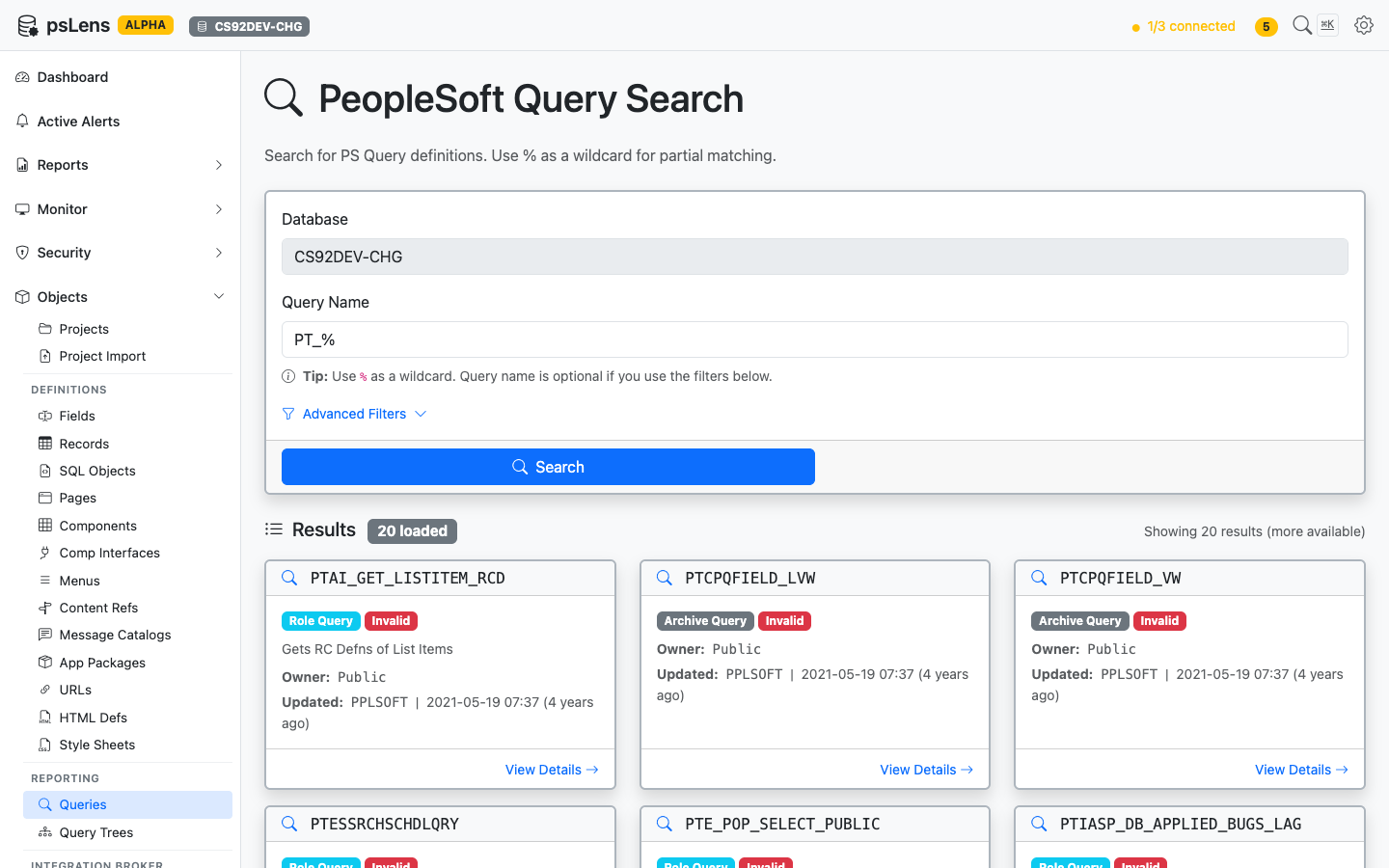
Query search results for PT_%
Search auto-matches as starts with. Typing PT_ finds every query whose name begins with PT_. Include % yourself for ends-with (%_VW) or contains (%AUDIT%) patterns, or use % alone to list every row. Each card shows the query type (Public, Private, Archive, User), owner, and last-updated metadata. The Advanced Filters panel lets you filter by query type or owner.
URL: /queries/{QRYNAME}?db={database}
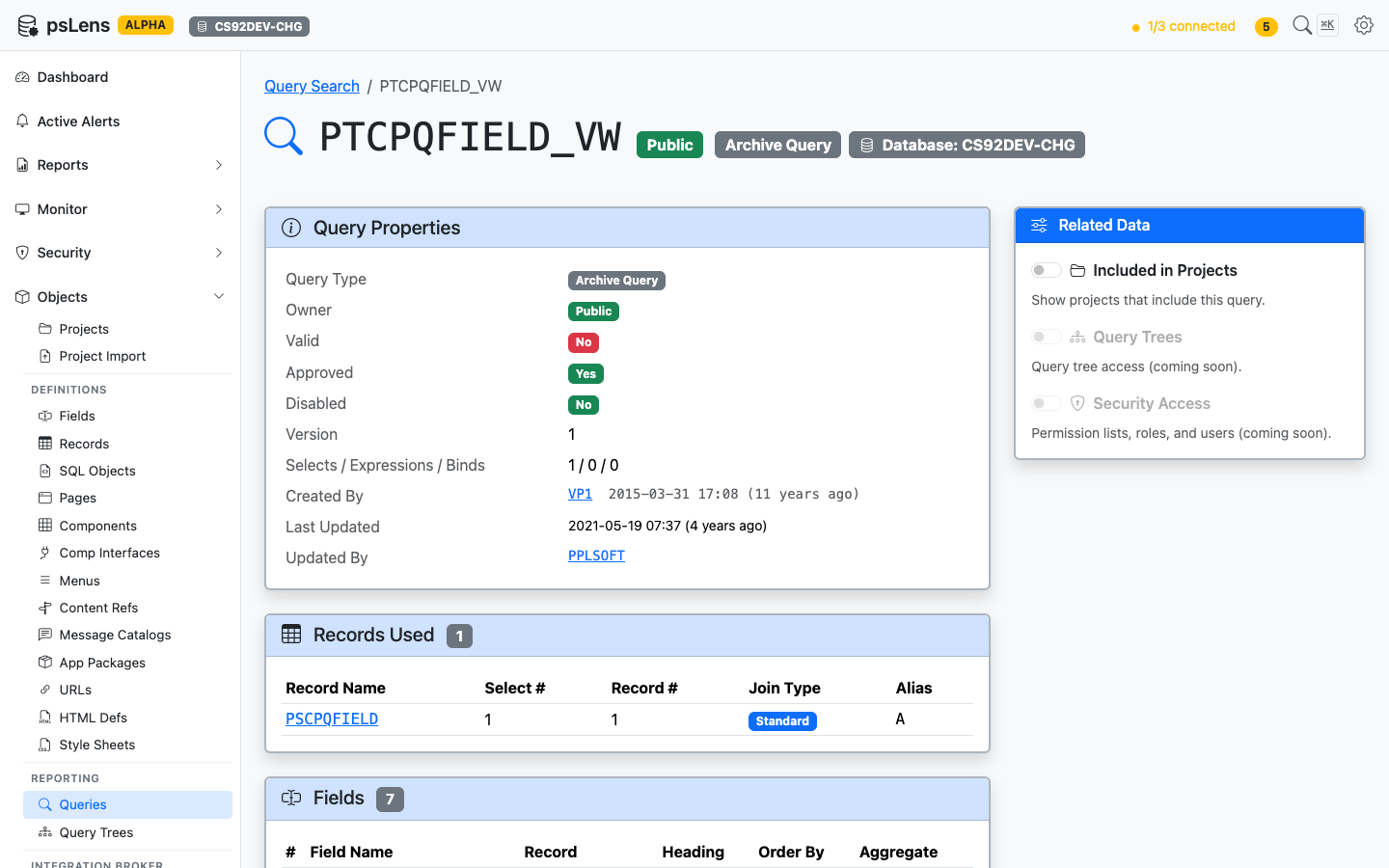
Query detail page for PTCPQFIELD_VW
The main pane shows Query Properties (type, owner, description, last-run metadata, version), Records Used (every record in the FROM list), and Fields (the SELECT and ORDER BY columns). The sidebar has 3 related-data toggles.
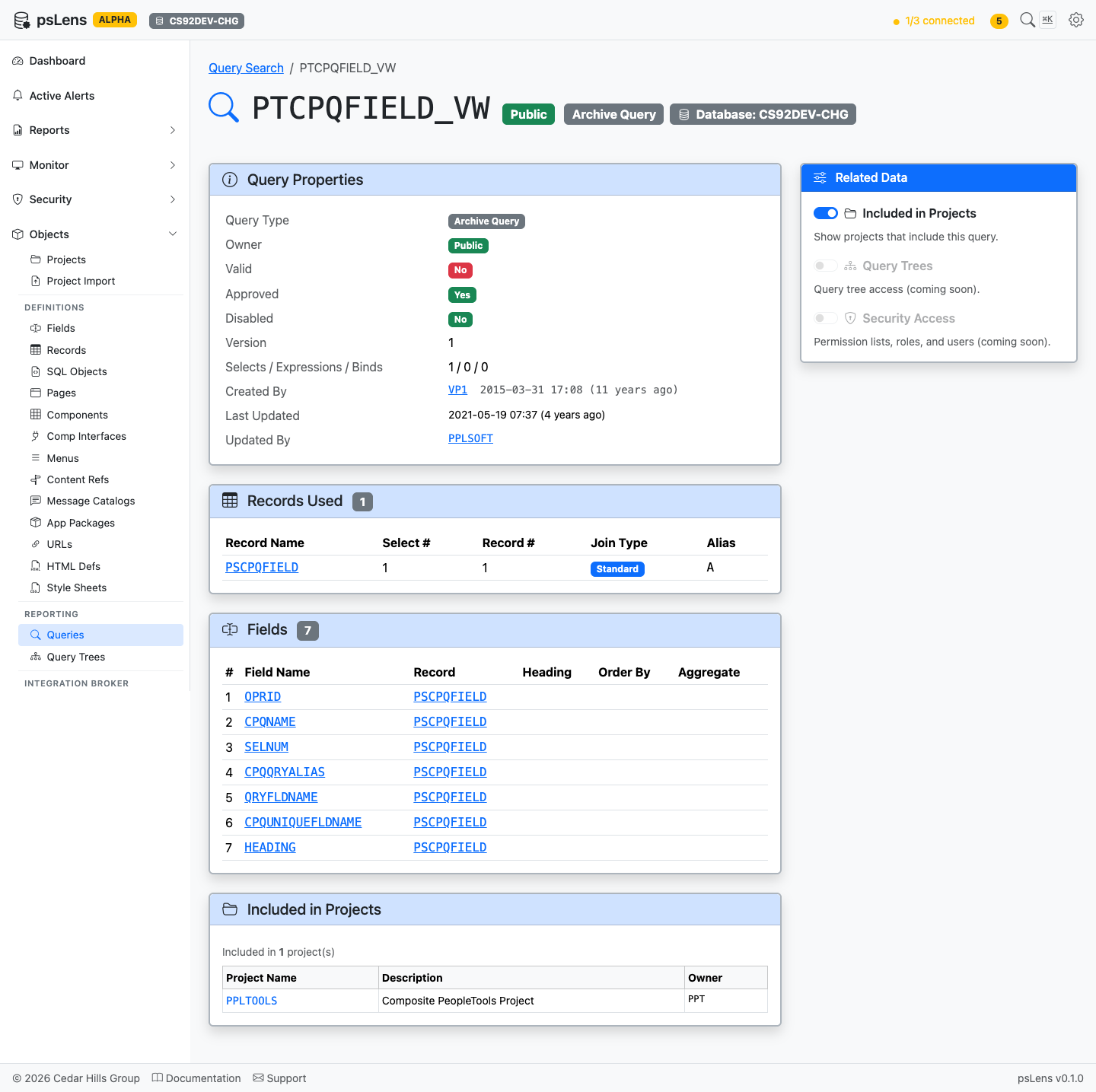
Full query detail page with all panels
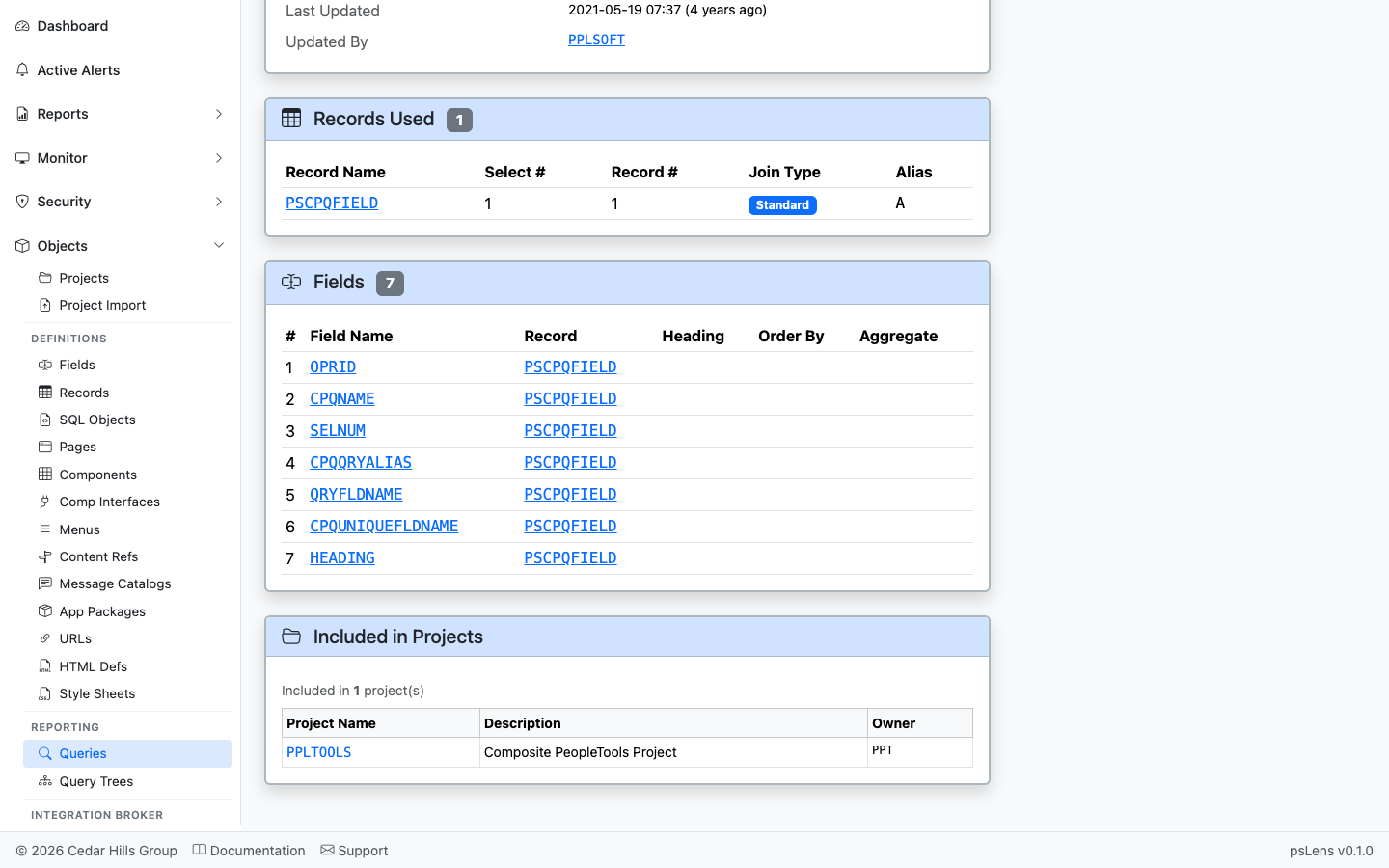
Every record in the query’s FROM clause
The list of records used by the query (PSQRYRECORD). Each record name deep-links into its own detail page so you can audit what the query reads.
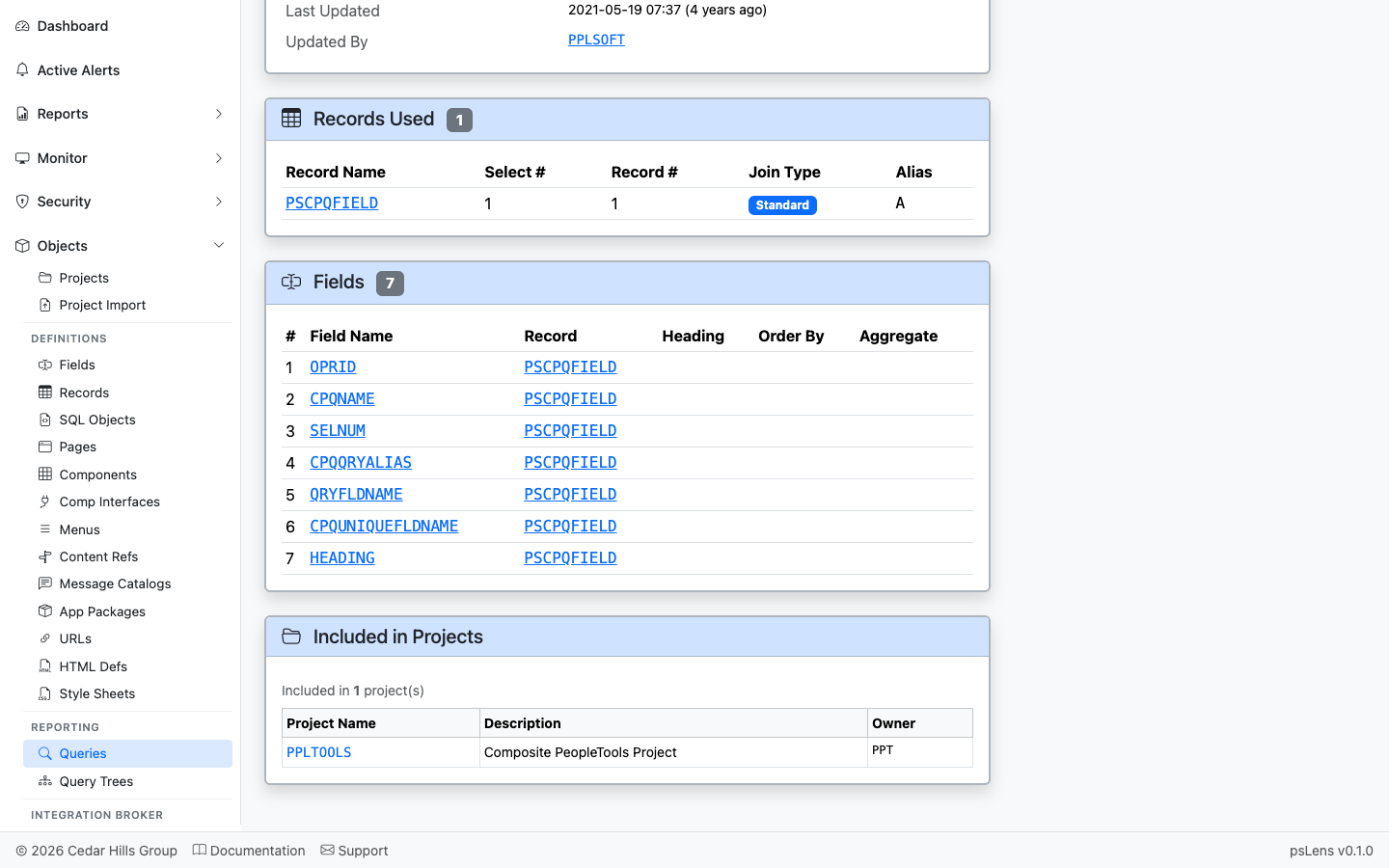
The fields the query SELECTs, with record context and order
The SELECT field list (PSQRYFIELD) with record and field references, each link-resolved.
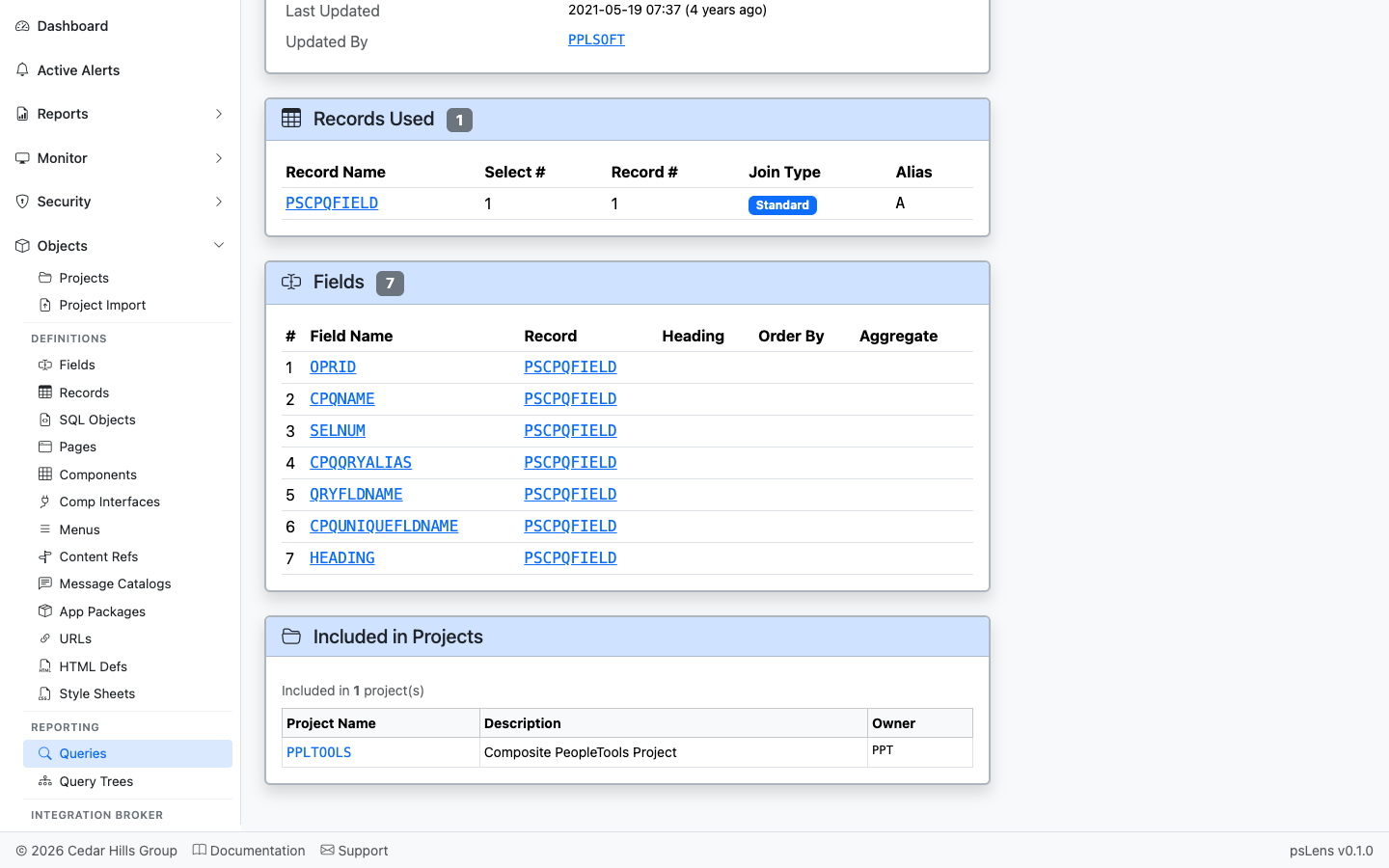
App Designer projects that include this query
App Designer projects containing this query as a project item.
——Query Access Trees are the security backbone of PeopleSoft Query — hierarchical groupings of records (PSTREEDEFN / PSTREENODE) that determine which records a Query author can build queries against. A permission list grants access to one or more access groups within a tree, and the Query Manager UI only lists records that fall under the granted nodes. psLens shows the tree’s full record hierarchy and the permission lists that authorize it, combining what you’d otherwise need to assemble from Tree Manager and Permission List security separately.
Query Access Trees regulate reporting access to database records:
PSTREEDEFN) arrange record definitions into nested access group nodes (PSTREENODE).Auditing Query Access Trees in PIA requires expanding tree nodes branch by branch in Tree Manager, while checking permission list profiles separately to determine authorized users.
psLens presents the complete record hierarchy alongside permission lists, assigned roles, and authorized active/locked users in a single view.
URL: /querytrees?db={database}
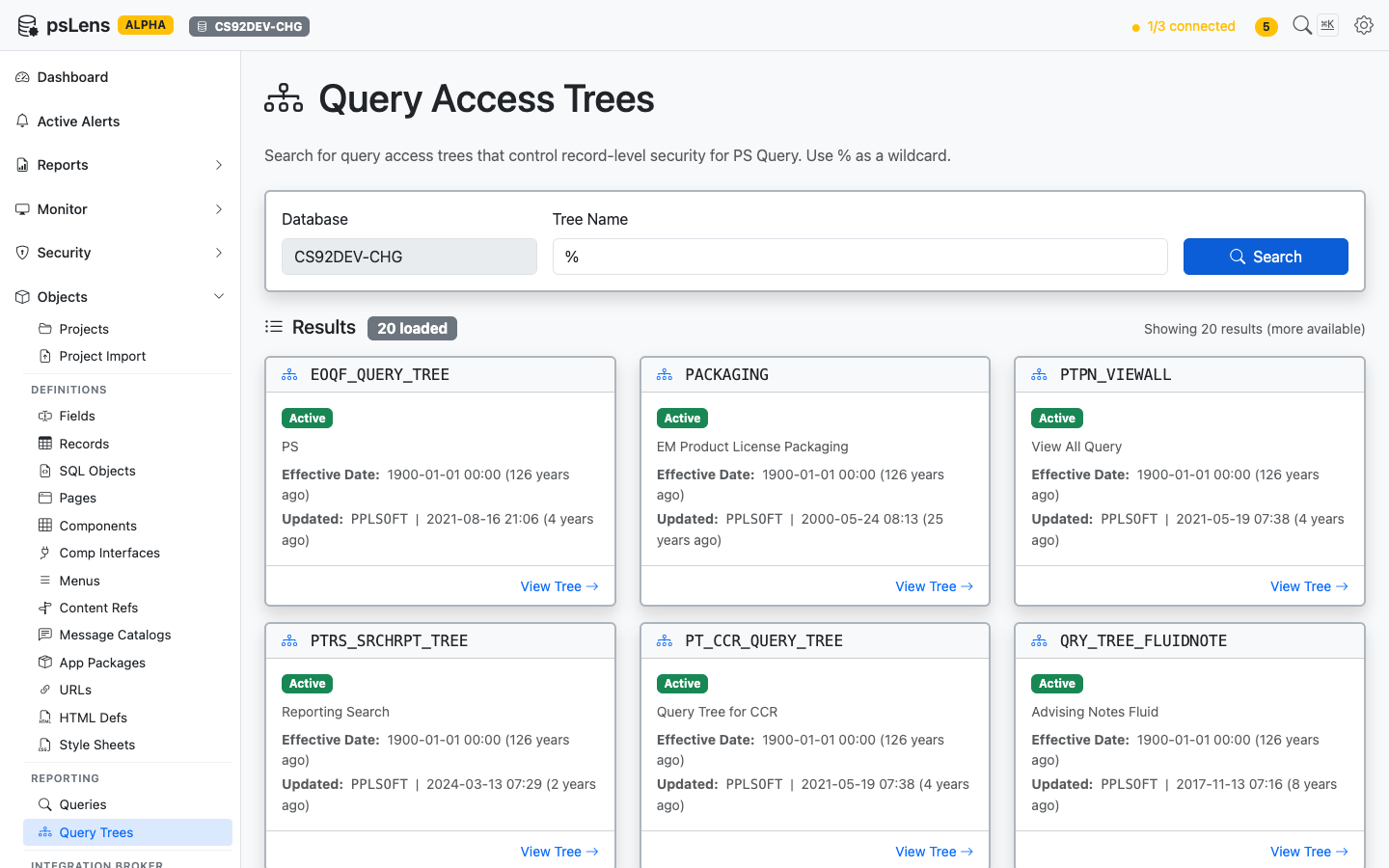
Query Tree search results
Search auto-matches as starts with. Typing EOQF finds every tree whose name begins with EOQF. Include % yourself for ends-with or contains patterns, or use % alone to list every query tree in the database.
URL: /querytrees/{TREE_NAME}?db={database}
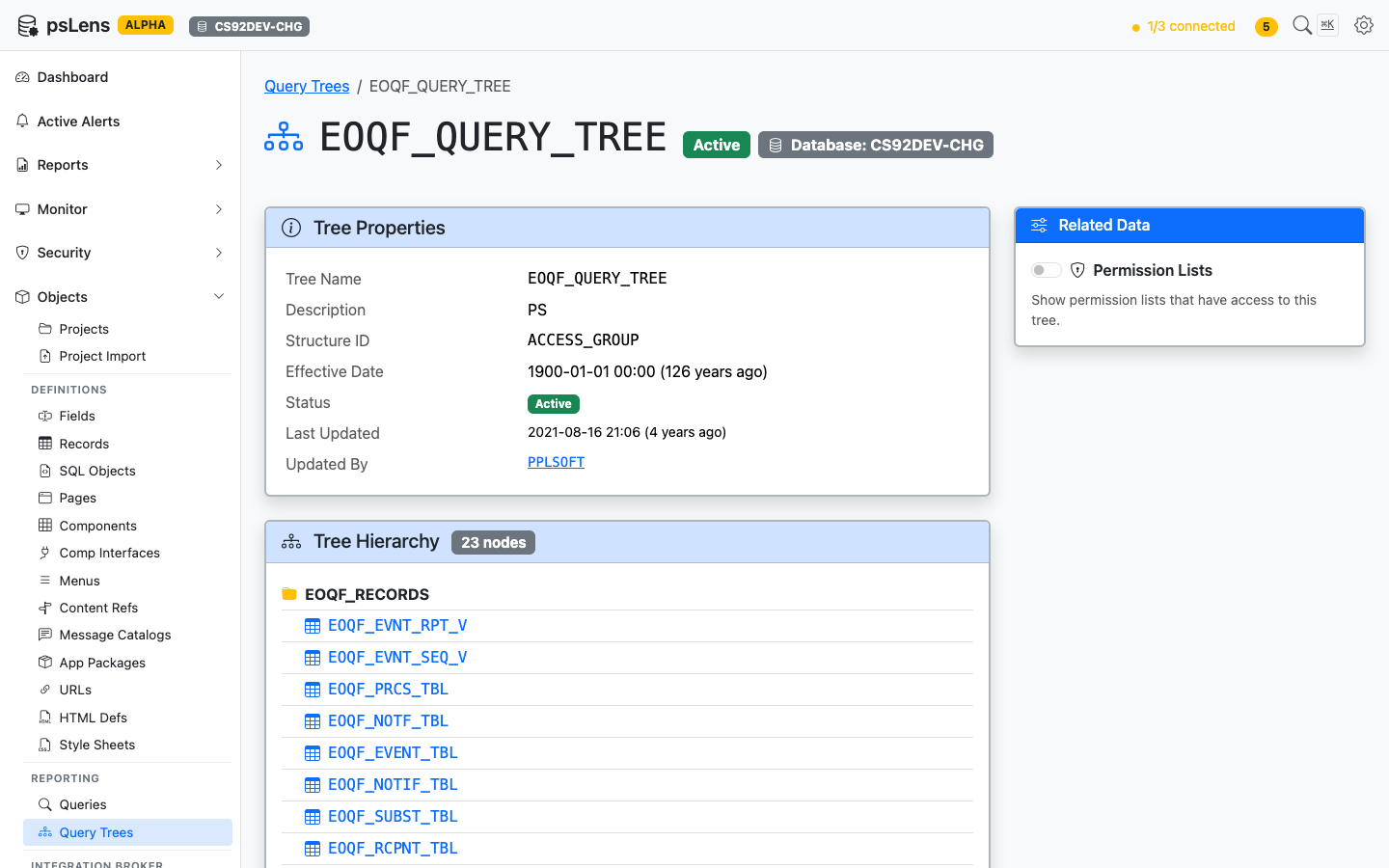
Query Tree detail page for EOQF_QUERY_TREE
The main pane shows Tree Properties (status, version, audit metadata) and the full Tree Hierarchy, a recursive view of every node in the tree with the record name it grants access to. The sidebar has one related-data toggle.
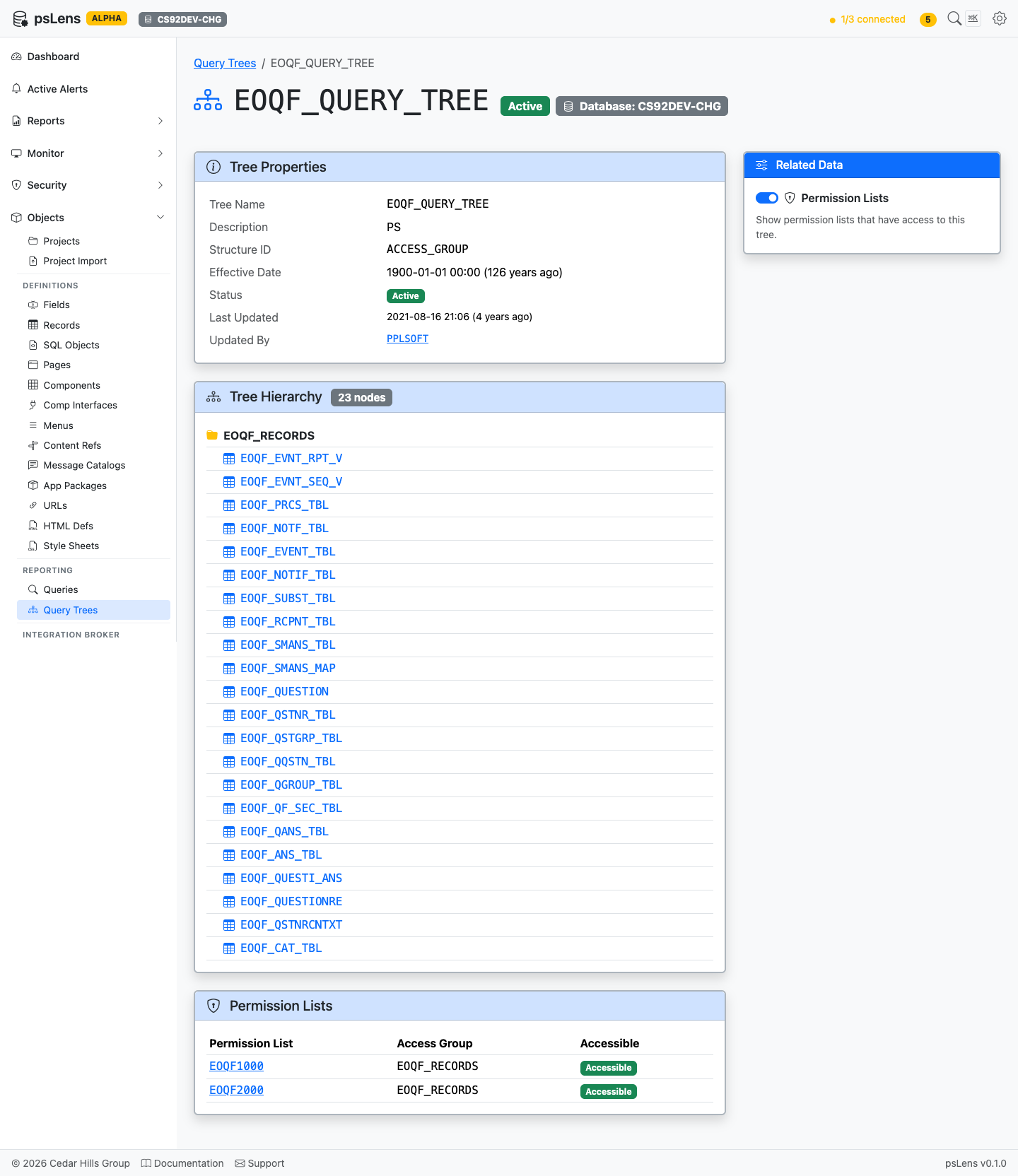
Full Query Tree page with the Permission Lists panel expanded
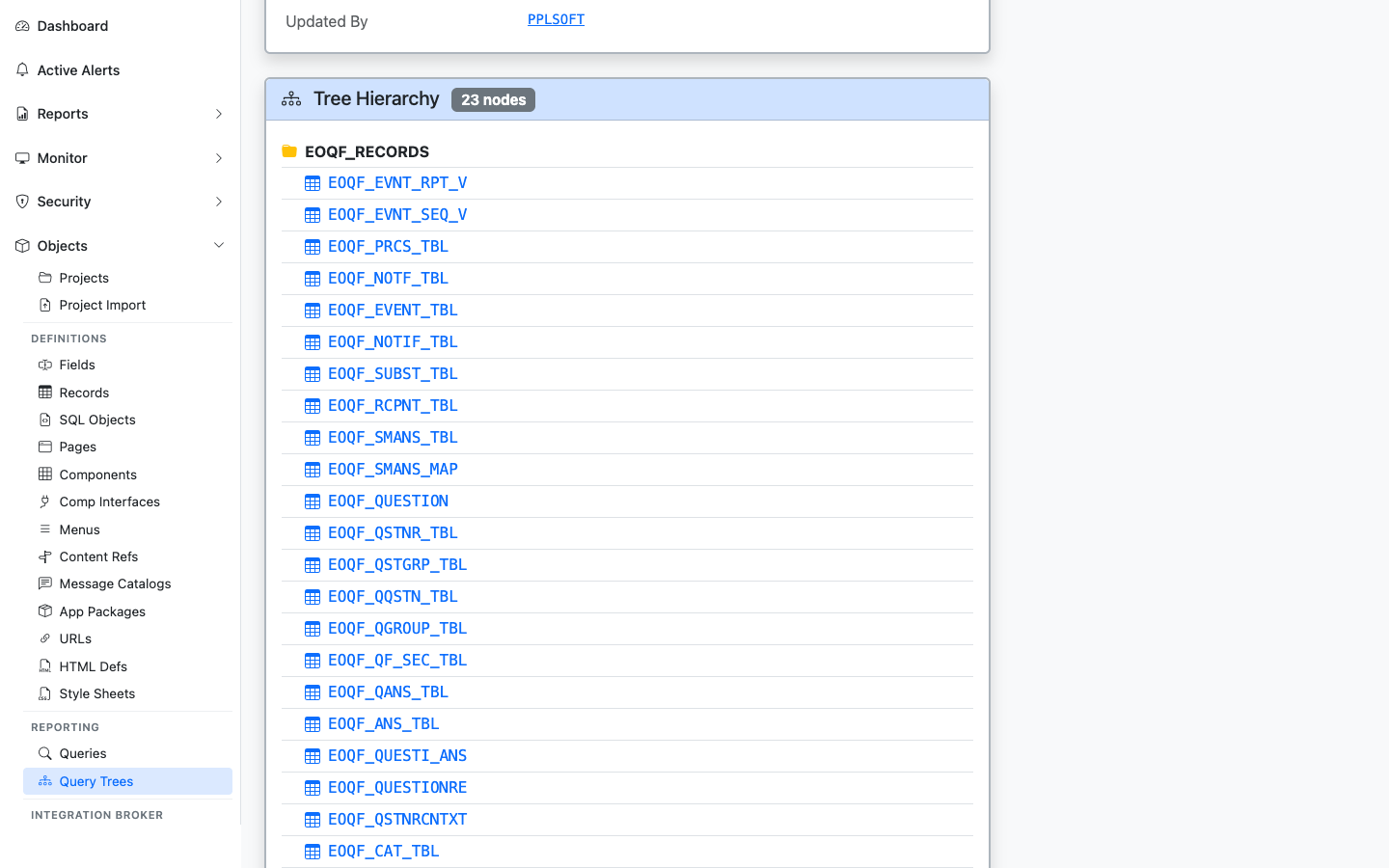
The full record hierarchy of the tree, with each record linked to its detail page
The recursive node-by-node breakdown of the tree. Each record link jumps into the record’s detail page so you can see what data the tree grants query access to.
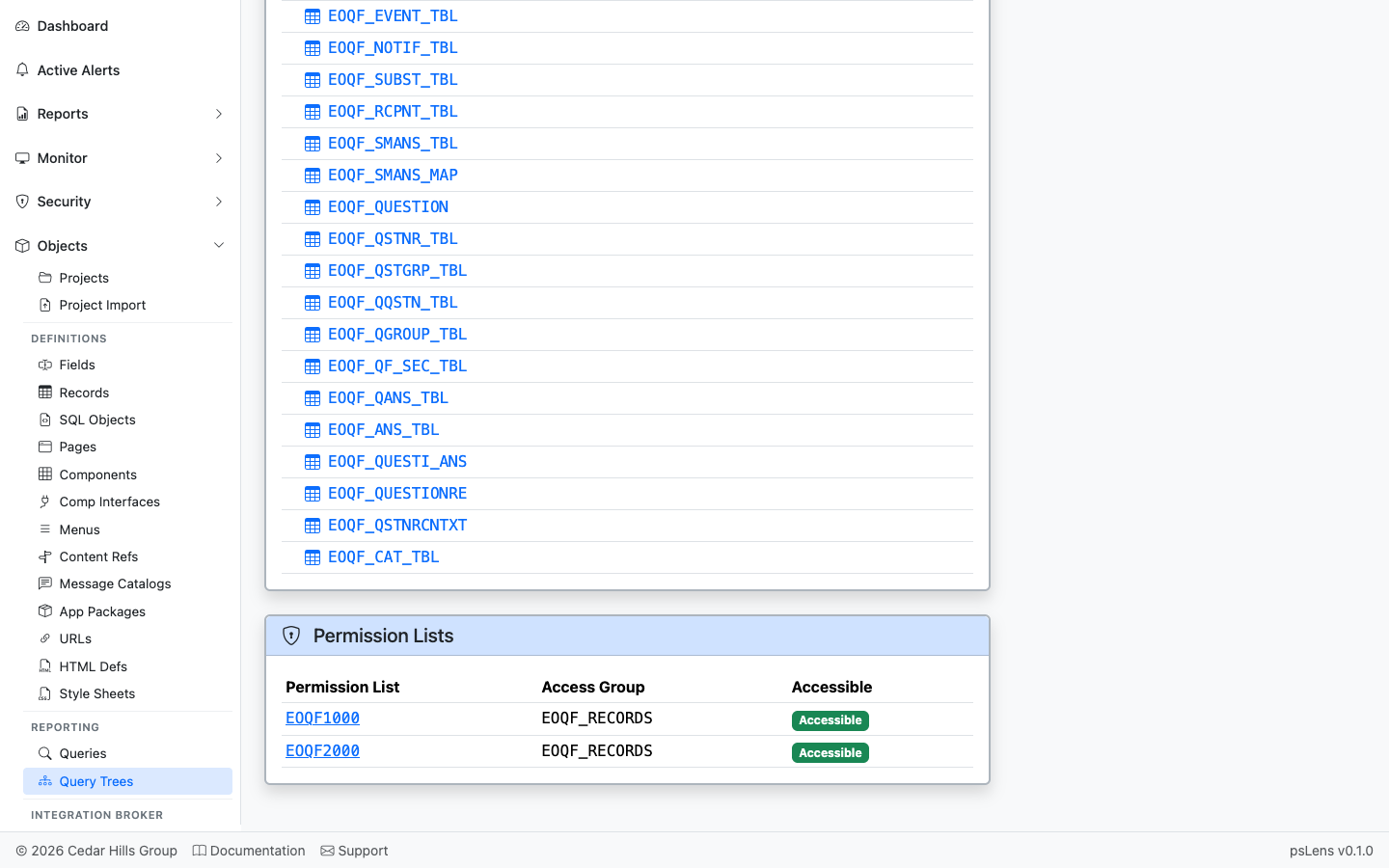
Permission lists with access to nodes in this tree
Permission lists that have been granted access to nodes in this tree.
Roles that grant access to nodes in the tree, derived from the permission lists associated with each role.
Users who can access the query tree, detailing their status (Active or Locked), role, permission list, and access group grant level. Grants are annotated as Tree-level if they target the root node of the tree, and Node-level for sub-nodes.