# Process Monitor

LLMS index: [llms.txt](/llms.txt)

---

## Process Monitor

**URL:** `/processmonitor`

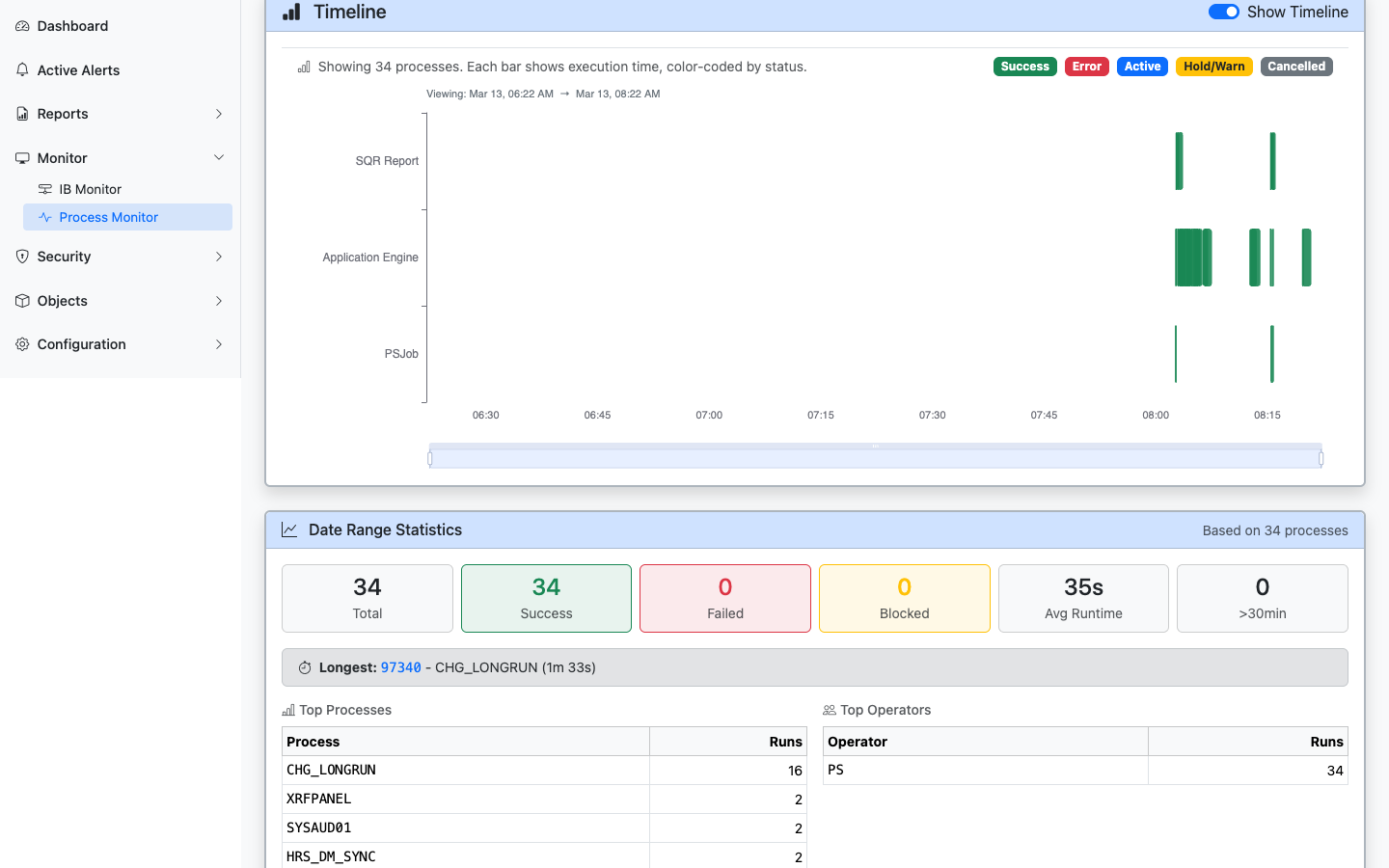
The Process Monitor shows process requests that have run or are currently running. This is the main operational view for the Process Scheduler — open it to see what is running, queued, or recently failed.

<figure><img src="/images/screenshots/process-monitor.png"
    alt="Process Monitor showing running and completed processes with timeline and statistics"><figcaption>
      <p>Process Monitor with search filters, timeline visualization, statistics, and process request details</p>
    </figcaption>
</figure>


### What You Can Do

- **View Active and Queued Jobs:** See running process requests (Initiated and Processing status) and queued or recently completed requests.
- **Filter and Search:** Filter by process name, user, status, and date range.
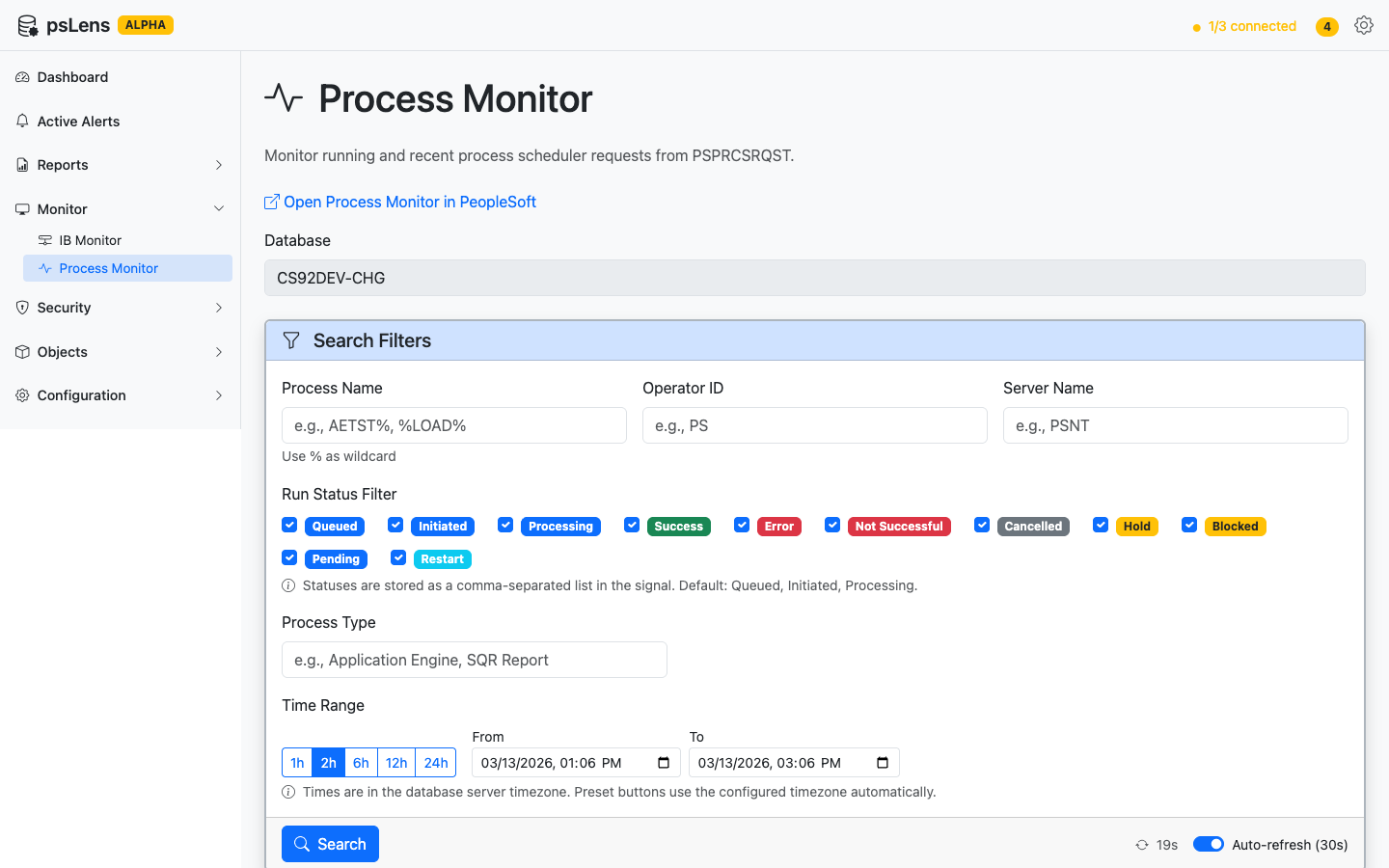
- **Drill Into Details:** Click a process instance to see its full details: status, run dates, server, output, and log information.

<figure><img src="/images/screenshots/process-monitor-timeline.png"
    alt="Process Monitor timeline showing execution bars color-coded by status with date range statistics"><figcaption>
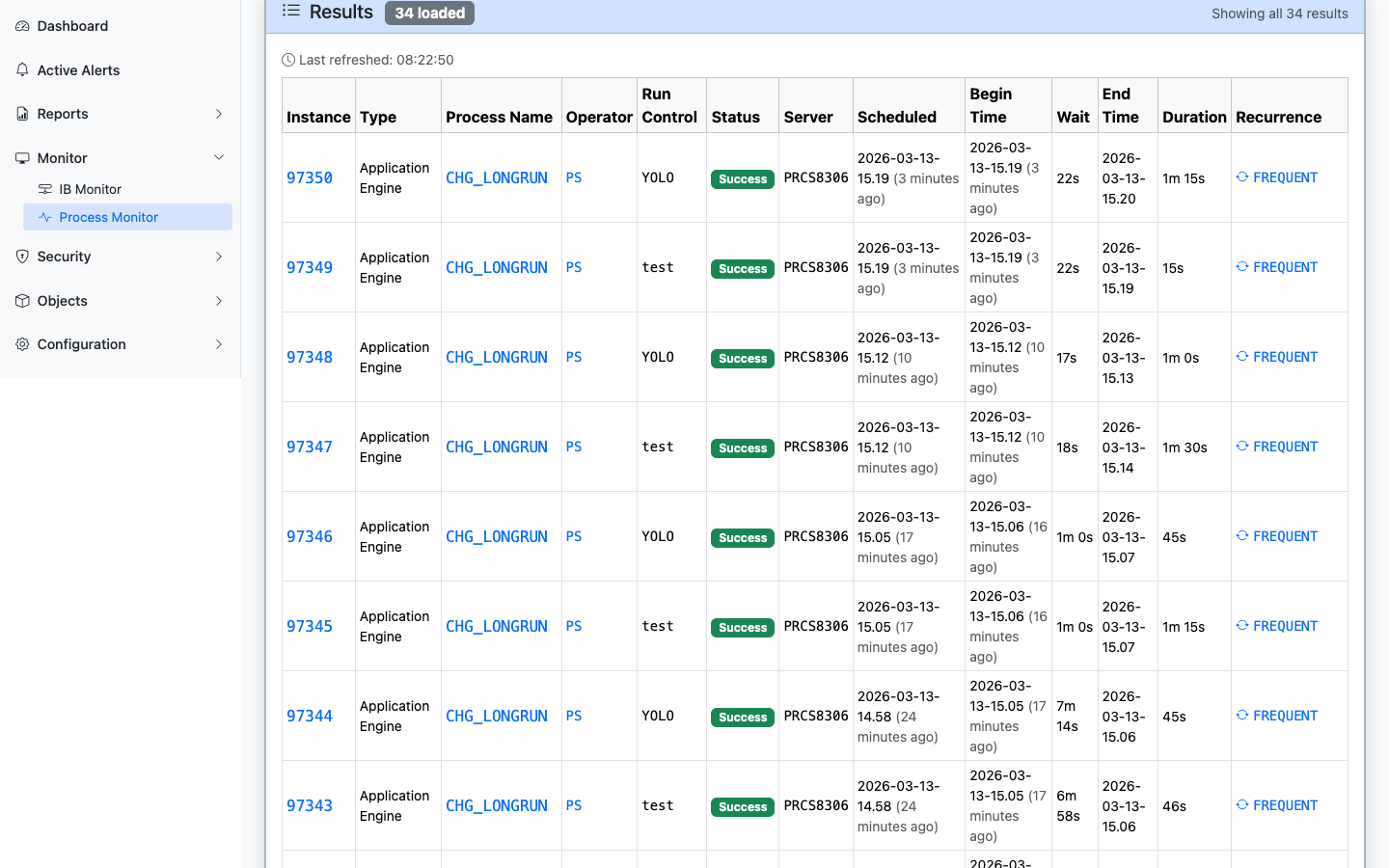
      <p>Timeline visualization with color-coded execution bars, date range statistics, top processes, and top operators</p>
    </figcaption>
</figure>


<figure><img src="/images/screenshots/process-monitor-results.png"
    alt="Process Monitor results table with clickable instance links, status badges, and recurrence links"><figcaption>
      <p>Process request results with clickable links to process instances, definitions, operators, and recurrences</p>
    </figcaption>
</figure>


### When It's Useful

- Checking whether a scheduled process ran successfully.
- Investigating a process failure (the detail view shows status codes and timing).
- Seeing what is currently running on a server.
- Responding to a **Long-Running Processes** alert from the dashboard.

### Process Status Reference

|     Status     |                           Meaning                            |
| -------------- | ------------------------------------------------------------ |
| Queued         | Waiting to be picked up by a Process Scheduler server        |
| Initiated      | Server has picked up the request and is starting the process |
| Processing     | Process is actively running                                  |
| Success        | Process completed successfully                               |
| Error          | Process ended with an error condition                        |
| Not Successful | Process ran but reported a non-success result                |
| Unable to Post | Output could not be delivered                                |
| Cancelled      | Process was cancelled before it completed                    |

---

### Alerts for Process Scheduler

Two alert types monitor the Process Scheduler automatically:

- **[Long-Running Processes](/docs/alerts/process-scheduler/long-running-processes/)** — Flags processes that have been running longer than the configured threshold.
- **[Process Errors](/docs/alerts/process-scheduler/process-errors/)** — Finds processes that have failed within the lookback window.

When these alerts fire, the dashboard shows them with direct links to the relevant Process Monitor entries.