Object Relationships — Structural guide and Mermaid diagrams illustrating how PeopleSoft fields, records, pages, components, menus, portal CREFs, and security definitions interrelate.
psLens lets you search and explore the core PeopleSoft metadata objects that define how the application is built. Every object type has the same two-step flow: a search page where you find what you’re looking for, and a detail page that consolidates everything psLens knows about that object across the database.
Useful when you need to look up an object without firing up App Designer.
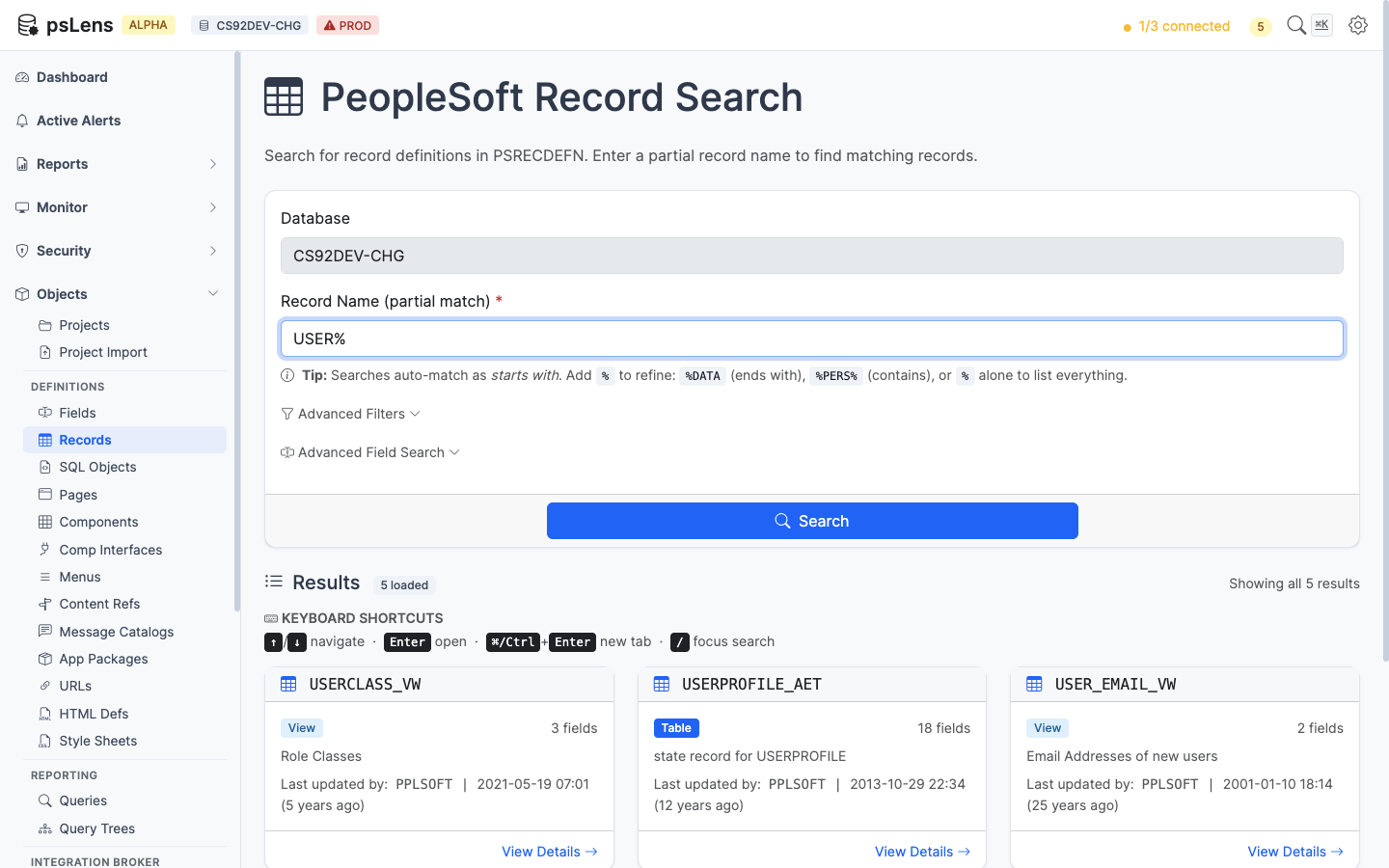
Searching for records by name with results displayed as cards
Search and Navigation
How Search Works
All metadata pages share the same search behavior:
Type at least a partial name in the search box.
Results appear automatically after a short pause (no need to press Enter).
Results are paginated — scroll down to load more.
Click any result card to open the detail view.
Search auto-matches as starts with — typing PS finds PSCLASSDEFN, PSMENUITEM, and so on. For more control, include % yourself: %SECURITY (ends with), %PERS% (contains), or just % to list every row. The per-object pages below note when a specific search box uses different behavior (for example, SQL Object search runs against the SQL text body, not just the name).
Cross-Object Navigation
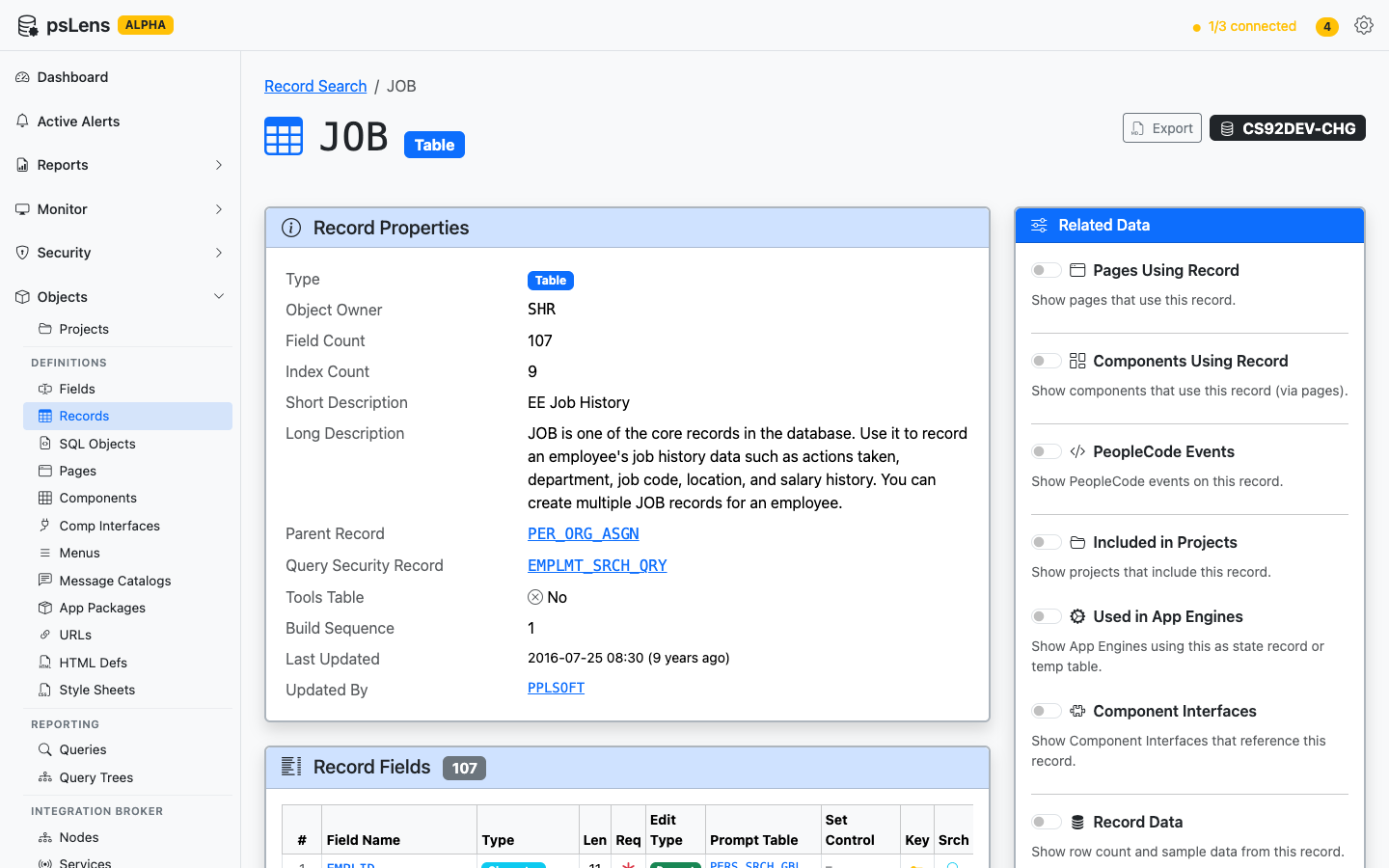
The detail page for each object type follows a consistent layout: main properties on the left, and a right-side Related Data sidebar with toggles that fetch additional information on demand. Toggling a panel ON fires a request, and the result loads inline. Each toggle runs a single query against the underlying tables (PSPRSMDEFN ancestors, PSPCMPROG references, etc.) and renders the result in place. The pattern is the same across every object type.
Where it makes sense, every linked reference (a record name, a field name, a component, a project) is clickable and navigates to that object’s own detail page, so you can chase a question across the application metadata in a few clicks.
Exporting Object Definitions
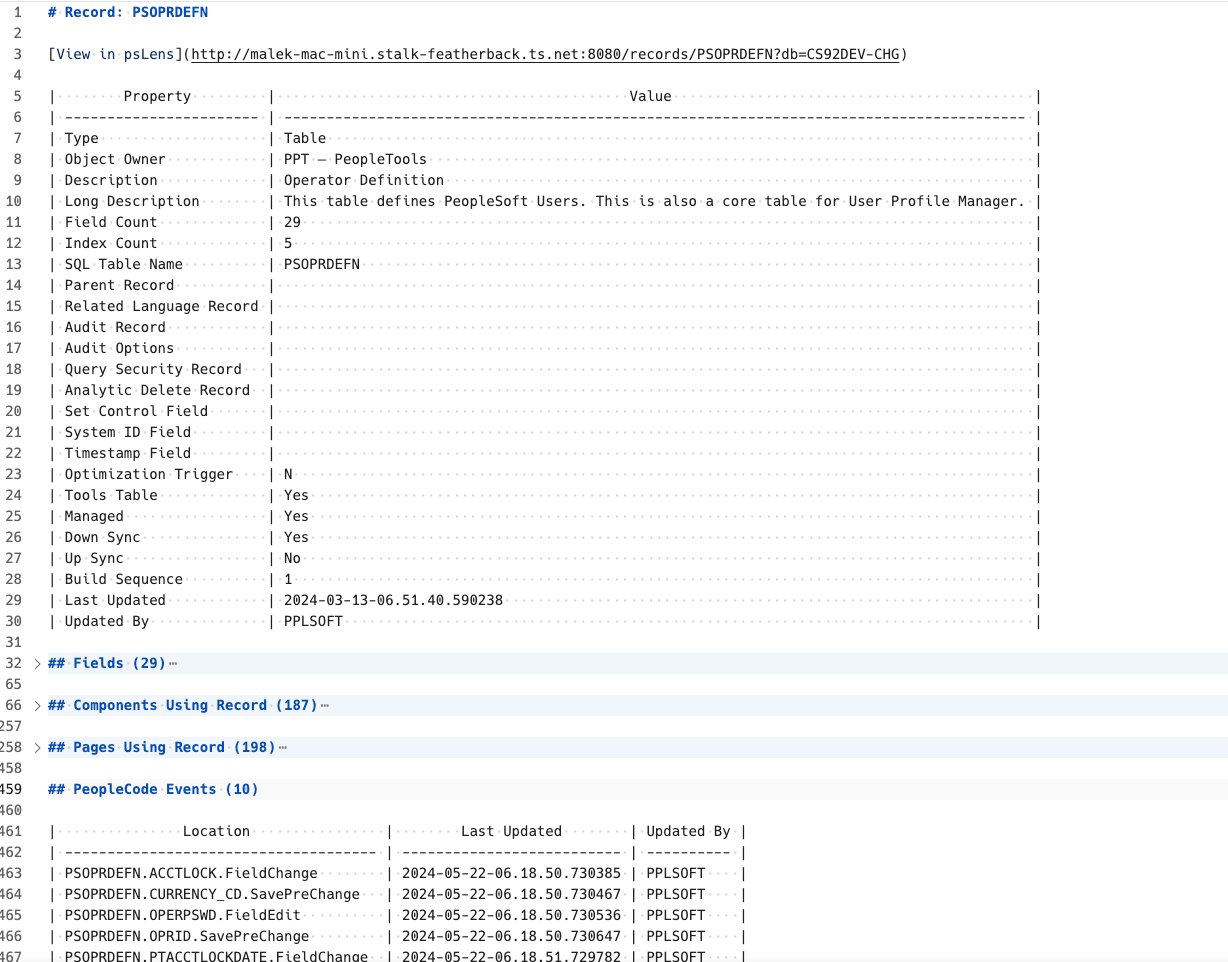
Every PeopleSoft object detail page in psLens supports exporting its full definition as a Markdown file. Look for the Export as Markdown card on the detail page. This is useful for documentation, code reviews, or sharing object details outside of psLens — and the structured Markdown format is ideal as input to AI tools like ChatGPT or Claude.
The export preserves object structure, related data, and code in a format that works in docs, code review, and AI workflows
Each detail page consolidates the object definition, related data, and export path in one browser view
Deep Links to PIA
Every detail page surfaces a link out to the corresponding App Designer or PIA navigation in PeopleSoft, so you can jump from a psLens view straight into the live environment when you need to make a change.
See Metadata Browsing Live
The object docs show the surface area. A live walkthrough is where the value becomes obvious: how quickly a user can move from a name search to the exact record, page, component, service, or process definition they need.