# Application Packages

> Browse PeopleSoft Application Package class hierarchies with methods, properties, service operation usage, and PeopleCode references.

---

LLMS index: [llms.txt](/llms.txt)

---

<div id="pslens-context-panel" class="card border-info mb-4 d-none">
  <div class="card-header bg-light text-info py-2 fw-bold d-flex align-items-center border-bottom border-info-subtle">
    <i class="bi bi-info-circle-fill me-2"></i>
    <span>Tailored Operational Context</span>
  </div>
  <div class="card-body p-0">
    <ul class="list-group list-group-flush">
      <li id="row-db" class="list-group-item d-flex align-items-center justify-content-between py-2 d-none">
        <strong>Target Database:</strong>
        <span id="ctx-db" class="badge bg-secondary font-monospace">&mdash;</span>
      </li>
      <li id="row-type" class="list-group-item d-flex align-items-center justify-content-between py-2 d-none">
        <strong>Context Type:</strong>
        <span id="ctx-type" class="badge bg-light text-dark border font-monospace text-uppercase">&mdash;</span>
      </li>
      <li id="row-severity" class="list-group-item d-flex align-items-center justify-content-between py-2 d-none">
        <strong>Alert Severity:</strong>
        <span id="ctx-severity" class="badge">&mdash;</span>
      </li>
      <li id="row-time" class="list-group-item d-flex align-items-center justify-content-between py-2 d-none">
        <strong>Triggered Time:</strong>
        <span id="ctx-time" class="text-muted small">&mdash;</span>
      </li>
      <li id="row-details" class="list-group-item py-2 d-none">
        <strong id="label-details" class="d-block mb-1">Firing Context:</strong>
        <code id="ctx-details" class="d-block p-2 bg-light border rounded small" style="white-space: pre-wrap; word-break: break-all;">&mdash;</code>
      </li>
    </ul>
  </div>
</div>

<script>
  (function() {
    const params = new URLSearchParams(window.location.search);
    const metadata = params.get('metadata');
    if (!metadata) return;

    try {
      
      const base64 = metadata.replace(/-/g, '+').replace(/_/g, '/');
      const jsonStr = decodeURIComponent(escape(window.atob(base64)));
      const data = JSON.parse(jsonStr);

      if (data) {
        let hasData = false;

        if (data.db) {
          document.getElementById('ctx-db').textContent = data.db;
          document.getElementById('row-db').classList.remove('d-none');
          hasData = true;
        }

        if (data.type) {
          document.getElementById('ctx-type').textContent = data.type;
          document.getElementById('row-type').classList.remove('d-none');
          hasData = true;
        }

        if (data.severity) {
          const severityBadge = document.getElementById('ctx-severity');
          const severity = data.severity.toLowerCase();
          severityBadge.textContent = severity.toUpperCase();
          if (severity === 'critical') {
            severityBadge.className = 'badge bg-danger';
          } else if (severity === 'warning') {
            severityBadge.className = 'badge bg-warning text-dark';
          } else {
            severityBadge.className = 'badge bg-info';
          }
          document.getElementById('row-severity').classList.remove('d-none');
          hasData = true;
        }

        if (data.t) {
          const date = new Date(data.t * 1000);
          document.getElementById('ctx-time').textContent = date.toLocaleString();
          document.getElementById('row-time').classList.remove('d-none');
          hasData = true;
        }

        if (data.details) {
          document.getElementById('ctx-details').textContent = data.details;

          
          const labelDetails = document.getElementById('label-details');
          if (data.type === 'object') {
            labelDetails.textContent = 'Object Metadata Details:';
          } else if (data.type === 'report') {
            labelDetails.textContent = 'Report Description:';
          } else {
            labelDetails.textContent = 'Firing Context:';
          }

          document.getElementById('row-details').classList.remove('d-none');
          hasData = true;
        }

        if (hasData) {
          document.getElementById('pslens-context-panel').classList.remove('d-none');
        }
      }
    } catch (e) {
      console.error('Failed to parse operational context metadata:', e);
    }
  })();
</script>


## What It Is

Application Packages are PeopleSoft's object-oriented PeopleCode container — packages hold sub-packages and classes, classes hold methods and properties. They are the standard way to write reusable PeopleCode in PeopleSoft applications. psLens walks the package tree (`PSPACKAGEDEFN`, `PSPACKAGEITEM`, `PSPCMPROG`) and shows the full class hierarchy plus a reverse index of where the package is used: by service operation handlers, by other PeopleCode, and in which projects.

## Search Page

URL: `/apppackages?db={database}`

<figure><img src="/images/screenshots/metadata/app-packages-search.png"
    alt="App Package search results for PT_PAGE% showing PT_PAGE_UTILS"><figcaption>
      <p>App Package search results for <code>PT_PAGE%</code></p>
    </figcaption>
</figure>


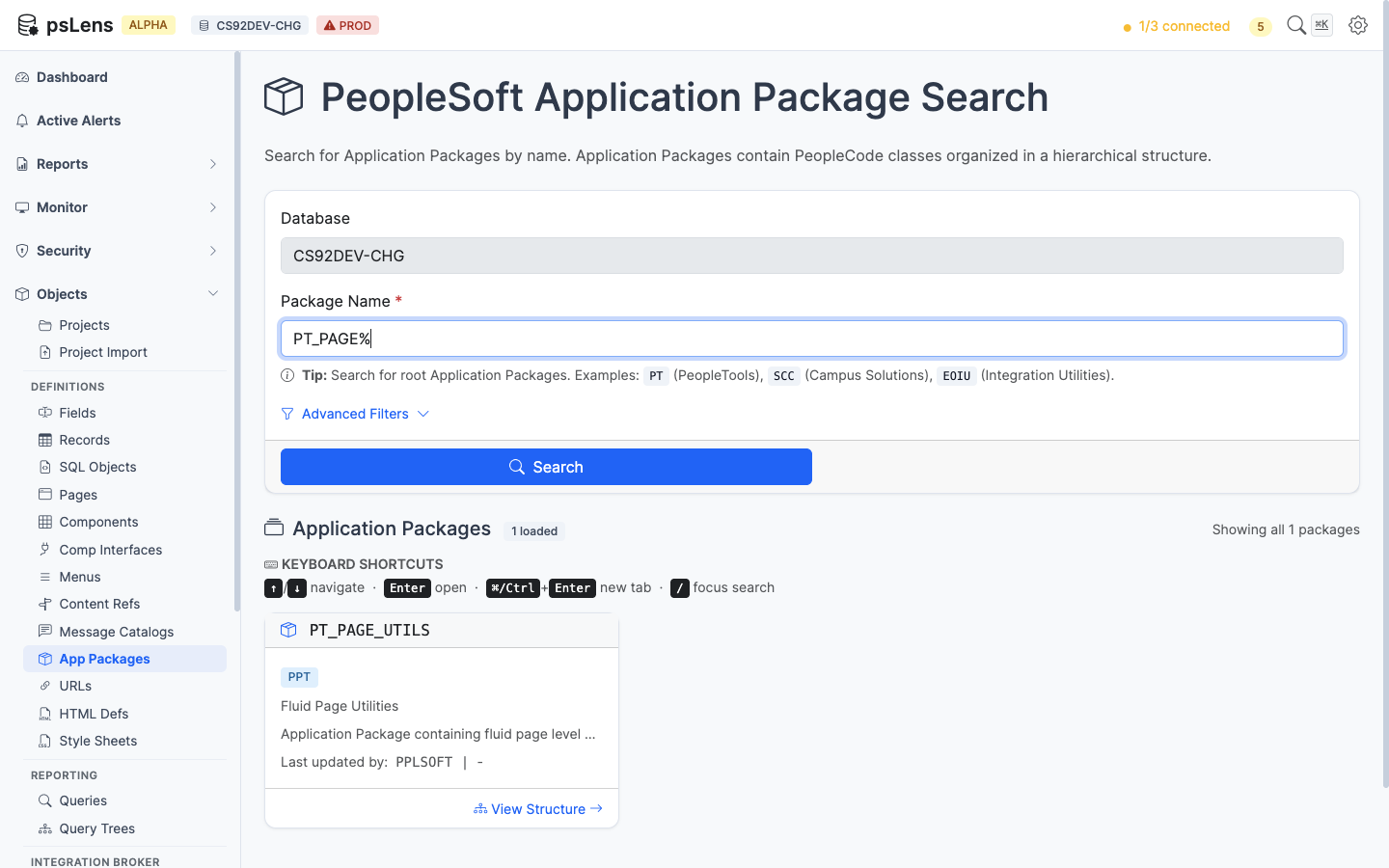
Wildcard `%` search supported. Each result card shows the package name and the top-level class names inside it.

## Detail Page

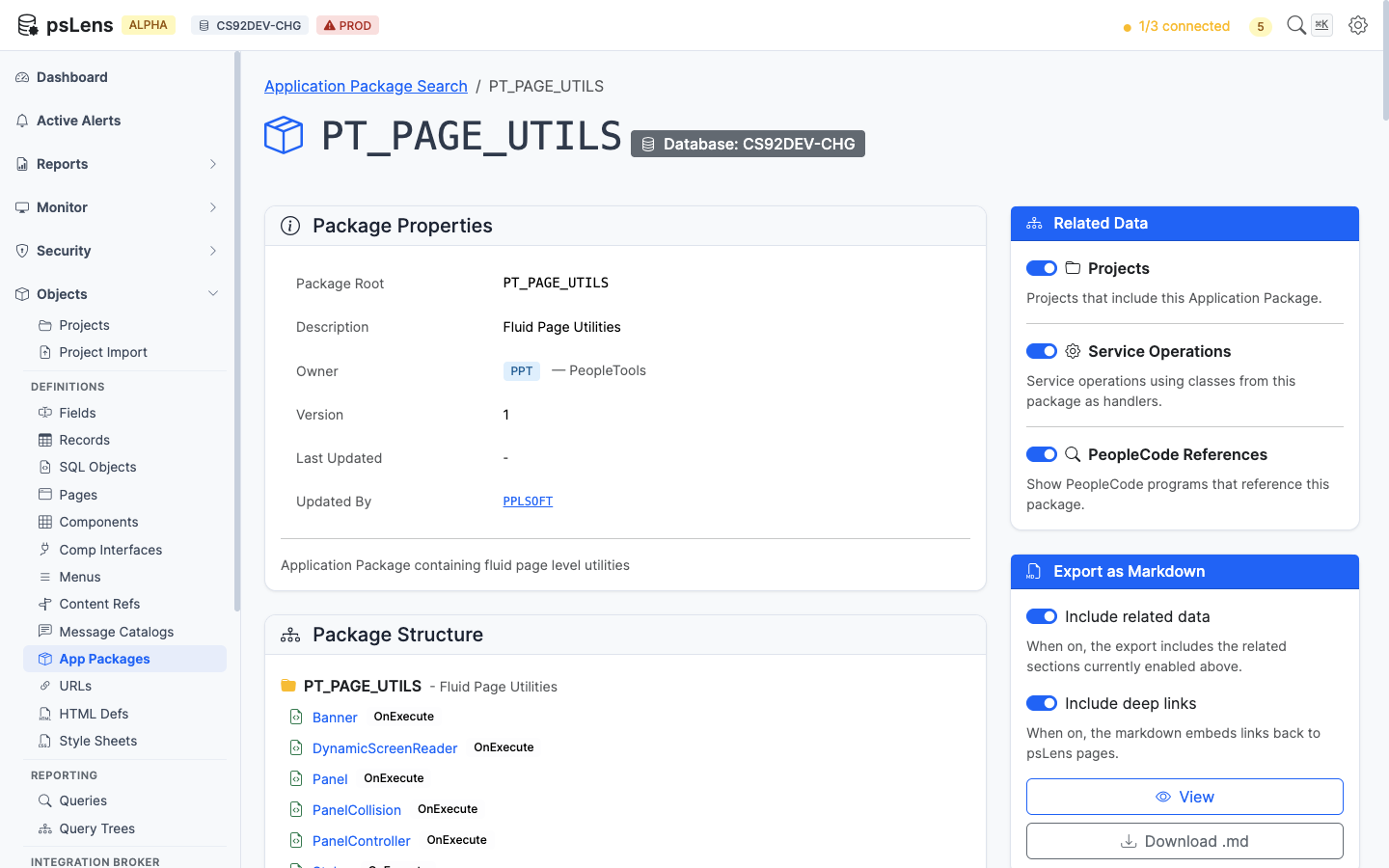
URL: `/apppackages/{PACKAGENAME}?db={database}`

<figure><img src="/images/screenshots/metadata/app-packages-detail.png"
    alt="Detail page for PT_PAGE_UTILS app package"><figcaption>
      <p>App Package detail page for <code>PT_PAGE_UTILS</code></p>
    </figcaption>
</figure>


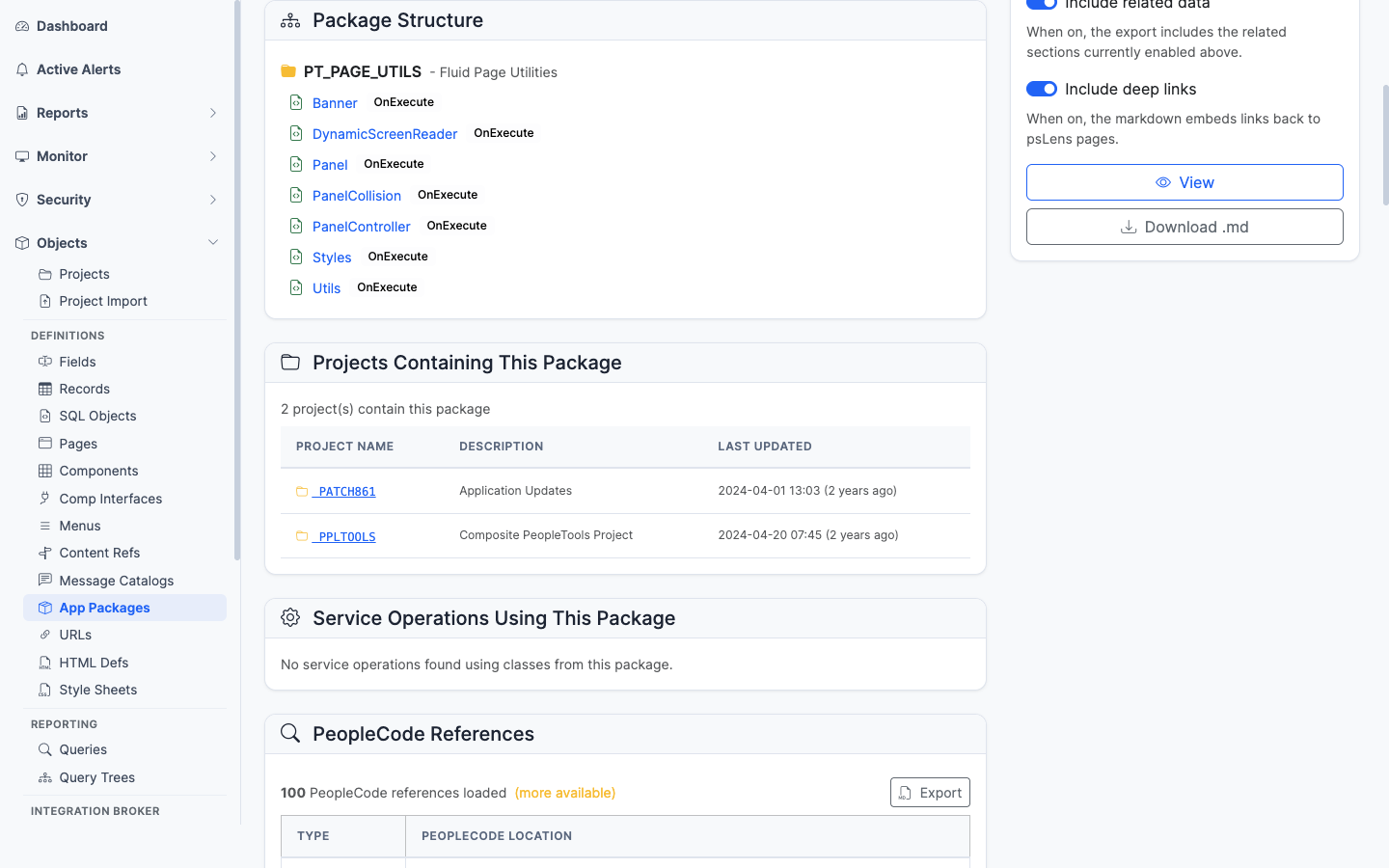
The main pane shows **Package Properties** (owner, last-updated, source path) and the full **Package Structure**, a recursive tree of sub-packages and classes with methods, properties, and visibility markers. The sidebar has 3 related-data toggles.

## Related Data Panels

### Package Structure

<figure><img src="/images/screenshots/metadata/app-packages-panel-structure.png"
    alt="Package Structure card"><figcaption>
      <p>The recursive package/class/method tree</p>
    </figcaption>
</figure>


The recursive package tree showing every sub-package, class, method, and property. The equivalent of expanding every node in App Designer's package browser at once. Methods link into their PeopleCode source.

### Projects Containing This Package

<figure><img src="/images/screenshots/metadata/app-packages-panel-projects.png"
    alt="Projects Containing This Package panel"><figcaption>
      <p>App Designer projects that include this package</p>
    </figcaption>
</figure>


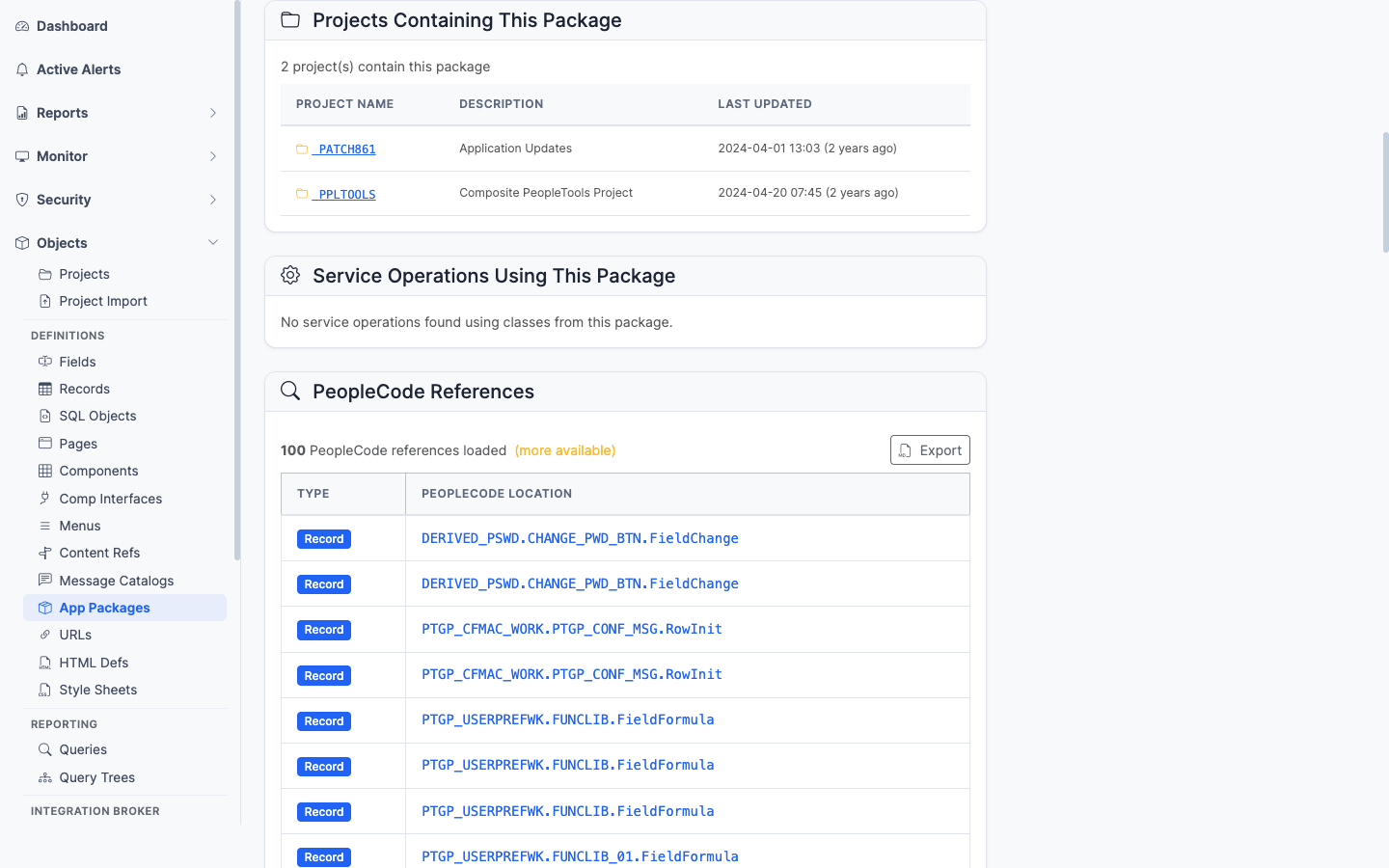
App Designer projects that include this package as a project item.
### Service Operations Using This Package

<figure><img src="/images/screenshots/metadata/app-packages-panel-service-ops.png"
    alt="Service Operations Using This Package panel"><figcaption>
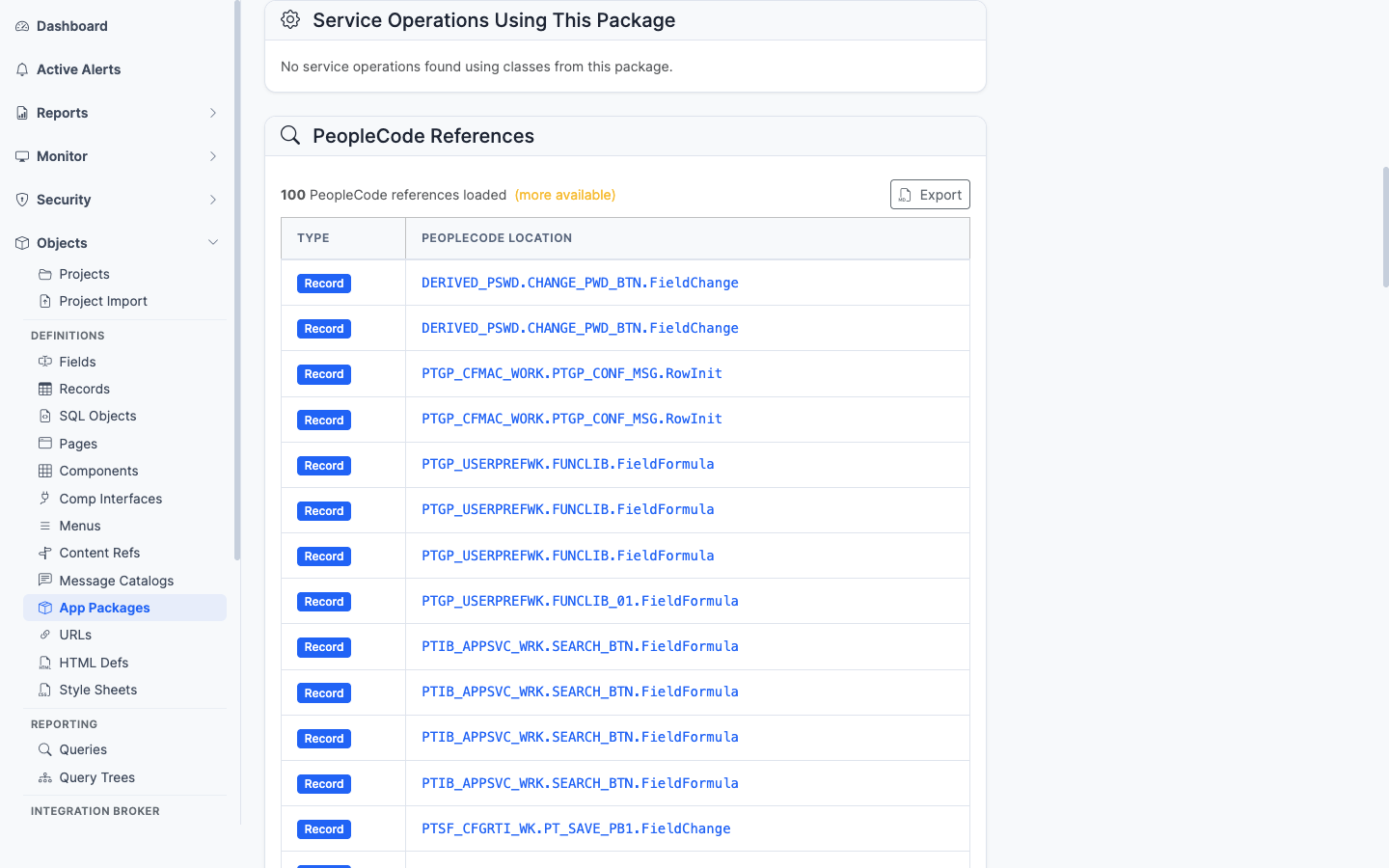
      <p>Integration Broker service operation handlers using this package</p>
    </figcaption>
</figure>


Integration Broker service operations whose handler is implemented in this package. Lists the IB endpoints that route through this code.

### PeopleCode References

<figure><img src="/images/screenshots/metadata/app-packages-panel-pc-references.png"
    alt="PeopleCode References panel for the app package"><figcaption>
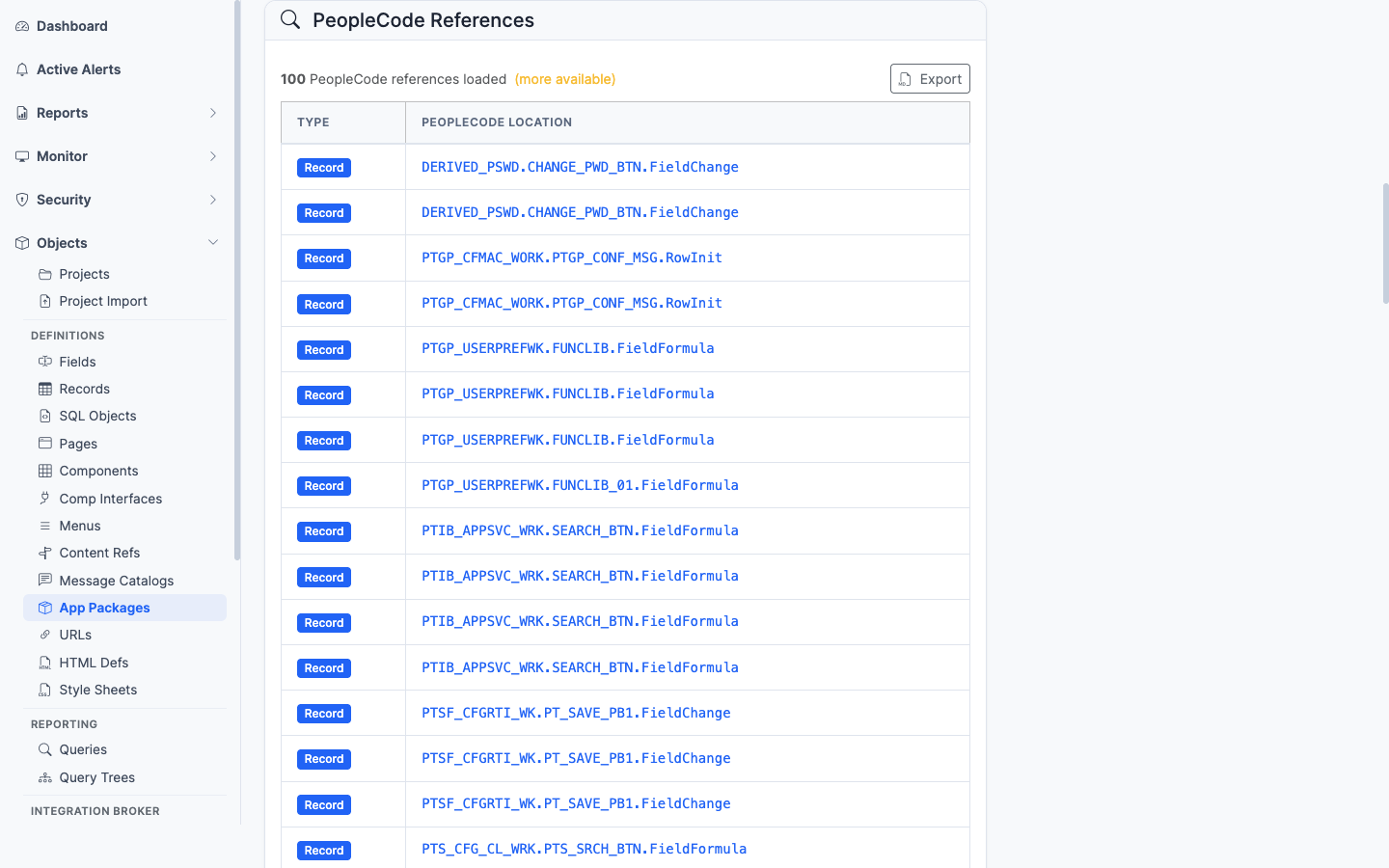
      <p>PeopleCode programs anywhere in the database that import or instantiate this package</p>
    </figcaption>
</figure>


PeopleCode programs anywhere in the database that `import` or instantiate classes from this package — the impact view before refactoring.

## What This Consolidates

In App Designer:

- Open the package and expand sub-packages by hand to see the class tree
- Open each class to see methods and properties
- Run **Find In PeopleCode** to find import statements referencing the package
- Open Integration Broker service operations one at a time to find handler classes
- Open each owning project for migration history

psLens shows the package tree fully expanded, every reference call site, and the IB handler usage on one page. Useful when picking up unfamiliar code: package structure, callers, and IB handler usage in one view.