Components
Categories:
- Target Database: —
- Context Type: —
- Alert Severity: —
- Triggered Time: —
- Firing Context:
—
Components (called panel groups in older PeopleTools versions) are the user-facing transactions of a PeopleSoft application: a search page plus an ordered set of detail pages that share a single save action. psLens reads PSPNLGROUP / PSPNLGRPDEFN and links the component up to its menus, portal navigation paths, exposing component interfaces, the underlying record hierarchy, and the full PeopleCode event tree.
Object Relationships
Components unite visual pages, database records, security grants, and navigation:
- Groups Pages: Components (
PSPNLGRPDEFN) assemble ordered lists of pages (PSPNLGROUP) into a unified transaction with shared state. - Driven by Search Records: Components rely on a primary search record (
SEARCHRECNAME) to execute key lookups and search dialogs. - Linked to Menus: Components are assigned to menu items (
PSMENUITEM) inside classic menus (PSMENUDEFN). - Targeted by CREFs & CIs: Portal Content References (
PSPRSMDEFN) expose components to users, and Component Interfaces (PSBCDEFN) expose them to API code.
How psLens Improves Component Inspection
Tracing component metadata in Application Designer and PIA requires opening the component item list, walking page tabs to confirm record bindings, running Find In Menus for classic navigation links, navigating the Portal Registry browser for CREF breadcrumbs, searching for exposing Component Interfaces, and opening event PeopleCode across multiple tabs.
psLens combines component properties, page lists, classic menu links, portal registry paths, exposing Component Interfaces, scroll record hierarchies, component event PeopleCode, and project membership onto a single screen.
Search Page
URL: /components?db={database}
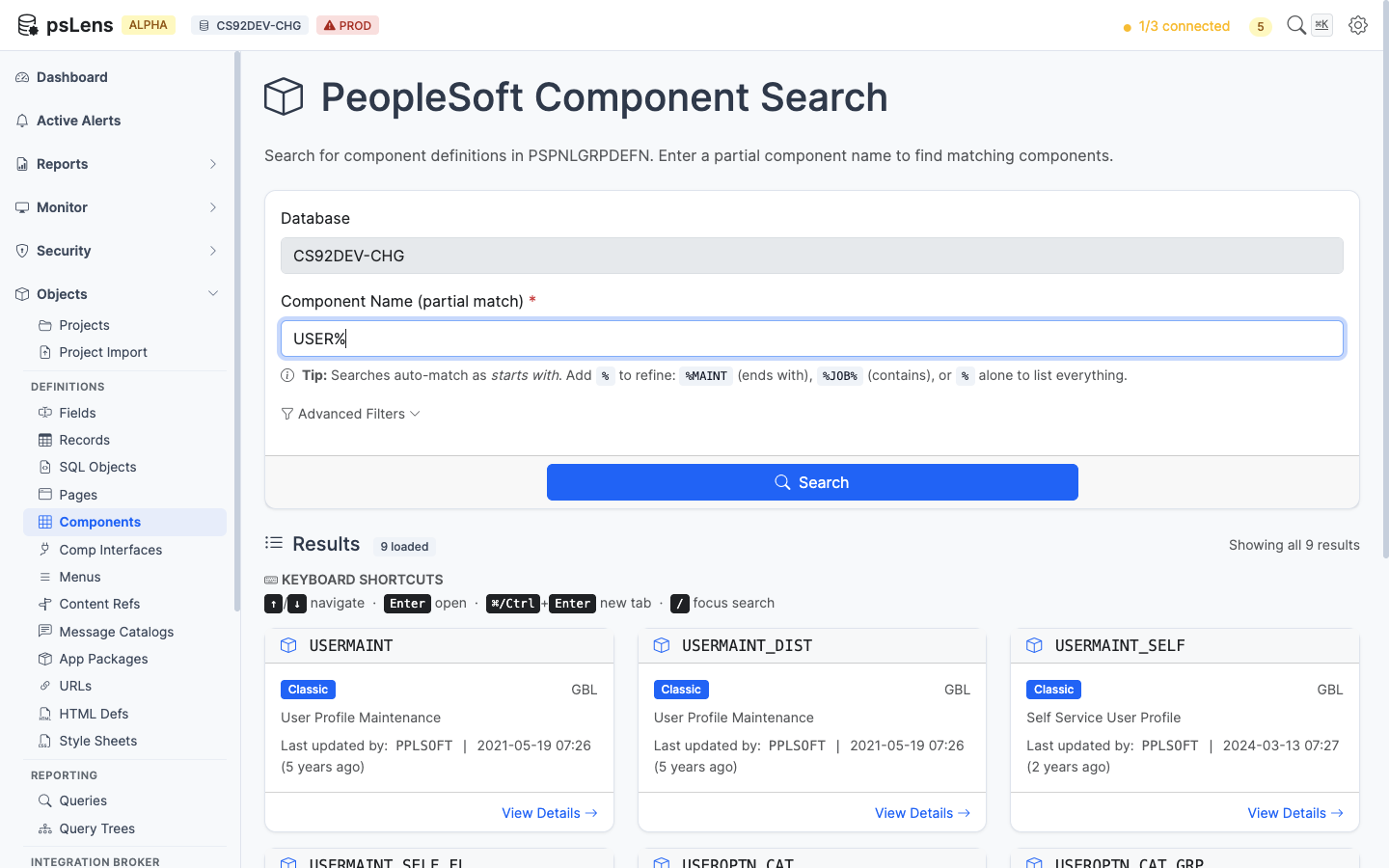
Component search results for USER%
Wildcard % search supported. Each result card shows the component market and use type (Classic, Fluid, Both). The Advanced Filters panel filters by market or component type.
Detail Page
URL: /components/{COMPONENT}?db={database}
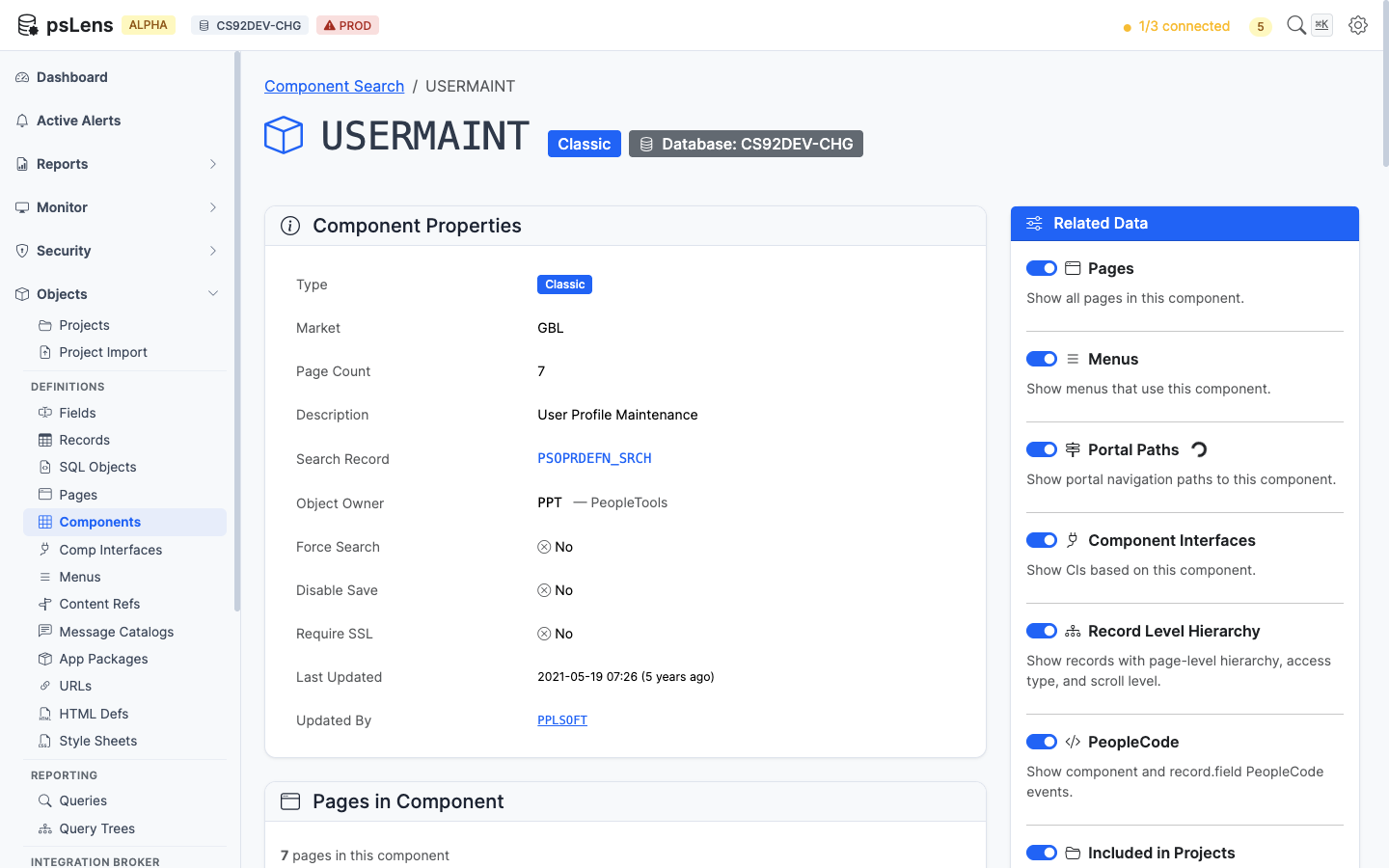
Component detail page for USERMAINT
The main pane shows Component Properties (market, search record, add search record, item description, add/update modes, search PeopleCode flags) and the Component Item List with every page in the component, its labeling, and the hide/display-only flags. The sidebar has 7 related-data toggles.
Related Data Panels
Pages in Component
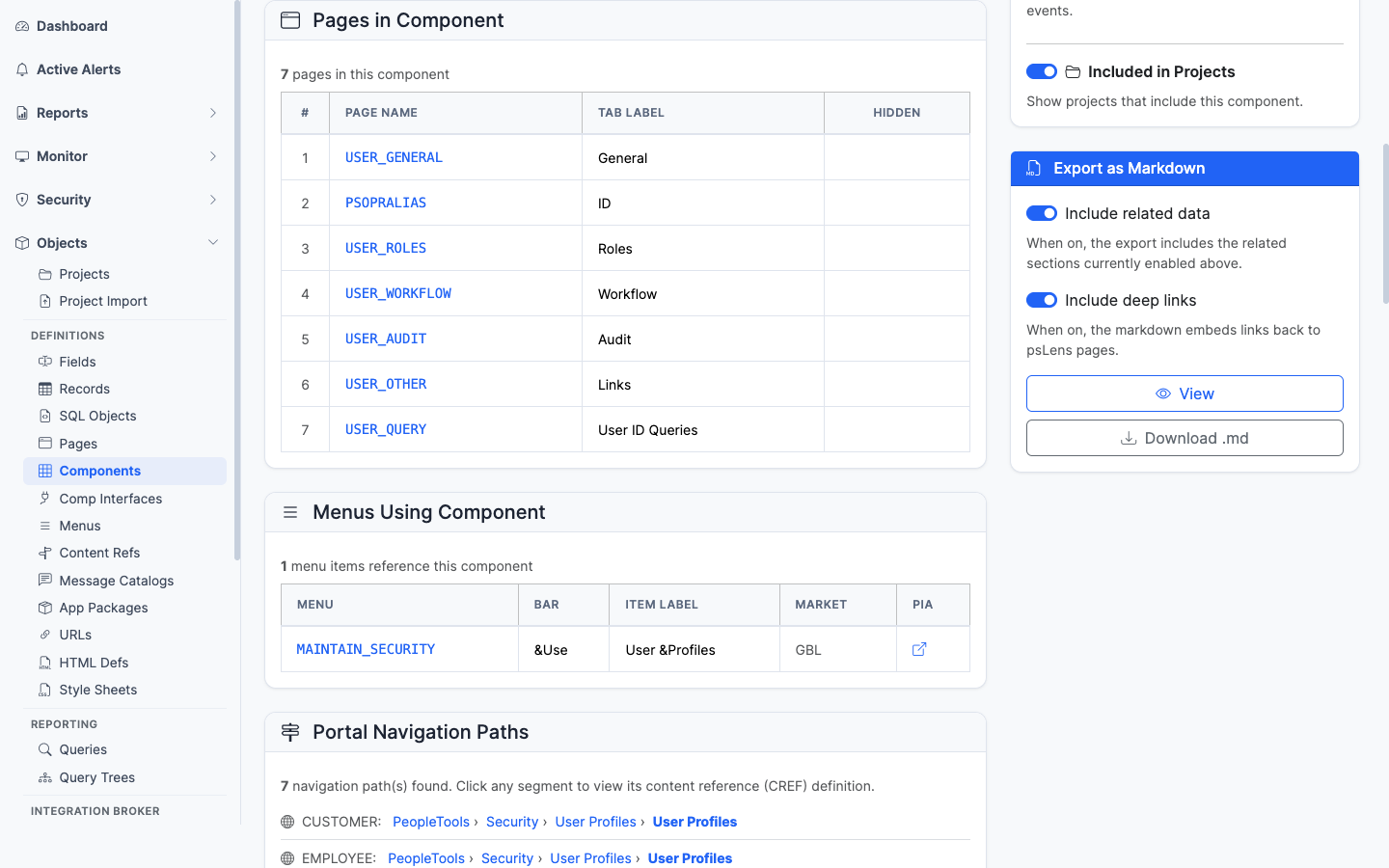
The ordered list of pages that make up this component
The page list with each page deep-linked into its own detail page.
Menus Using Component
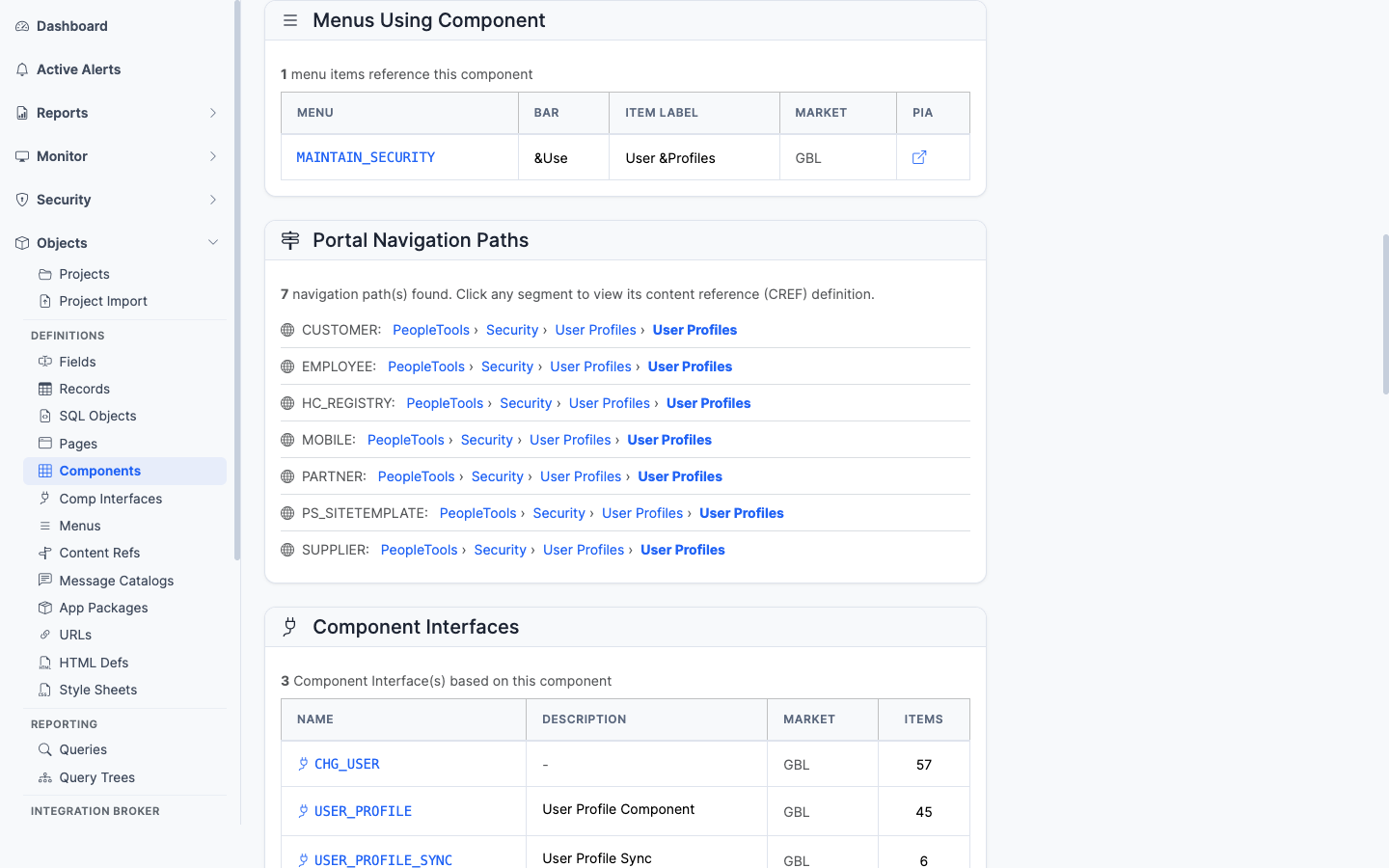
Classic menus that link to this component
Every classic menu (PSMENUITEM) that contains a navigation entry for this component. Important for security work since menu/component pairs drive Permission List authorizations.
Portal Navigation Paths
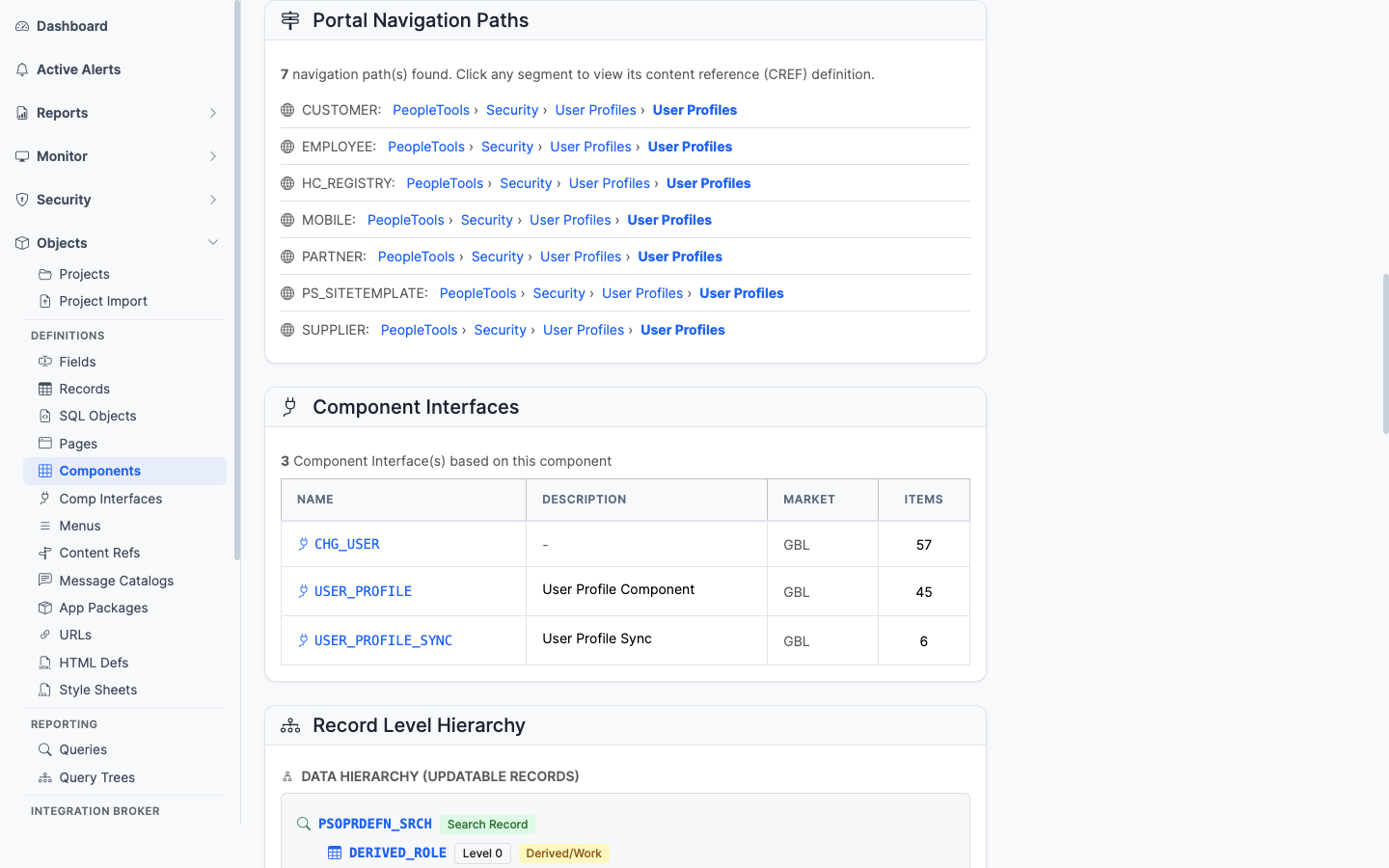
Every breadcrumb path that leads a user to this component in the portal registry
The full set of portal registry paths (PSPRSMDEFN ancestor walk) that lead a user to this component. Useful for “where is this transaction in the menu?” questions.
Component Interfaces
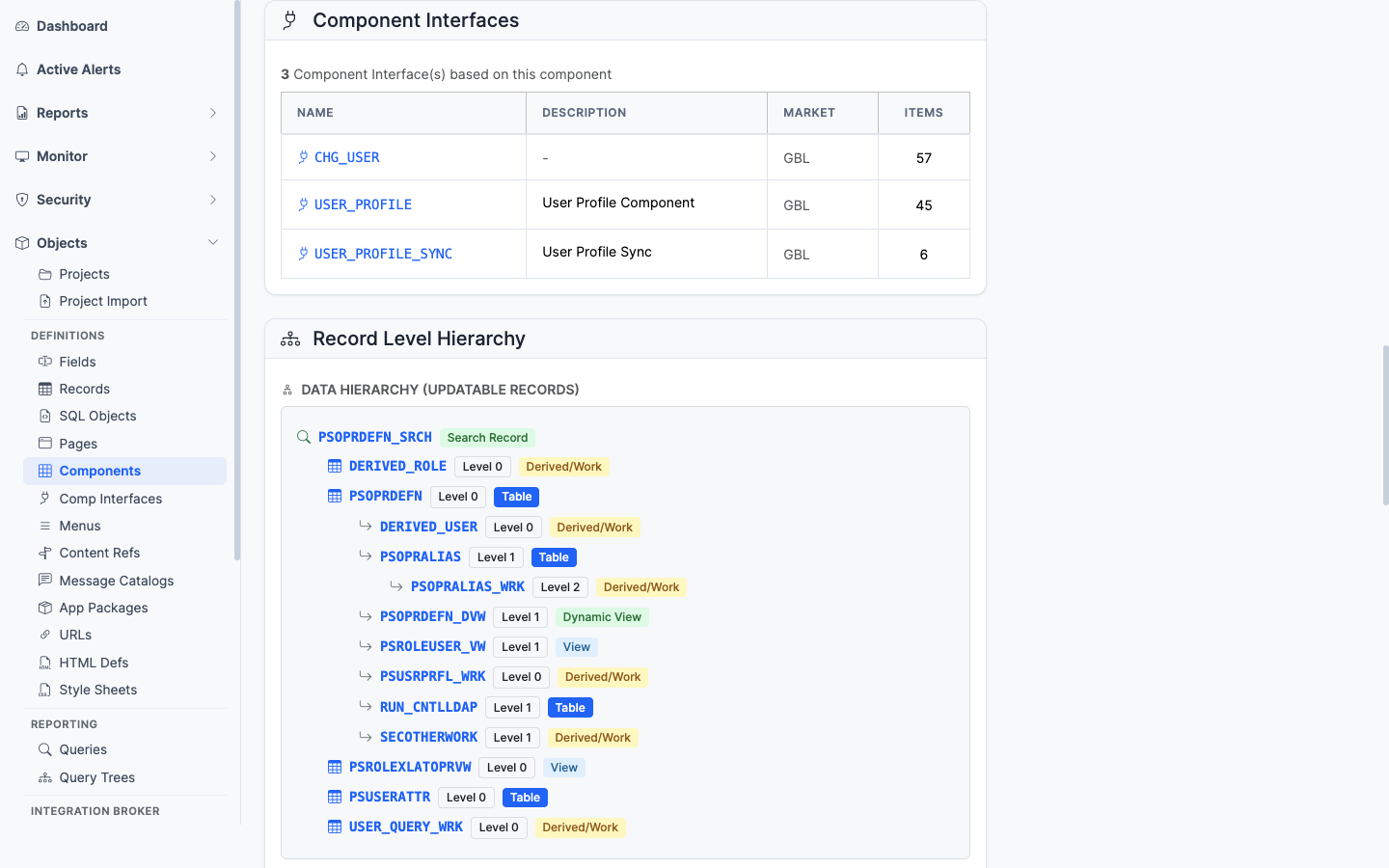
Component Interfaces that expose this component as an integration surface
The CIs (PSBCDEFN) that wrap this component as an integration surface. If you have CIs here, programmatic access exists.
Record Level Hierarchy
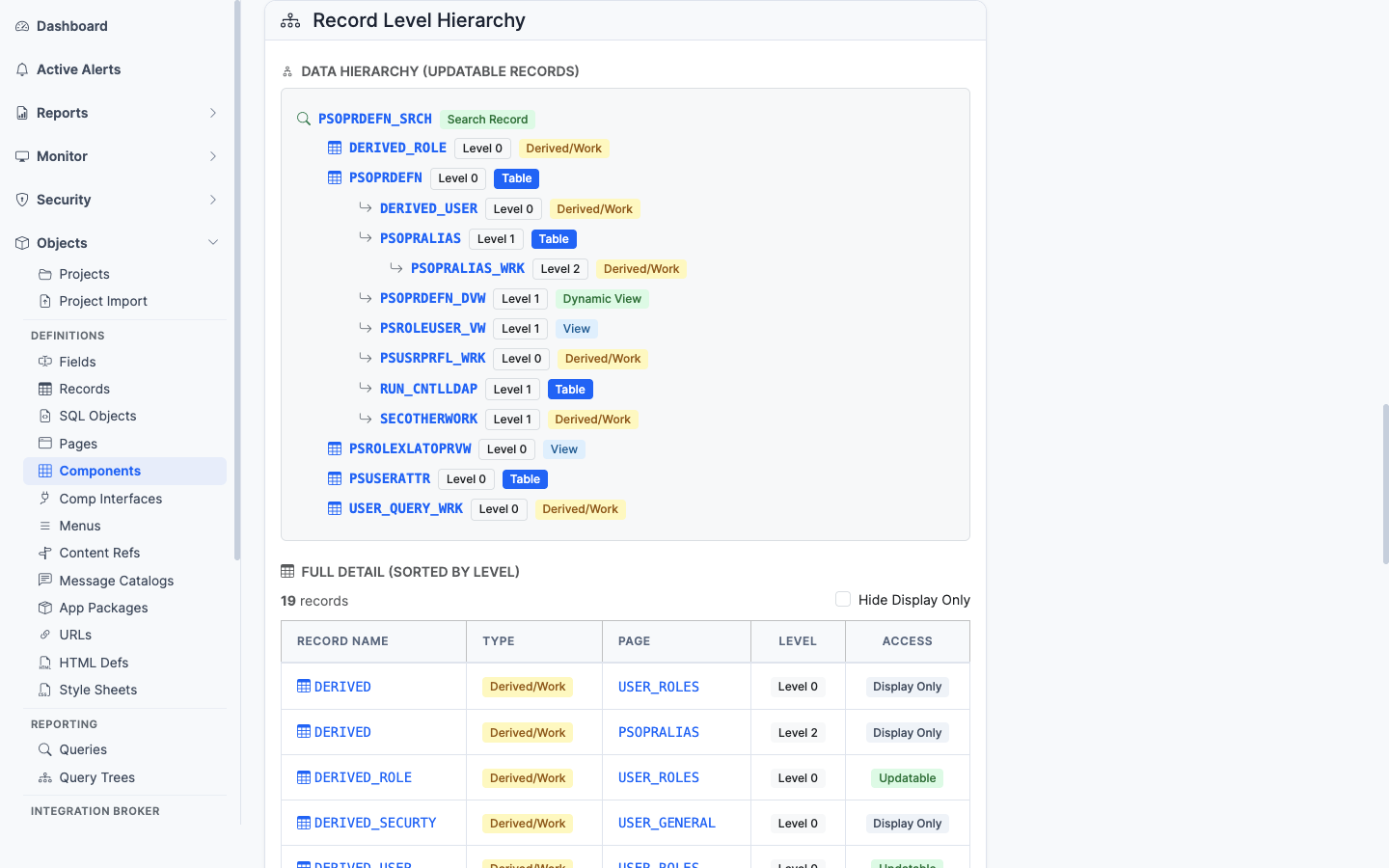
The component’s scroll/record hierarchy across its pages
The scroll/record hierarchy across the pages. Shows the parent-child relationships of records as the component sees them at runtime.
PeopleCode
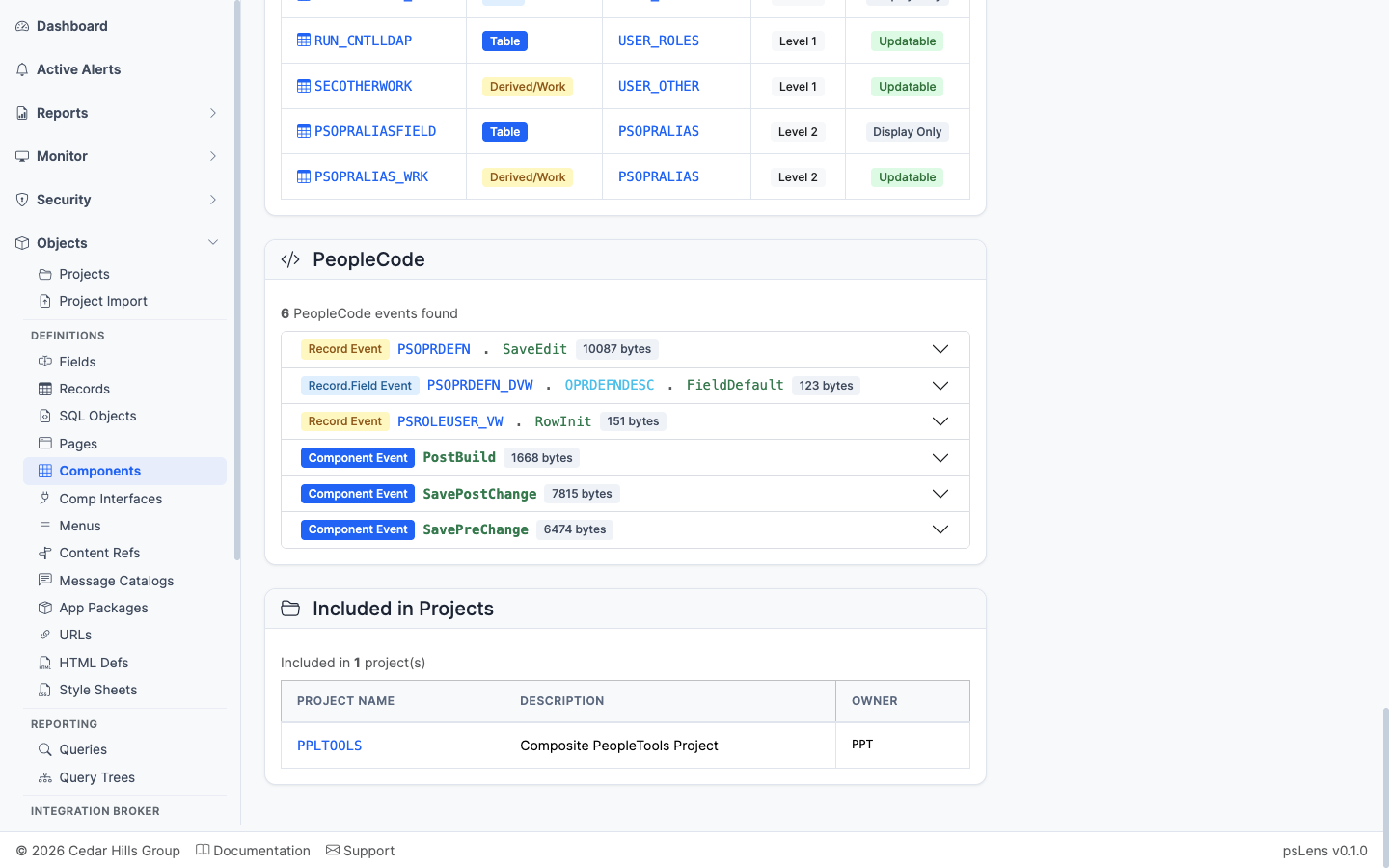
Component-level PeopleCode events
Component-level PeopleCode events (SearchInit, SearchSave, PreBuild, PostBuild, SavePreChange, SavePostChange, Workflow, etc.) and Component Record/Component Record Field PeopleCode.
Included in Projects
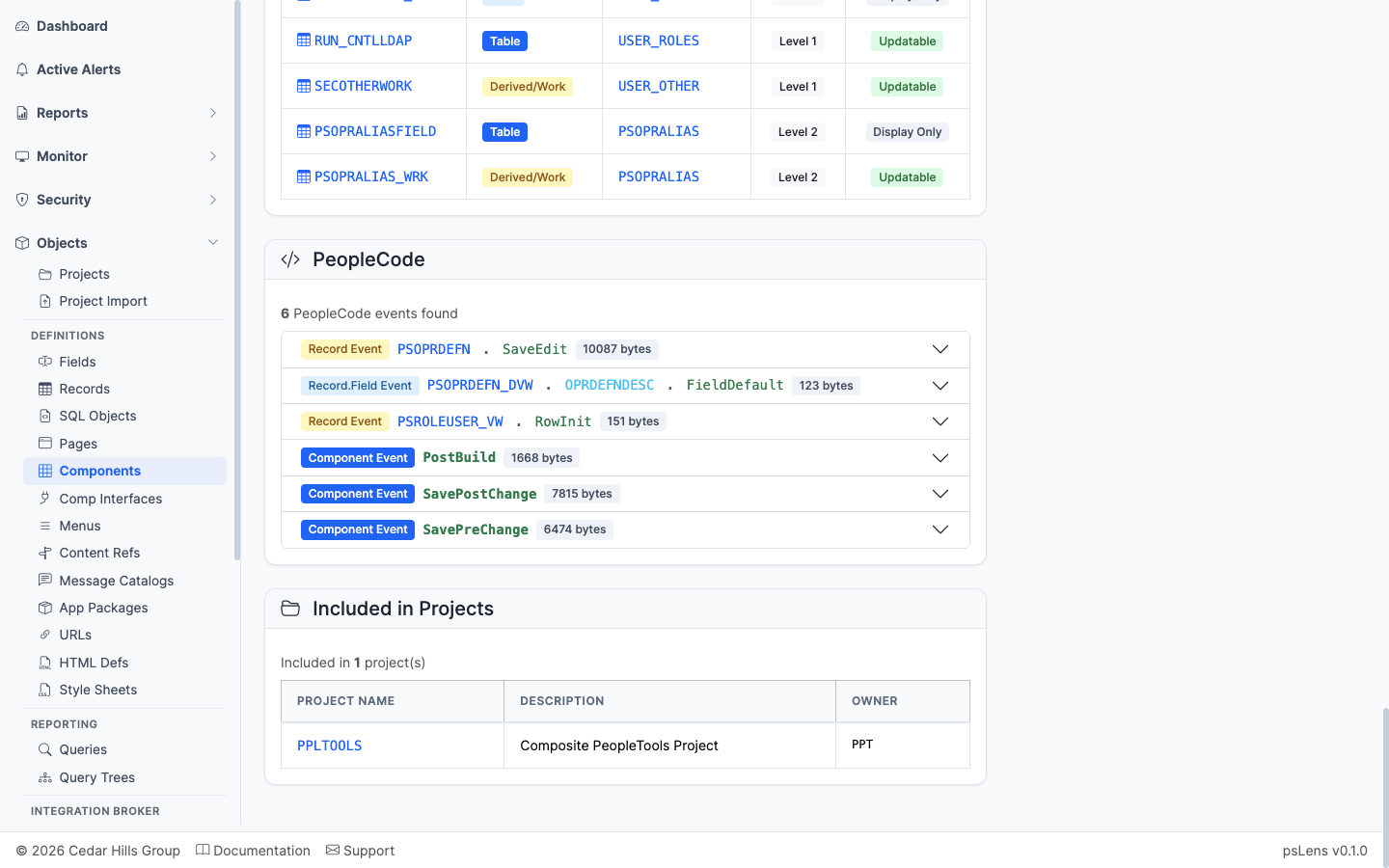
App Designer projects that include this component
App Designer projects containing this component as a project item.