# Components

> Browse PeopleSoft component definitions with pages, menus, portal paths, CIs, records, and PeopleCode in one view.

---

LLMS index: [llms.txt](/llms.txt)

---

<div id="pslens-context-panel" class="card border-info mb-4 d-none">
  <div class="card-header bg-light text-info py-2 fw-bold d-flex align-items-center border-bottom border-info-subtle">
    <i class="bi bi-info-circle-fill me-2"></i>
    <span>Tailored Operational Context</span>
  </div>
  <div class="card-body p-0">
    <ul class="list-group list-group-flush">
      <li id="row-db" class="list-group-item d-flex align-items-center justify-content-between py-2 d-none">
        <strong>Target Database:</strong>
        <span id="ctx-db" class="badge bg-secondary font-monospace">&mdash;</span>
      </li>
      <li id="row-type" class="list-group-item d-flex align-items-center justify-content-between py-2 d-none">
        <strong>Context Type:</strong>
        <span id="ctx-type" class="badge bg-light text-dark border font-monospace text-uppercase">&mdash;</span>
      </li>
      <li id="row-severity" class="list-group-item d-flex align-items-center justify-content-between py-2 d-none">
        <strong>Alert Severity:</strong>
        <span id="ctx-severity" class="badge">&mdash;</span>
      </li>
      <li id="row-time" class="list-group-item d-flex align-items-center justify-content-between py-2 d-none">
        <strong>Triggered Time:</strong>
        <span id="ctx-time" class="text-muted small">&mdash;</span>
      </li>
      <li id="row-details" class="list-group-item py-2 d-none">
        <strong id="label-details" class="d-block mb-1">Firing Context:</strong>
        <code id="ctx-details" class="d-block p-2 bg-light border rounded small" style="white-space: pre-wrap; word-break: break-all;">&mdash;</code>
      </li>
    </ul>
  </div>
</div>

<script>
  (function() {
    const params = new URLSearchParams(window.location.search);
    const metadata = params.get('metadata');
    if (!metadata) return;

    try {
      
      const base64 = metadata.replace(/-/g, '+').replace(/_/g, '/');
      const jsonStr = decodeURIComponent(escape(window.atob(base64)));
      const data = JSON.parse(jsonStr);

      if (data) {
        let hasData = false;

        if (data.db) {
          document.getElementById('ctx-db').textContent = data.db;
          document.getElementById('row-db').classList.remove('d-none');
          hasData = true;
        }

        if (data.type) {
          document.getElementById('ctx-type').textContent = data.type;
          document.getElementById('row-type').classList.remove('d-none');
          hasData = true;
        }

        if (data.severity) {
          const severityBadge = document.getElementById('ctx-severity');
          const severity = data.severity.toLowerCase();
          severityBadge.textContent = severity.toUpperCase();
          if (severity === 'critical') {
            severityBadge.className = 'badge bg-danger';
          } else if (severity === 'warning') {
            severityBadge.className = 'badge bg-warning text-dark';
          } else {
            severityBadge.className = 'badge bg-info';
          }
          document.getElementById('row-severity').classList.remove('d-none');
          hasData = true;
        }

        if (data.t) {
          const date = new Date(data.t * 1000);
          document.getElementById('ctx-time').textContent = date.toLocaleString();
          document.getElementById('row-time').classList.remove('d-none');
          hasData = true;
        }

        if (data.details) {
          document.getElementById('ctx-details').textContent = data.details;

          
          const labelDetails = document.getElementById('label-details');
          if (data.type === 'object') {
            labelDetails.textContent = 'Object Metadata Details:';
          } else if (data.type === 'report') {
            labelDetails.textContent = 'Report Description:';
          } else {
            labelDetails.textContent = 'Firing Context:';
          }

          document.getElementById('row-details').classList.remove('d-none');
          hasData = true;
        }

        if (hasData) {
          document.getElementById('pslens-context-panel').classList.remove('d-none');
        }
      }
    } catch (e) {
      console.error('Failed to parse operational context metadata:', e);
    }
  })();
</script>


## What It Is

Components (called panel groups in older PeopleTools versions) are the user-facing transactions of a PeopleSoft application: a search page plus an ordered set of detail pages that share a single save action. psLens reads `PSPNLGROUP` / `PSPNLGRPDEFN` and links the component up to its menus, portal navigation paths, exposing component interfaces, the underlying record hierarchy, and the full PeopleCode event tree.

## Search Page

URL: `/components?db={database}`

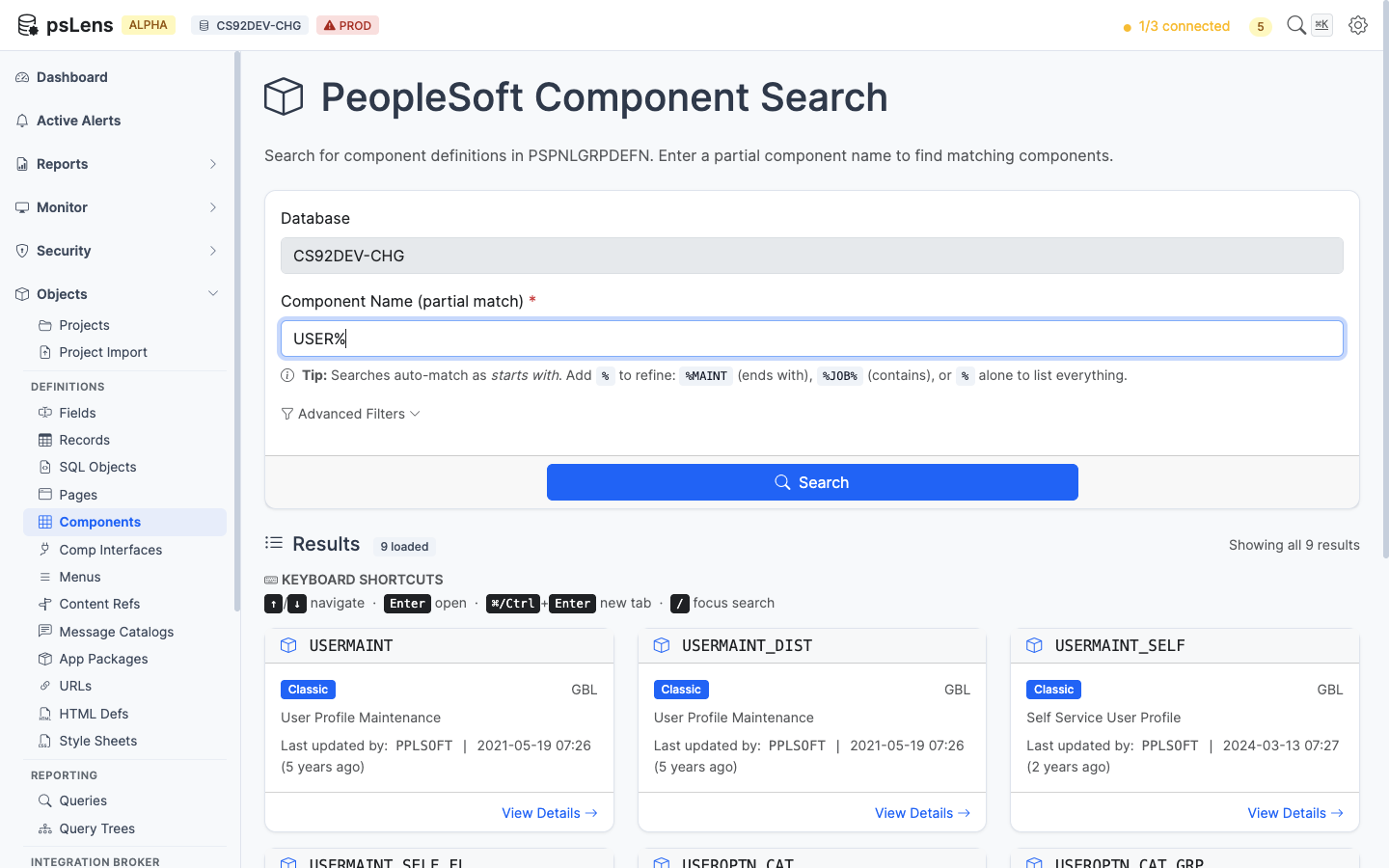
<figure><img src="/images/screenshots/metadata/components-search.png"
    alt="Component search results for USER% showing USERMAINT, USERMAINT_SELF, USEROPTN_CAT and others"><figcaption>
      <p>Component search results for <code>USER%</code></p>
    </figcaption>
</figure>


Wildcard `%` search supported. Each result card shows the component market and use type (Classic, Fluid, Both). The **Advanced Filters** panel filters by market or component type.

## Detail Page

URL: `/components/{COMPONENT}?db={database}`

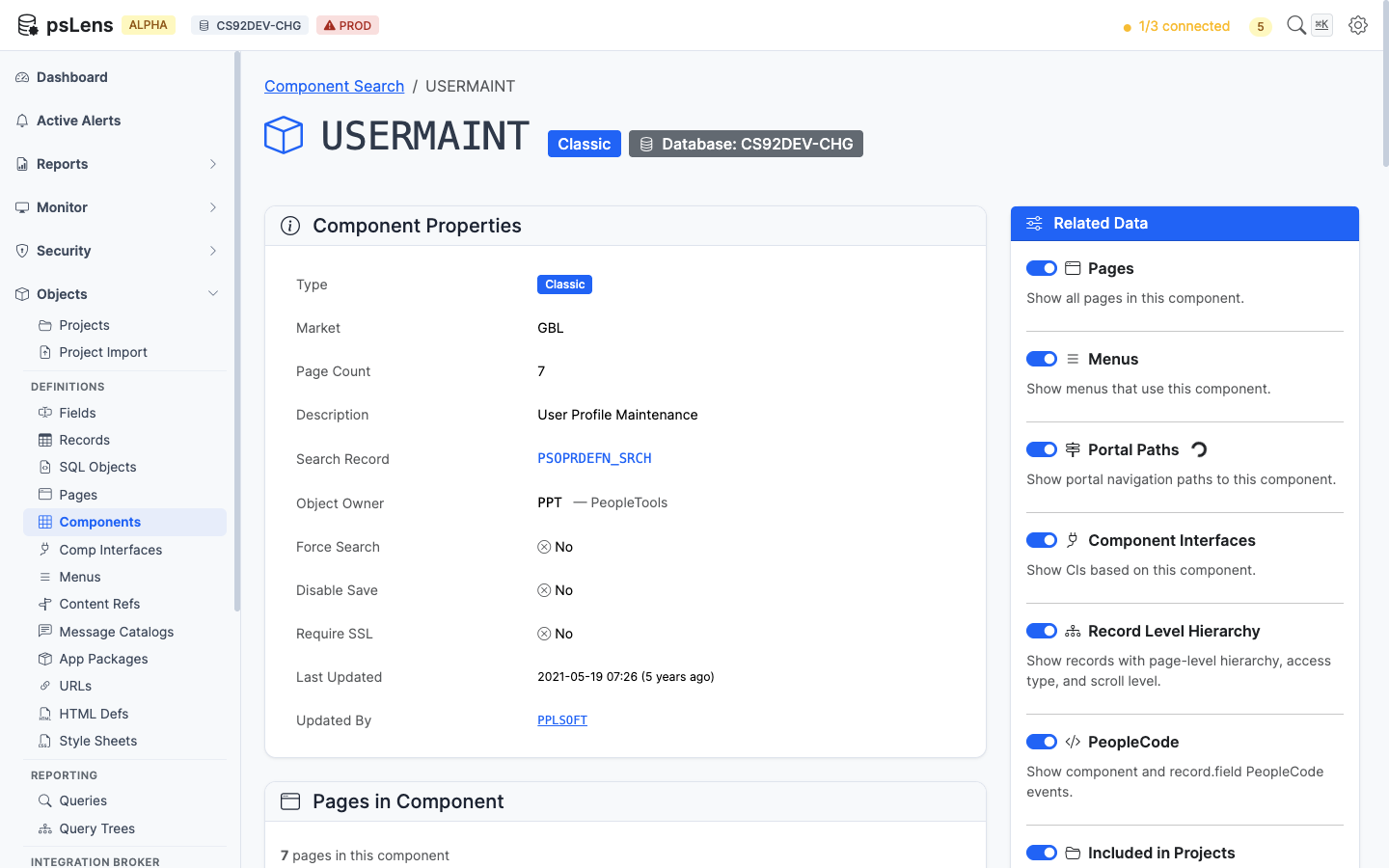
<figure><img src="/images/screenshots/metadata/components-detail.png"
    alt="Detail page for USERMAINT showing component properties and item list"><figcaption>
      <p>Component detail page for <code>USERMAINT</code></p>
    </figcaption>
</figure>


The main pane shows **Component Properties** (market, search record, add search record, item description, add/update modes, search PeopleCode flags) and the **Component Item List** with every page in the component, its labeling, and the hide/display-only flags. The sidebar has 7 related-data toggles.

## Related Data Panels

### Pages in Component

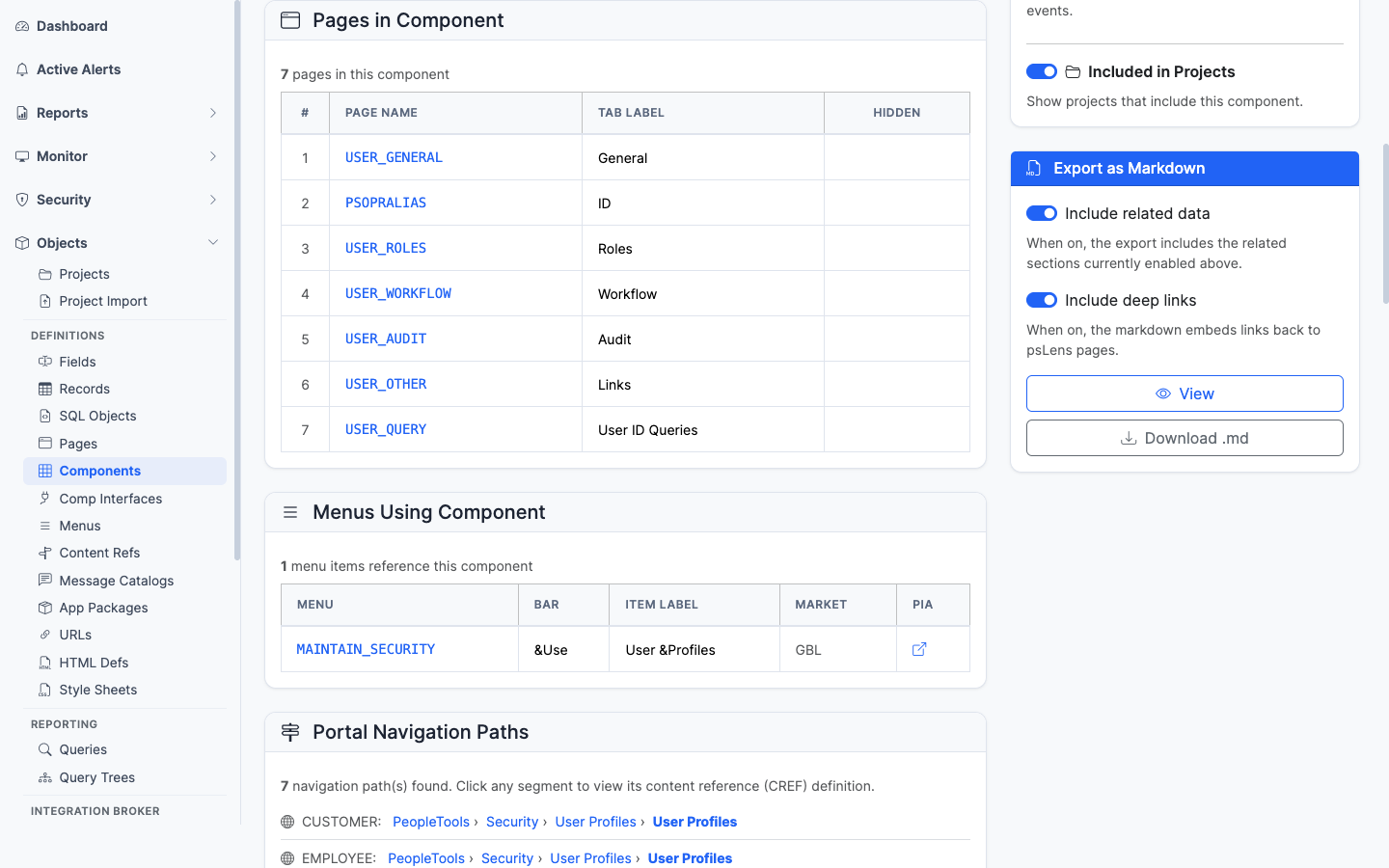
<figure><img src="/images/screenshots/metadata/components-panel-pages.png"
    alt="Pages in Component panel for USERMAINT"><figcaption>
      <p>The ordered list of pages that make up this component</p>
    </figcaption>
</figure>


The page list with each page deep-linked into its own detail page.

### Menus Using Component

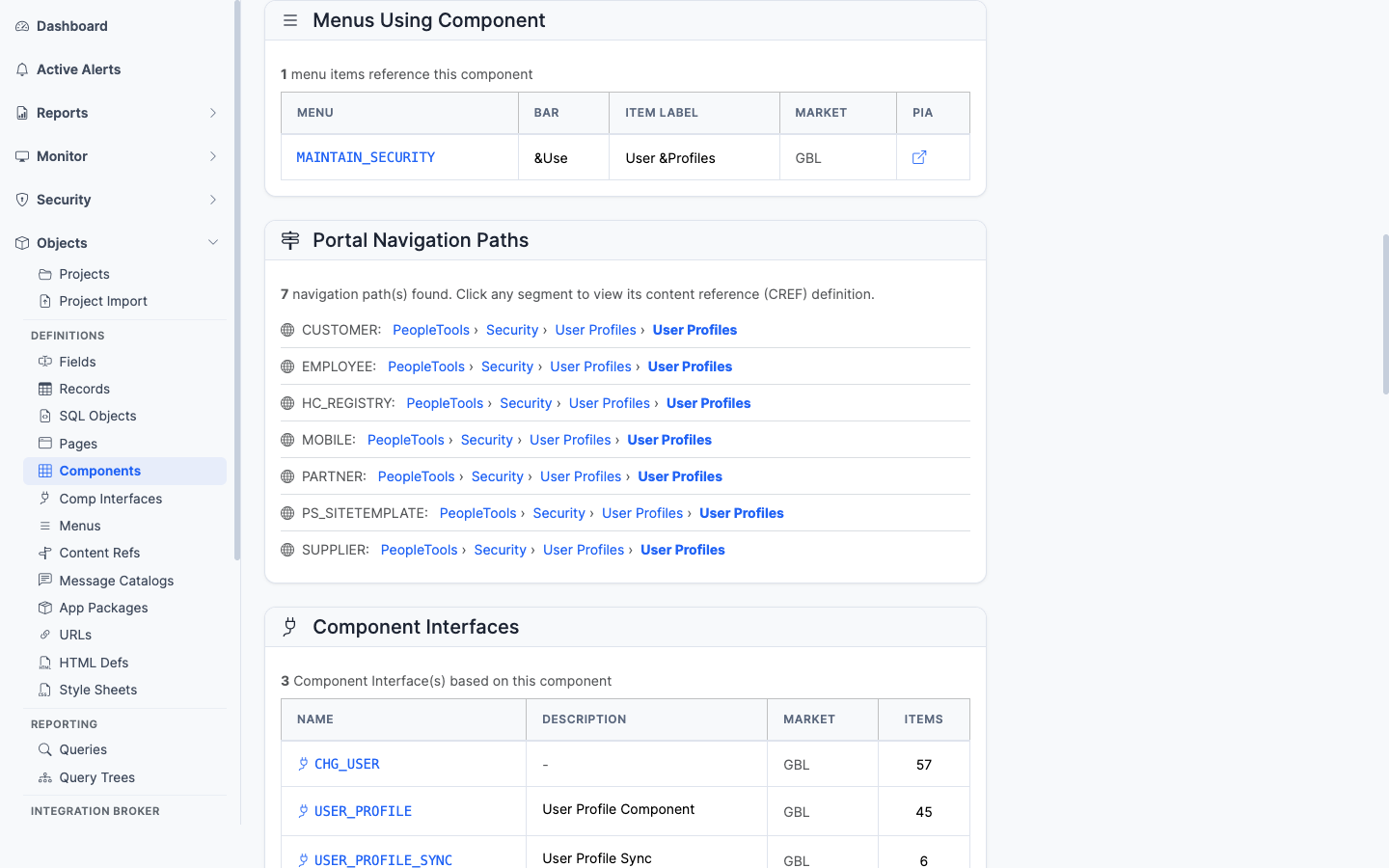
<figure><img src="/images/screenshots/metadata/components-panel-menus.png"
    alt="Menus Using Component panel"><figcaption>
      <p>Classic menus that link to this component</p>
    </figcaption>
</figure>


Every classic menu (`PSMENUITEM`) that contains a navigation entry for this component. Important for security work since menu/component pairs drive Permission List authorizations.

### Portal Navigation Paths

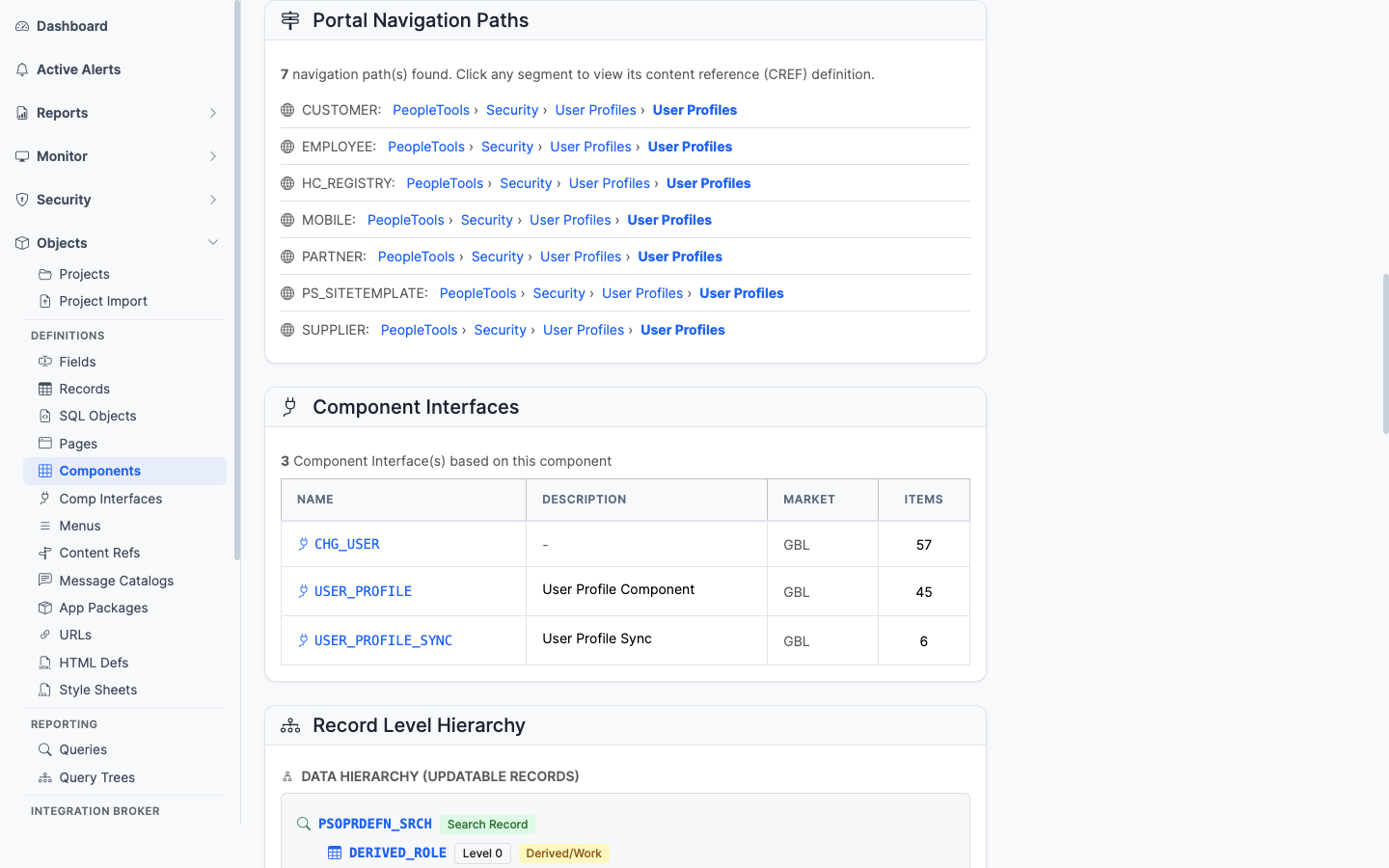
<figure><img src="/images/screenshots/metadata/components-panel-portal-paths.png"
    alt="Portal Navigation Paths panel"><figcaption>
      <p>Every breadcrumb path that leads a user to this component in the portal registry</p>
    </figcaption>
</figure>


The full set of portal registry paths (`PSPRSMDEFN` ancestor walk) that lead a user to this component. Useful for "where is this transaction in the menu?" questions.

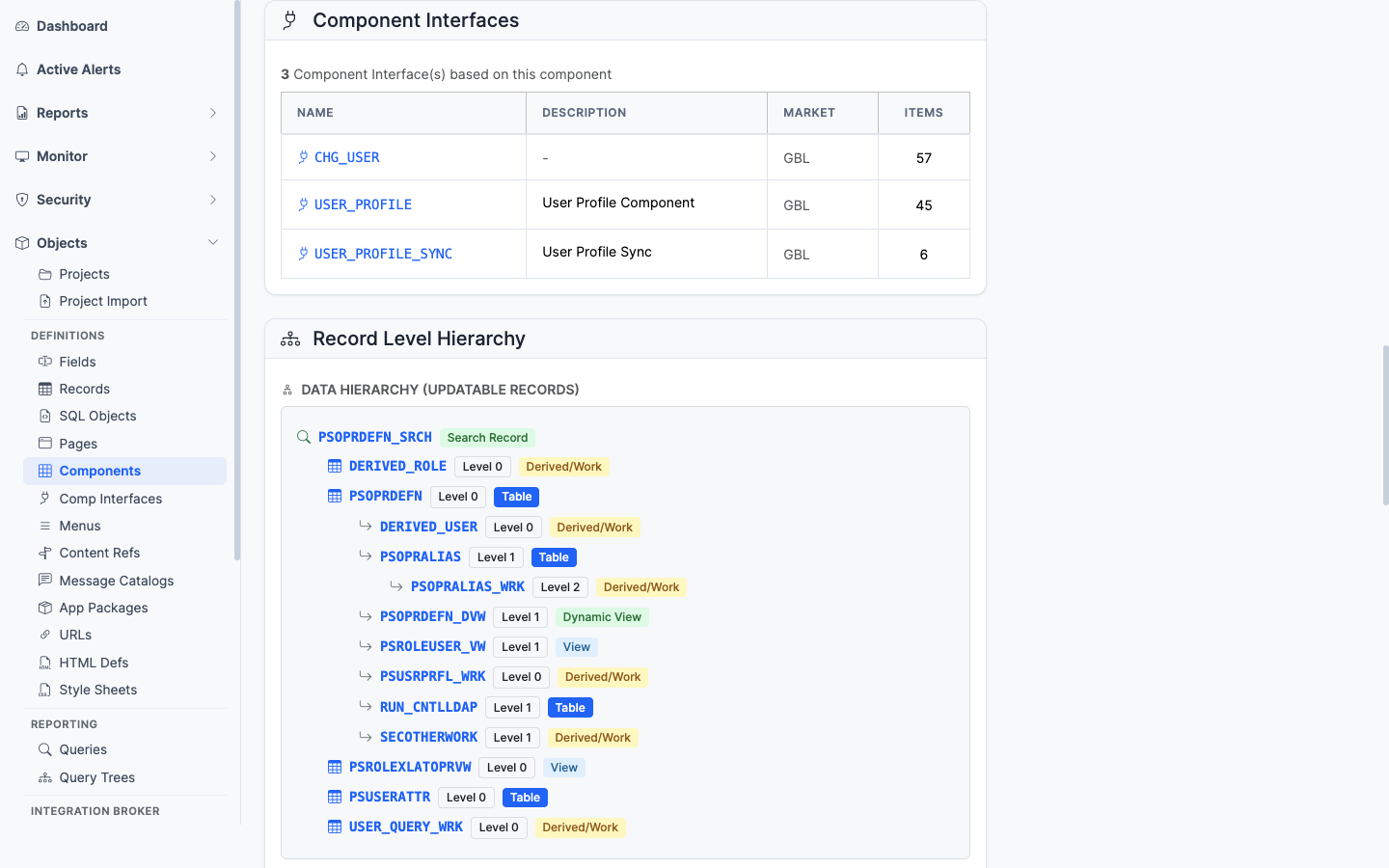
### Component Interfaces

<figure><img src="/images/screenshots/metadata/components-panel-ci.png"
    alt="Component Interfaces panel"><figcaption>
      <p>Component Interfaces that expose this component as an integration surface</p>
    </figcaption>
</figure>


The CIs (`PSBCDEFN`) that wrap this component as an integration surface. If you have CIs here, programmatic access exists.

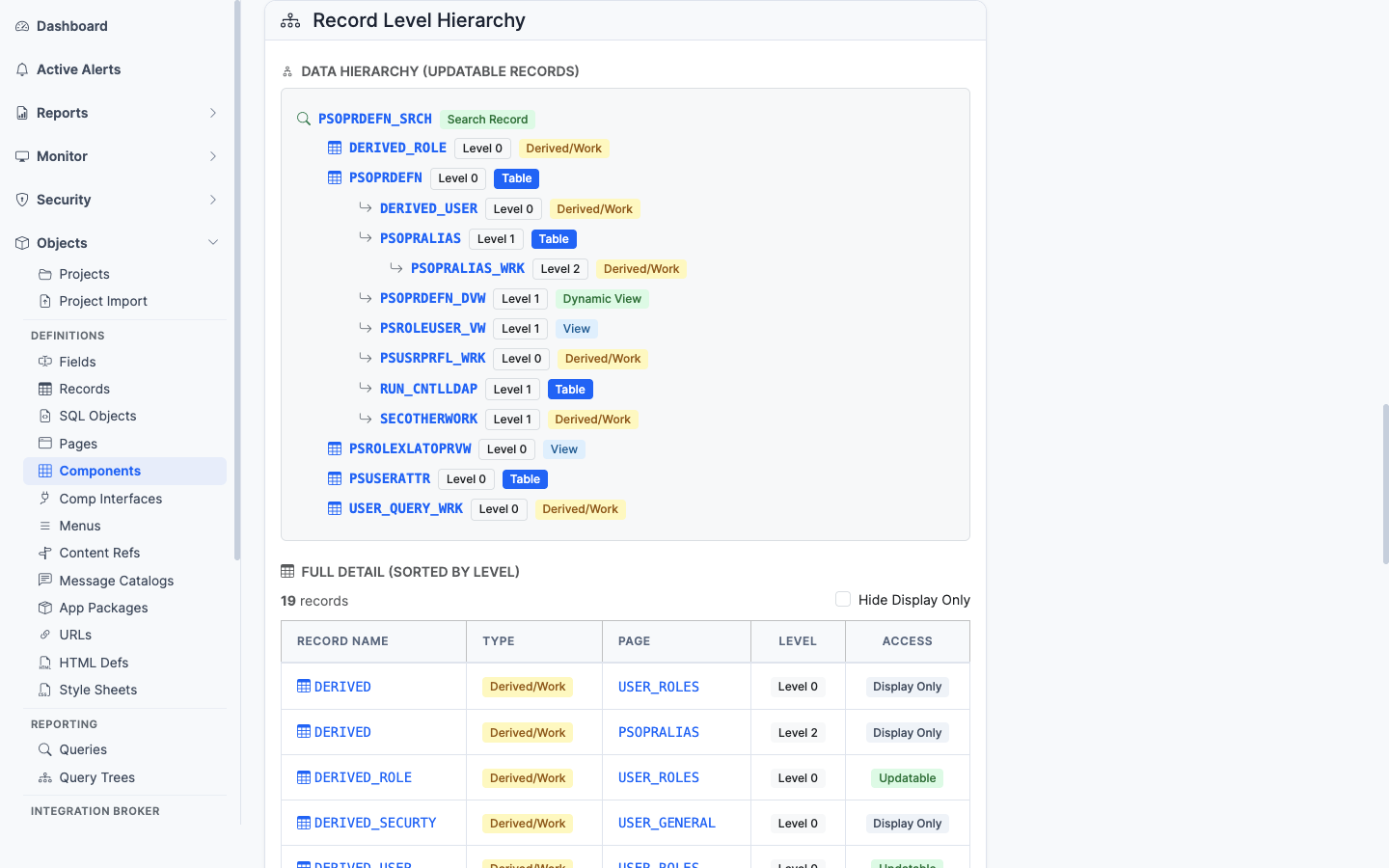
### Record Level Hierarchy

<figure><img src="/images/screenshots/metadata/components-panel-records.png"
    alt="Record Level Hierarchy panel"><figcaption>
      <p>The component&rsquo;s scroll/record hierarchy across its pages</p>
    </figcaption>
</figure>


The scroll/record hierarchy across the pages. Shows the parent-child relationships of records as the component sees them at runtime.

### PeopleCode

<figure><img src="/images/screenshots/metadata/components-panel-peoplecode.png"
    alt="PeopleCode panel"><figcaption>
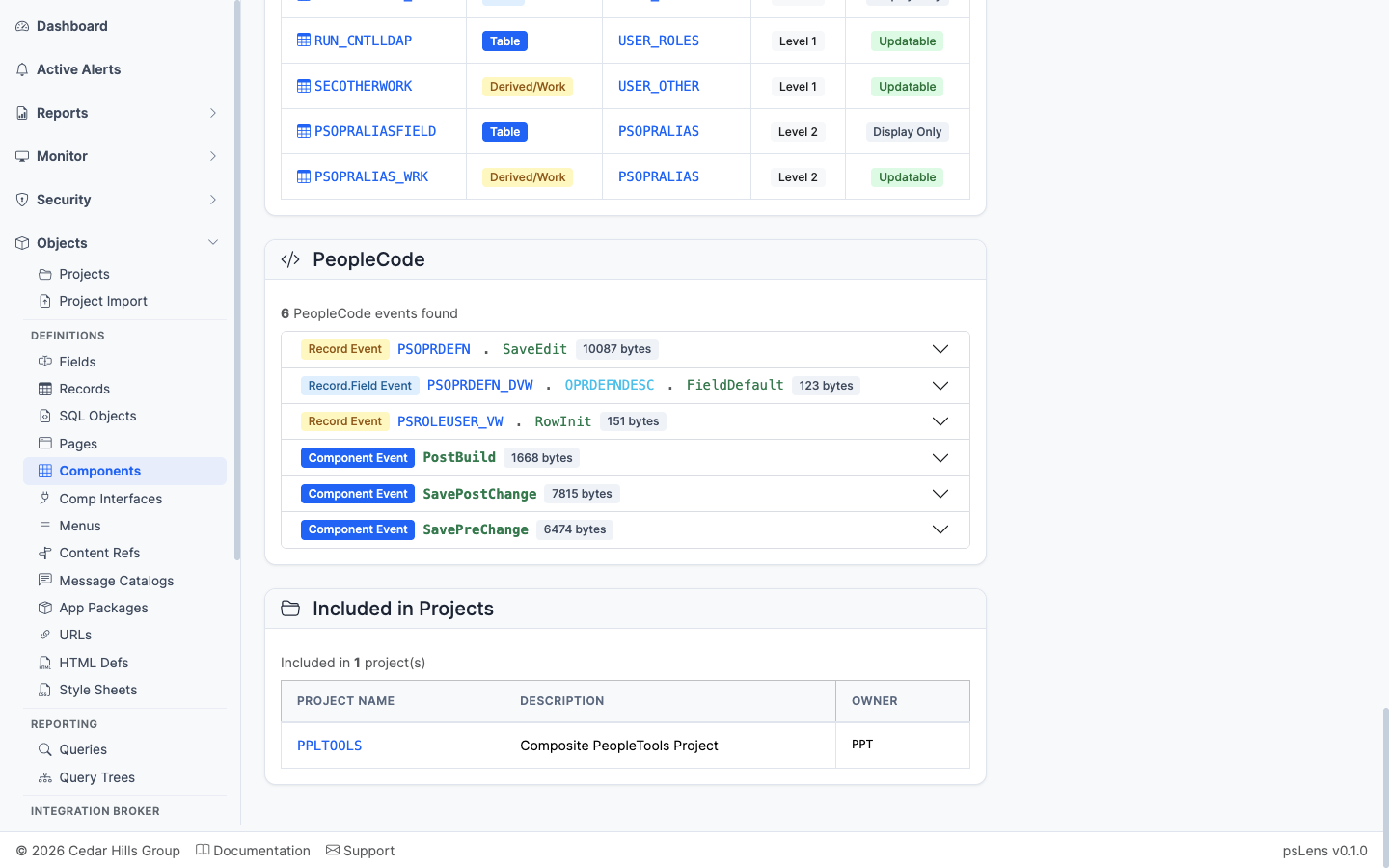
      <p>Component-level PeopleCode events</p>
    </figcaption>
</figure>


Component-level PeopleCode events (SearchInit, SearchSave, PreBuild, PostBuild, SavePreChange, SavePostChange, Workflow, etc.) and Component Record/Component Record Field PeopleCode.

### Included in Projects

<figure><img src="/images/screenshots/metadata/components-panel-projects.png"
    alt="Included in Projects panel for the component"><figcaption>
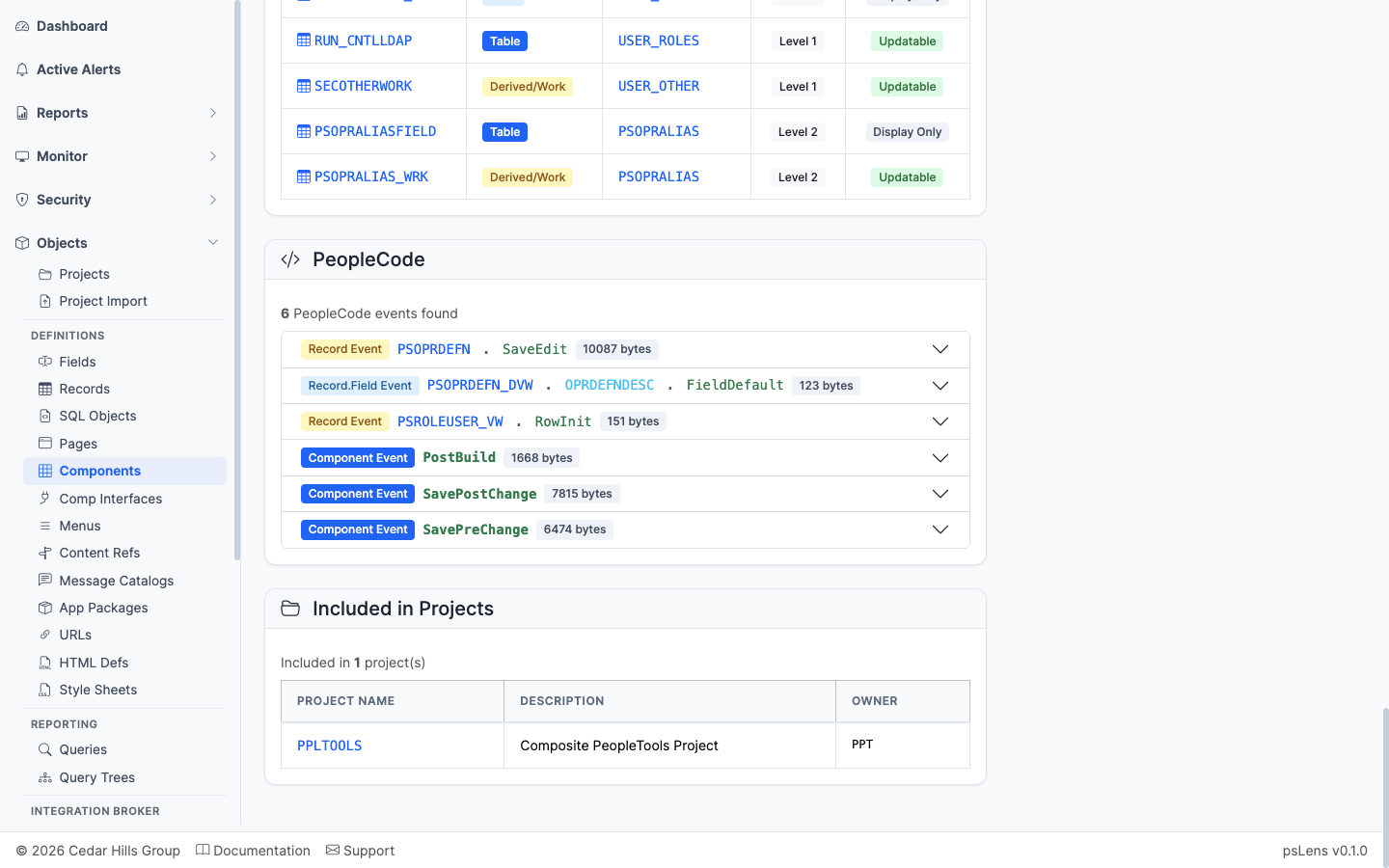
      <p>App Designer projects that include this component</p>
    </figcaption>
</figure>


App Designer projects containing this component as a project item.

## What This Consolidates

In App Designer / PIA, building this view requires:

- Open the component in App Designer for properties and item list
- Walk each page tab to confirm record bindings
- Run **Find In Menus** to find classic menu links
- Use the Portal Registry browser to find every CREF tied to the component
- Search for CIs whose component property matches this name
- Open PeopleCode for each event type one tab at a time
- Open each owning project for migration history

psLens collapses all of that into one page.