# Content References

> Browse PeopleSoft Portal Registry Content References (CREFs) with navigation paths, attributes, and permission lists.

---

LLMS index: [llms.txt](/llms.txt)

---

<div id="pslens-context-panel" class="card border-info mb-4 d-none">
  <div class="card-header bg-light text-info py-2 fw-bold d-flex align-items-center border-bottom border-info-subtle">
    <i class="bi bi-info-circle-fill me-2"></i>
    <span>Tailored Operational Context</span>
  </div>
  <div class="card-body p-0">
    <ul class="list-group list-group-flush">
      <li id="row-db" class="list-group-item d-flex align-items-center justify-content-between py-2 d-none">
        <strong>Target Database:</strong>
        <span id="ctx-db" class="badge bg-secondary font-monospace">&mdash;</span>
      </li>
      <li id="row-type" class="list-group-item d-flex align-items-center justify-content-between py-2 d-none">
        <strong>Context Type:</strong>
        <span id="ctx-type" class="badge bg-light text-dark border font-monospace text-uppercase">&mdash;</span>
      </li>
      <li id="row-severity" class="list-group-item d-flex align-items-center justify-content-between py-2 d-none">
        <strong>Alert Severity:</strong>
        <span id="ctx-severity" class="badge">&mdash;</span>
      </li>
      <li id="row-time" class="list-group-item d-flex align-items-center justify-content-between py-2 d-none">
        <strong>Triggered Time:</strong>
        <span id="ctx-time" class="text-muted small">&mdash;</span>
      </li>
      <li id="row-details" class="list-group-item py-2 d-none">
        <strong id="label-details" class="d-block mb-1">Firing Context:</strong>
        <code id="ctx-details" class="d-block p-2 bg-light border rounded small" style="white-space: pre-wrap; word-break: break-all;">&mdash;</code>
      </li>
    </ul>
  </div>
</div>

<script>
  (function() {
    const params = new URLSearchParams(window.location.search);
    const metadata = params.get('metadata');
    if (!metadata) return;

    try {
      
      const base64 = metadata.replace(/-/g, '+').replace(/_/g, '/');
      const jsonStr = decodeURIComponent(escape(window.atob(base64)));
      const data = JSON.parse(jsonStr);

      if (data) {
        let hasData = false;

        if (data.db) {
          document.getElementById('ctx-db').textContent = data.db;
          document.getElementById('row-db').classList.remove('d-none');
          hasData = true;
        }

        if (data.type) {
          document.getElementById('ctx-type').textContent = data.type;
          document.getElementById('row-type').classList.remove('d-none');
          hasData = true;
        }

        if (data.severity) {
          const severityBadge = document.getElementById('ctx-severity');
          const severity = data.severity.toLowerCase();
          severityBadge.textContent = severity.toUpperCase();
          if (severity === 'critical') {
            severityBadge.className = 'badge bg-danger';
          } else if (severity === 'warning') {
            severityBadge.className = 'badge bg-warning text-dark';
          } else {
            severityBadge.className = 'badge bg-info';
          }
          document.getElementById('row-severity').classList.remove('d-none');
          hasData = true;
        }

        if (data.t) {
          const date = new Date(data.t * 1000);
          document.getElementById('ctx-time').textContent = date.toLocaleString();
          document.getElementById('row-time').classList.remove('d-none');
          hasData = true;
        }

        if (data.details) {
          document.getElementById('ctx-details').textContent = data.details;

          
          const labelDetails = document.getElementById('label-details');
          if (data.type === 'object') {
            labelDetails.textContent = 'Object Metadata Details:';
          } else if (data.type === 'report') {
            labelDetails.textContent = 'Report Description:';
          } else {
            labelDetails.textContent = 'Firing Context:';
          }

          document.getElementById('row-details').classList.remove('d-none');
          hasData = true;
        }

        if (hasData) {
          document.getElementById('pslens-context-panel').classList.remove('d-none');
        }
      }
    } catch (e) {
      console.error('Failed to parse operational context metadata:', e);
    }
  })();
</script>


## What It Is

Content References (CREFs) are entries in the PeopleSoft Portal Registry — the data structure that drives the menu tree, breadcrumbs, and navigation collections users see in PIA. Each CREF is identified by a portal/object name pair stored in `PSPRSMDEFN` and can be either a folder (a navigation container) or a content reference (a launchable target, usually a component, but also iScripts, external URLs, and homepage pagelets). psLens shows the CREF's URI target, the full ancestor walk back to the portal root, every system and custom attribute, and the permission lists that have been granted access.

## Search Page

URL: `/crefs?db={database}`

<figure><img src="/images/screenshots/metadata/content-refs-search.png"
    alt="CREF search results for %USER% showing CREFs across CUSTOMER and EMPLOYEE portals"><figcaption>
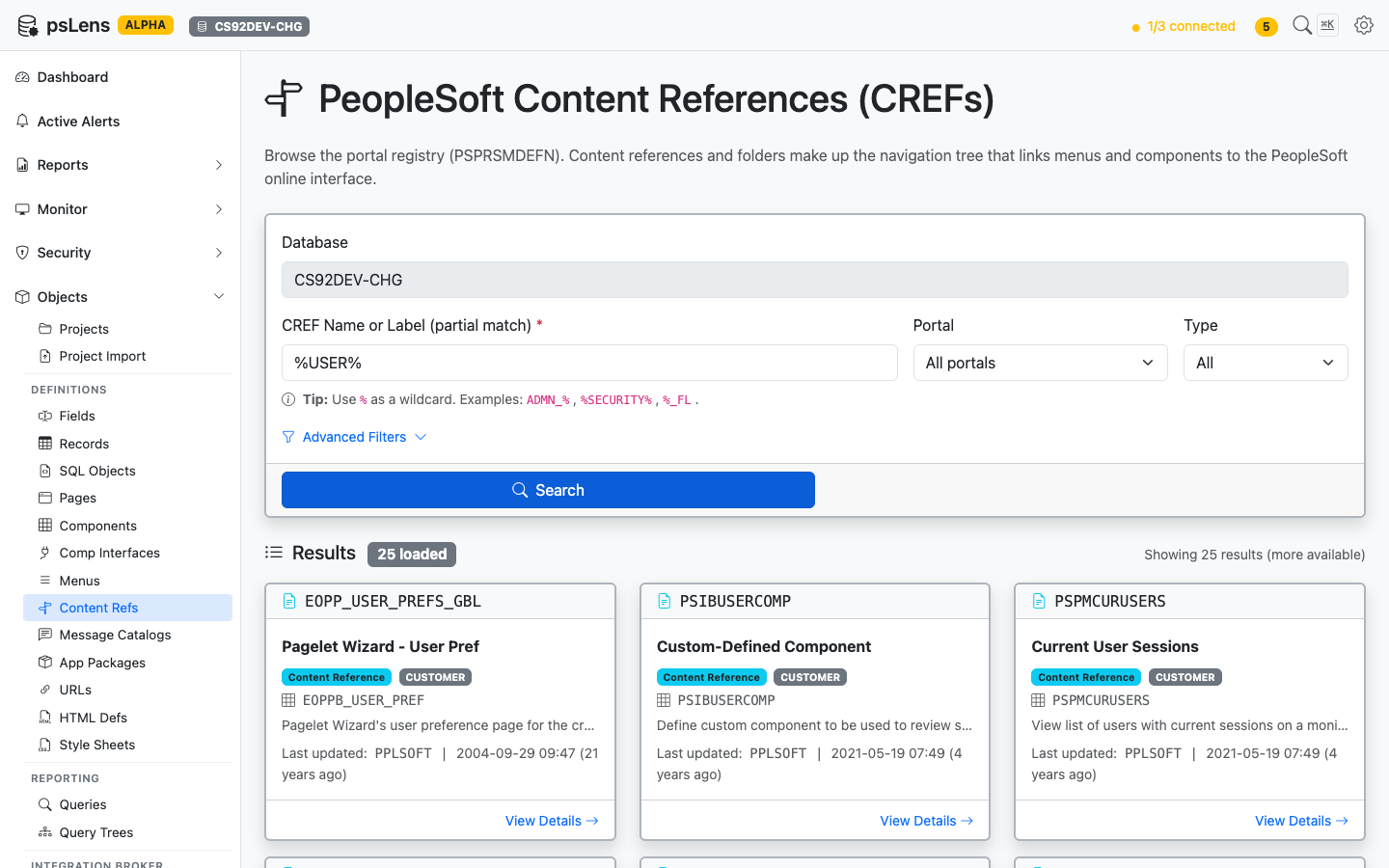
      <p>CREF search results for <code>%USER%</code></p>
    </figcaption>
</figure>


Search by CREF name *or* label, with optional filters for portal (EMPLOYEE, CUSTOMER, MOBILE, etc.) and type (CREF vs Folder). Each result card shows the portal, the parent folder path, and the target object name.

## Detail Page

URL: `/crefs/{PORTAL}/{OBJECTNAME}?db={database}`

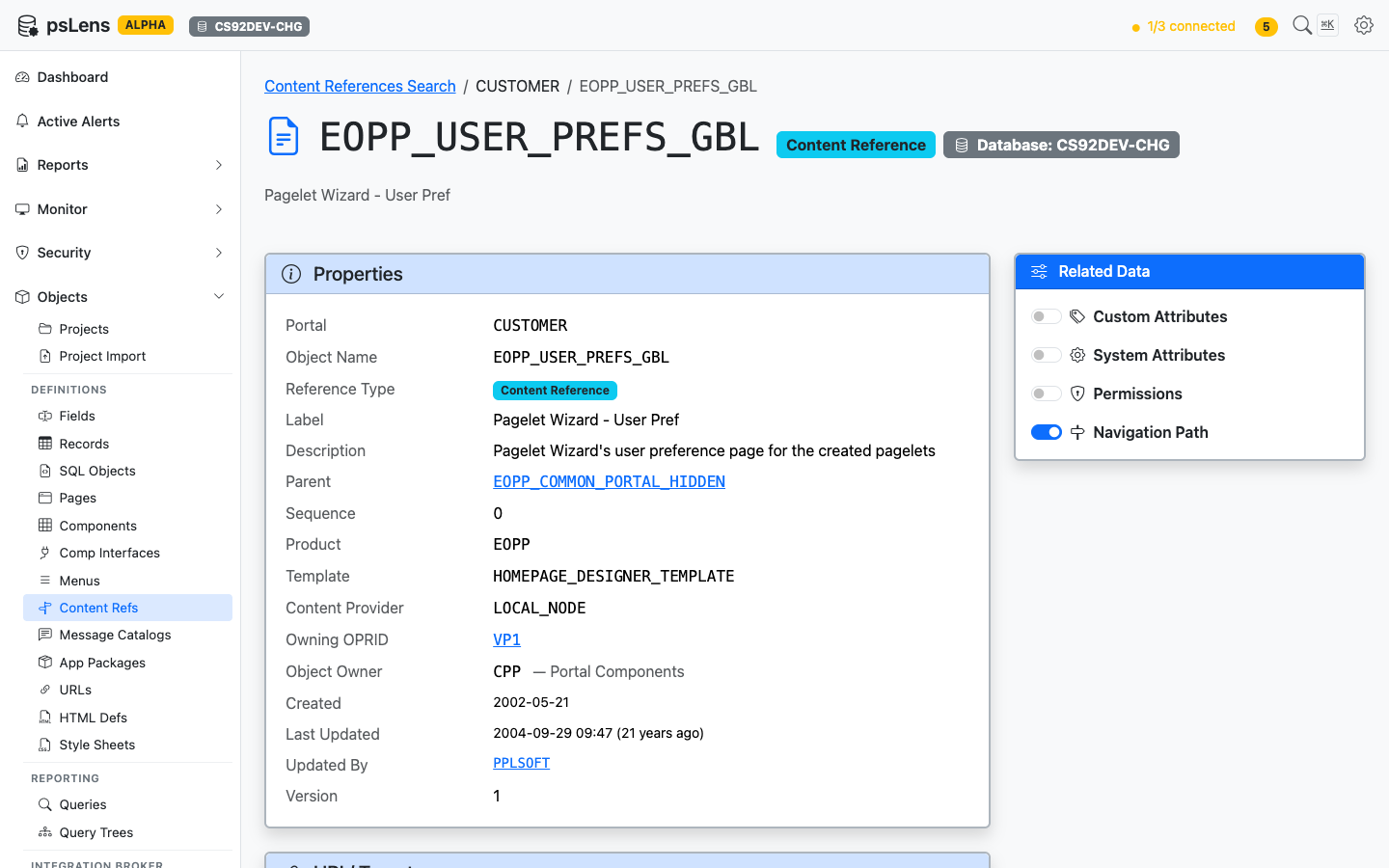
<figure><img src="/images/screenshots/metadata/content-refs-detail.png"
    alt="Detail page for EOPP_USER_PREFS_GBL CREF showing properties and URI target"><figcaption>
      <p>CREF detail page for <code>EOPP_USER_PREFS_GBL</code></p>
    </figcaption>
</figure>


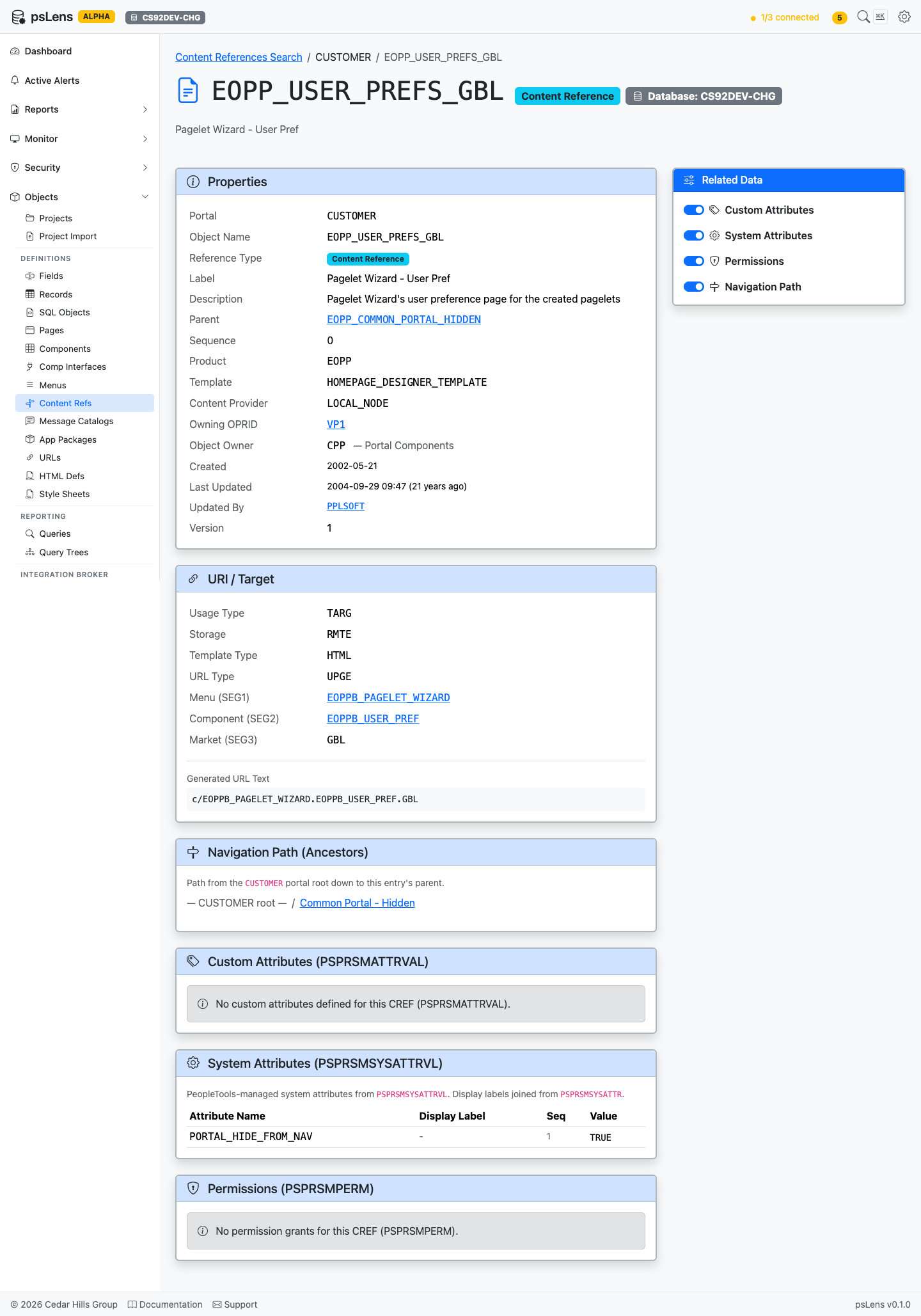
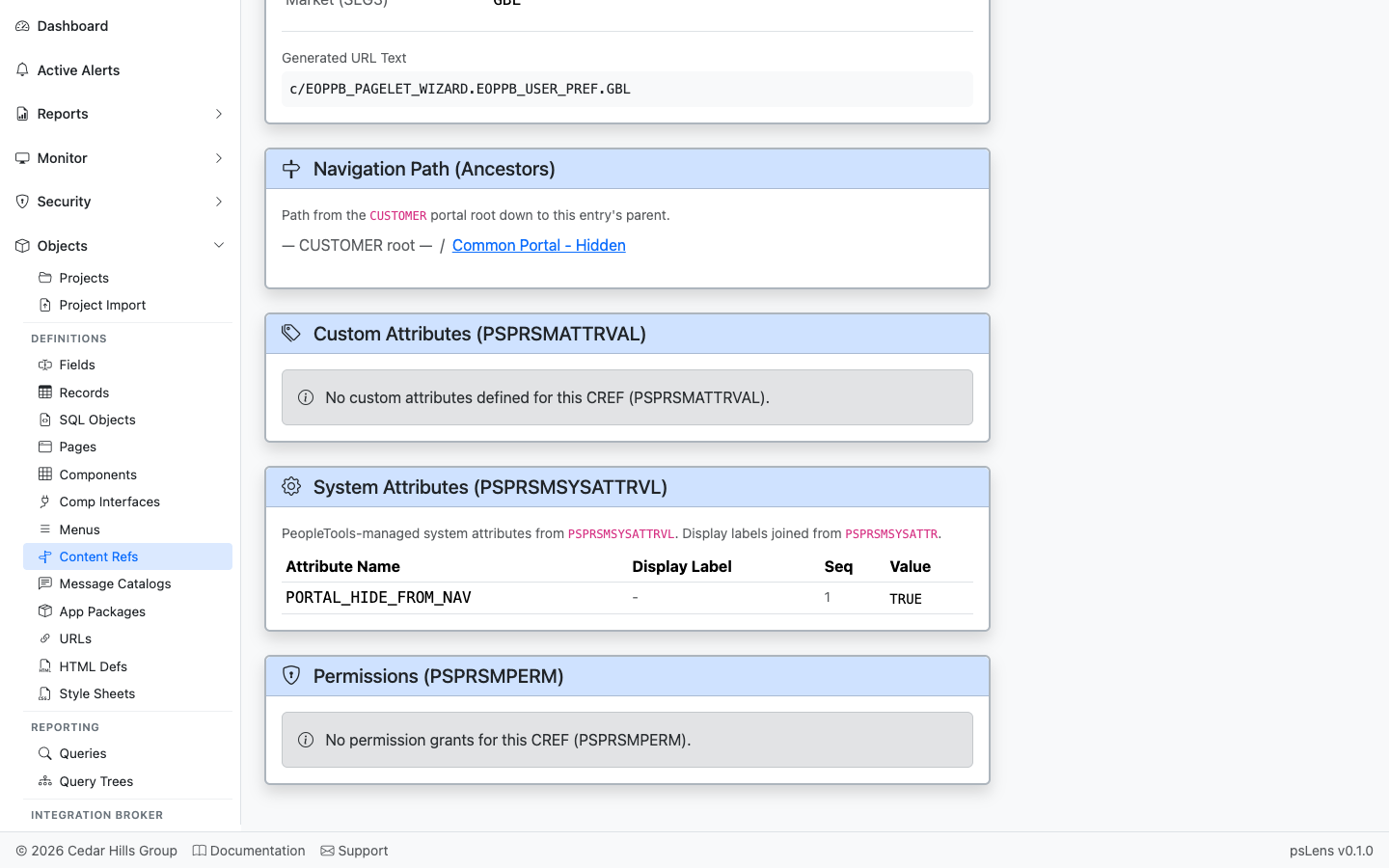
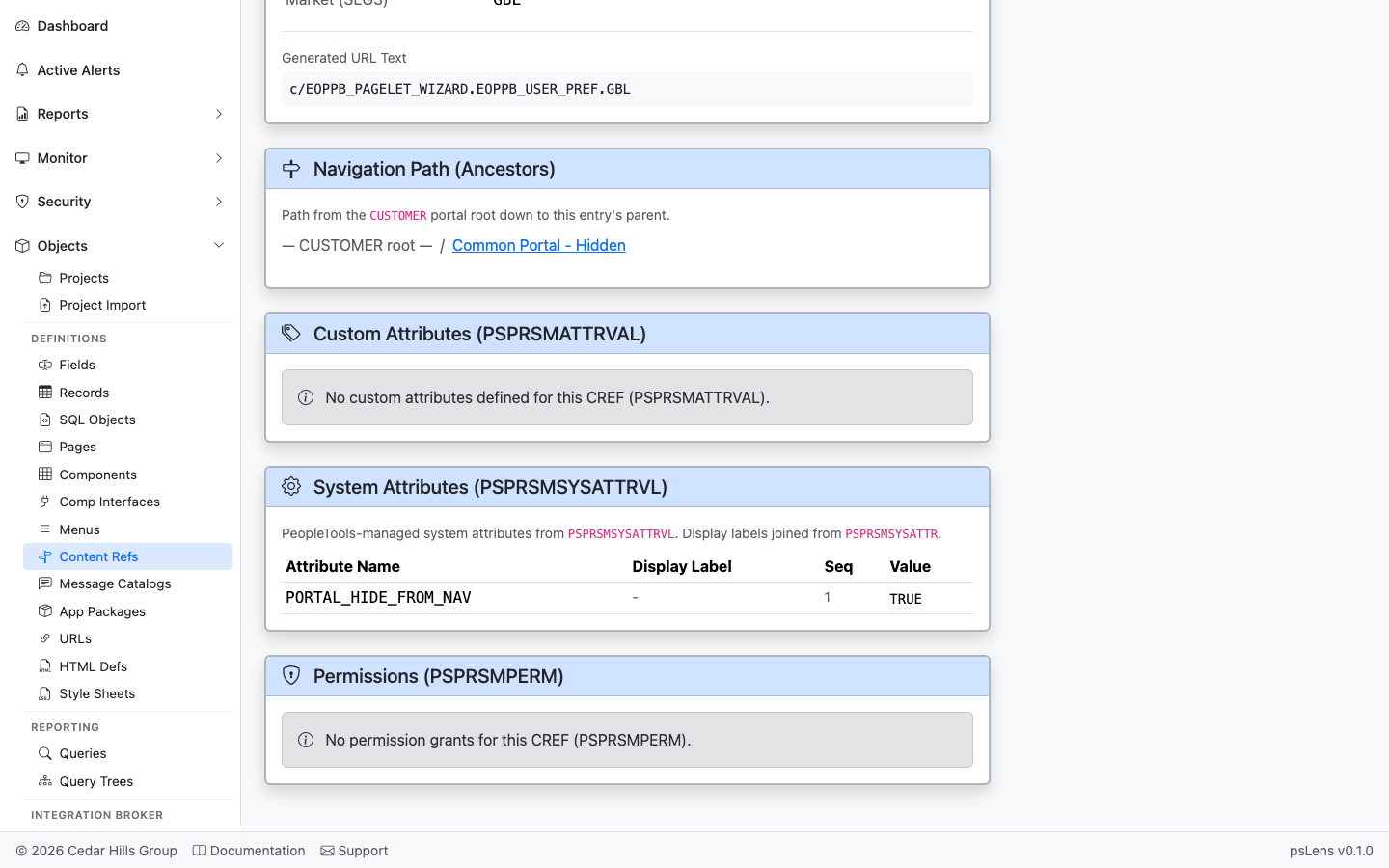
The main pane shows **Properties** (portal, parent folder, type, security author, label, description) and the **URI / Target** card with the destination URL. For component CREFs this is the menu/component path; for iScripts, the iScript URL; for external CREFs, the literal URL. The sidebar has 4 related-data toggles.

<figure><img src="/images/screenshots/metadata/content-refs-detail-expanded.png"
    alt="CREF detail page with all panels expanded"><figcaption>
      <p>All panels expanded — under 2100px tall</p>
    </figcaption>
</figure>


## Related Data Panels

### Navigation Path

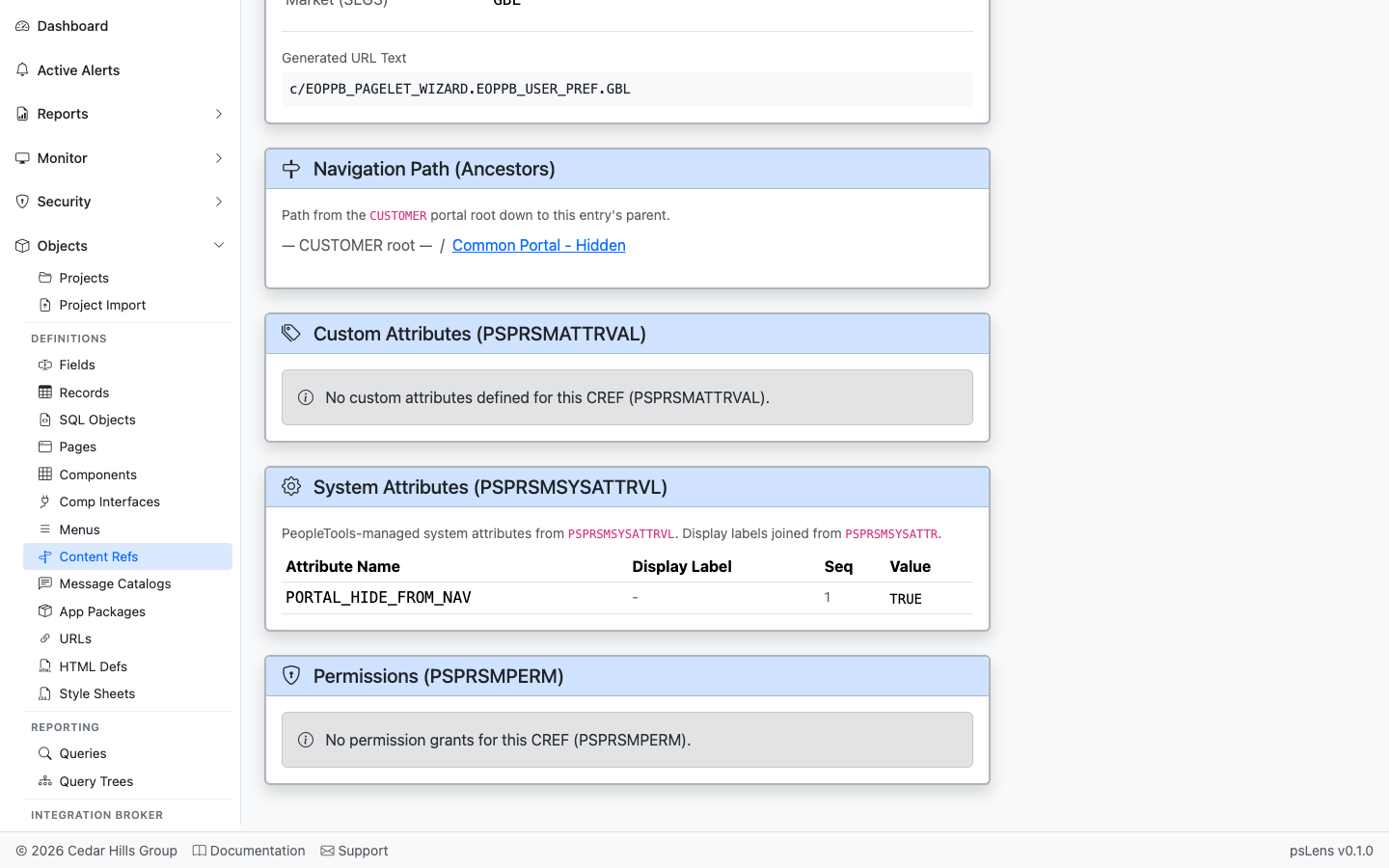
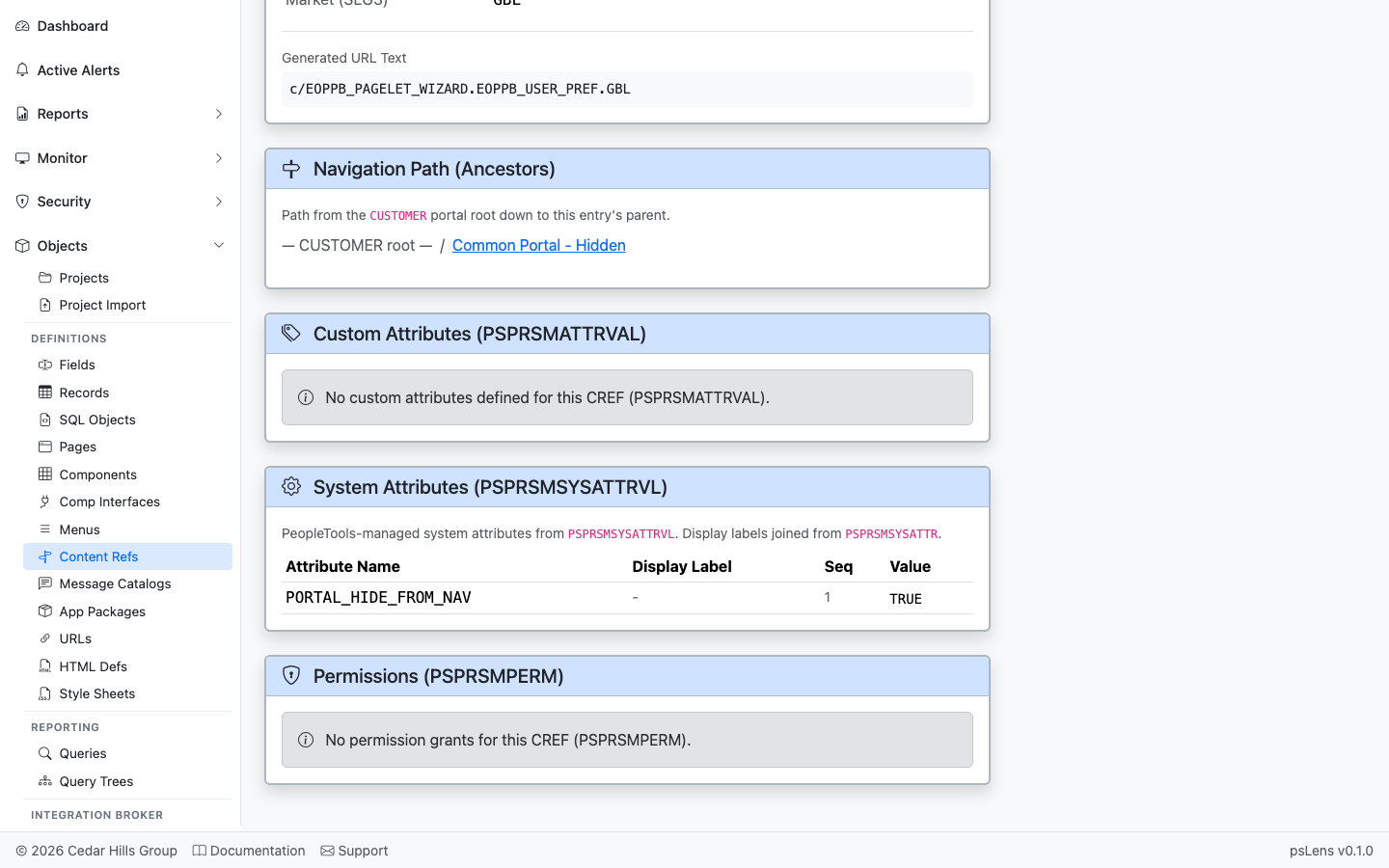
<figure><img src="/images/screenshots/metadata/content-refs-panel-ancestors.png"
    alt="Navigation Path (Ancestors) panel"><figcaption>
      <p>The breadcrumb walk from the portal root down to this CREF</p>
    </figcaption>
</figure>


The full ancestor chain from the portal root down to this CREF. Every folder in the navigation path is clickable so you can hop up the tree to a parent folder.

### Custom Attributes

<figure><img src="/images/screenshots/metadata/content-refs-panel-custom-attrs.png"
    alt="Custom Attributes panel"><figcaption>
      <p>Per-CREF custom attribute name/value pairs from PSPRSMATTRVAL</p>
    </figcaption>
</figure>


Per-CREF custom attribute name/value pairs from `PSPRSMATTRVAL`. Used by Fluid navigation collections, search categories, badges, and other portal features.

### System Attributes

<figure><img src="/images/screenshots/metadata/content-refs-panel-system-attrs.png"
    alt="System Attributes panel"><figcaption>
      <p>System attributes from PSPRSMSYSATTRVL with friendly labels</p>
    </figcaption>
</figure>


System attributes from `PSPRSMSYSATTRVL` with friendly labels (e.g., `PORTAL_LABEL`, `PORTAL_OBJTYPE_DESC`, `PTPP_*` personalization keys). These configure how the CREF behaves at runtime.

### Permissions

<figure><img src="/images/screenshots/metadata/content-refs-panel-permissions.png"
    alt="Permissions panel"><figcaption>
      <p>Permission lists with grant access to this CREF</p>
    </figcaption>
</figure>


Permission lists (`PSPRSMPERM`) that have been granted access to this CREF — the security side of "who can see this in the menu?".

## What This Consolidates

In PIA, building the same picture means:

- Open **PeopleTools → Portal → Structure & Content** and walk down the folder tree
- Click into the CREF to see properties
- Tab to **Content Ref Administration** for attribute values
- Tab to **Permission List** for security grants
- Click "Edit" on the parent folder repeatedly to climb the breadcrumb tree

psLens shows the entire portal entry (target, attributes, navigation path, security) on one page. Cuts the PIA tab-walk for the security question "who can see this menu item?" — psLens shows the ancestor permission chain in one view.