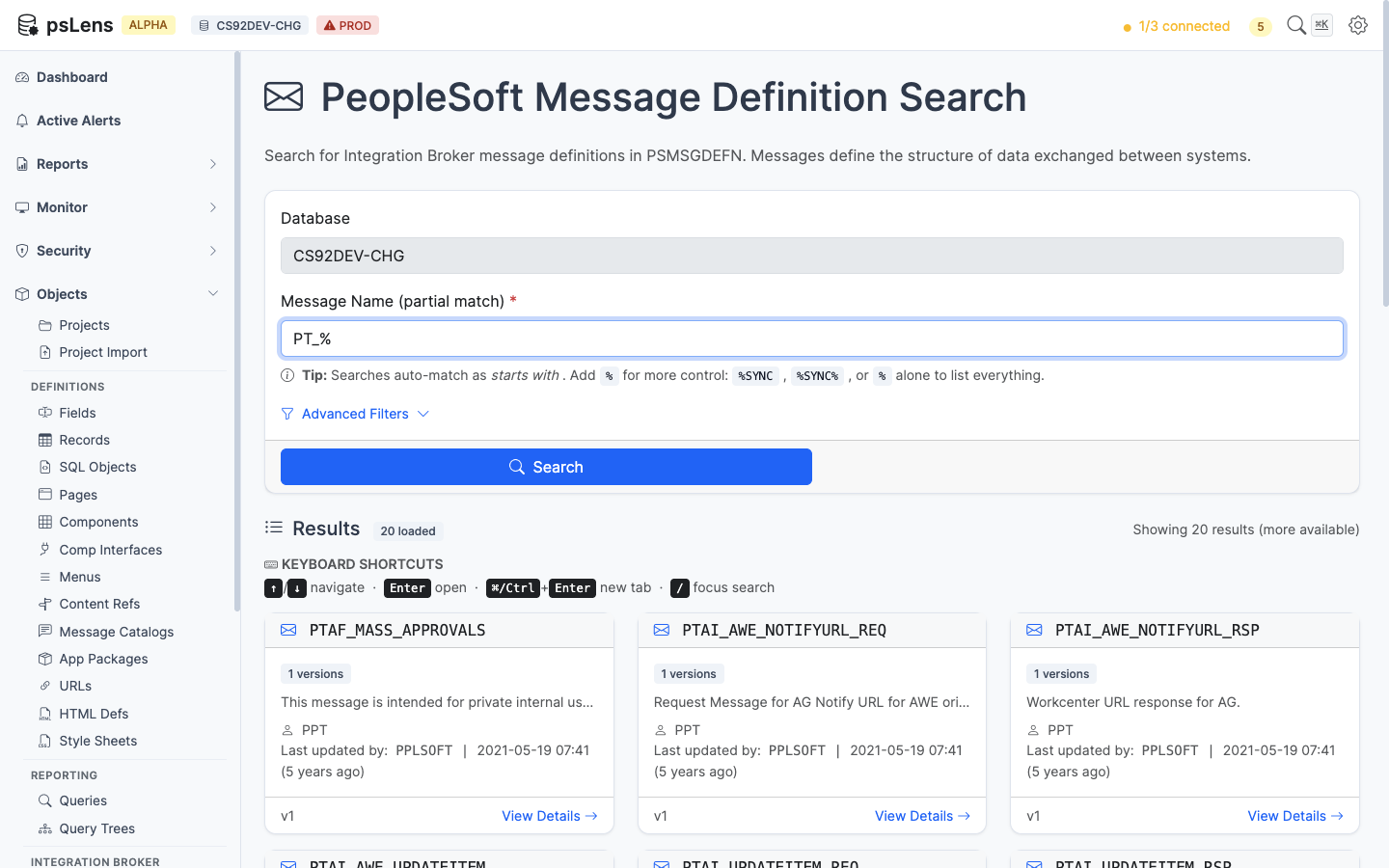
# Messages

> Browse PeopleSoft Integration Broker message definitions — the payload schemas referenced by service operations.

---

LLMS index: [llms.txt](/llms.txt)

---

<div id="pslens-context-panel" class="card border-info mb-4 d-none">
  <div class="card-header bg-light text-info py-2 fw-bold d-flex align-items-center border-bottom border-info-subtle">
    <i class="bi bi-info-circle-fill me-2"></i>
    <span>Tailored Operational Context</span>
  </div>
  <div class="card-body p-0">
    <ul class="list-group list-group-flush">
      <li id="row-db" class="list-group-item d-flex align-items-center justify-content-between py-2 d-none">
        <strong>Target Database:</strong>
        <span id="ctx-db" class="badge bg-secondary font-monospace">&mdash;</span>
      </li>
      <li id="row-type" class="list-group-item d-flex align-items-center justify-content-between py-2 d-none">
        <strong>Context Type:</strong>
        <span id="ctx-type" class="badge bg-light text-dark border font-monospace text-uppercase">&mdash;</span>
      </li>
      <li id="row-severity" class="list-group-item d-flex align-items-center justify-content-between py-2 d-none">
        <strong>Alert Severity:</strong>
        <span id="ctx-severity" class="badge">&mdash;</span>
      </li>
      <li id="row-time" class="list-group-item d-flex align-items-center justify-content-between py-2 d-none">
        <strong>Triggered Time:</strong>
        <span id="ctx-time" class="text-muted small">&mdash;</span>
      </li>
      <li id="row-details" class="list-group-item py-2 d-none">
        <strong id="label-details" class="d-block mb-1">Firing Context:</strong>
        <code id="ctx-details" class="d-block p-2 bg-light border rounded small" style="white-space: pre-wrap; word-break: break-all;">&mdash;</code>
      </li>
    </ul>
  </div>
</div>

<script>
  (function() {
    const params = new URLSearchParams(window.location.search);
    const metadata = params.get('metadata');
    if (!metadata) return;

    try {
      
      const base64 = metadata.replace(/-/g, '+').replace(/_/g, '/');
      const jsonStr = decodeURIComponent(escape(window.atob(base64)));
      const data = JSON.parse(jsonStr);

      if (data) {
        let hasData = false;

        if (data.db) {
          document.getElementById('ctx-db').textContent = data.db;
          document.getElementById('row-db').classList.remove('d-none');
          hasData = true;
        }

        if (data.type) {
          document.getElementById('ctx-type').textContent = data.type;
          document.getElementById('row-type').classList.remove('d-none');
          hasData = true;
        }

        if (data.severity) {
          const severityBadge = document.getElementById('ctx-severity');
          const severity = data.severity.toLowerCase();
          severityBadge.textContent = severity.toUpperCase();
          if (severity === 'critical') {
            severityBadge.className = 'badge bg-danger';
          } else if (severity === 'warning') {
            severityBadge.className = 'badge bg-warning text-dark';
          } else {
            severityBadge.className = 'badge bg-info';
          }
          document.getElementById('row-severity').classList.remove('d-none');
          hasData = true;
        }

        if (data.t) {
          const date = new Date(data.t * 1000);
          document.getElementById('ctx-time').textContent = date.toLocaleString();
          document.getElementById('row-time').classList.remove('d-none');
          hasData = true;
        }

        if (data.details) {
          document.getElementById('ctx-details').textContent = data.details;

          
          const labelDetails = document.getElementById('label-details');
          if (data.type === 'object') {
            labelDetails.textContent = 'Object Metadata Details:';
          } else if (data.type === 'report') {
            labelDetails.textContent = 'Report Description:';
          } else {
            labelDetails.textContent = 'Firing Context:';
          }

          document.getElementById('row-details').classList.remove('d-none');
          hasData = true;
        }

        if (hasData) {
          document.getElementById('pslens-context-panel').classList.remove('d-none');
        }
      }
    } catch (e) {
      console.error('Failed to parse operational context metadata:', e);
    }
  })();
</script>


## What It Is

A Message definition is the payload schema that a Service Operation carries. It defines the structure of the XML or JSON document exchanged between systems. Messages can be rowset-based (mapped to PeopleSoft records), nonrowset-based (free-form XML/JSON), container, or document. psLens reads `PSMSGDEFN` and the version-specific details from `PSMSGSCHEMA`, then surfaces the service operations that reference each message and the projects that own them.

## Search Page

URL: `/msgdefns?db={database}`

<figure><img src="/images/screenshots/ib/messages-search.png"
    alt="Message search results for PT_% showing PTAF_MASS_APPROVALS, PTAI_AWE_NOTIFYURL_REQ, and others"><figcaption>
      <p>Message search results for <code>PT_%</code></p>
    </figcaption>
</figure>


Wildcard `%` search supported. Each card shows the message type and version.

## Detail Page

URL: `/msgdefns/{MESSAGE}?db={database}`

<figure><img src="/images/screenshots/ib/messages-detail.png"
    alt="Detail page for PTCS_ACCESSIN message"><figcaption>
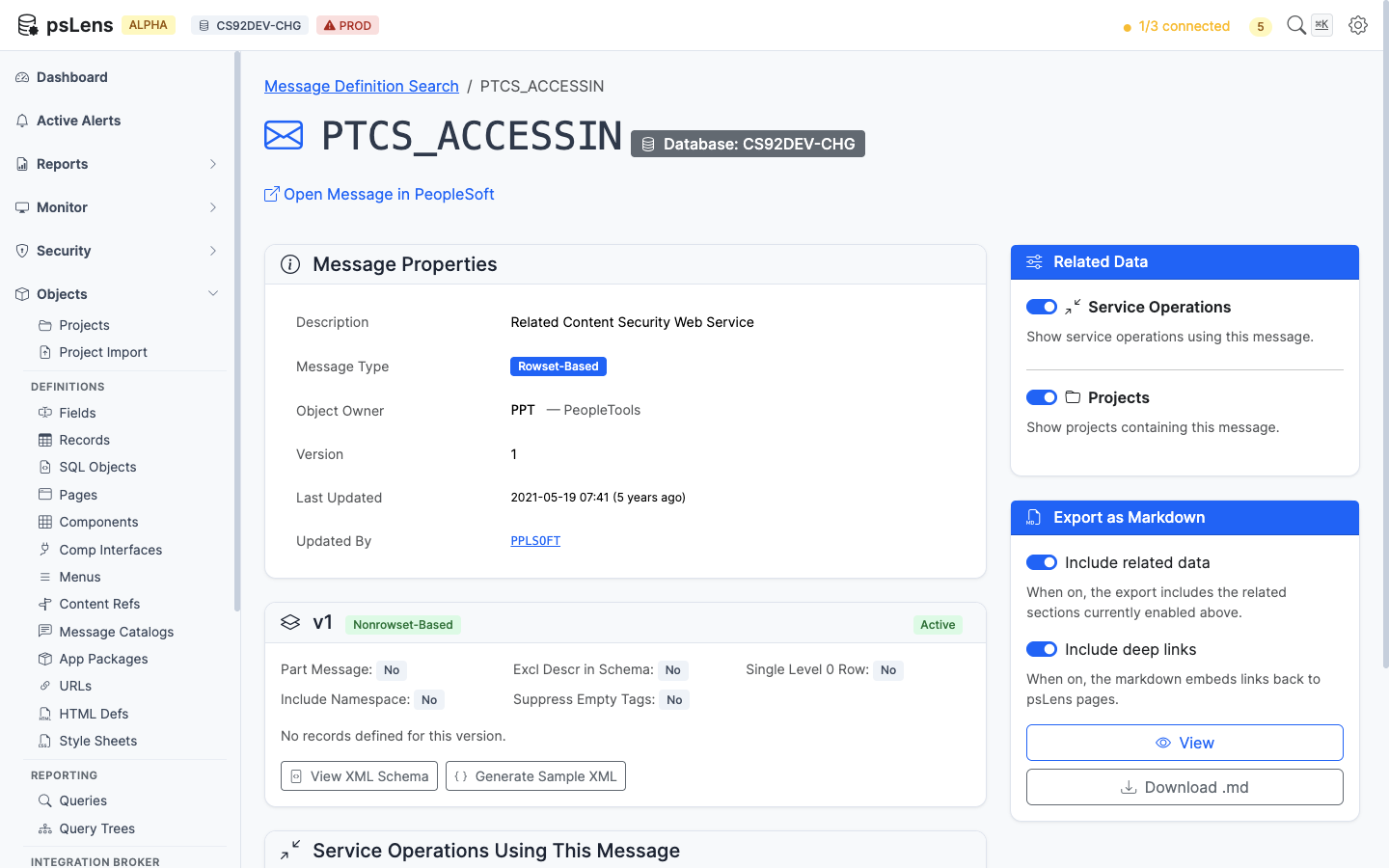
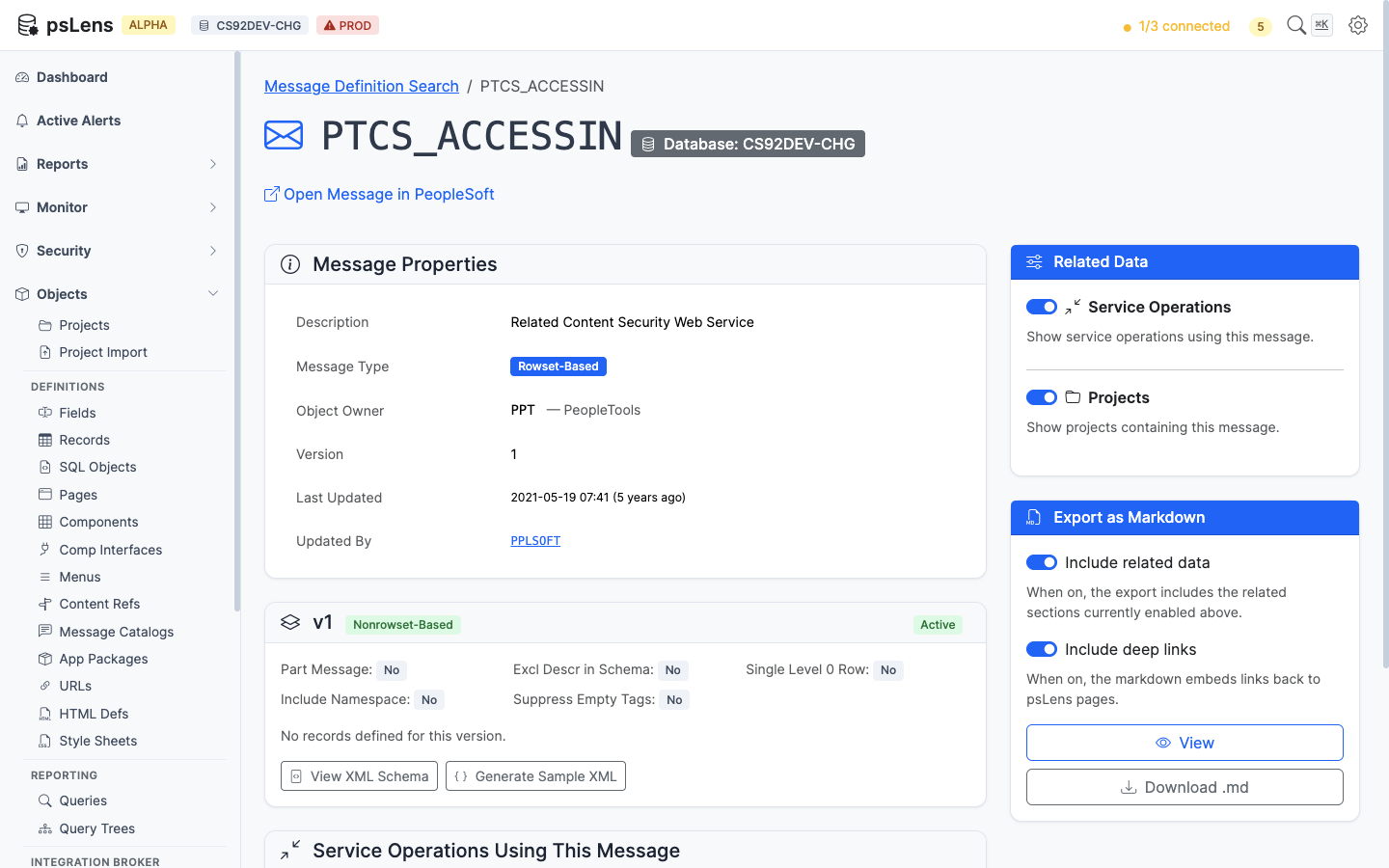
      <p>Message detail page for <code>PTCS_ACCESSIN</code></p>
    </figcaption>
</figure>


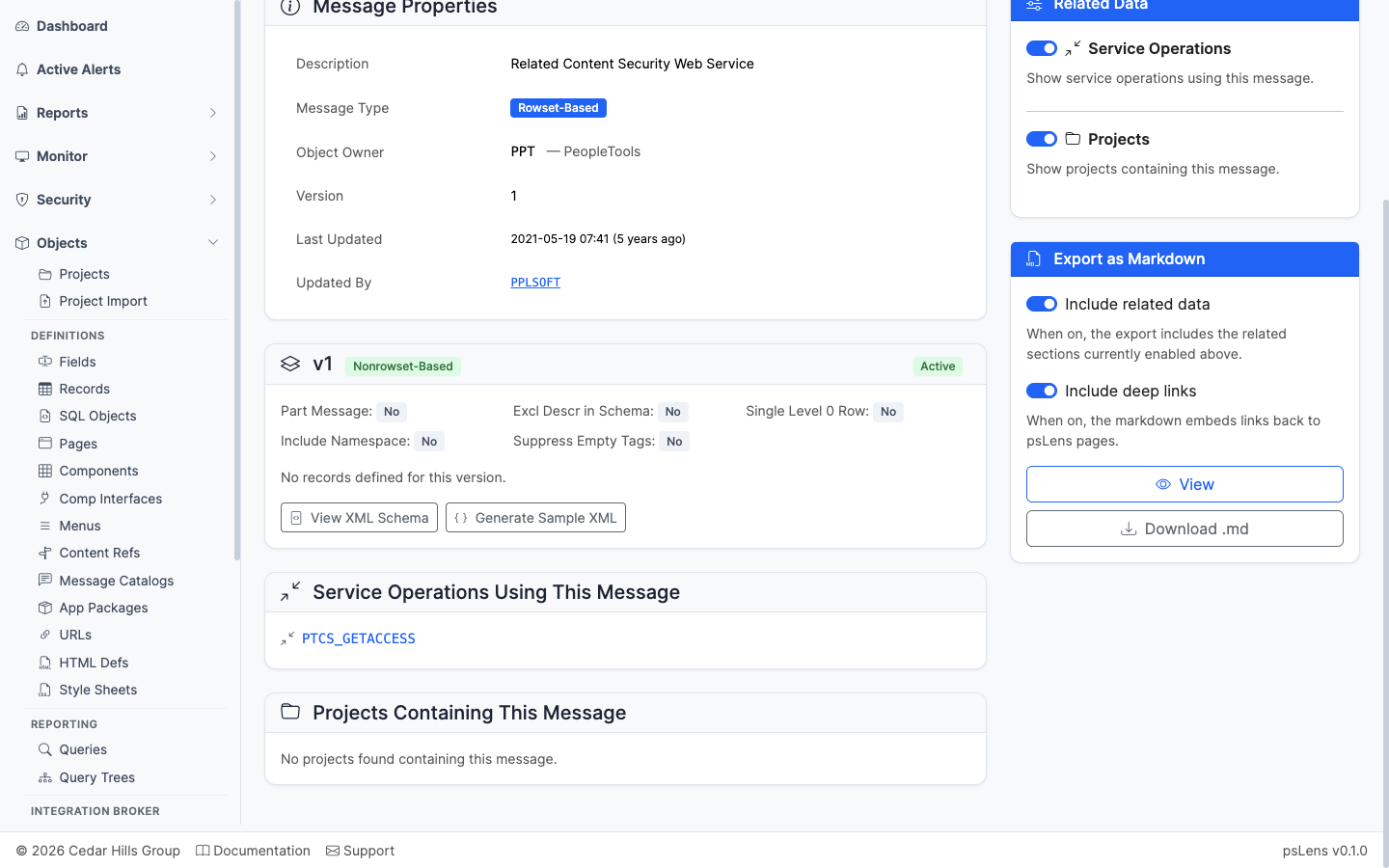
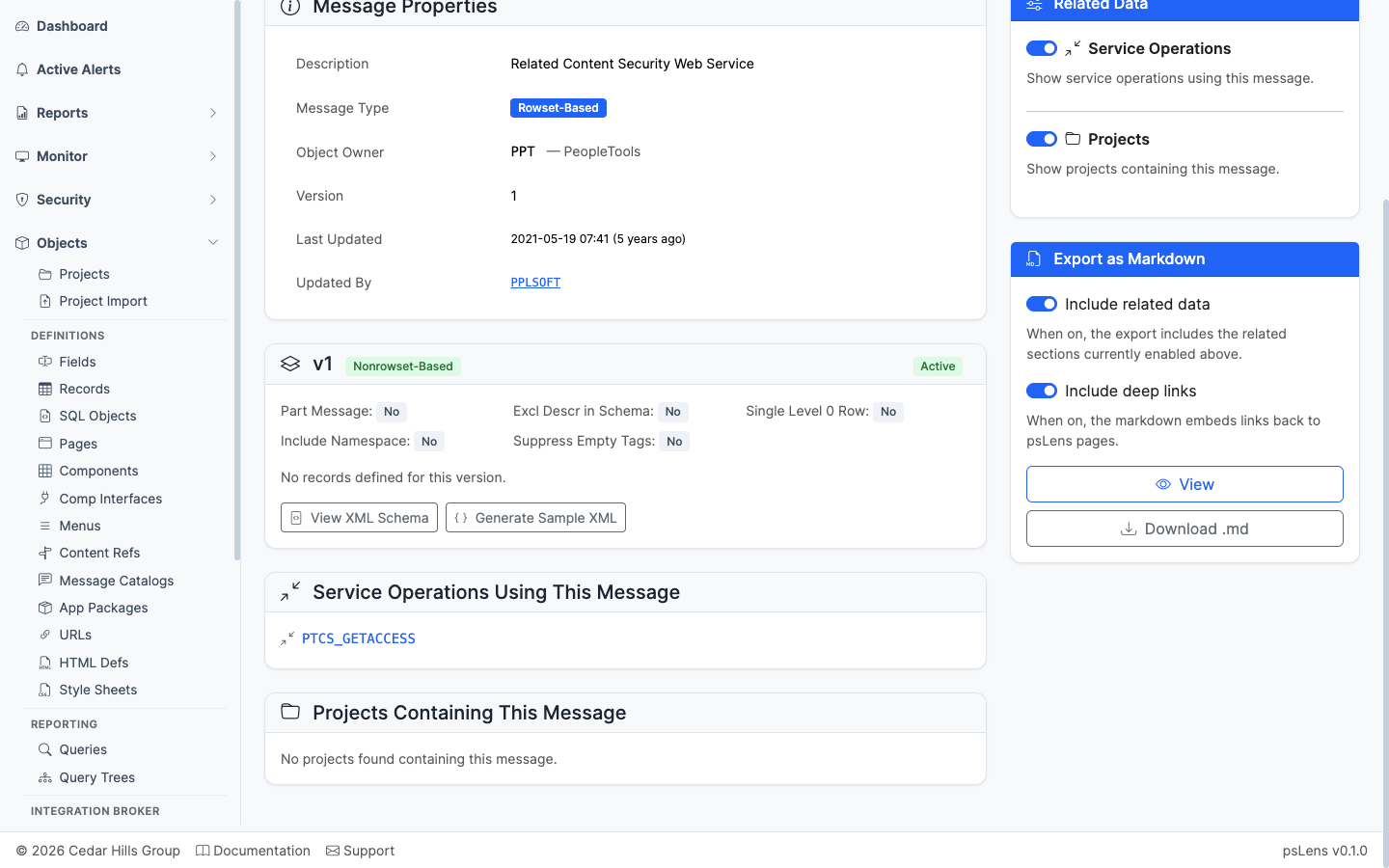
The main pane shows **Message Properties** (alias, owner, description, audit metadata) and a per-version card listing each message version with its type (Nonrowset-Based, Rowset-Based, Container, Document) and the schema details. The sidebar has 2 related-data toggles.

<figure><img src="/images/screenshots/ib/messages-detail-expanded.png"
    alt="Message detail page with all panels expanded"><figcaption>
      <p>Full message detail page with both panels expanded</p>
    </figcaption>
</figure>


## Related Data Panels

### Service Operations Using This Message

<figure><img src="/images/screenshots/ib/messages-panel-service-operations.png"
    alt="Service Operations Using This Message panel"><figcaption>
      <p>Service operations that reference this message as request or response payload</p>
    </figcaption>
</figure>


Service operations that reference this message as a request or response payload.

### Projects Containing This Message

<figure><img src="/images/screenshots/ib/messages-panel-projects.png"
    alt="Projects Containing This Message panel"><figcaption>
      <p>App Designer projects that include this message</p>
    </figcaption>
</figure>


App Designer projects containing this message as a project item.

## What This Consolidates

In PIA you'd open **PeopleTools → Integration Broker → Integration Setup → Messages**, switch to the appropriate version, and then separately walk the service operation registry to find references. psLens shows the message and the operations that use it side by side, so you can confirm callers before changing the schema.