Nodes
Categories:
- Target Database: —
- Context Type: —
- Alert Severity: —
- Triggered Time: —
- Firing Context:
—
Nodes are the network endpoints of the PeopleSoft Integration Broker. Each external system, partner database, or other PeopleSoft environment that sends or receives messages is represented as a node (PSMSGNODEDEFN). The node carries connection settings (connector type, target URL, authentication mode) and is the unit referenced by every routing rule. psLens shows the node configuration, every routing that involves this node, the service operations granted to its default user, and an inventory of URI text configured against it.
Object Relationships
Nodes represent integration targets and security identities in Integration Broker:
- Endpoints for Routings: Nodes (
PSMSGNODEDEFN) are configured as senders or receivers in Routing definitions (PSIBRTNGDEFN). - Binds User Authorization: Nodes link to default user accounts (
OPRID) that dictate execution rights for incoming service operation requests.
How psLens Improves Integration Node Inspection
Reviewing Integration Broker nodes in PIA requires stepping through Connectors, Portal, WS Security, and Routings tabs, while searching Service Operations permissions separately for default node users.
psLens surfaces node properties, password security flags, routing traffic, default user service operation permissions, and URI text in a unified view.
Search Page
URL: /nodes?db={database}
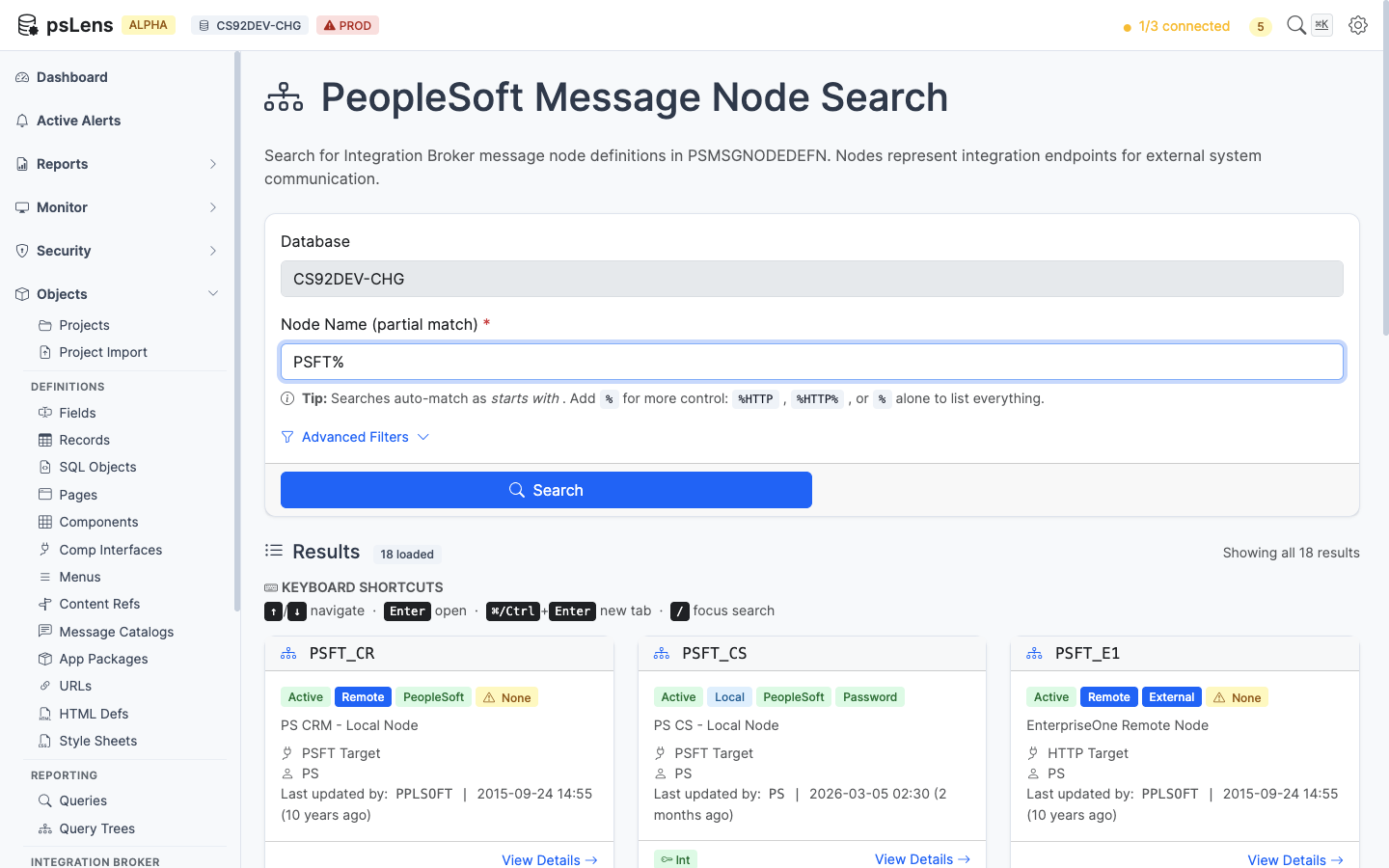
Node search results for PSFT%
Wildcard % search supported. Each card shows the node type (Local, External, Hub), the node’s active flag, the default user ID, and the descriptive name. Enough at a glance to spot inactive nodes or nodes pointing at unexpected user accounts.
Detail Page
URL: /nodes/{NODENAME}?db={database}
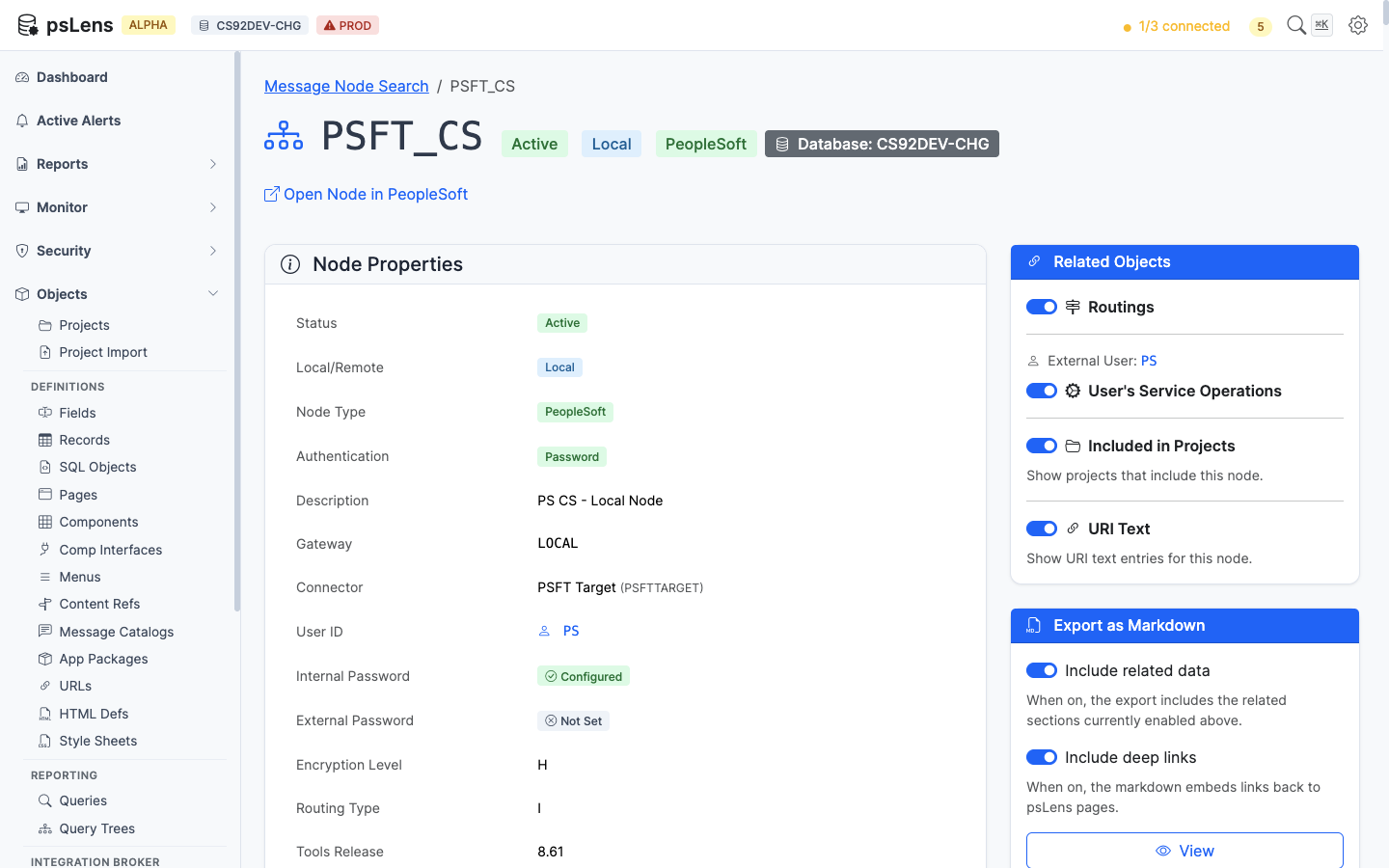
Node detail page for PSFT_CS
The main pane shows Node Properties: node type, connector ID, default user, authentication option, password-set indicator, contact, and audit metadata. The password-set indicator is the security view: a node with authentication required but no password set is a flag worth investigating (see the Nodes with No Password report). The sidebar has 4 related-data toggles.
Related Data Panels
Routings
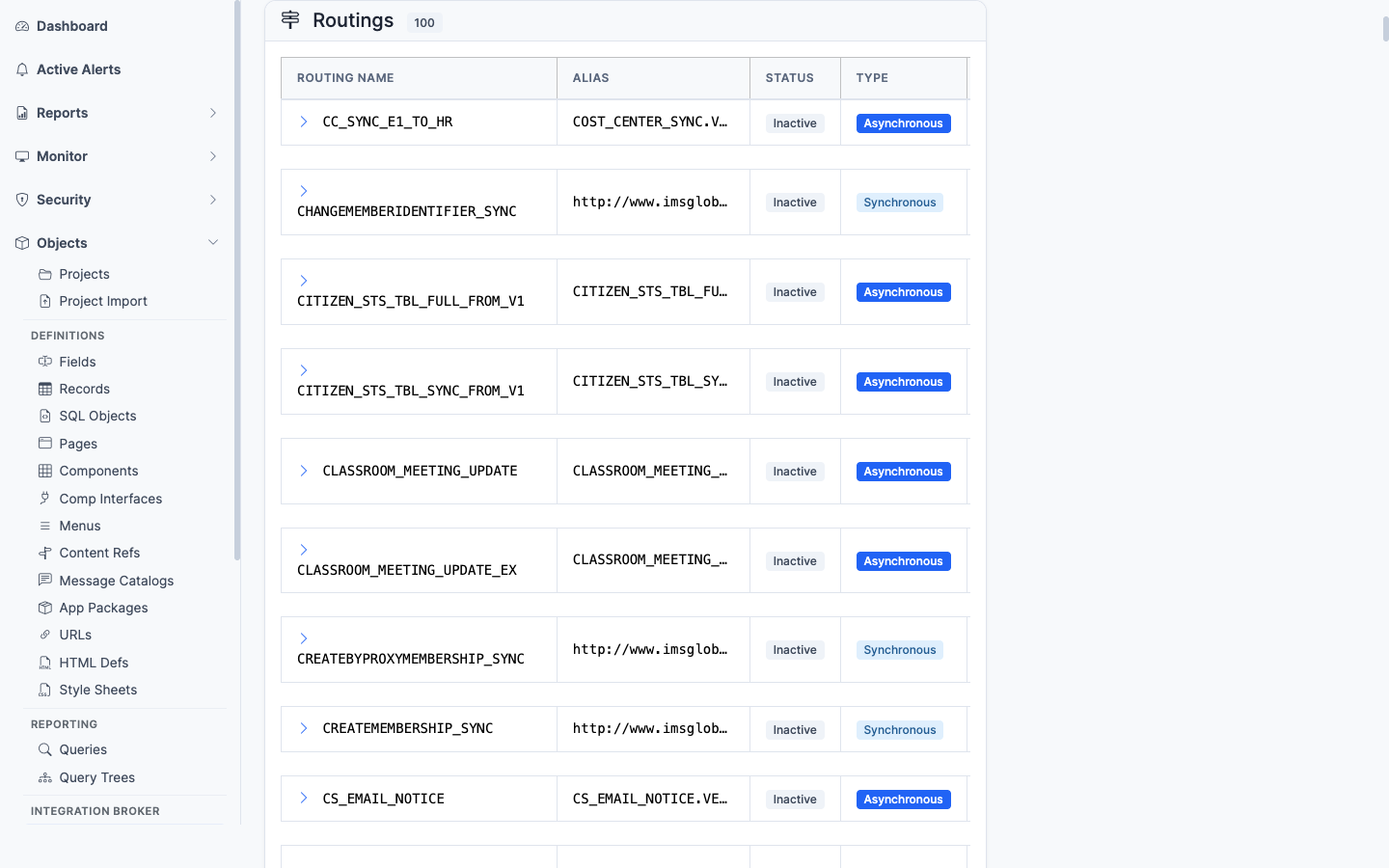
Every routing rule that involves this node (sender or receiver)
Every routing rule (PSIBRTNGDEFN) where this node appears as sender or receiver, with the service operation, direction, and status. Lists the message traffic that flows through this node.
User’s Service Operations
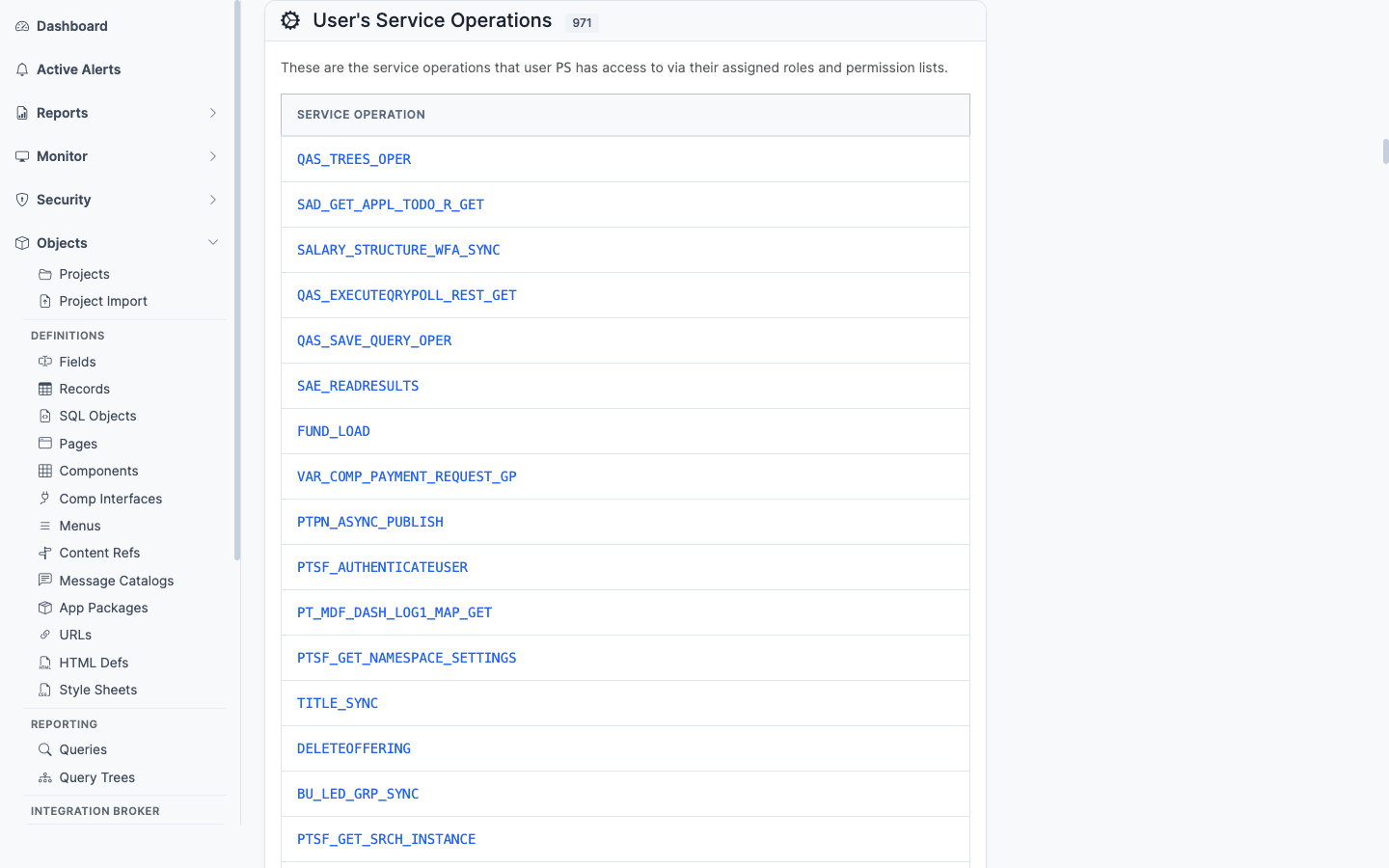
Service operations the node’s default user has permission to invoke
The service operations the node’s default user has been granted permission to invoke. Important for security audits, since a node’s default user can be granted service operations that the human OPRID would never get.
URI Text
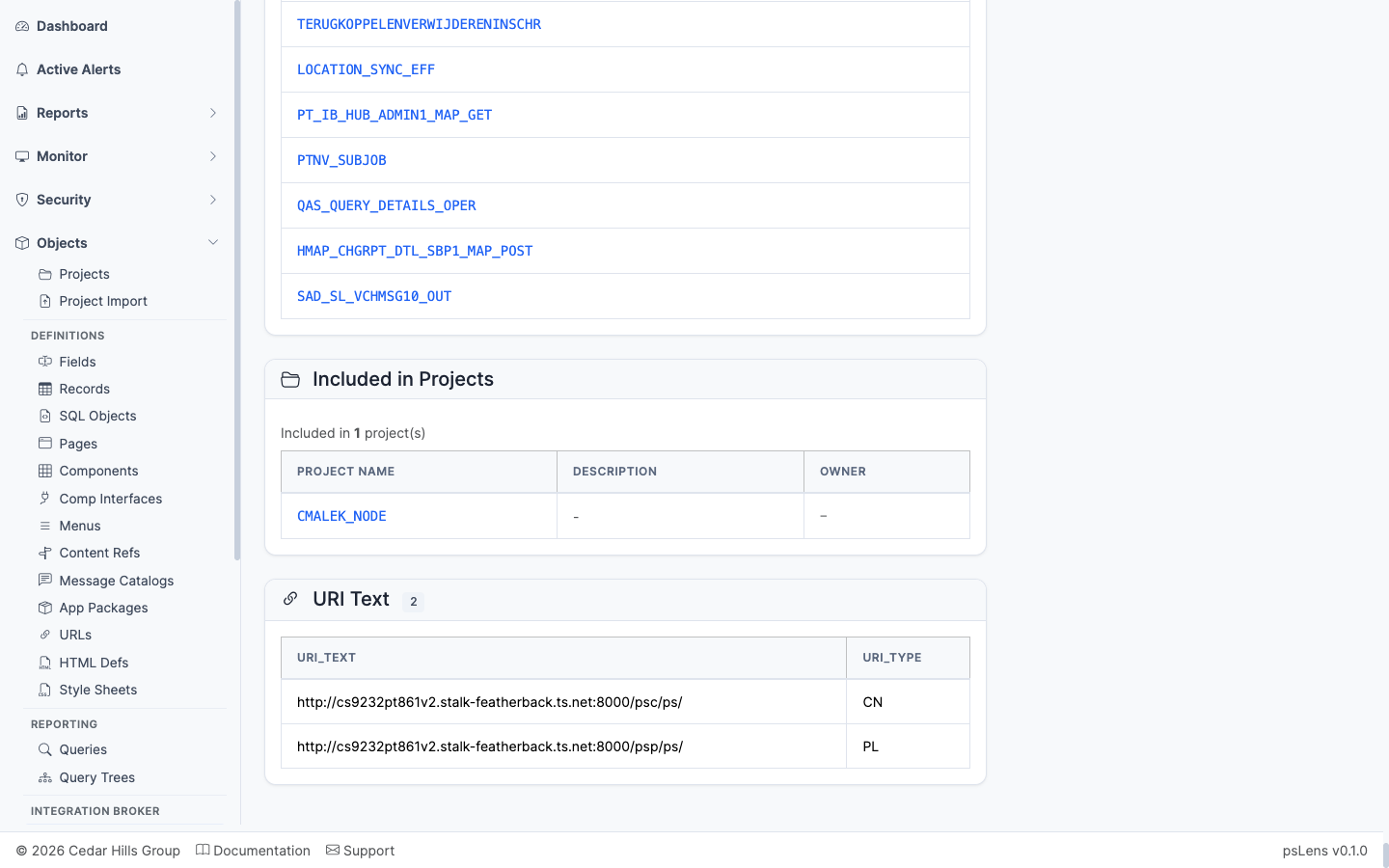
URI text entries configured against the node
The URI text entries configured against the node (PSIBNODEURITEXT). The per-node URL fragments used in REST-style integrations.
Included in Projects
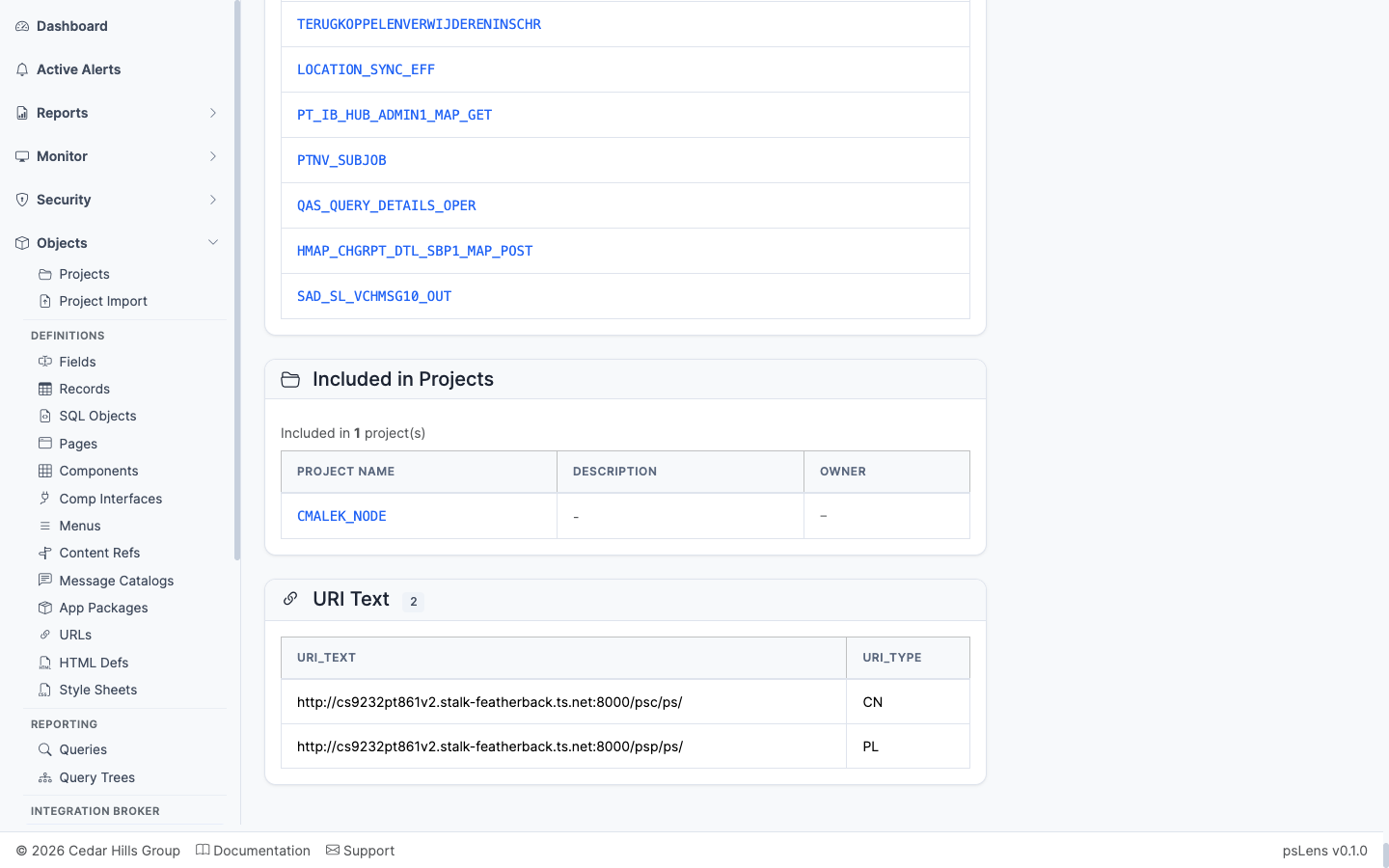
App Designer projects that include this node
App Designer projects that include the node definition.