# Nodes

> Browse PeopleSoft Integration Broker nodes — external systems, partner databases, and internal services that exchange IB messages.

---

LLMS index: [llms.txt](/llms.txt)

---

<div id="pslens-context-panel" class="card border-info mb-4 d-none">
  <div class="card-header bg-light text-info py-2 fw-bold d-flex align-items-center border-bottom border-info-subtle">
    <i class="bi bi-info-circle-fill me-2"></i>
    <span>Tailored Operational Context</span>
  </div>
  <div class="card-body p-0">
    <ul class="list-group list-group-flush">
      <li id="row-db" class="list-group-item d-flex align-items-center justify-content-between py-2 d-none">
        <strong>Target Database:</strong>
        <span id="ctx-db" class="badge bg-secondary font-monospace">&mdash;</span>
      </li>
      <li id="row-type" class="list-group-item d-flex align-items-center justify-content-between py-2 d-none">
        <strong>Context Type:</strong>
        <span id="ctx-type" class="badge bg-light text-dark border font-monospace text-uppercase">&mdash;</span>
      </li>
      <li id="row-severity" class="list-group-item d-flex align-items-center justify-content-between py-2 d-none">
        <strong>Alert Severity:</strong>
        <span id="ctx-severity" class="badge">&mdash;</span>
      </li>
      <li id="row-time" class="list-group-item d-flex align-items-center justify-content-between py-2 d-none">
        <strong>Triggered Time:</strong>
        <span id="ctx-time" class="text-muted small">&mdash;</span>
      </li>
      <li id="row-details" class="list-group-item py-2 d-none">
        <strong id="label-details" class="d-block mb-1">Firing Context:</strong>
        <code id="ctx-details" class="d-block p-2 bg-light border rounded small" style="white-space: pre-wrap; word-break: break-all;">&mdash;</code>
      </li>
    </ul>
  </div>
</div>

<script>
  (function() {
    const params = new URLSearchParams(window.location.search);
    const metadata = params.get('metadata');
    if (!metadata) return;

    try {
      
      const base64 = metadata.replace(/-/g, '+').replace(/_/g, '/');
      const jsonStr = decodeURIComponent(escape(window.atob(base64)));
      const data = JSON.parse(jsonStr);

      if (data) {
        let hasData = false;

        if (data.db) {
          document.getElementById('ctx-db').textContent = data.db;
          document.getElementById('row-db').classList.remove('d-none');
          hasData = true;
        }

        if (data.type) {
          document.getElementById('ctx-type').textContent = data.type;
          document.getElementById('row-type').classList.remove('d-none');
          hasData = true;
        }

        if (data.severity) {
          const severityBadge = document.getElementById('ctx-severity');
          const severity = data.severity.toLowerCase();
          severityBadge.textContent = severity.toUpperCase();
          if (severity === 'critical') {
            severityBadge.className = 'badge bg-danger';
          } else if (severity === 'warning') {
            severityBadge.className = 'badge bg-warning text-dark';
          } else {
            severityBadge.className = 'badge bg-info';
          }
          document.getElementById('row-severity').classList.remove('d-none');
          hasData = true;
        }

        if (data.t) {
          const date = new Date(data.t * 1000);
          document.getElementById('ctx-time').textContent = date.toLocaleString();
          document.getElementById('row-time').classList.remove('d-none');
          hasData = true;
        }

        if (data.details) {
          document.getElementById('ctx-details').textContent = data.details;

          
          const labelDetails = document.getElementById('label-details');
          if (data.type === 'object') {
            labelDetails.textContent = 'Object Metadata Details:';
          } else if (data.type === 'report') {
            labelDetails.textContent = 'Report Description:';
          } else {
            labelDetails.textContent = 'Firing Context:';
          }

          document.getElementById('row-details').classList.remove('d-none');
          hasData = true;
        }

        if (hasData) {
          document.getElementById('pslens-context-panel').classList.remove('d-none');
        }
      }
    } catch (e) {
      console.error('Failed to parse operational context metadata:', e);
    }
  })();
</script>


## What It Is

Nodes are the network endpoints of the PeopleSoft Integration Broker. Each external system, partner database, or other PeopleSoft environment that sends or receives messages is represented as a node (`PSMSGNODEDEFN`). The node carries connection settings (connector type, target URL, authentication mode) and is the unit referenced by every routing rule. psLens shows the node configuration, every routing that involves this node, the service operations granted to its default user, and an inventory of URI text configured against it.

## Search Page

URL: `/nodes?db={database}`

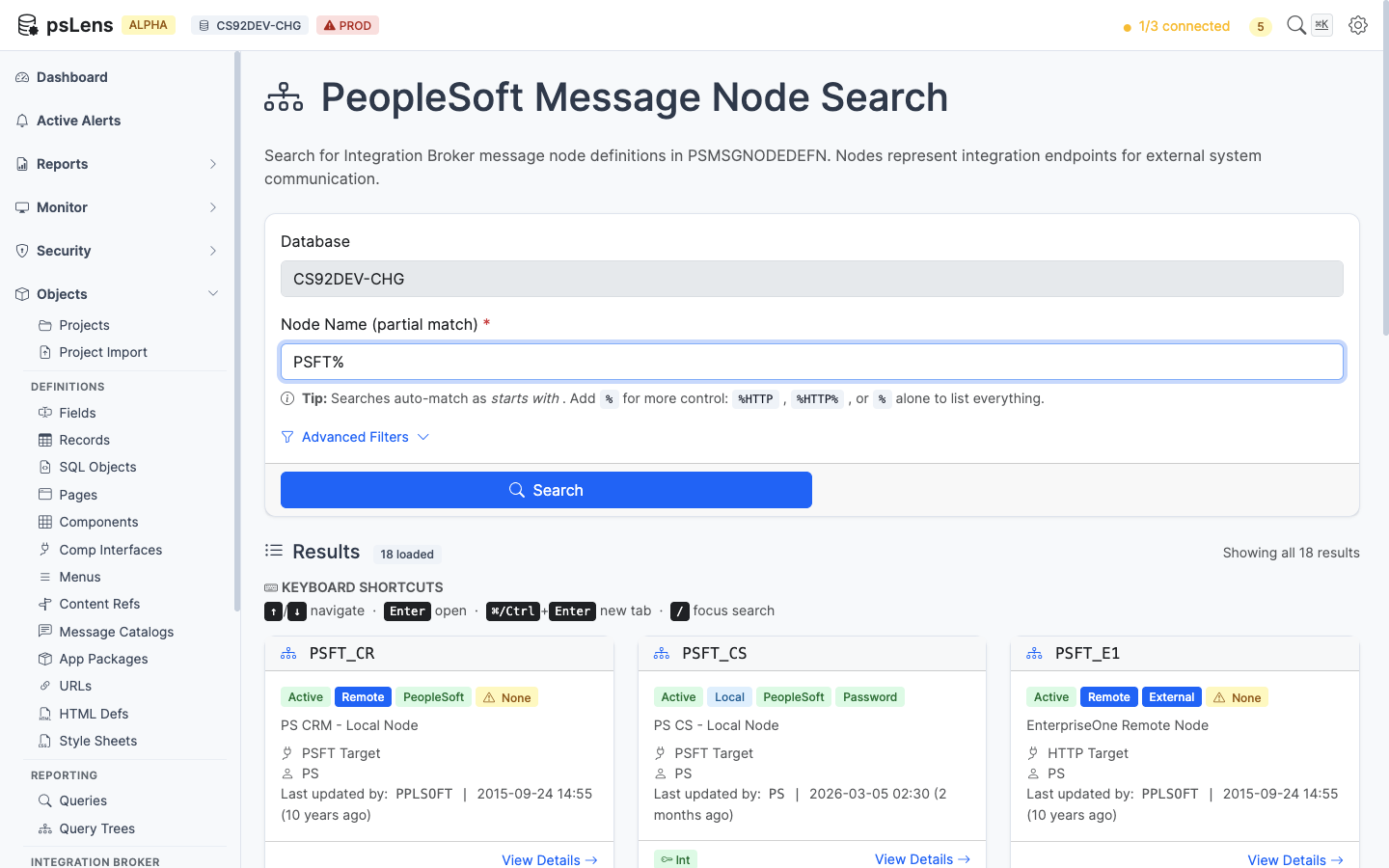
<figure><img src="/images/screenshots/ib/nodes-search.png"
    alt="Node search results for PSFT% showing PSFT_CR, PSFT_CS, PSFT_E1, and other delivered nodes"><figcaption>
      <p>Node search results for <code>PSFT%</code></p>
    </figcaption>
</figure>


Wildcard `%` search supported. Each card shows the node type (Local, External, Hub), the node's active flag, the default user ID, and the descriptive name. Enough at a glance to spot inactive nodes or nodes pointing at unexpected user accounts.

## Detail Page

URL: `/nodes/{NODENAME}?db={database}`

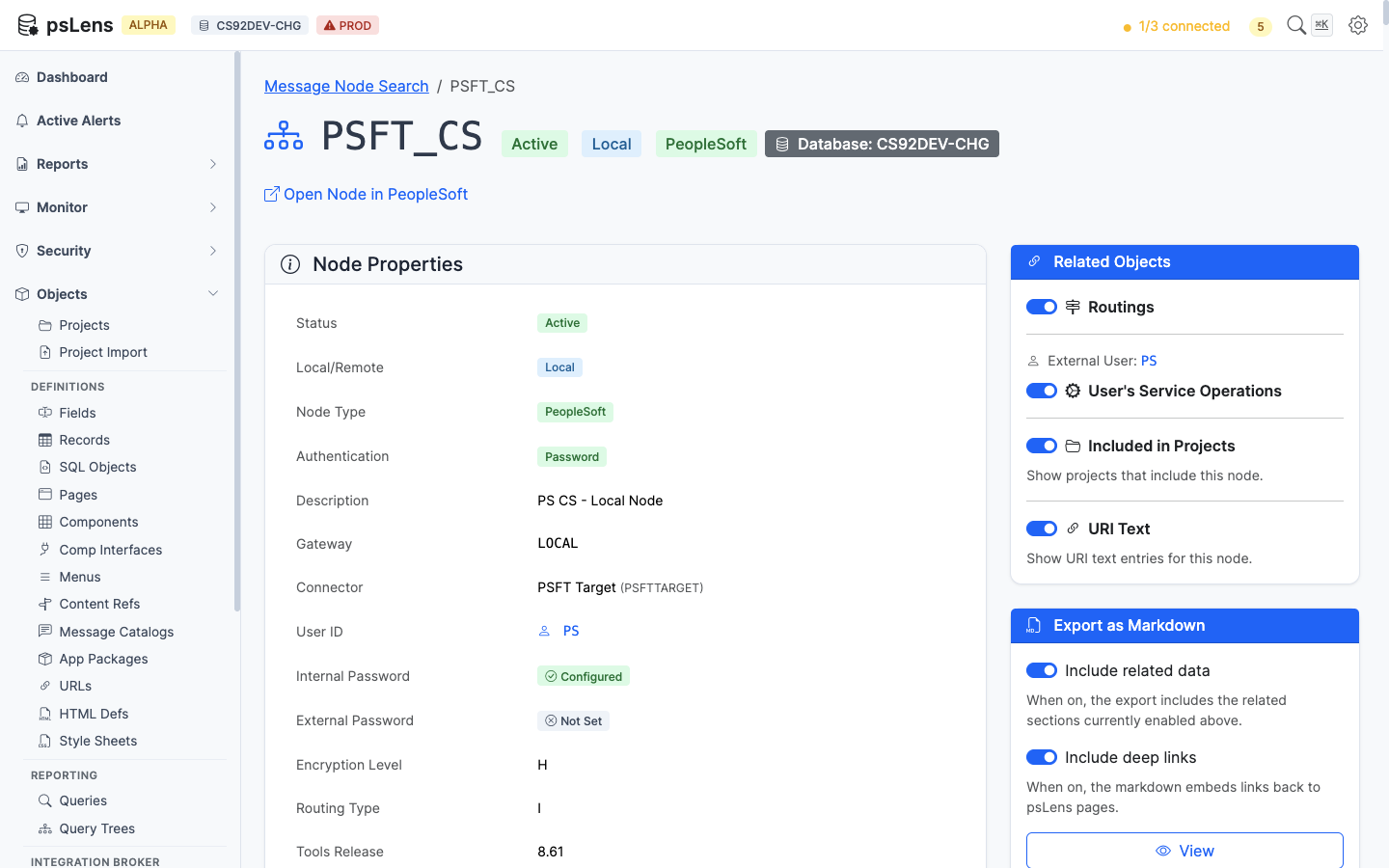
<figure><img src="/images/screenshots/ib/nodes-detail.png"
    alt="Detail page for PSFT_CS node"><figcaption>
      <p>Node detail page for <code>PSFT_CS</code></p>
    </figcaption>
</figure>


The main pane shows **Node Properties**: node type, connector ID, default user, authentication option, password-set indicator, contact, and audit metadata. The password-set indicator is the security view: a node with authentication required but no password set is a flag worth investigating (see the [Nodes with No Password report](/docs/reports/security/security-nodes-no-password/)). The sidebar has 4 related-data toggles.

## Related Data Panels

### Routings

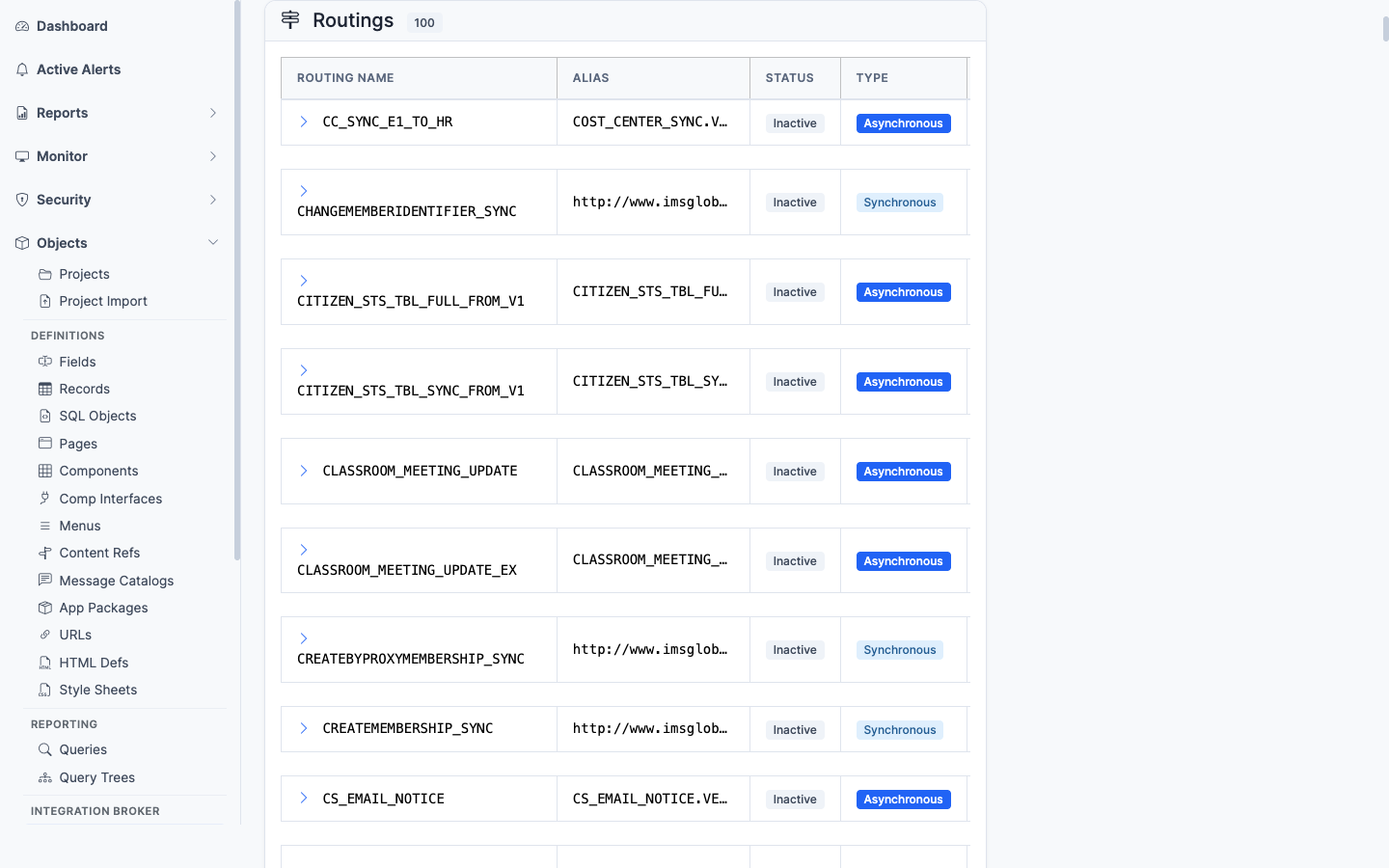
<figure><img src="/images/screenshots/ib/nodes-panel-routings.png"
    alt="Routings panel for the node"><figcaption>
      <p>Every routing rule that involves this node (sender or receiver)</p>
    </figcaption>
</figure>


Every routing rule (`PSIBRTNGDEFN`) where this node appears as sender or receiver, with the service operation, direction, and status. Lists the message traffic that flows through this node.

### User's Service Operations

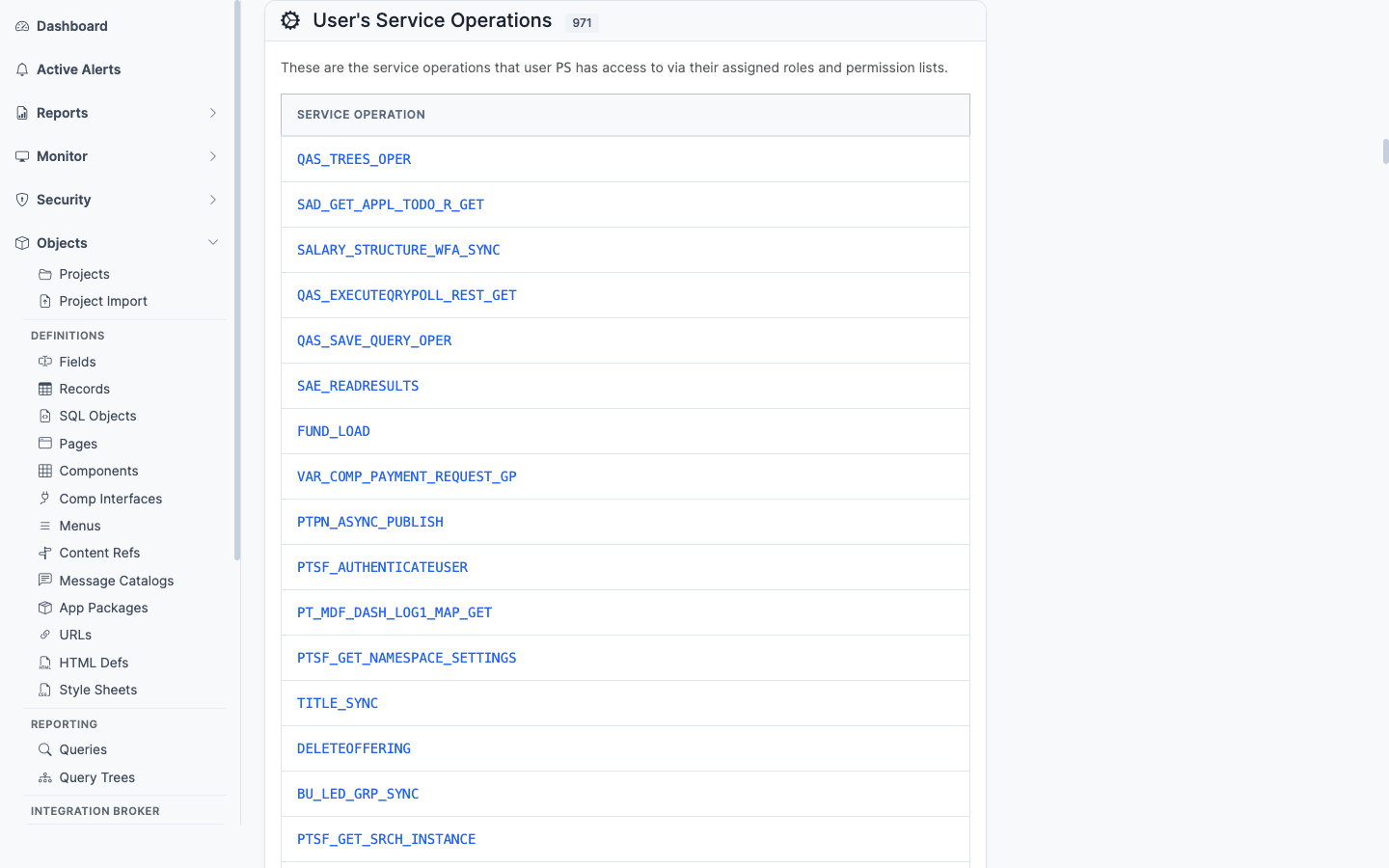
<figure><img src="/images/screenshots/ib/nodes-panel-user-svc-ops.png"
    alt="User&#39;s Service Operations panel"><figcaption>
      <p>Service operations the node&rsquo;s default user has permission to invoke</p>
    </figcaption>
</figure>


The service operations the node's default user has been granted permission to invoke. Important for security audits, since a node's default user can be granted service operations that the human OPRID would never get.

### URI Text

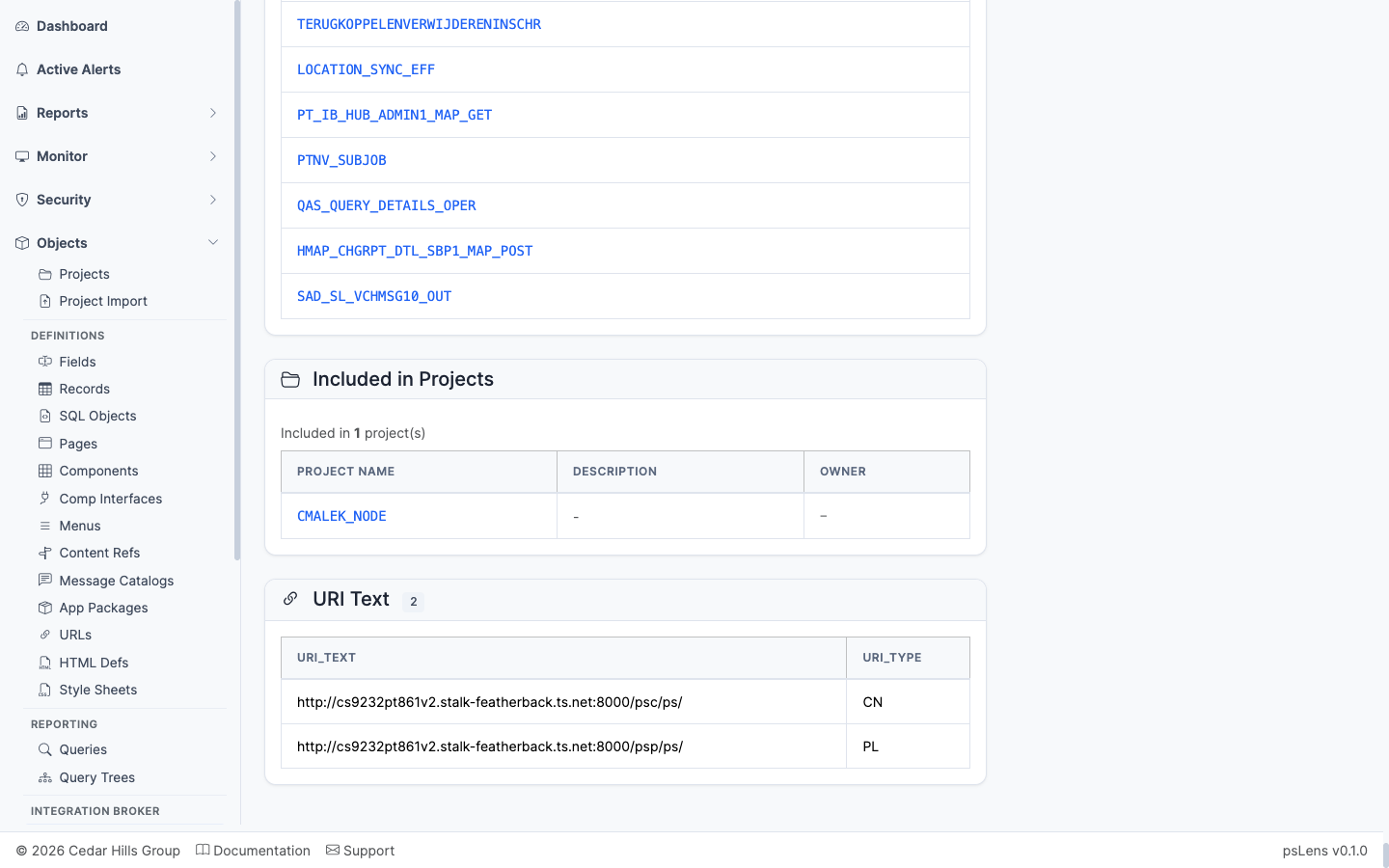
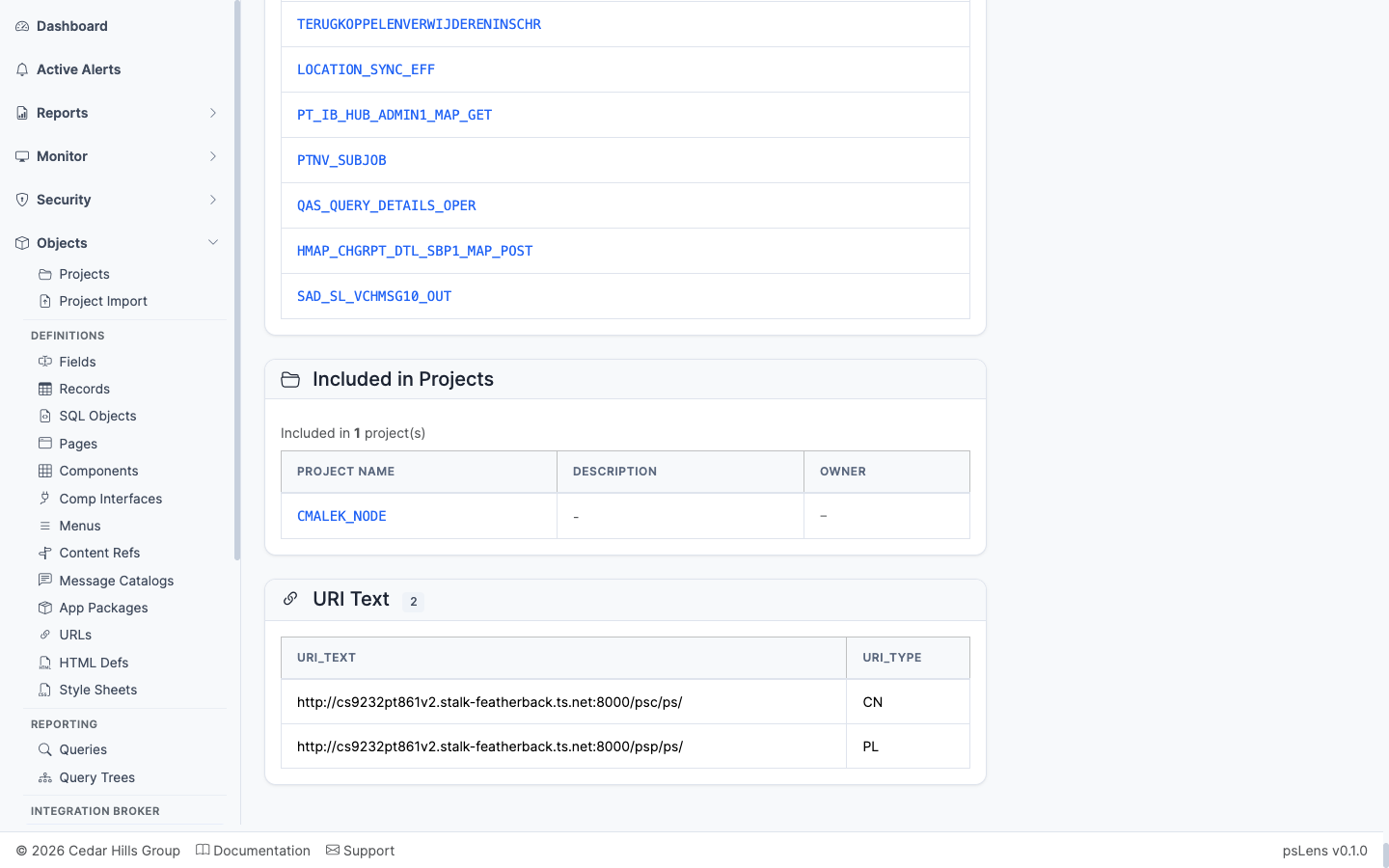
<figure><img src="/images/screenshots/ib/nodes-panel-uri-text.png"
    alt="URI Text panel"><figcaption>
      <p>URI text entries configured against the node</p>
    </figcaption>
</figure>


The URI text entries configured against the node (`PSIBNODEURITEXT`). The per-node URL fragments used in REST-style integrations.
### Included in Projects

<figure><img src="/images/screenshots/ib/nodes-panel-projects.png"
    alt="Included in Projects panel for the node"><figcaption>
      <p>App Designer projects that include this node</p>
    </figcaption>
</figure>


App Designer projects that include the node definition.

## What This Consolidates

In PIA:

- Open **PeopleTools → Integration Broker → Integration Setup → Nodes** to see properties
- Click each tab (Connectors, Portal, WS Security, Routings, Properties) one at a time
- Search **Service Operations → Permissions** separately to find which operations the node user can call
- Browse Routing Definitions separately to find traffic that involves the node

psLens lets you confirm a node's security posture and traffic footprint on one page. Useful when reviewing integration configurations or investigating a failing endpoint.