# Pages

> Browse PeopleSoft page definitions with field controls, source records, subpages, components, and PeopleCode.

---

LLMS index: [llms.txt](/llms.txt)

---

<div id="pslens-context-panel" class="card border-info mb-4 d-none">
  <div class="card-header bg-light text-info py-2 fw-bold d-flex align-items-center border-bottom border-info-subtle">
    <i class="bi bi-info-circle-fill me-2"></i>
    <span>Tailored Operational Context</span>
  </div>
  <div class="card-body p-0">
    <ul class="list-group list-group-flush">
      <li id="row-db" class="list-group-item d-flex align-items-center justify-content-between py-2 d-none">
        <strong>Target Database:</strong>
        <span id="ctx-db" class="badge bg-secondary font-monospace">&mdash;</span>
      </li>
      <li id="row-type" class="list-group-item d-flex align-items-center justify-content-between py-2 d-none">
        <strong>Context Type:</strong>
        <span id="ctx-type" class="badge bg-light text-dark border font-monospace text-uppercase">&mdash;</span>
      </li>
      <li id="row-severity" class="list-group-item d-flex align-items-center justify-content-between py-2 d-none">
        <strong>Alert Severity:</strong>
        <span id="ctx-severity" class="badge">&mdash;</span>
      </li>
      <li id="row-time" class="list-group-item d-flex align-items-center justify-content-between py-2 d-none">
        <strong>Triggered Time:</strong>
        <span id="ctx-time" class="text-muted small">&mdash;</span>
      </li>
      <li id="row-details" class="list-group-item py-2 d-none">
        <strong id="label-details" class="d-block mb-1">Firing Context:</strong>
        <code id="ctx-details" class="d-block p-2 bg-light border rounded small" style="white-space: pre-wrap; word-break: break-all;">&mdash;</code>
      </li>
    </ul>
  </div>
</div>

<script>
  (function() {
    const params = new URLSearchParams(window.location.search);
    const metadata = params.get('metadata');
    if (!metadata) return;

    try {
      
      const base64 = metadata.replace(/-/g, '+').replace(/_/g, '/');
      const jsonStr = decodeURIComponent(escape(window.atob(base64)));
      const data = JSON.parse(jsonStr);

      if (data) {
        let hasData = false;

        if (data.db) {
          document.getElementById('ctx-db').textContent = data.db;
          document.getElementById('row-db').classList.remove('d-none');
          hasData = true;
        }

        if (data.type) {
          document.getElementById('ctx-type').textContent = data.type;
          document.getElementById('row-type').classList.remove('d-none');
          hasData = true;
        }

        if (data.severity) {
          const severityBadge = document.getElementById('ctx-severity');
          const severity = data.severity.toLowerCase();
          severityBadge.textContent = severity.toUpperCase();
          if (severity === 'critical') {
            severityBadge.className = 'badge bg-danger';
          } else if (severity === 'warning') {
            severityBadge.className = 'badge bg-warning text-dark';
          } else {
            severityBadge.className = 'badge bg-info';
          }
          document.getElementById('row-severity').classList.remove('d-none');
          hasData = true;
        }

        if (data.t) {
          const date = new Date(data.t * 1000);
          document.getElementById('ctx-time').textContent = date.toLocaleString();
          document.getElementById('row-time').classList.remove('d-none');
          hasData = true;
        }

        if (data.details) {
          document.getElementById('ctx-details').textContent = data.details;

          
          const labelDetails = document.getElementById('label-details');
          if (data.type === 'object') {
            labelDetails.textContent = 'Object Metadata Details:';
          } else if (data.type === 'report') {
            labelDetails.textContent = 'Report Description:';
          } else {
            labelDetails.textContent = 'Firing Context:';
          }

          document.getElementById('row-details').classList.remove('d-none');
          hasData = true;
        }

        if (hasData) {
          document.getElementById('pslens-context-panel').classList.remove('d-none');
        }
      }
    } catch (e) {
      console.error('Failed to parse operational context metadata:', e);
    }
  })();
</script>


## What It Is

Pages are the visual screens users interact with in PeopleSoft: the panel definitions from `PSPNLDEFN` and the per-control bindings from `PSPNLFIELD`. psLens shows the full control list (every field, label, group box, and subpage on the page), the underlying records each control reads from, and the rest of the metadata graph hanging off the page: which components include it, which PeopleCode is attached, which projects contain it.

## Search Page

URL: `/pages?db={database}`

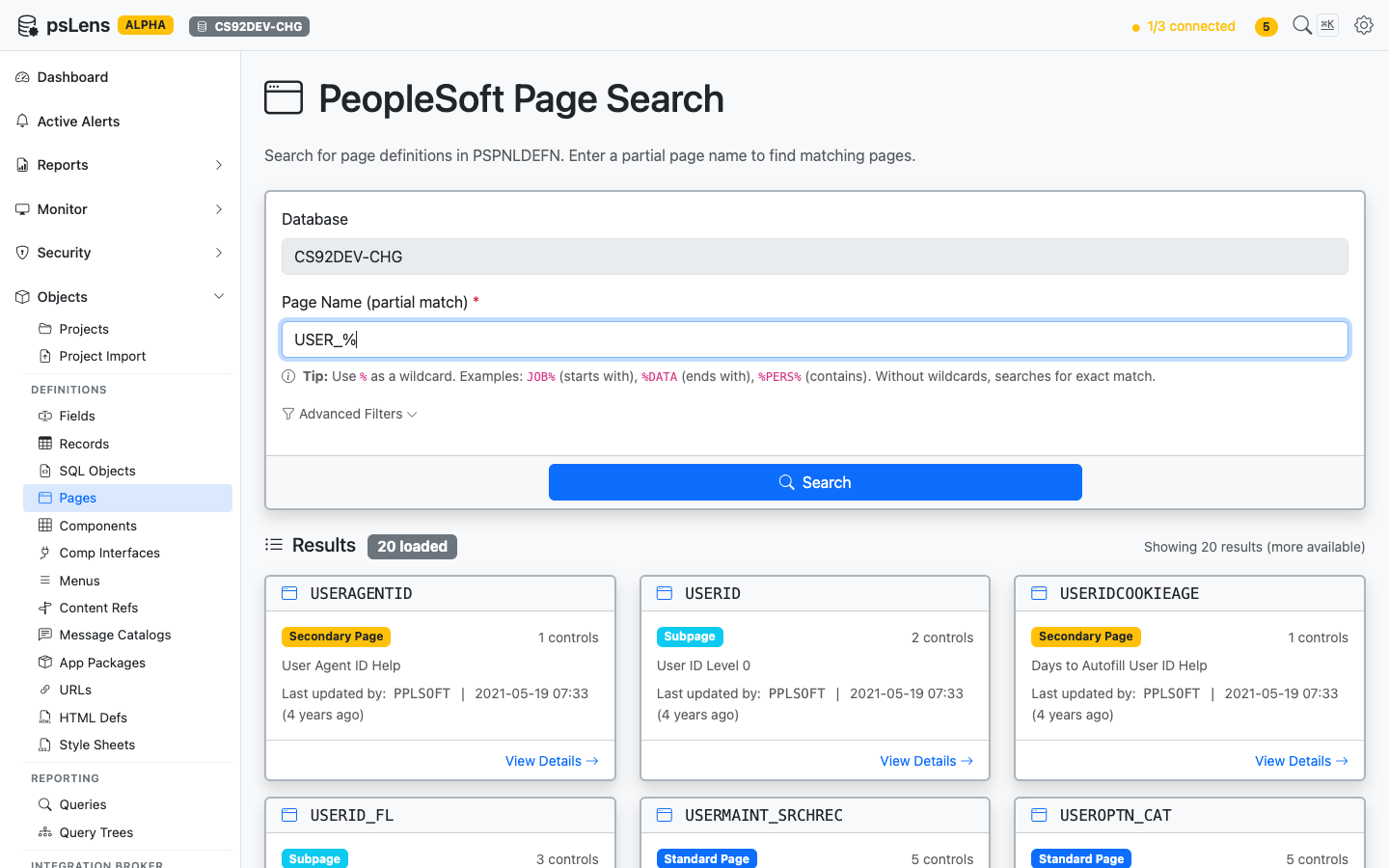
<figure><img src="/images/screenshots/metadata/pages-search.png"
    alt="Page search results for USER_% showing USERAGENTID, USERID, USERMAINT_SRCHREC, USERPROFILEPAGE and others"><figcaption>
      <p>Page search results for <code>USER_%</code></p>
    </figcaption>
</figure>


Wildcard `%` search supported. Each result card shows the page type (Standard Page, Subpage, Secondary Page, or Search Record) so you can spot reusable subpages versus standalone screens at a glance. The **Advanced Filters** panel lets you exclude subpages or limit to standard pages only.

## Detail Page

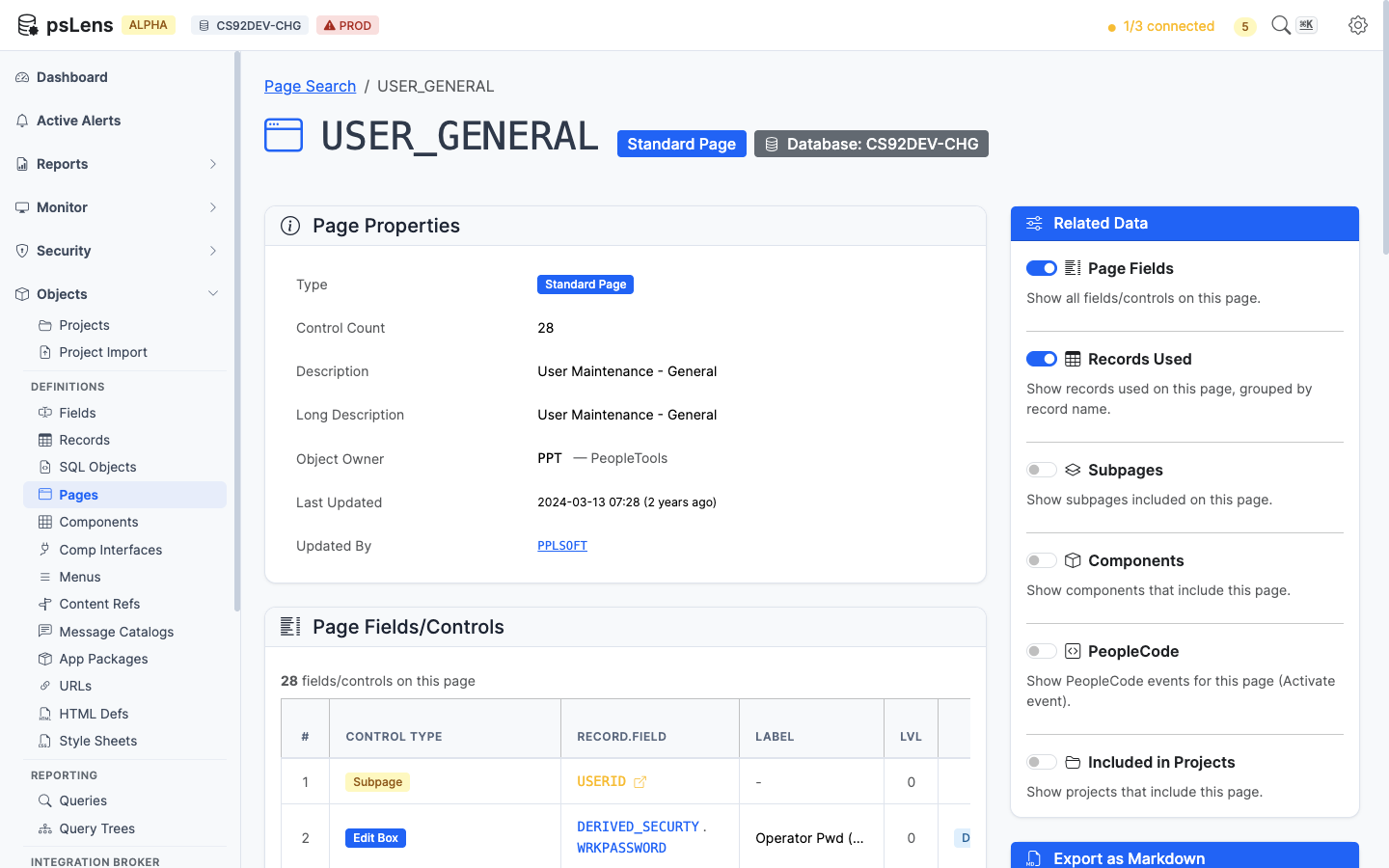
URL: `/pages/{PAGENAME}?db={database}`

<figure><img src="/images/screenshots/metadata/pages-detail.png"
    alt="Detail page for USERPROFILEPAGE showing page properties and field controls"><figcaption>
      <p>Page detail for <code>USERPROFILEPAGE</code> — default view</p>
    </figcaption>
</figure>


The main pane shows **Page Properties** (type, size, style, audit metadata) and the full **Page Fields/Controls** table with each control's record/field binding, label, occurs level, and field type. The sidebar has 6 related-data toggles.

<figure><img src="/images/screenshots/metadata/pages-detail-expanded.png"
    alt="Page detail with all panels expanded"><figcaption>
      <p>All panels expanded on a Secondary Page</p>
    </figcaption>
</figure>


## Related Data Panels

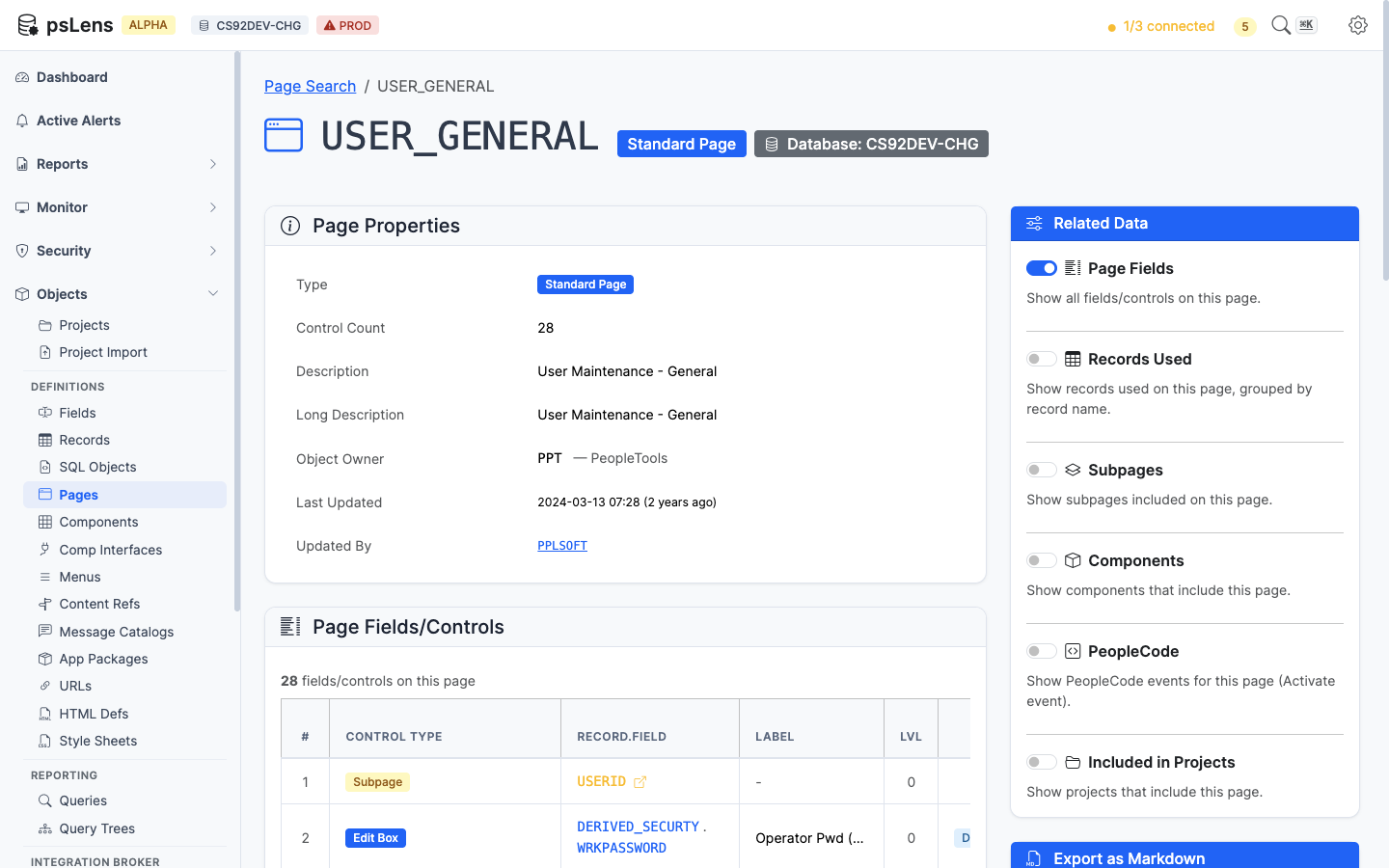
### Page Fields/Controls

<figure><img src="/images/screenshots/metadata/pages-panel-fields.png"
    alt="Page Fields panel listing every control on the USERPROFILEPAGE"><figcaption>
      <p>Every control on the page with its field, record, and label</p>
    </figcaption>
</figure>


The control inventory: every field control on the page with its `PSPNLFIELD` row attributes. Each record/field reference deep-links into the matching psLens detail page.

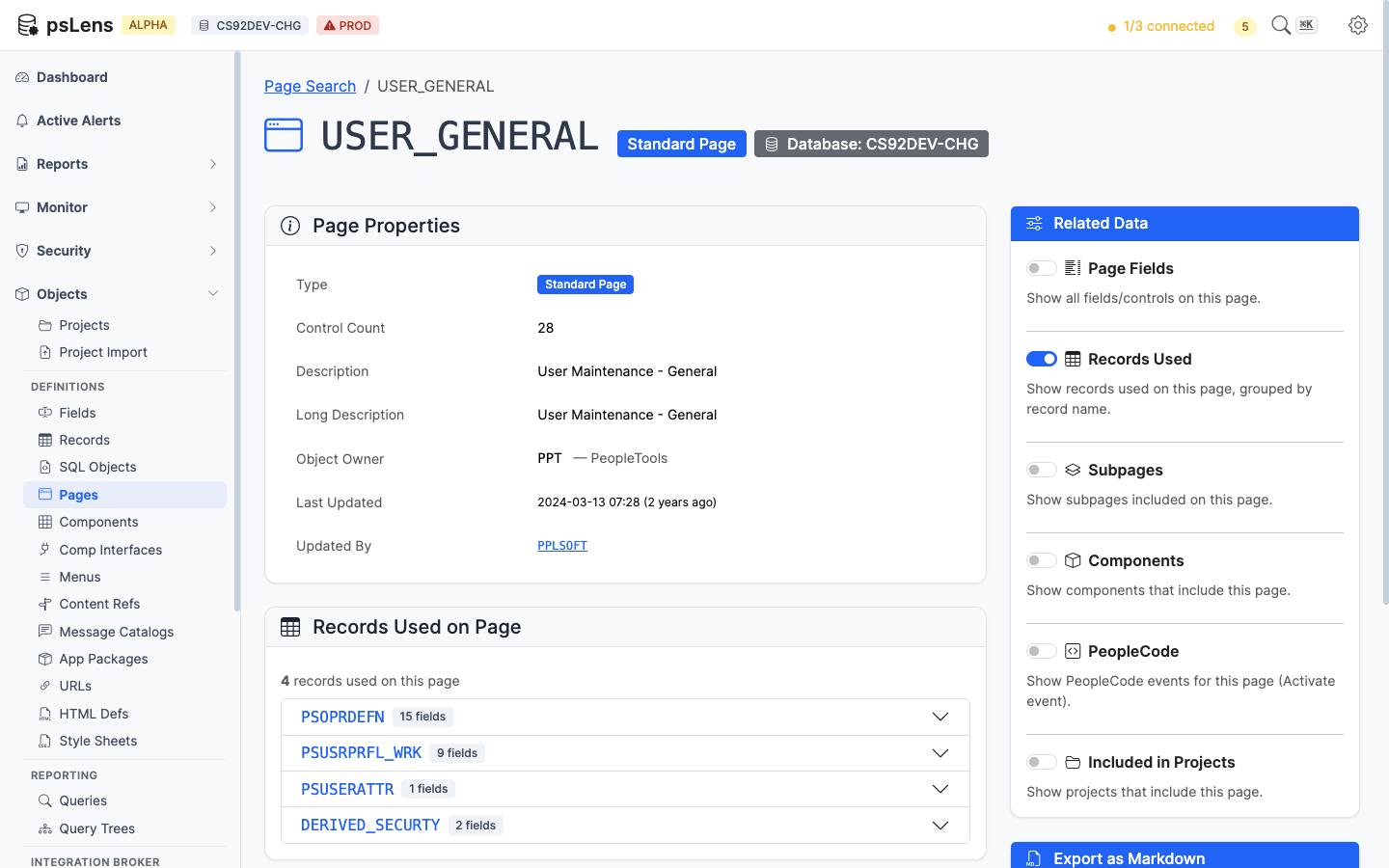
### Records Used on Page

<figure><img src="/images/screenshots/metadata/pages-panel-records.png"
    alt="Records Used on Page panel for USERPROFILEPAGE"><figcaption>
      <p>Distinct records referenced by any control on the page</p>
    </figcaption>
</figure>


The de-duplicated list of records this page reads from. Clicking a record opens its detail page so you can confirm the schema, sample data, or check what else uses it.

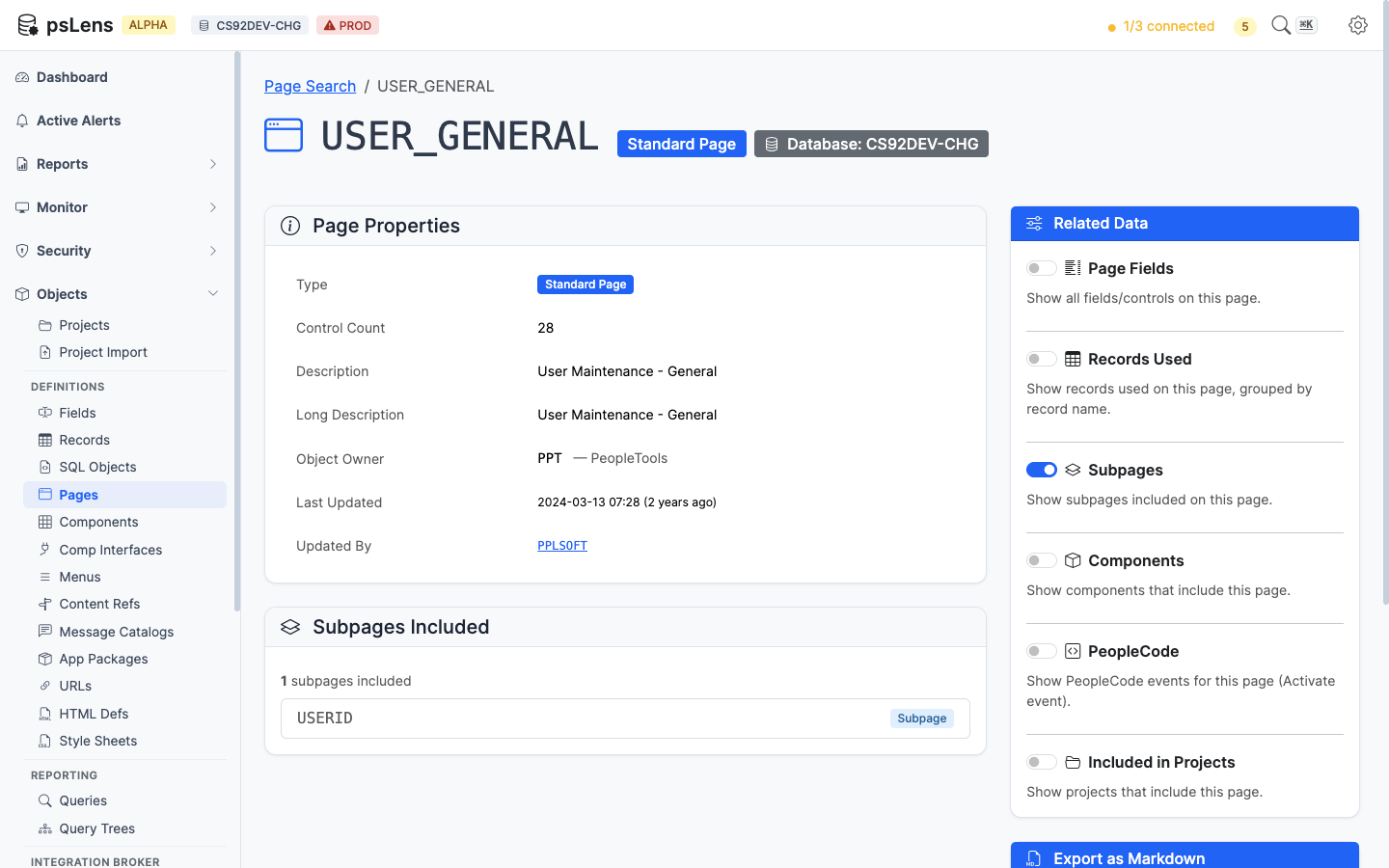
### Subpages Included

<figure><img src="/images/screenshots/metadata/pages-panel-subpages.png"
    alt="Subpages Included panel"><figcaption>
      <p>Subpages embedded inside this page</p>
    </figcaption>
</figure>


Lists every subpage embedded inside this page. Useful when a control's data seems to come from somewhere "magic" (it's almost always a subpage doing the work).

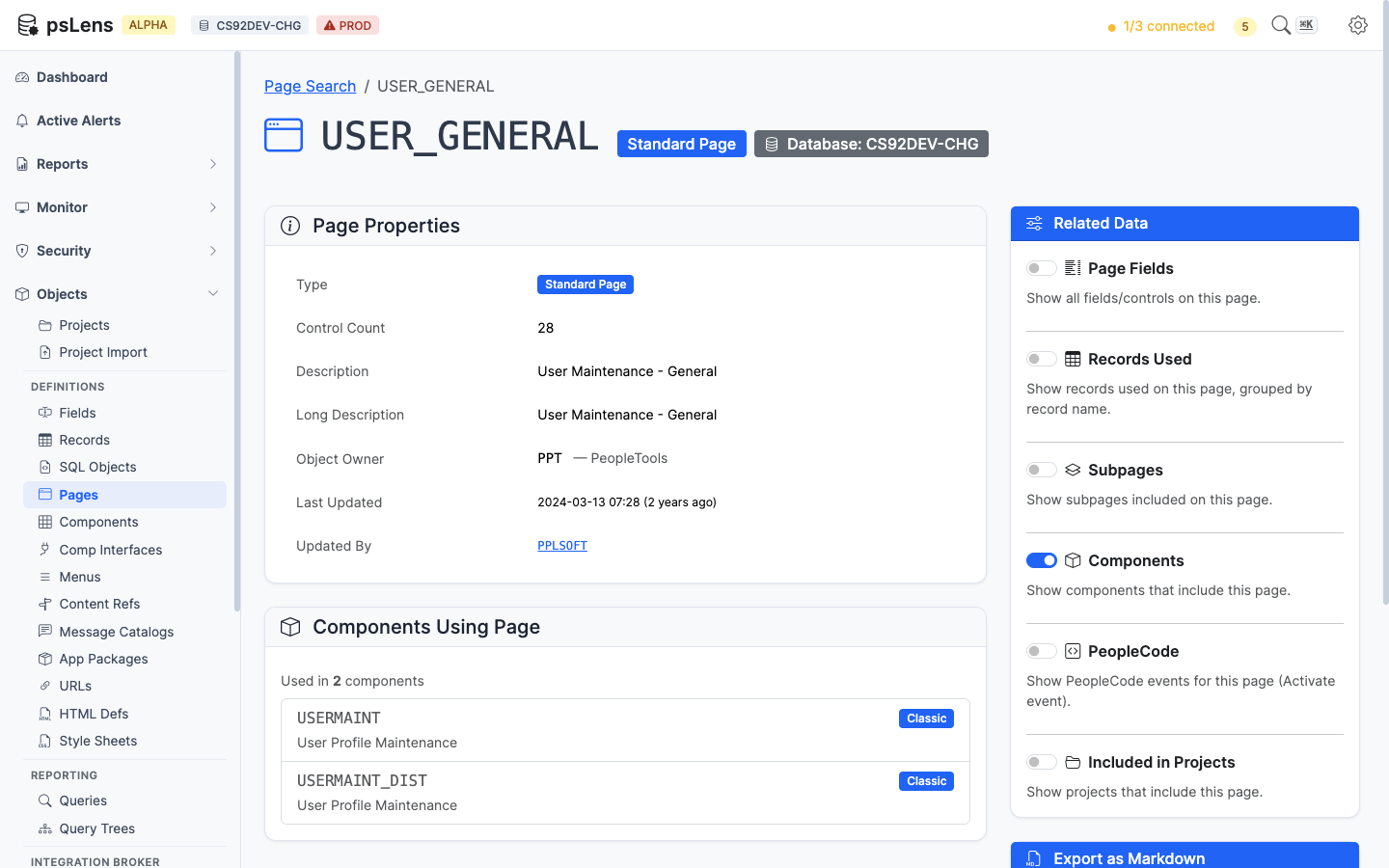
### Components Using Page

<figure><img src="/images/screenshots/metadata/pages-panel-components.png"
    alt="Components Using Page panel"><figcaption>
      <p>Components whose item list includes this page</p>
    </figcaption>
</figure>


Lists the components that include this page. Answers "which transactions show this screen to a user?"

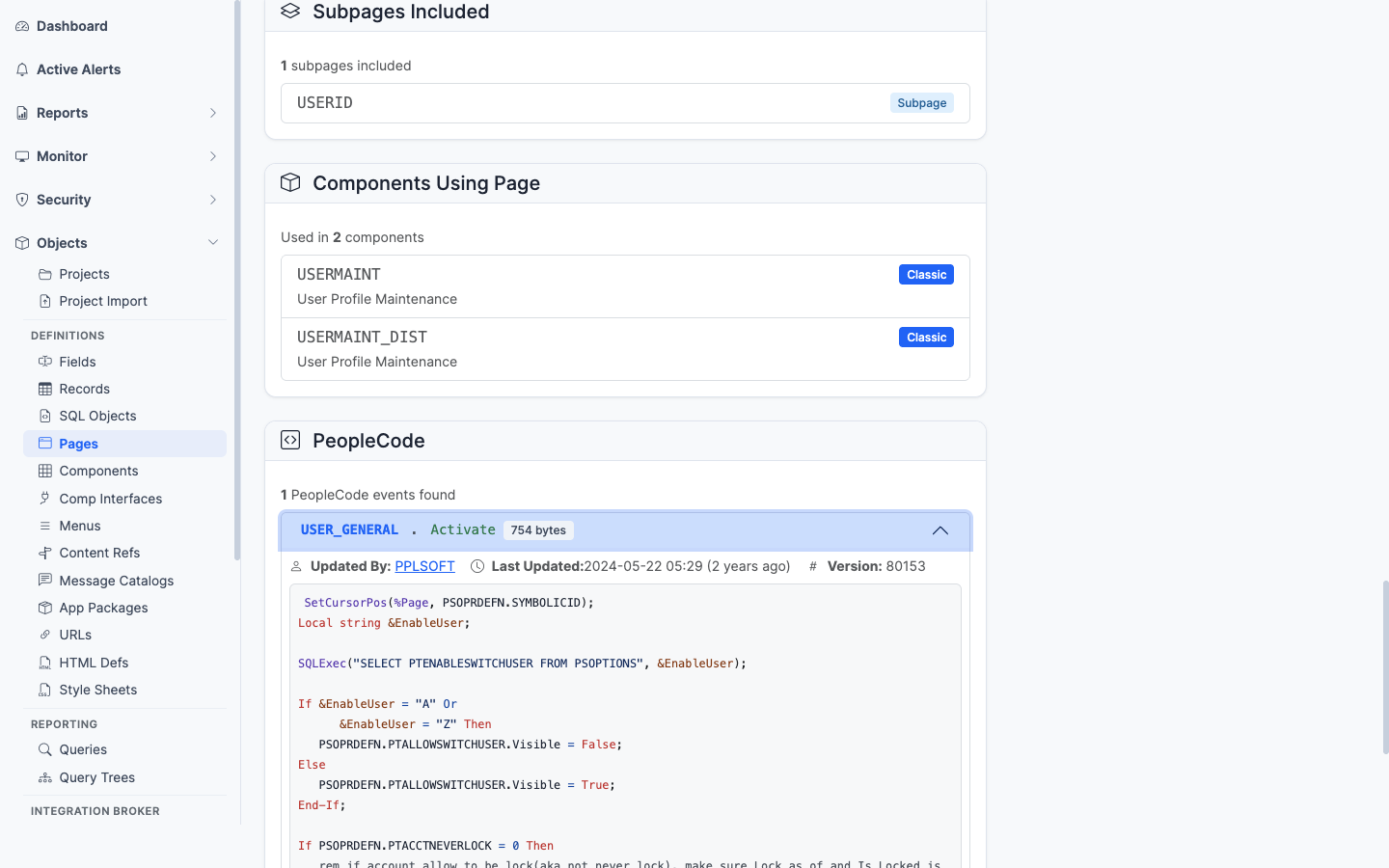
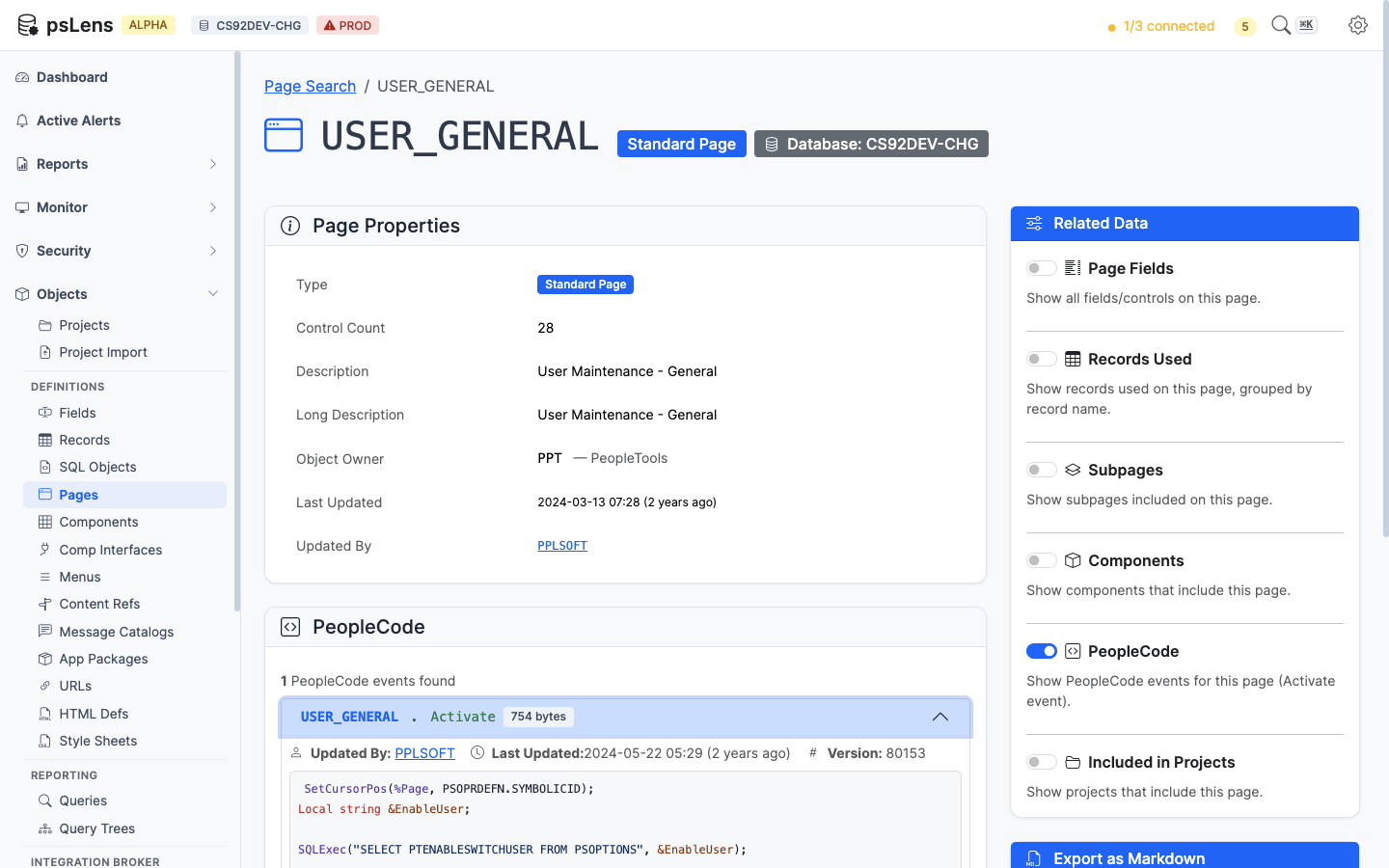
### PeopleCode

<figure><img src="/images/screenshots/metadata/pages-panel-peoplecode.png"
    alt="PeopleCode panel for the page"><figcaption>
      <p>Page-level PeopleCode (Activate event) attached to this page</p>
    </figcaption>
</figure>


Page Activate PeopleCode. The only event type that lives directly on a page object.

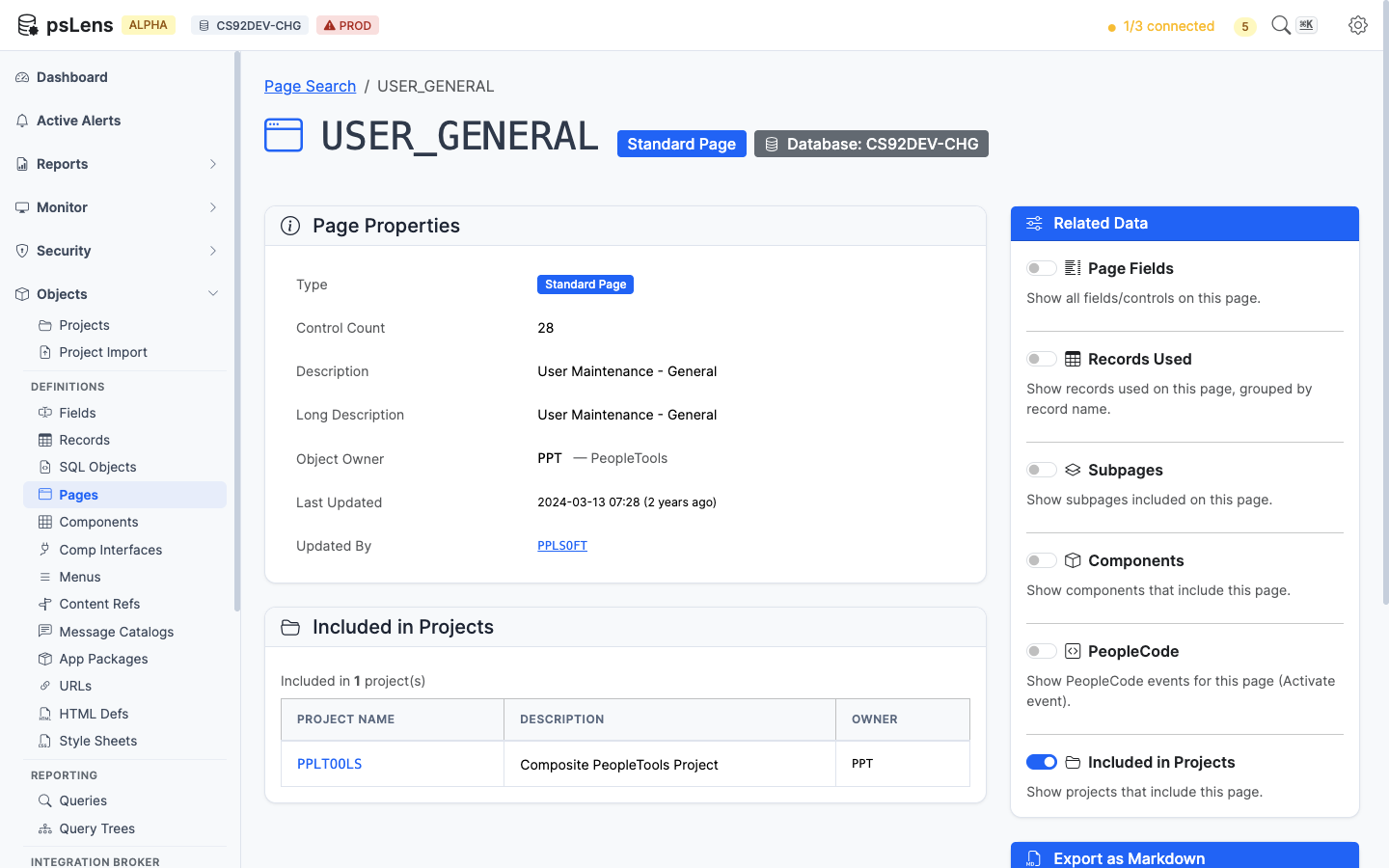
### Included in Projects

<figure><img src="/images/screenshots/metadata/pages-panel-projects.png"
    alt="Included in Projects panel for the page"><figcaption>
      <p>App Designer projects that include this page</p>
    </figcaption>
</figure>


App Designer projects containing this page as a project item.

## What This Consolidates

Without psLens, building this view from App Designer requires:

- Open the page in App Designer to see properties and controls
- For each control, double-click to see its record/field binding
- Run a separate query against `PSPNLGROUP` to find containing components
- Open each component to confirm the page's position in the navigation
- Check Activate PeopleCode tab in the page editor for code
- Walk every owning project for migration history

psLens collapses that into one view with everything one click away.