Process Definitions
Categories:
- Target Database: —
- Context Type: —
- Alert Severity: —
- Triggered Time: —
- Firing Context:
—
Process definitions (PRCSDEFN) specify the batch programs, reports, and scripts executable via PeopleSoft Process Scheduler. They map a logical process name to an underlying program type (SQR, Application Engine, COBOL, XML Publisher) and define command-line parameters, run control components, and default output options.
psLens pulls the process definition properties, execution statistics, recurrence schedule variance, run control record mappings, and project membership into a single browser view.
Object Relationships
Process Definitions configure batch program execution within Process Scheduler:
- Executes Batch Programs: Process Definitions (
PRCSDEFN) map to underlying executable objects such as App Engines (PSAEAPPLDEFN), SQRs, or COBOL programs. - Mapped to Run Control Components: Process Definitions link to run control components (
PRCSDEFNPNL) that store parameters in header/detail records. - Bundled in Process Jobs: Process Definitions can be grouped together into Process Jobs (
PSPRCSJOBDEFN).
How psLens Improves Process Definition Inspection
In Application Designer or Process Scheduler setup, reviewing a process definition requires navigating separate tabs for parameters, locations, and output destinations, while execution metrics require running custom SQL against PSPRCSRQST.
psLens combines definition properties, historical statistics, recurrence schedule variance, run control record mappings, and project membership into a single view.
Search Page
URL: /processdefinitions?db={database}
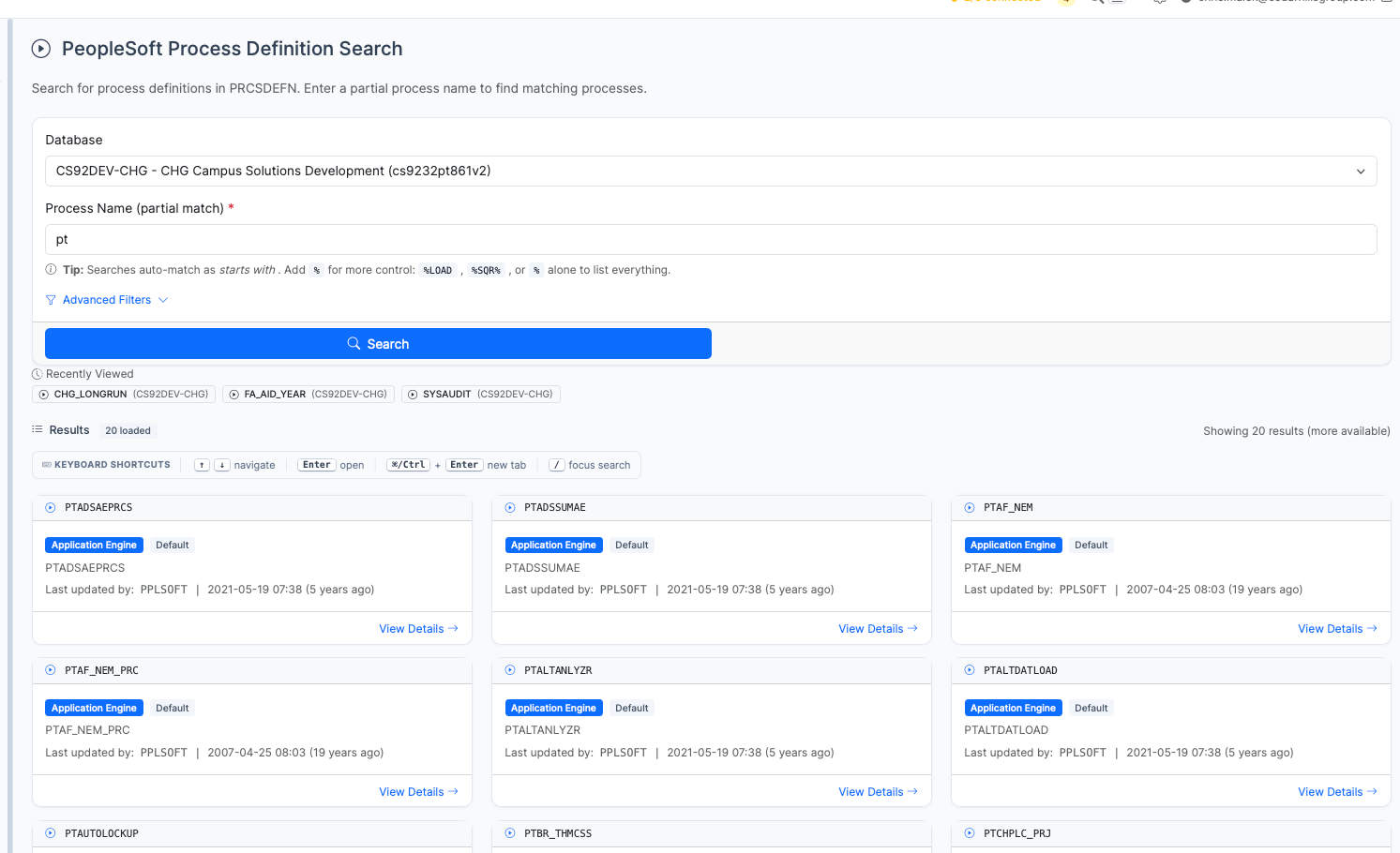
Process Definition search results for pt showing Application Engine processes
- Search: Search by process name (prefix match) or wildcard
%patterns (for example,%AUDIT%or%). - Filters: Filter process definitions by process type (e.g., Application Engine, SQR Report), component, or modification metadata.
Detail Page
URL: /processdefinitions/{PRCSTYPE}/{PRCSNAME}?db={database}
The Detail Page displays process configuration, historical metrics, and schedule variance:
- Configuration & Properties: Displays execution details including command-line parameters, target server name, API awareness, run control component, and priority.
- Output Settings: Shows output type (Web, File, Printer) and output format (PDF, CSV, HTML).
Execution Statistics
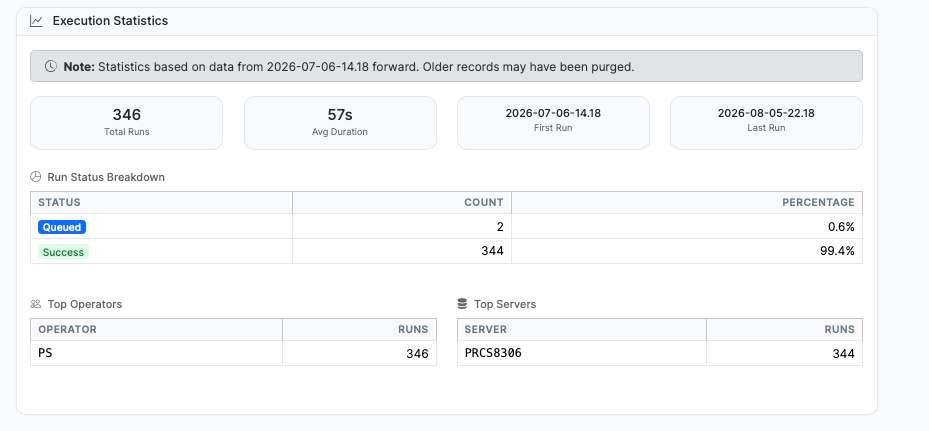
Execution Statistics panel summarizing run history, success rates, top operators, and servers
psLens analyzes historical process request data (PSPRCSRQST) to present statistics on:
- Total runs, average execution duration, and first/last run timestamps.
- Run status breakdown (percentage of successful versus failed or queued runs).
- Top operators and servers executing the process.
Recurrence History & Schedule Variance
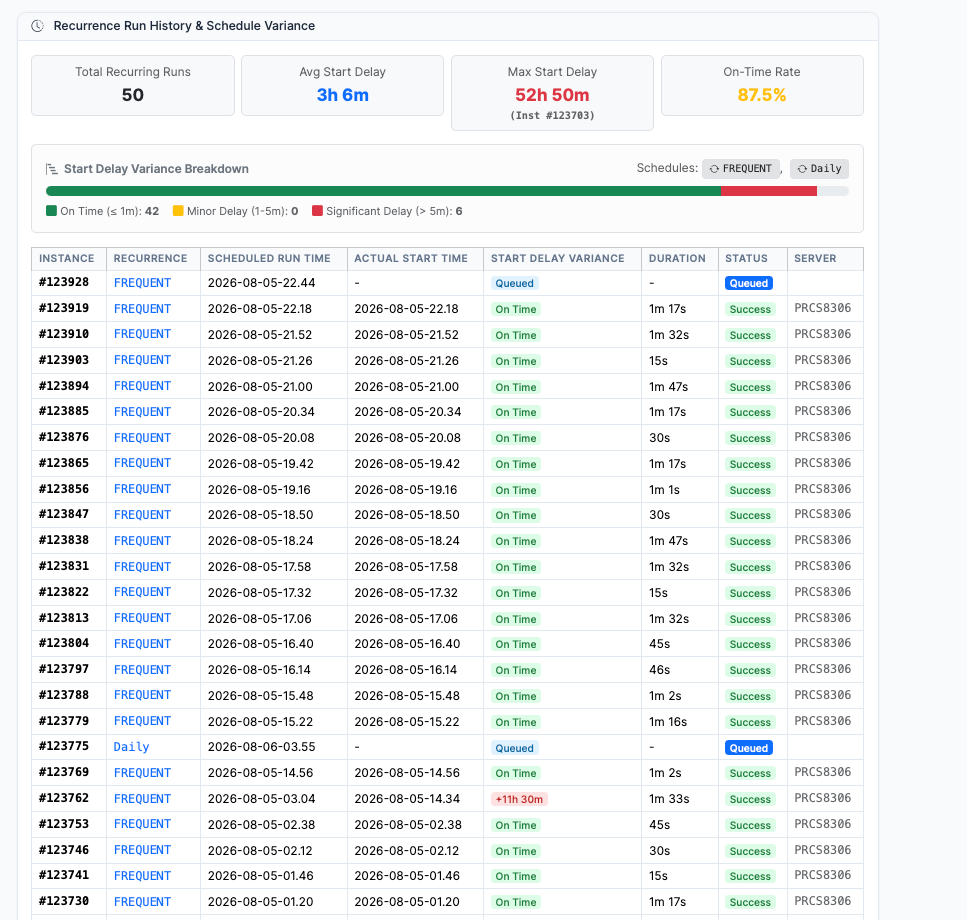
Recurrence Run History & Schedule Variance panel highlighting schedule latency and instance run logs
For processes executed via recurrence schedules (RECURNAME <> ' '), psLens calculates schedule latency:
- Start Delay Variance (
BEGINDTTM - RUNDTTM): Compares target scheduled run times against actual execution start times. - Summary Metrics: Displays Total Recurring Runs, Average Start Delay, Maximum Start Delay (with instance ID), and On-Time Rate percentage.
- Delay Breakdown & Historical Log: Categorizes runs into On Time (≤ 1m), Minor Delay (1-5m), and Significant Delay (> 5m) with instance-level status badges.
Related Data Panels
Run Control Records & Jobs
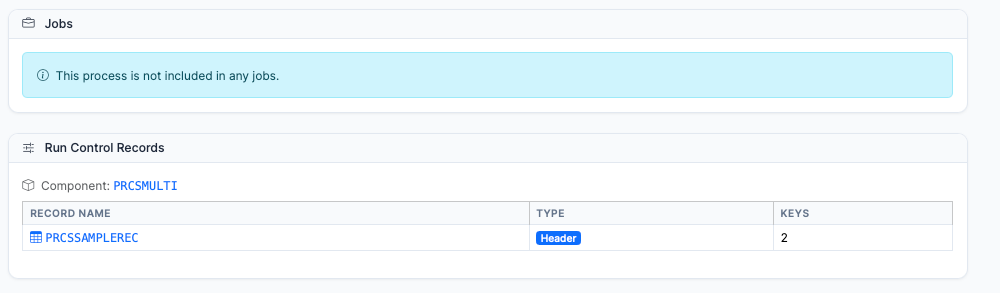
Run Control Records panel showing mapped component PRCSMULTI and header record PRCSSAMPLEREC
- Run Control Records: Identifies the run control component (
PRCSMULTI) and mapped header/detail tables (PRCSSAMPLEREC) used to store process parameters. - Jobs: Displays Process Job definitions (
PSPRCSJOBDEFN) that include this process as a job item.
Included in Projects
Queries PSPROJECTITEM where OBJECTTYPE = 20 to display Application Designer projects containing this Process Definition.