# Queries

> Browse PeopleSoft Queries with record/field usage, query trees, security access, and ownership.

---

LLMS index: [llms.txt](/llms.txt)

---

<div id="pslens-context-panel" class="card border-info mb-4 d-none">
  <div class="card-header bg-light text-info py-2 fw-bold d-flex align-items-center border-bottom border-info-subtle">
    <i class="bi bi-info-circle-fill me-2"></i>
    <span>Tailored Operational Context</span>
  </div>
  <div class="card-body p-0">
    <ul class="list-group list-group-flush">
      <li id="row-db" class="list-group-item d-flex align-items-center justify-content-between py-2 d-none">
        <strong>Target Database:</strong>
        <span id="ctx-db" class="badge bg-secondary font-monospace">&mdash;</span>
      </li>
      <li id="row-type" class="list-group-item d-flex align-items-center justify-content-between py-2 d-none">
        <strong>Context Type:</strong>
        <span id="ctx-type" class="badge bg-light text-dark border font-monospace text-uppercase">&mdash;</span>
      </li>
      <li id="row-severity" class="list-group-item d-flex align-items-center justify-content-between py-2 d-none">
        <strong>Alert Severity:</strong>
        <span id="ctx-severity" class="badge">&mdash;</span>
      </li>
      <li id="row-time" class="list-group-item d-flex align-items-center justify-content-between py-2 d-none">
        <strong>Triggered Time:</strong>
        <span id="ctx-time" class="text-muted small">&mdash;</span>
      </li>
      <li id="row-details" class="list-group-item py-2 d-none">
        <strong id="label-details" class="d-block mb-1">Firing Context:</strong>
        <code id="ctx-details" class="d-block p-2 bg-light border rounded small" style="white-space: pre-wrap; word-break: break-all;">&mdash;</code>
      </li>
    </ul>
  </div>
</div>

<script>
  (function() {
    const params = new URLSearchParams(window.location.search);
    const metadata = params.get('metadata');
    if (!metadata) return;

    try {
      
      const base64 = metadata.replace(/-/g, '+').replace(/_/g, '/');
      const jsonStr = decodeURIComponent(escape(window.atob(base64)));
      const data = JSON.parse(jsonStr);

      if (data) {
        let hasData = false;

        if (data.db) {
          document.getElementById('ctx-db').textContent = data.db;
          document.getElementById('row-db').classList.remove('d-none');
          hasData = true;
        }

        if (data.type) {
          document.getElementById('ctx-type').textContent = data.type;
          document.getElementById('row-type').classList.remove('d-none');
          hasData = true;
        }

        if (data.severity) {
          const severityBadge = document.getElementById('ctx-severity');
          const severity = data.severity.toLowerCase();
          severityBadge.textContent = severity.toUpperCase();
          if (severity === 'critical') {
            severityBadge.className = 'badge bg-danger';
          } else if (severity === 'warning') {
            severityBadge.className = 'badge bg-warning text-dark';
          } else {
            severityBadge.className = 'badge bg-info';
          }
          document.getElementById('row-severity').classList.remove('d-none');
          hasData = true;
        }

        if (data.t) {
          const date = new Date(data.t * 1000);
          document.getElementById('ctx-time').textContent = date.toLocaleString();
          document.getElementById('row-time').classList.remove('d-none');
          hasData = true;
        }

        if (data.details) {
          document.getElementById('ctx-details').textContent = data.details;

          
          const labelDetails = document.getElementById('label-details');
          if (data.type === 'object') {
            labelDetails.textContent = 'Object Metadata Details:';
          } else if (data.type === 'report') {
            labelDetails.textContent = 'Report Description:';
          } else {
            labelDetails.textContent = 'Firing Context:';
          }

          document.getElementById('row-details').classList.remove('d-none');
          hasData = true;
        }

        if (hasData) {
          document.getElementById('pslens-context-panel').classList.remove('d-none');
        }
      }
    } catch (e) {
      console.error('Failed to parse operational context metadata:', e);
    }
  })();
</script>


## What It Is

Queries are PeopleSoft's end-user reporting tool — saved SQL queries that users run from the PSQUERY interface, with optional prompts, output formats, and scheduled distribution. Each query is stored in `PSQRYDEFN` and broken out across `PSQRYRECORD`, `PSQRYFIELD`, and other tables for the records and fields it touches. psLens consolidates the query header, the records used, the field list, project membership, and (via the related-data toggles) the query tree placement and security access.

## Search Page

URL: `/queries?db={database}`

<figure><img src="/images/screenshots/metadata/queries-search.png"
    alt="Query search results for PT_% showing PTAI_GET_LISTITEM_RCD, PTCPQFIELD_VW, and others"><figcaption>
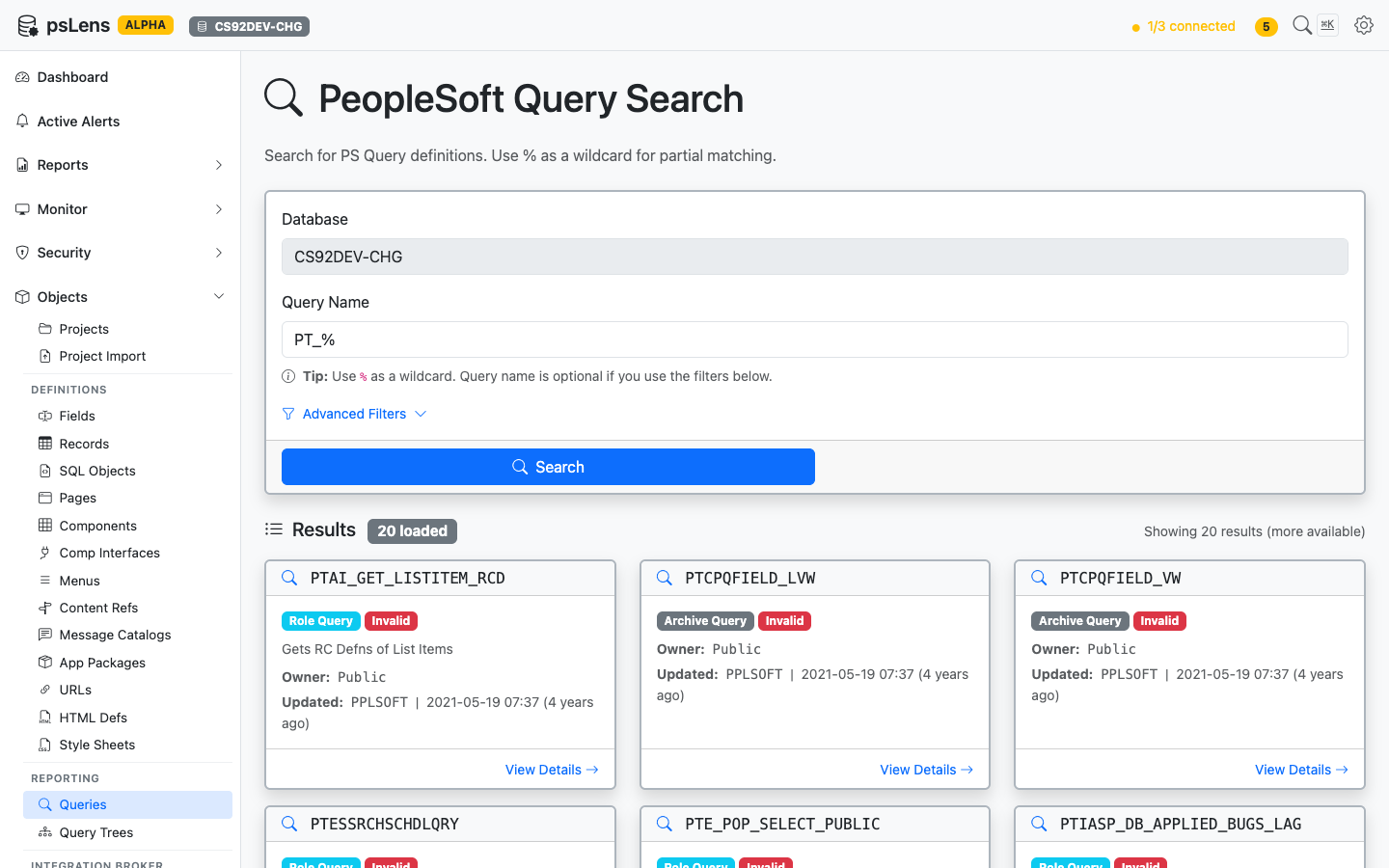
      <p>Query search results for <code>PT_%</code></p>
    </figcaption>
</figure>


Search auto-matches as *starts with*. Typing `PT_` finds every query whose name begins with `PT_`. Include `%` yourself for ends-with (`%_VW`) or contains (`%AUDIT%`) patterns, or use `%` alone to list every row. Each card shows the query type (Public, Private, Archive, User), owner, and last-updated metadata. The **Advanced Filters** panel lets you filter by query type or owner.

## Detail Page

URL: `/queries/{QRYNAME}?db={database}`

<figure><img src="/images/screenshots/metadata/queries-detail.png"
    alt="Detail page for PTCPQFIELD_VW query"><figcaption>
      <p>Query detail page for <code>PTCPQFIELD_VW</code></p>
    </figcaption>
</figure>


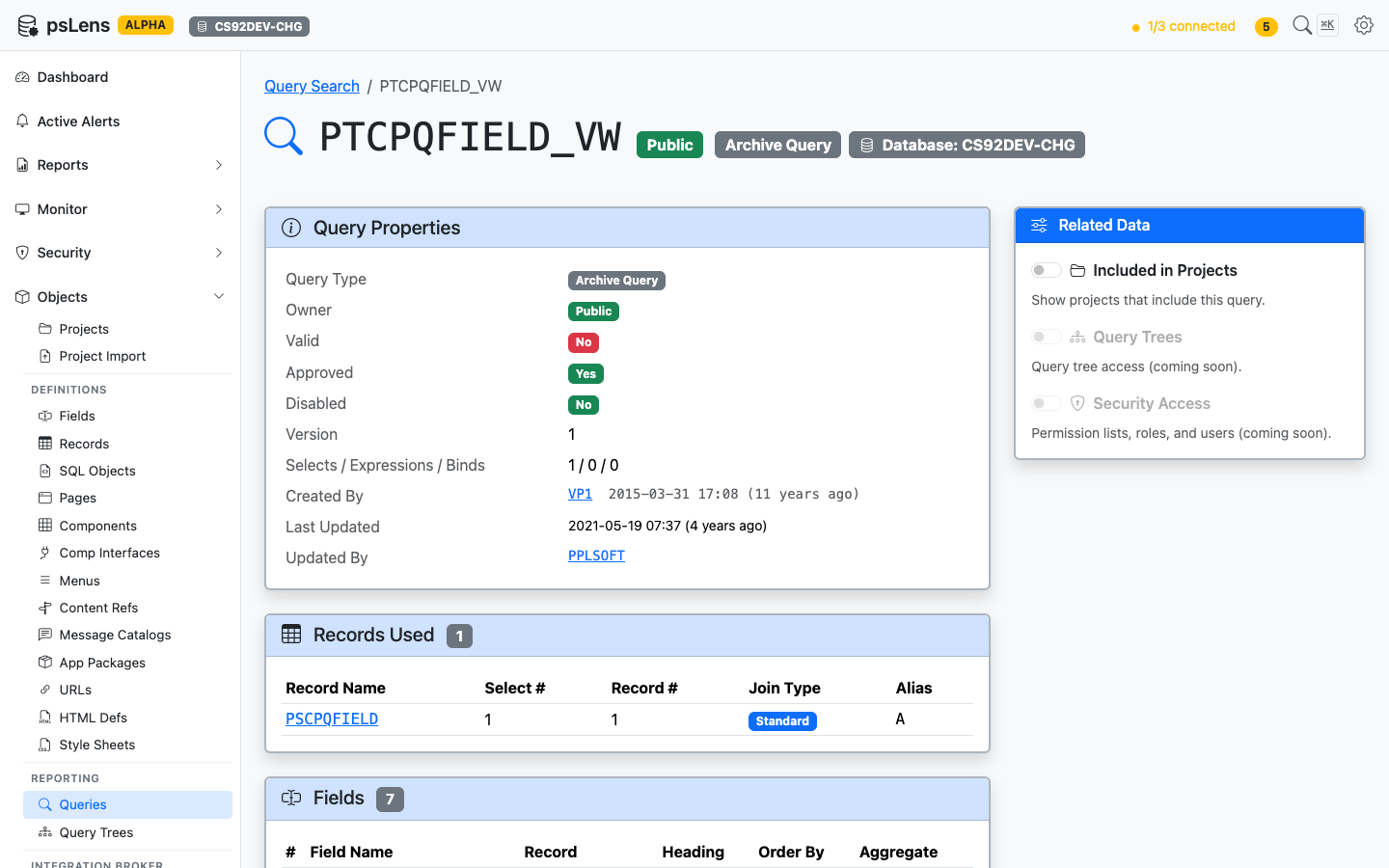
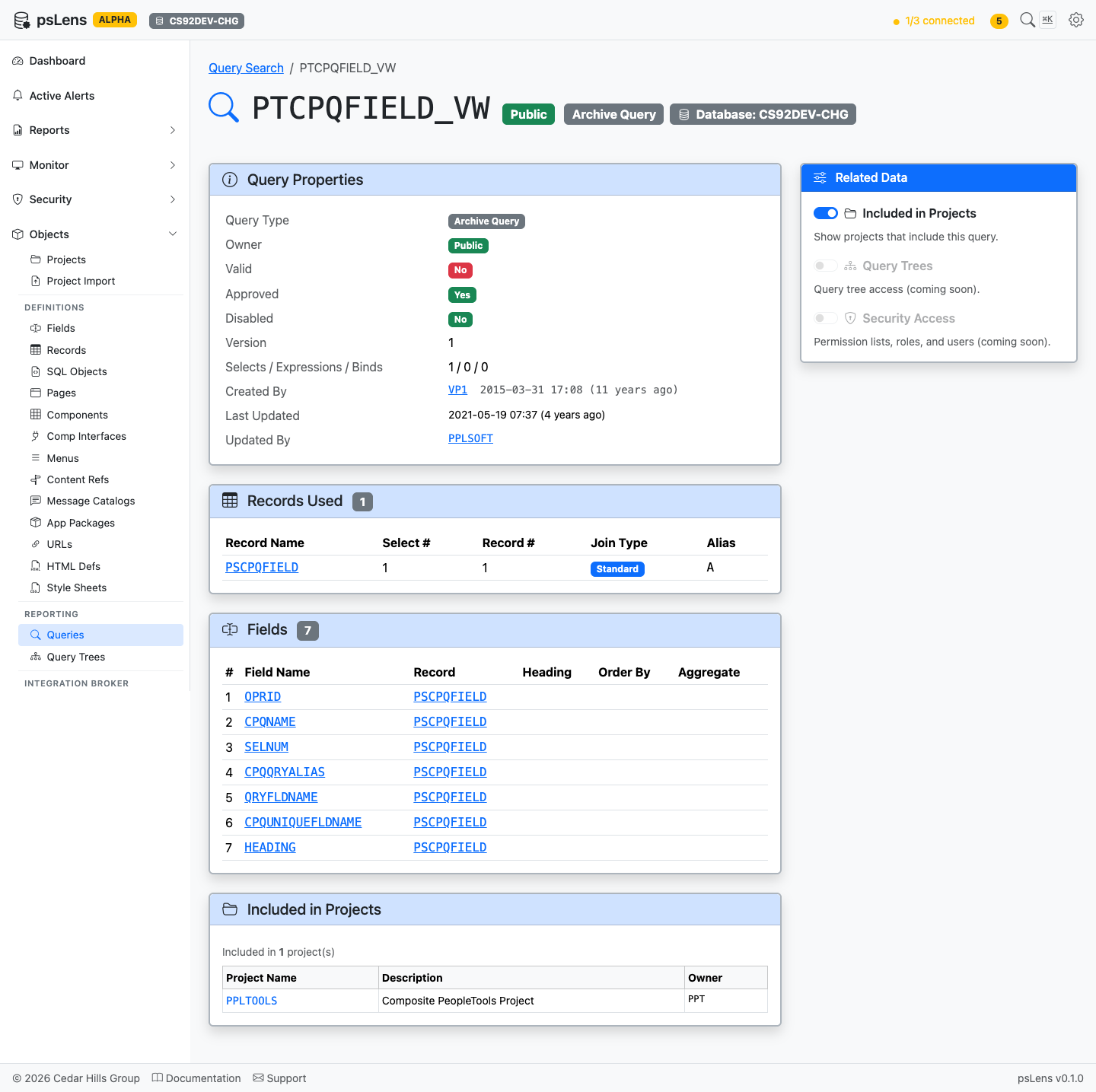
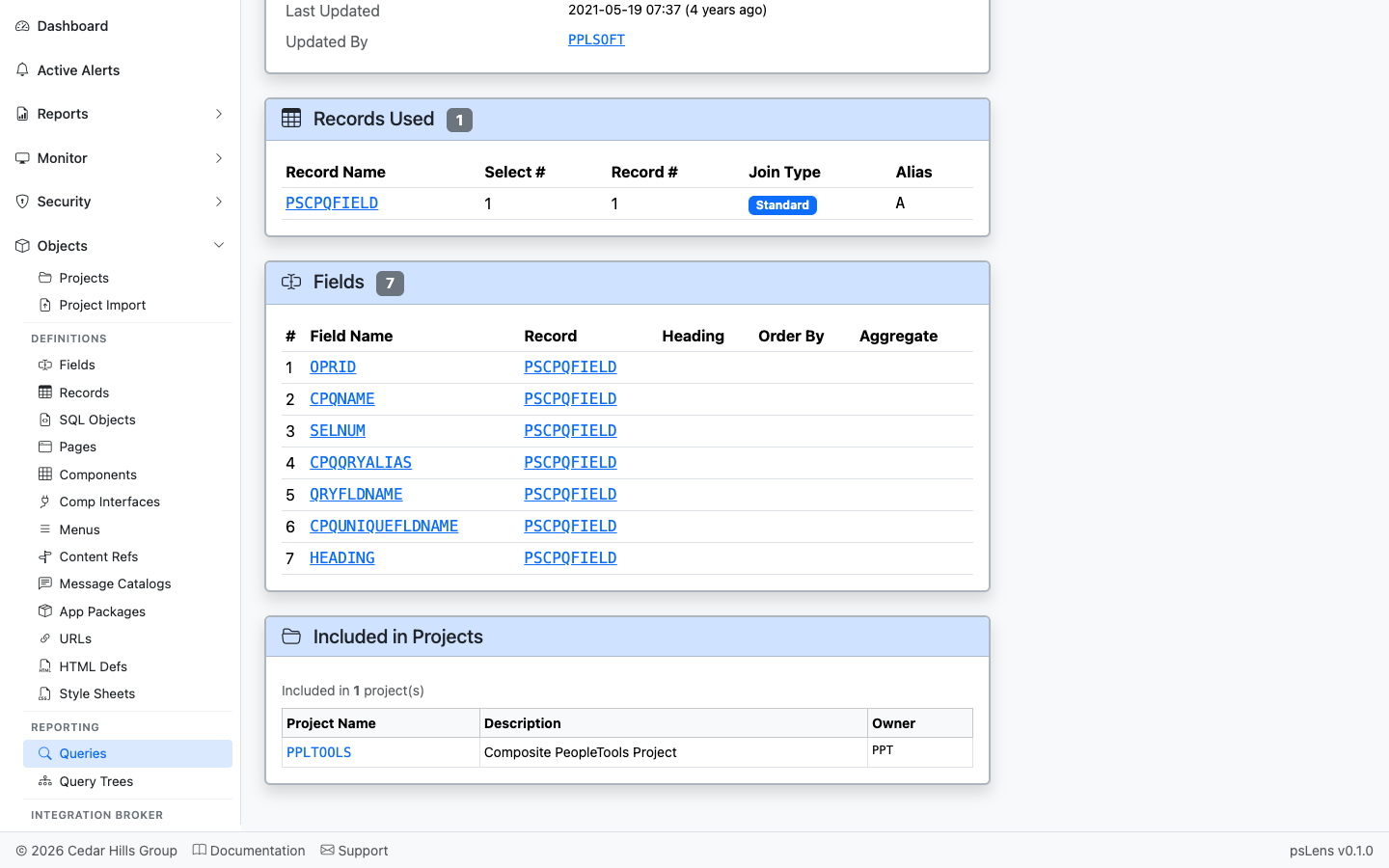
The main pane shows **Query Properties** (type, owner, description, last-run metadata, version), **Records Used** (every record in the FROM list), and **Fields** (the SELECT and ORDER BY columns). The sidebar has 3 related-data toggles.

<figure><img src="/images/screenshots/metadata/queries-detail-expanded.png"
    alt="Query detail page with all panels expanded"><figcaption>
      <p>Full query detail page with all panels</p>
    </figcaption>
</figure>


## Related Data Panels

### Records Used

<figure><img src="/images/screenshots/metadata/queries-panel-records.png"
    alt="Records Used panel for the query"><figcaption>
      <p>Every record in the query&rsquo;s FROM clause</p>
    </figcaption>
</figure>


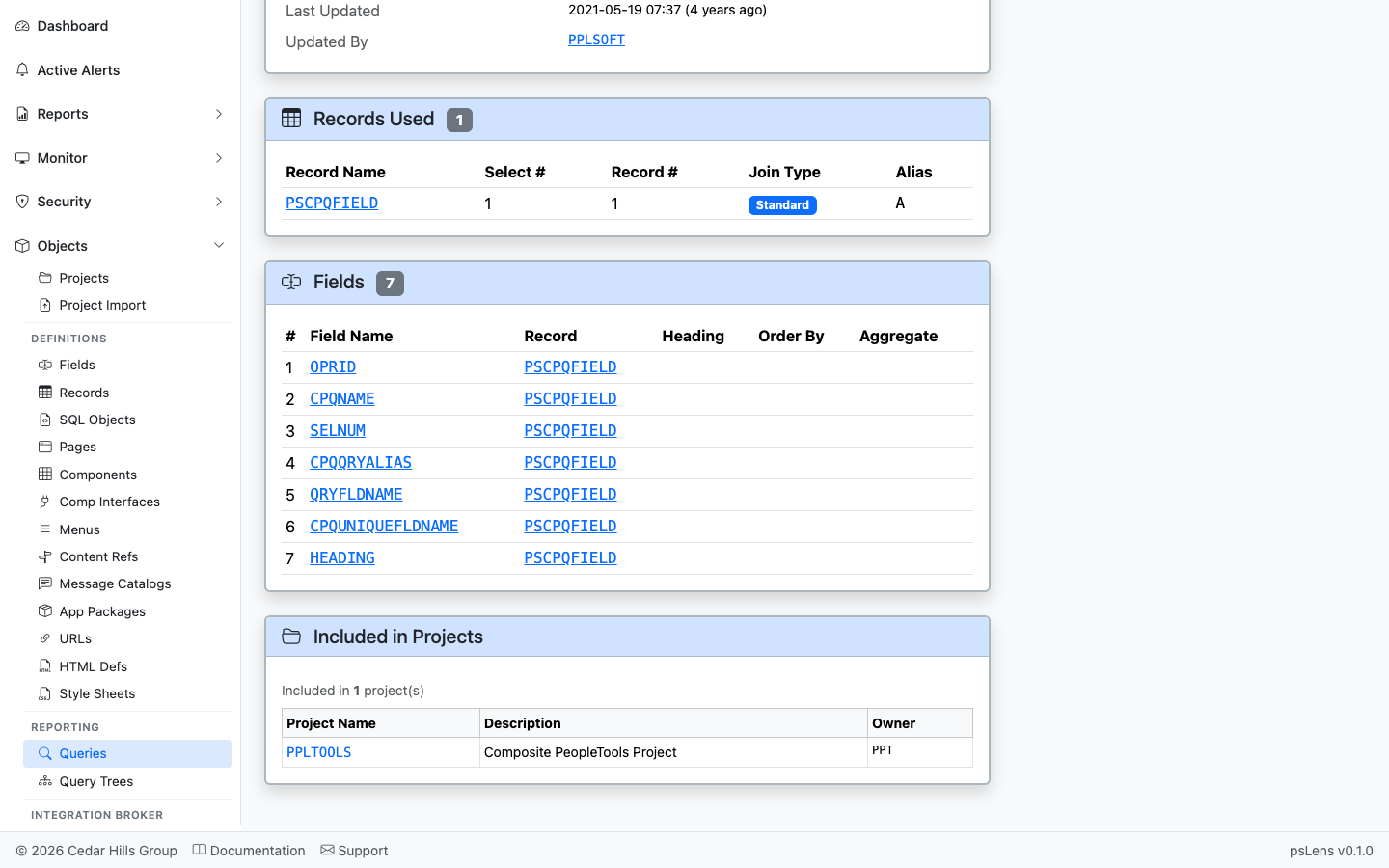
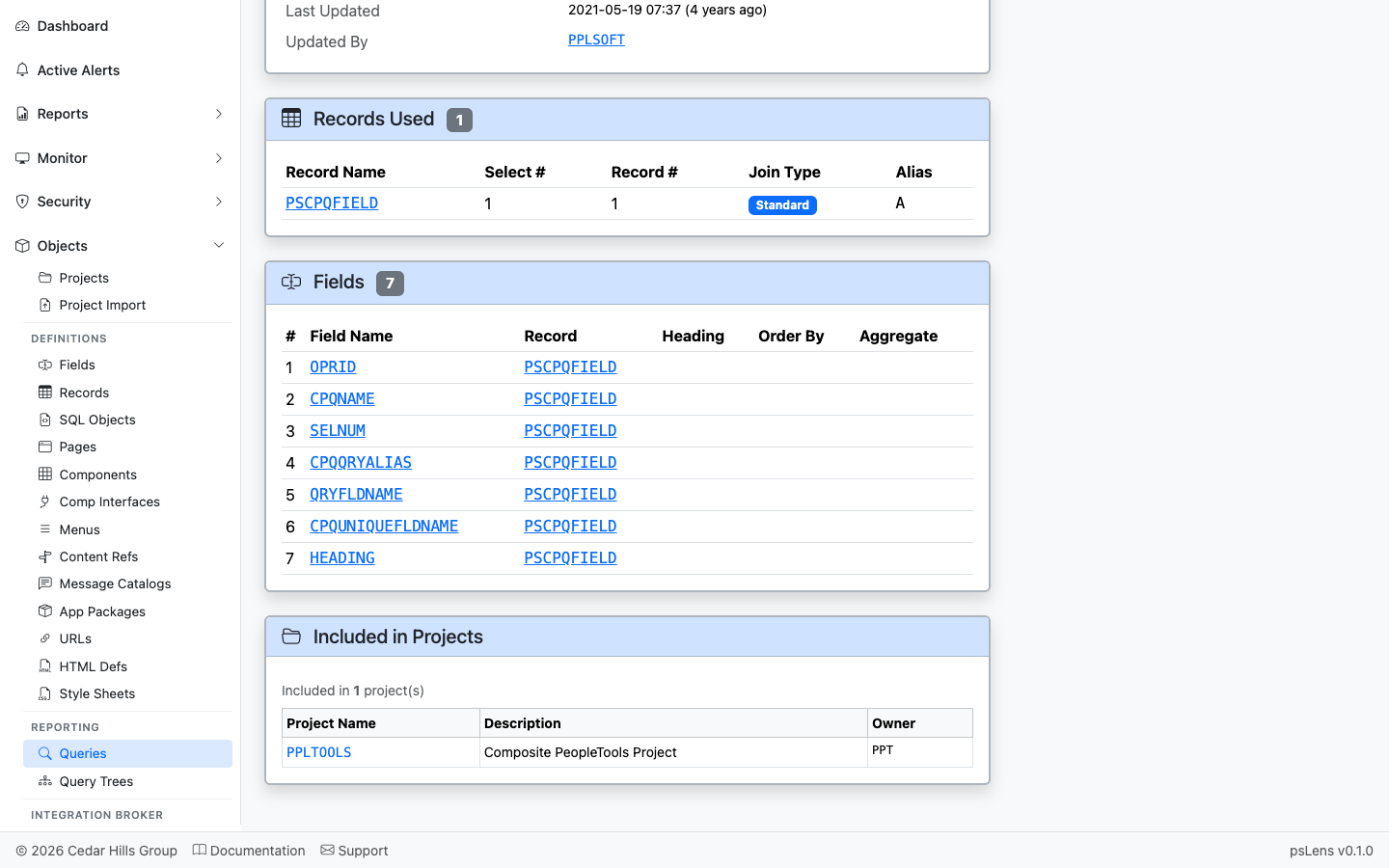
The list of records used by the query (`PSQRYRECORD`). Each record name deep-links into its own detail page so you can audit what the query reads.

### Fields

<figure><img src="/images/screenshots/metadata/queries-panel-fields.png"
    alt="Fields panel for the query"><figcaption>
      <p>The fields the query SELECTs, with record context and order</p>
    </figcaption>
</figure>


The SELECT field list (`PSQRYFIELD`) with record and field references, each link-resolved.

### Included in Projects

<figure><img src="/images/screenshots/metadata/queries-panel-projects.png"
    alt="Included in Projects panel for the query"><figcaption>
      <p>App Designer projects that include this query</p>
    </figcaption>
</figure>


App Designer projects containing this query as a project item.

## What This Consolidates

In Query Manager / Query Viewer:

- Search by name and open the query in Query Manager
- Walk the **Records** tab to see the joined records
- Walk the **Fields** tab to see SELECT and ORDER BY columns
- Tab to **Properties** for owner and last-run info
- Use a separate database query to find query tree placement and permission list access

psLens consolidates the structural view (records, fields, properties) on one page and adds project membership, useful for both audit work (which queries access sensitive tables?) and impact analysis (will deleting this record break any reports?).