Query Trees
Categories:
- Target Database: —
- Context Type: —
- Alert Severity: —
- Triggered Time: —
- Firing Context:
—
Query Access Trees are the security backbone of PeopleSoft Query — hierarchical groupings of records (PSTREEDEFN / PSTREENODE) that determine which records a Query author can build queries against. A permission list grants access to one or more access groups within a tree, and the Query Manager UI only lists records that fall under the granted nodes. psLens shows the tree’s full record hierarchy and the permission lists that authorize it, combining what you’d otherwise need to assemble from Tree Manager and Permission List security separately.
Object Relationships
Query Access Trees regulate reporting access to database records:
- Groups Records Hierarchically: Query Trees (
PSTREEDEFN) arrange record definitions into nested access group nodes (PSTREENODE). - Secured by Permission Lists: Permission lists are granted access to specific tree nodes to authorize users to query member records.
How psLens Improves Query Tree Inspection
Auditing Query Access Trees in PIA requires expanding tree nodes branch by branch in Tree Manager, while checking permission list profiles separately to determine authorized users.
psLens presents the complete record hierarchy alongside permission lists, assigned roles, and authorized active/locked users in a single view.
Search Page
URL: /querytrees?db={database}
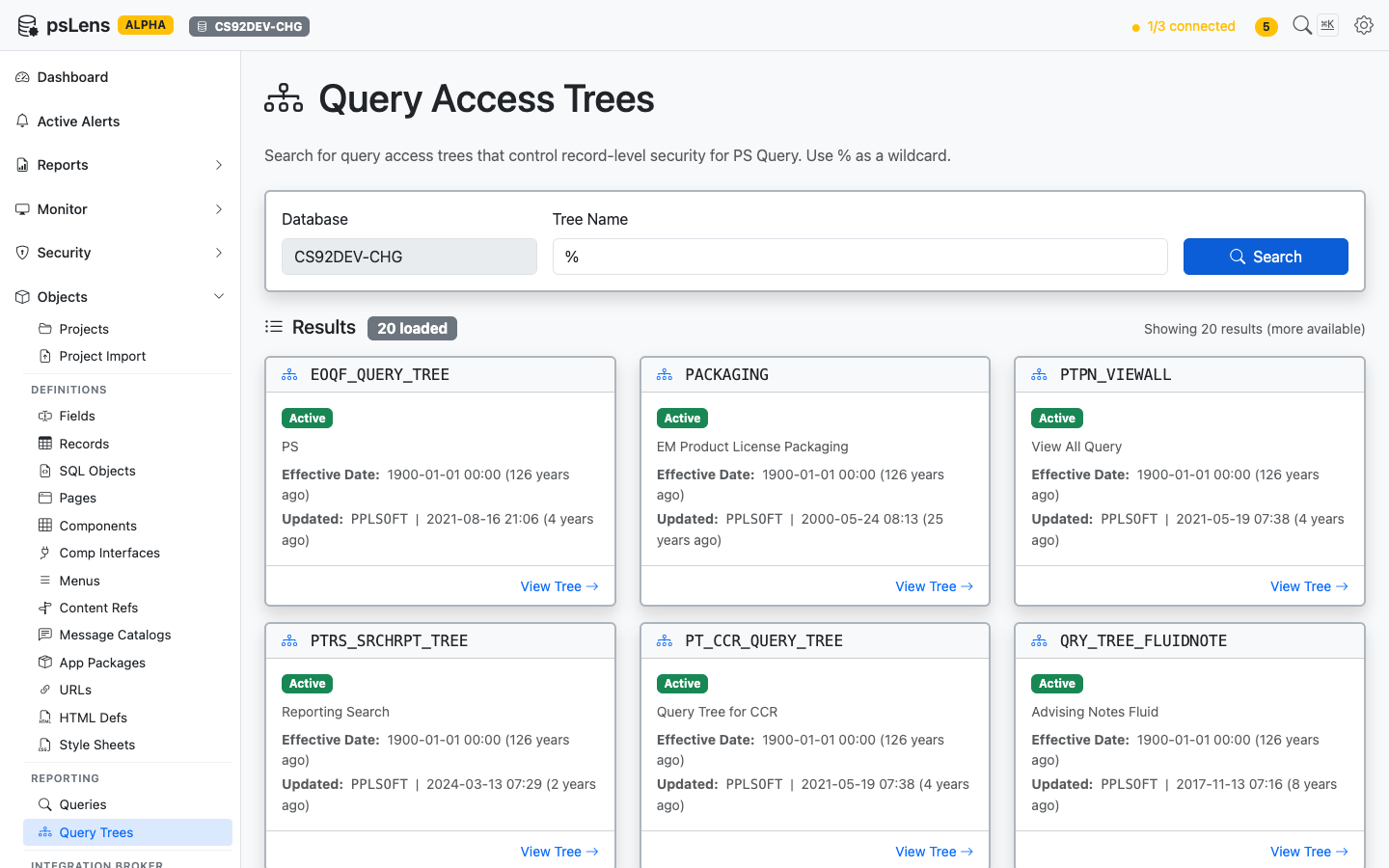
Query Tree search results
Search auto-matches as starts with. Typing EOQF finds every tree whose name begins with EOQF. Include % yourself for ends-with or contains patterns, or use % alone to list every query tree in the database.
Detail Page
URL: /querytrees/{TREE_NAME}?db={database}
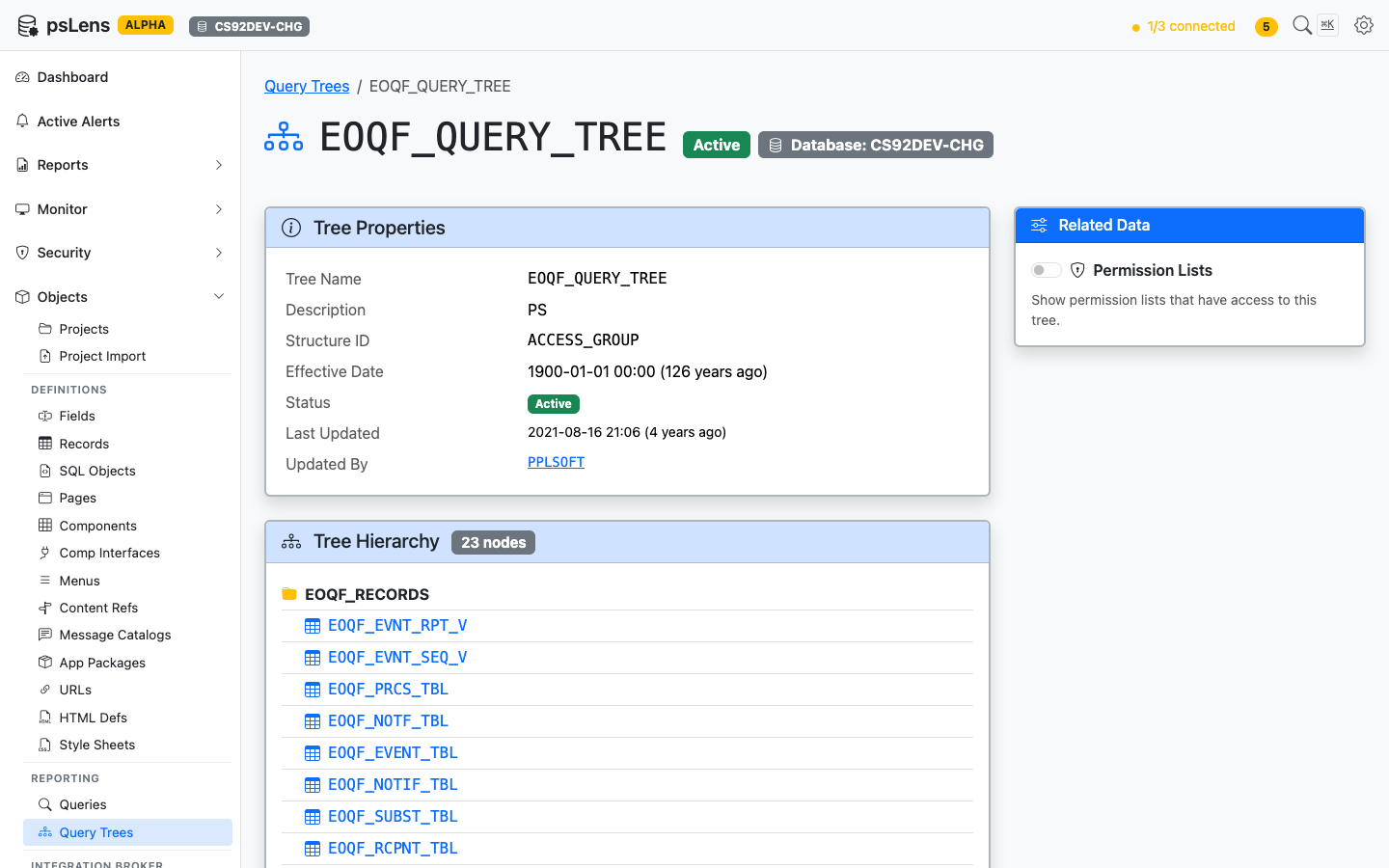
Query Tree detail page for EOQF_QUERY_TREE
The main pane shows Tree Properties (status, version, audit metadata) and the full Tree Hierarchy, a recursive view of every node in the tree with the record name it grants access to. The sidebar has one related-data toggle.
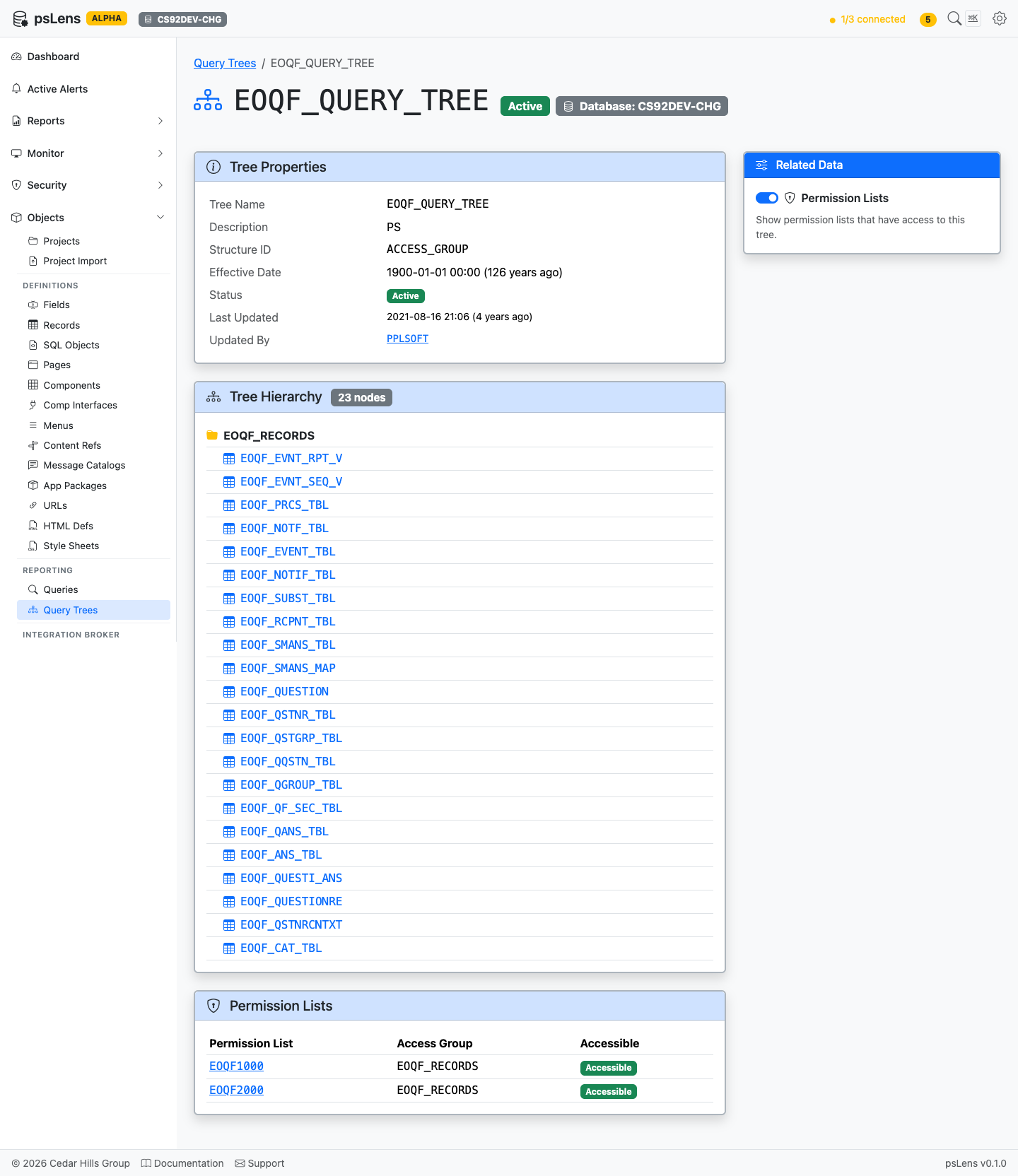
Full Query Tree page with the Permission Lists panel expanded
Related Data Panels
Tree Hierarchy
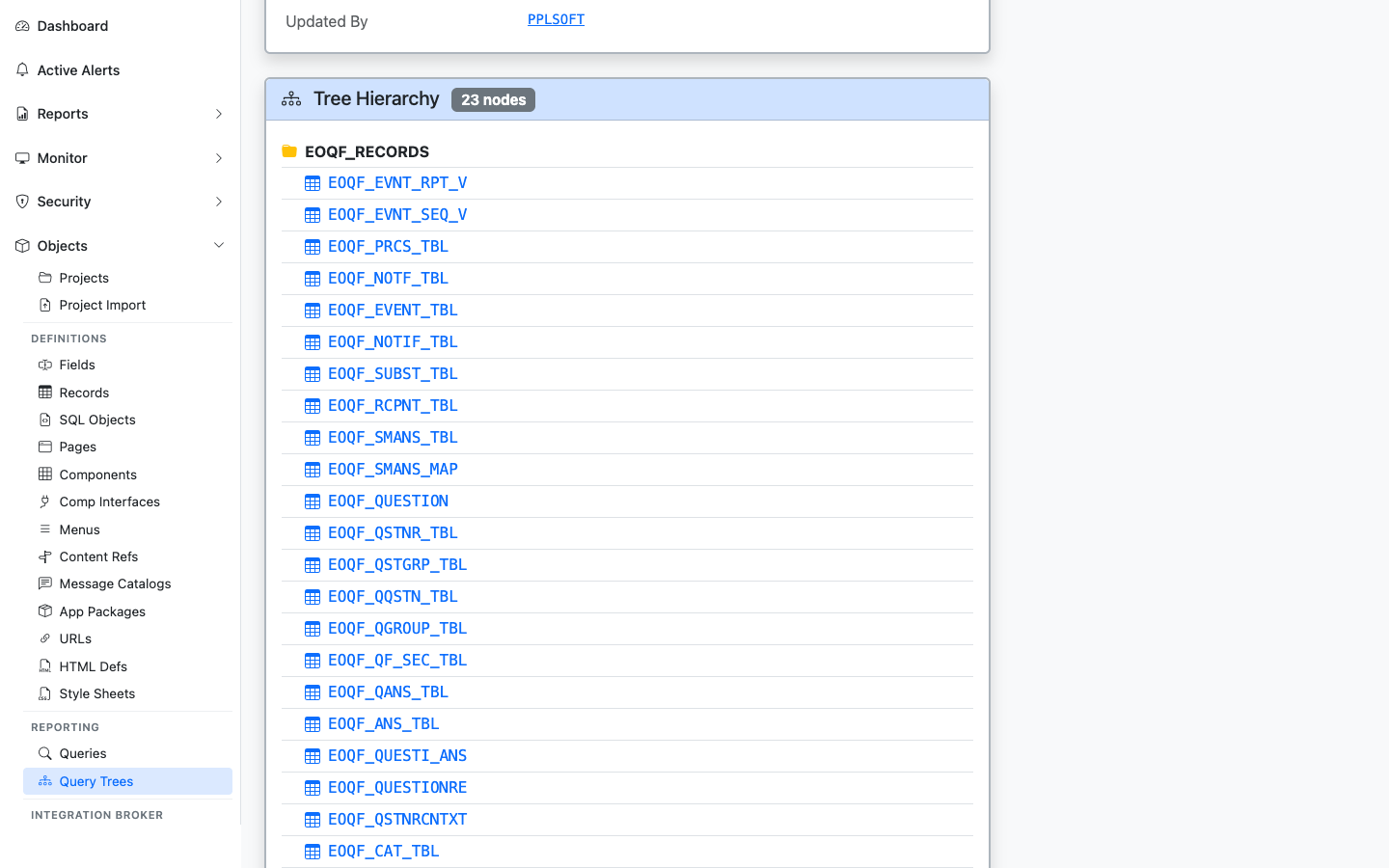
The full record hierarchy of the tree, with each record linked to its detail page
The recursive node-by-node breakdown of the tree. Each record link jumps into the record’s detail page so you can see what data the tree grants query access to.
Permission Lists
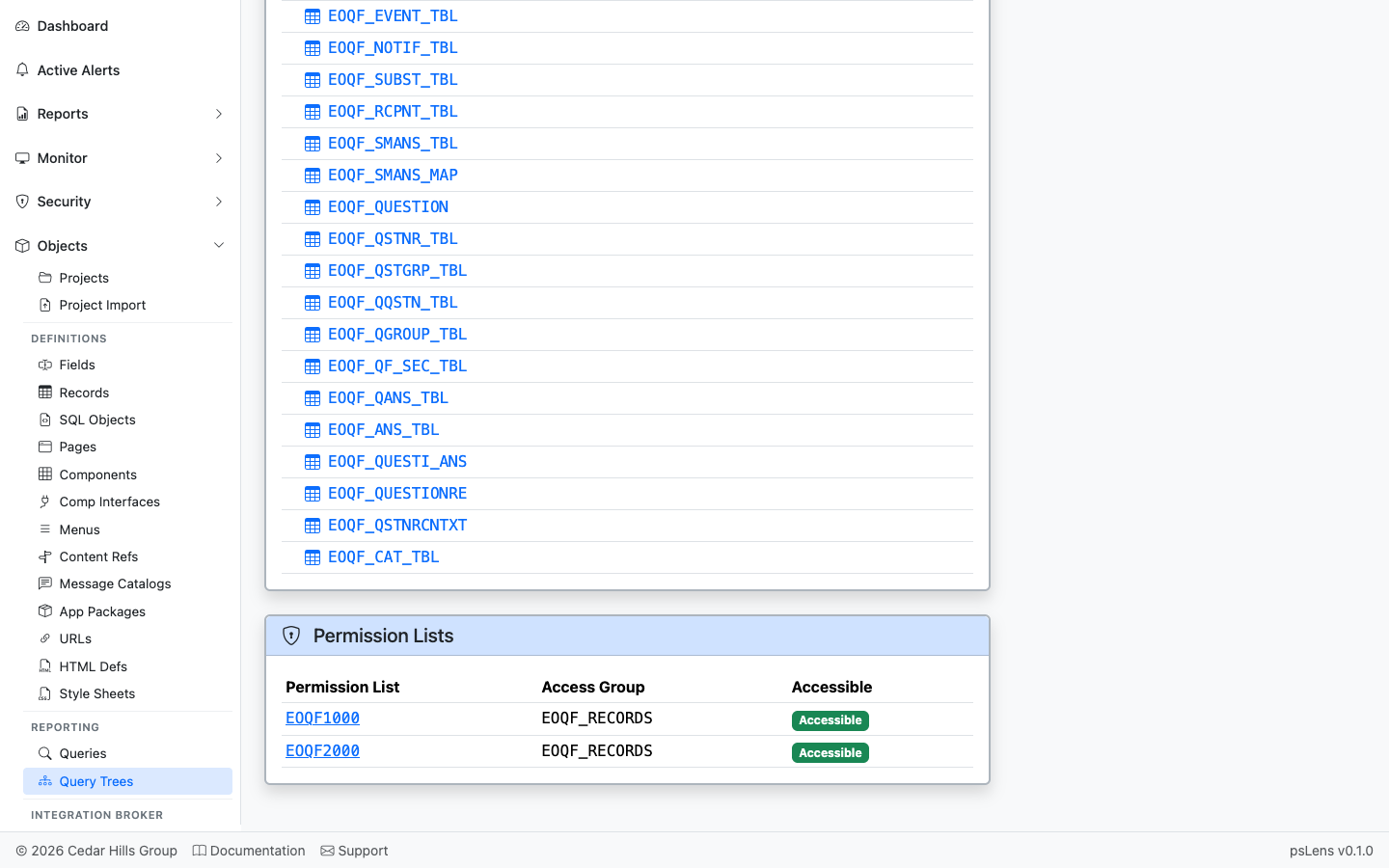
Permission lists with access to nodes in this tree
Permission lists that have been granted access to nodes in this tree.
Roles
Roles that grant access to nodes in the tree, derived from the permission lists associated with each role.
Users
Users who can access the query tree, detailing their status (Active or Locked), role, permission list, and access group grant level. Grants are annotated as Tree-level if they target the root node of the tree, and Node-level for sub-nodes.