# Query Trees

> Browse PeopleSoft Query Access Trees with record hierarchies and the permission lists that grant access.

---

LLMS index: [llms.txt](/llms.txt)

---

<div id="pslens-context-panel" class="card border-info mb-4 d-none">
  <div class="card-header bg-light text-info py-2 fw-bold d-flex align-items-center border-bottom border-info-subtle">
    <i class="bi bi-info-circle-fill me-2"></i>
    <span>Tailored Operational Context</span>
  </div>
  <div class="card-body p-0">
    <ul class="list-group list-group-flush">
      <li id="row-db" class="list-group-item d-flex align-items-center justify-content-between py-2 d-none">
        <strong>Target Database:</strong>
        <span id="ctx-db" class="badge bg-secondary font-monospace">&mdash;</span>
      </li>
      <li id="row-type" class="list-group-item d-flex align-items-center justify-content-between py-2 d-none">
        <strong>Context Type:</strong>
        <span id="ctx-type" class="badge bg-light text-dark border font-monospace text-uppercase">&mdash;</span>
      </li>
      <li id="row-severity" class="list-group-item d-flex align-items-center justify-content-between py-2 d-none">
        <strong>Alert Severity:</strong>
        <span id="ctx-severity" class="badge">&mdash;</span>
      </li>
      <li id="row-time" class="list-group-item d-flex align-items-center justify-content-between py-2 d-none">
        <strong>Triggered Time:</strong>
        <span id="ctx-time" class="text-muted small">&mdash;</span>
      </li>
      <li id="row-details" class="list-group-item py-2 d-none">
        <strong id="label-details" class="d-block mb-1">Firing Context:</strong>
        <code id="ctx-details" class="d-block p-2 bg-light border rounded small" style="white-space: pre-wrap; word-break: break-all;">&mdash;</code>
      </li>
    </ul>
  </div>
</div>

<script>
  (function() {
    const params = new URLSearchParams(window.location.search);
    const metadata = params.get('metadata');
    if (!metadata) return;

    try {
      
      const base64 = metadata.replace(/-/g, '+').replace(/_/g, '/');
      const jsonStr = decodeURIComponent(escape(window.atob(base64)));
      const data = JSON.parse(jsonStr);

      if (data) {
        let hasData = false;

        if (data.db) {
          document.getElementById('ctx-db').textContent = data.db;
          document.getElementById('row-db').classList.remove('d-none');
          hasData = true;
        }

        if (data.type) {
          document.getElementById('ctx-type').textContent = data.type;
          document.getElementById('row-type').classList.remove('d-none');
          hasData = true;
        }

        if (data.severity) {
          const severityBadge = document.getElementById('ctx-severity');
          const severity = data.severity.toLowerCase();
          severityBadge.textContent = severity.toUpperCase();
          if (severity === 'critical') {
            severityBadge.className = 'badge bg-danger';
          } else if (severity === 'warning') {
            severityBadge.className = 'badge bg-warning text-dark';
          } else {
            severityBadge.className = 'badge bg-info';
          }
          document.getElementById('row-severity').classList.remove('d-none');
          hasData = true;
        }

        if (data.t) {
          const date = new Date(data.t * 1000);
          document.getElementById('ctx-time').textContent = date.toLocaleString();
          document.getElementById('row-time').classList.remove('d-none');
          hasData = true;
        }

        if (data.details) {
          document.getElementById('ctx-details').textContent = data.details;

          
          const labelDetails = document.getElementById('label-details');
          if (data.type === 'object') {
            labelDetails.textContent = 'Object Metadata Details:';
          } else if (data.type === 'report') {
            labelDetails.textContent = 'Report Description:';
          } else {
            labelDetails.textContent = 'Firing Context:';
          }

          document.getElementById('row-details').classList.remove('d-none');
          hasData = true;
        }

        if (hasData) {
          document.getElementById('pslens-context-panel').classList.remove('d-none');
        }
      }
    } catch (e) {
      console.error('Failed to parse operational context metadata:', e);
    }
  })();
</script>


## What It Is

Query Access Trees are the security backbone of PeopleSoft Query — hierarchical groupings of records (`PSTREEDEFN` / `PSTREENODE`) that determine which records a Query author can build queries against. A permission list grants access to one or more access groups within a tree, and the Query Manager UI only lists records that fall under the granted nodes. psLens shows the tree's full record hierarchy and the permission lists that authorize it, combining what you'd otherwise need to assemble from Tree Manager and Permission List security separately.

## Search Page

URL: `/querytrees?db={database}`

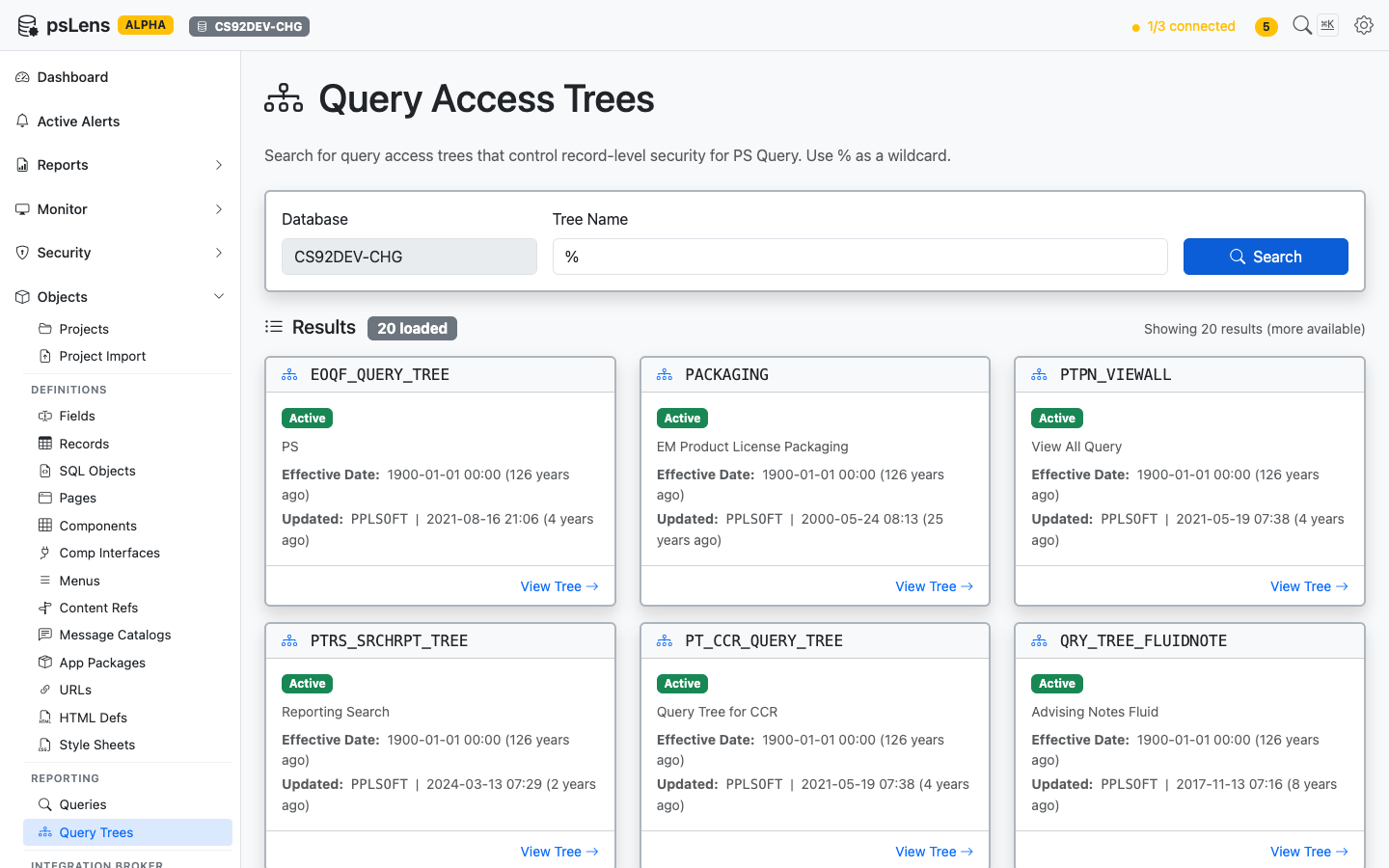
<figure><img src="/images/screenshots/metadata/query-trees-search.png"
    alt="Query Tree search results showing EOQF_QUERY_TREE, PACKAGING, PTPN_VIEWALL and others"><figcaption>
      <p>Query Tree search results</p>
    </figcaption>
</figure>


Search auto-matches as *starts with*. Typing `EOQF` finds every tree whose name begins with `EOQF`. Include `%` yourself for ends-with or contains patterns, or use `%` alone to list every query tree in the database.

## Detail Page

URL: `/querytrees/{TREE_NAME}?db={database}`

<figure><img src="/images/screenshots/metadata/query-trees-detail.png"
    alt="Detail page for EOQF_QUERY_TREE"><figcaption>
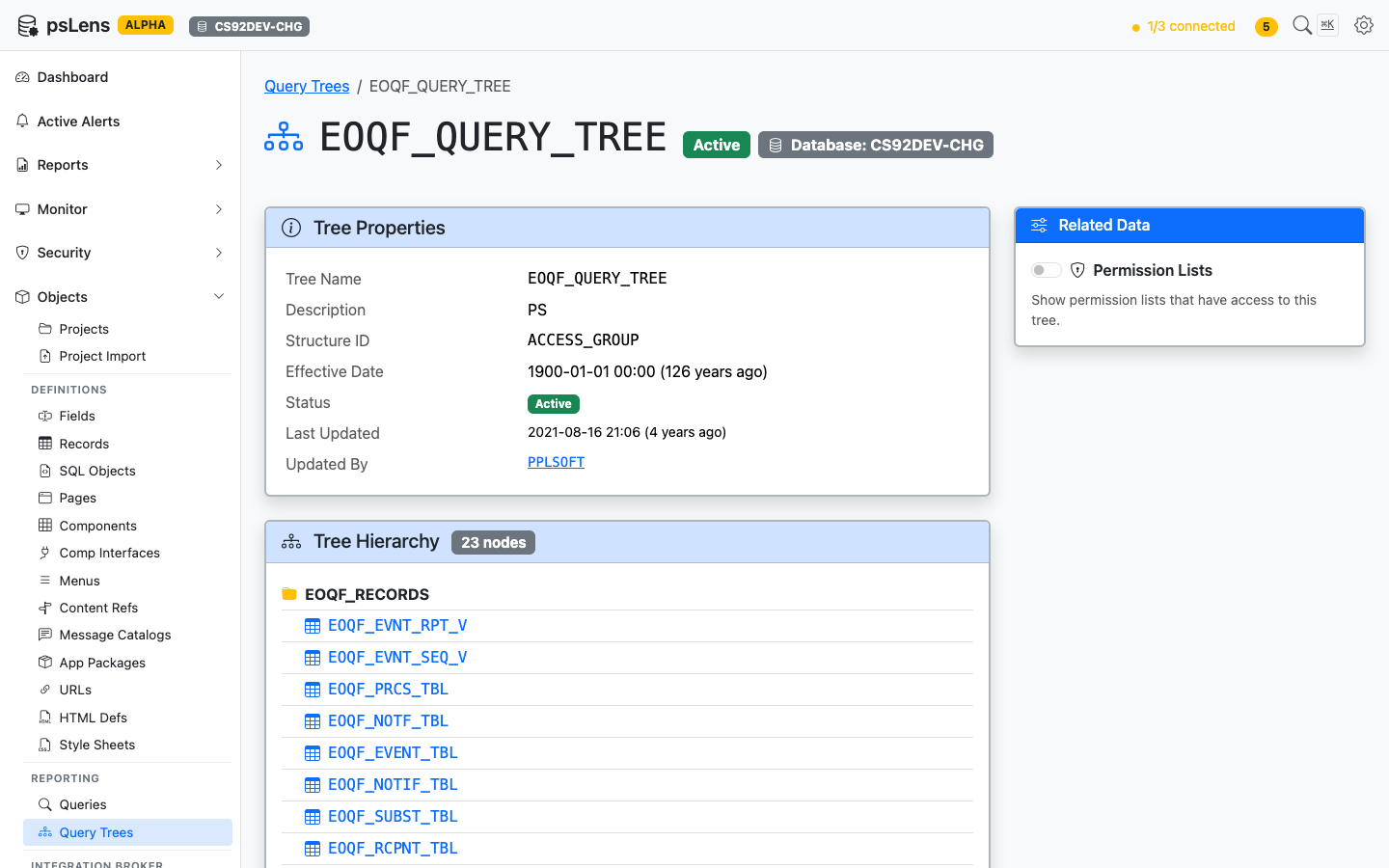
      <p>Query Tree detail page for <code>EOQF_QUERY_TREE</code></p>
    </figcaption>
</figure>


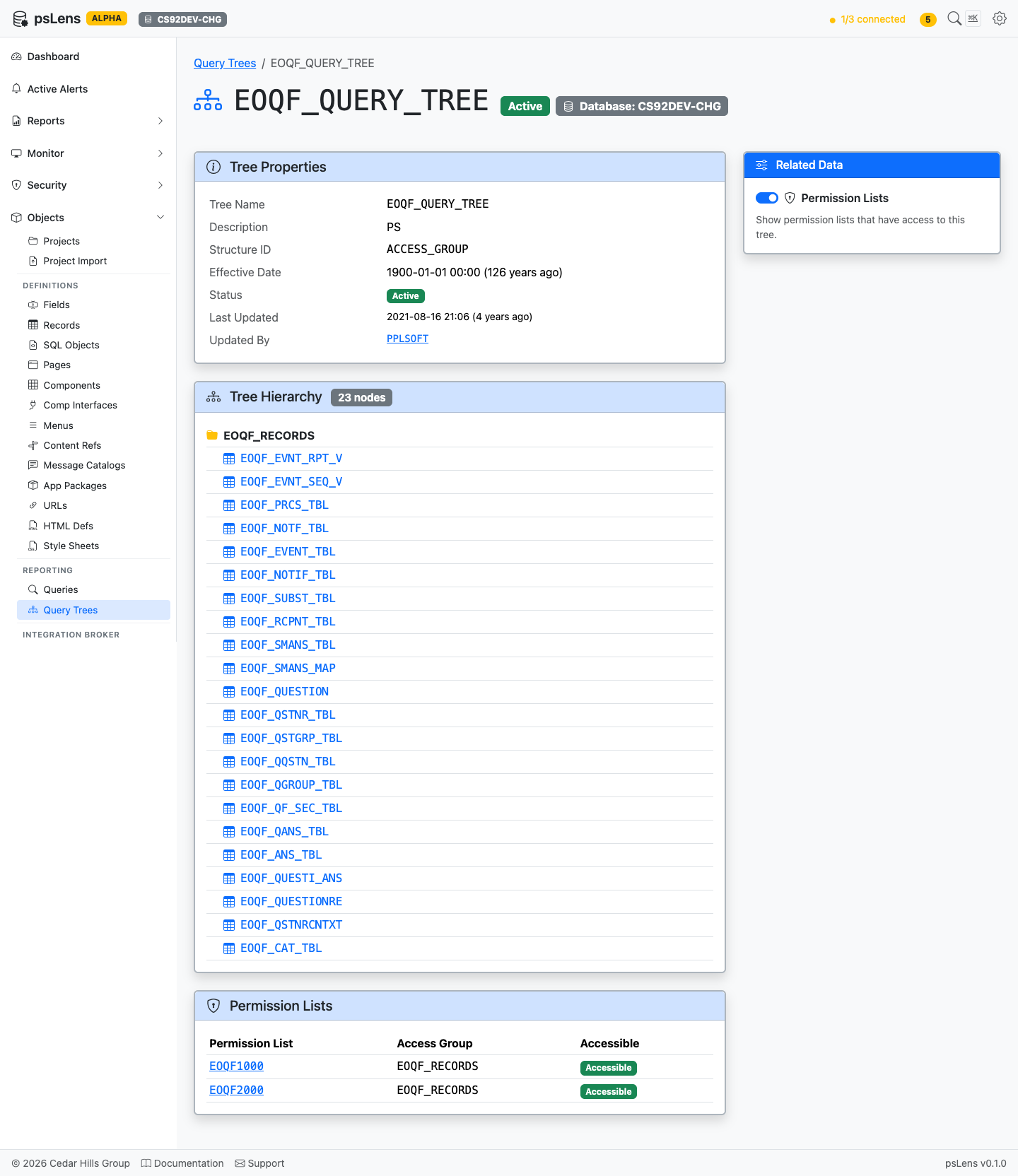
The main pane shows **Tree Properties** (status, version, audit metadata) and the full **Tree Hierarchy**, a recursive view of every node in the tree with the record name it grants access to. The sidebar has one related-data toggle.

<figure><img src="/images/screenshots/metadata/query-trees-detail-expanded.png"
    alt="Query Tree detail page with all panels expanded"><figcaption>
      <p>Full Query Tree page with the Permission Lists panel expanded</p>
    </figcaption>
</figure>


## Related Data Panels

### Tree Hierarchy

<figure><img src="/images/screenshots/metadata/query-trees-panel-hierarchy.png"
    alt="Tree Hierarchy panel"><figcaption>
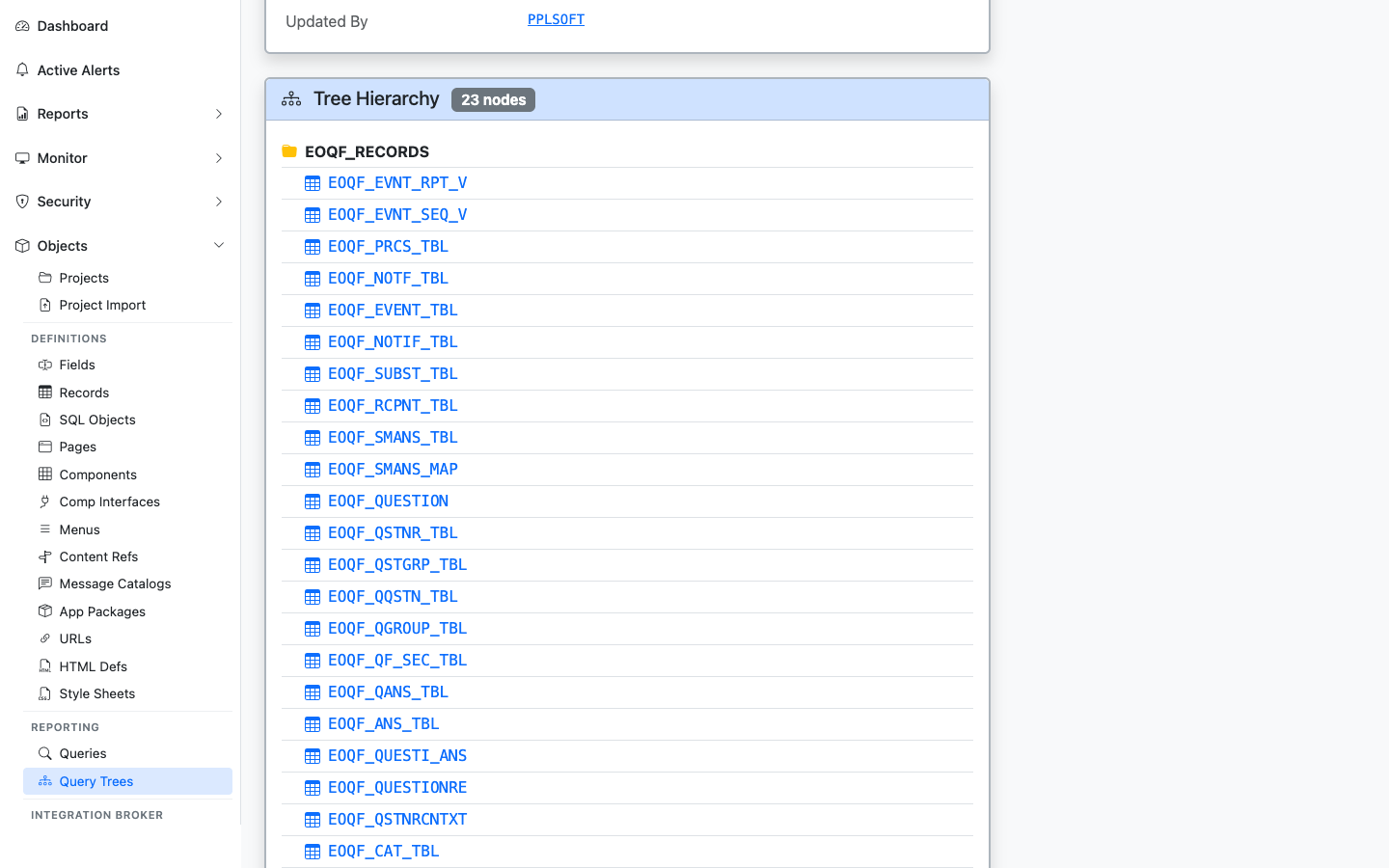
      <p>The full record hierarchy of the tree, with each record linked to its detail page</p>
    </figcaption>
</figure>


The recursive node-by-node breakdown of the tree. Each record link jumps into the record's detail page so you can see what data the tree grants query access to.

### Permission Lists

<figure><img src="/images/screenshots/metadata/query-trees-panel-perm-lists.png"
    alt="Permission Lists panel for the query tree"><figcaption>
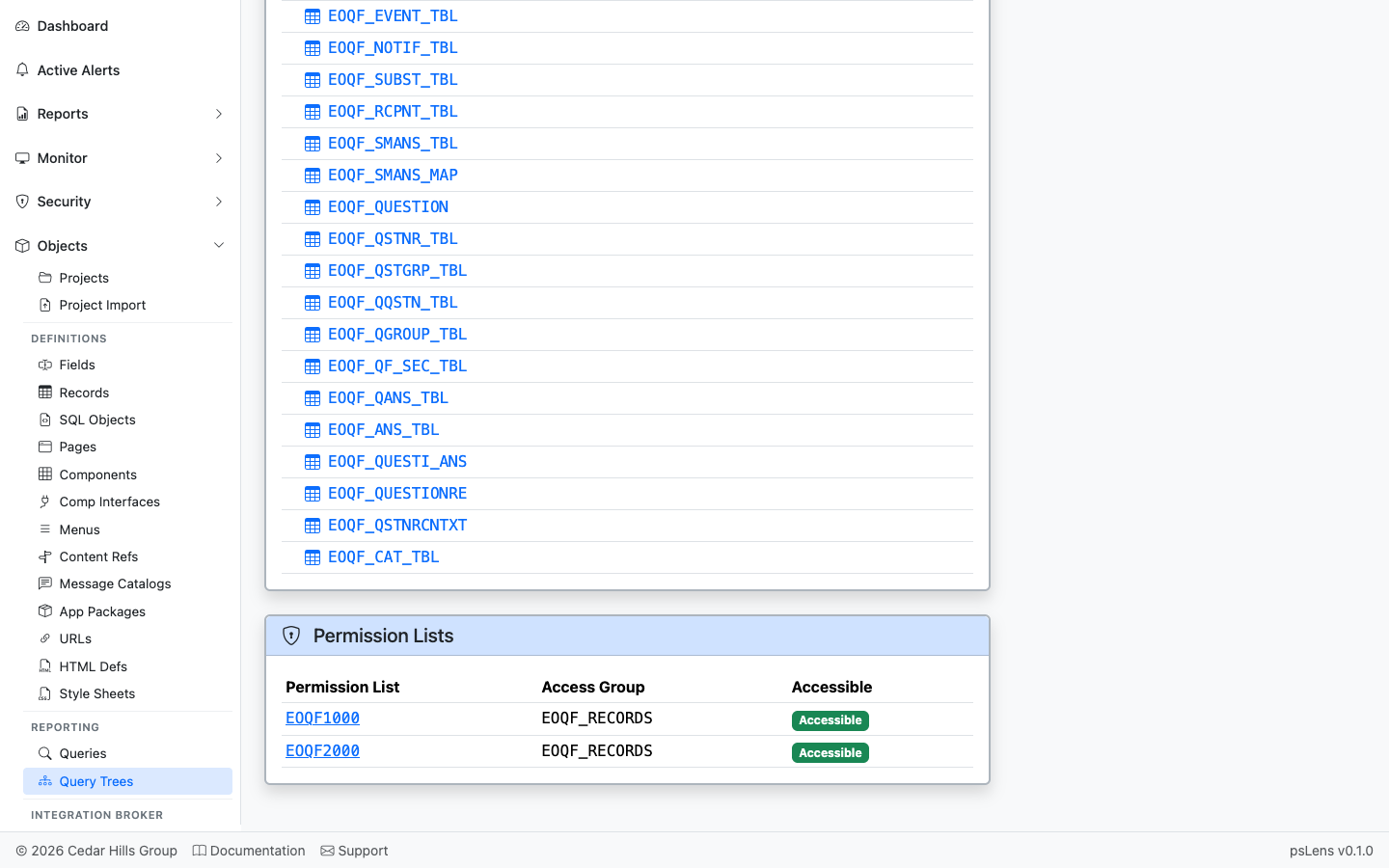
      <p>Permission lists with access to nodes in this tree</p>
    </figcaption>
</figure>


Permission lists that have been granted access to nodes in this tree. Pair with each permission list's role membership in the Security pages to get the user-level answer for which users can build queries against these records.

## What This Consolidates

In PIA / Tree Manager:

- Open **PeopleTools → Tree Manager** and navigate to the tree
- Click through the tree nodes one branch at a time to see records
- Open the **Query Profile** for each permission list separately to see which trees and nodes it authorizes
- Cross-reference manually to answer "who has Query access to record X"

psLens shows the record hierarchy and the permission lists granting access on one page — the source data for any PS/Query security audit. Pairs with the [Queries](/docs/objects/queries/) page's tree placement panel for the inverse question.