Queues
Categories:
- Target Database: —
- Context Type: —
- Alert Severity: —
- Triggered Time: —
- Firing Context:
—
A Queue is an Integration Broker ordering construct. Async service operations attached to the same queue process serially in the order they arrived, while operations on different queues can run in parallel. Queues are also the unit where IB pauses (“Pause” status) when an administrator stops message processing for maintenance. Each queue is stored in PSQUEUEDEFN with a status (Run, Pause) and a partitioning configuration.
Object Relationships
Queues manage message processing order and concurrency for Integration Broker:
- Orders Service Operations: Queues (
PSQUEUEDEFN) group asynchronous Service Operations (PSOPERATION) to enforce sequential or parallel execution flow.
How psLens Improves Integration Queue Inspection
In PIA, queue configuration lives under PeopleTools → Integration Broker → Integration Setup → Queues, and locating dependent service operations requires walking each operation separately.
psLens shows queue run/pause status and all dependent service operations on a single page, helping administrators instantly spot paused queues and stalled integrations.
Search Page
URL: /queues?db={database}
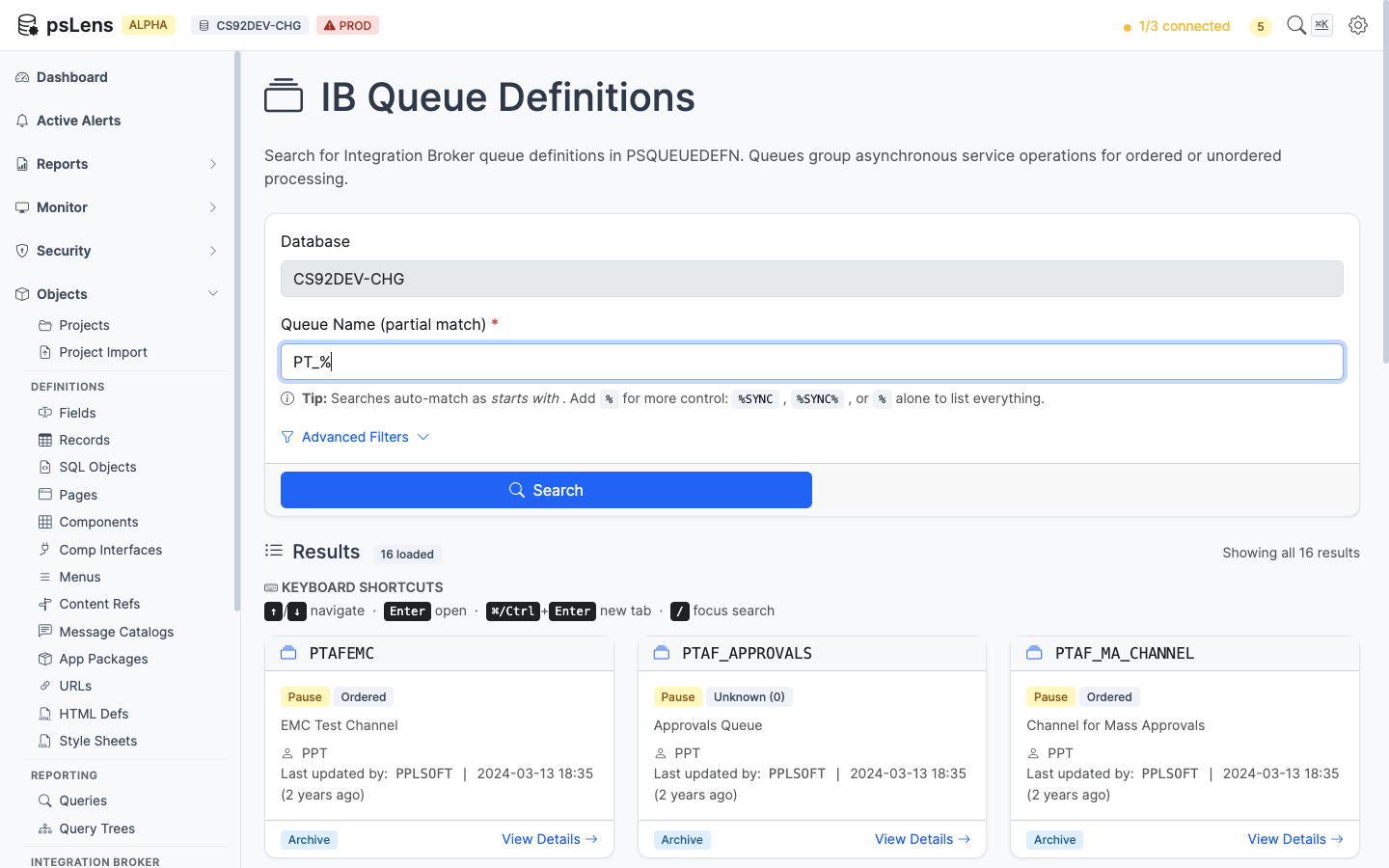
Queue search results for PT_%
Wildcard % search supported. Each card shows the queue’s run/pause status, the fast way to spot a paused queue causing a stalled integration.
Detail Page
URL: /queues/{QUEUE}?db={database}
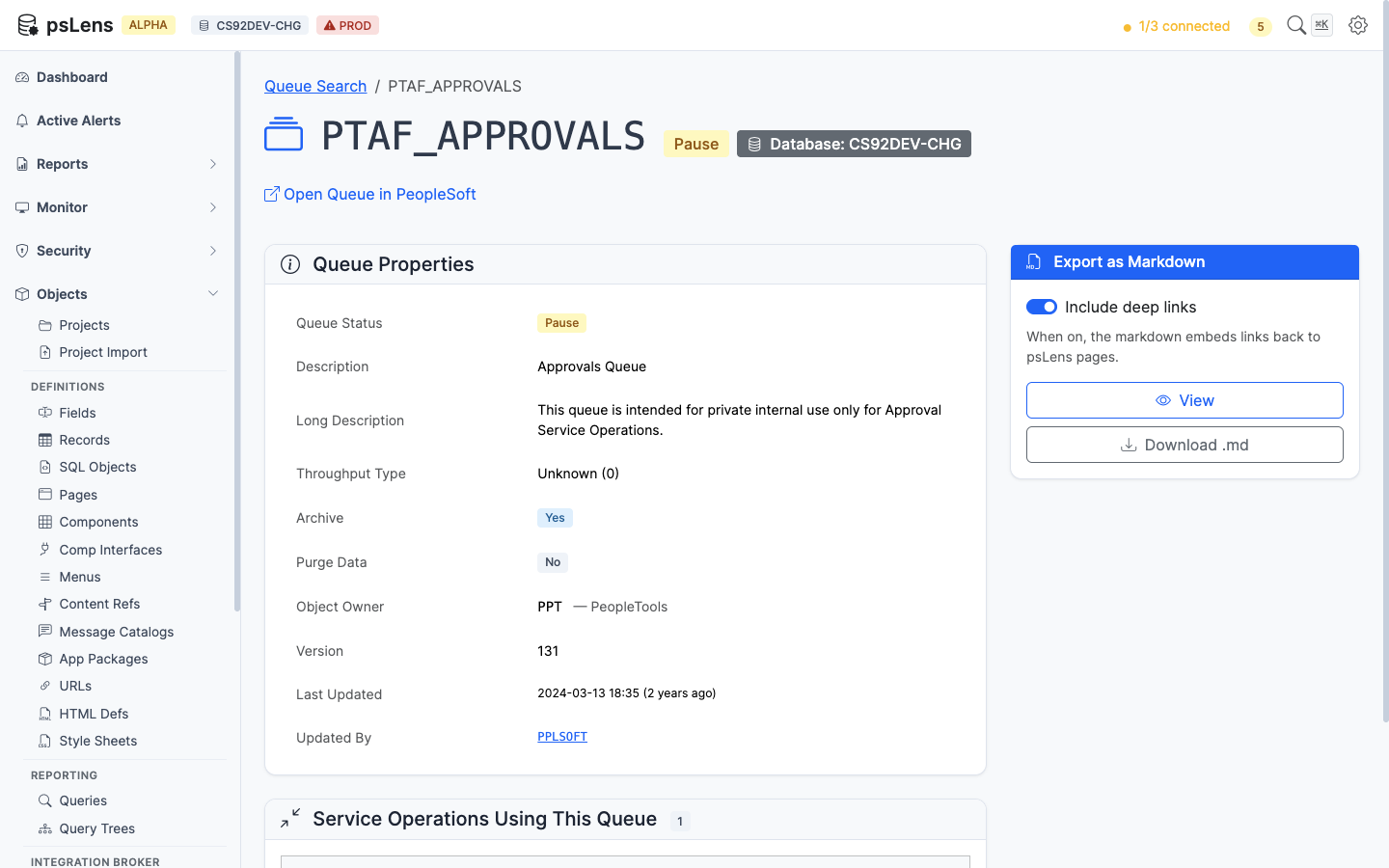
Queue detail page for PTAF_APPROVALS
The main pane shows Queue Properties (status, partitioning method, archive flag, owner, description) and a Service Operations Using This Queue card. Queues are simple objects — there are no sidebar toggles.
Full queue detail page
Service Operations Using This Queue
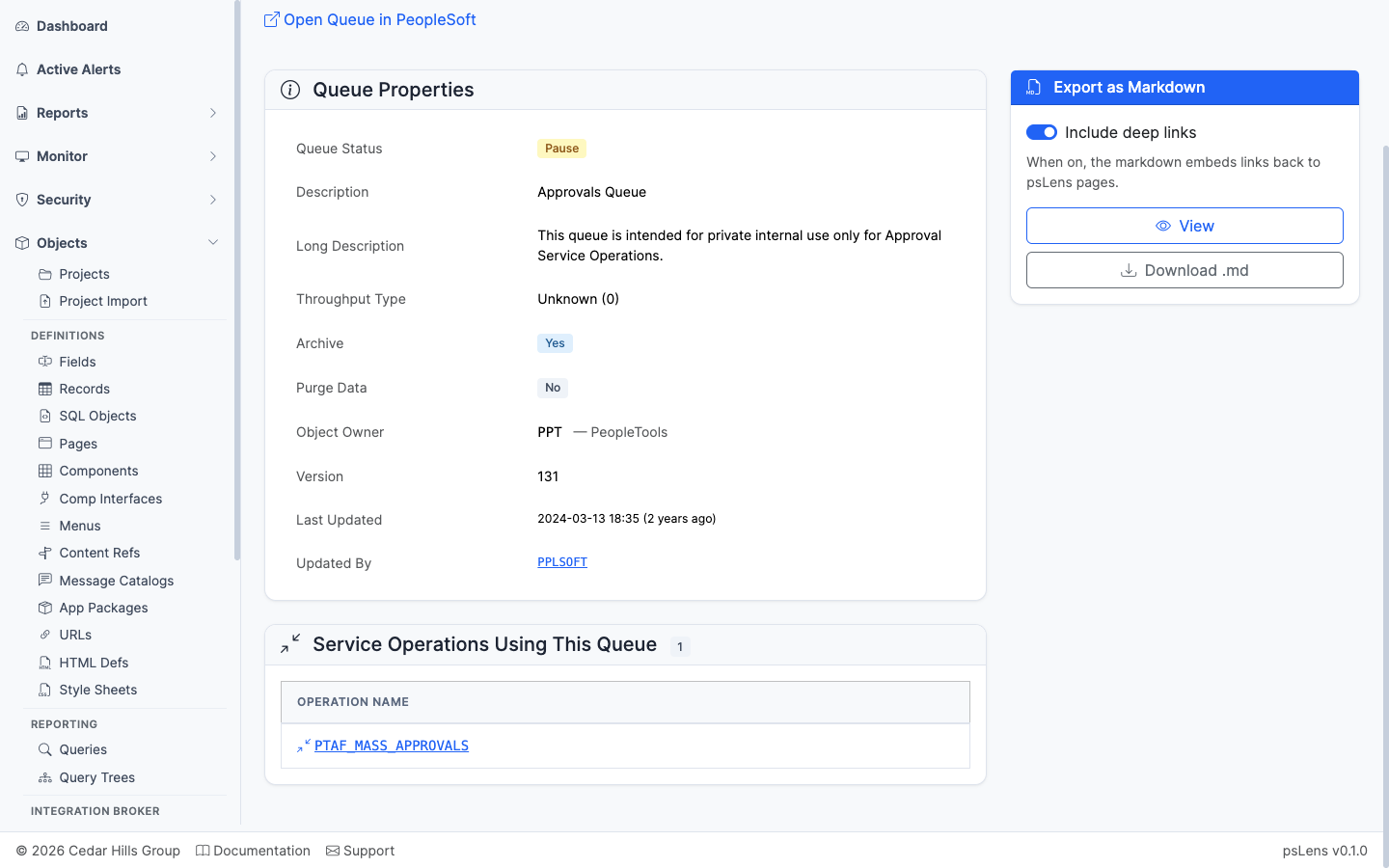
Service operations bound to this queue
The list of service operations bound to this queue. Together with the IB Monitor, this shows what stops processing when the queue is paused.