# Service Operations

> Browse PeopleSoft Integration Broker service operations with versions, handlers, routings, security grants, and IB transaction history.

---

LLMS index: [llms.txt](/llms.txt)

---

<div id="pslens-context-panel" class="card border-info mb-4 d-none">
  <div class="card-header bg-light text-info py-2 fw-bold d-flex align-items-center border-bottom border-info-subtle">
    <i class="bi bi-info-circle-fill me-2"></i>
    <span>Tailored Operational Context</span>
  </div>
  <div class="card-body p-0">
    <ul class="list-group list-group-flush">
      <li id="row-db" class="list-group-item d-flex align-items-center justify-content-between py-2 d-none">
        <strong>Target Database:</strong>
        <span id="ctx-db" class="badge bg-secondary font-monospace">&mdash;</span>
      </li>
      <li id="row-type" class="list-group-item d-flex align-items-center justify-content-between py-2 d-none">
        <strong>Context Type:</strong>
        <span id="ctx-type" class="badge bg-light text-dark border font-monospace text-uppercase">&mdash;</span>
      </li>
      <li id="row-severity" class="list-group-item d-flex align-items-center justify-content-between py-2 d-none">
        <strong>Alert Severity:</strong>
        <span id="ctx-severity" class="badge">&mdash;</span>
      </li>
      <li id="row-time" class="list-group-item d-flex align-items-center justify-content-between py-2 d-none">
        <strong>Triggered Time:</strong>
        <span id="ctx-time" class="text-muted small">&mdash;</span>
      </li>
      <li id="row-details" class="list-group-item py-2 d-none">
        <strong id="label-details" class="d-block mb-1">Firing Context:</strong>
        <code id="ctx-details" class="d-block p-2 bg-light border rounded small" style="white-space: pre-wrap; word-break: break-all;">&mdash;</code>
      </li>
    </ul>
  </div>
</div>

<script>
  (function() {
    const params = new URLSearchParams(window.location.search);
    const metadata = params.get('metadata');
    if (!metadata) return;

    try {
      
      const base64 = metadata.replace(/-/g, '+').replace(/_/g, '/');
      const jsonStr = decodeURIComponent(escape(window.atob(base64)));
      const data = JSON.parse(jsonStr);

      if (data) {
        let hasData = false;

        if (data.db) {
          document.getElementById('ctx-db').textContent = data.db;
          document.getElementById('row-db').classList.remove('d-none');
          hasData = true;
        }

        if (data.type) {
          document.getElementById('ctx-type').textContent = data.type;
          document.getElementById('row-type').classList.remove('d-none');
          hasData = true;
        }

        if (data.severity) {
          const severityBadge = document.getElementById('ctx-severity');
          const severity = data.severity.toLowerCase();
          severityBadge.textContent = severity.toUpperCase();
          if (severity === 'critical') {
            severityBadge.className = 'badge bg-danger';
          } else if (severity === 'warning') {
            severityBadge.className = 'badge bg-warning text-dark';
          } else {
            severityBadge.className = 'badge bg-info';
          }
          document.getElementById('row-severity').classList.remove('d-none');
          hasData = true;
        }

        if (data.t) {
          const date = new Date(data.t * 1000);
          document.getElementById('ctx-time').textContent = date.toLocaleString();
          document.getElementById('row-time').classList.remove('d-none');
          hasData = true;
        }

        if (data.details) {
          document.getElementById('ctx-details').textContent = data.details;

          
          const labelDetails = document.getElementById('label-details');
          if (data.type === 'object') {
            labelDetails.textContent = 'Object Metadata Details:';
          } else if (data.type === 'report') {
            labelDetails.textContent = 'Report Description:';
          } else {
            labelDetails.textContent = 'Firing Context:';
          }

          document.getElementById('row-details').classList.remove('d-none');
          hasData = true;
        }

        if (hasData) {
          document.getElementById('pslens-context-panel').classList.remove('d-none');
        }
      }
    } catch (e) {
      console.error('Failed to parse operational context metadata:', e);
    }
  })();
</script>


## What It Is

A Service Operation is the actual message-exchange contract — the unit that defines what message type is sent, in which direction (async or sync), through which routings, and handled by which PeopleCode. Each operation belongs to a service and is stored in `PSOPERATION` with related metadata in `PSOPRDESC`, `PSOPRROUTING`, `PSOPRHANDLER`, and the security tables. psLens consolidates the full operation — versions, routings, handlers, caller nodes, security access from three angles, and live IB transaction history — into one page.

## Search Page

URL: `/serviceoperations?db={database}`

<figure><img src="/images/screenshots/ib/service-operations-search.png"
    alt="Service Operation search results for PT_% showing PTAF_MASS_APPROVALS, PTAI_AWE_NOTIFYURL, and others"><figcaption>
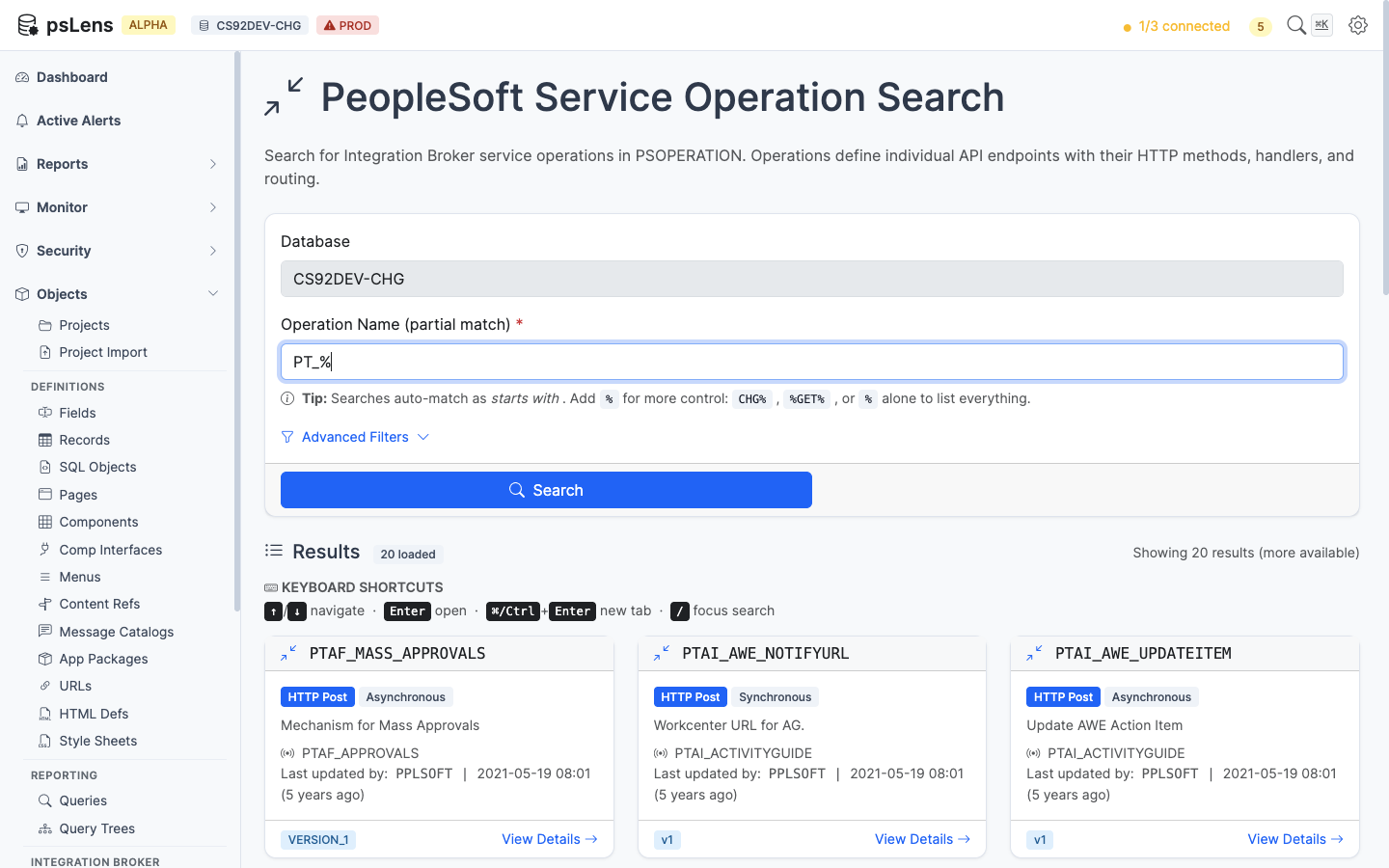
      <p>Service Operation search results for <code>PT_%</code></p>
    </figcaption>
</figure>


Wildcard `%` search supported. Each card shows the operation type (Async, Sync, One Way), default version, and active flag.

## Detail Page

URL: `/serviceoperations/{OPERATION}?db={database}`

<figure><img src="/images/screenshots/ib/service-operations-detail.png"
    alt="Detail page for PTBR_BRANDING_DEFINITIONS service operation"><figcaption>
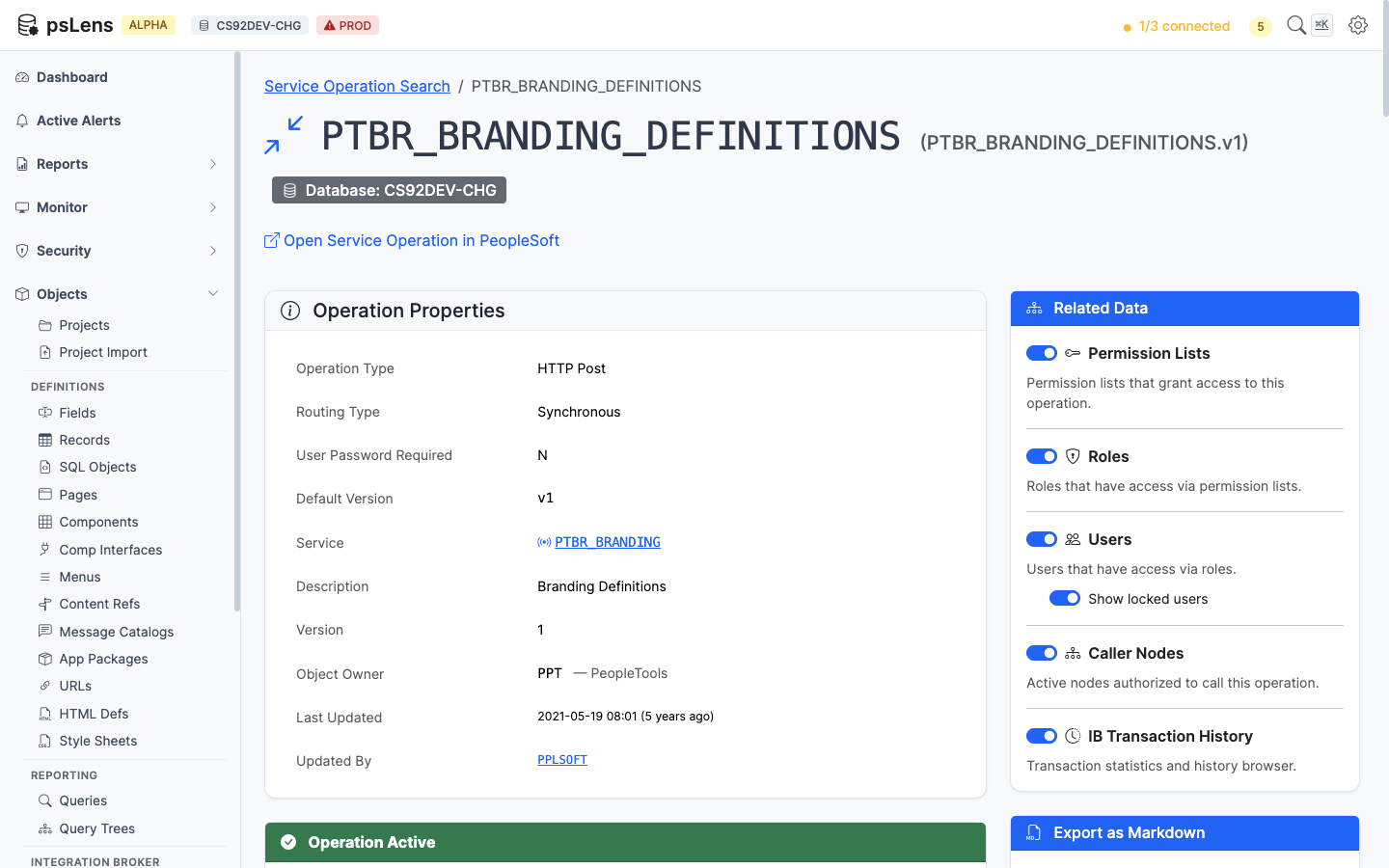
      <p>Service Operation detail page for <code>PTBR_BRANDING_DEFINITIONS</code></p>
    </figcaption>
</figure>


The main pane shows **Operation Properties** plus four always-visible cards: **Versions** (every operation version with default flag and message type), **Routings** (every routing definition with sender/receiver nodes and direction), **Handlers** (handler PeopleCode and class implementations), and **HTTP Request Template** (the template body for HTTP-style transactions). The sidebar has 5 related-data toggles, including three security access lenses and a live IB transaction history feed.

## Related Data Panels

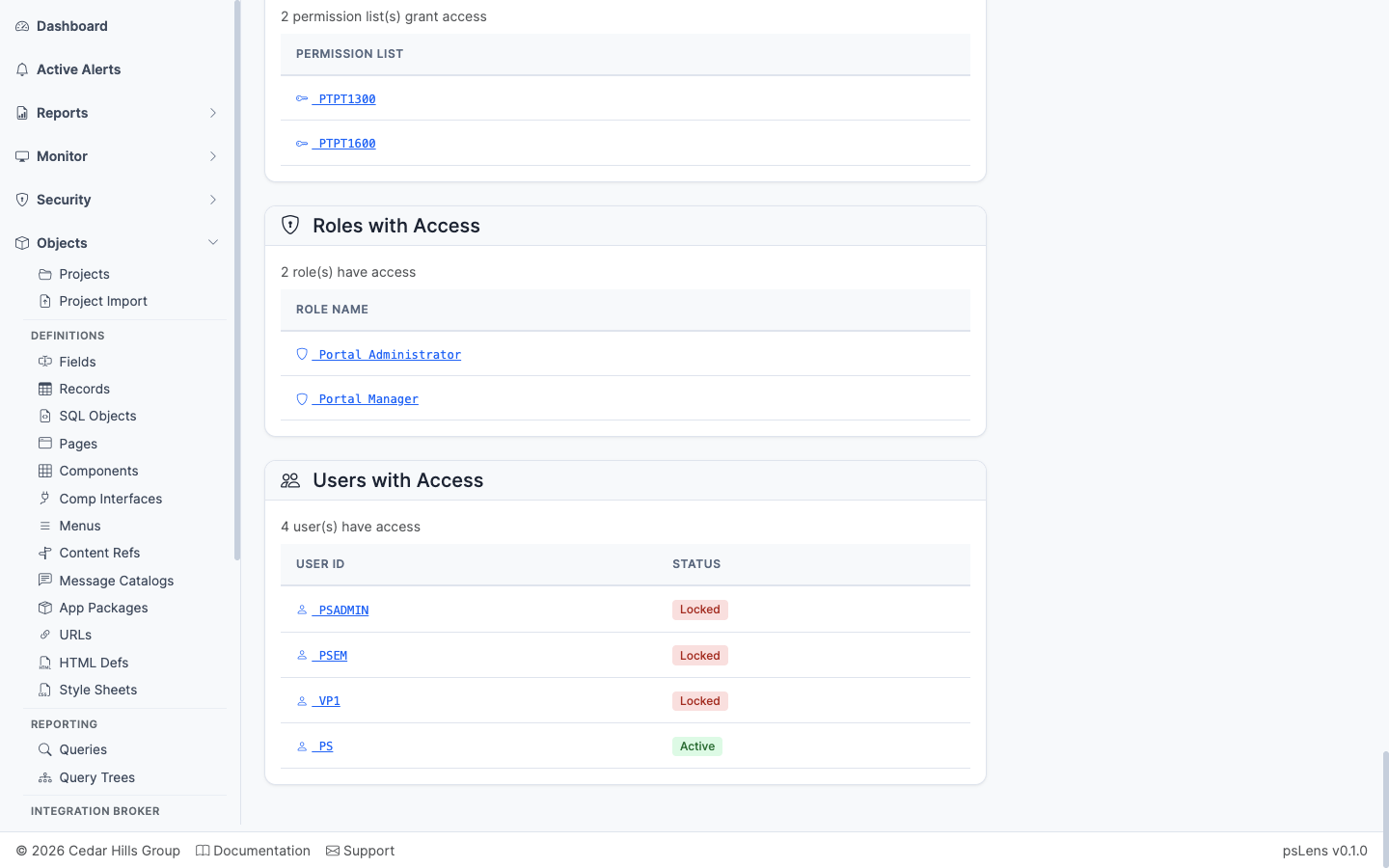
### Permission Lists with Access

<figure><img src="/images/screenshots/ib/service-operations-panel-perm-lists.png"
    alt="Permission Lists with Access panel for the service operation"><figcaption>
      <p>Permission lists that grant access to this operation</p>
    </figcaption>
</figure>


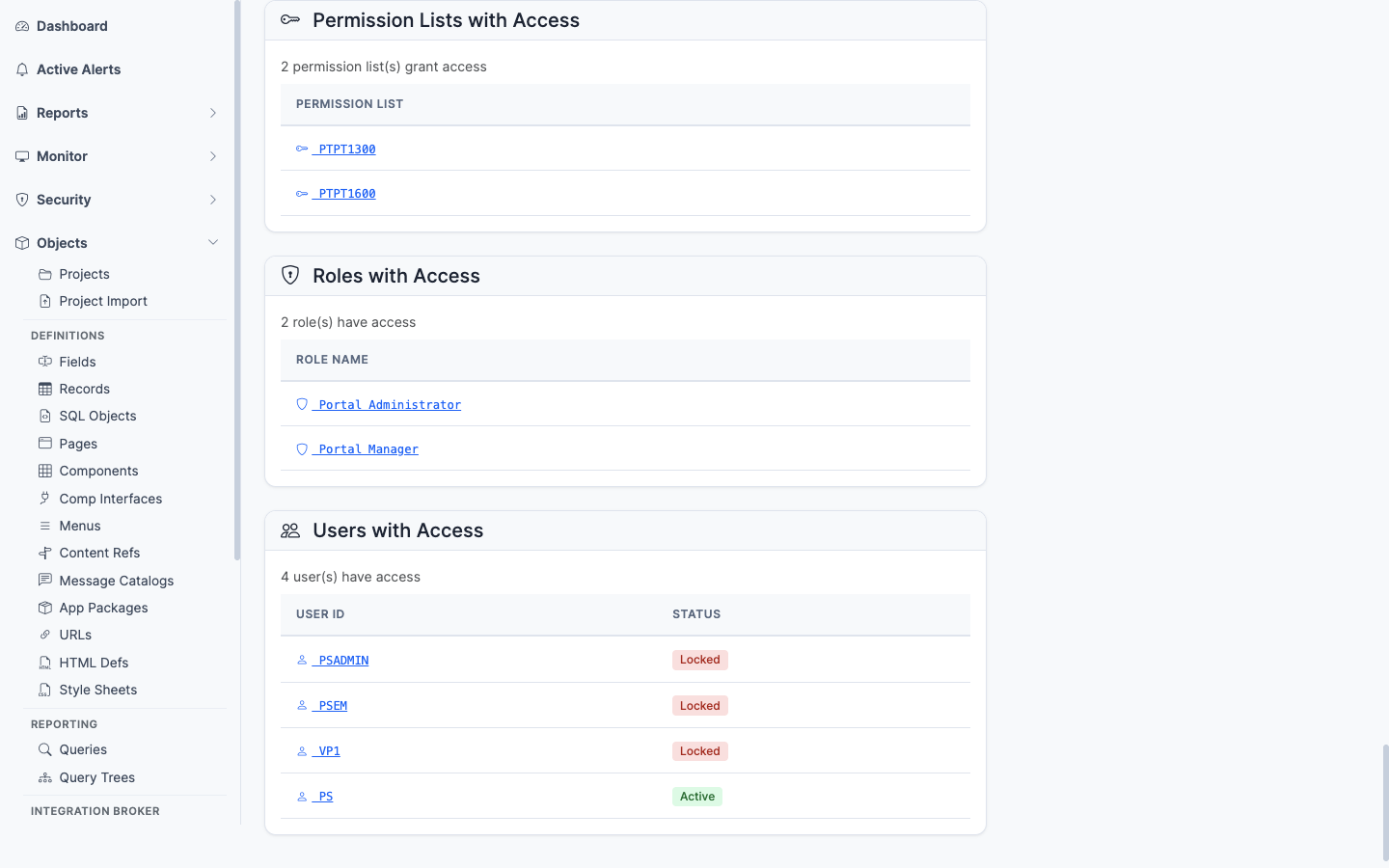
Permission lists with **Full Access** or **Web Library Access** to this operation. The security baseline for which permission lists let a user invoke this operation.

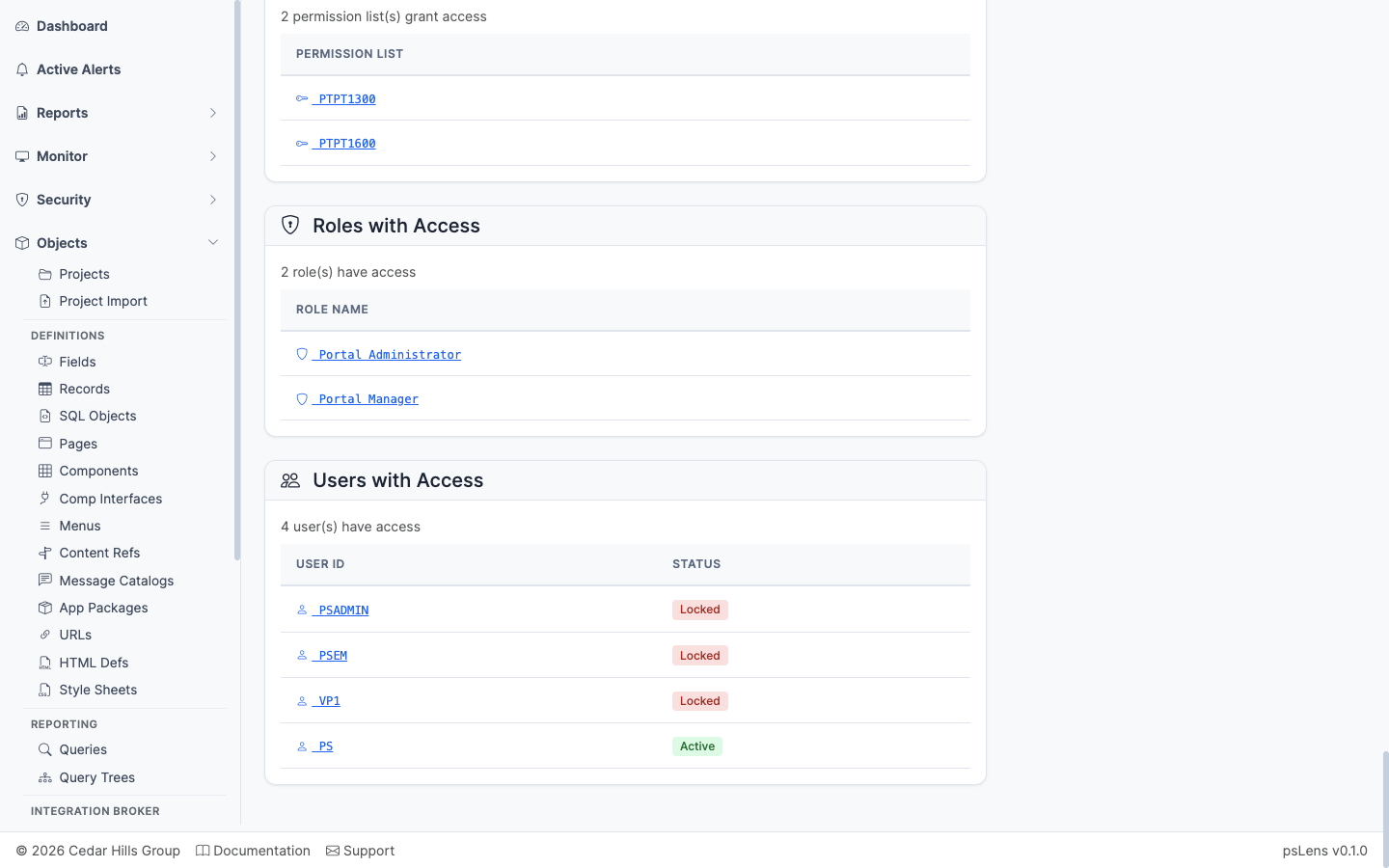
### Roles with Access

<figure><img src="/images/screenshots/ib/service-operations-panel-roles.png"
    alt="Roles with Access panel"><figcaption>
      <p>Roles that contain a permission list granting access to this operation</p>
    </figcaption>
</figure>


The roles that contain any of the granting permission lists — saves you from having to walk Permission List → Role mapping manually.

### Users with Access

<figure><img src="/images/screenshots/ib/service-operations-panel-users.png"
    alt="Users with Access panel"><figcaption>
      <p>Users whose roles ultimately grant access to this operation</p>
    </figcaption>
</figure>


The users whose role membership ultimately grants them access to call this operation, with an optional toggle to include or exclude locked accounts. The end-of-chain answer for who can call this endpoint.

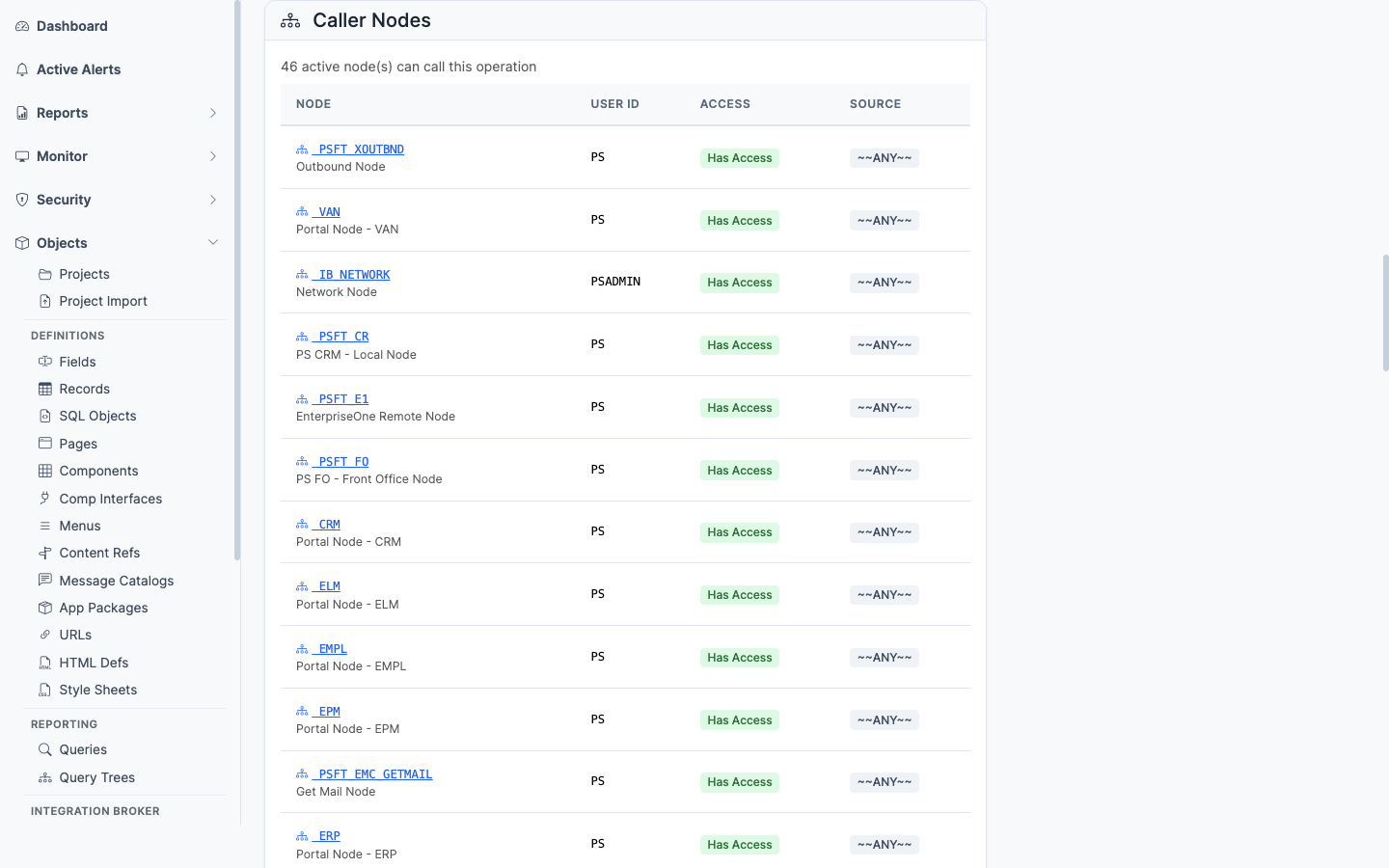
### Caller Nodes

<figure><img src="/images/screenshots/ib/service-operations-panel-caller-nodes.png"
    alt="Caller Nodes panel"><figcaption>
      <p>Nodes whose default user has access to invoke this operation</p>
    </figcaption>
</figure>


Inverts the lens to the integration side: lists nodes whose default user has been granted access to invoke this operation — useful for confirming which external systems can call the endpoint.

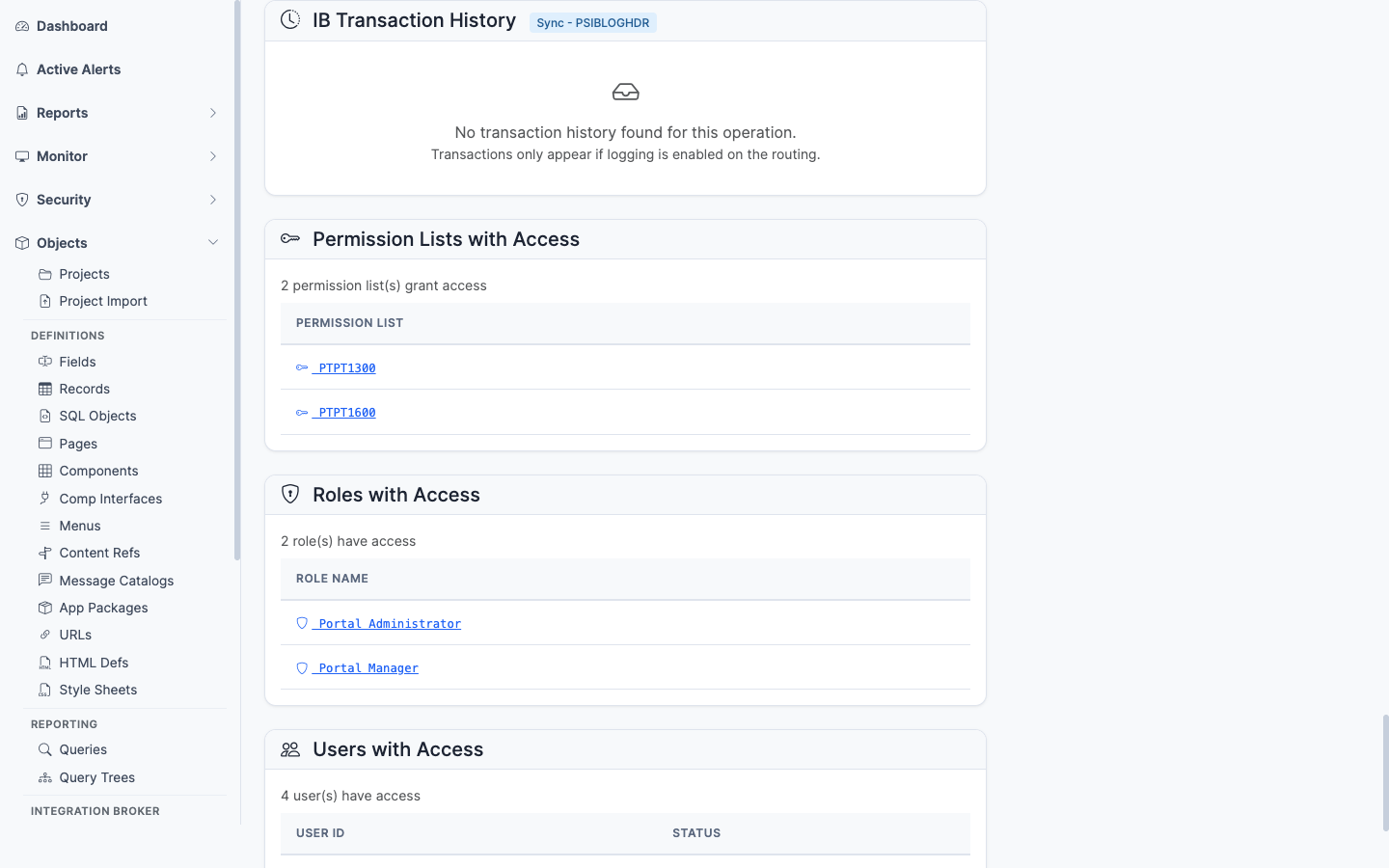
### IB Transaction History

<figure><img src="/images/screenshots/ib/service-operations-panel-ib-history.png"
    alt="IB Transaction History panel"><figcaption>
      <p>Recent runtime invocations of the service operation</p>
    </figcaption>
</figure>


Recent runtime invocations from `PSIBLOGHDR` — timestamps, status, transaction ID. The link from "what is configured" to "what is actually happening." Lets you confirm an operation is being called (or spot that it never is).

## What This Consolidates

In PIA, the equivalent investigation requires:

- Open **PeopleTools → Integration Broker → Integration Setup → Service Operations** for properties and version
- Switch to the Handlers and Routings tabs separately
- Open **Security → Permissions & Roles → Permission Lists** and search Web Services tab per permission list
- Cross-reference Role membership in **Roles**
- Walk User Profile **Roles** tab to find users
- Open **Service Operation Monitor → Asynchronous Services** to find recent activity

psLens combines configuration, three layers of security access, and live transaction history on one page — the questions a security review asks about every IB endpoint.