SQL Objects
Categories:
- Target Database: —
- Context Type: —
- Alert Severity: —
- Triggered Time: —
- Firing Context:
—
SQL Objects are the PeopleSoft application’s standalone SQL artifacts — view definitions and other named SQL fragments stored in PSSQLDEFN / PSSQLTEXTDEFN. Unlike a record’s automatically-generated DDL, these are SQL bodies the developer hand-wrote and PeopleSoft keeps versioned with the rest of the metadata. psLens pulls the source SQL plus the related record (when the SQL object is a view tied to a record definition) so you don’t switch into App Designer to read the SQL.
Object Relationships
SQL Objects define custom SQL statements for database views and code modules:
- Defines Record Views: SQL Objects (
PSSQLDEFN) contain the underlying SELECT statements that define SQL view records (RECTYPE = 1). - Called by PeopleCode & App Engines: Standalone SQL objects are executed in code via
FetchSQL()or Application Engine SQL actions.
How psLens Improves SQL Object Inspection
Reading SQL Objects in Application Designer requires searching SQL definitions, opening the object editor, right-clicking to find backing records, and checking projects individually for migration history.
psLens presents syntax-highlighted SQL source code inline, with direct links to backing record definitions and project membership.
Search Page
URL: /sqlobjects?db={database}
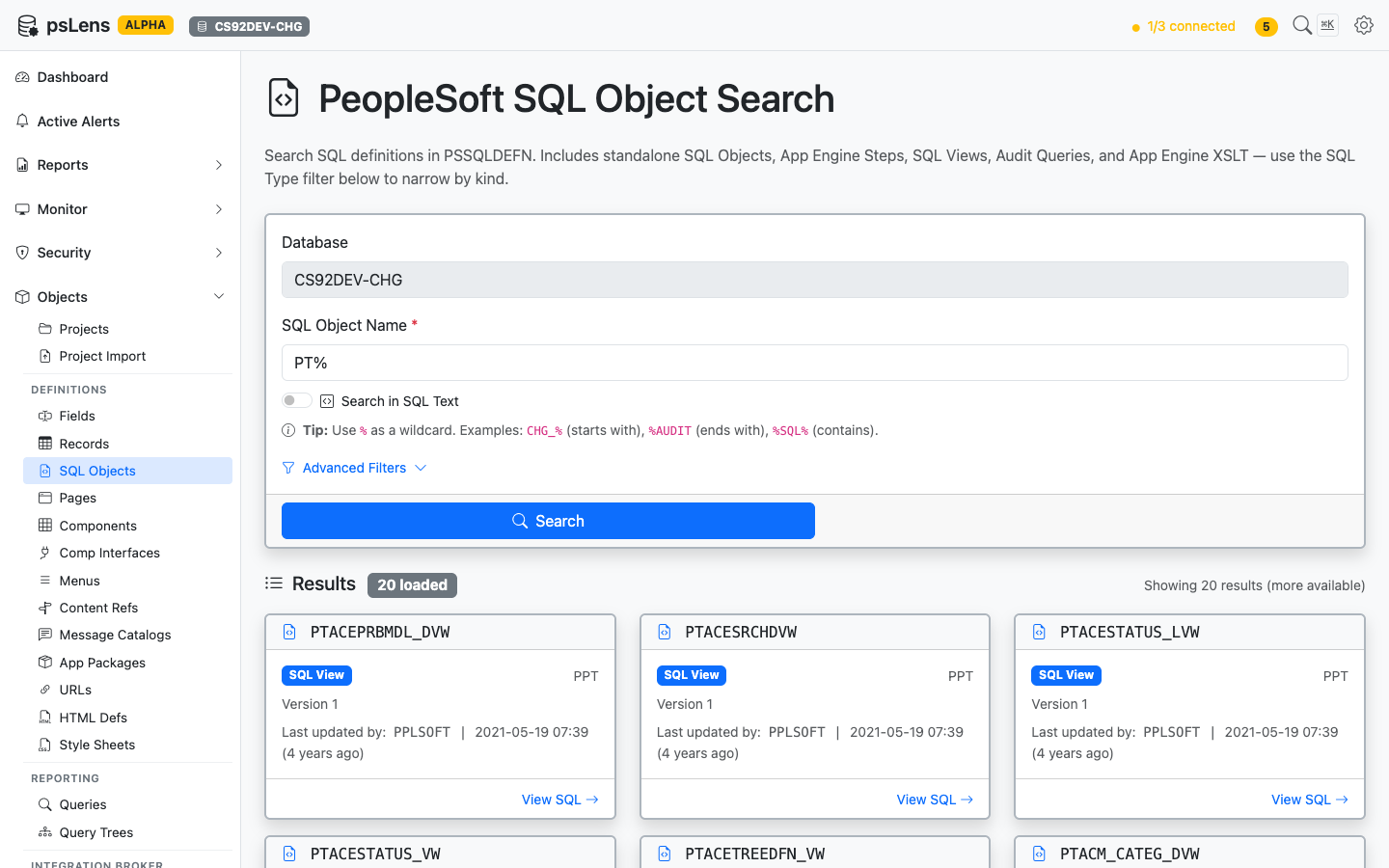
SQL Object search results for PT%
Search auto-matches as starts with. Typing PT finds every SQL object whose ID begins with PT. Include % yourself for ends-with (%VW) or contains (%AUDIT%) patterns, or use % alone to list every row. Each result shows the object name, type, and last-updated info, useful when you’re tracing where a view body is defined or hunting for a delivered SQL fragment.
Detail Page
URL: /sqlobjects/{NAME}?db={database}
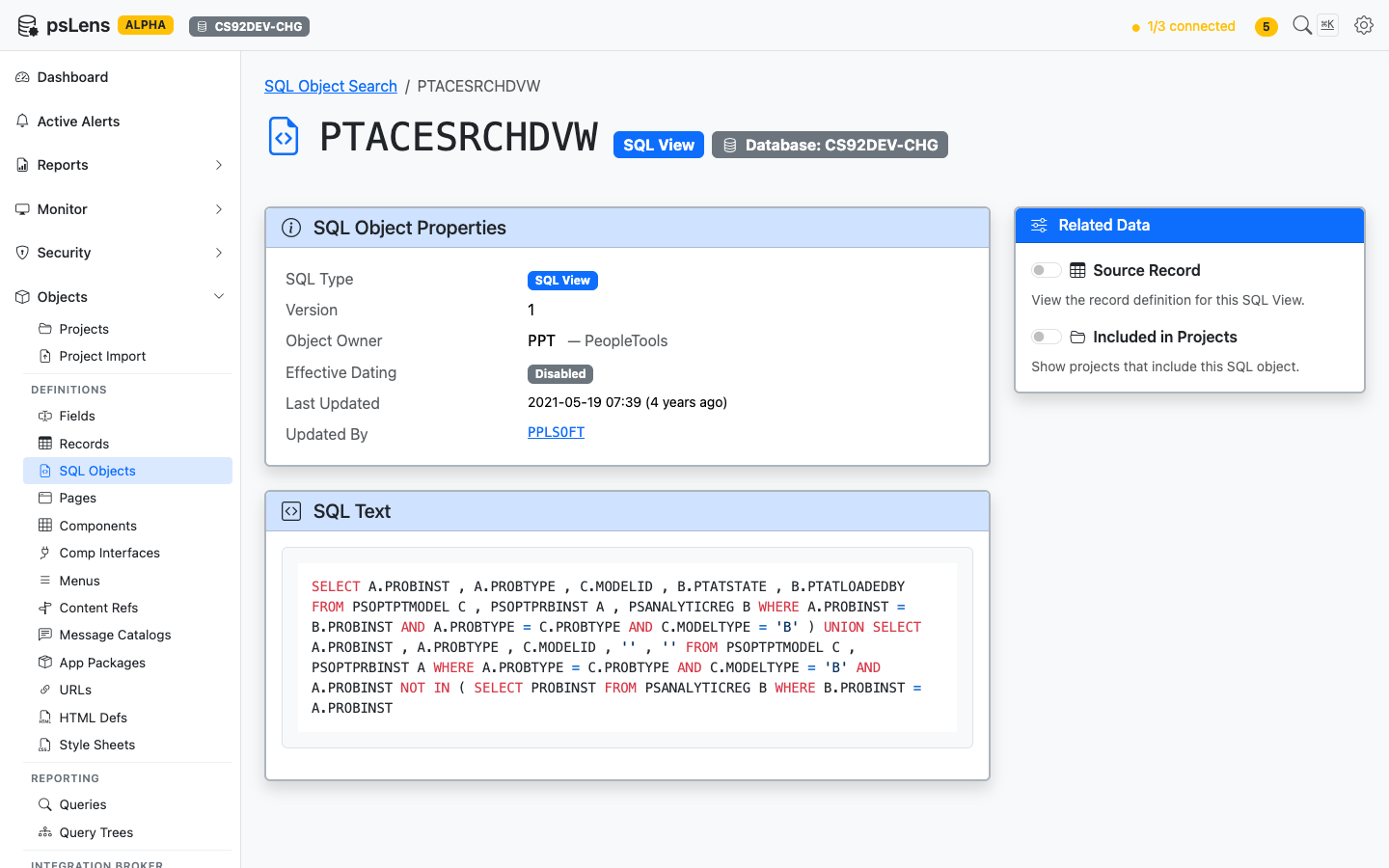
SQL Object detail page for PTACESRCHDVW
The main pane shows the object’s properties and the full Source SQL body, syntax-highlighted and copyable, so you can see what the view SELECTs without an App Designer round-trip. The sidebar has two related-data toggles.
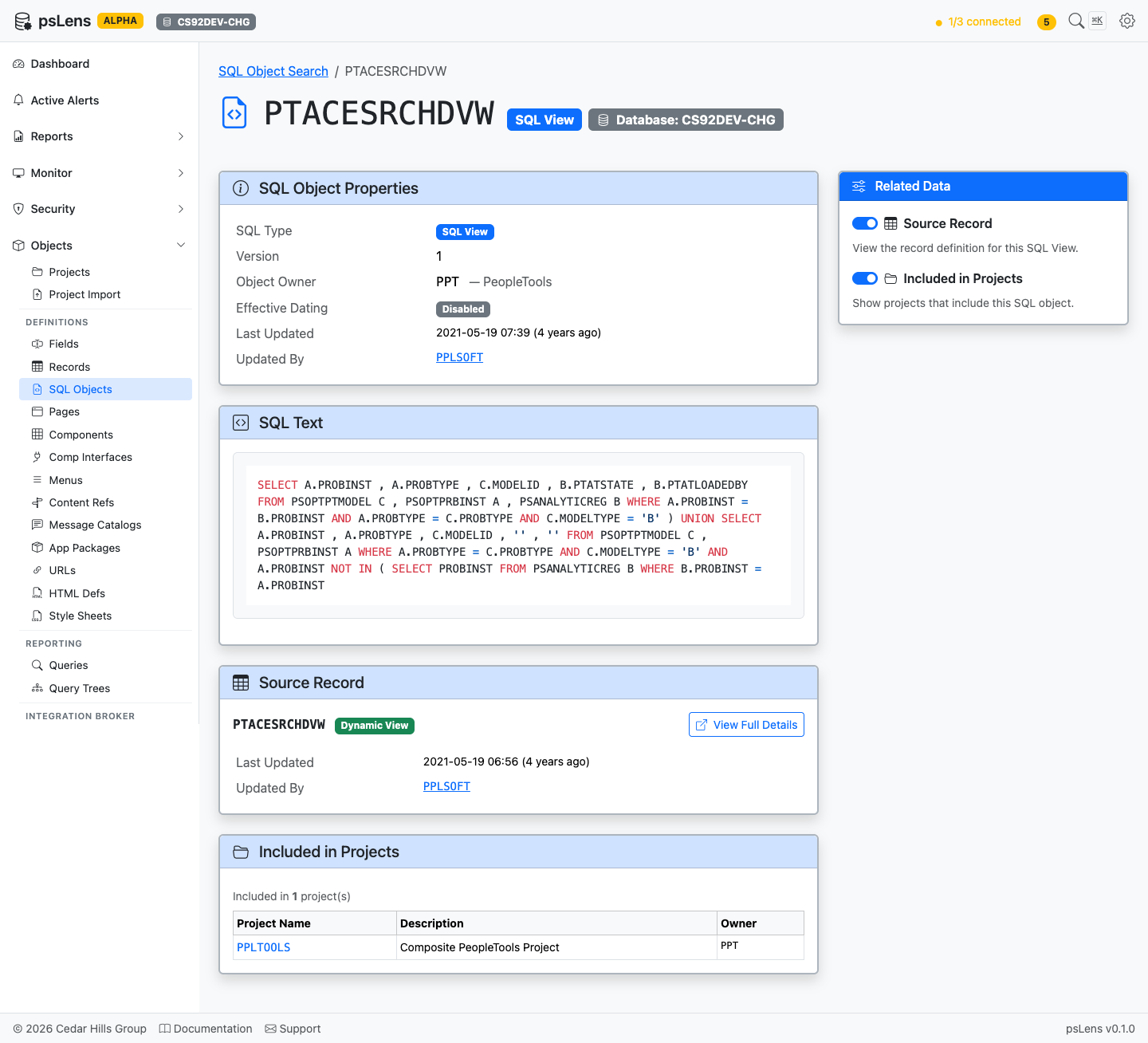
All panels expanded: Source Record and Project membership
Related Data Panels
Source Record
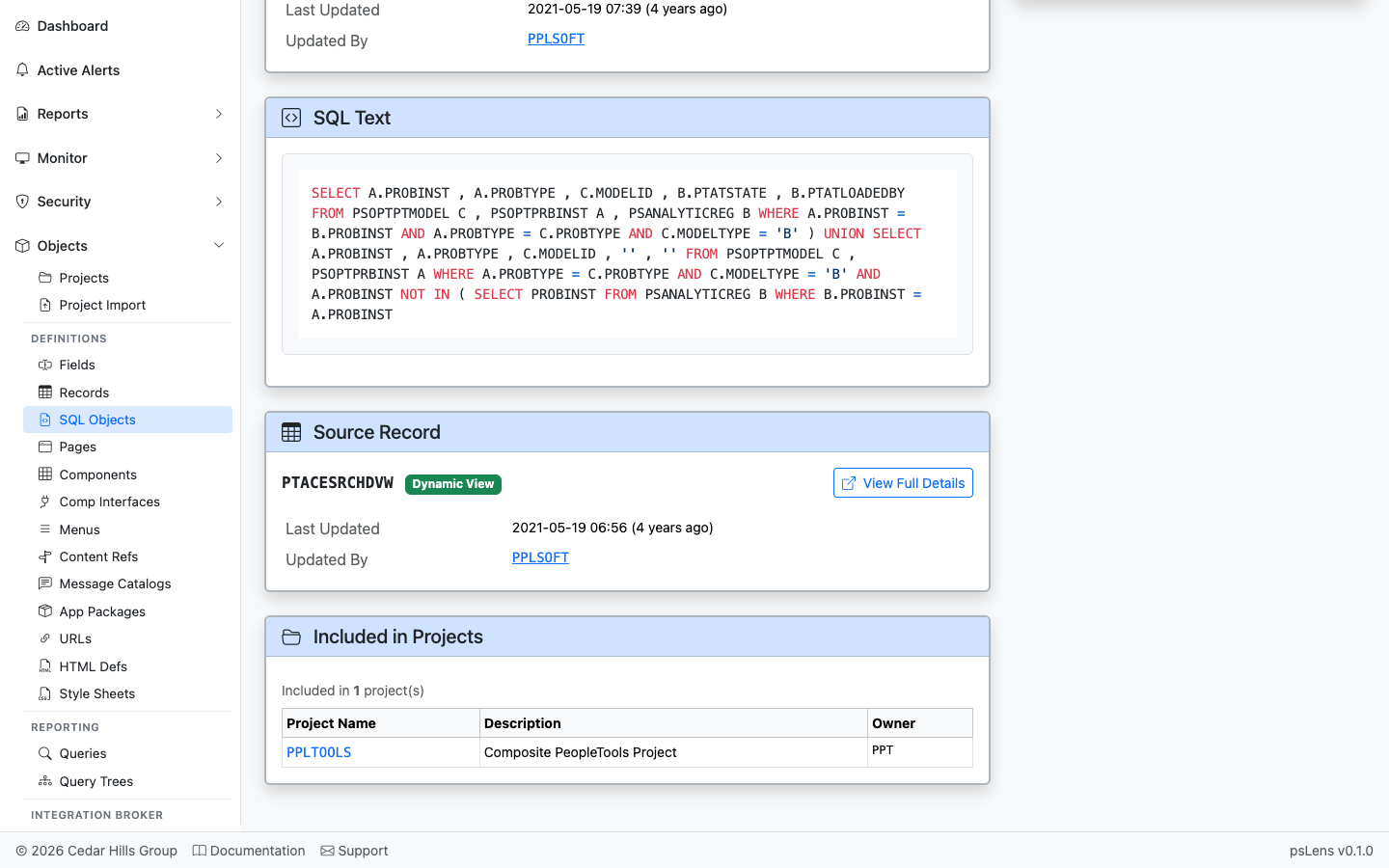
Direct link into the matching record detail page
When the SQL object is the body of a view-type record, this panel links into the parent record’s detail page so you can see the field list and the rest of the record metadata in one click.
Included in Projects
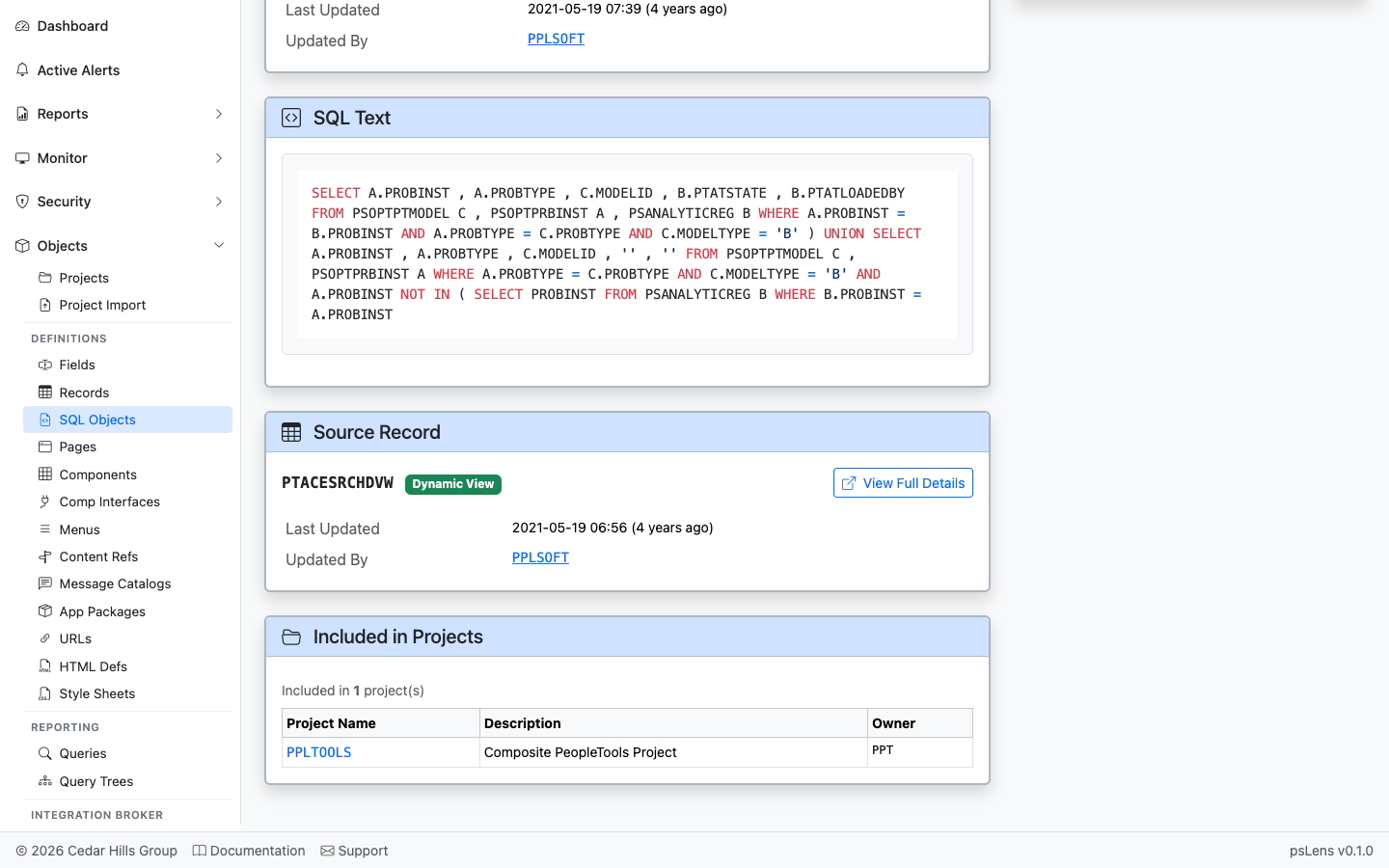
App Designer projects that include this SQL object
Lists projects that contain this SQL object as a project item. Useful for tracing migration history of view DDL changes.