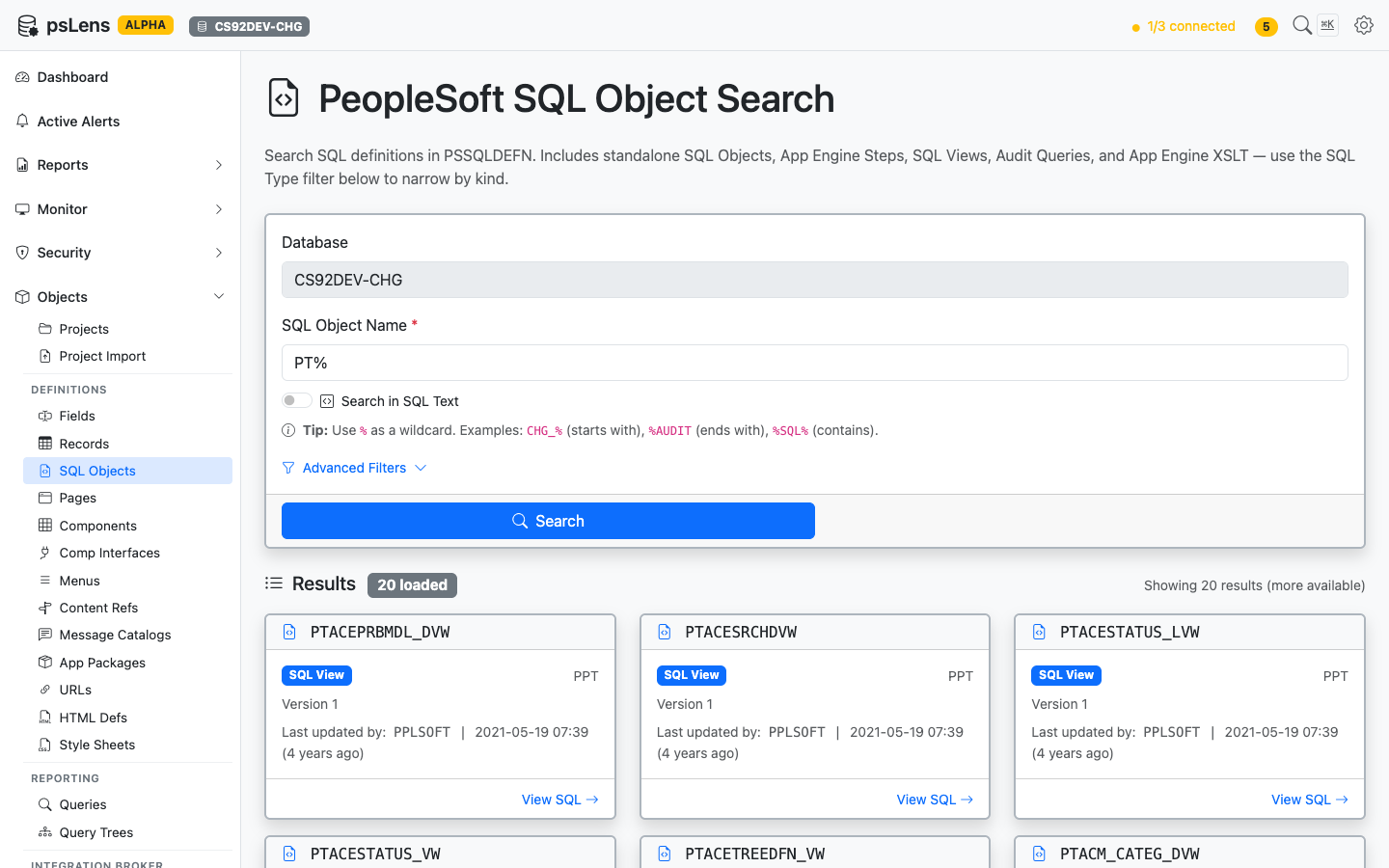
# SQL Objects

> Browse PeopleSoft SQL Object definitions — views, synonyms, and indexes — with source SQL and project membership.

---

LLMS index: [llms.txt](/llms.txt)

---

<div id="pslens-context-panel" class="card border-info mb-4 d-none">
  <div class="card-header bg-light text-info py-2 fw-bold d-flex align-items-center border-bottom border-info-subtle">
    <i class="bi bi-info-circle-fill me-2"></i>
    <span>Tailored Operational Context</span>
  </div>
  <div class="card-body p-0">
    <ul class="list-group list-group-flush">
      <li id="row-db" class="list-group-item d-flex align-items-center justify-content-between py-2 d-none">
        <strong>Target Database:</strong>
        <span id="ctx-db" class="badge bg-secondary font-monospace">&mdash;</span>
      </li>
      <li id="row-type" class="list-group-item d-flex align-items-center justify-content-between py-2 d-none">
        <strong>Context Type:</strong>
        <span id="ctx-type" class="badge bg-light text-dark border font-monospace text-uppercase">&mdash;</span>
      </li>
      <li id="row-severity" class="list-group-item d-flex align-items-center justify-content-between py-2 d-none">
        <strong>Alert Severity:</strong>
        <span id="ctx-severity" class="badge">&mdash;</span>
      </li>
      <li id="row-time" class="list-group-item d-flex align-items-center justify-content-between py-2 d-none">
        <strong>Triggered Time:</strong>
        <span id="ctx-time" class="text-muted small">&mdash;</span>
      </li>
      <li id="row-details" class="list-group-item py-2 d-none">
        <strong id="label-details" class="d-block mb-1">Firing Context:</strong>
        <code id="ctx-details" class="d-block p-2 bg-light border rounded small" style="white-space: pre-wrap; word-break: break-all;">&mdash;</code>
      </li>
    </ul>
  </div>
</div>

<script>
  (function() {
    const params = new URLSearchParams(window.location.search);
    const metadata = params.get('metadata');
    if (!metadata) return;

    try {
      
      const base64 = metadata.replace(/-/g, '+').replace(/_/g, '/');
      const jsonStr = decodeURIComponent(escape(window.atob(base64)));
      const data = JSON.parse(jsonStr);

      if (data) {
        let hasData = false;

        if (data.db) {
          document.getElementById('ctx-db').textContent = data.db;
          document.getElementById('row-db').classList.remove('d-none');
          hasData = true;
        }

        if (data.type) {
          document.getElementById('ctx-type').textContent = data.type;
          document.getElementById('row-type').classList.remove('d-none');
          hasData = true;
        }

        if (data.severity) {
          const severityBadge = document.getElementById('ctx-severity');
          const severity = data.severity.toLowerCase();
          severityBadge.textContent = severity.toUpperCase();
          if (severity === 'critical') {
            severityBadge.className = 'badge bg-danger';
          } else if (severity === 'warning') {
            severityBadge.className = 'badge bg-warning text-dark';
          } else {
            severityBadge.className = 'badge bg-info';
          }
          document.getElementById('row-severity').classList.remove('d-none');
          hasData = true;
        }

        if (data.t) {
          const date = new Date(data.t * 1000);
          document.getElementById('ctx-time').textContent = date.toLocaleString();
          document.getElementById('row-time').classList.remove('d-none');
          hasData = true;
        }

        if (data.details) {
          document.getElementById('ctx-details').textContent = data.details;

          
          const labelDetails = document.getElementById('label-details');
          if (data.type === 'object') {
            labelDetails.textContent = 'Object Metadata Details:';
          } else if (data.type === 'report') {
            labelDetails.textContent = 'Report Description:';
          } else {
            labelDetails.textContent = 'Firing Context:';
          }

          document.getElementById('row-details').classList.remove('d-none');
          hasData = true;
        }

        if (hasData) {
          document.getElementById('pslens-context-panel').classList.remove('d-none');
        }
      }
    } catch (e) {
      console.error('Failed to parse operational context metadata:', e);
    }
  })();
</script>


## What It Is

SQL Objects are the PeopleSoft application's standalone SQL artifacts — view definitions and other named SQL fragments stored in `PSSQLDEFN` / `PSSQLTEXTDEFN`. Unlike a record's automatically-generated DDL, these are SQL bodies the developer hand-wrote and PeopleSoft keeps versioned with the rest of the metadata. psLens pulls the source SQL plus the related record (when the SQL object is a view tied to a record definition) so you don't switch into App Designer to read the SQL.

## Search Page

URL: `/sqlobjects?db={database}`

<figure><img src="/images/screenshots/metadata/sql-objects-search.png"
    alt="SQL Object search results for PT% showing PTACEPRBMDL_DVW, PTACESRCHDVW, and others"><figcaption>
      <p>SQL Object search results for <code>PT%</code></p>
    </figcaption>
</figure>


Search auto-matches as *starts with*. Typing `PT` finds every SQL object whose ID begins with `PT`. Include `%` yourself for ends-with (`%VW`) or contains (`%AUDIT%`) patterns, or use `%` alone to list every row. Each result shows the object name, type, and last-updated info, useful when you're tracing where a view body is defined or hunting for a delivered SQL fragment.

## Detail Page

URL: `/sqlobjects/{NAME}?db={database}`

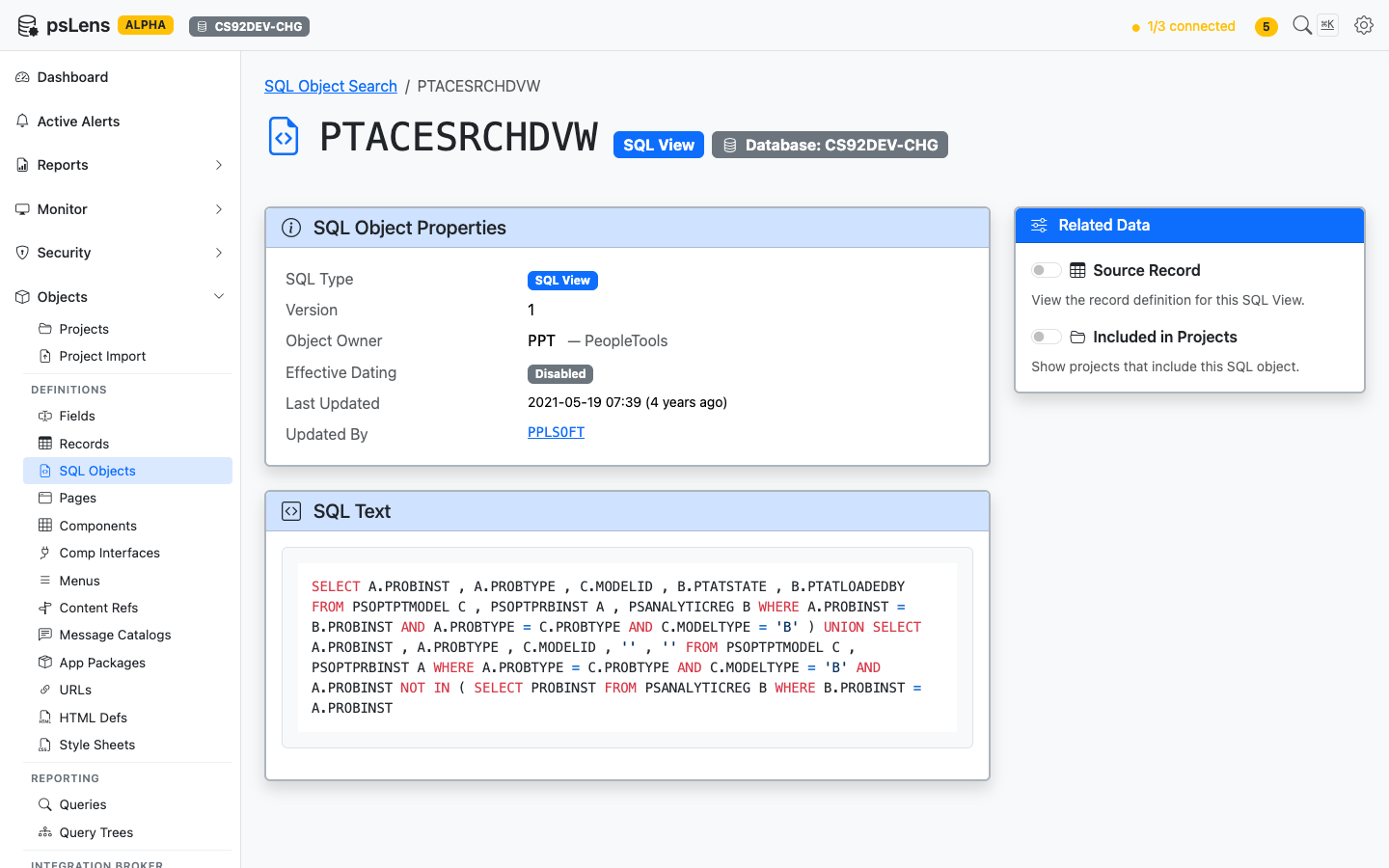
<figure><img src="/images/screenshots/metadata/sql-objects-detail.png"
    alt="Detail page for PTACESRCHDVW showing the SQL view properties and full source SQL"><figcaption>
      <p>SQL Object detail page for <code>PTACESRCHDVW</code></p>
    </figcaption>
</figure>


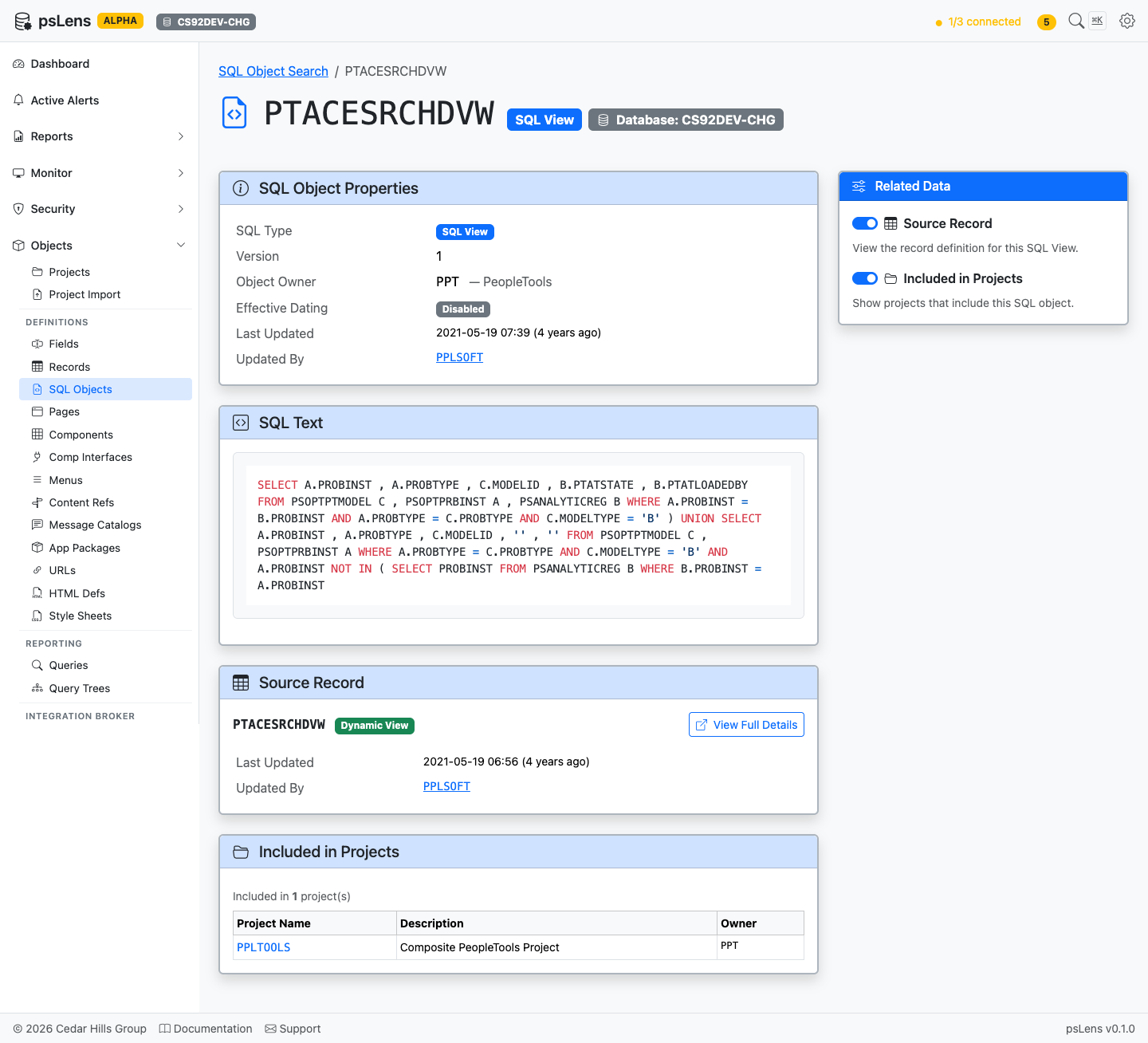
The main pane shows the object's properties and the full **Source SQL** body, syntax-highlighted and copyable, so you can see what the view SELECTs without an App Designer round-trip. The sidebar has two related-data toggles.

<figure><img src="/images/screenshots/metadata/sql-objects-detail-expanded.png"
    alt="SQL Object detail page with all panels expanded"><figcaption>
      <p>All panels expanded: Source Record and Project membership</p>
    </figcaption>
</figure>


## Related Data Panels

### Source Record

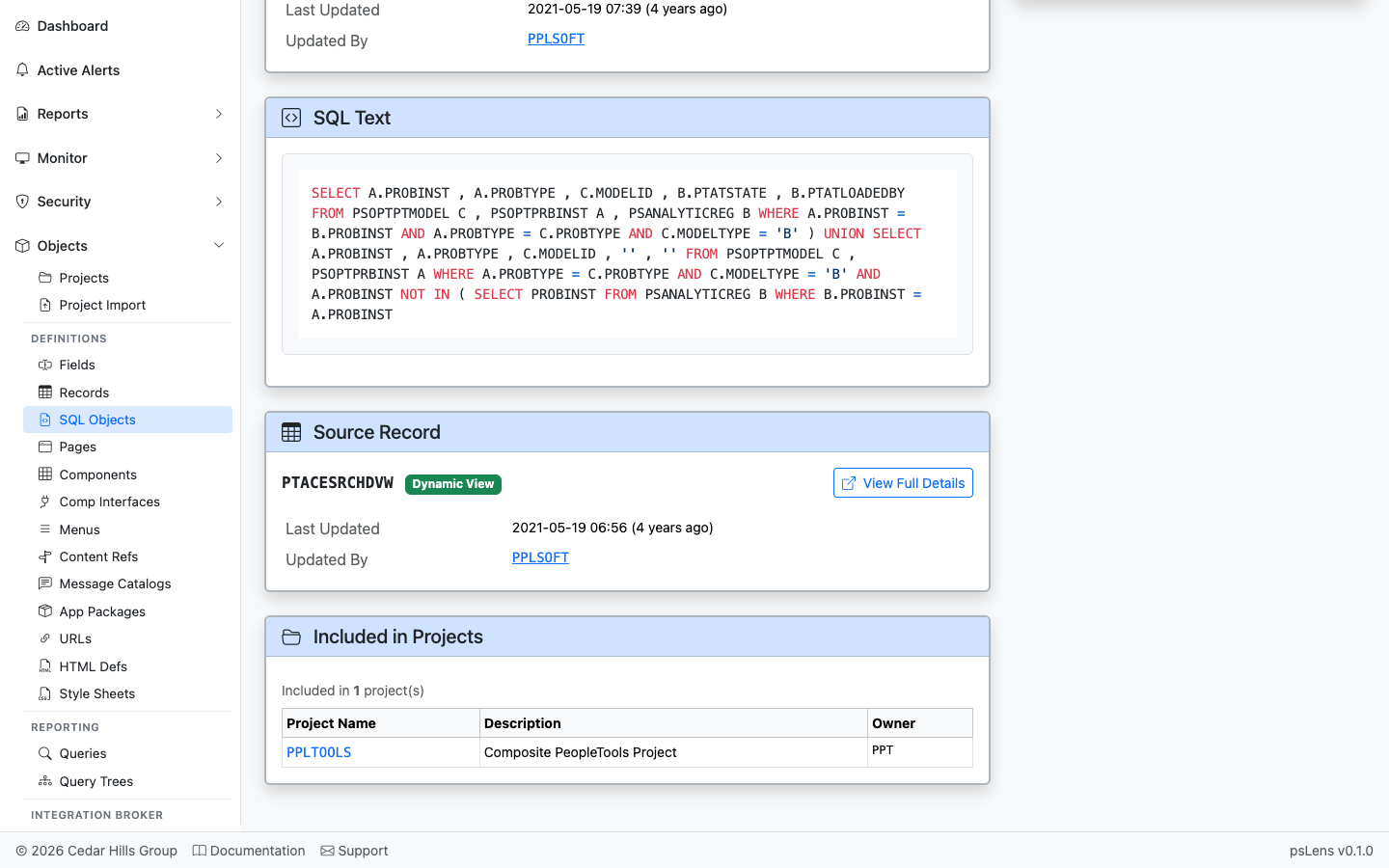
<figure><img src="/images/screenshots/metadata/sql-objects-panel-source-record.png"
    alt="Source Record panel linking to PTACESRCHDVW"><figcaption>
      <p>Direct link into the matching record detail page</p>
    </figcaption>
</figure>


When the SQL object is the body of a view-type record, this panel links into the parent record's detail page so you can see the field list and the rest of the record metadata in one click.

### Included in Projects

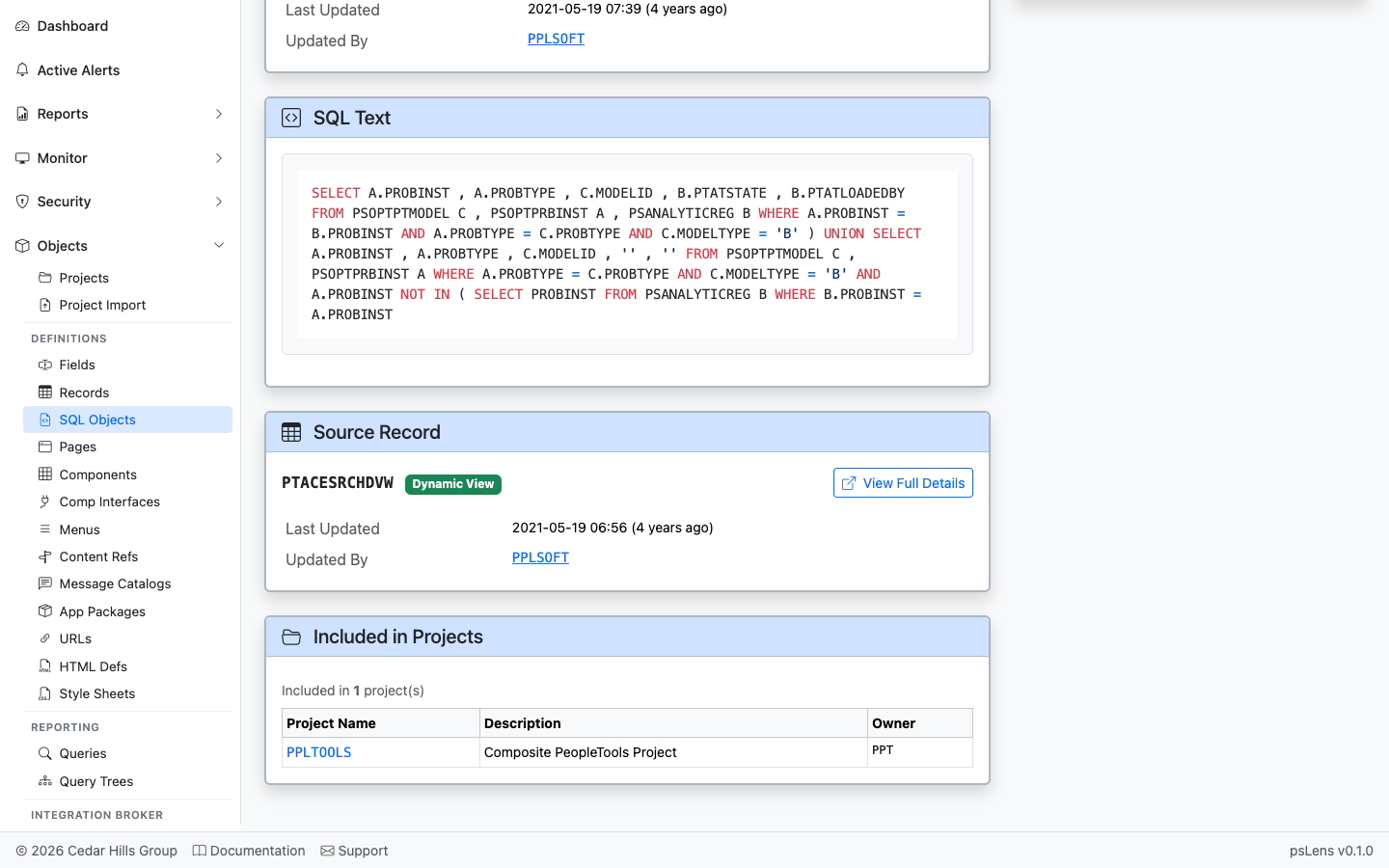
<figure><img src="/images/screenshots/metadata/sql-objects-panel-projects.png"
    alt="Included in Projects panel for the SQL object"><figcaption>
      <p>App Designer projects that include this SQL object</p>
    </figcaption>
</figure>


Lists projects that contain this SQL object as a project item. Useful for tracing migration history of view DDL changes.

## What This Consolidates

To see the same thing in App Designer:

- Open Application Designer
- Select **File → Open → SQL** and load the object
- Read the SQL in the App Designer editor
- Right-click to find which record it backs (if any)
- Open every owning project separately to see migration history

psLens shows the source SQL inline in the browser, with one-click navigation into the related record. Same view DDL, viewable without App Designer.