URL Definitions
Categories:
- Target Database: —
- Context Type: —
- Alert Severity: —
- Triggered Time: —
- Firing Context:
— - Contextual SQL:
—
URL definitions are PeopleSoft’s centralized store of named URL strings. Instead of hard-coding https://example.com/... inside PeopleCode, developers define a URL object (PSURLDEFN) and reference it by name with GetURL("MY_URL"). This keeps environment-specific endpoints (file servers, integration partners, image hosts) out of the code. psLens lets you browse the catalog so you can see every URL the application uses in one place.
Object Relationships
URL Definitions centralize external endpoint strings for application code:
- Referenced in PeopleCode: URL definitions (
PSURLDEFN) are resolved dynamically in PeopleCode viaGetURL()calls for attachments, redirects, and integrations.
How psLens Improves URL Definition Inspection
In Application Designer, searching URL definitions requires opening File → Open → URL Definition and clicking into individual items to inspect values.
psLens makes the URL catalog searchable with resolved URL endpoint values and owning project membership displayed inline.
Search Page
URL: /urls?db={database}
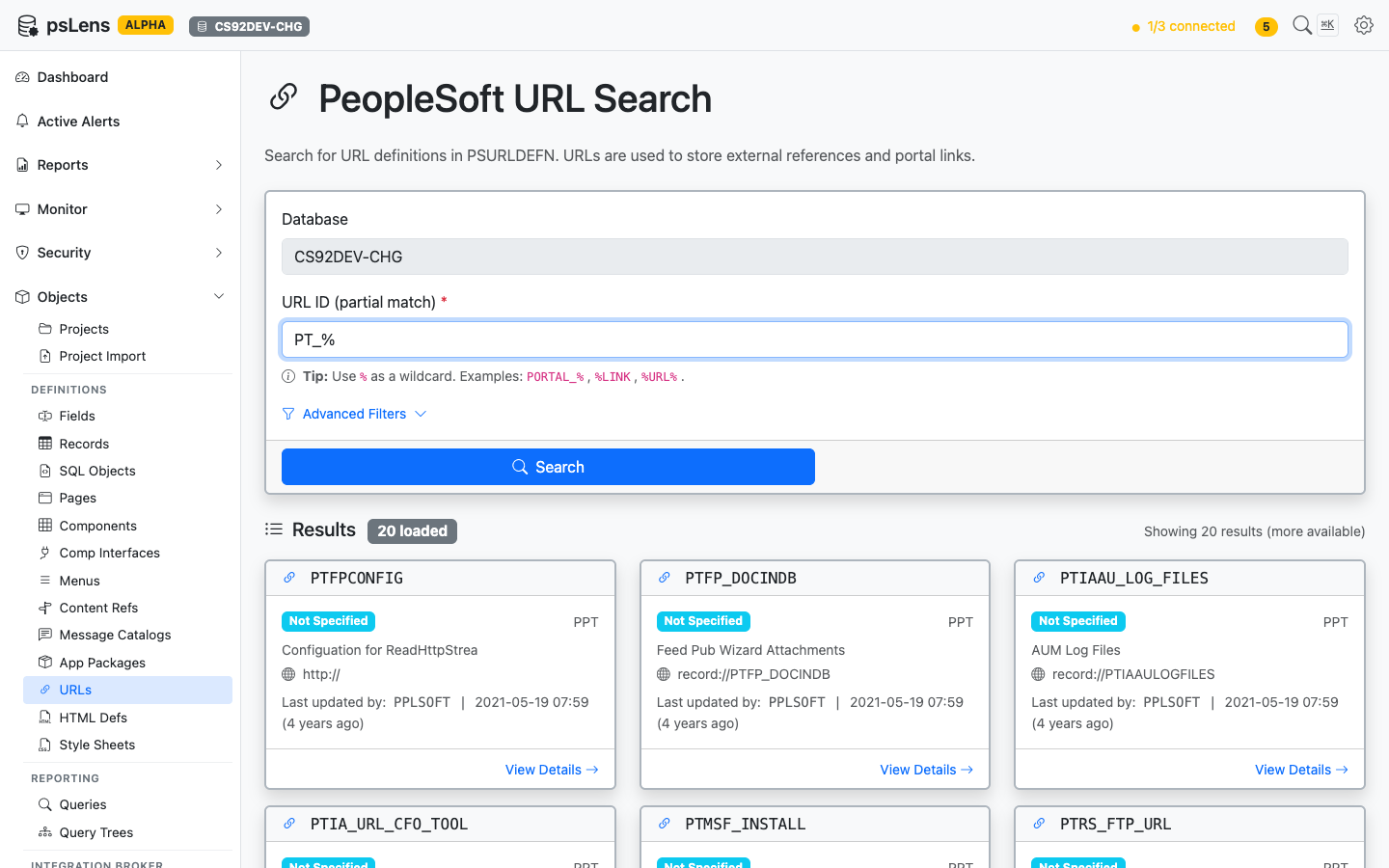
URL search results for PT_%
Wildcard % search supported. Each card shows the URL name plus the resolved URL value so you can scan the catalog at a glance.
Detail Page
URL: /urls/{URLNAME}?db={database}
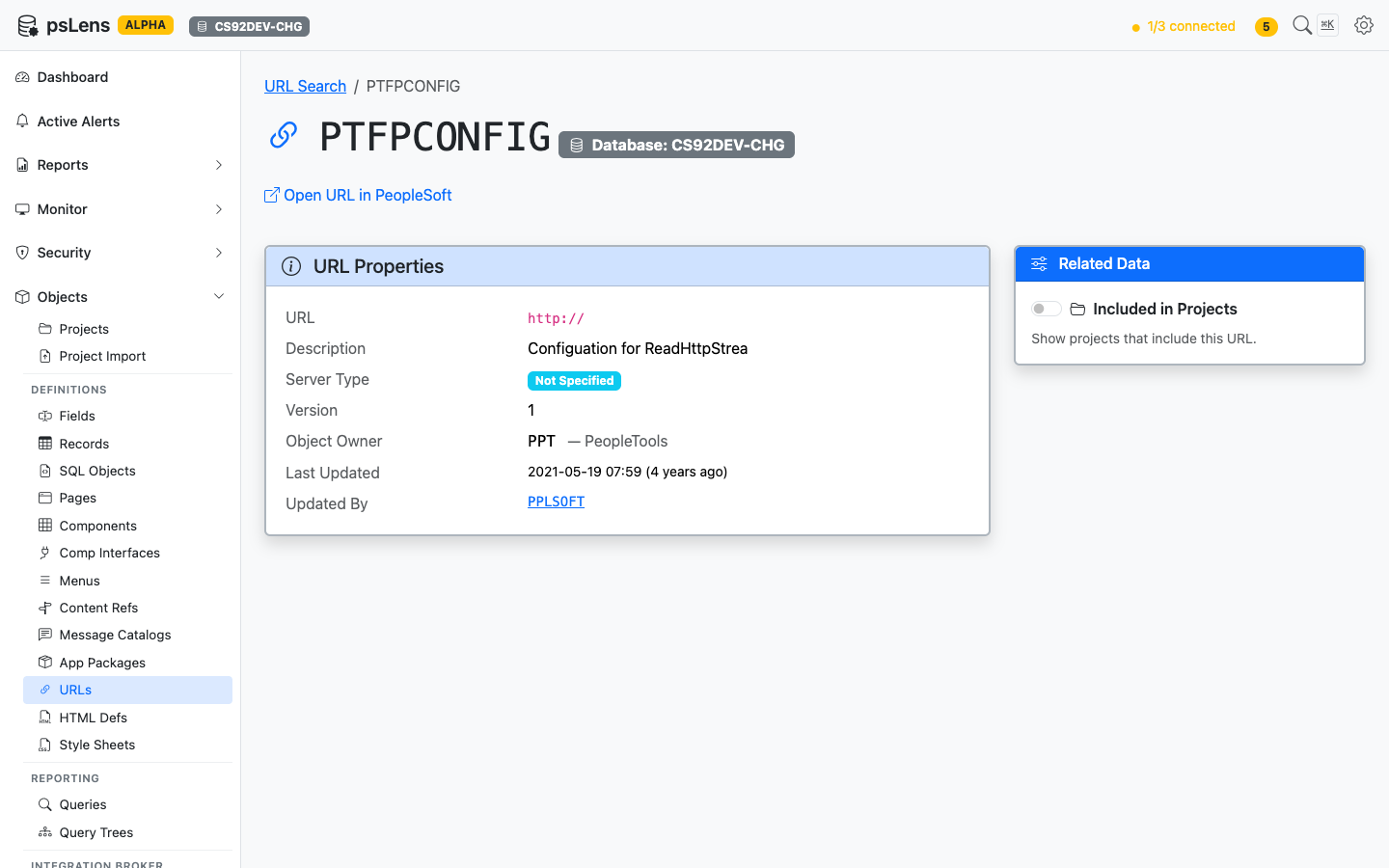
URL detail page for PTFPCONFIG
The main pane shows URL Properties (the URL itself, description, comments, audit metadata). The sidebar has one related-data toggle.
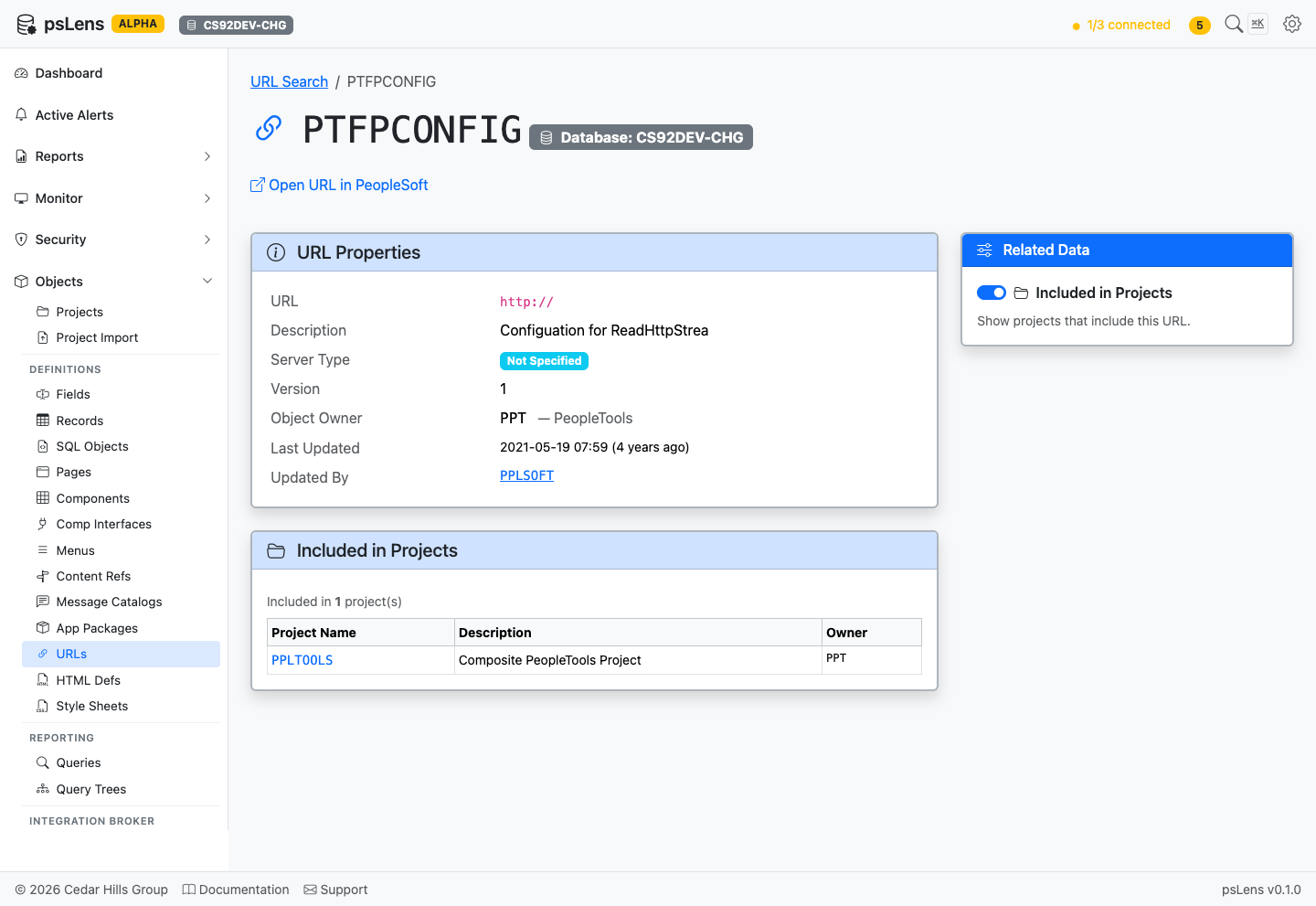
Full URL detail page with Projects panel expanded
Related Data Panels
Included in Projects
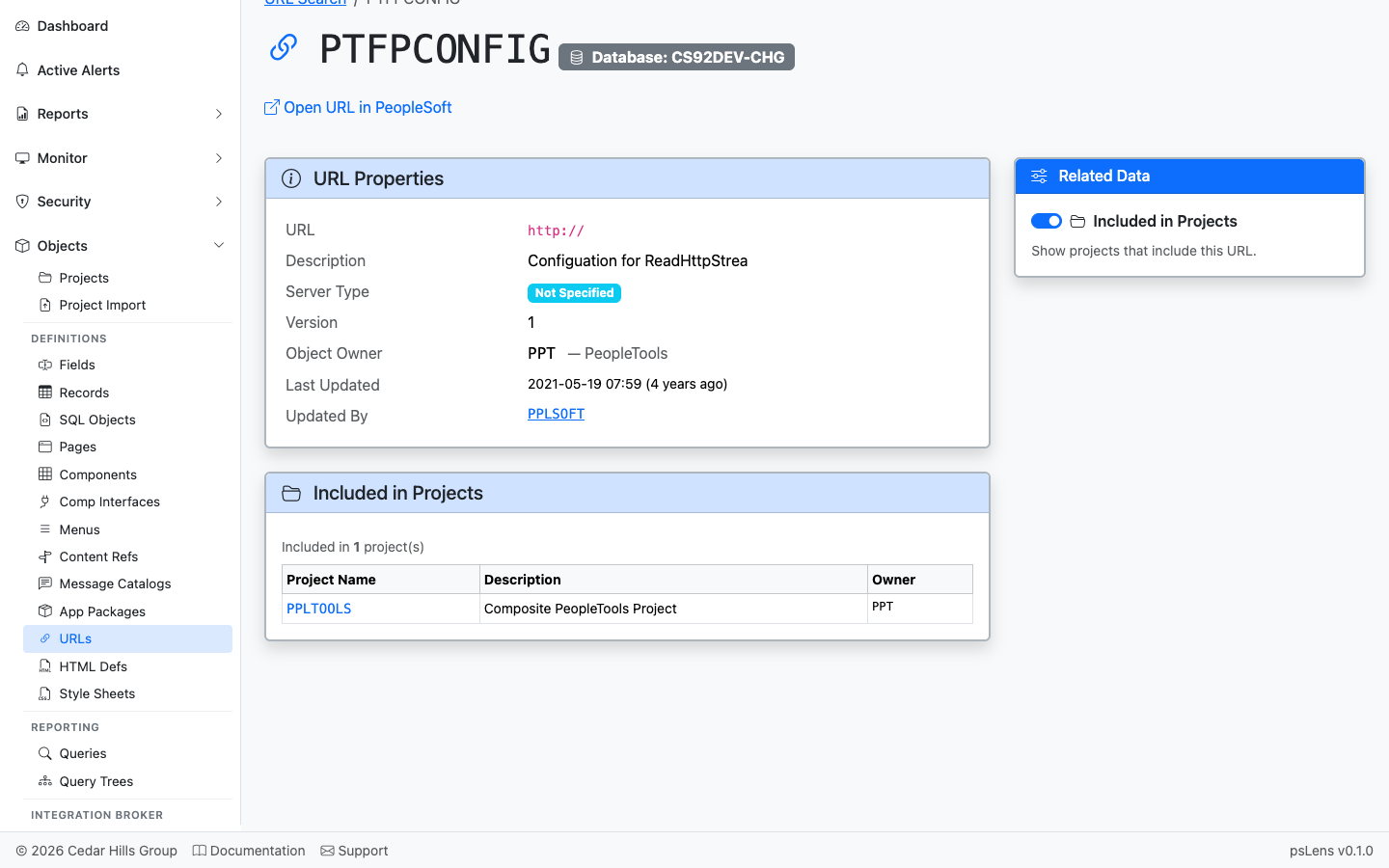
App Designer projects that include this URL definition
App Designer projects that include this URL. Useful for understanding which feature or customization introduced the URL.