Security
Security audit reports for PeopleSoft: permission list analysis, password audits, user access reviews, and more.
Alerts fire in real time. Reports run on demand against a selected database and produce a Markdown document with findings, evidence, and links back into psLens. Run them before an upgrade, after a migration, or whenever someone asks for proof.
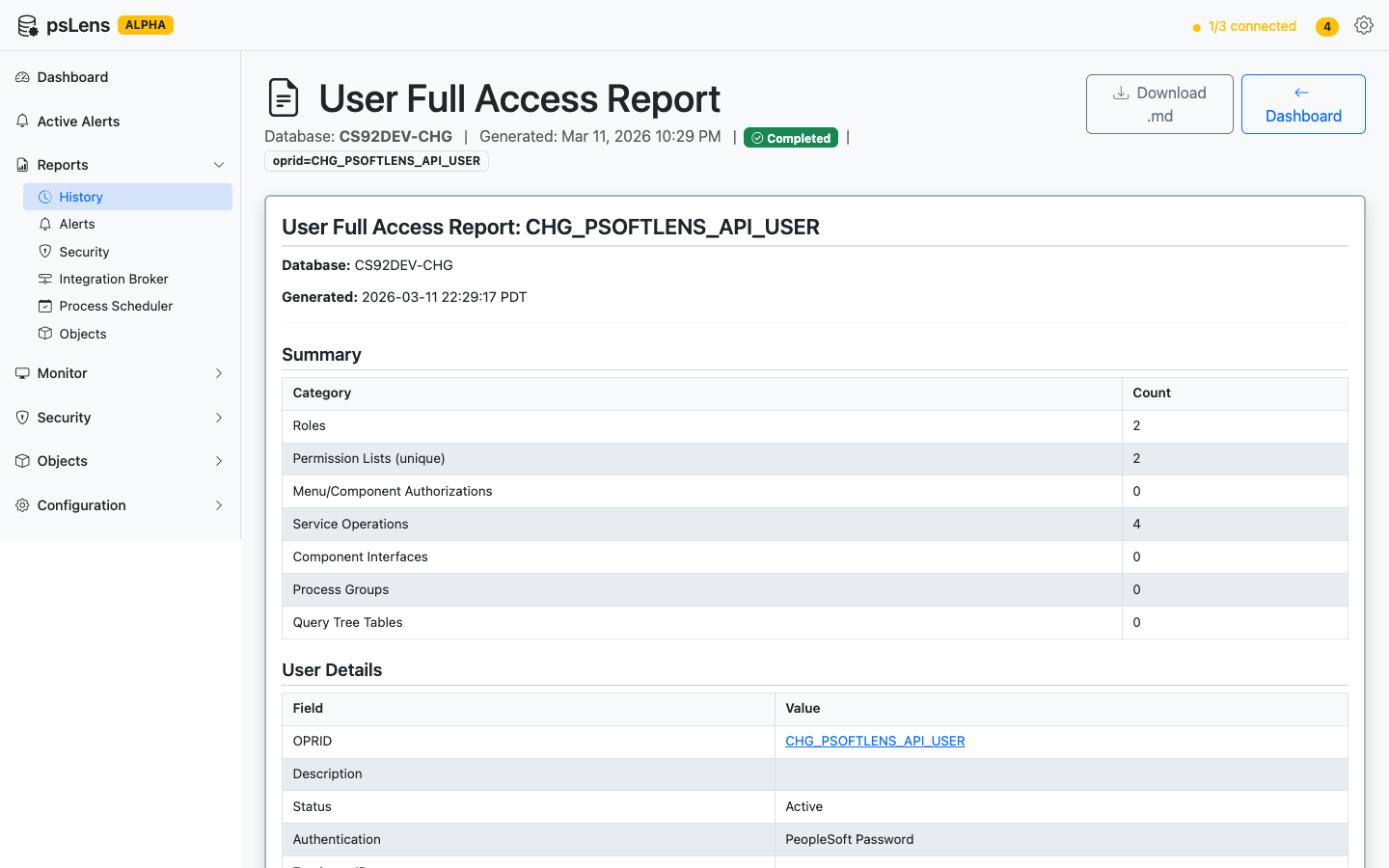
Reports run in the background, render in the browser, and export as Markdown for audit trails and follow-up
.md) fileReports run asynchronously, so they don’t block the UI and you won’t lose your work if the report takes a few minutes. Progress is shown while the report runs.
Report results are stored for 90 days. You can go back and review previous runs from the Reports page.
The report appears in your report history as “Running.” Refresh or wait on the page — results appear automatically when the report completes.
In addition to running reports on-demand, you can schedule reports to execute automatically at recurring intervals. Scheduled reports can target specific databases and send notifications when they complete.
02:00 or 14:30).Navigate to Active Schedules in the left sidebar. Here you can:
On any completed report’s results page, click Download as Markdown to save the full report output as a .md file. Markdown files are plain text and can be opened in any text editor, rendered on GitHub, or converted to other formats.
If you want to inspect the artifact before installing anything, start with Sample Report Output.
Browse reports by category:
We are open for product feedback. Each report here is a module in the psLens report framework, and the 26 reports were added one module at a time, so new reports are usually quick to incorporate. If your audit or operations work needs a report psLens does not ship, tell us. psLens is onboarding design partners, and partner requests set the build order.
The report catalog tells you what each report reads and what it returns. A live walkthrough shows the important part: how teams run them, how long they take, and how the output fits into audits, migrations, and operational reviews.
Security audit reports for PeopleSoft: permission list analysis, password audits, user access reviews, and more.
Integration Broker reports for PeopleSoft: service operation audits, node security, routing analysis, and volume reporting.
Process Scheduler reports for PeopleSoft: recurring process exports, critical process monitoring, and batch schedule analysis.
PeopleSoft object reports: customization inventory, cross-database project comparison, and object analysis.
Real psLens report output, exported to Markdown from a development environment, so you can see the exact artifact a report run produces before installing anything.